PFK Electronics 740000 740 WAB User Manual D740520

PFK Electronics (Pty) Limited 740 WAB D740520

User Manual

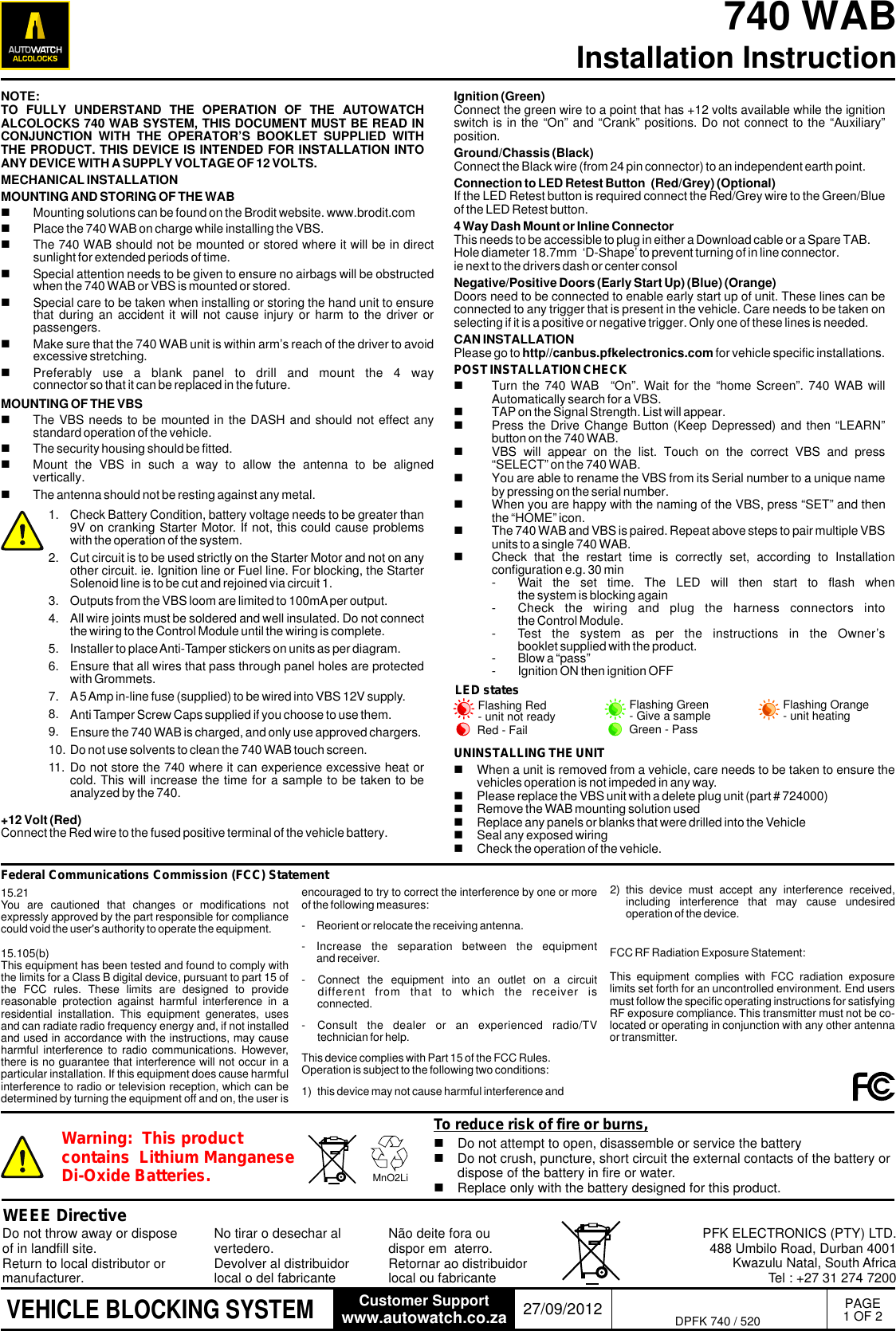
PAGE1 OF 2740 WAB Installation Instructionwww.autowatch.co.zaCustomer Support 27/09/2012VEHICLE BLOCKING SYSTEMNOTE: TO  FULLY  UNDERSTAND  THE  OPERATION  OF  THE  AUTOWATCH ALCOLOCKS 740 WAB SYSTEM, THIS DOCUMENT MUST BE READ IN CONJUNCTION  WITH  THE  OPERATOR’S  BOOKLET  SUPPLIED  WITH THE PRODUCT. THIS DEVICE IS INTENDED FOR INSTALLATION INTO ANY DEVICE WITH A SUPPLY VOLTAGE OF 12 VOLTS.MECHANICAL INSTALLATIONMOUNTING AND STORING OF THE WABnMounting solutions can be found on the Brodit website. www.brodit.comnPlace the 740 WAB on charge while installing the VBS.nThe 740 WAB should not be mounted or stored where it will be in direct sunlight for extended periods of time.nSpecial attention needs to be given to ensure no airbags will be obstructed when the 740 WAB or VBS is mounted or stored.nSpecial care to be taken when installing or storing the hand unit to ensure that during  an accident  it will  not cause  injury or  harm to  the driver  or passengers.nMake sure that the 740 WAB unit is within arm’s reach of the driver to avoid excessive stretching.nPreferably  use  a  blank  panel  to  drill  and  mount  the  4  way connector so that it can be replaced in the future.MOUNTING OF THE VBSnThe VBS needs to be mounted in the DASH and should not effect any standard operation of the vehicle. nThe security housing should be fitted.nMount  the  VBS  in  such  a  way  to  allow  the  antenna  to  be  aligned vertically. nThe antenna should not be resting against any metal. Check Battery Condition, battery voltage needs to be greater than 9V on cranking Starter Motor. If not, this could cause problems with the operation of the system.Cut circuit is to be used strictly on the Starter Motor and not on any other circuit. ie. Ignition line or Fuel line. For blocking, the Starter Solenoid line is to be cut and rejoined via circuit 1. Outputs from the VBS loom are limited to 100mA per output.All wire joints must be soldered and well insulated. Do not connect the wiring to the Control Module until the wiring is complete.Installer to place Anti-Tamper stickers on units as per diagram.Ensure that all wires that pass through panel holes are protected with Grommets.A 5 Amp in-line fuse (supplied) to be wired into VBS 12V supply.Anti Tamper Screw Caps supplied if you choose to use them.Ensure the 740 WAB is charged, and only use approved chargers.Do not use solvents to clean the 740 WAB touch screen.Do not store the 740 where it can experience excessive heat or cold. This will increase the time for a sample to be taken to be analyzed by the 740.1.2.3.4.5.6.7.8.9.10.11.Ignition (Green)Connect the green wire to a point that has +12 volts available while the ignition switch is in the “On” and “Crank” positions. Do not connect to the “Auxiliary” position.Ground/Chassis (Black) Connect the Black wire (from 24 pin connector) to an independent earth point.Connection to LED Retest Button  (Red/Grey) (Optional)If the LED Retest button is required connect the Red/Grey wire to the Green/Blue of the LED Retest button. 4 Way Dash Mount or Inline ConnectorThis needs to be accessible to plug in either a Download cable or a Spare TAB.Hole diameter 18.7mm  ‘D-Shape’ to prevent turning of in line connector.ie next to the drivers dash or center consolNegative/Positive Doors (Early Start Up) (Blue) (Orange)Doors need to be connected to enable early start up of unit. These lines can be connected to any trigger that is present in the vehicle. Care needs to be taken on selecting if it is a positive or negative trigger. Only one of these lines is needed.CAN INSTALLATIONPlease go to http//canbus.pfkelectronics.com for vehicle specific installations.POST INSTALLATION CHECKnTurn the 740 WAB   “On”. Wait for the “home Screen”.  740 WAB will Automatically search for a VBS.nTAP on the Signal Strength. List will appear.nPress the Drive Change Button (Keep Depressed) and then “LEARN” button on the 740 WAB.nVBS  will  appear  on  the  list.  Touch  on  the  correct  VBS  and  press “SELECT” on the 740 WAB.nYou are able to rename the VBS from its Serial number to a unique name by pressing on the serial number.nWhen you are happy with the naming of the VBS, press “SET” and then the “HOME” icon.nThe 740 WAB and VBS is paired. Repeat above steps to pair multiple VBS units to a single 740 WAB.nCheck  that  the  restart  time  is  correctly  set,  according  to  Installation configuration e.g. 30 min- Wait  the  set  time.  The  LED  will  then  start  to  flash  when the system is blocking again- Check  the  wiring  and  plug  the  harness  connectors  into the Control Module.- Test  the  system  as  per  the  instructions  in  the  Owner’s booklet supplied with the product.- Blow a “pass”- Ignition ON then ignition OFFWEEE DirectiveDo not throw away or dispose of in landfill site.  Return to local distributor or manufacturer.PFK ELECTRONICS (PTY) LTD.488 Umbilo Road, Durban 4001Kwazulu Natal, South AfricaTel : +27 31 274 7200No tirar o desechar al vertedero. Devolver al distribuidor local o del fabricante Não deite fora ou dispor em  aterro. Retornar ao distribuidor local ou fabricante DPFK 740 / 520LED statesFlashing Red - unit not ready Flashing Orange - unit heatingFlashing Green - Give a sampleGreen - PassRed - FailUNINSTALLING THE UNITnWhen a unit is removed from a vehicle, care needs to be taken to ensure the vehicles operation is not impeded in any way.nPlease replace the VBS unit with a delete plug unit (part # 724000)nRemove the WAB mounting solution usednReplace any panels or blanks that were drilled into the VehiclenSeal any exposed wiringnCheck the operation of the vehicle.encouraged to try to correct the interference by one or more of the following measures:- Reorient or relocate the receiving antenna.- Increase  the  separation  between  the  equipment and receiver.- Connect  the  equipment  into  an  outlet  on  a  circuit different  from  that  to  which  the  receiver  is       connected.- Consult  the  dealer  or  an  experienced  radio/TV technician for help.This device complies with Part 15 of the FCC Rules. Operation is subject to the following two conditions:1)  this device may not cause harmful interference and.....2)  this  device  must  accept  any  interference  received, including  interference  that  may  cause  undesired operation of the device......Federal Communications Commission (FCC) StatementnDo not attempt to open, disassemble or service the batterynDo not crush, puncture, short circuit the external contacts of the battery or dispose of the battery in fire or water.nReplace only with the battery designed for this product.Warning:  This product contains  Lithium Manganese Di-Oxide Batteries. MnO2LiTo reduce risk of fire or burns,15.21You  are  cautioned  that  changes  or  modifications  not expressly approved by the part responsible for compliance could void the user's authority to operate the equipment.15.105(b)This equipment has been tested and found to comply with the limits for a Class B digital device, pursuant to part 15 of the  FCC  rules.  These  limits  are  designed  to  provide reasonable  protection  against  harmful  interference  in  a residential  installation.  This  equipment  generates,  uses and can radiate radio frequency energy and, if not installed and used in accordance with the instructions, may cause harmful interference  to radio  communications. However, there is no guarantee that interference will not occur in a particular installation. If this equipment does cause harmful interference to radio or television reception, which can be determined by turning the equipment off and on, the user is +12 Volt (Red)Connect the Red wire to the fused positive terminal of the vehicle battery.FCC RF Radiation Exposure Statement:This  equipment  complies  with  FCC  radiation  exposure limits set forth for an uncontrolled environment. End users must follow the specific operating instructions for satisfying RF exposure compliance. This transmitter must not be co-located or operating in conjunction with any other antenna or transmitter.
STATUS LED & RETEST BUTTONSTATUS LED5A FUSESUPPLIED5A FUSESUPPLIED+ 12/24 VOLTSWHITE WIRERED WIREGREEN WIREBLACK WIREYELLOW/BLACK  WIREWHITE/BLACK  WIREBROWN/BLACK WIREPIN - 9PIN - 1PIN - 3PIN - 11PIN - 10PIN - 22PIN - 13PIN - 12PIN - 18PIN - 20PIN - 6PIN - 8PIN - 19PIN - 7PIN - 2PIN - 4PIN - 21PIN - 24PIN - 23CAN HIGHCAN LOWNEGATIVE DOORSPOSITIVE DOORSAUX RELAY OUT 1AUX RELAY OUT 2ENSURE THAT ALL WIRES THATPASS THROUGH PANEL HOLES ARE PROTECTED WITH GROMMETSGROMMETS CHASSIS+ 12/24VOLTS+24V+ 12/24  VOLTSCONNECT TO RETEST BUTTONIGNITIONCHASSIS774 Ri REMOTE/IMMOBILISERDPFK 774612/0PFK 774-102RIgnitionswitchEXTERNALBUZZERBLUE WIRERED WIREGREY WIREBLUE/GREEN WIREACCESSORY PORTTo be used witha PFK accessory RED/BLACK WIREorORANGE WIREGREEN/REDGREEN/WHITE WIREBROWN/WHITE WIRERED/GREY WIREGROUNDNEGATIVE 1OUTPUTOption 1Option 2 PulseHorn / HeadlampFlashFail - Initial 1 - 30Sec1 - 30Sec1 - 30SecDrive stateoutputRandom SampleFailStart of sampleoutputFailed to giverandom sampleNEGATIVE 2OUTPUTNEGATIVE 3OUTPUTPart No. 712-800Part No. 674-850 To PCCAN INTERFACE CABLE(Only for CAN enabled VBS)WARNING: DO NOT CONNECT CAN INTERFACE CABLE WHILE VBS IS STILL CONNECTED TO THE VEHICLEPart No. 712-800CUT STARTER SOLENOID WIRE TO BE IMMOBILISED AND REJOIN VIA GP RELAY 8530GPRELAY30AFOR USE ON 24V SYSTEMSFOR USE ON 12V SYSTEMS86 87a Normally closed87NOT USEDMOUNT FOR MAXIMUM VISIBILITY.}CIRCUIT 1CIRCUIT 1CUT STARTER SOLENOID LINE TO BE IMMOBILISED AND REJOIN VIA CIRCUIT 1(20 AMP CAPABILITY) JOIN INTO CUT STARTER SOLENOID LINE Normally ClosedCommonSTARTER SOLENOID WIREWIRE HARNESSINTO THE VEHICLEPRIOR TO PLUGGINGCONTROL MODULE INBatteryCheckOutputslimited to100mA(1)(3)(5)(2)(8)(4) (6)(7)Anti-tamper Screw caps are also supplied should you wish to use them.Once security cover is fitted, attach the Anti-Tamper sticker over the join between the unit and the security cover.Once the installation is complete and fully tested the security cover can be fitted. Attach to the main casing using the screws provided. Anti-Tamper stickerNormal  < 80 mAHeating < 1000mASleep 18mAPower consumption @ 12V1122354458mm15mmLED statesFlashing Red - unit not readyFlashing Orange - unit heatingFlashing Green - Give a sampleGreen - PassRed - FailPAGE2 OF 2www.autowatch.co.zaCustomer Support 27/09/2012VEHICLE BLOCKING SYSTEMOverride Sense Input Emergency Override Switch (Optional)Part No. 720-960For dashboard mounting drill a 12mm Diameter Hole***PC  INTERFACE CABLEThis USB cable is also used to charge the 740 with the car chargerDPFK 740 / 52012V CAR CHARGER(9)Ensure the 740 WAB is charged,only use approved chargers.(10) Do not use solvents to clean  the 740 WAB touch screen.(11) Installer to place Anti-Tamper stickers on rear of WAB(5)      Power ButtonUSB slotFinger Print Reader18.7mmD-ShapeDo not store the 740 where it can experience  excessive heat or cold. This will increase the time for a sample to be taken to be analyzed by the 740.

Navigation menu