Pakesen Electronics M521BT Bluetooth Headphone User Manual user manual

Shenzhen Pakesen Electronics Co.,Ltd. Bluetooth Headphone user manual

user_manual

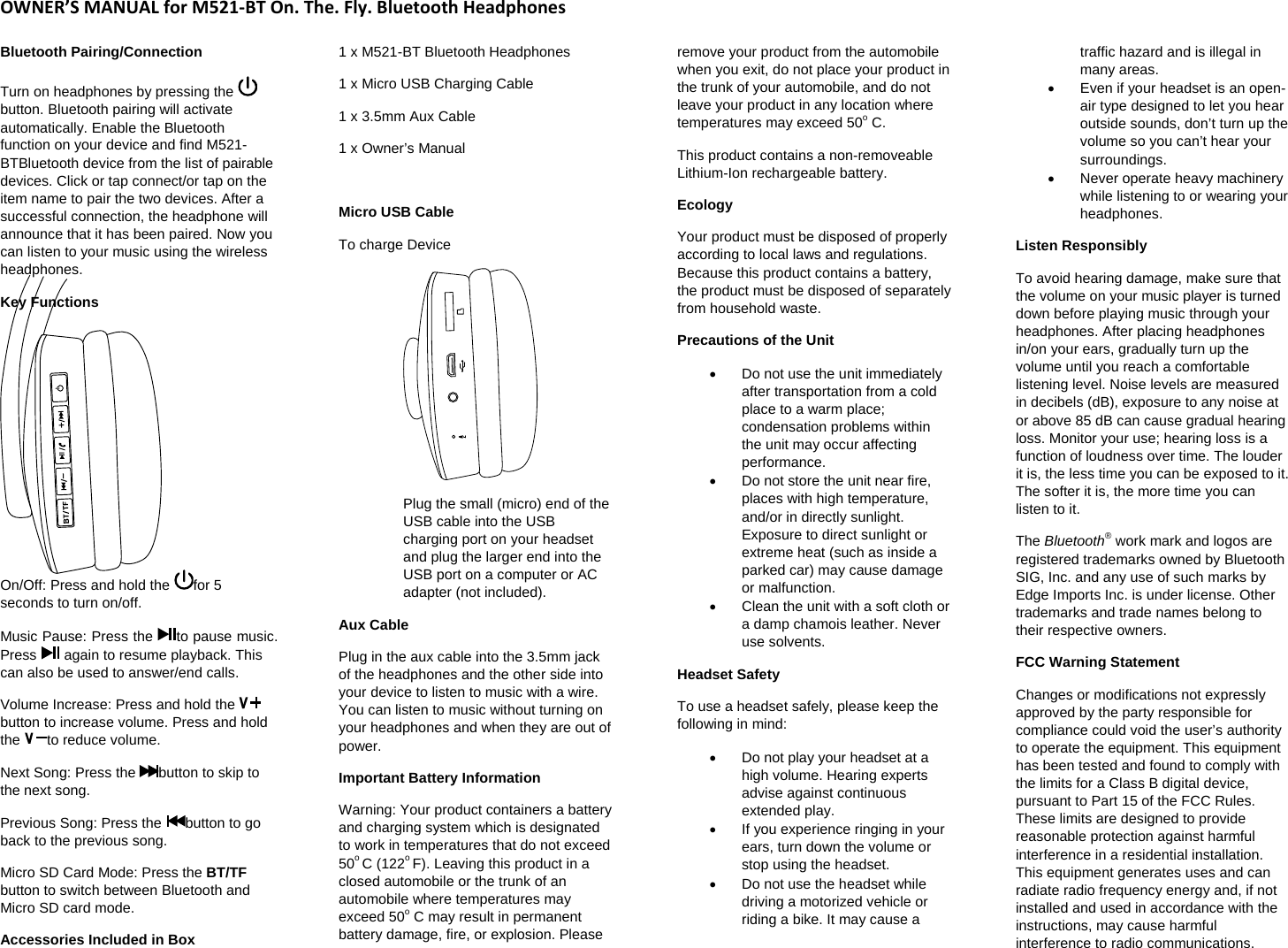
OWNER’SMANUALforM521‐BTOn.The.Fly.BluetoothHeadphonesBluetooth Pairing/Connection  Turn on headphones by pressing the button. Bluetooth pairing will activate automatically. Enable the Bluetooth function on your device and find M521-BTBluetooth device from the list of pairable devices. Click or tap connect/or tap on the item name to pair the two devices. After a successful connection, the headphone will announce that it has been paired. Now you can listen to your music using the wireless headphones. Key Functions  On/Off: Press and hold the  for 5 seconds to turn on/off.  Music Pause: Press the  to pause music. Press   again to resume playback. This can also be used to answer/end calls.  Volume Increase: Press and hold the button to increase volume. Press and hold the  to reduce volume.  Next Song: Press the  button to skip to the next song.  Previous Song: Press the  button to go back to the previous song.  Micro SD Card Mode: Press the BT/TF button to switch between Bluetooth and Micro SD card mode.  Accessories Included in Box  1 x M521-BT Bluetooth Headphones  1 x Micro USB Charging Cable 1 x 3.5mm Aux Cable  1 x Owner’s Manual   Micro USB Cable  To charge Device    Plug the small (micro) end of the USB cable into the USB charging port on your headset and plug the larger end into the USB port on a computer or AC adapter (not included).  Aux Cable  Plug in the aux cable into the 3.5mm jack of the headphones and the other side into your device to listen to music with a wire. You can listen to music without turning on your headphones and when they are out of power.  Important Battery Information Warning: Your product containers a battery and charging system which is designated to work in temperatures that do not exceed 50o C (122o F). Leaving this product in a closed automobile or the trunk of an automobile where temperatures may exceed 50o C may result in permanent battery damage, fire, or explosion. Please remove your product from the automobile when you exit, do not place your product in the trunk of your automobile, and do not leave your product in any location where temperatures may exceed 50o C.  This product contains a non-removeable Lithium-Ion rechargeable battery.  Ecology Your product must be disposed of properly according to local laws and regulations. Because this product contains a battery, the product must be disposed of separately from household waste.  Precautions of the Unit   Do not use the unit immediately after transportation from a cold place to a warm place; condensation problems within the unit may occur affecting performance.    Do not store the unit near fire, places with high temperature, and/or in directly sunlight. Exposure to direct sunlight or extreme heat (such as inside a parked car) may cause damage or malfunction.    Clean the unit with a soft cloth or a damp chamois leather. Never use solvents.  Headset Safety  To use a headset safely, please keep the following in mind:    Do not play your headset at a high volume. Hearing experts advise against continuous extended play.    If you experience ringing in your ears, turn down the volume or stop using the headset.    Do not use the headset while driving a motorized vehicle or riding a bike. It may cause a traffic hazard and is illegal in many areas.    Even if your headset is an open-air type designed to let you hear outside sounds, don’t turn up the volume so you can’t hear your surroundings.   Never operate heavy machinery while listening to or wearing your headphones.  Listen Responsibly  To avoid hearing damage, make sure that the volume on your music player is turned down before playing music through your headphones. After placing headphones in/on your ears, gradually turn up the volume until you reach a comfortable listening level. Noise levels are measured in decibels (dB), exposure to any noise at or above 85 dB can cause gradual hearing loss. Monitor your use; hearing loss is a function of loudness over time. The louder it is, the less time you can be exposed to it. The softer it is, the more time you can listen to it.  The Bluetooth® work mark and logos are registered trademarks owned by Bluetooth SIG, Inc. and any use of such marks by Edge Imports Inc. is under license. Other trademarks and trade names belong to their respective owners.  FCC Warning Statement  Changes or modifications not expressly approved by the party responsible for compliance could void the user’s authority to operate the equipment. This equipment has been tested and found to comply with the limits for a Class B digital device, pursuant to Part 15 of the FCC Rules. These limits are designed to provide reasonable protection against harmful interference in a residential installation. This equipment generates uses and can radiate radio frequency energy and, if not installed and used in accordance with the instructions, may cause harmful interference to radio communications.
OWNER’SMANUALForTL810BluetoothHeadphonesHowever, there is no guarantee that interference will not occur in a particular installation. If this equipment does cause harmful interference to radio or television reception, which can be determined by turning the equipment off and on, the user is encouraged to try to correct the interference by one or more of the following measures: ‐  Reorient or relocate the receiving antenna.‐  Increase the separation between the equipment and receiver. ‐Connect the equipment into an outlet on a circuit different from that to which the receiver is connected.  ‐  Consult the dealer or an experienced radio/TV technician for help.  FCC Information  This device complies with Part 15 of the FCC Rules. Operation is subject to the following two conditions: (1) this device may not cause harmful interference, and (2) this device must accept any interference received, including interference that may cause undesired operation.  FCC ID: 2AE9W-M521BT Model #: M521-BT

Navigation menu