Perfect Tech Co 50X BT-50X User Manual

Perfect Tech Co ., Ltd BT-50X

user manual

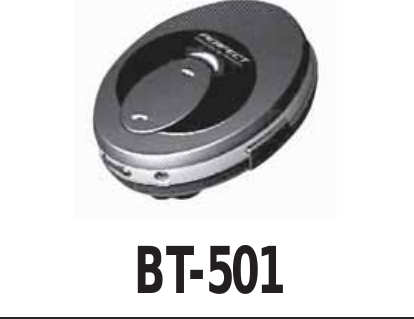
BT-501
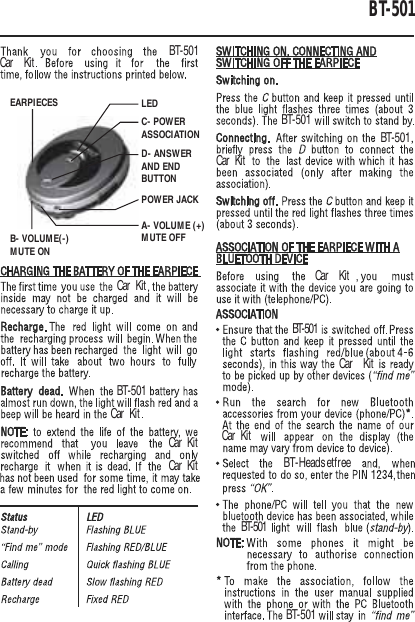
BT-501BT-501Car KitCar KitCar KitCar KitCar KitCar KitCar KitCar KitCar KitBT-501BT-501BT-501BT-501BT-501BT-501BT-HeadsetfreeD- ANSWERAND ENDBUTTONPOWER JACKA- VOLUME (+)MUTE OFFB- VOLUME(-)MUTE ONC- POWERASSOCIATIONLEDEARPIECES
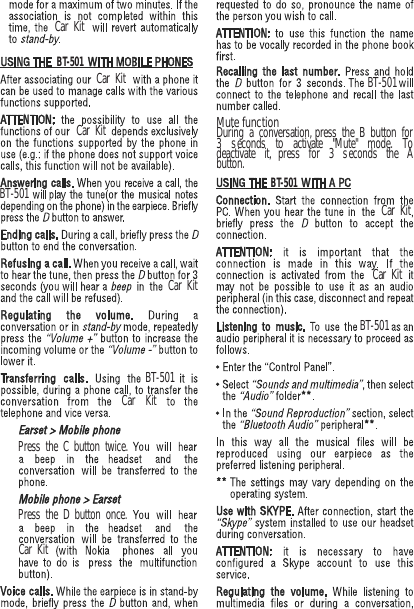
BT-501BT-501Car KitCar KitBT-501BT-501BT-501BT-501Car KitCar KitCar KitCar KitPress the C button twice.Press the D button once.During a conversation, press the B button for3 seconds to activate "Mute" mode. Todeactivate it, press for 3 seconds the Abutton.Car KitCar KitMute function
BT-501.Car KitThe fully charged battery has power for to8 hours of talktime, up to hours of 120standbtime. However, the times may varywhen used with different mobile phones orother compatible Bluetooth devices, usagsettings, usage styles, and environments.Leaving the device in hot or cold places,such as in a closed car in summer orwinter conditions, will reduce the capacityand lifetime of the battery. Always try tokeep the battery between 15 C and 25 C(59 F and 77 F). A device with hot or coldbattery may not work temporarily, evenwhen the battery is fully charged. Batteryperformance is particularly limited intemperatures well below freezing.Car KitDo not use the device during charging.
Federal Communications Commission (FCC) Statement 15.21You are cautioned that changes or modifications not expressly approved by the part responsible for compliance could void the user’s authority to operate the equipment. 15.105(b)This equipment has been tested and found to comply with the limits for a Class B digital device, pursuant to part 15 of the FCC rules. These limits are designed to provide reasonable protection against harmful interference in a residential installation. This equipment generates, uses and can radiate radio frequency energy and, if not installed and used in accordance with the instructions, may cause harmful interference to radio communications. However, there is no guarantee that interference will not occur in a particular installation. If this equipment does cause harmful interference to radio or television reception, which can be determined by turning the equipment off and on, the user is encouraged to try to correct the interference by one or more of the following measures: -Reorient or relocate the receiving antenna. -Increase the separation between the equipment and receiver. -Connect the equipment into an outlet on a circuit different from that to which the receiver is connected. -Consult the dealer or an experienced radio/TV technician for help. Operation is subject to the following two conditions: 1) this device may not cause interference and 2) this device must accept any interference, including interference that may cause undesired operation of the device. FCC RF Radiation Exposure Statement: This equipment complies with FCC radiation exposure limits set forth for an uncontrolled environment. End users must follow the specific operating instructions for satisfying RF exposure compliance. This transmitter must not be co-located or operating in conjunction with any other antenna or transmitter.

Navigation menu