Phiradar Technology SP100 fish finder User Manual Vexilar SonarPhone Instruction Manual

Shenzhen Phiradar Technology Co., Ltd fish finder Vexilar SonarPhone Instruction Manual

User manual

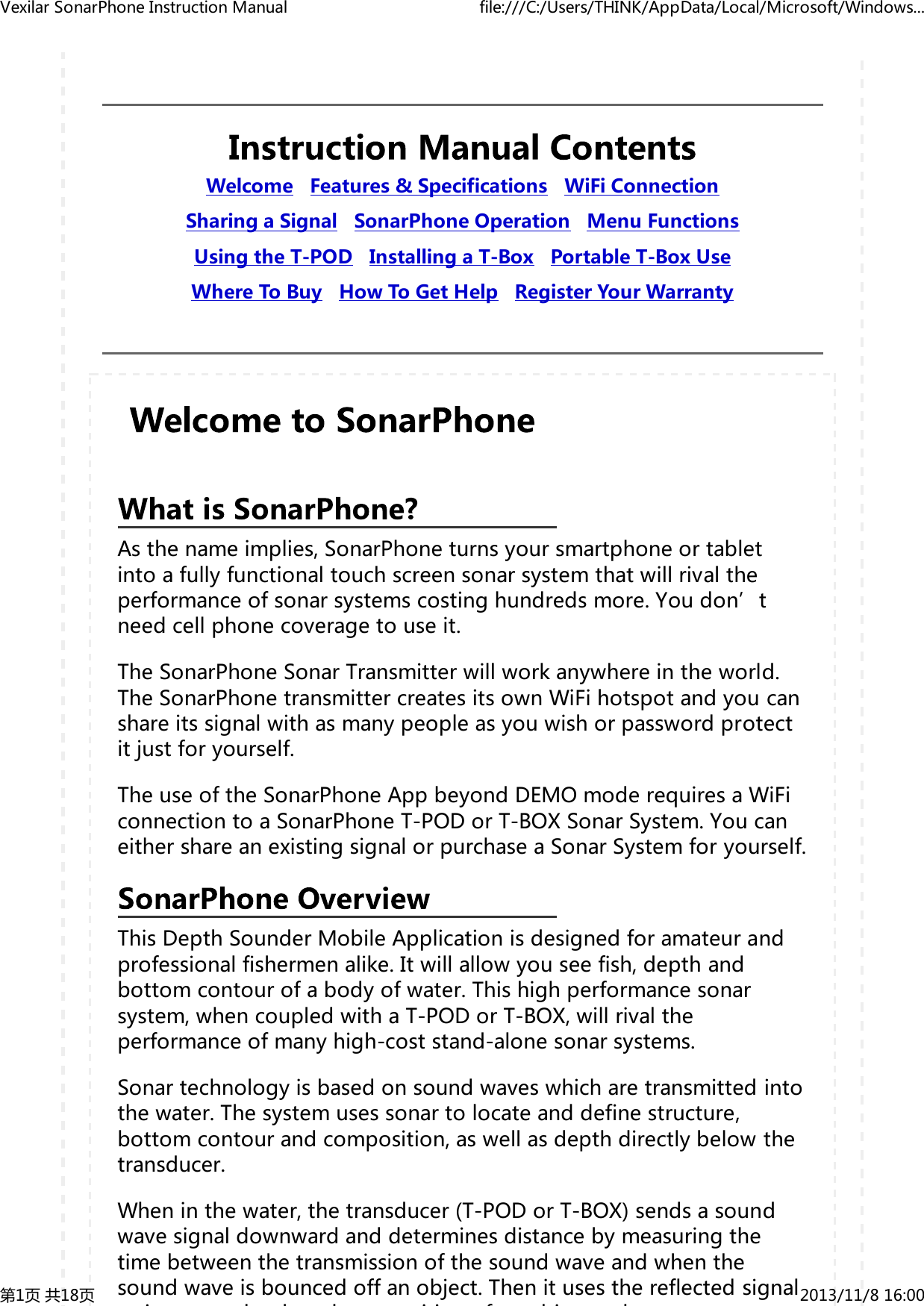
Welcome Features&Specifications WiFiConnectionSharingaSignal SonarPhoneOperation MenuFunctionsUsingtheT-POD InstallingaT-Box PortableT-BoxUseWhereToBuy HowToGetHelp RegisterYourWarrantyAsthenameimplies,SonarPhoneturnsyoursmartphoneortabletintoafullyfunctionaltouchscreensonarsystemthatwillrivaltheperformanceofsonarsystemscostinghundredsmore.Youdon’tneedcellphonecoveragetouseit.TheSonarPhoneSonarTransmitterwillworkanywhereintheworld.TheSonarPhonetransmittercreatesitsownWiFihotspotandyoucanshareitssignalwithasmanypeopleasyouwishorpasswordprotectitjustforyourself.TheuseoftheSonarPhoneAppbeyondDEMOmoderequiresaWiFiconnectiontoaSonarPhoneT-PODorT-BOXSonarSystem.YoucaneithershareanexistingsignalorpurchaseaSonarSystemforyourself.ThisDepthSounderMobileApplicationisdesignedforamateurandprofessionalfishermenalike.Itwillallowyouseefish,depthandbottomcontourofabodyofwater.Thishighperformancesonarsystem,whencoupledwithaT-PODorT-BOX,willrivaltheperformanceofmanyhigh-coststand-alonesonarsystems.Sonartechnologyisbasedonsoundwaveswhicharetransmittedintothewater.Thesystemusessonartolocateanddefinestructure,bottomcontourandcomposition,aswellasdepthdirectlybelowthetransducer.Wheninthewater,thetransducer(T-PODorT-BOX)sendsasoundwavesignaldownwardanddeterminesdistancebymeasuringthetimebetweenthetransmissionofthesoundwaveandwhenthesoundwaveisbouncedoffanobject.ThenitusesthereflectedsignalidhdiifbjbVexilarSonarPhoneInstructionManual file:///C:/Users/THINK/AppData/Local/Microsoft/Windows...第1页共18页 2013/11/816:00
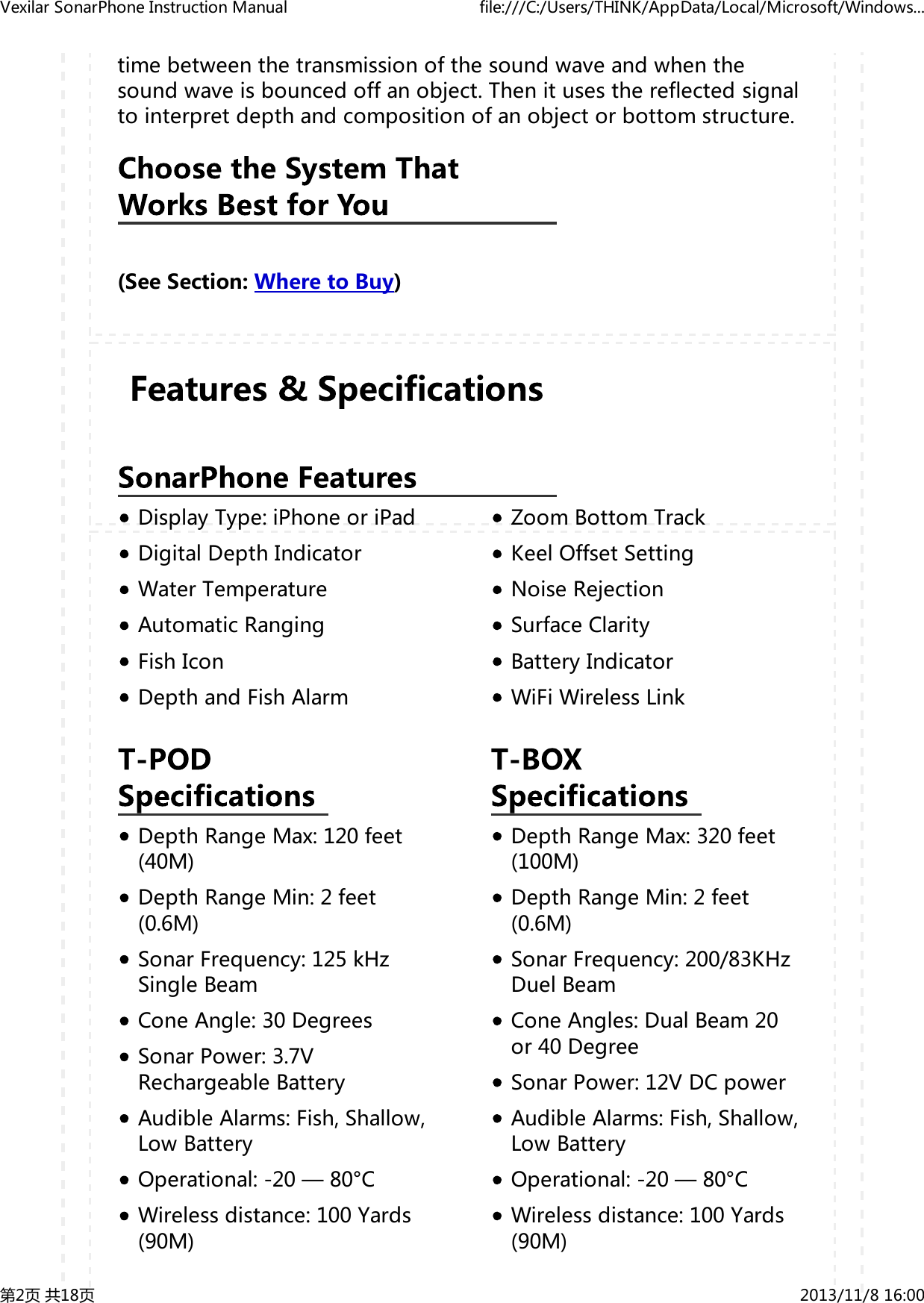
DisplayType:iPhoneoriPadDigitalDepthIndicatorWaterTemperatureAutomaticRangingFishIconDepthandFishAlarmZoomBottomTrackKeelOffsetSettingNoiseRejectionSurfaceClarityBatteryIndicatorWiFiWirelessLinkDepthRangeMax:120feet(40M)DepthRangeMin:2feet(0.6M)SonarFrequency:125kHzSingleBeamConeAngle:30DegreesSonarPower:3.7VRechargeableBatteryAudibleAlarms:Fish,Shallow,LowBatteryOperational:-20—80°CWirelessdistance:100Yards(90M)DepthRangeMax:320feet(100M)DepthRangeMin:2feet(0.6M)SonarFrequency:200/83KHzDuelBeamConeAngles:DualBeam20or40DegreeSonarPower:12VDCpowerAudibleAlarms:Fish,Shallow,LowBatteryOperational:-20—80°CWirelessdistance:100Yards(90M)timebetweenthetransmissionofthesoundwaveandwhenthesoundwaveisbouncedoffanobject.Thenitusesthereflectedsignaltointerpretdepthandcompositionofanobjectorbottomstructure.(SeeSection:WheretoBuy)VexilarSonarPhoneInstructionManual file:///C:/Users/THINK/AppData/Local/Microsoft/Windows...第2页共18页 2013/11/816:00
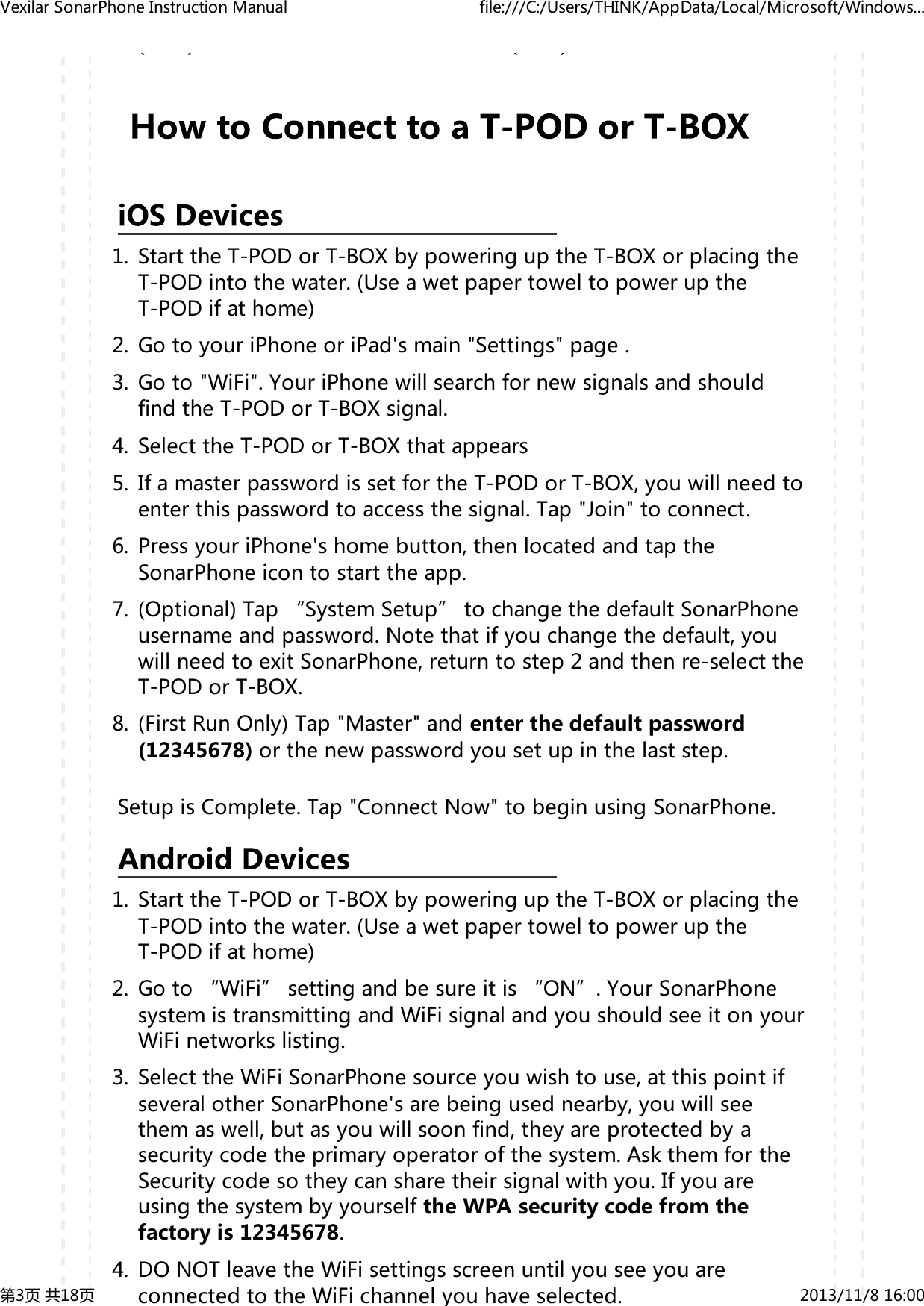
()()StarttheT-PODorT-BOXbypoweringuptheT-BOXorplacingtheT-PODintothewater.(UseawetpapertoweltopoweruptheT-PODifathome)1.GotoyouriPhoneoriPad'smain"Settings"page.2.Goto"WiFi".YouriPhonewillsearchfornewsignalsandshouldfindtheT-PODorT-BOXsignal.3.SelecttheT-PODorT-BOXthatappears4.IfamasterpasswordissetfortheT-PODorT-BOX,youwillneedtoenterthispasswordtoaccessthesignal.Tap"Join"toconnect.5.PressyouriPhone'shomebutton,thenlocatedandtaptheSonarPhoneicontostarttheapp.6.(Optional)Tap“SystemSetup”tochangethedefaultSonarPhoneusernameandpassword.Notethatifyouchangethedefault,youwillneedtoexitSonarPhone,returntostep2andthenre-selecttheT-PODorT-BOX.7.(FirstRunOnly)Tap"Master"andenterthedefaultpassword(12345678)orthenewpasswordyousetupinthelaststep.8.SetupisComplete.Tap"ConnectNow"tobeginusingSonarPhone.StarttheT-PODorT-BOXbypoweringuptheT-BOXorplacingtheT-PODintothewater.(UseawetpapertoweltopoweruptheT-PODifathome)1.Goto“WiFi”settingandbesureitis“ON”.YourSonarPhonesystemistransmittingandWiFisignalandyoushouldseeitonyourWiFinetworkslisting.2.SelecttheWiFiSonarPhonesourceyouwishtouse,atthispointifseveralotherSonarPhone'sarebeingusednearby,youwillseethemaswell,butasyouwillsoonfind,theyareprotectedbyasecuritycodetheprimaryoperatorofthesystem.AskthemfortheSecuritycodesotheycansharetheirsignalwithyou.IfyouareusingthesystembyyourselftheWPAsecuritycodefromthefactoryis12345678.3.DONOTleavetheWiFisettingsscreenuntilyouseeyouareconnectedtotheWiFichannelyouhaveselected.4.VexilarSonarPhoneInstructionManual file:///C:/Users/THINK/AppData/Local/Microsoft/Windows...第3页共18页 2013/11/816:00
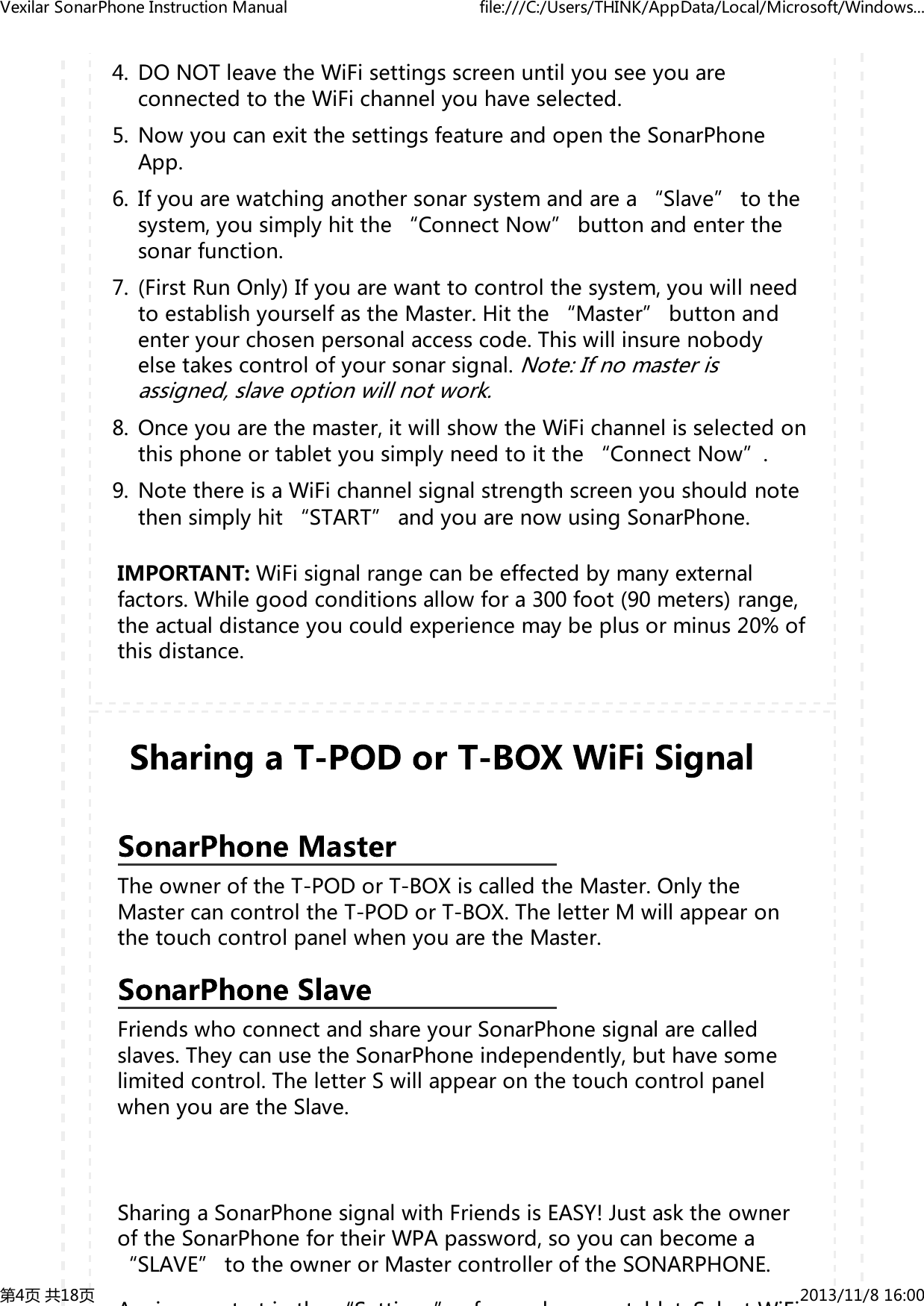
DONOTleavetheWiFisettingsscreenuntilyouseeyouareconnectedtotheWiFichannelyouhaveselected.4.NowyoucanexitthesettingsfeatureandopentheSonarPhoneApp.5.Ifyouarewatchinganothersonarsystemandarea“Slave”tothesystem,yousimplyhitthe“ConnectNow”buttonandenterthesonarfunction.6.(FirstRunOnly)Ifyouarewanttocontrolthesystem,youwillneedtoestablishyourselfastheMaster.Hitthe“Master”buttonandenteryourchosenpersonalaccesscode.Thiswillinsurenobodyelsetakescontrolofyoursonarsignal.Note:Ifnomasterisassigned,slaveoptionwillnotwork.7.Onceyouarethemaster,itwillshowtheWiFichannelisselectedonthisphoneortabletyousimplyneedtoitthe“ConnectNow”.8.NotethereisaWiFichannelsignalstrengthscreenyoushouldnotethensimplyhit“START”andyouarenowusingSonarPhone.9.IMPORTANT:WiFisignalrangecanbeeffectedbymanyexternalfactors.Whilegoodconditionsallowfora300foot(90meters)range,theactualdistanceyoucouldexperiencemaybeplusorminus20%ofthisdistance.TheowneroftheT-PODorT-BOXiscalledtheMaster.OnlytheMastercancontroltheT-PODorT-BOX.TheletterMwillappearonthetouchcontrolpanelwhenyouaretheMaster.FriendswhoconnectandshareyourSonarPhonesignalarecalledslaves.TheycanusetheSonarPhoneindependently,buthavesomelimitedcontrol.TheletterSwillappearonthetouchcontrolpanelwhenyouaretheSlave.SharingaSonarPhonesignalwithFriendsisEASY!JustasktheowneroftheSonarPhonefortheirWPApassword,soyoucanbecomea“SLAVE”totheownerorMastercontrolleroftheSONARPHONE.Ai ttith“Stti ”f h tbltSltWiFiVexilarSonarPhoneInstructionManual file:///C:/Users/THINK/AppData/Local/Microsoft/Windows...第4页共18页 2013/11/816:00
py“SLAVE”totheownerorMastercontrolleroftheSONARPHONE.Againyoustartinthe“Settings”ofyouphoneortablet.SelectWiFiandseewhatWiFichannelsareavailable.HighlighttheSonarPhonechannelyouwishtowatchandselectitandthenaddtheWPApasswordfromtheMasterandwhenithasbeenacceptedandwhenyouseeyouareconnectedtotheWiFichannelyousimplyexitthe“SETTINGS”andenterSonarPhone.Hitconnectnowandyouaregoodtogo!PleaserealizeonlytheMastercontrollerhascompletecontrolofallmenufunctions,soyouwillnoticesomemenufeaturessimplywillnotfunctionwhileyouarea“SLAVE”totheMasteroftheSonarPhonesignal.Thereisnolimittothenumberof“Slaves”youcanhavetoaMasterSonarPhonesignal,butwithoutamasterusingthesystem,noslavefunctionisavailable.Note-TheReal-TimeViewwindowalwaysupdatesatthefastestratepossible.Thisviewshowswhatisbeneath,rightnow.PresstheZoomkeyorusetheZoomGesturetomanuallyenlargethebottomsignalinthemainscreenby2.Pressitagainandthescreenwillbereturnednormaloperation.IntheSplitScreenZoomView,thedisplayissplittoshowthefullrangeviewontherightandthezoomedviewontheleft.ThefullrangeviewontherightalsocontainstheZoomPreviewBoxthatshowswhatpartofthefullrangeviewisshowninzoomviewontheleft;theZoomPreviewBoxtracksthebottominthefullrangeview.VexilarSonarPhoneInstructionManual file:///C:/Users/THINK/AppData/Local/Microsoft/Windows...第5页共18页 2013/11/816:00
Pressthe"BeamAngleSelect/Return"buttonontheT-BOXtouchpad.Duringnormaloperation,thisbuttonswitchesback-and-forthbetweenthethewide40degreeconeandthenarrow20degreecone.IMPORTANT:Youwillneedtoincreasethegainlevelwhileusingthewide40degreemuchmorethanwhenusingthenarrow20degreebeam.Thisisnormalbecauseyouarecoveringtwiceasmuchareawiththewiderbeam.PresstheMenuKeytoaccessthemenusystem.Themenusystemimmediatelyappearsonthedisplay.Themenusystemhas3tabs:"Sonar","Setup"and"Advanced".TapthedifferentMenukeystoswitchbetweendifferentmenutabs.UsetheDownorUpkeysonthetouchpadcontroltoselectaspecificmenuitem.ThenusetheLeftorRightkeystochangeamenusetting.PresstheView/EscKeytoreturntothetopuntilclosemenusystem.Ortotapthesemenuitemstochangethesesettings.TheDemoModeisaverypowerfultoolthatsimulatesthefishsituationonthewater.UsetheDemoModetolearnhowtouseyourSonarPhonebeforegooutonthewater.AllfeaturesexceptDepthRangemaybeadjusted.Gaincontrolstheunit'sabilitytopickupechoes,from1%to100%.Currentgainlevelsaredisplayedbelowthedigitaldepthreadoutasapercentageofmaximum(%).Ifyouwanttoseemoredetail,increasethegainalittleatatime.Ifthereistoomuchclutteronthescreen,VexilarSonarPhoneInstructionManual file:///C:/Users/THINK/AppData/Local/Microsoft/Windows...第6页共18页 2013/11/816:00
gpygppercentageofmaximum(%).Ifyouwanttoseemoredetail,increasethegainalittleatatime.Ifthereistoomuchclutteronthescreen,decreasethegaintoreducethis.Ideally,youwanttosetthegaintoshowthestrongestfishechoeswiththeleastamountofclutter.Asyouchangethegainlevelsetting,youcanseethedifferenceitmakesonthechartasitscrolls.WhennotintheMenumode,usethelargeLeftandRightarrowsonthetouchpadtoeasilycontrolthegain.IfSonarPhonecannotfindthedepthorthereturnsignalseemsweakonthedisplay,increasethegainleveluntilthereadingisstrong.Usually,againlevelbetween30%and60%willsuffice,butincreasingthegainmayberequiredfordeeperwatersorverysoftbottoms.Forextremeshallowwater,lessthan3feet,reducethegainneartheminimumsetting.T-BOXONLY:WhenusingtheWide40degreeangle,youwillneedturnupthegainhigherthanwhenusingthe20degreeangle.Thisisnormal,astheconeofsoundiscoveringtwicethearea.ThissettingallowsSonarPhonetocontrolthedepthrangesettingforyou.Itwilldoit'sbesttokeepthebottominviewatalltimes,switchingdepthrangesasneeded.ChangethissettingtoOFFandyoucancontroltherangesettingmanually.IMPORTANT:Whileusingmanualrangeoperation,ifthedepthisgreaterthanthedepthrangesetting,thebottomwillnotbevisibleonscreen.Changetherangetoadeepersettingorselect"Auto"toreturntoautomaticoperation.Thissettingallowsyoutomanuallychangetherangesetting,meaninghowdeepSonarPhonewillreaddepth.Therangesavailableare:0—9feet,then10footincrementsdeeperto120feet(0—3metersto0—36meters)TheUpperLimitistheshallowestpointinthewatercolumnwhichwillbedisplayedonthechart.TheLowerLimitisthedeepestpointinthewatercolumnwhichwillbedisplayedonthechart.Changingtheupperandlowerlimitsgiveyoufargreatercontroloverthe depth range This feature lets you "zoom in" the display in almostVexilarSonarPhoneInstructionManual file:///C:/Users/THINK/AppData/Local/Microsoft/Windows...第7页共18页 2013/11/816:00
yChangingtheupperandlowerlimitsgiveyoufargreatercontroloverthedepthrange.Thisfeatureletsyou"zoomin"thedisplayinalmostunlimitedcombinations.Thedepthcursor,foundbyswipingdowntothefirstmenupage,consistsofahorizontallinewithadigitaldepthboxontherightside.Thenumbersinsidetheboxshowthedepthofthecursor.Youcanmovethecursortoanylocationonthescreen,lettingyoupinpointthedepthofatargetorkeepareferencepointforaspecificdepth.MenuSettings:ft/°C,ft/°F,m/°Corm/°FThissettingallowsyoutoconfiguretheunitsofmeasureforyourneeds.Settings:10%to100%Thissettingchangesthespeedatwhichthedisplayscrollsacrossthescreen.Fasterchartspeedswillshowlongerstraighterlinesasfishandbottom.Slowerchartspeedswillshowshorter,morecurvedlines.MenuSettingsOn/On:SymbolsandDepthareDisplayedOn/Off:FishSymbolsOnlyareDisplayedOff/Off:NoFishSymbolDisplayThisfeatureidentifiestargetsthatmeetcertainstandardsforpossiblybeingafish.SonarPhoneanalyzesallechoesandeliminatessurfaceclutter,thermoclines,andotherundesirablesignals.Inmostinstances,remainingtargetsarefish.Thisfeaturedisplaysfishsymbolsonthescreeninplaceoftheactualfishechoes.Therearethreefishsymbolsizesusedtodesignatetherelativesizebetweentargets.T-BOXONLY:Fishsymbolsinthe40degreeconewillappeargray.VexilarSonarPhoneInstructionManual file:///C:/Users/THINK/AppData/Local/Microsoft/Windows...第8页共18页 2013/11/816:00
sizesusedtodesignatetherelativesizebetweentargets.T-BOXONLY:Fishsymbolsinthe40degreeconewillappeargray.Fishsymbolsinboththe40and20degreeconeswillbeblack.IMPORTANT:SonarPhoneissophisticated,butitcanbefooled.Itmaynotalwaysbeabletodistinguishbetweenfishandotherlargersuspendedobjectsinthewater.TheFishAlarmcanbeconfiguredtosoundfordifferentsizesoffish.Selectthesettingthatisbestforyou.Off-Noalarm[IMAGE]AlarmforBigTargetsOnly[IMAGE]AlarmforBigandMediumTarget[IMAGE]AlarmforAnySizeTargetMenuSettings:OffAdjustment:1footto99feet(1to30meters)TheDepthAlarmssoundsatoneandtheDepthAlarmIndicatorwillblinkwhenthebottomdepthgetsshallowerthantheDepthAlarm'ssetting.WARNING:Donotusethisfeatureforshallowwaternavigation.Whenthebatteryvoltagedropsbelowthesetvalue,thealarmsounds.ThisensuresyoucantellyourfriendsaboutthebigfishyoucaughtwiththehelpofSonarPhoneonFacebookbeforethebatterygoesdead.WhenONthebottomsignalstayslockedonbottomasyoumove.SonarPhoneautomaticallyadjusttokeepthebottomlockedintoasingleposition.Thisisusefulwhenlookingfortargetsclosetothebottomwhenthereareheavywavesonthesurface.KeelOffsetwilladjustthedigitaldepthreadouttoindicatedepthfthtli bt'klitdffthtdVexilarSonarPhoneInstructionManual file:///C:/Users/THINK/AppData/Local/Microsoft/Windows...第9页共18页 2013/11/816:00
KeelOffsetwilladjustthedigitaldepthreadouttoindicatedepthfromthewaterlineorboat'skeelinsteadoffromthetransducerposition.Enterapositiveverticalmeasurementfromthetransducertothewaterline.Enteranegativeverticalmeasurementfromthetransducertokeeltoreadthedepthfromthekeel.Selectthecolorschemethatworksbestforyou:WhiteBackground,BlueBackgroundorGrayScale.MenuSettings:Off,High,Medium,LowSurfaceClarityadjuststhefilterthatremovessurfaceclutternoisecausedbyalgaeandaeration.Thelowerthesetting,themoresurfaceclutterwillbedisplayed.IncreasingsurfaceclutterreducesSonarPhone'sabilitytodisplaysmalltargets.MenuSettings:Off,High,Medium,LowTheNoiseFiltersystembuiltintoSonarPhoneconstantlyevaluatestheeffectsofboatspeed,waterconditionsandinterferenceontheclarityofyourdisplay.Thisautomaticfeaturegivesyouthebestdisplaypossibleundermostconditions.Ifyouhavehighnoiselevels,tryusingthe"High"setting.IMPORTANT:Ifyouarehavingtroublewithnoise(electronicinterference),wesuggestthatyoutakestepstofindtheinterferencesourceandcorrectit,ratherthancontinuallyusingtheunitwiththehighsetting.Selectthelanguageyoucanunderstandbest:English,Spanish,German,Polish,Korean,Japanese,Chinese,Portuguese,Dutch,Finnish,Russian,Italian,Czech,Danish,French,SwedishorGreek.BeforeyoucanuseSonarPhoneinthewater,youmustunderstandhowthe sonar part of the system works (T-POD or T-BOX) so you can use itVexilarSonarPhoneInstructionManual file:///C:/Users/THINK/AppData/Local/Microsoft/Windows...第10页共18页 2013/11/816:00
BeforeyoucanuseSonarPhoneinthewater,youmustunderstandhowthesonarpartofthesystemworks(T-PODorT-BOX)soyoucanuseitproperly.UsingtheT-PODWiFiSonarSystemissimple.JustattachtheT-PODtotheendofaheavyfishinglineandcastitintothewaterasyouwouldanormalfloatorlure.YoucanalsoreadthedepthandseefishtargetswhileyouslowlyreelintheT-PODortrollitbehindyourboat.IMPORTANT:EnsurethatthefishinglineisheavyenoughandtheT-PODiswellsecured.SliplinetechniquesarenotrecommendedbecauseofthehigherriskoflosingtheT-POD.Also,beawareofpowerlinesandotherobstaclesasyoucast.HandletheT-PODWirelessSonarSensoronlybythetopantennacoverornoseringwhenitisON.Avoidtouchingthebottomwhenactive.TakeextracarenottodroptheT-PODwhilehandling.DonottrytoopenyourT-POD,itispermanentlysealed.BeforeyoufirstusetheT-PODWiFiSonarSystemyouwillneedtochargeit.AligntheplugofthechargingcablewiththepinsonthebottomoftheT-PODasinthefollowingpicture.1.AligntheUSBplugofthechargecable(thelongerofthetwocables)withtheUSBsocketofthepowersupplydevice(computer,adapter,etc.)2.WhenchargingstartstheredlightsinsidetheunitwillremainOn.Whenthebatteryisfull,theindicatorlightswillbeswitchtogreen.3.IMPORTANT:BesurealloftheconnectionsareDRY,wateronthestainlesssteelconnectioncancreaterust.TheT-PODWiFiSonarSystemwillactiveautomaticallywhenitisimmersedinthewater.TheT-POD'sinternalGREENindicatorlightwhenithasconnectedaSonarPhoneappsuccessfully.Onceimmersed,theinternalcomputerwillbegintostartup.Giveitafewseconds.VexilarSonarPhoneInstructionManual file:///C:/Users/THINK/AppData/Local/Microsoft/Windows...第11页共18页 2013/11/816:00
whenithasconnectedaSonarPhoneappsuccessfully.Onceimmersed,theinternalcomputerwillbegintostartup.Giveitafewseconds.Whenready,theT-PODwillbegintoblink,indicatingitistransmittingthesonarinformationviaradiofrequency(WiFi)fortheSonarPhoneapptoreceive.Connecttoit'sWiFisignalusingyourdevicesettings,thenreturntotheSonarPhoneapptoconnecttotheT-POD.YoucanturnyourT-PODonathomeandtestit'sfunctionality:Dampenapapertowelwithcoolwater.1.BunchitupandplaceitagainstthepinsontheundersideofT-POD.2.Watchasthelightturnsonandthenbeginstoflicker.3.ConnecttotheT-PODwithyourSonarPhoneApp.RefertotheWiFiconnectioninstructionsifneeded.MakesuretheGAINisatleast70%.(Youcanremovethewettowel)4.HoldtheT-PODabout1meteraboveahardflatfloor(notcarpet).5.PointtheflatpartofthebottomoftheT-PODatthefloorandwatchfortheechotoappearonyourSonarPhonechart.Themoreperfectyouraimatthefloor,thestrongertheechowillappear.Increasethegainlevelifyoucannotfindafloorecho.6.TheT-PODwilltime-outandturnitselfoff30secondsafterthepinshavedried.7.IMPORTANT:TheT-POD's"WetSwitch"pinsmustberinsedwithfreshwaterafterexposuretosaltwatertopreventcorrosion.IMPORTANT:DonotplacetheT-PODinawetareaoronametalsurfacewhennotinuseasthiswillactivatetheT-POD,drainit'sbatteryandhelpshortenitsusablelife.StoretheT-PODinadryarea.TodothisyourT-podmustbeOFF.PluginyourUSBpoweradaptertopowerandnowusetheshorterofthetwolead(theyaremarked)andplugitintoyourT-PODforatleast3seconds.T-PODisnowre-settofactorysettings.(Password:12345678)VexilarSonarPhoneInstructionManual file:///C:/Users/THINK/AppData/Local/Microsoft/Windows...第12页共18页 2013/11/816:00
Fishingcanbehardonequipment,soifyoudamageyourT-POD(andthisisNOTcoveredbyyourwarranty)youcanhaveitreplacedforafractionoftheoriginalcost.Thisservicealsoextendsbeyondthestandardwarrantyperiod,soiffiveyearsfromnowthebatteryisfails,Vexilar'sNoHassleServiceProgramforSonarPhoneT-PODownerswillbethereforyou,foraslongasyouowntheproduct!Here'showitworks:SendusyourdamagedordestroyedSonarPhoneT-PODalongwith$60.00USandwewillsendyoubackareplacementT-POD!Noquestionsasked.Thiscostincludesdomesticreturnshipping.SomeadditionalshippingmayapplyforcustomersoutsidetheUSA.Creditcardpaymentisalsoacceptedbyphone.(VisaandMasterCardonly)Sendto:Vexilar,Inc.6667WestOldShakopeeRdSuite#101Bloomington,MN55438–USAAttn:SonarPhoneNoHassleServiceIMPORTANT:Besuretoincludeyournameandreturnaddressandaphonenumberore-mailaddressforustocontactyou.IMPORTANT:DonottrytoopenyourT-POD,itispermanentlysealed.OpeningaT-PODwillvoidthewarranty.TousetheT-BOXsystem(SP200)onaboat,theT-Boxandtransducermustfirstbeinstalledontotheboatandtheproperwiringconnectionmade.Takeafewminutestoplanyourinstallation.TheT-BOXshouldbemountedinalocationwhereitwillbereadilyaccessibleyetoutofthewayoftrafficandshelteredfromsevereweatherexposure.Themountingsurfaceshouldbefairlyflat.Besuretoallowclearanceforthecables.Theunitisweather-proof,notwaterproof,sotrynottomountitinalocationwhereitwillbesubmergedorexposedtotheextremeforcesofwaveimpactduringsevereconditions.VexilarSonarPhoneInstructionManual file:///C:/Users/THINK/AppData/Local/Microsoft/Windows...第13页共18页 2013/11/816:00
extremeforcesofwaveimpactduringsevereconditions.Obtainfourappropriatefastenersforyourmountinglocation.1.PositiontheT-BOXinyourintendedmountinglocation.2.Markthefourholesanddrilleachusingtheappropriatedrillsize.3.AttachtheT-BOXusingyourfourfasteners.Tightensecurely.4.Insertthepowercablejackandtightenthetransducercableconnectionsecurely.Ensurethereisgoodclearancefortheconnectors.5.T-BOXrequiresa12voltpowersourcetooperate.Aconnectioncanbemadedirectlytoabatteryoraconnectioncanbetappedintoaboat’selectricalsystem.Ifpossible,poweryourT-BOXusingthemainstartingbattery,notabatterythatpowersanelectrictrollingmotororotherpotentialsourceofelectricalinterference.Whenroutingthecable,besuretostayawayfrom,orprovidecableprotectionaround,areaswithsharpmetaledges.Ifthesuppliedpowercordistooshort,extenditusing18gaugewire.IMPORTANT:Besuretohavecircuitprotection,suchasa1ampfuseorcircuitbreaker,placedinthepositivelinenearthepowersourcetoprotectthewiring.BesurethepowercordisnotconnectedtotheT-BOX.1.RoutethepowercablefromtheT-BOXlocationtothepowersource.2.Connecttheredwiretothepositivepowersourceterminalandtheblackwiretothenegativeterminal.3.ConnectthepowerplugtotheT-BOX’spowerjack.4.ThesonartransducerstylethatcomeswithT-BOXisdesignedtobemountedexternallyonthetransomofyourboat.Ithasaspecialwedgedshapetoallowclearwaterflowwhenrunningathighboatspeed.Thetransducerisattachedatthebottomoftheboat'stransomwithasmallportionofitextendingbelowthehullline.Before you begin the process of installing the transducer check yourVexilarSonarPhoneInstructionManual file:///C:/Users/THINK/AppData/Local/Microsoft/Windows...第14页共18页 2013/11/816:00
withasmallportionofitextendingbelowthehullline.Beforeyoubegintheprocessofinstallingthetransducer,checkyourhulltofindaspotwhereyouwillhaveasmoothwaterflowalongthebottomoftheboat.Youwanttoavoidribs,rivets,andgougesorscratchesinthehull.ThesecreateturbulenceinthewaterandcanscatterSonarPhonereadingsathighspeeds.Togetatrueverticaldepthreading,thetransducershouldbemountedparalleltothewaterline.However,a10°tilttoeithersideisacceptable.Ifthehullisreasonablyflatwithadeadriseof10°orless,mountthetransduceralongthehullbottom.Ifdeadriseisgreaterthan10°,mountthetransducerwithlevelalignment.Assemblethestainlesssteelbracketstothetransducerusingthehardwarefurnished.Donottightenuntilfinaladjustmentsaremade.1.Placeassemblyontransomatselectedlocationwiththefrontofthetransducerextending1/2”to5/8”belowthebottomoftheboatandwiththefrontpartagainstthetransom.Theleastamountthatthetransducerextendsbelowthebottomisdesired.Iftoolow,sprayandturbulencewilloccurresultinginlostbottomreadings.2.Withtransducerinplace,markthetwoslotlocationsofthetransducermountingbrackets.Drillincenterofslotoutlineusinga1/8”(.125")drill.3.Fastenthetransducertothetransomusingthe#8x1/2”screws,nutsandwasherplates.4.Beforefinaltighteningthe2screwsholdingthebracketstothetransducer,tiptherearedgedownapproximately1/8”asshown.5.Tightenallscrews.6.CAUTION.Donotuseanythreadlockingcompoundonthescrews.MostproductssuchasLoctite®containchemicalsthatattackandweakenplastics.PressthemasterON/OFFswitchonthesideoftheT-BOX.Itwilllightupshowingthesystemnowhaspower.Whenitstartstorandomlyflash,thisletsyouknowthesystemisnowtransmittingaWiFisignal.ToTurnitoff,pressandholdthebutton(5seconds)untilthelightgoesout.WhenthesystemisON,pressthePowerSwitchthreetimes,quicklyi hi d h ill if h bVexilarSonarPhoneInstructionManual file:///C:/Users/THINK/AppData/Local/Microsoft/Windows...第15页共18页 2013/11/816:00
WhenthesystemisON,pressthePowerSwitchthreetimes,quicklywithin3seconds.ThesystemwillpowerOFFifthere-bootwassuccessful.Turnitonagain.Nowthenameandpasswordwillbebacktofactorydefault:12345678TheSonarPhoneT-BOXPortableSystem(SP300)includesaconvenientcarryingcasesysteminwhichtheT-BOXismountedto.Itcontainsarechargeable12Voltbatteryandasuctioncupstyletransducermountingsystem.ThisallowsyoutouseSonarPhoneonaboat,withouttheneedfortheinstallationsteps.Asuctioncupattachesthetransducertotheboat.Unwindthecablefromthecarryingcaseandsetthetransducersystemnearthebackoftheboat.1.Findasmoothspotontheoutsideandnearthebottomofthetransom.Trytofindaplacewherethewaterflowwillbesmoothwhentheboatisgoingfast.Youwanttoavoidribs,rivets,andgougesorscratchesinthehull.ThesecreateturbulenceinthewaterandcanscatterSonarPhonereadingsathighspeeds.2.Wetthefaceofthesuctioncupslightly,thenpressitfirmlyagainstthetransomoftheboat.Slideitintothebestpositionyoucansee.3.Pullonthesuctioncuptoensurethatitisholdingsecurely,thenroutethetransducercableuptothecarryingcase.Restrainthecablesothatitdoesnotbecometangledinthepropellerorthemotorworkings.4.IMPORTANT:Suctioncupscancomeloose.Besuretotakethetimetotiearopetothetransducerbracketandthentotheboatleavingaslittleamountofslackasyoucan.Ifthecupcomeslose,thiswillkeepyourtransducerandcableoutofthepropeller.PressthemasterON/OFFswitchonthesideoftheT-BOX.Itwilllightupshowingthesystemnowhaspower.Whenitstartstorandomlyflash,thisletsyouknowthesystemisnowtransmittingaWiFisignal.VexilarSonarPhoneInstructionManual file:///C:/Users/THINK/AppData/Local/Microsoft/Windows...第16页共18页 2013/11/816:00
upshowingthesystemnowhaspower.Whenitstartstorandomlyflash,thisletsyouknowthesystemisnowtransmittingaWiFisignal.Allowthebatterytowarmupbeforecharging.Thismakesiteasierforthechargertochargethebatteryandthebatteryismoreacceptingofacharge.Plugthechargerintoawalloutlet,verifythatitisoperatingbynotingtheilluminatedGREENlight.1.ConnectthechargertotheEasyChargeJackontheT-BOX.Thecharger’slightwillswitchtoRED,indicatingthatitisconnectedcorrectlyandthebatteryischarging.2.KeepthechargerpluggedinandconnecteduntiltheREDlighthaschangedtoGREEN.Thisindicatesthebatteryisatfullcharge.3.Unplugthechargerfromthewalloutletanddisconnectfromthebattery.4.Chargingtimeswillvarydependingonhowmuchthebatteryhasbeendrained.Ifthebatteryhasbeencompletelydrainedthebatterywillrequireabout4hoursofcharging.Oncethebatteryisfullychargedandthecharger’slightreturnstoGREEN,thechargeristhenoperatingina“MaintenanceMode”.Atthisstage,thechargercanremainconnectedtothebatteryindefinitelyandthebatterywillbemaintainedatfullcharge.Vexilarhasawidenetworkofsportinggoodsdealers.Foracompletelistandnearestlocationfinder,pleasevisithttp://vexilar.com/appsIfyouhaveproblemsofquestions,pleasevisitoursupportwebsite:http://vexilar.com/apps/supportVexilarSonarPhoneInstructionManual file:///C:/Users/THINK/AppData/Local/Microsoft/Windows...第17页共18页 2013/11/816:00
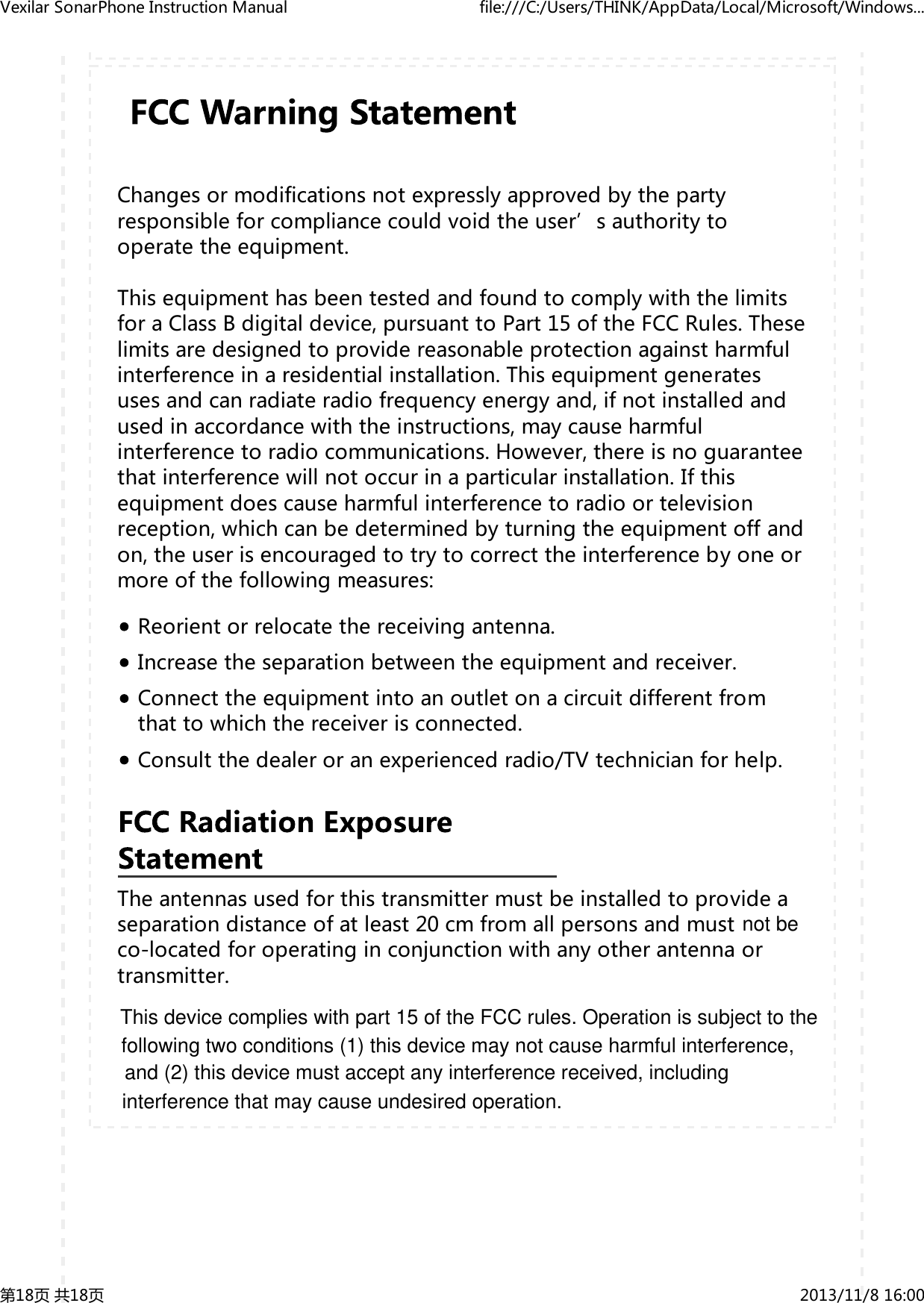
Changesormodificationsnotexpresslyapprovedbythepartyresponsibleforcompliancecouldvoidtheuser’sauthoritytooperatetheequipment.ThisequipmenthasbeentestedandfoundtocomplywiththelimitsforaClassBdigitaldevice,pursuanttoPart15oftheFCCRules.Theselimitsaredesignedtoprovidereasonableprotectionagainstharmfulinterferenceinaresidentialinstallation.Thisequipmentgeneratesusesandcanradiateradiofrequencyenergyand,ifnotinstalledandusedinaccordancewiththeinstructions,maycauseharmfulinterferencetoradiocommunications.However,thereisnoguaranteethatinterferencewillnotoccurinaparticularinstallation.Ifthisequipmentdoescauseharmfulinterferencetoradioortelevisionreception,whichcanbedeterminedbyturningtheequipmentoffandon,theuserisencouragedtotrytocorrecttheinterferencebyoneormoreofthefollowingmeasures:Reorientorrelocatethereceivingantenna.Increasetheseparationbetweentheequipmentandreceiver.Connecttheequipmentintoanoutletonacircuitdifferentfromthattowhichthereceiverisconnected.Consultthedealeroranexperiencedradio/TVtechnicianforhelp.Theantennasusedforthistransmittermustbeinstalledtoprovideaseparationdistanceofatleast20cmfromallpersonsandmustco‐locatedforoperatinginconjunctionwithanyotherantennaortransmitter.VexilarSonarPhoneInstructionManual file:///C:/Users/THINK/AppData/Local/Microsoft/Windows...第18页共18页 2013/11/816:00not beThis device complies with part 15 of the FCC rules. Operation is subject to the following two conditions (1) this device may not cause harmful interference, and (2) this device must accept any interference received, including interference that may cause undesired operation.

Navigation menu