Phottix ATLAS Phottix Atlas II 2.4 GHz Flash Trigger User Manual Atlas II Manunal 0717

Phottix (HK) Ltd. Phottix Atlas II 2.4 GHz Flash Trigger Atlas II Manunal 0717

user manual

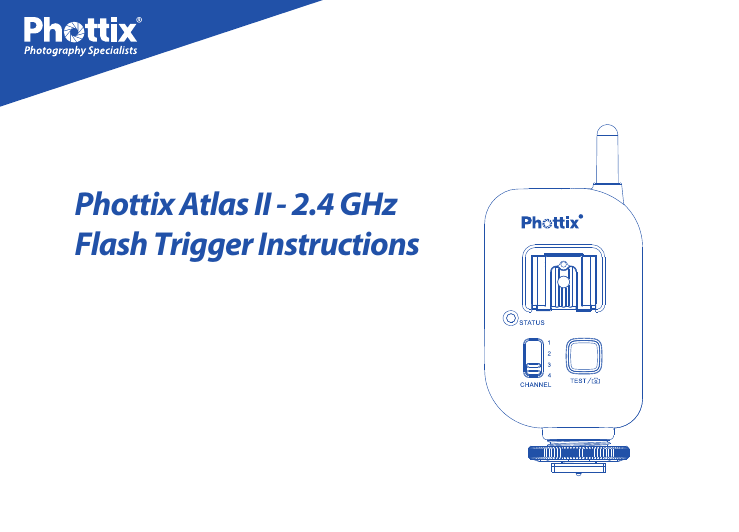
Phottix Atlas II - 2.4 GHzFlash Trigger Instructions
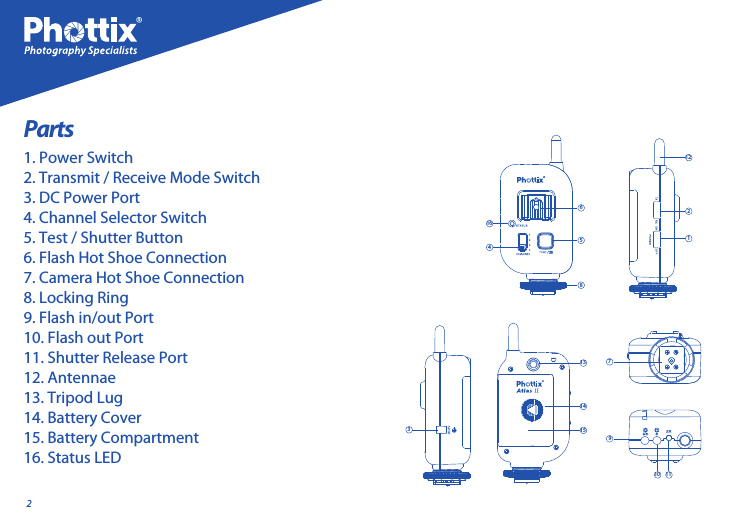
27910 1113141531125864162Parts1. Power Switch2. Transmit / Receive Mode Switch3. DC Power Port4. Channel Selector Switch5. Test / Shutter Button6. Flash Hot Shoe Connection7. Camera Hot Shoe Connection8. Locking Ring9. Flash in/out Port10. Flash out Port11. Shutter Release Port12. Antennae13. Tripod Lug14. Battery Cover15. Battery Compartment16. Status LED
31. The Phottix Atlas II hot shoe connection is designed to re speedlight-type ashes that are triggered by the center contact. Some ashes (by Nissin, Sigma, and other manufac-turers) may not be triggered by the center hot shoe contact but by specic secondary contacts. Please check your ash manual for specics. These ashes can be red by PC Sync cable if available. 2. The Atlas II is designed to work in Manual Exposure mode and has no TTL functions. 3. Transmit or receive mode must be set on the transceivers, the Atlas II will not do both at the same time. 4. The Phottix Atlas II is not compatible with previous Phottix Atlas series ash triggers.En INSTRUCTION MANUALTip:Turn o all devices – ashes/strobes,        cameras, and Phottix Atlas II transceivers - when connecting and disconnecting devices.The Phottix Atlas II has limited compatibility with Phottix Odin, Strato II Multi 5-in-1 and Phottix Strato 4-in-1 Wireless Trigger Systems. 1. Phottix Odin TCUs set on Channel 1, 2, 3 or 4 and in any group will trigger the Phottix Atlas II set on Channel 1, 2, 3 or 4. Other Odin TCU functions will not work with the Atlas II. Using Odin TCUs in HSS mode may cause issues with ash sync when using the Atlas II. 2. Phottix Strato II Transmitter set on Channel 1, 2, 3 or 4 and in any group will trigger the Phottix Atlas II set on Channel 1, 2, 3 or 4.Please NoteCompatibility
41. Press the battery cover in while pushing it away from the Atlas II. The battery cover will snap open.2. Lift the battery cover.3. Insert AA batteries as shown.4. Close the battery cover and push the cover back into the locked position.1. The Test / Shutter Button will test re remote For Remote Use See: Using the Atlas II as a wireless remote and Using the Atlas II as a wired remote below.1. The Status LED on the front of the Phottix Atlas II will ash green when it is ready to 3. Phottix Strato transmitters will trigger the Atlas II on Channels 1 to 4. 4. The Atlas II will not trigger Strato II Multi or Odin receivers. 5. The Atlas II will trigger Strato receivers. Inserting BatteriesTest / Shutter ButtonStatus LEDashes/strobes or take a photo as a wireless remote when the Phottix Atlas II is set in Tx (transmit mode). 2. The Test / Shutter Button takes a photo when used as a wired remote and connected to a camera with a Phottix Accessory Cable.3. To Test: Press the Test / Shutter Button – remote ashes connected to Phottix Atlas II transceivers set in Rx (receive mode) and on the same channel, will re.
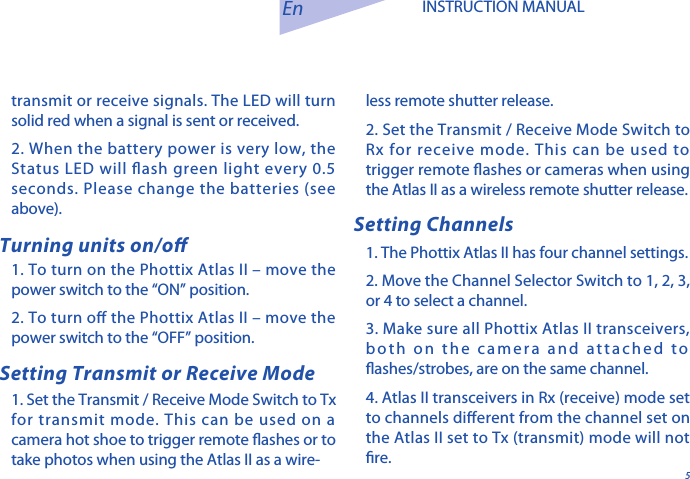
5En INSTRUCTION MANUAL1. To turn on the Phottix Atlas II – move the power switch to the “ON” position.  2. To turn o the Phottix Atlas II – move the power switch to the “OFF” position.1. Set the Transmit / Receive Mode Switch to Tx for transmit mode. This can be used on a camera hot shoe to trigger remote ashes or to take photos when using the Atlas II as a wire-Turning units on/o Setting ChannelsSetting Transmit or Receive Modeless remote shutter release. 2. Set the Transmit / Receive Mode Switch to Rx for receive mode. This can be used to trigger remote ashes or cameras when using the Atlas II as a wireless remote shutter release. 1. The Phottix Atlas II has four channel settings. 2. Move the Channel Selector Switch to 1, 2, 3, or 4 to select a channel. 3. Make sure all Phottix Atlas II transceivers, both on the camera and attached to ashes/strobes, are on the same channel. 4. Atlas II transceivers in Rx (receive) mode set to channels dierent from the channel set on the Atlas II set to Tx (transmit) mode will not re. transmit or receive signals. The LED will turn solid red when a signal is sent or received.2. When the battery power is very low, the Status LED will ash green light every 0.5 seconds. Please change the batteries (see above).
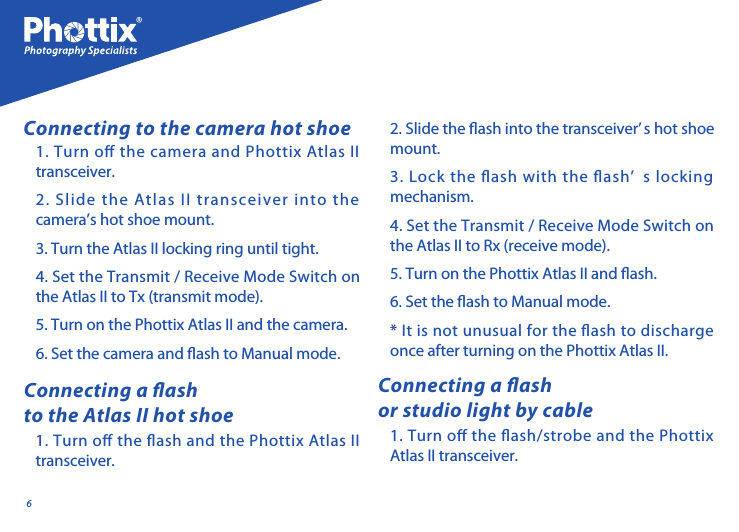
61. Turn o the camera and Phottix Atlas II transceiver. 2. Slide the Atlas II transceiver into the camera’s hot shoe mount. 3. Turn the Atlas II locking ring until tight. 4. Set the Transmit / Receive Mode Switch on the Atlas II to Tx (transmit mode).5. Turn on the Phottix Atlas II and the camera. 6. Set the camera and ash to Manual mode.1. Turn o the ash and the Phottix Atlas II transceiver. Connecting to the camera hot shoeConnecting a ash to the Atlas II hot shoe2. Slide the ash into the transceiver’ s hot shoe mount. 3. Lock the ash with the ash’ s locking mechanism.4. Set the Transmit / Receive Mode Switch on the Atlas II to Rx (receive mode).5. Turn on the Phottix Atlas II and ash. 6. Set the ash to Manual mode.* It is not unusual for the ash to discharge once after turning on the Phottix Atlas II.1. Turn o the ash/strobe and the Phottix Atlas II transceiver. Connecting a ash or studio light by cable
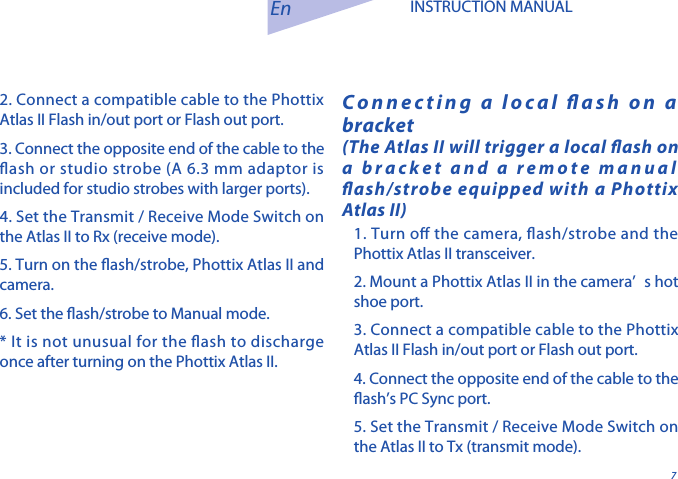
72. Connect a compatible cable to the Phottix Atlas II Flash in/out port or Flash out port. 3. Connect the opposite end of the cable to the ash or studio strobe (A 6.3 mm adaptor is included for studio strobes with larger ports). 4. Set the Transmit / Receive Mode Switch on the Atlas II to Rx (receive mode).5. Turn on the ash/strobe, Phottix Atlas II and camera. 6. Set the ash/strobe to Manual mode.* It is not unusual for the ash to discharge once after turning on the Phottix Atlas II. Connecting a local ash on a bracket(The Atlas II will trigger a local ash on a bracket and a remote manual ash/strobe equipped with a Phottix Atlas II)En INSTRUCTION MANUAL1. Turn o the camera, ash/strobe and the Phottix Atlas II transceiver. 2. Mount a Phottix Atlas II in the camera’ s hot shoe port.3. Connect a compatible cable to the Phottix Atlas II Flash in/out port or Flash out port. 4. Connect the opposite end of the cable to the ash’s PC Sync port. 5. Set the Transmit / Receive Mode Switch on the Atlas II to Tx (transmit mode).
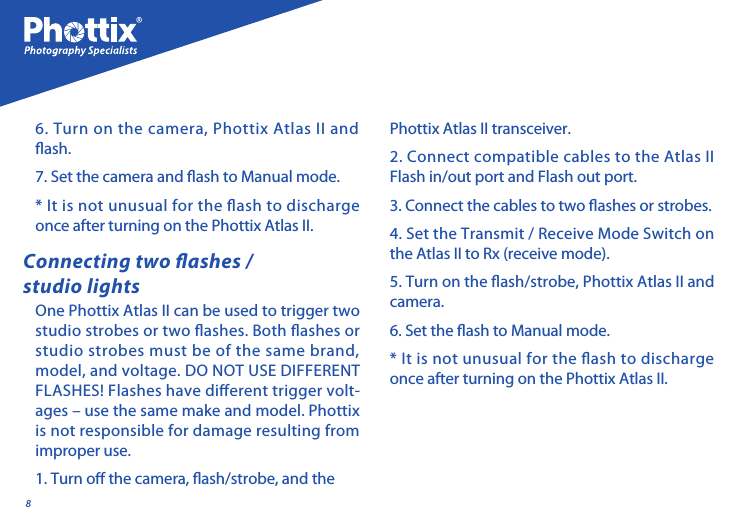
8One Phottix Atlas II can be used to trigger two studio strobes or two ashes. Both ashes or studio strobes must be of the same brand, model, and voltage. DO NOT USE DIFFERENT FLASHES! Flashes have dierent trigger volt-ages – use the same make and model. Phottix is not responsible for damage resulting from improper use. 1. Turn o the camera, ash/strobe, and the Connecting two ashes / studio lightsPhottix Atlas II transceiver.2. Connect compatible cables to the Atlas II Flash in/out port and Flash out port. 3. Connect the cables to two ashes or strobes.4. Set the Transmit / Receive Mode Switch on the Atlas II to Rx (receive mode).5. Turn on the ash/strobe, Phottix Atlas II and camera. 6. Set the ash to Manual mode.* It is not unusual for the ash to discharge once after turning on the Phottix Atlas II.6. Turn on the camera, Phottix Atlas II and  ash. 7. Set the camera and ash to Manual mode.* It is not unusual for the ash to discharge once after turning on the Phottix Atlas II.
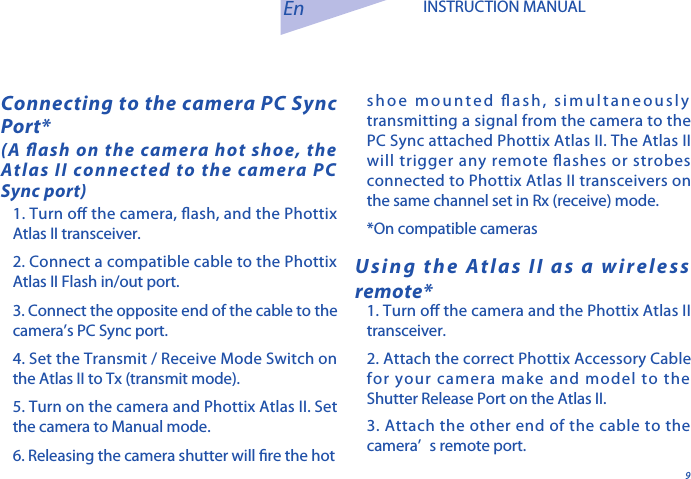
91. Turn o the camera, ash, and the Phottix Atlas II transceiver. 2. Connect a compatible cable to the Phottix Atlas II Flash in/out port. 3. Connect the opposite end of the cable to the camera’s PC Sync port. 4. Set the Transmit / Receive Mode Switch on the Atlas II to Tx (transmit mode).5. Turn on the camera and Phottix Atlas II. Set the camera to Manual mode.6. Releasing the camera shutter will re the hot Connecting to the camera PC Sync Port*(A ash on the camera hot shoe, the Atlas II connected to the camera PC Sync port)En INSTRUCTION MANUALUsing the Atlas II as a wireless remote*1. Turn o the camera and the Phottix Atlas II transceiver.2. Attach the correct Phottix Accessory Cable for your camera make and model to the Shutter Release Port on the Atlas II. 3. Attach the other end of the cable to the camera’ s remote port. shoe mounted ash, simultaneously transmitting a signal from the camera to the PC Sync attached Phottix Atlas II. The Atlas II will trigger any remote ashes or strobes connected to Phottix Atlas II transceivers on the same channel set in Rx (receive) mode.*On compatible cameras
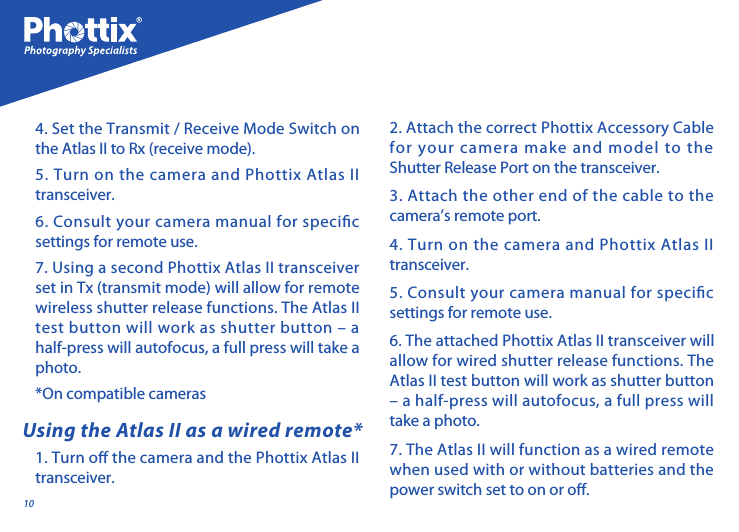
10Using the Atlas II as a wired remote*1. Turn o the camera and the Phottix Atlas II transceiver. 2. Attach the correct Phottix Accessory Cable for your camera make and model to the Shutter Release Port on the transceiver. 3. Attach the other end of the cable to the camera’s remote port. 4. Turn on the camera and Phottix Atlas II transceiver. 5. Consult your camera manual for specic settings for remote use. 6. The attached Phottix Atlas II transceiver will allow for wired shutter release functions. The Atlas II test button will work as shutter button – a half-press will autofocus, a full press will take a photo. 7. The Atlas II will function as a wired remote when used with or without batteries and the power switch set to on or o.4. Set the Transmit / Receive Mode Switch on the Atlas II to Rx (receive mode).5. Turn on the camera and Phottix Atlas II transceiver. 6. Consult your camera manual for specic settings for remote use. 7. Using a second Phottix Atlas II transceiver set in Tx (transmit mode) will allow for remote wireless shutter release functions. The Atlas II test button will work as shutter button – a half-press will autofocus, a full press will take a photo. *On compatible cameras
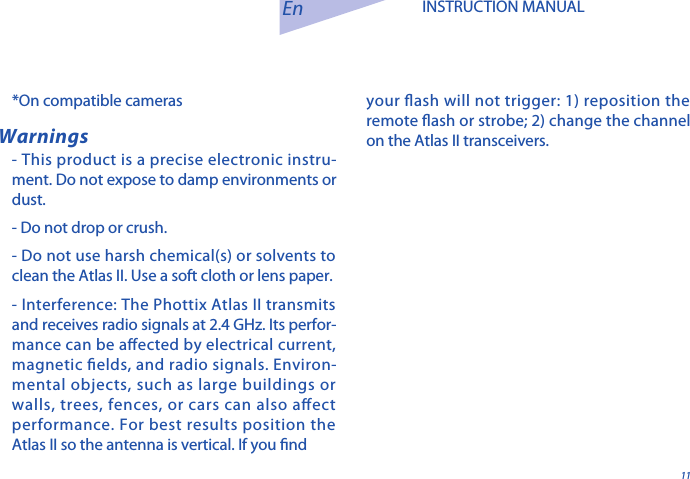
11En INSTRUCTION MANUALWarnings- This product is a precise electronic instru-ment. Do not expose to damp environments or dust. - Do not drop or crush.- Do not use harsh chemical(s) or solvents to clean the Atlas II. Use a soft cloth or lens paper.  - Interference: The Phottix Atlas II transmits and receives radio signals at 2.4 GHz. Its perfor-mance can be aected by electrical current, magnetic elds, and radio signals. Environ-mental objects, such as large buildings or walls, trees, fences, or cars can also aect performance. For best results position the Atlas II so the antenna is vertical. If you nd *On compatible cameras your ash will not trigger: 1) reposition the remote ash or strobe; 2) change the channel on the Atlas II transceivers.
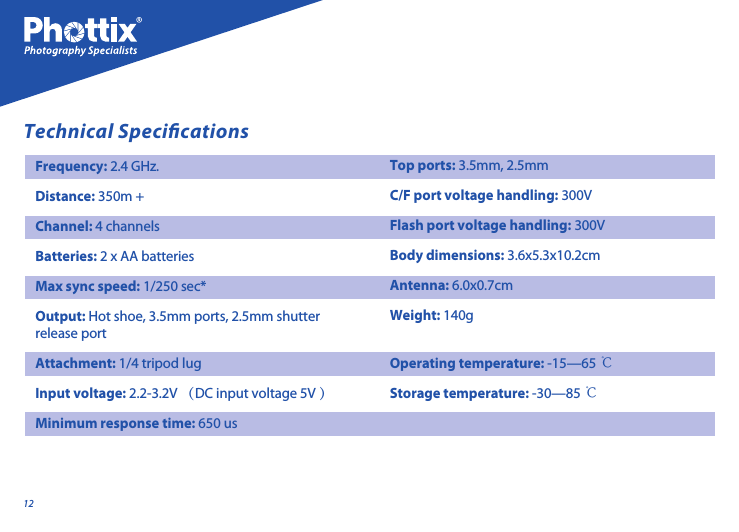
12Technical SpecicationsFrequency: 2.4 GHz.  Distance: 350m + Channel: 4 channels Batteries: 2 x AA batteries   Max sync speed: 1/250 sec*Output: Hot shoe, 3.5mm ports, 2.5mm shutter release portAttachment: 1/4 tripod lugInput voltage: 2.2-3.2V (DC input voltage 5V ) Minimum response time: 650 us Top ports: 3.5mm, 2.5mm C/F port voltage handling: 300V Flash port voltage handling: 300V Body dimensions: 3.6x5.3x10.2cm Antenna: 6.0x0.7cmWeight: 140g         Operating temperature: -15—65 ℃ Storage temperature: -30—85 ℃
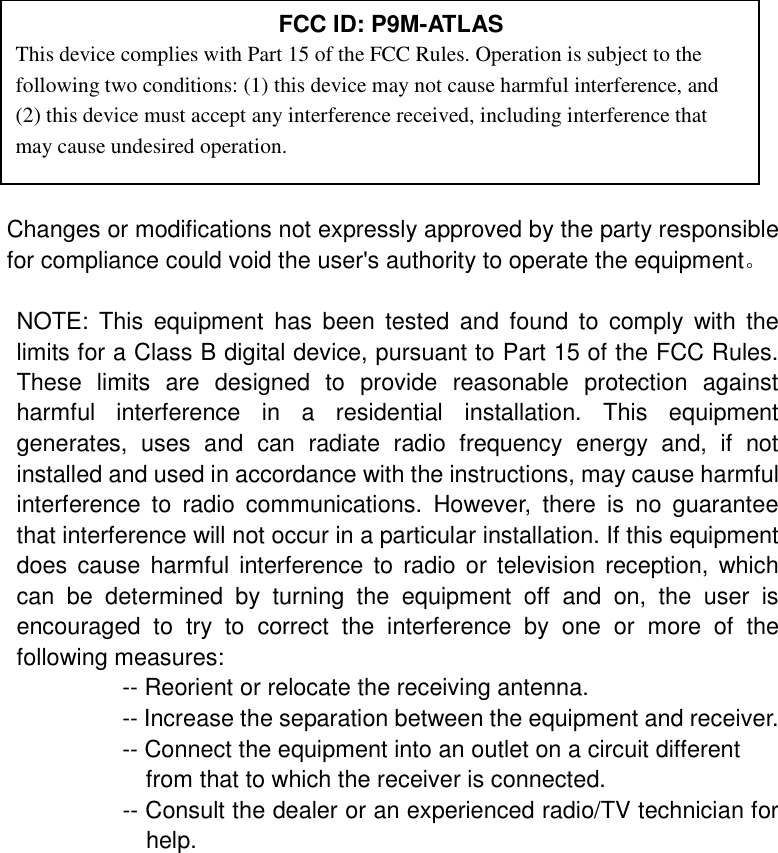
                                                                                              Changes or modifications not expressly approved by the party responsible for compliance could void the user's authority to operate the equipment。  NOTE: This equipment has been tested and found to comply with the limits for a Class B digital device, pursuant to Part 15 of the FCC Rules. These limits are designed to provide reasonable protection against harmful interference in a residential installation. This equipment generates, uses and can radiate radio frequency energy and, if not installed and used in accordance with the instructions, may cause harmful interference to radio communications. However, there is no guarantee that interference will not occur in a particular installation. If this equipment does cause harmful interference to radio or television reception, which can be determined by turning the equipment off and on, the user is encouraged to try to correct the interference by one or more of the following measures:          -- Reorient or relocate the receiving antenna.          -- Increase the separation between the equipment and receiver.             -- Connect the equipment into an outlet on a circuit different            from that to which the receiver is connected.          -- Consult the dealer or an experienced radio/TV technician for help.   FCC ID: P9M-ATLAS This device complies with Part 15 of the FCC Rules. Operation is subject to the following two conditions: (1) this device may not cause harmful interference, and (2) this device must accept any interference received, including interference that may cause undesired operation.

Navigation menu