Posturite 9820011 Keyboard User Manual manual

Posturite LTD Keyboard manual

User manual

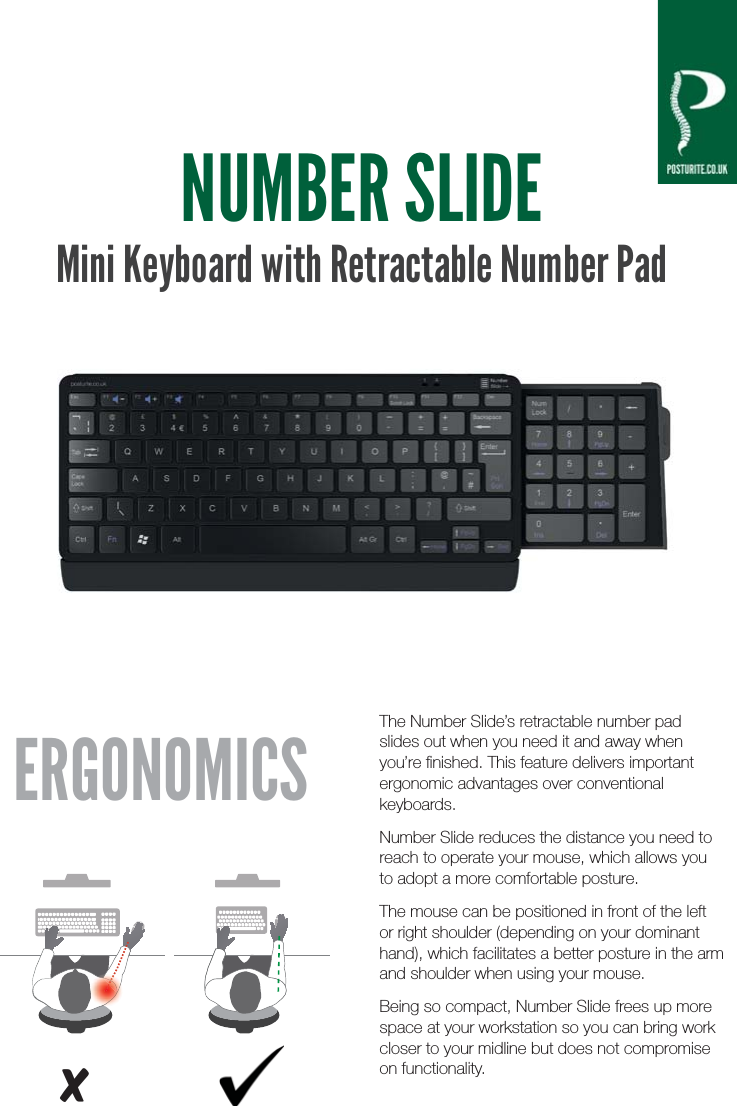
NUMBER SLIDEMini Keyboard with Retractable Number PadThe Number Slide’s retractable number pad slides out when you need it and away when you’re finished. This feature delivers important ergonomic advantages over conventional keyboards.Number Slide reduces the distance you need to reach to operate your mouse, which allows you to adopt a more comfortable posture.The mouse can be positioned in front of the left or right shoulder (depending on your dominant hand), which facilitates a better posture in the arm and shoulder when using your mouse.Being so compact, Number Slide frees up more space at your workstation so you can bring work closer to your midline but does not compromise on functionality.ERGONOMICSx
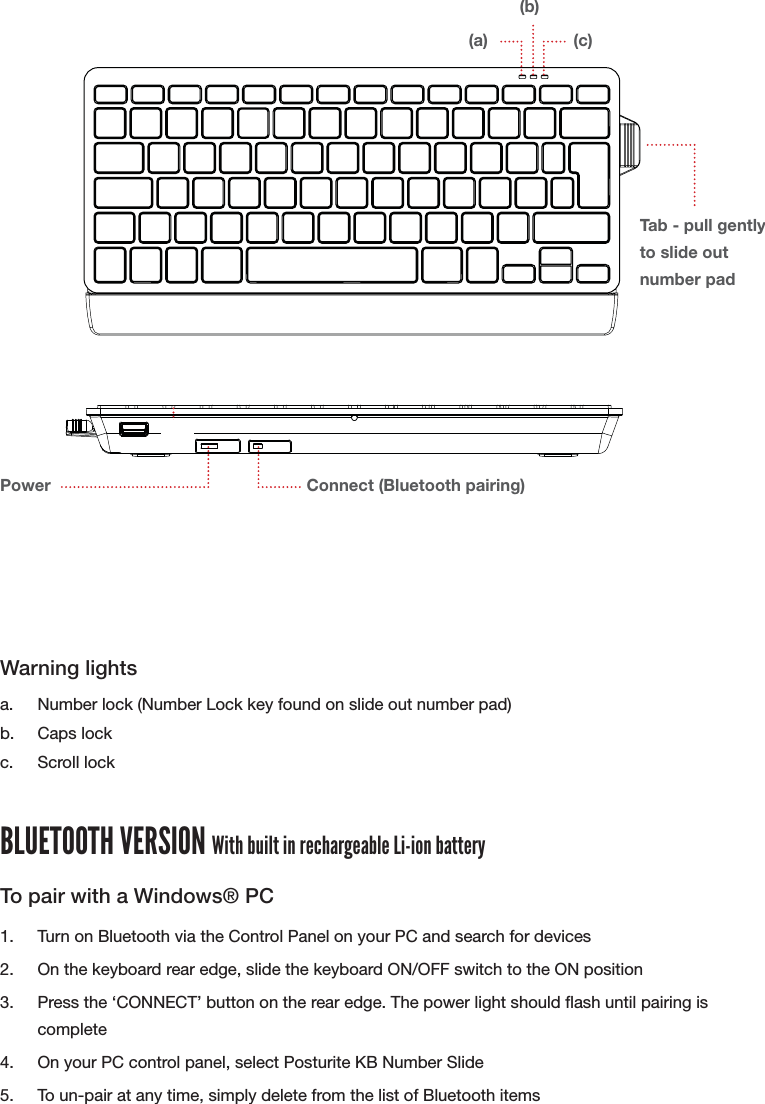
WIRED VERSION1.  Insert USB cable into a spare USB port on your computer2.  There are two auxiliary USB ports on the rear of the keyboard for use with peripheralsWarning lightsa.  Number lock (Number Lock key found on slide out number pad)b. Caps lockc. Scroll lockBLUETOOTH VERSION With built in rechargeable Li-ion batteryTo pair with a Windows® PC1.  Turn on Bluetooth via the Control Panel on your PC and search for devices2.  On the keyboard rear edge, slide the keyboard ON/OFF switch to the ON position3.  Press the ‘CONNECT’ button on the rear edge. The power light should ash until pairing is complete4.  On your PC control panel, select Posturite KB Number Slide 5.  To un-pair at any time, simply delete from the list of Bluetooth itemsUSB ports (Wired version)Power Connect (Bluetooth pairing)(a)Tab - pull gently to slide out number pad(b)(c)
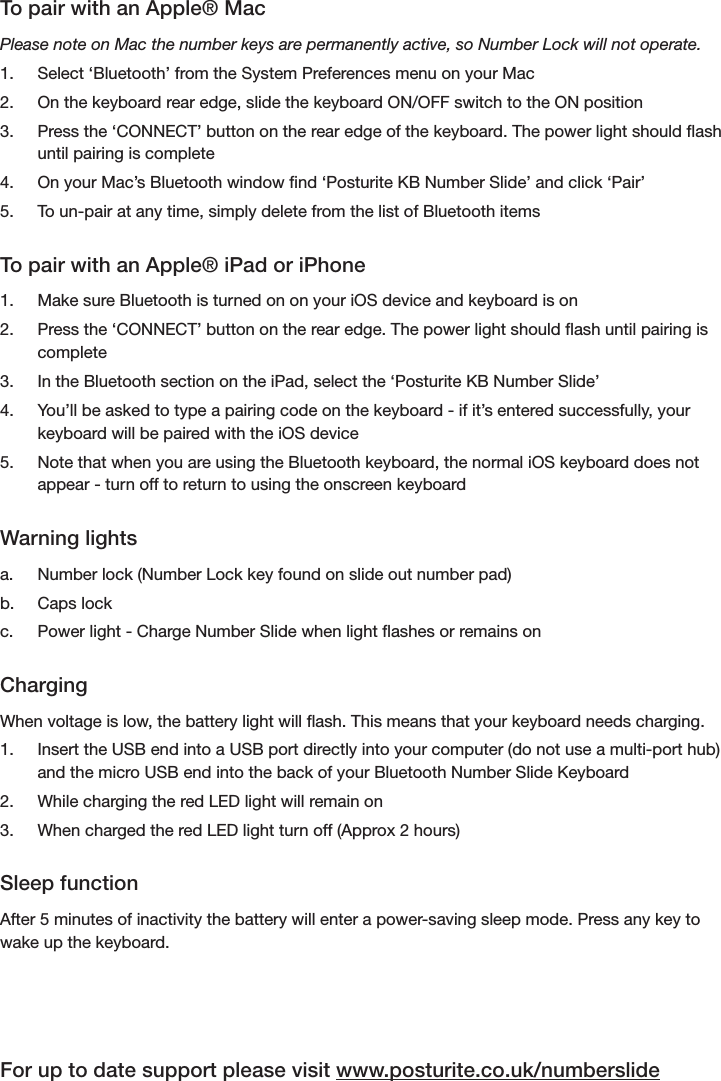
To pair with an Apple® MacPlease note on Mac the number keys are permanently active, so Number Lock will not operate.1.  Select ‘Bluetooth’ from the System Preferences menu on your Mac2.  On the keyboard rear edge, slide the keyboard ON/OFF switch to the ON position3.  Press the ‘CONNECT’ button on the rear edge of the keyboard. The power light should ash until pairing is complete4.  On your Mac’s Bluetooth window nd ‘Posturite KB Number Slide’ and click ‘Pair’5.  To un-pair at any time, simply delete from the list of Bluetooth itemsTo pair with an Apple® iPad or iPhone1.  Make sure Bluetooth is turned on on your iOS device and keyboard is on2.  Press the ‘CONNECT’ button on the rear edge. The power light should ash until pairing is complete3.  In the Bluetooth section on the iPad, select the ‘Posturite KB Number Slide’ 4.  You’ll be asked to type a pairing code on the keyboard - if it’s entered successfully, your keyboard will be paired with the iOS device5.  Note that when you are using the Bluetooth keyboard, the normal iOS keyboard does not appear - turn off to return to using the onscreen keyboardWarning lightsa.  Number lock (Number Lock key found on slide out number pad)b. Caps lockc.  Power light - Charge Number Slide when light ashes or remains onChargingWhen voltage is low, the battery light will ash. This means that your keyboard needs charging.1.  Insert the USB end into a USB port directly into your computer (do not use a multi-port hub) and the micro USB end into the back of your Bluetooth Number Slide Keyboard2.  While charging the red LED light will remain on3.  When charged the red LED light turn off (Approx 2 hours)Sleep functionAfter 5 minutes of inactivity the battery will enter a power-saving sleep mode. Press any key to wake up the keyboard.For up to date support please visit www.posturite.co.uk/numberslide
SpecificationsBluetooth Li-ion rechargeable battery.Bluetooth version: 3.0Operating distance: 10mSystem model: GFSSK 2.4GWorking voltage: 3-5VWorking current: 1.5mABattery: 300mA/hCharging voltage: 4.2VCharging current: 180mACharging time: Approx. 2 hours™™© 2015 Posturite Ltd. All Rights Reserved. Posturite, the logo design, are registered trademarks of Posturite Ltd.Posturite Ltd, The Mill, Berwick, East Sussex BN26 6SZ, UK  +44 (0)845 345 0010  www.posturite.co.ukGFSK 2.4G
FCC StatementThis equipment has been tested and found to comply with the limits for a Class B digital device, pursuant to Part 15 of the FCC Rules. These limits are designed to provide reasonable protection against harmful interference in a residential installation. This equipment generates uses and can radiate radio frequency energy and, if not installed and used in accordance with the instructions, may cause harmful interference to radio communications. However, there is no guarantee that interference will not occur in a particular installation. If this equipment does cause harmful interference to radio or television reception, which can be determined by turning the equipment off and on, the user is encouraged to try to correct the interference by one ormore of the following measures:-- Reorient or relocate the receiving antenna.-- Increase the separation between the equipment and receiver.-- Connect the equipment into an outlet on a circuit different from that to which the receiver is connected.-- Consult the dealer or an experienced radio/TV technician for help.This device complies with part 15 of the FCC Rules. Operation is subject to the following two conditions:(1) This device may not cause harmful interference, and (2) this device must accept any interference received, including interference that may cause undesired operation.Changes or modifications not expressly approved by the party responsible for compliance could void the user's authority to operate the equipment.  IC STATEMENTThis device complies with Industry Canada’s licence-exempt RSSs. Operation is subject to the following two conditions:(1) This device may not cause interference; and(2) This device must accept any interference, including interference that may cause undesired operation of the device.Le présent appareil est conforme aux CNR d'Industrie Canada applicables aux appareils radio exempts de licence. L'exploitation est autorisée aux deux conditions suivantes : (1) l'appareil ne doit pas produire de brouillage, et (2) l'utilisateur de l'appareil doit accepter tout brouillage radioélectrique subi, même si le brouillage est susceptible d'en compromettre le fonctionnement.

Navigation menu