Premier Accessory Group MT-5000 Bluetooth Headset User Manual MT 5000 Manual book

Premier Accessory Group Bluetooth Headset MT 5000 Manual book

User Manual

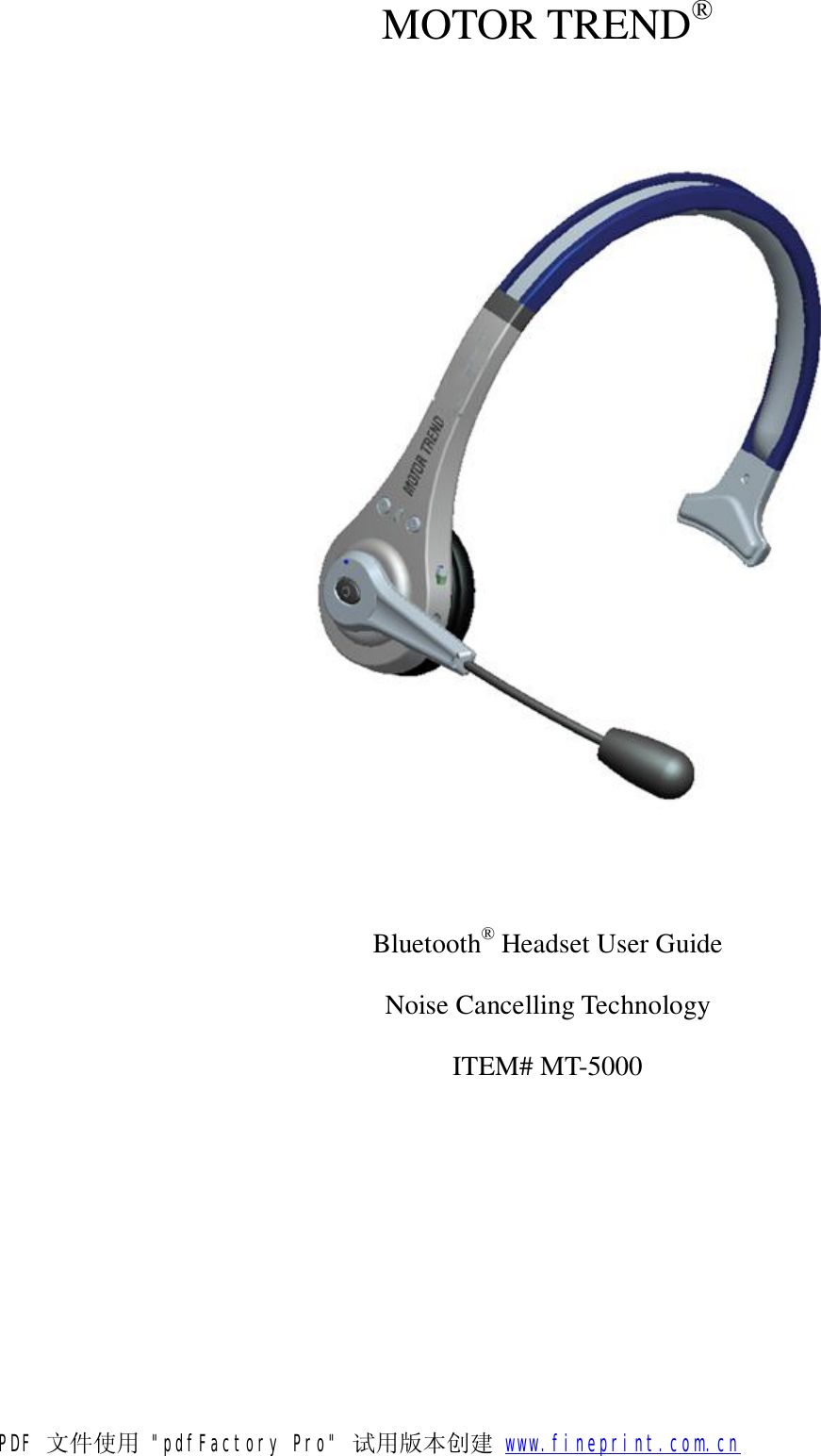
 MOTOR TREND®  Bluetooth® Headset User Guide Noise Cancelling Technology ITEM# MT-5000PDF 文件使用 "pdfFactory Pro" 试用版本创建           www.fineprint.com.cn
     Index 1. Notice Before Using 2. Package Contents List 3. Product Introduction 4. Charging the Headset 5. Power On/Off 6. Pairing the Headset with a Bluetooth Device 7. Pairing to 2 devices 8. Wearing the Headset 9. Answering Calls 10. Refusing Calls 11. Ending Calls 12. Voice Dialing 13. Redialing 14. Mute 15. Transferring Calls 16. Adjusting the Volume 17. Safety Instructions 18. UEGENT HANDLING 19. Specifications 20. Diagnosing Problems 21. Headset Storage 22. Travel Charger  23. Car Charger 24. BATTERY 25. Q&A 26. Declaration of Conformity 27. Limited Warranty   PDF 文件使用 "pdfFactory Pro" 试用版本创建           www.fineprint.com.cn
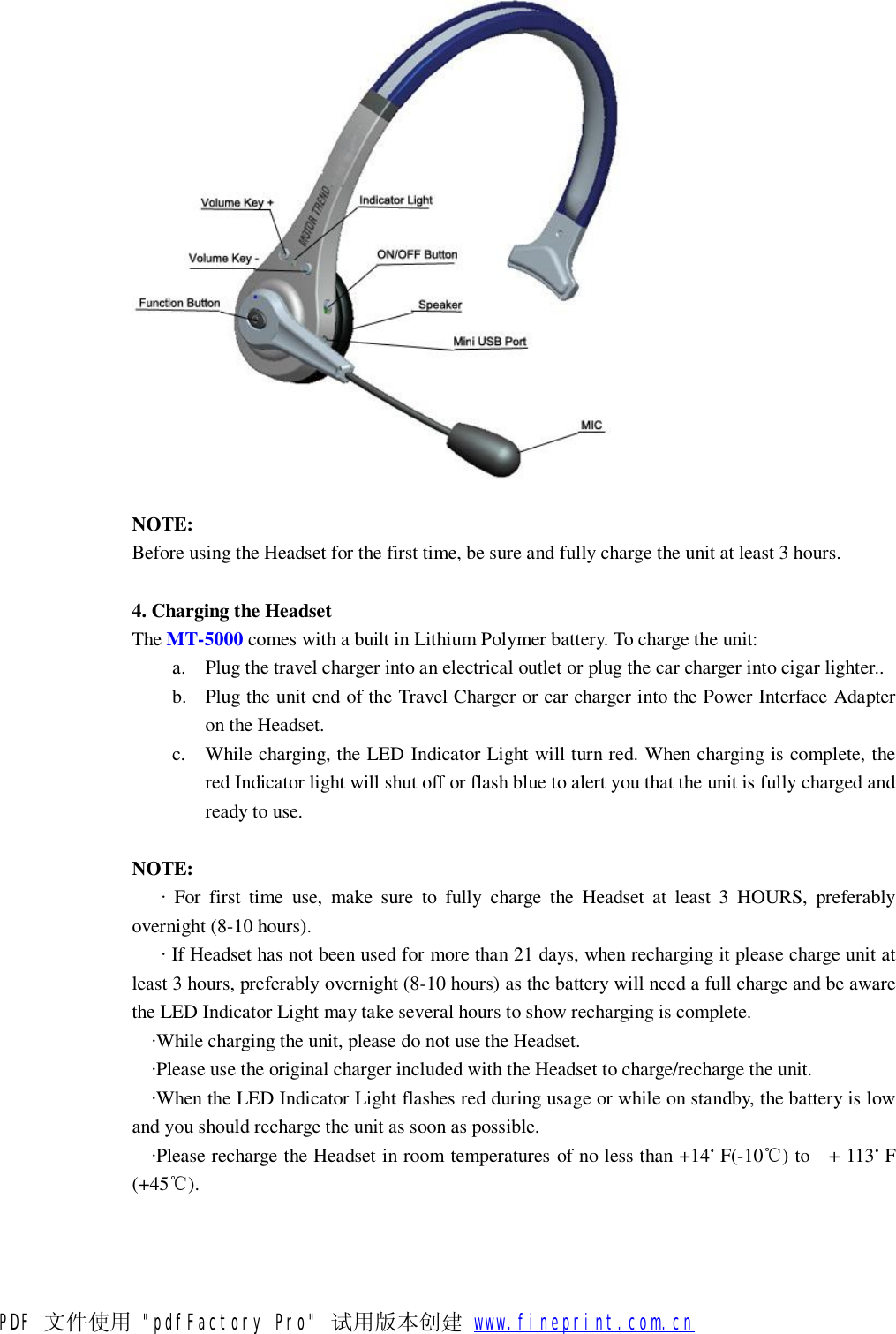
1. Notice before Using Thank you for purchasing the MOTOR TREND® Bluetooth® Headset MT-5000. Please check the contents of this package to verify the items listed in the Package Contents List below to has been included in your package. Be sure and read this User Guide before you use the Headset. The MT-5000 has been developed using Bluetooth wireless technology and is capable of connecting with Bluetooth devices designed with Audio Gateway and PDAs, Desktop and notebook computers can be connected and paired with the Headset using a USB Bluetooth Dongle. Before using the Headset please verify your Bluetooth device (PS3, phone, PDA) complies with Bluetooth V1.1/V1.2/V2.0/2.1 and supports the Bluetooth Headset or Handsfree profile.  2. Package Content List Please inspect this package and refer to the package contents list how to verify all items were included in this package: Item Name                            Quantity Ø MT-5000 Bluetooth® Headset…………………..1 Ø User Guide………………………………………1 Ø Easy Pairing Sheet………………………………1 Ø Travel Charger…………………………………..1 INPUT: AC100-240V, 50/60Hz OUTPUT: DC 5.1V, 120mA Ø Car Charger………………………………………1 Ø USB Cable………………………………………..1 Ø Extra Ear Cushion………………………………..1 Ø Extra Mic Cover………………………………….1 If you find any items were not included please contact your retailer where you purchased this product. 3. Product Introduction   Functions (Answering / Ending) Button  ON/OFF Button LED Indicator Light Receiver / Speaker Microphone Power Interface / Adapter for Charging the Unit Ear Hook Decrease Volume Key (-)  Increase volume key (+)  PDF 文件使用 "pdfFactory Pro" 试用版本创建           www.fineprint.com.cn
 NOTE: Before using the Headset for the first time, be sure and fully charge the unit at least 3 hours.  4. Charging the Headset   The MT-5000 comes with a built in Lithium Polymer battery. To charge the unit: a. Plug the travel charger into an electrical outlet or plug the car charger into cigar lighter.. b. Plug the unit end of the Travel Charger or car charger into the Power Interface Adapter on the Headset. c. While charging, the LED Indicator Light will turn red. When charging is complete, the red Indicator light will shut off or flash blue to alert you that the unit is fully charged and ready to use.  NOTE:    · For first time use, make sure to fully charge the Headset at least 3 HOURS, preferably overnight (8-10 hours).    · If Headset has not been used for more than 21 days, when recharging it please charge unit at least 3 hours, preferably overnight (8-10 hours) as the battery will need a full charge and be aware the LED Indicator Light may take several hours to show recharging is complete.   ·While charging the unit, please do not use the Headset.   ·Please use the original charger included with the Headset to charge/recharge the unit.   ·When the LED Indicator Light flashes red during usage or while on standby, the battery is low and you should recharge the unit as soon as possible.   ·Please recharge the Headset in room temperatures of no less than +14。F(-10℃) to  + 113。F (+45℃). PDF 文件使用 "pdfFactory Pro" 试用版本创建           www.fineprint.com.cn
 5. Power On / Off    a. Push the ON/OFF button to ON side. The power will turn on after the LED Indicator Light flashes the blue light 3 times.    b. Push the ON/OFF button to OFF side. The power will turn off after the LED Indicator Light flashes the blue light 1 time.  NOTE:   ·While the Headset is turned on, it will automatically search for the paired device. Under the “ON” mode and within the effective range of 30 feet from the Headset, the Indicator will flash the blue light to indicate that it entered the connecting mode.  6. Pairing the Headset with a Bluetooth Device Before you use the Headset the first time, you must pair the unit with a Bluetooth device i.e. cellular phone. To set up the pairing: a. Insure your mobile phone is Bluetooth capable b. Make sure the Headset is turned off. c. Push the ON/OFF button to ON side. d. Press and hold the Function button for 5 seconds until the Indicator Light flashes alternating “Red – Blue – Red – Blue” to enter the pairing mode. e. On your mobile device start the Bluetooth search function. Refer to the mobile device manufacturer’s instructions regarding pairing the device to the  MT-5000 Bluetooth Headset. f. When your mobile device is in the stage of searching for a new Bluetooth device, it should locate and pair with the MT-5000. g. On your mobile device, please choose and confirm the MT-5000 as your Bluetooth paired device. h. Key in the Headset Passcode  “0000” and press “YES”. If the pairing is successful, the Indicator light on the Headset will flash the blue light only. For some mobile phones, after pairing you may have to select and reconfirm  MT-5000 PAIRING EACH TIME YOU TURN ON THE PHONE. Please read you phone manufacturer’s instructions regarding Bluetooth devices. i. The Headset should now be in standby mod – ready to send and receive calls.   NOTE:   If the pairing is not successful the first time, the Headset will return to standby mode. Please repeat the pairing process and refer to the mobile device’s manufacturer’s instructions for additional information. a. While pairing, it is better to keep the distance between the mobile device and the Headset to approximately 3 inches to 1 foot and make sure no metal objects are between them. b. While pairing the Headset with other Bluetooth devices, when the device asks for the Passcode, key in  “0000” the Headset Passcode. For more details, refer to the mobile device’s manufacturer’s instructions for ad MT-5000 additional information.  PDF 文件使用 "pdfFactory Pro" 试用版本创建           www.fineprint.com.cn
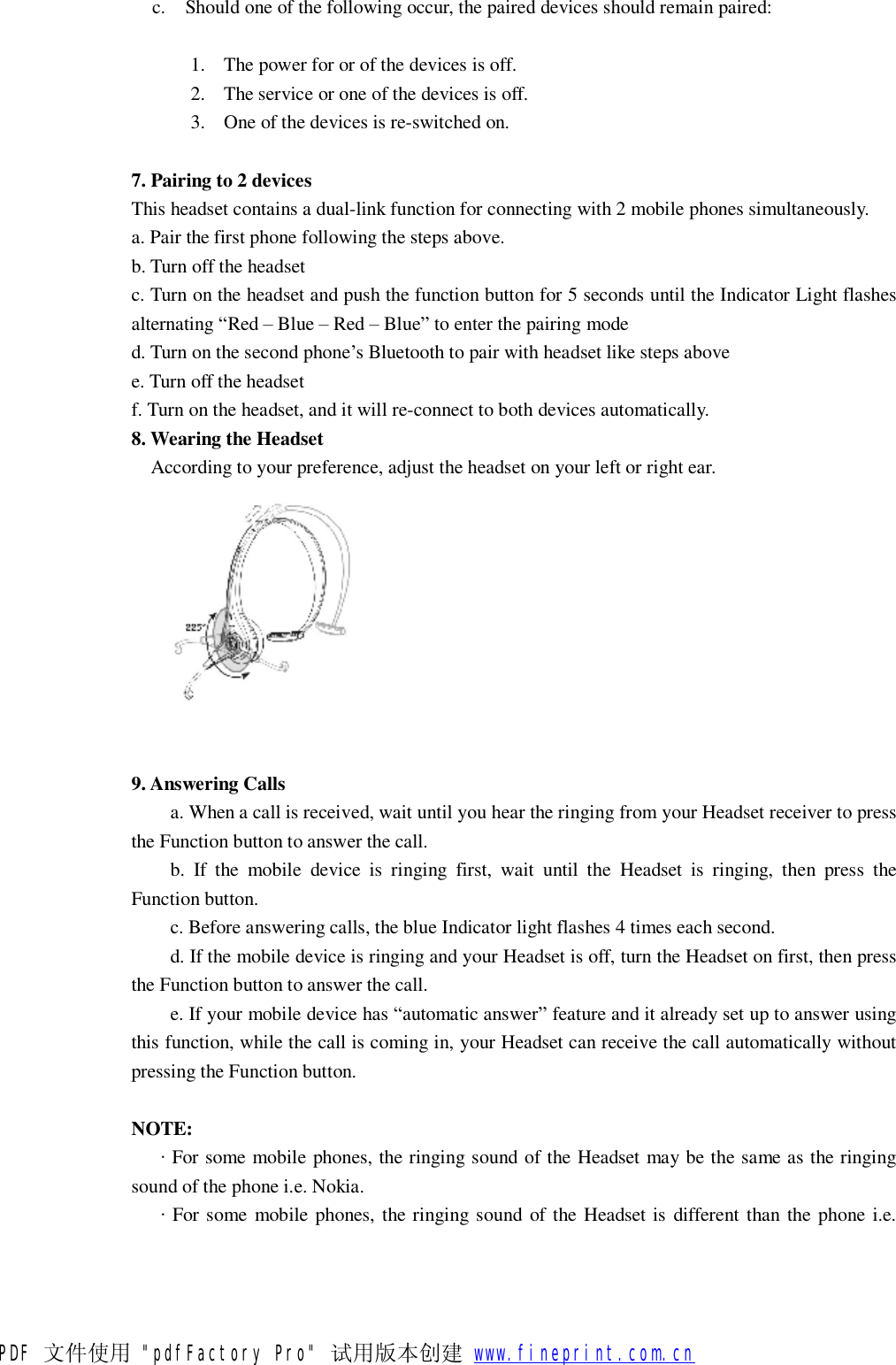
c. Should one of the following occur, the paired devices should remain paired: 1. The power for or of the devices is off. 2. The service or one of the devices is off. 3. One of the devices is re-switched on.  7. Pairing to 2 devices This headset contains a dual-link function for connecting with 2 mobile phones simultaneously. a. Pair the first phone following the steps above. b. Turn off the headset c. Turn on the headset and push the function button for 5 seconds until the Indicator Light flashes alternating “Red – Blue – Red – Blue” to enter the pairing mode d. Turn on the second phone’s Bluetooth to pair with headset like steps above e. Turn off the headset f. Turn on the headset, and it will re-connect to both devices automatically. 8. Wearing the Headset    According to your preference, adjust the headset on your left or right ear.    9. Answering Calls  a. When a call is received, wait until you hear the ringing from your Headset receiver to press the Function button to answer the call. b. If the mobile device is ringing first, wait until the Headset is ringing, then press the Function button. c. Before answering calls, the blue Indicator light flashes 4 times each second. d. If the mobile device is ringing and your Headset is off, turn the Headset on first, then press the Function button to answer the call. e. If your mobile device has “automatic answer” feature and it already set up to answer using this function, while the call is coming in, your Headset can receive the call automatically without pressing the Function button.  NOTE:    · For some mobile phones, the ringing sound of the Headset may be the same as the ringing sound of the phone i.e. Nokia.    · For some mobile phones, the ringing sound of the Headset is different than the phone i.e. PDF 文件使用 "pdfFactory Pro" 试用版本创建           www.fineprint.com.cn
Motorola.  10. Refusing Calls    To refuse a call, wait to hear from our receiver, and then press the VOL+ 2 twice quickly to refuse the call. If you have the mobile device set to automatically answer calls, refusing call as described here will not apply.  11. Ending Calls     a. When the call is complete, press the Function button to end the call.    b. You can also wait until your caller hangs up and the call will be disconnected automatically.  12. Voice Dialing     a. If your mobile phone supports Voice Dialing, you can use this Function with your Headset also.    b. Under the standby or connecting mode, press the Function button once on the Headset and follow the mobile devices’ manufacturer’s instructions to proceed with Voice Dialing.  NOTE:   · The activation of Voice Dialing will depend on the design of your mobile device.   · The working range of the Bluetooth Headset is approximately 15 feet indoors and 15 -30 feet outdoors.   13. Redialing     a. If your mobile device supports the Redialing feature, you can also use this function with your Headset.    b. Under the Standby or Connecting mode, double click the function button of the Headset to redial the last call.   14. Mute     a. During a phone conversation, press the Decrease Volume Key (-) and Increase Volume Key (+) at the same time until you hear the “Du” sound to begin the Mute function of the Headset.    b. While in Mute mode, you will hear an intermittent “Du” sound    c. To cancel the Mute mode, press either Decrease Volume Key (-) or the Increase Volume Key (+) to end this function.    15. Transferring Calls     a. Transfer a call from the headset to the mobile device. While a call is in progress, press the Increase Volume Key (+) for 2-3 seconds until you hear one “Du” sound. b. Transfer a call from the mobile device to the headset. While a call is in progress, press the function button once.   PDF 文件使用 "pdfFactory Pro" 试用版本创建           www.fineprint.com.cn
NOTE: To activate this function, your mobile device must support the Handsfree mode. For more details, please check your mobile device’s manufacturer’s instructions for additional information.  16. Adjusting the Volume  During a call, you may adjust the Headset’s volume. a. To increase the volume, press the Increase Volume Key (+). b. To decrease the volume, press the Decrease Volume Key (-).  NOTE: You will hear the  “Du Du” sound while adjusting the volume to the highest and lowest settings.  17. Safety Instructions  a. Read this Headset manual carefully and use the Headset correctly at all times by following the instructions. b. THIS IS NOT A TOY. Keep the Headset away from children and avoid children chewing on the Headset or its components or accidentally swallowing any pieces. c. To clean the Headset, wipe it with a soft, dry static-free cleaning cloth. d. NEVER use cleaning liquids, solvents, or sprays to clean the Headset. e. Do not clean the Headset while charging. f. Do not dissemble the Headset. If you encounter any problems, contact the retailer immediately.  18. UEGENT HANDLING  · If you encounter a problem, turn the Headset off immediately. · If the inside component(s) break, please contact Premier Accessory Group, toll free 866-446-4327, for immediate service and support.      19. Specifications  Model NO.                                MT-5000                               Standard Convention/Signal Output            Bluetooth V2.1+EDR, Class II Frequency Band                            2.4GHz~2.4835GHz,ISM Band             Talk/ Stand by Time                        Up to 12 hours/ Up to 350 hours Supporting Profile                          Headset & Handsfree                     Connection                               Multi Point (Pair two phones at one time) Data Encryption                           128 bits encrypted                        Power Capacity                           Rechargeable Li-Polymer Power Supply                            5V DC, 100~240V AC adapter               PDF 文件使用 "pdfFactory Pro" 试用版本创建   Ù        www.fineprint.com.cn
Operation Temperature                     -10 ~ 55℃ Facility Saving Temperature                 -20 ~ 60℃                              Operation Moisture                        10% ~ 90%(non-concrete status)  20. Diagnosing Problems a. If the Headset LED Indicator Light is flashing red-the battery is low and recharges the unit immediately. b. If, after recharging for 20 minutes, the Headset does not turn on: For initial use, the power will be on after charging the Headset at least 40 minutes. The manufacturer’s recommended initial charging time is no less than 3 hours, preferably overnight (8-10hours). c. If the Headset does not show the recharging sign: The battery is completed depleted or the Headset has not been used for 21 days, when charging the red Indicator Light will be lit after a few minutes. d. You hear no sound coming from the Headset: ★ Make sure the Headset is turned on. ★ Make sure the headset has been paired with a Bluetooth enabled device. ★ Make sure the distance between the Headset AND THE PAIRED Bluetooth device is no more than 30 feet. ★ Some Bluetooth mobile phones support only one Headset. In this case, if you pair the MT-5000 Headset with the device, the other Bluetooth Headsets may be deactivated. Likewise, if you pair other Bluetooth headsets with this type of mobile device, the  MT-5000 Headset may become deactivated.  21. Headset Storage   ﹥ Use of accessories other than the manufacturer’s originally supplied accessories may cause the Headset to malfunction or fail. In addition, product damage, electrical conflicts with non-manufacturer chargers may occur resulting in the cancellation of the product warranty.   ﹥ Do not disassemble the headset for any reason. This may damage the Headset accidentally and void the manufacturer’s warranty.   ﹥ Please store the Headset away from dust, heat and areas where it might accidentally fall or other damage may occur.   ﹥ Use a clean, soft static-free cloth to clean the Headset’s surfaces.   ﹥ You can put the Headset in a pocket while not in use.   ﹥ Do not let children play with the Headset as it may cause damage to the unit and avoid any danger to young children.   ﹥ Avoid storing the Headset and chargers in extreme temperatures.   22. Travel Charger  1. The Travel Charger is designed for indoor use and not to be used outdoors. 2. Connect the Travel Charger with the appropriate power supply. 3. Do not unplug the Travel Charger from the electrical outlet by the cord. Use the wall plug to pull the charger from the electrical outlet. 23. Car Charger PDF 文件使用 "pdfFactory Pro" 试用版本创建   Ù        www.fineprint.com.cn
1. The Car Charger is designed for car use only. 2. Connect the Car Charger with the appropriate power supply. 3. Do not unplug the Car Charger from the electrical outlet by the cord  24. BATTERY 1. New battery: For first time use, charge the battery at least 4 hours, preferably overnight (8-10 hours). 2. Only manufacturer authorized personnel can perform battery replacement. 3. Under normal usage, the built in battery should be viable for up to 24 months or longer depending on usage. 4. The battery must be recharged in room temperatures of no less than +14。F(-10℃) to  + 113。F (+45℃) to remain under warranty and to maximize the life of the battery. 5. Using the Headset in normal room temperatures enables the battery to maximize its life. 6. When used in colder weather, the Headset’s battery life may decrease. 7. Recharge the Headset at least every two months whether it is used or not.   25. Q&A Q: Why does the fully charged headset under the “ON” mode not work with my Bluetooth mobile device? A: You must activate the Bluetooth function of the mobile device and complete the device paring process between the device and the Headset.  Q: Can the MT-5000 work with any mobile device? A: No, only Bluetooth enabled mobile devices and phones.  Q: How far is the working distance between the Headset and the mobile device? A: The MT-5000 is certified by BQB, is compatible and compliant with Bluetooth V 2.1,Class II, the longest working distance between the devices is 30 feet. Please be aware, this distance may be affected by interference with surrounding i.e. metal surfaces and the capability of the Bluetooth mobile devices that the Headset is paired with.  Q: Why does my Bluetooth mobile device find many Bluetooth devices while searching for the new Bluetooth Headset? A: Most of today’s mobile phones allow for more than one Bluetooth device within a given (working) range. When searching for a new device i.e. Headset, the mobile device or phone’s LCD should recognize and display the MT-5000 or some “Unknown Device”. Please select and confirm the MT-5000.  Q: Why can’t my mobile device or phone find the MT-5000? A: Check to make sure you are in “pairing” mode on the mobile device or phone. If in this mode and still unable to locate the Headset, please refer to your mobile device’s manufacturer’s instructions for additional information.  PDF 文件使用 "pdfFactory Pro" 试用版本创建           www.fineprint.com.cn
Q: Must I pair the Headset every time I use it? A: No. The paired devices should remain paired regardless of turning the power off, reopening the devices or charging the respective devices’ batteries.  Q: Why is the voice from the Headset not clear? A: Possibly for one or both of the following reasons: 1. Your location has an insufficient signal. You must move to a better signal area or location. 2. The working range between the Headset and the mobile phone has been exceeded. Please make sure the headset and mobile phone are within the working range of 30 feet and there is no obvious interfering factor between them.  Q: What can I do if the voice from the Headset is not clear? A: Make sure your mobile phone is in a location with a better signal and increase the volume of the phone or Headset.  Q: Why is the Headset suddenly not working? A: (1) The Headset battery may need recharging. When the battery is low, the Headset flashes the red indicator light, please recharge it as soon as possible.   (2) The Bluetooth function of your mobile device or phone “crashes”. To renew this feature, turn off the Bluetooth function on the phone, turn it back on and “re-pair” it with the Headset. You may need to perform this more than once to re-sync the device with the Headset after this type of interruption.  Q: Why is the Voice Dialing function of the Headset not switched on? A: (1) You may need to re-record the “voice tag”.   (2) Some mobile devices and phones do not support the Voice Dialing feature. Please refer to your mobile device’s manufacturer’s instructions for additional information.  26. Declaration of Conformity  FCC The MT-5000 is FCC certified and complies with part15 of the FCC rules.  BQB Qualification: The MT-5000 Bluetooth Headset, a BQB Qualified Bluetooth product is listed as qualified End Product in accordance to Section 6.2.4 of the PRD.  27. Limited Warranty This warranty covers defects in materials and workmanship of Premier Accessory Group, LLC and their respective MOTOR TREND® line of Bluetooth® products manufactured and sold by Premier Accessory Group, LLC which were purchased and used in the United States or Canada.  The warranty period is for 2 years from the date of purchases of the original product. PDF 文件使用 "pdfFactory Pro" 试用版本创建           www.fineprint.com.cn
 Obtaining Original Warranty Service To return the Bluetooth® Product(s) to Premier Accessory Group, LLC for Warranty Service, you must include: -The original receipt or copy of the receipt for proof of purchase. -All the headset including any charger that came as original to the headset. -If less than 7 days from purchase, please return the original packaging. -Provide information regarding the nature of the problem and reason for return. -Provide your name, address and telephone number. -When returning products for Warranty Service, if purchase was made within the last 90 days, no additional Shipping & Handling is due to manufacturer for replacement product. -If product was purchased more than 90 days prior to return of product for Warranty Service, a Shipping & Handling fee of 14.95 is due to manufacturer for replacement product. -Manufacturer is not responsible for lost headsets if mailed via first class mail without insurance or delivery confirmation.  Return the product and Shipping & Handling fee (when applicable) to the address below:  Premier Accessory Group, LLC  ATTN. Customer Service-Warranty (Toll Free 866-446-4327)  11-11 44th Drive  Long Island City, New York 11101 USA  LEGAL NOTICE: This product is manufactured under license for SOURCE INTERLINK MAGAZINES, LLC, the publisher of MOTOR TREND® Magazine and a SOURCE INTERLINK MEDIA company.  Premier Accessory Group, LLC-2011 All Rights Reserved, U.S. & International patents, trademarks, copyrights and registrations issued and pending.  The Bluetooth® word mark and logos are registered trademarks owned by Bluetooth SIG, Inc. PDF 文件使用 "pdfFactory Pro" 试用版本创建           www.fineprint.com.cn
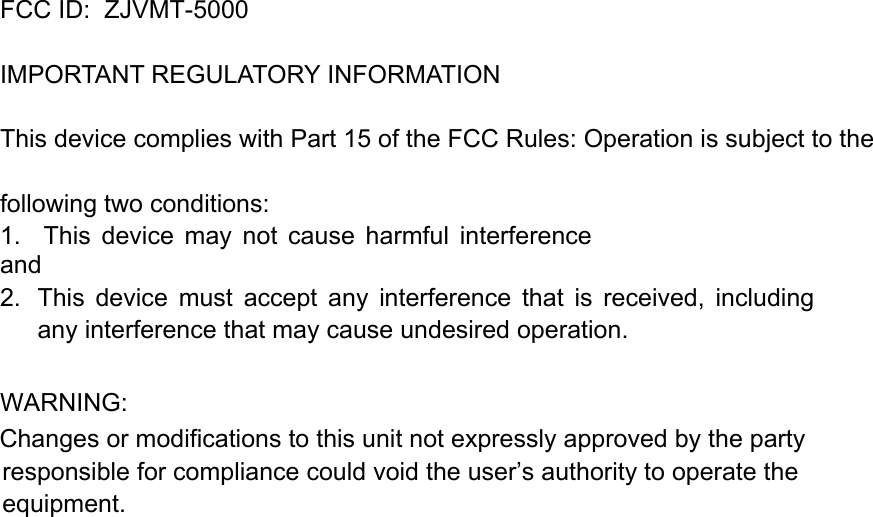
FCC ID:  ZJVMT-5000   IMPORTANT REGULATORY INFORMATION This device complies with Part 15 of the FCC Rules: Operation is subject to the following two conditions: 1.    This  device  may  not  cause  harmful  interference and 2.  This  device  must  accept  any  interference  that  is  received,  including any interference that may cause undesired operation.  WARNING:      Changes or modifications to this unit not expressly approved by the party responsible for compliance could void the user’s authority to operate the equipment.

Navigation menu