QI SHENGLONG IST QSLFH09 Bluetooth Phone and Speaker User Manual G 8 24 U 2011x

SHENZHEN QI SHENGLONG INDUSTRIALIST CO.,LTD. Bluetooth Phone and Speaker G 8 24 U 2011x

Manual

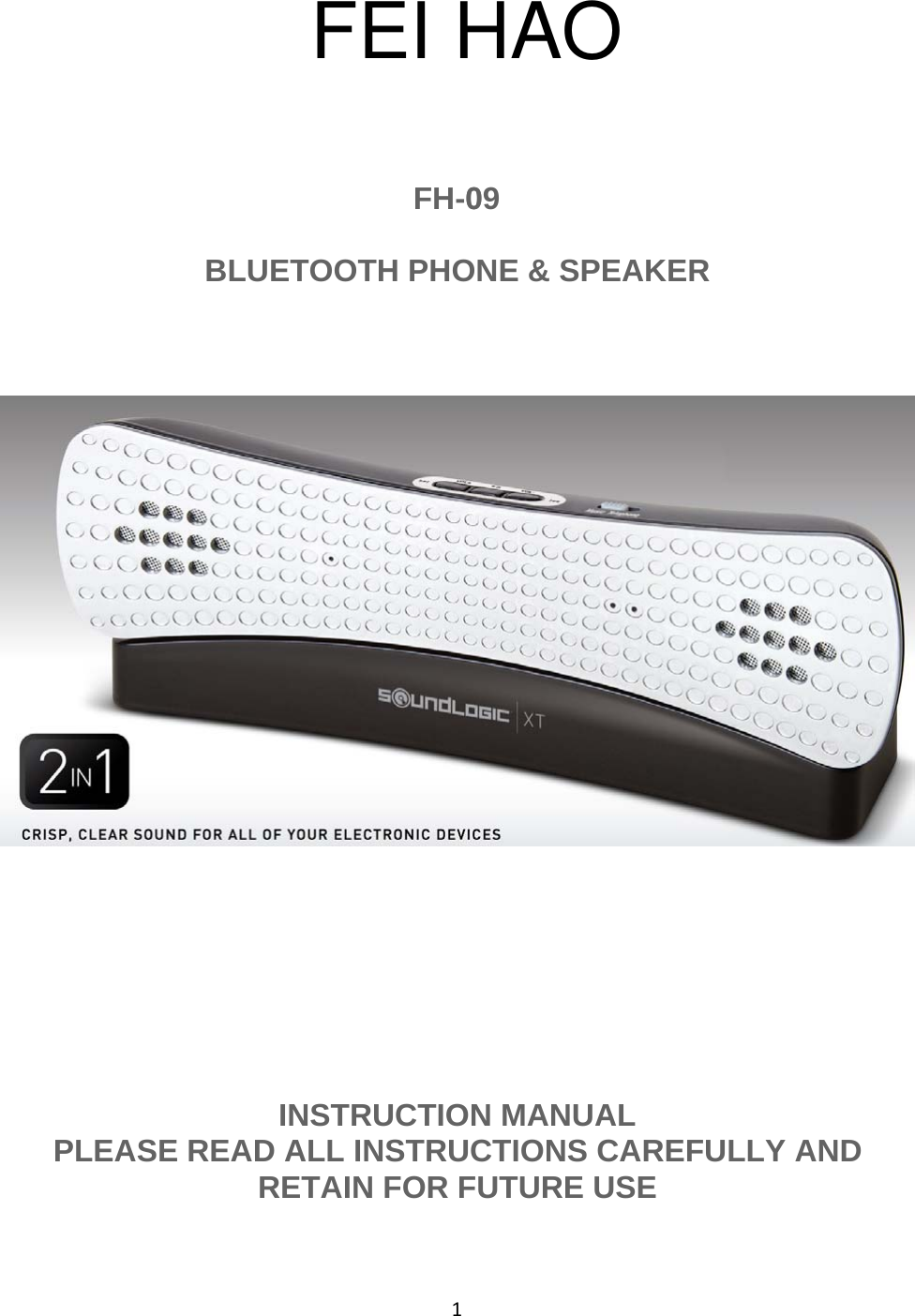
1FH-009BLUETOOTH PHONE & SPEAKERINSTRUCTION MANUALPLEASE READ ALL INSTRUCTIONS CAREFULLY ANDRETAIN FOR FUTURE USEFEI HAO
2Getting Started•Remove the unit from the box.•Remove any packaging from the product.•Please retain all packaging until you have checked and counted all the parts and thecontents against the parts list.Package Contents•Bluetooth Phone & Speaker•Charging Cradle•AUX Cable•USB Charging Cable•PowerAdaptor•Instruction ManualKey Features•Bluetooth®3.0 Phone & Conference Speaker•Compatible with most Bluetooth enabled devices such as Smart Phones, Tablets, etc.•Wired Connection also available forcomputers, netbooks, laptops etc.•Syncs in Seconds•Wireless Range (8 -10) Meter (26 - 33) FeetSafety InstructionsKeep the unit away from heat sources, direct sunlight, humidity, water and any other liquids.Do not operate the unit if it has been exposed to water, moisture or any other liquids to preventagainst electric shock, explosion and/or injury to yourself and damage to the unit.Do not use the unit if it has been dropped or damaged in any way.Repairs to electrical equipment should only be performed by a qualified electrician. Improperrepairs may place the user at serious risk.Do not use the unit with wet hands.Do not put objects into any of the openings.Keep the unit free from dust, lint etc.Do not use this unit for anything other than its intended use.Keep the unit out of reach of children.This appliance is not a toy.Do not use the handset at excessive levels as damage to hearing may occur.Batteries (battery pack or batteries installed) shall not be exposed to excessive heat place, suchas sunshine, fire or the like.
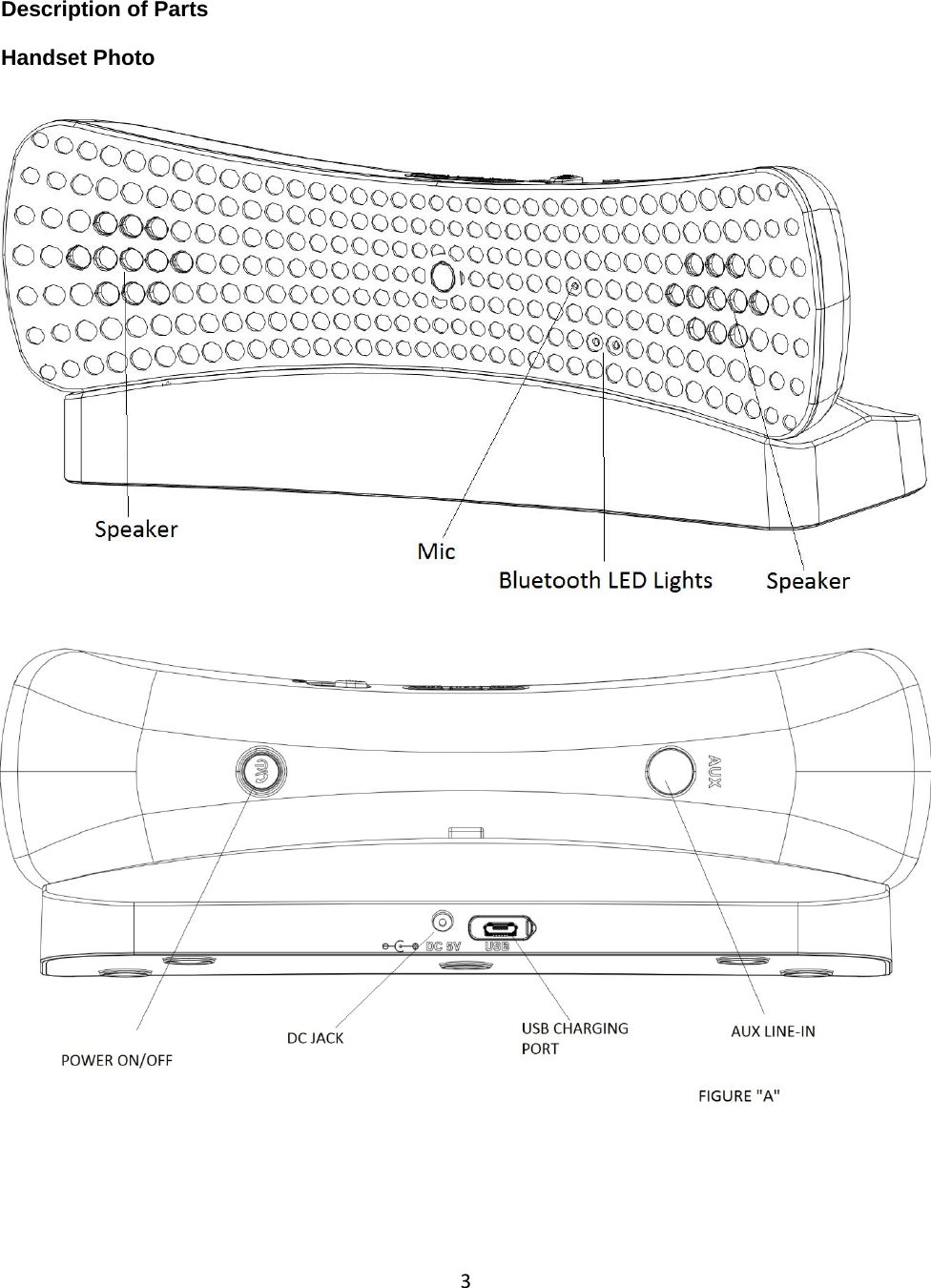
3Description of PartsHandset Photo
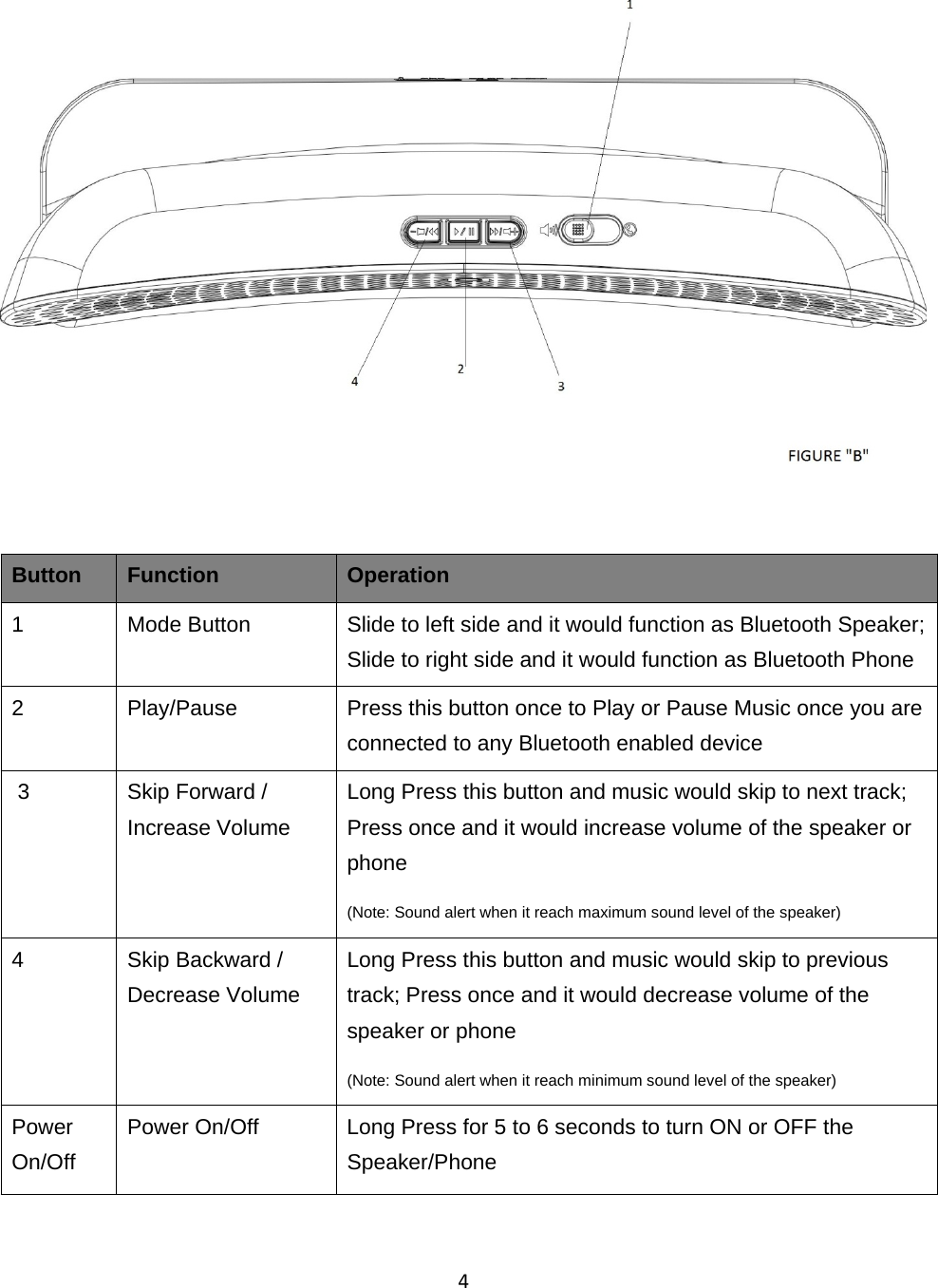
4Button Function Operation1 Mode Button Slide to left side and it would function as Bluetooth Speaker;Slide to right side and it would function as Bluetooth Phone2 Play/Pause Press this button once to Play or Pause Music once you areconnected to any Bluetooth enabled device3 Skip Forward /Increase VolumeLong Press this button and music would skip to next track;Press once and it would increase volume of the speaker orphone(Note: Sound alert when it reach maximum sound level of the speaker)4 Skip Backward /Decrease VolumeLong Press this button and music would skip to previoustrack; Press once and it would decrease volume of thespeaker or phone(Note: Sound alert when it reach minimum sound level of the speaker)PowerOn/OffPower On/Off Long Press for 5 to 6 seconds to turn ON or OFF theSpeaker/Phone
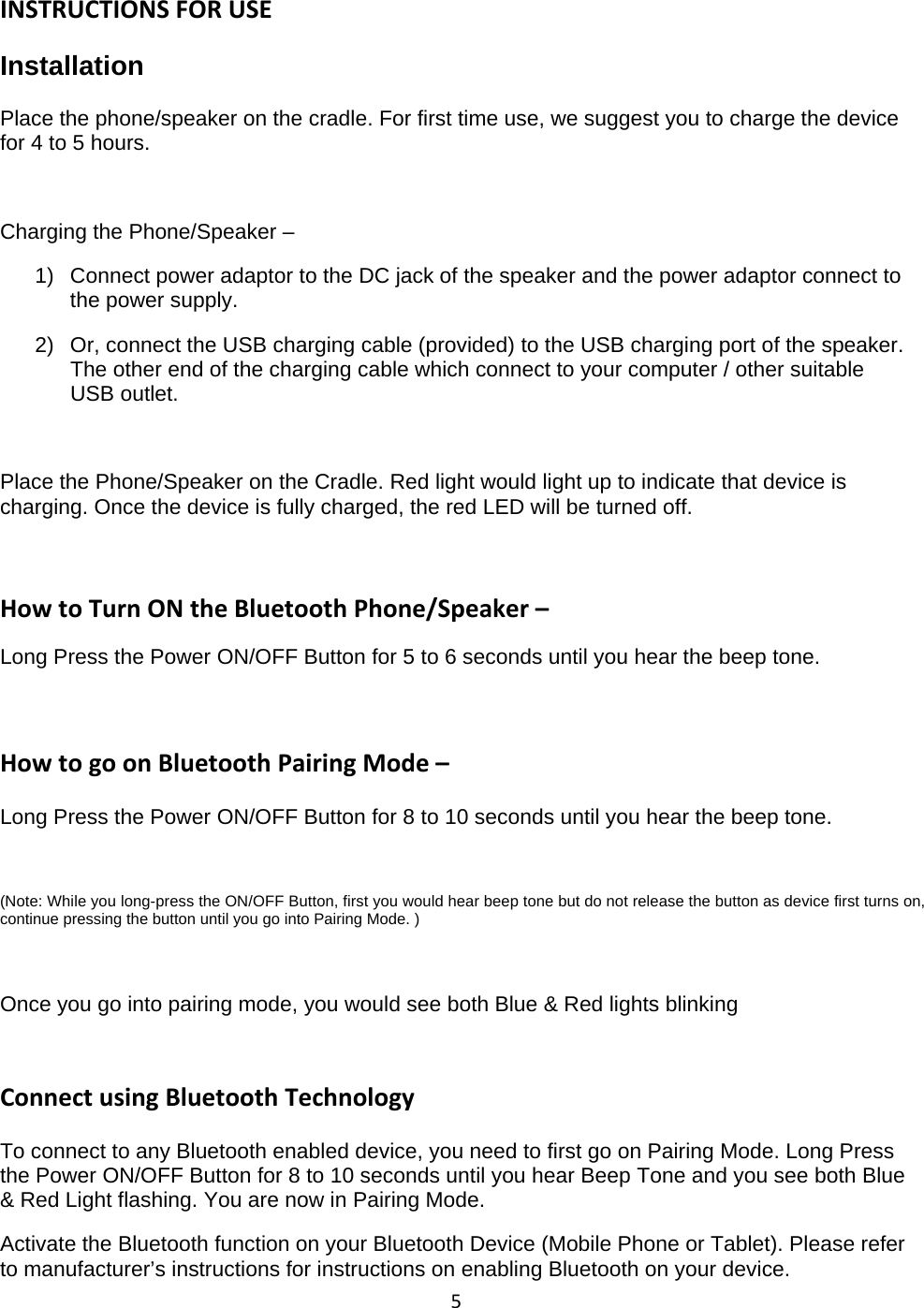
5INSTRUCTIONS FOR USEInstallationPlace the phone/speaker on the cradle. For first time use, we suggest you to charge the devicefor 4 to 5 hours.Charging the Phone/Speaker –1) Connect power adaptor to the DC jack of the speaker and the power adaptor connect tothe power supply.2) Or, connect the USB charging cable (provided) to the USB charging port ofthe speaker.The other end of the charging cable which connect to your computer / other suitableUSB outlet.Place the Phone/Speaker on the Cradle. Red light would light up to indicate that device ischarging. Once the device is fully charged, the red LED will be turned off.How to Turn ON the Bluetooth Phone/Speaker –Long Press the Power ON/OFF Button for 5 to 6 seconds until you hear the beep tone.How to go on Bluetooth Pairing Mode –Long Press the Power ON/OFF Button for 8 to 10 seconds until you hear the beep tone.(Note: While you long-press the ON/OFF Button, first you would hear beep tone but do not release the button as device first turns on,continue pressing the button until you go into Pairing Mode. )Once you go into pairing mode, you would see both Blue & Red lights blinkingConnect using Bluetooth TechnologyTo connect to any Bluetooth enabled device, you need to first go on Pairing Mode. Long Pressthe Power ON/OFF Button for 8 to 10 seconds until you hear Beep Tone and you see both Blue& Red Light flashing. You are now in Pairing Mode.Activate the Bluetooth function on your Bluetooth Device (Mobile Phone or Tablet). Please referto manufacturer’s instructions for instructions on enabling Bluetooth on your device.
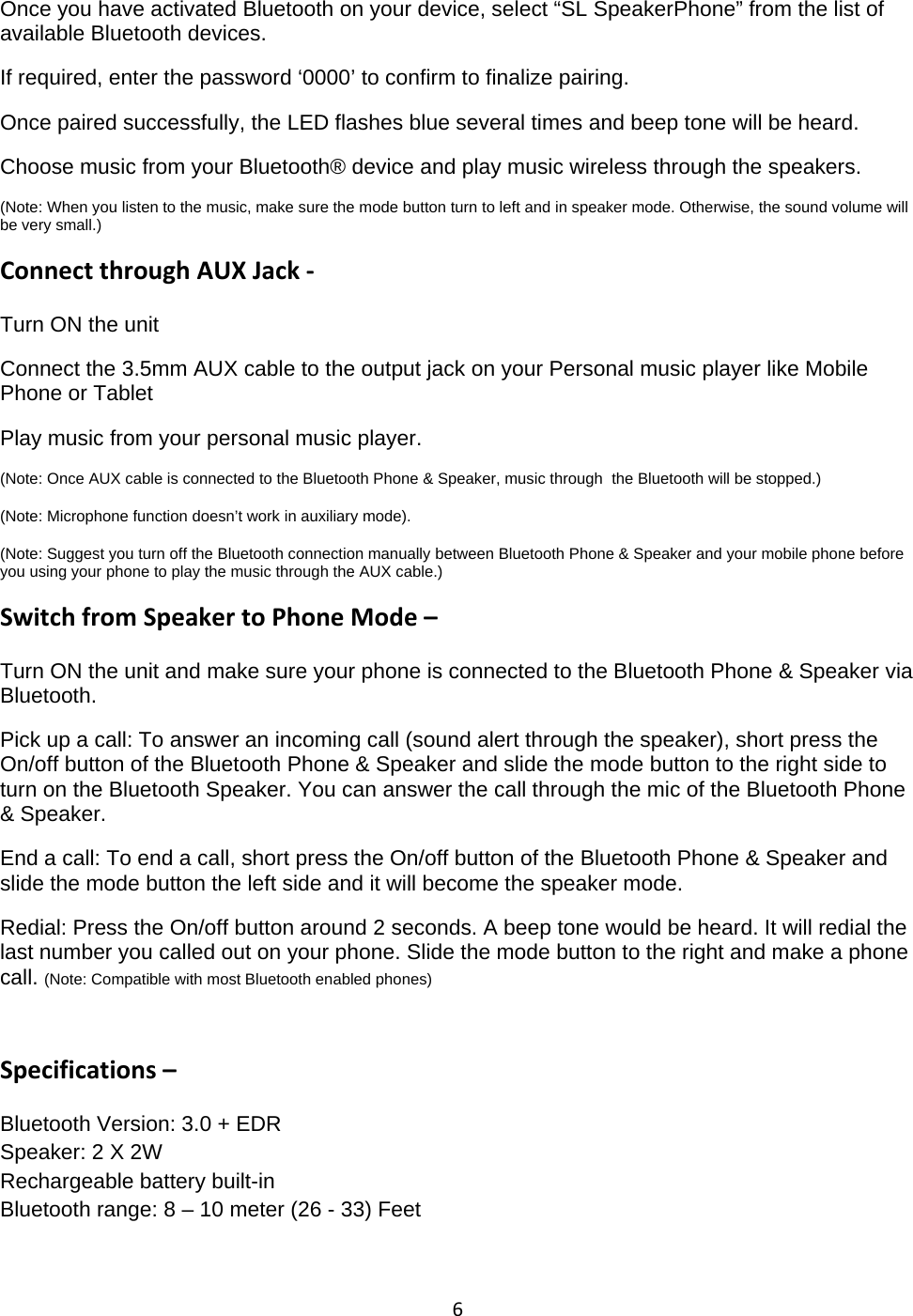
6Once you have activated Bluetooth on your device, select “SL SpeakerPhone” from the list ofavailable Bluetooth devices.If required, enter the password ‘0000’ to confirm to finalize pairing.Once paired successfully, the LED flashes blue several times and beep tone will be heard.Choose music from your Bluetooth® device and play music wireless through the speakers.(Note: When you listen to the music, make sure the mode button turn to left and in speaker mode. Otherwise, the sound volume willbe very small.)Connect through AUX Jack ‐Turn ON the unitConnect the 3.5mm AUX cable to the output jack on your Personal music player like MobilePhone or TabletPlay music from your personal music player.(Note: Once AUX cable is connected to the Bluetooth Phone & Speaker, music through the Bluetooth will be stopped.)(Note: Microphone function doesn’t work in auxiliary mode).(Note: Suggest you turn off the Bluetooth connection manually between Bluetooth Phone & Speaker and your mobile phone beforeyou using your phone to play the music through the AUX cable.)Switch from Speaker to Phone Mode –Turn ON the unit and make sure your phone is connected to the Bluetooth Phone & Speaker viaBluetooth.Pick up a call: To answer an incoming call (sound alert through the speaker), short press theOn/off button of the Bluetooth Phone & Speaker and slide the mode button to the right side toturn on the Bluetooth Speaker. You can answer the call through the mic of the Bluetooth Phone& Speaker.End a call: To end a call, short press the On/off button of the Bluetooth Phone & Speaker andslide the mode button the left side and it will become the speaker mode.Redial: Press the On/off button around 2 seconds. A beep tone would be heard. It will redial thelast number you called out on your phone. Slide the mode button to the right and make a phonecall. (Note: Compatible with most Bluetooth enabled phones)Specifications –Bluetooth Version: 3.0 + EDRSpeaker: 2 X 2WRechargeable battery built-inBluetooth range: 8 – 10 meter (26 - 33) Feet
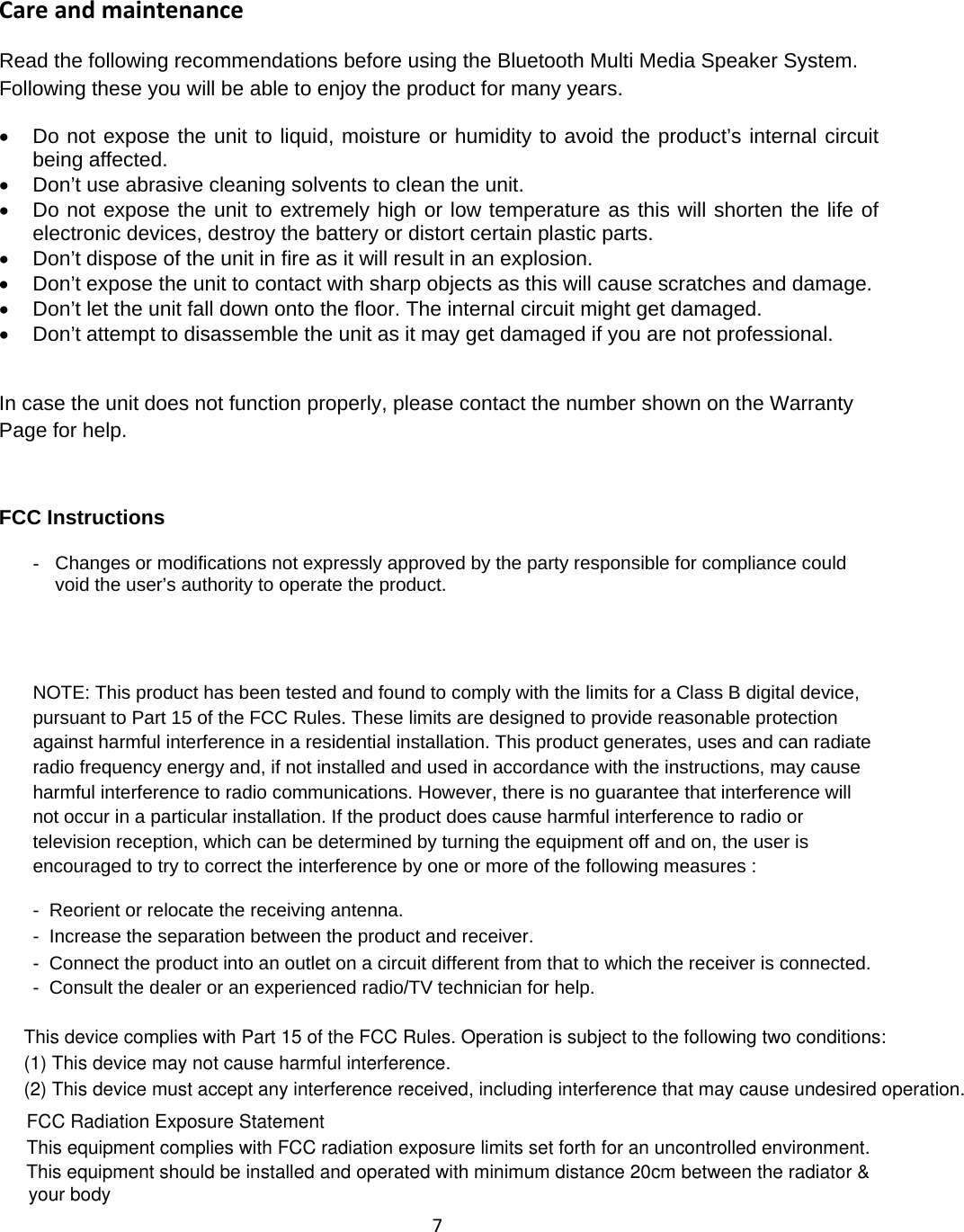
7Care and maintenanceRead the following recommendations before using the Bluetooth Multi Media Speaker System.Following these you will be able to enjoy the product for many years.•Do not expose the unit to liquid, moisture orhumidityto avoid the product’s internal circuitbeing affected.•Don’t use abrasive cleaning solvents to clean the unit.•Do not expose the unit to extremely high orlow temperature as this will shorten the life ofelectronic devices, destroy the battery or distort certain plastic parts.•Don’t dispose ofthe unit in fire as it will result in an explosion.•Don’t expose the unit to contact with sharp objects as this will cause scratches and damage.•Don’t let the unit fall down onto the floor. The internal circuit might get damaged.•Don’t attempt to disassemble the unit as it may get damaged ifyou are not professional.In case the unit does not function properly, please contact the number shown on the WarrantyPage for help.FCC Instructions-Changes or modifications not expresslyapproved bythe partyresponsible for compliance couldvoid the user’s authority to operate the product.NOTE: This product has been tested and found to comply with the limits for a Class B digital device,pursuant to Part 15 of the FCC Rules. These limits are designed to provide reasonable protectionagainst harmful interference in a residential installation. This product generates, uses and can radiateradio frequency energy and, if not installed and used in accordance with the instructions, may causeharmful interference to radio communications. However, there is no guarantee that interference willnot occur in a particular installation. If the product does cause harmful interference to radio ortelevision reception, which can be determined by turning the equipment off and on, the user isencouraged to try to correct the interference by one or more of the following measures :- Reorient or relocate the receiving antenna.- Increase the separation between the product and receiver.- Connect the product into an outlet on a circuit different from that to which the receiver is connected.- Consult the dealer or an experienced radio/TV technician for help.This device complies with Part 15 of the FCC Rules. Operation is subject to the following two conditions:(1) This device may not cause harmful interference.(2) This device must accept any interference received, including interference that may cause undesired operation.FCC Radiation Exposure StatementThis equipment complies with FCC radiation exposure limits set forth for an uncontrolled environment. This equipment should be installed and operated with minimum distance 20cm between the radiator & your body
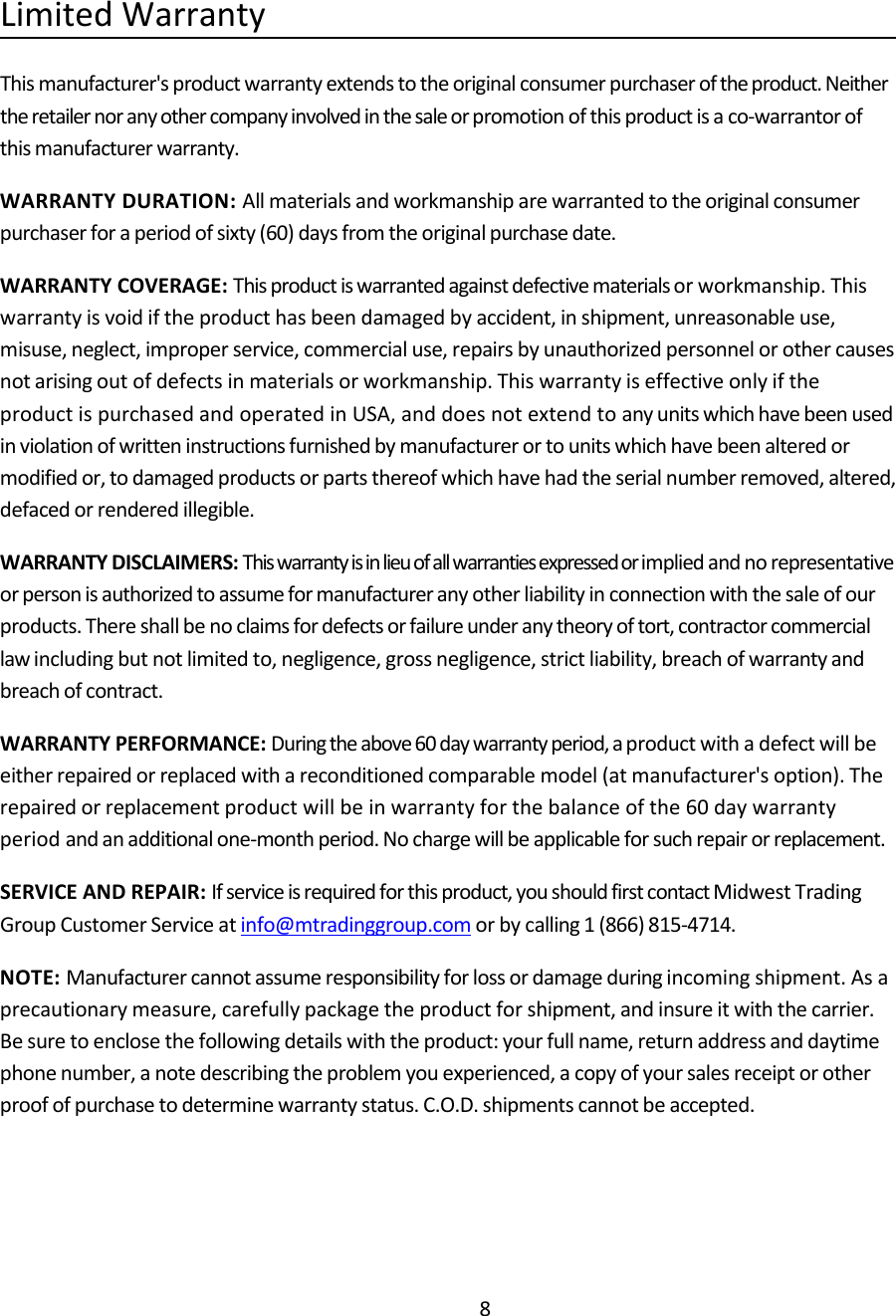
8Limited WarrantyThis manufacturer's product warranty extends to the original consumer purchaser of the product. Neitherthe retailer nor any other company involved in the sale or promotion of this product is a co‐warrantor ofthis manufacturer warranty.WARRANTY DURATION: All materials and workmanship are warranted to the original consumerpurchaser for a period of sixty (60) days from the original purchase date.WARRANTY COVERAGE: This product is warranted against defective materials or workmanship. Thiswarranty is void if the product has been damaged by accident, in shipment, unreasonable use,misuse, neglect, improper service, commercial use, repairs by unauthorized personnel or other causesnot arising out of defects in materials or workmanship. This warranty is effective only if theproduct is purchased and operated in USA, and does not extend to any units which have been usedin violation of written instructions furnished by manufacturer or to units which have been altered ormodified or, to damaged products or parts thereof which have had the serial number removed, altered,defaced or rendered illegible.WARRANTY DISCLAIMERS: This warranty is in lieu of all warranties expressed or implied and no representativeor person is authorized to assume for manufacturer any other liability in connection with the sale of ourproducts. There shall be no claims for defects or failure under any theory of tort, contractor commerciallaw including but not limited to, negligence, gross negligence, strict liability, breach of warranty andbreach of contract.WARRANTY PERFORMANCE: During the above 60 day warranty period, a product with a defect will beeither repaired or replaced with a reconditioned comparable model (at manufacturer's option). Therepaired or replacement product will be in warranty for the balance of the 60 day warrantyperiod and an additional one‐month period. No charge will be applicable for such repair or replacement.SERVICE AND REPAIR: If service is required for this product, you should first contact Midwest TradingGroup Customer Service at info@mtradinggroup.com or by calling 1 (866) 815‐4714.NOTE: Manufacturer cannot assume responsibility for loss or damage during incoming shipment. As aprecautionary measure, carefully package the product for shipment, and insure it with the carrier.Be sure to enclose the following details with the product: your full name, return address and daytimephone number, a note describing the problem you experienced, a copy of your sales receipt or otherproof of purchase to determine warranty status. C.O.D. shipments cannot be accepted.

Navigation menu