Qingdao Haier Microwave Production UB11100EPA289 Microwave Oven User Manual 1 1 6 3

Qingdao Haier Microwave Production Co., Ltd. Microwave Oven 1 1 6 3

Users Manual

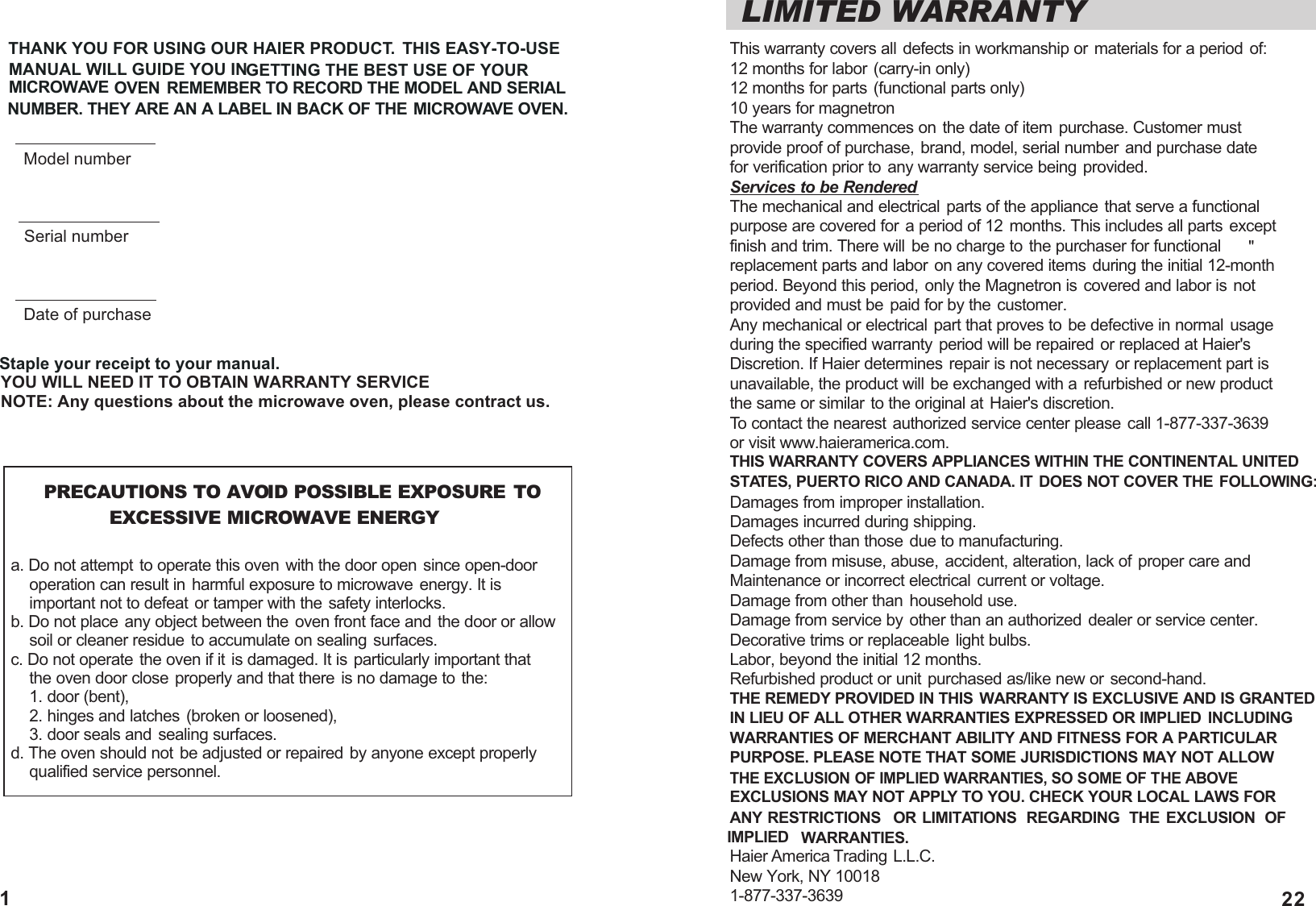
LIMITED WARRANTYThis warranty covers all defects in workmanship or materials for a period of:12 months for labor (carry-in only)12 months for parts (functional parts only)10 years for magnetronThe warranty commences on the date of item purchase. Customer must provide proof of purchase, brand, model, serial number and purchase date for verification prior to any warranty service being provided.Services to be RenderedThe mechanical and electrical parts of the appliance that serve a functional purpose are covered for a period of 12 months. This includes all parts except finish and trim. There will be no charge to the purchaser for functional replacement parts and labor on any covered items during the initial 12-month period. Beyond this period, only the Magnetron is covered and labor is not provided and must be paid for by the customer.Any mechanical or electrical part that proves to be defective in normal usageduring the specified warranty period will be repaired or replaced at Haier'sDiscretion. If Haier determines repair is not necessary or replacement part isunavailable, the product will be exchanged with a refurbished or new product the same or similar to the original at Haier's discretion.To contact the nearest authorized service center please call 1-877-337-3639 or visit www.haieramerica.com.THIS WARRANTY COVERS APPLIANCES WITHIN THE CONTINENTAL UNITEDSTATES, PUERTO RICO AND CANADA. IT DOES NOT COVER THE FOLLOWING:Damages from improper installation.Damages incurred during shipping.Defects other than those due to manufacturing.Damage from misuse, abuse, accident, alteration, lack of proper care andMaintenance or incorrect electrical current or voltage.Damage from other than household use.Damage from service by other than an authorized dealer or service center.Decorative trims or replaceable light bulbs.Labor, beyond the initial 12 months.Refurbished product or unit purchased as/like new or second-hand.THE REMEDY PROVIDED IN THIS WARRANTY IS EXCLUSIVE AND IS GRANTED IN LIEU OF ALL OTHER WARRANTIES EXPRESSED OR IMPLIED  INCLUDING WARRANTIES OF MERCHANT ABILITY AND FITNESS FOR A PARTICULAR PURPOSE. PLEASE NOTE THAT SOME JURISDICTIONS MAY NOT ALLOW THE EXCLUSION OF IMPLIED WARRANTIES, SO SOME OF THE ABOVE EXCLUSIONS MAY NOT APPLY TO YOU. CHECK YOUR LOCAL LAWS FORANY RESTRICTIONS  OR LIMITATIONS  REGARDING  THE EXCLUSION OF IMPLIED WARRANTIES.Haier America Trading  L.L.C.New York, NY 100181-877-337-3639       PRECAUTIONS TO AVOID POSSIBLE EXPOSURE TO                EXCESSIVE MICROWAVE ENERGYa. Do not attempt to operate this oven with the door open since open-door     operation can result in harmful exposure to microwave energy. It is     important not to defeat or tamper with the safety interlocks.b. Do not place any object between the oven front face and the door or allow     soil or cleaner residue to accumulate on sealing surfaces.c. Do not operate the oven if it is damaged. It is particularly important that     the oven door close properly and that there is no damage to the:     1. door (bent),    2. hinges and latches (broken or loosened),     3. door seals and sealing surfaces.d. The oven should not be adjusted or repaired by anyone except properly     qualified service personnel."THANK YOU FOR USING OUR HAIER PRODUCT. THIS EASY-TO-USE MANUAL WILL GUIDE YOU IN           GETTING THE BEST USE OF YOUR MICROWAVE               OVEN REMEMBER TO RECORD THE MODEL AND SERIAL NUMBER. THEY ARE AN A LABEL IN BACK OF THE MICROWAVE OVEN.Staple your receipt to your manual.YOU WILL NEED IT TO OBTAIN WARRANTY SERVICENOTE: Any questions about the microwave oven, please contract us. Model numberSerial numberDate of purchase221
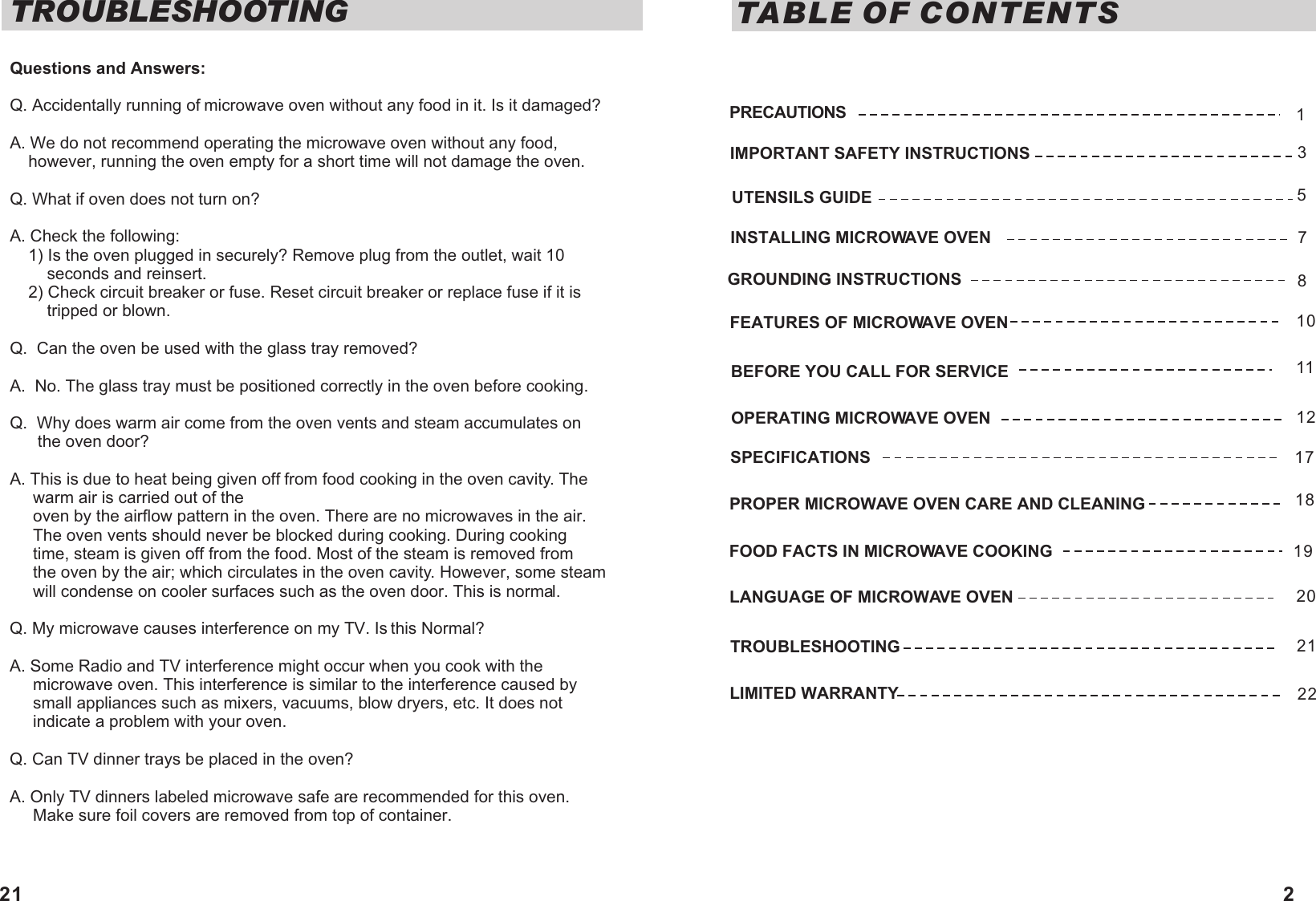
TABLE OF CONTENTSIMPORTANT SAFETY INSTRUCTIONSUTENSILS GUIDEFEATURES OF MICROWAVE OVENINSTALLING MICROWAVE OVENGROUNDING INSTRUCTIONS OPERATING MICROWAVE OVENPROPER MICROWAVE OVEN CARE AND CLEANING FOOD FACTS IN MICROWAVE COOKING  LANGUAGE OF MICROWAVE OVENTROUBLESHOOTINGLIMITED WARRANTY35710171819PRECAUTIONS 1811BEFORE YOU CALL FOR SERVICE12SPECIFICATIONS2021222Questions and Answers:Q. Accidentally running of microwave oven without any food in it. Is it damaged?A. We do not recommend operating the microwave oven without any food,    however, running the oven empty for a short time will not damage the oven.Q. What if oven does not turn on?A. Check the following:    1) Is the oven plugged in securely? Remove plug from the outlet, wait 10         seconds and reinsert.    2) Check circuit breaker or fuse. Reset circuit breaker or replace fuse if it is        tripped or blown.Q.  Can the oven be used with the glass tray removed?A.  No. The glass tray must be positioned correctly in the oven before cooking.Q.  Why does warm air come from the oven vents and steam accumulates on       the oven door?A. This is due to heat being given off from food cooking in the oven cavity. The     warm air is carried out of the     oven by the airflow pattern in the oven. There are no microwaves in the air.      The oven vents should never be blocked during cooking. During cooking      time, steam is given off from the food. Most of the steam is removed from      the oven by the air; which circulates in the oven cavity. However, some steam      will condense on cooler surfaces such as the oven door. This is normal.Q. My microwave causes interference on my TV. Is this Normal?A. Some Radio and TV interference might occur when you cook with the      microwave oven. This interference is similar to the interference caused by      small appliances such as mixers, vacuums, blow dryers, etc. It does not      indicate a problem with your oven.Q. Can TV dinner trays be placed in the oven?A. Only TV dinners labeled microwave safe are recommended for this oven.      Make sure foil covers are removed from top of container.TROUBLESHOOTING21
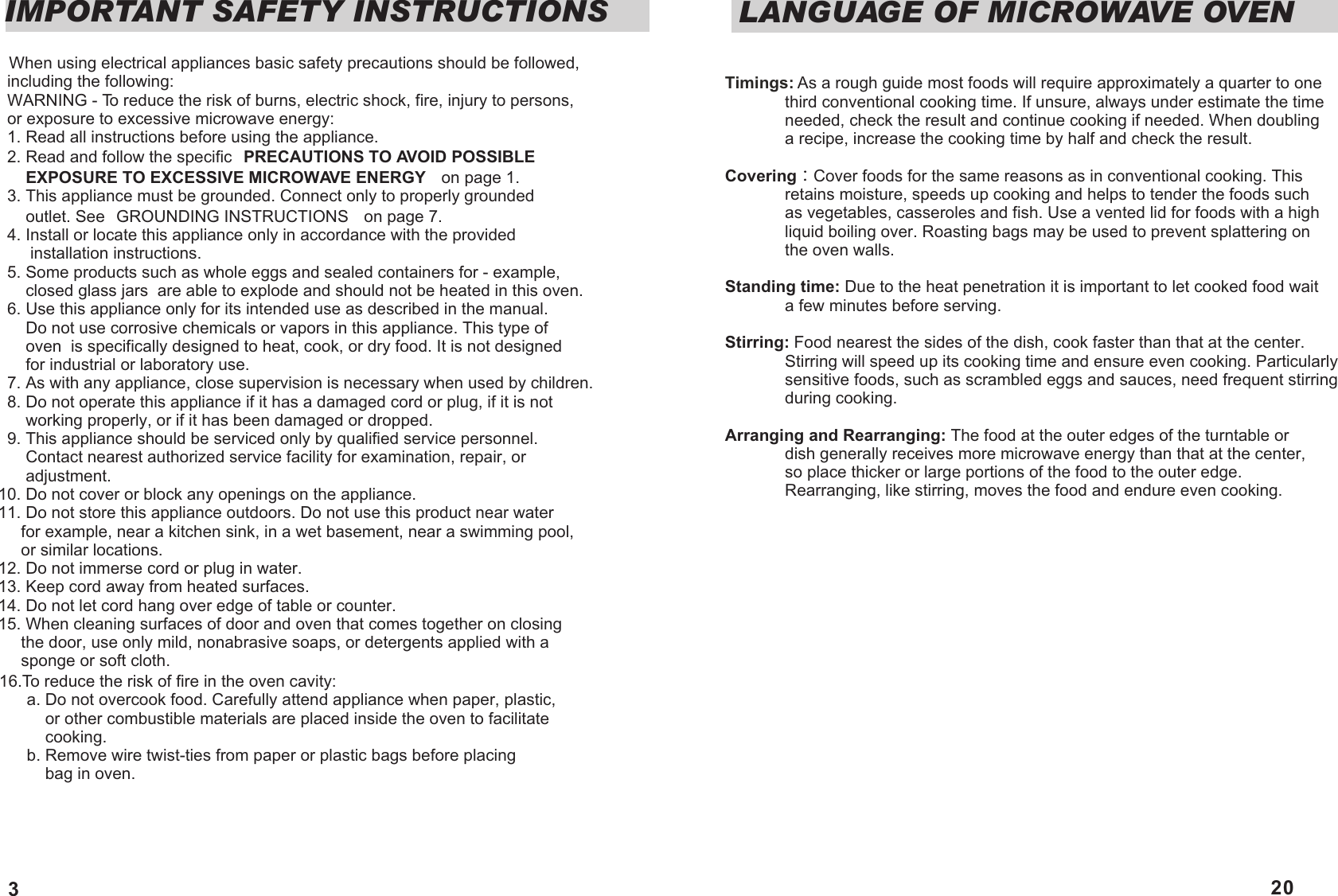
IMPORTANT SAFETY INSTRUCTIONS  When using electrical appliances basic safety precautions should be followed,   including the following:  WARNING - To reduce the risk of burns, electric shock, fire, injury to persons,   or exposure to excessive microwave energy:  1. Read all instructions before using the appliance.  2. Read and follow the specific ²PRECAUTIONS TO AVOID POSSIBLE       EXPOSURE TO EXCESSIVE MICROWAVE ENERGY²  on page 1.  3. This appliance must be grounded. Connect only to properly grounded        outlet. See ²GROUNDING INSTRUCTIONS²  on page 7.  4. Install or locate this appliance only in accordance with the provided        installation instructions.  5. Some products such as whole eggs and sealed containers for - example,       closed glass jars  are able to explode and should not be heated in this oven.  6. Use this appliance only for its intended use as described in the manual.        Do not use corrosive chemicals or vapors in this appliance. This type of        oven  is specifically designed to heat, cook, or dry food. It is not designed       for industrial or laboratory use.  7. As with any appliance, close supervision is necessary when used by children.  8. Do not operate this appliance if it has a damaged cord or plug, if it is not       working properly, or if it has been damaged or dropped.  9. This appliance should be serviced only by qualified service personnel.       Contact nearest authorized service facility for examination, repair, or       adjustment.10. Do not cover or block any openings on the appliance.11. Do not store this appliance outdoors. Do not use this product near water       for example, near a kitchen sink, in a wet basement, near a swimming pool,      or similar locations.12. Do not immerse cord or plug in water.13. Keep cord away from heated surfaces.14. Do not let cord hang over edge of table or counter.15. When cleaning surfaces of door and oven that comes together on closing       the door, use only mild, nonabrasive soaps, or detergents applied with a      sponge or soft cloth.16.To reduce the risk of fire in the oven cavity:      a. Do not overcook food. Carefully attend appliance when paper, plastic,           or other combustible materials are placed inside the oven to facilitate           cooking.      b. Remove wire twist-ties from paper or plastic bags before placing           bag in oven. 3Timings: As a rough guide most foods will require approximately a quarter to one              third conventional cooking time. If unsure, always under estimate the time              needed, check the result and continue cooking if needed. When doubling              a recipe, increase the cooking time by half and check the result. Covering Cover foods for the same reasons as in conventional cooking. This              retains moisture, speeds up cooking and helps to tender the foods such              as vegetables, casseroles and fish. Use a vented lid for foods with a high              liquid boiling over. Roasting bags may be used to prevent splattering on              the oven walls.Standing time: Due to the heat penetration it is important to let cooked food wait              a few minutes before serving. Stirring: Food nearest the sides of the dish, cook faster than that at the center.              Stirring will speed up its cooking time and ensure even cooking. Particularly              sensitive foods, such as scrambled eggs and sauces, need frequent stirring              during cooking.Arranging and Rearranging: The food at the outer edges of the turntable or               dish generally receives more microwave energy than that at the center,              so place thicker or large portions of the food to the outer edge.              Rearranging, like stirring, moves the food and endure even cooking.LANGUAGE OF MICROWAVE OVEN20
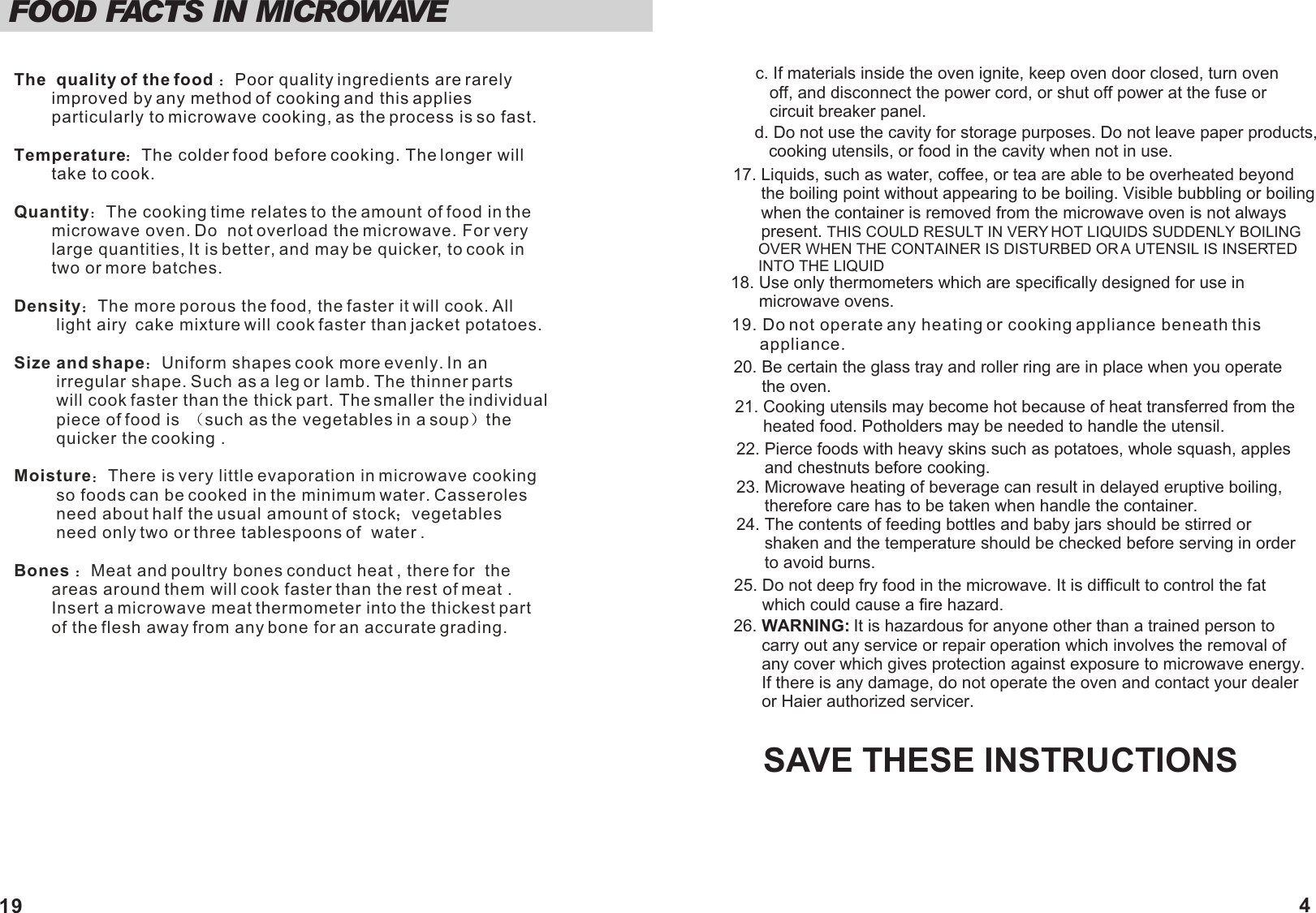
17. Liquids, such as water, coffee, or tea are able to be overheated beyond       the boiling point without appearing to be boiling. Visible bubbling or boiling       when the container is removed from the microwave oven is not always       present. THIS COULD RESULT IN VERY HOT LIQUIDS SUDDENLY BOILING       OVER WHEN THE CONTAINER IS DISTURBED OR A UTENSIL IS INSERTED       INTO THE LIQUIDSAVE THESE INSTRUCTIONS26. WARNING: It is hazardous for anyone other than a trained person to      carry out any service or repair operation which involves the removal of      any cover which gives protection against exposure to microwave energy.       If there is any damage, do not operate the oven and contact your dealer       or Haier authorized servicer.19. Do not operate any heating or cooking appliance beneath this      appliance.20. Be certain the glass tray and roller ring are in place when you operate      the oven.18. Use only thermometers which are specifically designed for use in      microwave ovens.21. Cooking utensils may become hot because of heat transferred from the       heated food. Potholders may be needed to handle the utensil.22. Pierce foods with heavy skins such as potatoes, whole squash, apples      and chestnuts before cooking.23. Microwave heating of beverage can result in delayed eruptive boiling,      therefore care has to be taken when handle the container.24. The contents of feeding bottles and baby jars should be stirred or      shaken and the temperature should be checked before serving in order      to avoid burns.25. Do not deep fry food in the microwave. It is difficult to control the fat      which could cause a fire hazard.4      c. If materials inside the oven ignite, keep oven door closed, turn oven          off, and disconnect the power cord, or shut off power at the fuse or          circuit breaker panel.      d. Do not use the cavity for storage purposes. Do not leave paper products,          cooking utensils, or food in the cavity when not in use.FOOD FACTS IN MICROWAVE The  quality of the food  Poor quality ingredients are rarely         improved by any method of cooking and this applies         particularly to microwave cooking, as the process is so fast.Temperature The colder food before cooking. The longer will         take to cook.Quantity The cooking time relates to the amount of food in the         microwave oven. Do  not overload the microwave. For very         large quantities, It is better, and may be quicker, to cook in         two or more batches. Density The more porous the food, the faster it will cook. All         light airy  cake mixture will cook faster than jacket potatoes.Size and shape Uniform shapes cook more evenly. In an          irregular shape. Such as a leg or lamb. The thinner parts          will cook faster than the thick part. The smaller the individual         piece of food is   such as the vegetables in a soup the          quicker the cooking .Moisture There is very little evaporation in microwave cooking            so foods can be cooked in the minimum water. Casseroles          need about half the usual amount of stock vegetables          need only two or three tablespoons of  water .Bones  Meat and poultry bones conduct heat , there for  the         areas around them will cook faster than the rest of meat .        Insert a microwave meat thermometer into the thickest part         of the flesh away from any bone for an accurate grading.   19
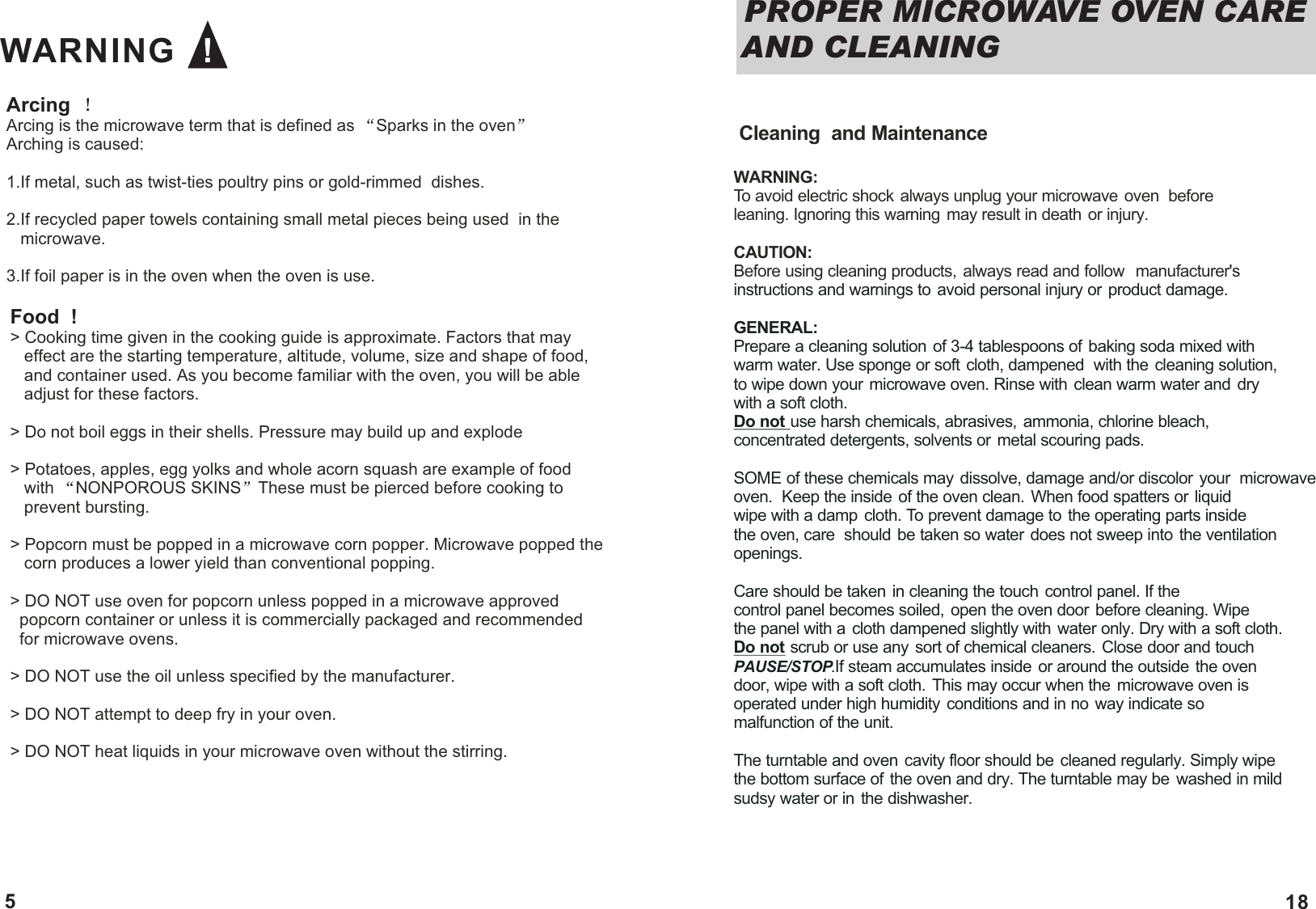
Arcing  Arcing is the microwave term that is defined as  Sparks in the oven  Arching is caused:1.If metal, such as twist-ties poultry pins or gold-rimmed  dishes.2.If recycled paper towels containing small metal pieces being used  in the    microwave. 3.If foil paper is in the oven when the oven is use.Food  !> Cooking time given in the cooking guide is approximate. Factors that may    effect are the starting temperature, altitude, volume, size and shape of food,    and container used. As you become familiar with the oven, you will be able    adjust for these factors.> Do not boil eggs in their shells. Pressure may build up and explode> Potatoes, apples, egg yolks and whole acorn squash are example of food     with  NONPOROUS SKINS These must be pierced before cooking to    prevent bursting.> Popcorn must be popped in a microwave corn popper. Microwave popped the    corn produces a lower yield than conventional popping. > DO NOT use oven for popcorn unless popped in a microwave approved   popcorn container or unless it is commercially packaged and recommended   for microwave ovens. > DO NOT use the oil unless specified by the manufacturer.> DO NOT attempt to deep fry in your oven.> DO NOT heat liquids in your microwave oven without the stirring. WARNING   !5  Cleaning  and MaintenanceWARNING: To avoid electric shock always unplug your microwave oven  before leaning. Ignoring this warning may result in death or injury. CAUTION: Before using cleaning products, always read and follow  manufacturer's instructions and warnings to avoid personal injury or product damage.GENERAL: Prepare a cleaning solution of 3-4 tablespoons of baking soda mixed with warm water. Use sponge or soft cloth, dampened  with the cleaning solution,to wipe down your microwave oven. Rinse with clean warm water and dry with a soft cloth. Do not use harsh chemicals, abrasives, ammonia, chlorine bleach, concentrated detergents, solvents or metal scouring pads. SOME of these chemicals may dissolve, damage and/or discolor your  microwave oven.  Keep the inside of the oven clean. When food spatters or liquid wipe with a damp cloth. To prevent damage to the operating parts inside the oven, care  should be taken so water does not sweep into the ventilation openings. Care should be taken in cleaning the touch control panel. If the control panel becomes soiled, open the oven door before cleaning. Wipe the panel with a cloth dampened slightly with water only. Dry with a soft cloth. Do not scrub or use any sort of chemical cleaners. Close door and touch PAUSE/STOP.If steam accumulates inside  or around the outside  the oven door, wipe with a soft cloth. This may occur when the microwave oven is operated under high humidity conditions and in no way indicate so malfunction of the unit. The turntable and oven cavity floor should be cleaned regularly. Simply wipe the bottom surface of the oven and dry. The turntable may be  washed in mild sudsy water or in the dishwasher.PROPER MICROWAVE OVEN CARE AND CLEANING 18
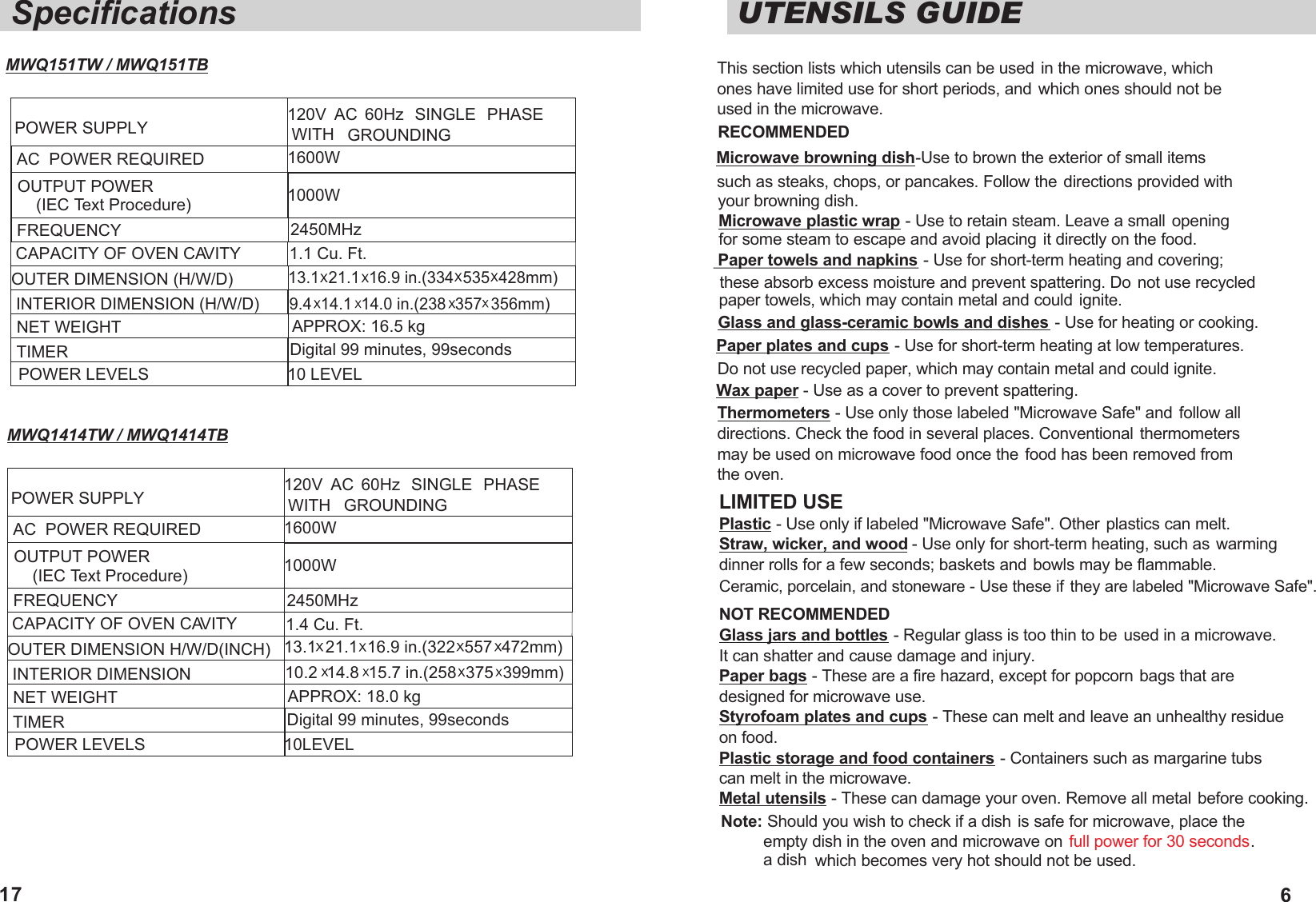
UTENSILS GUIDEThis section lists which utensils can be used in the microwave, which ones have limited use for short periods, and which ones should not be used in the microwave.RECOMMENDED Microwave browning dish-Use to brown the exterior of small items such as steaks, chops, or pancakes. Follow the directions provided with your browning dish.Microwave plastic wrap - Use to retain steam. Leave a small  opening for some steam to escape and avoid placing it directly on the food. Paper towels and napkins - Use for short-term heating and covering; these absorb excess moisture and prevent spattering. Do not use recycled paper towels, which may contain metal and could ignite.Glass and glass-ceramic bowls and dishes - Use for heating or cooking. Paper plates and cups - Use for short-term heating at low temperatures.Do not use recycled paper, which may contain metal and could ignite. Wax paper - Use as a cover to prevent spattering.Thermometers - Use only those labeled "Microwave Safe" and follow alldirections. Check the food in several places. Conventional thermometersmay be used on microwave food once the food has been removed from the oven.LIMITED USECeramic, porcelain, and stoneware - Use these if they are labeled "Microwave Safe". Plastic - Use only if labeled "Microwave Safe". Other plastics can melt. Straw, wicker, and wood - Use only for short-term heating, such as warming  dinner rolls for a few seconds; baskets and bowls may be flammable.NOT RECOMMENDEDGlass jars and bottles - Regular glass is too thin to be  used in a microwave. It can shatter and cause damage and injury. Paper bags - These are a fire hazard, except for popcorn bags that are designed for microwave use. Styrofoam plates and cups - These can melt and leave an unhealthy residue on food. Plastic storage and food containers - Containers such as margarine tubs can melt in the microwave. Metal utensils - These can damage your oven. Remove all metal before cooking.Note: Should you wish to check if a dish is safe for microwave, place the empty dish in the oven and microwave on . a dish  full power for 30 secondswhich becomes very hot should not be used.6SpecificationsPOWER SUPPLYAC  POWER REQUIRED OUTPUT POWER    (IEC Text Procedure)FREQUENCY OUTER DIMENSION (H/W/D)INTERIOR DIMENSION (H/W/D)NET WEIGHT TIMERPOWER LEVELS120V  AC  60Hz  SINGLE  PHASE WITH GROUNDING1600W  1000W2450MHzAPPROX: 16.5 kg Digital 99 minutes, 99seconds10 LEVEL CAPACITY OF OVEN CAVITY 1.1 Cu. Ft.9.4  14.1  14.0 in.(238  357  356mm)13.1  21.1  16.9 in.(334  535  428mm)17POWER SUPPLYAC  POWER REQUIRED OUTPUT POWER    (IEC Text Procedure)FREQUENCY OUTER DIMENSION H/W/D(INCH)INTERIOR DIMENSIONNET WEIGHT TIMERPOWER LEVELS120V  AC  60Hz  SINGLE  PHASE WITH GROUNDING1600W  1000W2450MHzAPPROX: 18.0 kg 10LEVEL CAPACITY OF OVEN CAVITY 1.4 Cu. Ft.10.2  14.8  15.7 in.(258  375  399mm)13.1  21.1  16.9 in.(322  557  472mm)MWQ151TW / MWQ151TB  MWQ1414TW / MWQ1414TB Digital 99 minutes, 99seconds
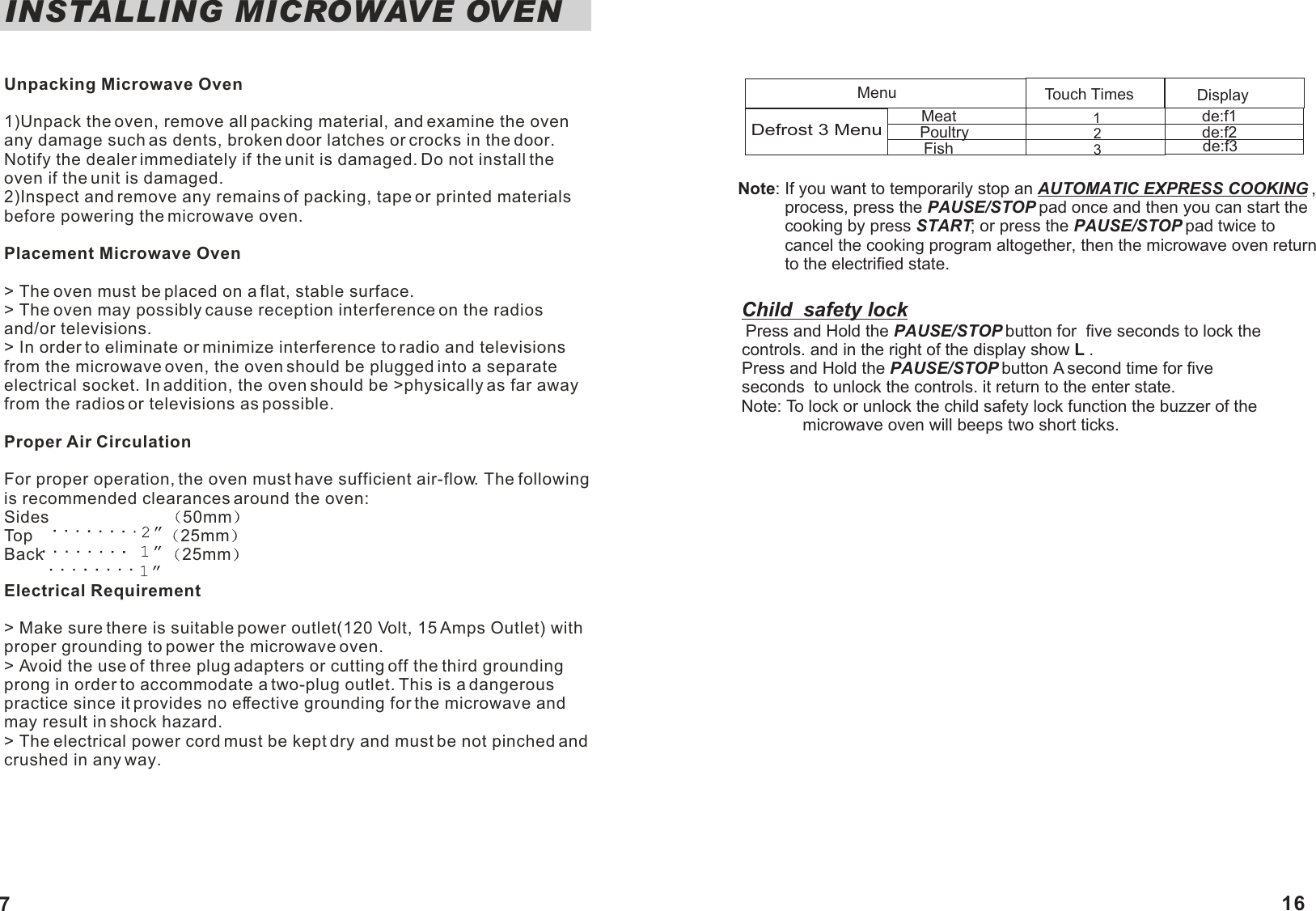
INSTALLING MICROWAVE OVENUnpacking Microwave Oven1)Unpack the oven, remove all packing material, and examine the oven any damage such as dents, broken door latches or crocks in the door. Notify the dealer immediately if the unit is damaged. Do not install the oven if the unit is damaged.2)Inspect and remove any remains of packing, tape or printed materials before powering the microwave oven.Placement Microwave Oven> The oven must be placed on a flat, stable surface.> The oven may possibly cause reception interference on the radios and/or televisions.> In order to eliminate or minimize interference to radio and televisions from the microwave oven, the oven should be plugged into a separate electrical socket. In addition, the oven should be >physically as far away from the radios or televisions as possible.Proper Air CirculationFor proper operation, the oven must have sufficient air-flow. The following is recommended clearances around the oven: Sides                          50mmTop                             25mmBack                           25mm                 Electrical Requirement> Make sure there is suitable power outlet(120 Volt, 15 Amps Outlet) with proper grounding to power the microwave oven.> Avoid the use of three plug adapters or cutting off the third grounding prong in order to accommodate a two-plug outlet. This is a dangerous practice since it provides no effective grounding for the microwave and may result in shock hazard.> The electrical power cord must be kept dry and must be not pinched and crushed in any way.         Child  safety lock          Press and Hold the PAUSE/STOP button for  five seconds to lock the           controls. and in the right of the display show L .          Press and Hold the PAUSE/STOP button A second time for five           seconds  to unlock the controls. it return to the enter state.          Note: To lock or unlock the child safety lock function the buzzer of the                        microwave oven will beeps two short ticks.   123Defrost 3 MenuMenu Touch Times Displayde:f1de:f2de:f3MeatPoultryFishNote: If you want to temporarily stop an AUTOMATIC EXPRESS COOKING ,           process, press the PAUSE/STOP pad once and then you can start the           cooking by press START; or press the PAUSE/STOP pad twice to           cancel the cooking program altogether, then the microwave oven return           to the electrified state.  716
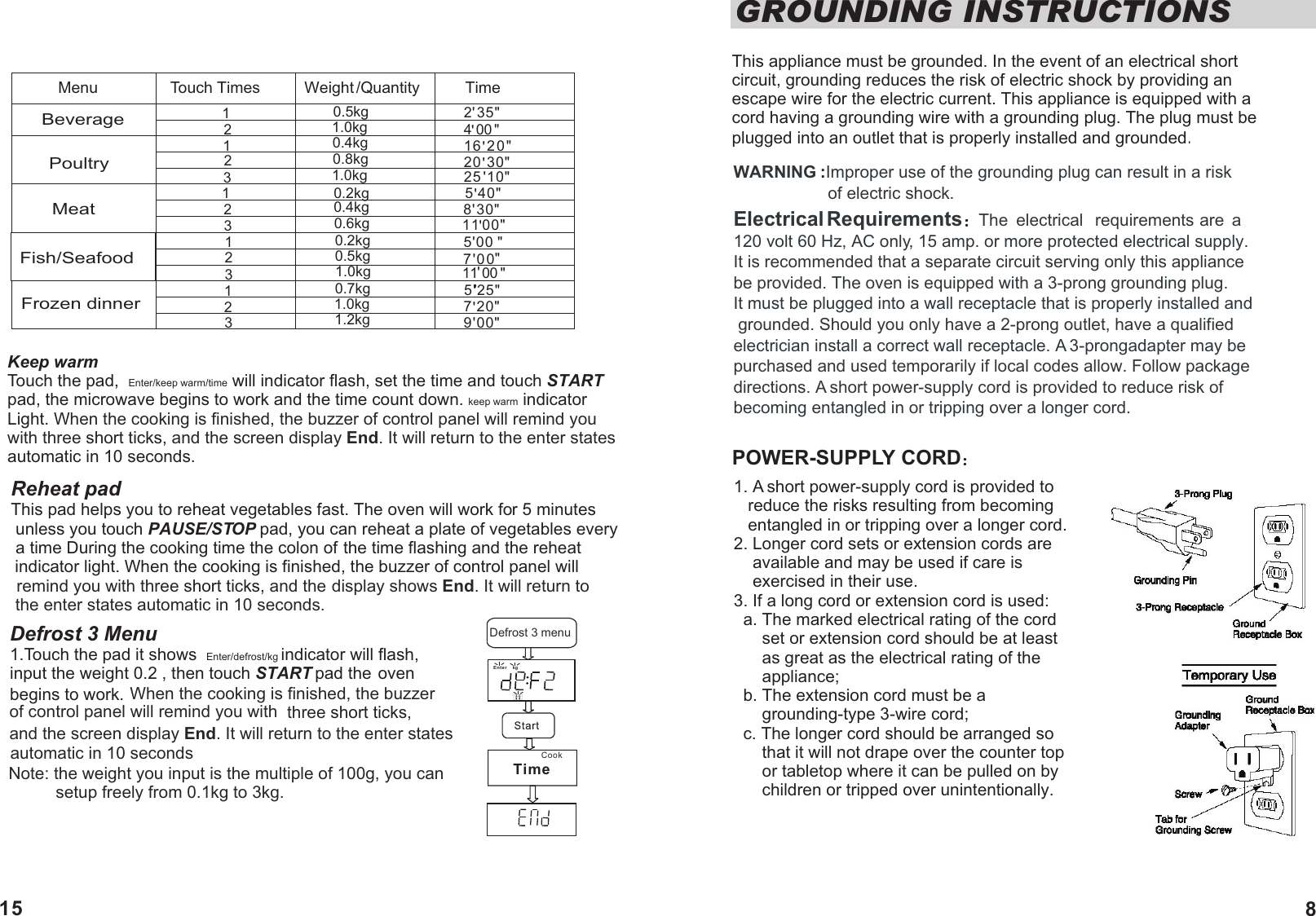
 WARNING Improper use of the grounding plug can result in a risk :                    of electric shock. Electrical Requirements  The  electrical  requirements are  a 120 volt 60 Hz, AC only, 15 amp. or more protected electrical supply. It is recommended that a separate circuit serving only this appliance be provided. The oven is equipped with a 3-prong grounding plug. It must be plugged into a wall receptacle that is properly installed and grounded. Should you only have a 2-prong outlet, have a qualified electrician install a correct wall receptacle. A 3-prongadapter may be purchased and used temporarily if local codes allow. Follow package directions. A short power-supply cord is provided to reduce risk of becoming entangled in or tripping over a longer cord.POWER-SUPPLY CORDGROUNDING INSTRUCTIONS This appliance must be grounded. In the event of an electrical short circuit, grounding reduces the risk of electric shock by providing an escape wire for the electric current. This appliance is equipped with a cord having a grounding wire with a grounding plug. The plug must be plugged into an outlet that is properly installed and grounded.12312123123123BeveragePoultryMeatFish/SeafoodFrozen dinner0.5kg1.0kg0.4kg0.8kg1.0kg0.2kg0.5kg1.0kg0.7kg1.0kg1.2kg0.2kg0.4kg0.6kg2 35"4 0016 20"20  30"25  10"5 40"8 30"11 00"5'0070011 005 25"7 20"9 00""""'''''''''''''''''1. A short power-supply cord is provided to    reduce the risks resulting from becoming    entangled in or tripping over a longer cord.2. Longer cord sets or extension cords are     available and may be used if care is     exercised in their use.3. If a long cord or extension cord is used:  a. The marked electrical rating of the cord       set or extension cord should be at least       as great as the electrical rating of the       appliance;  b. The extension cord must be a       grounding-type 3-wire cord;   c. The longer cord should be arranged so      that it will not drape over the counter top       or tabletop where it can be pulled on by       children or tripped over unintentionally.'"'Menu Touch Times Weight /Quantity TimeKeep warmTouch the pad,  Enter/keep warm/time will indicator flash, set the time and touch STARTpad, the microwave begins to work and the time count down. keep warm indicator Light. When the cooking is finished, the buzzer of control panel will remind you with three and the screen display End. It will return to the enter states  short ticks, automatic in 10 seconds. Reheat padThis pad helps you to reheat vegetables fast. The oven will work for 5 minutes unless you touch PAUSE/STOP pad, you can reheat a plate of vegetables every a time During the cooking time the colon of the time flashing and the reheat indicator light. When the cooking is finished, the buzzer of control panel will remind you with three and the  short ticks,  display shows End. It will return to the enter states automatic in 10 seconds.automatic in 10 secondsNote: the weight you input is the multiple of 100g, you can           setup freely from 0.1kg to 3kg.  Defrost 3 Menu1.Touch the pad it shows  Enter/defrost/kg indicator will flash,  input the weight 0.2 , then touch START pad the oven begins to work. When the cooking is finished, the buzzer of control panel will remind you with  three short ticks, and the screen display End. It will return to the enter statesCook Defrost 3 menuEnterkgTime815
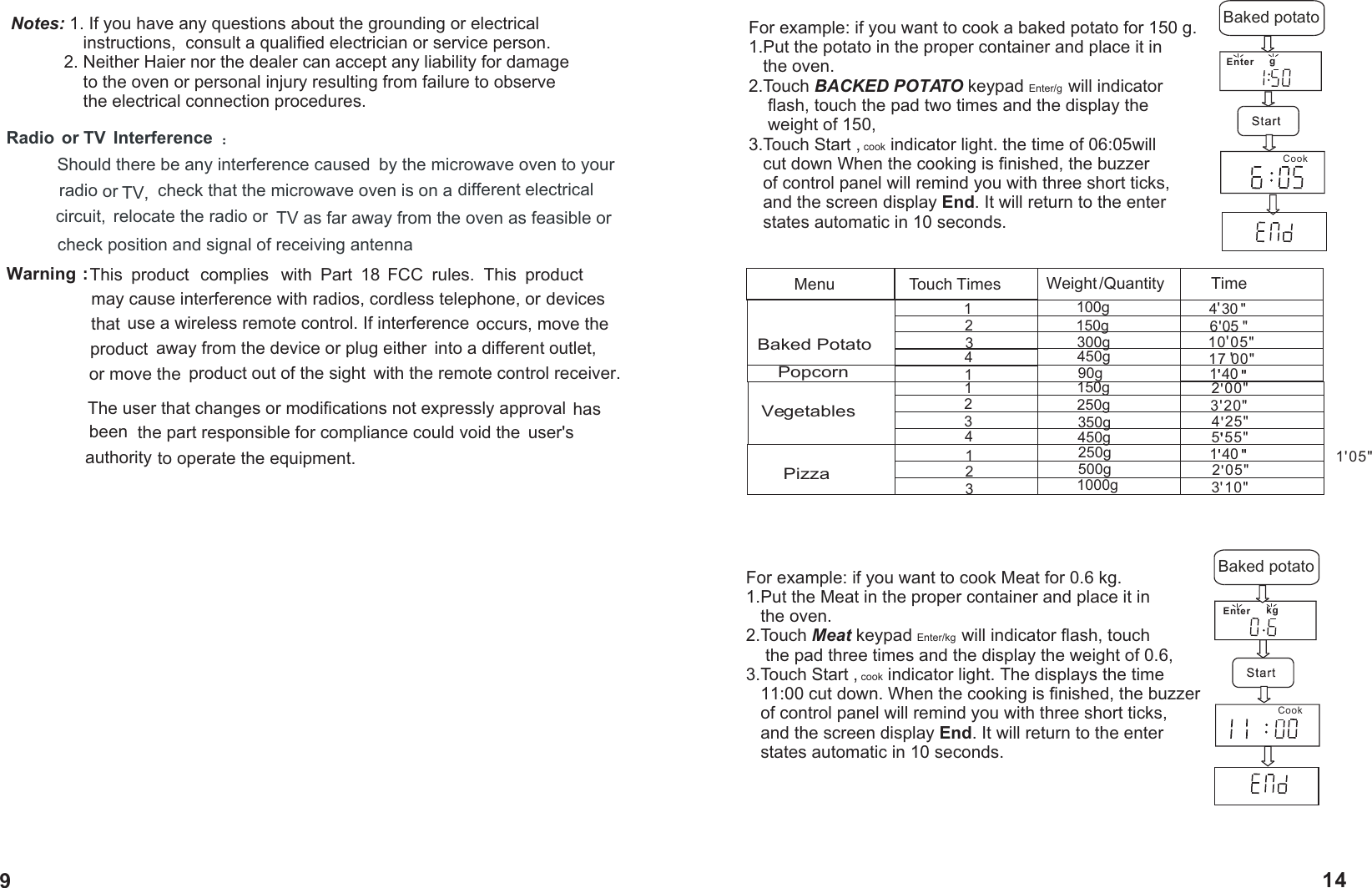
Warning :   This  product  complies  with  Part  18  FCC  rules.  This  product                    may cause interference with radios, cordless telephone, or                    devices that  use a wireless remote control. If interference occurs, move the product  away from the device or plug either  into a different outlet, or move the  product out of the sight  with the remote control receiver.                      The user that changes or modifications not expressly approval has been  the part responsible for compliance could void the  user's authority to operate the equipment.Radio  or TV  Interference Should there be any interference caused  by the microwave oven to your radio or TV,  check that the microwave oven is on a different electrical circuit,  relocate the radio or  TV as far away from the oven as feasible or check position and signal of receiving antennaNotes: 1. If you have any questions about the grounding or electrical                instructions,  consult a qualified electrician or service person.           2. Neither Haier nor the dealer can accept any liability for damage                to the oven or personal injury resulting from failure to observe                the electrical connection procedures.For example: if you want to cook a baked potato for 150 g.1.Put the potato in the proper container and place it in    the oven.2.Touch BACKED POTATO keypad Enter/g  will indicator     flash, touch the pad two times and the display the     weight of 150,3.Touch Start , cook indicator light. the time of 06:05will    cut down When the cooking is finished, the buzzer    of control panel will remind you with three short ticks,    and the screen display End. It will return to the enter    states automatic in 10 seconds.Enter gCook Baked potato11423123PopcornVegetablesPizza90g150g250g350g450g250g500g1000g1 402 00"3 20"4 25"5 55"1 05"2 05"3 10"''''''''''Menu Touch Times Weight /Quantity Time1423Baked Potato100g150g300g450g4 306 0510 05"17 00"''''"""For example: if you want to cook Meat for 0.6 kg.1.Put the Meat in the proper container and place it in    the oven.2.Touch Meat keypad Enter/kg  will indicator flash, touch     the pad three times and the display the weight of 0.6,3.Touch Start , cook indicator light. The displays the time    11:00 cut down. When the cooking is finished, the buzzer    of control panel will remind you with three short ticks,    and the screen display End. It will return to the enter    states automatic in 10 seconds.Enter kgCook Baked potato'"1 40'"'"914
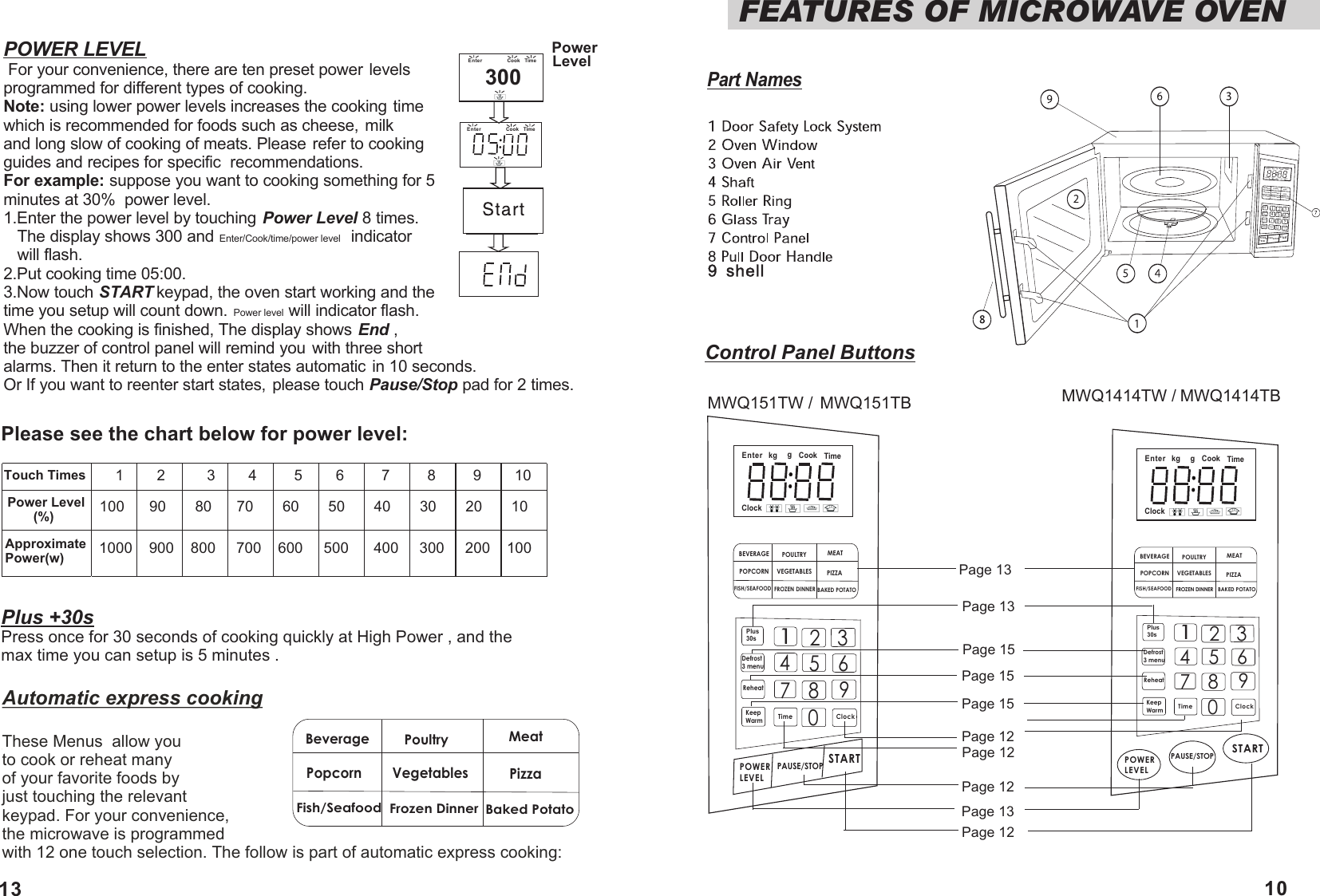
FEATURES OF MICROWAVE OVENTouch Times Power Level        (%)Approximate Power(w) 1000    900    800     700    600     500      400     300     200    100100      90       80      70       60       50       40       30       20       101        2          3        4         5        6         7         8         9        10Please see the chart below for power level:POWER LEVEL For your convenience, there are ten preset power levels programmed for different types of cooking.Note: using lower power levels increases the cooking time which is recommended for foods such as cheese, milk and long slow of cooking of meats. Please refer to cooking guides and recipes for specific  recommendations.For example: suppose you want to cooking something for 5 minutes at 30%  power level.1.Enter the power level by touching Power Level 8 times.    The display shows 300 and Enter/Cook/time/power level   indicator    will flash. 2.Put cooking time 05:00. 3.Now touch START keypad, the oven start working and the time you setup will count down. Power level will indicator flash.When the cooking is finished, The display shows End ,  the buzzer of control panel will remind you with three short alarms. Then it return to the enter states automatic in 10 seconds.Or If you want to reenter start states, please touch Pause/Stop pad for 2 times.   Power Level300Plus +30sPress once for 30 seconds of cooking quickly at High Power , and the max time you can setup is 5 minutes .Automatic express cookingThese Menus  allow youto cook or reheat many of your favorite foods by just touching the relevant keypad. For your convenience, the microwave is programmedwith 12 one touch selection. The follow is part of automatic express cooking:BeveragePopcornFish/SeafoodPoultry MeatVegetablesFrozen DinnerPizzaBaked PotatoEnter Cook TimePart NamesEnterCookkggClockTimeBEVERAGEPOPCORNFISH/SEAFOODPOULTRY MEATVEGETABLESFROZEN DINNERPIZZABAKED POTATOPlus 30sDefrost 3 menuReheatKeepWarm1235467890Time ClockPOWER LEVELPAUSE/STOP STARTEnter Cookkg gClockTimeBEVERAGEPOPCORNFISH/SEAFOODPOULTRY MEATVEGETABLESFROZEN DINNERPIZZABAKED POTATOPlus 30sDefrost 3 menuReheatKeepWarm1235467 8 90Time ClockPOWER LEVELPAUSE/STOP STARTMWQ151TW / Control Panel ButtonsMWQ151TB MWQ1414TW / MWQ1414TBBEVERAGEPOPCORNFISH/SEAFOODPOULTRY MEATVEGETABLESFROZEN DINNERPIZZABAKED POTATOPlus 30sDefrost 3 menuReheatKeepWarm1235467 8 90Time ClockPOWER LEVELPAUSE/STOP STARTEnter Cook Time1013Page 13Page 13Page 13Page 15Page 15Page 15Page 12Page 12Page 12Page 12Enter Cookkg gClockTime
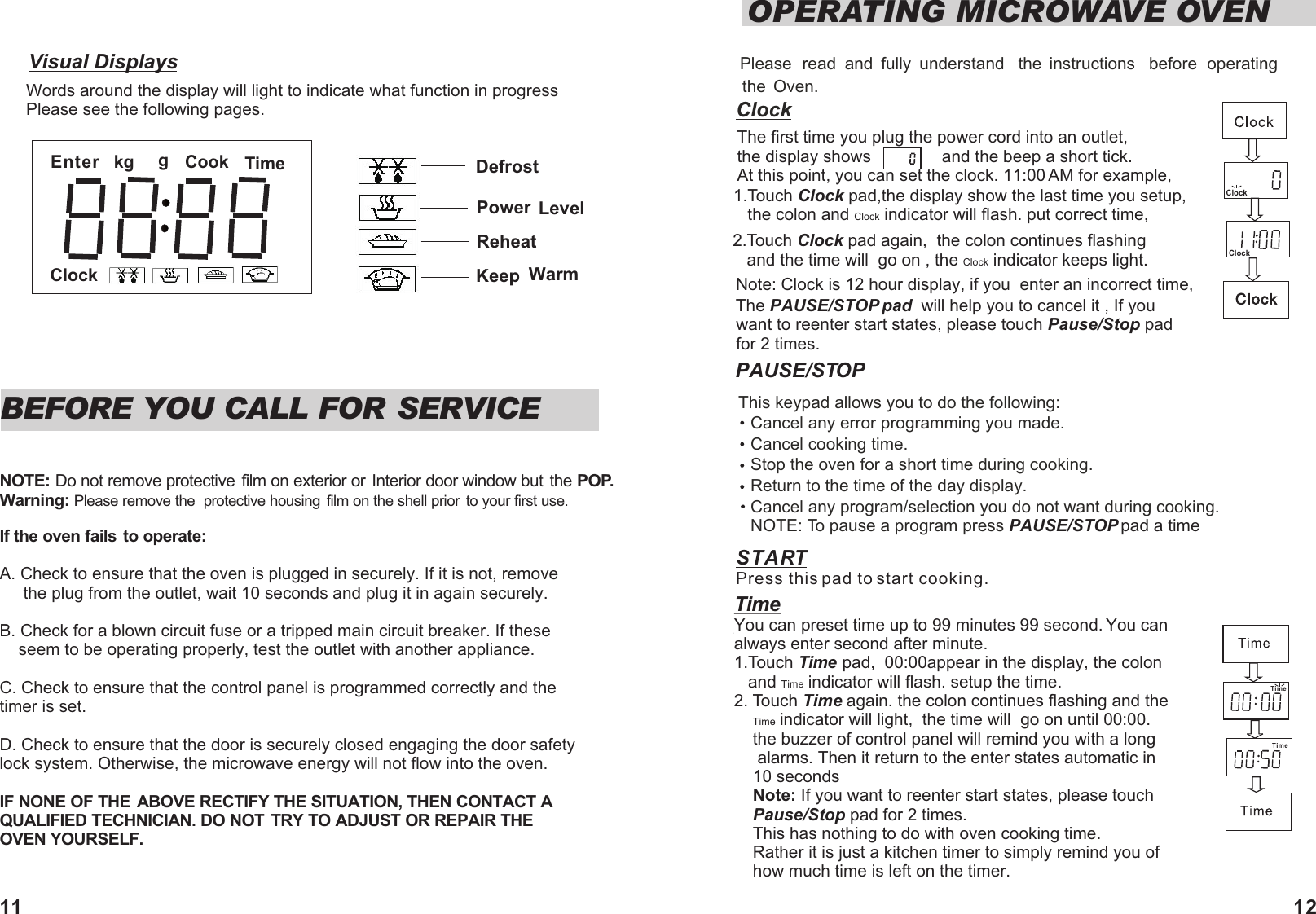
Visual DisplaysWords around the display will light to indicate what function in progressPlease see the following pages.Please  read  and  fully  understand  the  instructions  before  operating the  Oven.ClockThe first time you plug the power cord into an outlet,  the display shows               and the beep a short tick.     At this point, you can set the clock. 11:00 AM for example,1.Touch Clock pad,the display show the last time you setup,    the colon and Clock indicator will flash. put correct time, 2.Touch Clock pad again,  the colon continues flashing    and the time will  go on , the Clock indicator keeps light.   Note: Clock is 12 hour display, if you  enter an incorrect time, The PAUSE/STOP pad  will help you to cancel it , If you  want to reenter start states, please touch Pause/Stop pad for 2 times.  OPERATING MICROWAVE OVENClockBEFORE YOU CALL FOR SERVICENOTE: Do not remove protective film on exterior or  Interior door window but  the POP.Warning: Please remove the  protective housing  film on the shell prior to your first use.If the oven fails to operate:A. Check to ensure that the oven is plugged in securely. If it is not, remove      the plug from the outlet, wait 10 seconds and plug it in again securely.B. Check for a blown circuit fuse or a tripped main circuit breaker. If these    seem to be operating properly, test the outlet with another appliance.C. Check to ensure that the control panel is programmed correctly and the timer is set.D. Check to ensure that the door is securely closed engaging the door safety lock system. Otherwise, the microwave energy will not flow into the oven.IF NONE OF THE ABOVE RECTIFY THE SITUATION, THEN CONTACT A QUALIFIED TECHNICIAN. DO NOT TRY TO ADJUST OR REPAIR THE OVEN YOURSELF.   ClockSTART Press this pad to start cooking.PAUSE/STOP TimeYou can preset time up to 99 minutes 99 second. You can always enter second after minute.   1.Touch Time pad,  00:00appear in the display, the colon    and Time indicator will flash. setup the time.2. Touch Time again. the colon continues flashing and the      Time indicator will light,  the time will  go on until 00:00.      the buzzer of control panel will remind you with a long       alarms. Then it return to the enter states automatic in     10 seconds    Note: If you want to reenter start states, please touch     Pause/Stop pad for 2 times.    This has nothing to do with oven cooking time.     Rather it is just a kitchen timer to simply remind you of     how much time is left on the timer.                  TimeEnter Cookkg gClockTimeDefrostPower  LevelReheatKeep  WarmThis keypad allows you to do the following:Cancel any error programming you made.Cancel cooking time.Stop the oven for a short time during cooking.Return to the time of the day display. Cancel any program/selection you do not want during cooking.NOTE: To pause a program press   PAUSE/STOP pad a time  Time11 12

Navigation menu