Qingdao Yeelink Information Technology YLDP01YL YEELIGHT LED Bulb User Manual

Qingdao Yeelink Information Technology Co., Ltd. YEELIGHT LED Bulb Users Manual

Users Manual

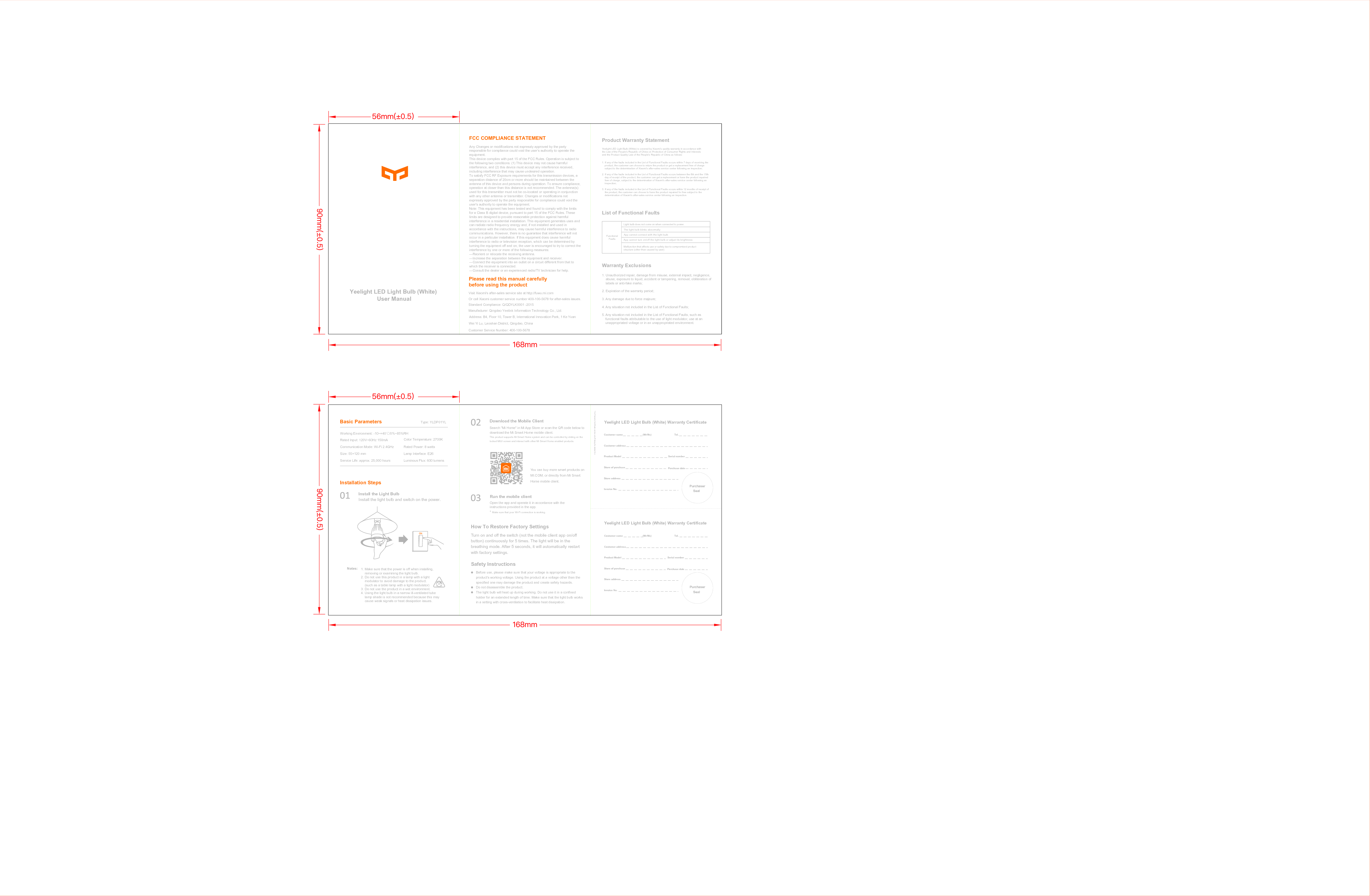
Yeelight LED Light Bulb (White) User ManualPlease read this manual carefully before using the productProduct Warranty StatementList of Functional FaultsWarranty ExclusionsVisit Xiaomi's after-sales service site at http://fuwu.mi.comOr call Xiaomi customer service number 400-100-5678 for after-sales issues.Standard Compliance: Q/QDYLK0001 -2015Manufacturer: Qingdao Yeelink Information Technology Co., Ltd.Customer Service Number: 400-100-5678Basic ParametersInstallation StepsHow To Restore Factory SettingsNotes:Download the Mobile Client Yeelight LED Light Bulb (White) Warranty CertificateWorking Environment: -10~+40℃/0%~85%RHRated Input: 120V~60Hz 150mA Rated Power: 8 wattsLamp Interface: E26Communication Mode: Wi-Fi 2.4GHzSize: 55×120 mmService Life: approx. 25,000 hoursColor Temperature: 2700KLuminous Flux: 600 lumensInstall the light bulb and switch on the power.Install the Light BulbCustomer name       (Mr/Ms) Tel.Customer addressProduct Model       Serial numberStore of purchase Purchase dateStore addressInvoice No.Run the mobile clientOpen the app and operate it in accordance with the instructions provided in the app.Make sure that your Wi-Fi connection is working.*Safety InstructionsThe light bulb blinks abnormallyApp cannot connect with the light bulbApp cannot turn on/off the light bulb or adjust its brightnessPurchaserSealYeelight LED Light Bulb (White) is covered by Xiaomi's quality warranty in accordance with the Law of the People's Republic of China on Protection of Consumer Rights and Interests and the Product Quality Law of the People's Republic of China as follows:1. If any of the faults included in the List of Functional Faults occurs within 7 days of receiving the product, the customer can choose to return the product or get a replacement free of charge subject to the determination of Xiaomi's after-sales service center following an inspection;2. If any of the faults included in the List of Functional Faults occurs between the 8th and the 15th day of receipt of the product, the customer can get a replacement or have the product repaired free of charge, subject to the determination of Xiaomi's after-sales service center following an inspection;3. If any of the faults included in the List of Functional Faults occurs within 12 months of receipt of the product, the customer can choose to have the product repaired for free subject to the determination of Xiaomi's after-sales service center following an inspection.Light bulb does not come on when connected to power.Functional FaultsMalfunction that affects use or safety due to compromised product structure (other than caused by user)Address: B4, Floor 10, Tower B, International Innovation Park, 1 Ke Yuan         Wei Yi Lu, Laoshan District, Qingdao, China1. Unauthorized repair, damage from misuse, external impact, negligence, abuse, exposure to liquid, accident or tampering, removal, obliteration of labels or anti-fake marks;2. Expiration of the warranty period;3. Any damage due to force majeure;4. Any situation not included in the List of Functional Faults;5. Any situation not included in the List of Functional Faults, such as functional faults attributable to the use of light modulator, use at an unappropriated voltage or in an unappropriated environment.1. Make sure that the power is off when installing, removing or examining the light bulb.2. Do not use this product in a lamp with a light modulator to avoid damage to the product. (such as a table lamp with a light modulator)3. Do not use the product in a wet environment.4. Using the light bulb in a narrow ill-ventilated tube lamp shade is not recommended because this may cause weak signals or heat dissipation issues.Before use, please make sure that your voltage is appropriate to the product's working voltage. Using the product at a voltage other than the specified one may damage the product and create safety hazards.Do not disassemble the product.The light bulb will heat up during working. Do not use it in a confined holder for an extended length of time. Make sure that the light bulb works in a setting with cross-ventilation to facilitate heat dissipation.Turn on and off the switch (not the mobile client app on/off button) continuously for 5 times. The light will be in the breathing mode. After 5 seconds, it will automatically restart with factory settings.You can buy more smart products on MI.COM, or directly from Mi Smart Home mobile client.Search "Mi Home" in Mi App Store or scan the QR code below to download the Mi Smart Home mobile client.This product supports Mi Smart Home system and can be controlled by sliding on the locked MIUI screen and interact with other Mi Smart Home enabled products.The Warranty Certificate can be cut off along the dotted lineYeelight LED Light Bulb (White) Warranty CertificateCustomer name        (Mr/Ms) Tel.Customer addressProduct Model       Serial numberStore of purchase Purchase dateStore addressInvoice No.PurchaserSealType: YLDP01YLFCC COMPLIANCE STATEMENTAny Changes or modifications not expressly approved by the party responsible for compliance could void the user’s authority to operate the equipment.  This device complies with part 15 of the FCC Rules. Operation is subject to the following two conditions: (1) This device may not cause harmful interference, and (2) this device must accept any interference received, including interference that may cause undesired operation. To satisfy FCC RF Exposure requirements for this transmission devices, a separation distance of 20cm or more should be maintained between the antenna of this device and persons during operation. To ensure compliance, operation at closer than this distance is not recommended. The antenna(s) used for this transmitter must not be co-located or operating in conjunction with any other antenna or transmitter. Changes or modifications not expressly approved by the party responsible for compliance could void the user's authority to operate the equipment.Note: This equipment has been tested and found to comply with the limits for a Class B digital device, pursuant to part 15 of the FCC Rules. These limits are designed to provide reasonable protection against harmful interference in a residential installation. This equipment generates uses and can radiate radio frequency energy and, if not installed and used in accordance with the instructions, may cause harmful interference to radio communications. However, there is no guarantee that interference will not occur in a particular installation. If this equipment does cause harmful interference to radio or television reception, which can be determined by turning the equipment off and on, the user is encouraged to try to correct the interference by one or more of the following measures:  —Reorient or relocate the receiving antenna.  —Increase the separation between the equipment and receiver.  —Connect the equipment into an outlet on a circuit different from that to which the receiver is connected. —Consult the dealer or an experienced radio/TV technician for help.

Navigation menu