Radio Thermostat of America WIFI-M-0210 WIFI THERMOSTAT ADAPTER User Manual

Radio Thermostat Company of America, Inc WIFI THERMOSTAT ADAPTER Users Manual

Users Manual

1Marvell ConfidentialProvisioning your Thermostatthat is, make it connect to your home Wi-Fi Network
2Marvell ConfidentialStep 1: Connect to the Thermostat Using Wi-Fi
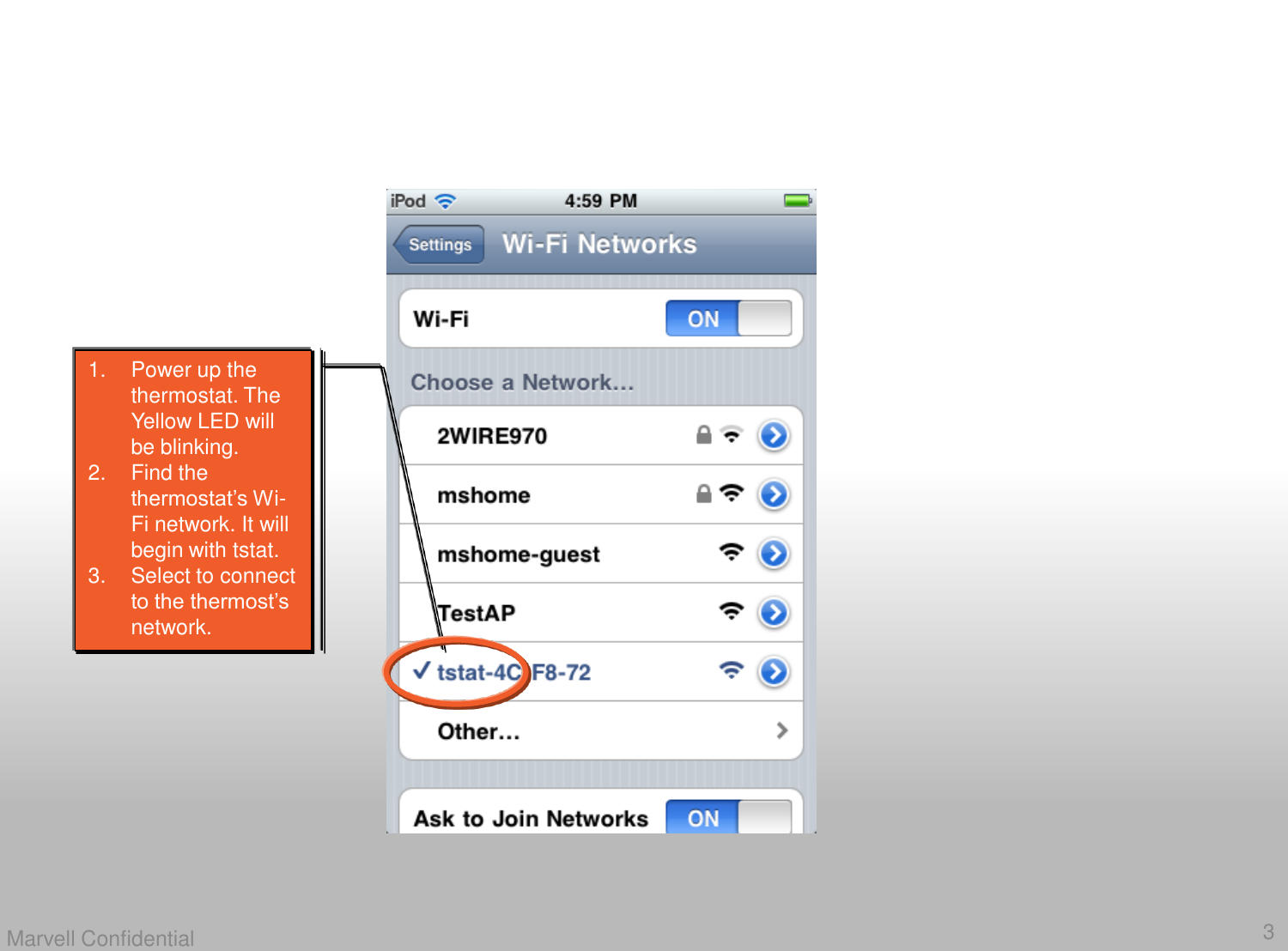
3Marvell Confidential1. Power up the thermostat. The Yellow LED will be blinking. 2. Find the thermostat’s Wi-Fi network. It will begin with tstat. 3. Select to connect to the thermost’s network.
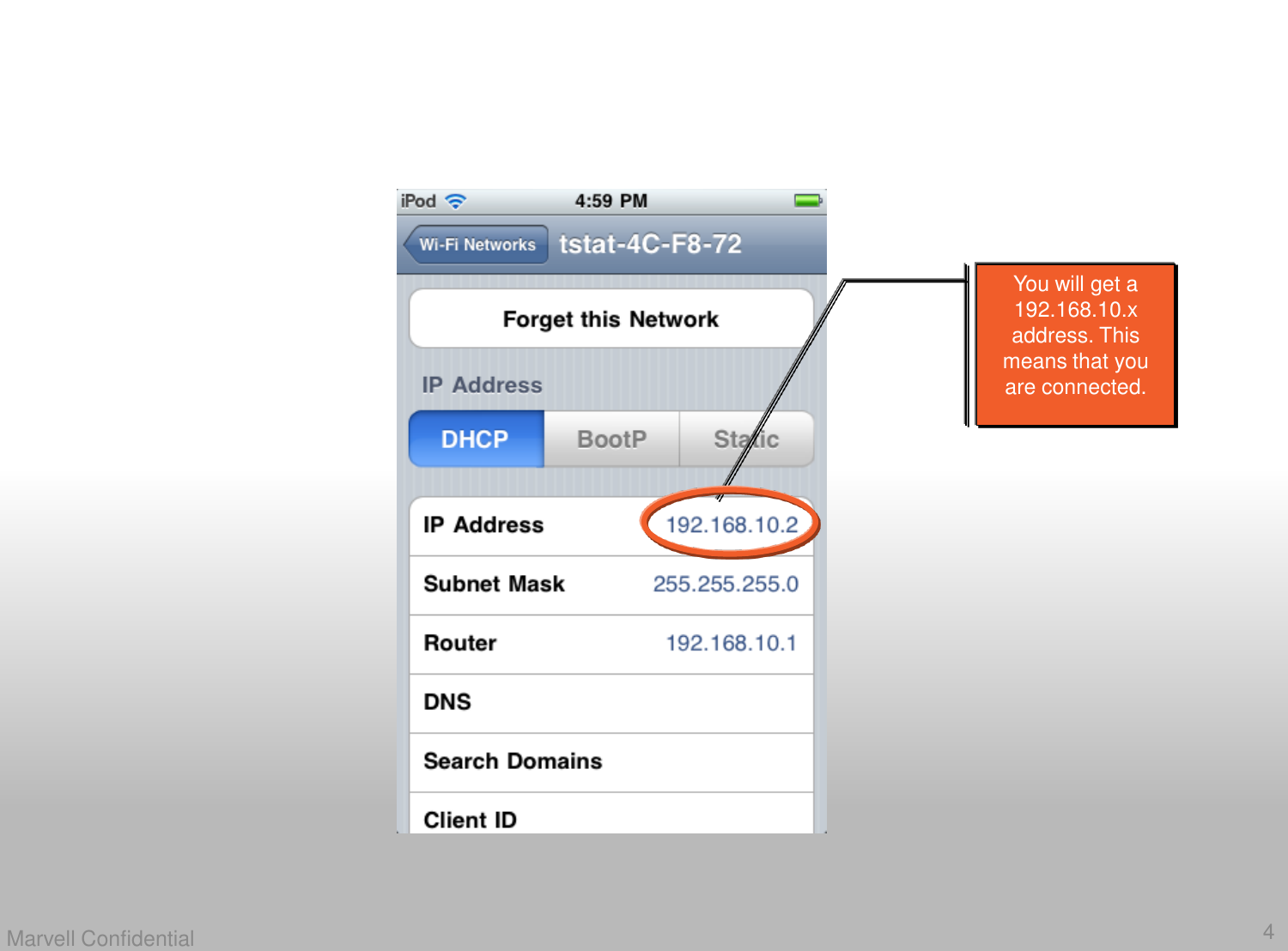
4Marvell ConfidentialYou will get a 192.168.10.x address. This means that you are connected.
5Marvell ConfidentialStep 2: Network ProvisioningSet up the Thermostat to Connect to your Home Network
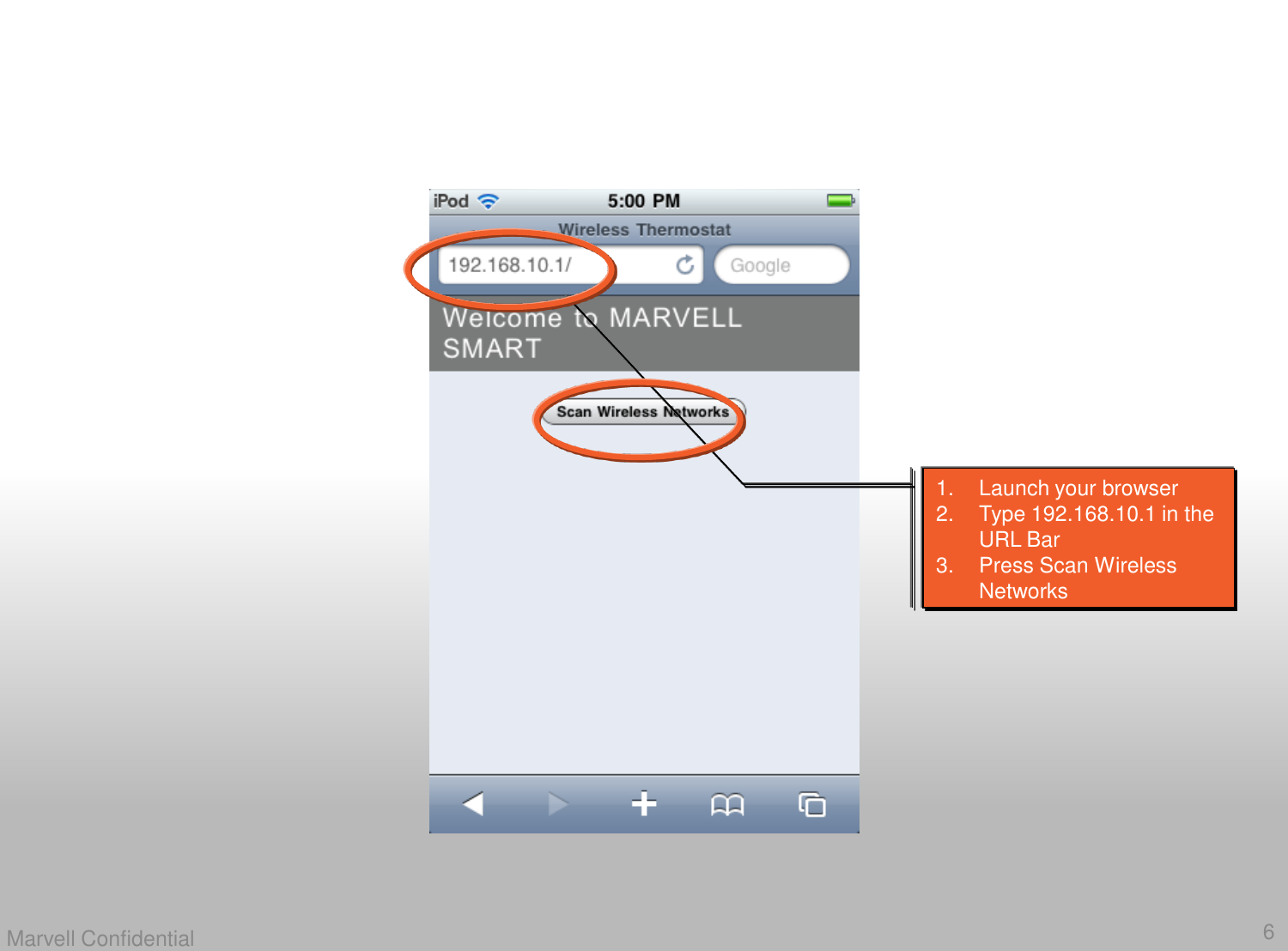
6Marvell Confidential1. Launch your browser2. Type 192.168.10.1 in the URL Bar3. Press Scan Wireless Networks
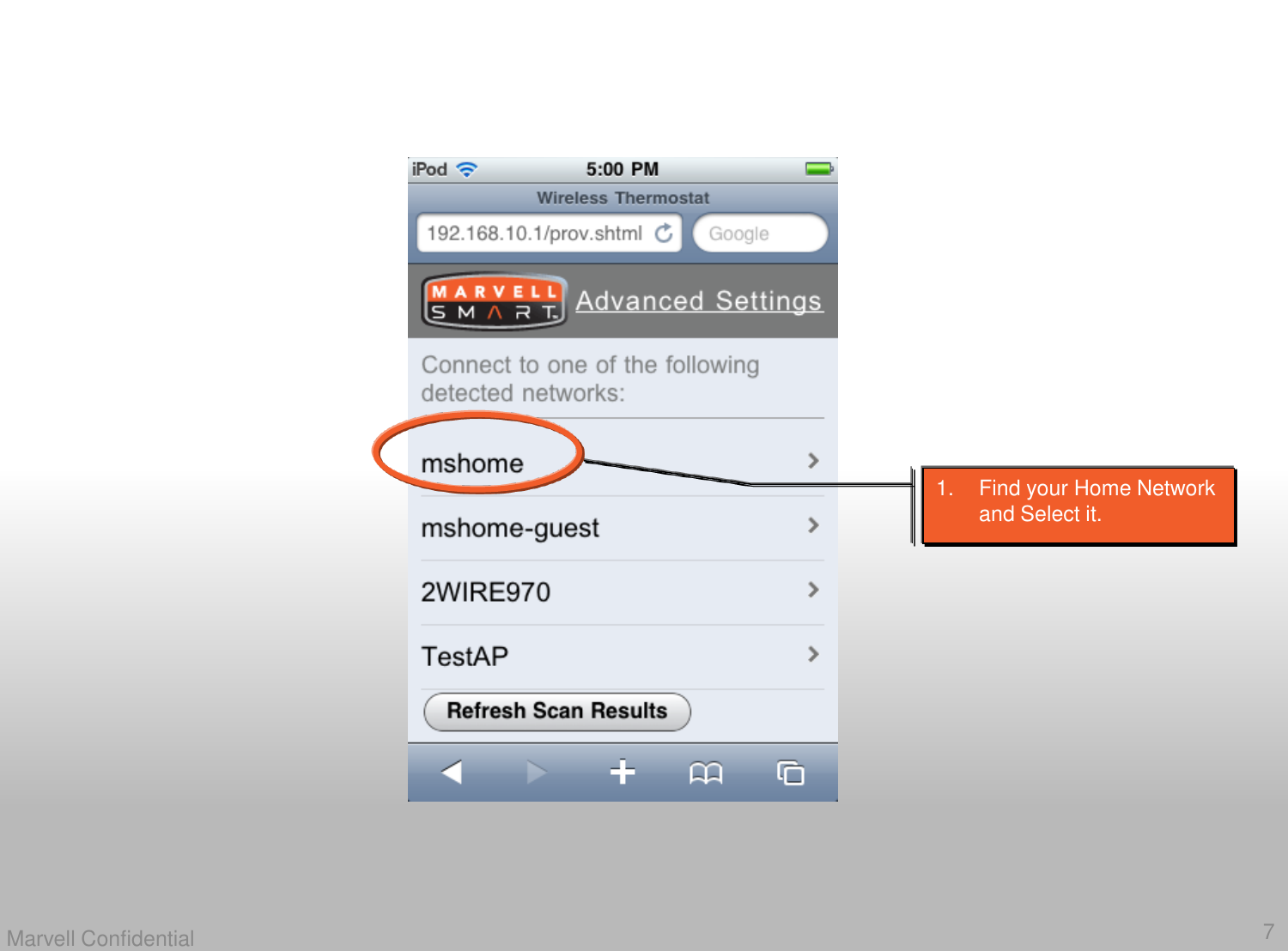
7Marvell Confidential1. Find your Home Network and Select it.
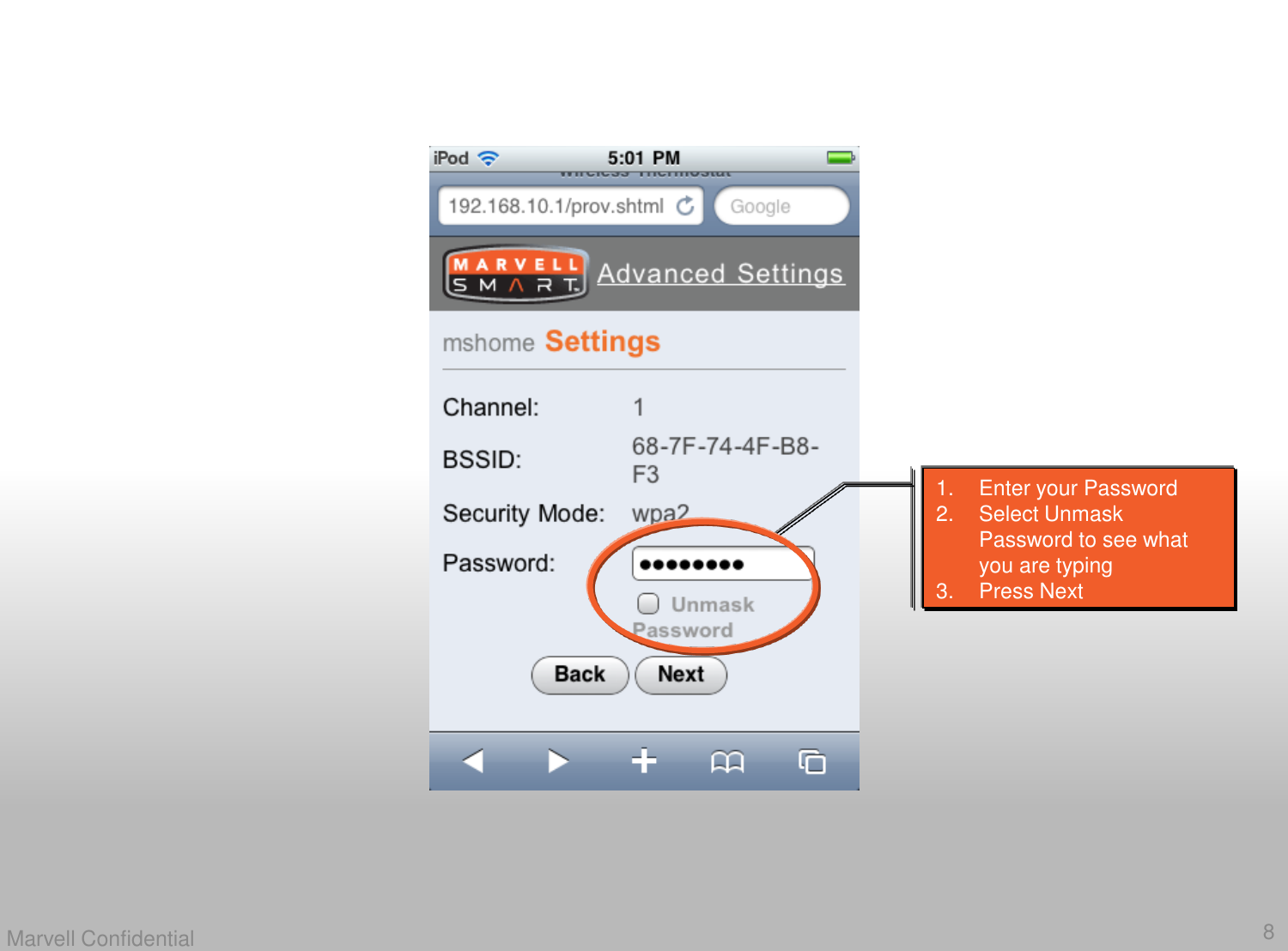
8Marvell Confidential1. Enter your Password2. Select Unmask Password to see what you are typing3. Press Next
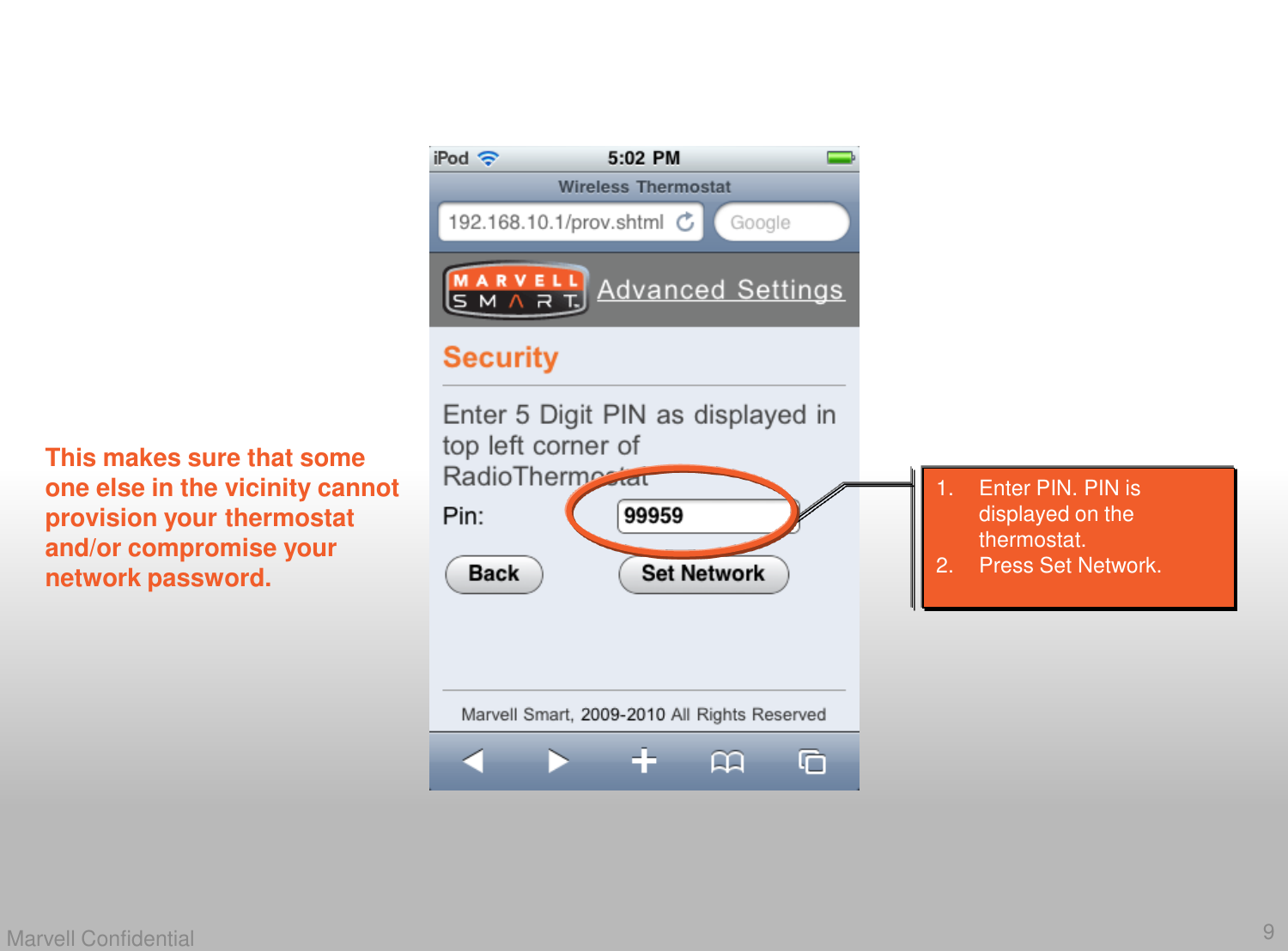
9Marvell Confidential1. Enter PIN. PIN is displayed on the thermostat. 2. Press Set Network. This makes sure that someone else in the vicinity cannot provision your thermostat and/or compromise your network password.
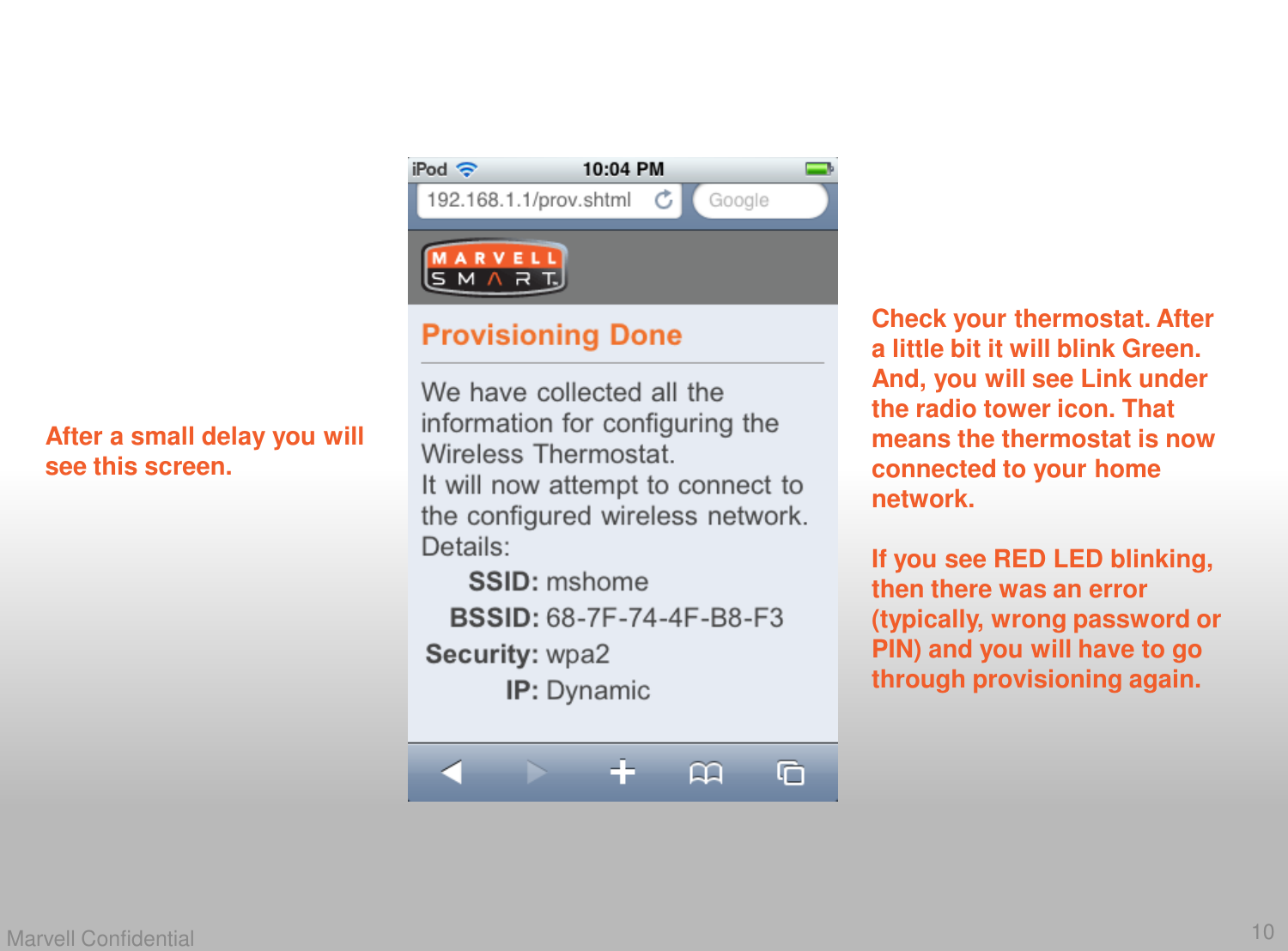
10Marvell ConfidentialAfter a small delay you will see this screen. Check your thermostat. After a little bit it will blink Green. And, you will see Link under the radio tower icon. That means the thermostat is now connected to your home network. If you see RED LED blinking, then there was an error (typically, wrong password or PIN) and you will have to go through provisioning again.
11Marvell ConfidentialStep 3: Connect back to your Home Networkand, Enjoy your Thermostat 
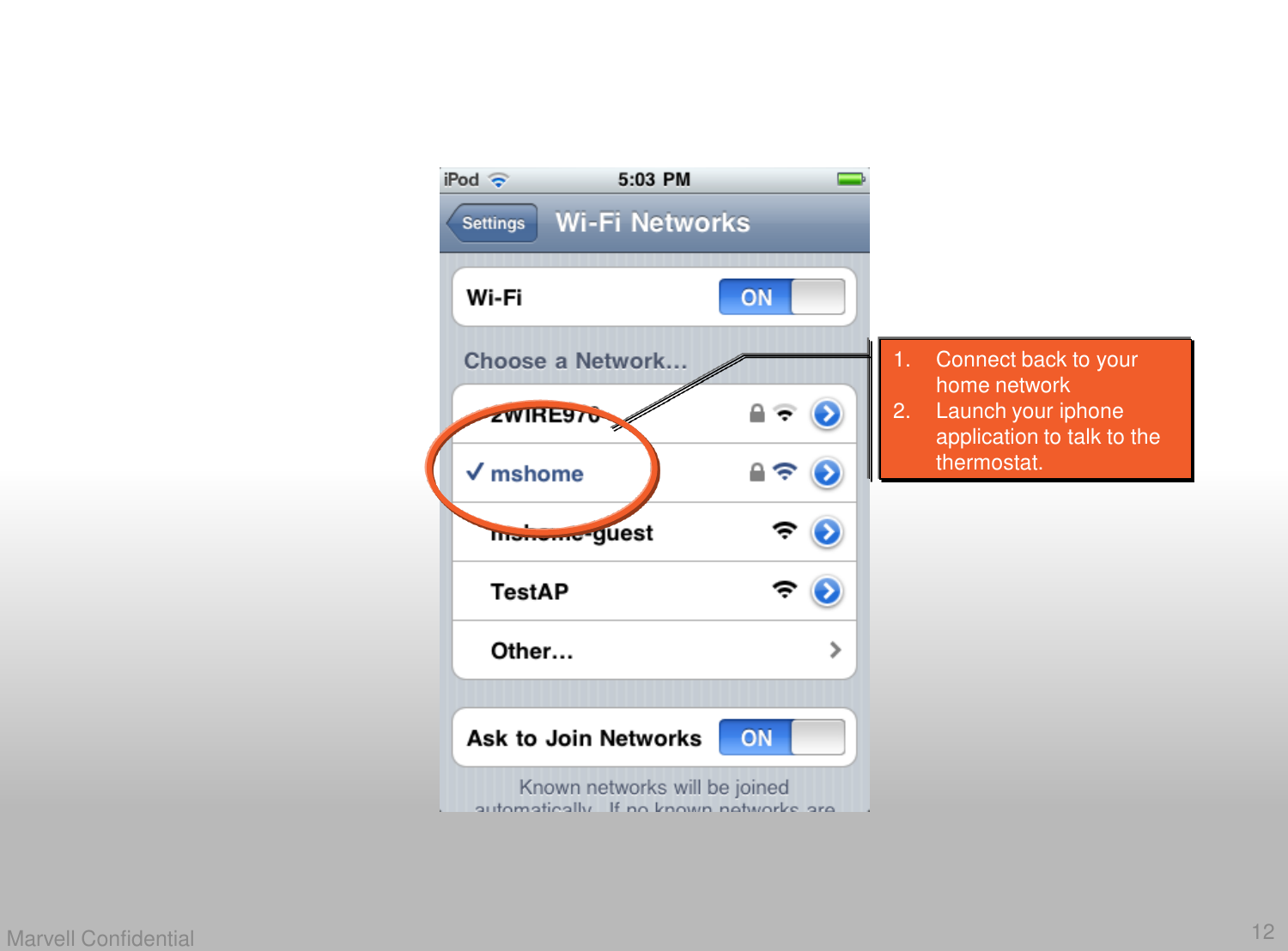
12Marvell Confidential1. Connect back to your home network2. Launch your iphone application to talk to the thermostat.
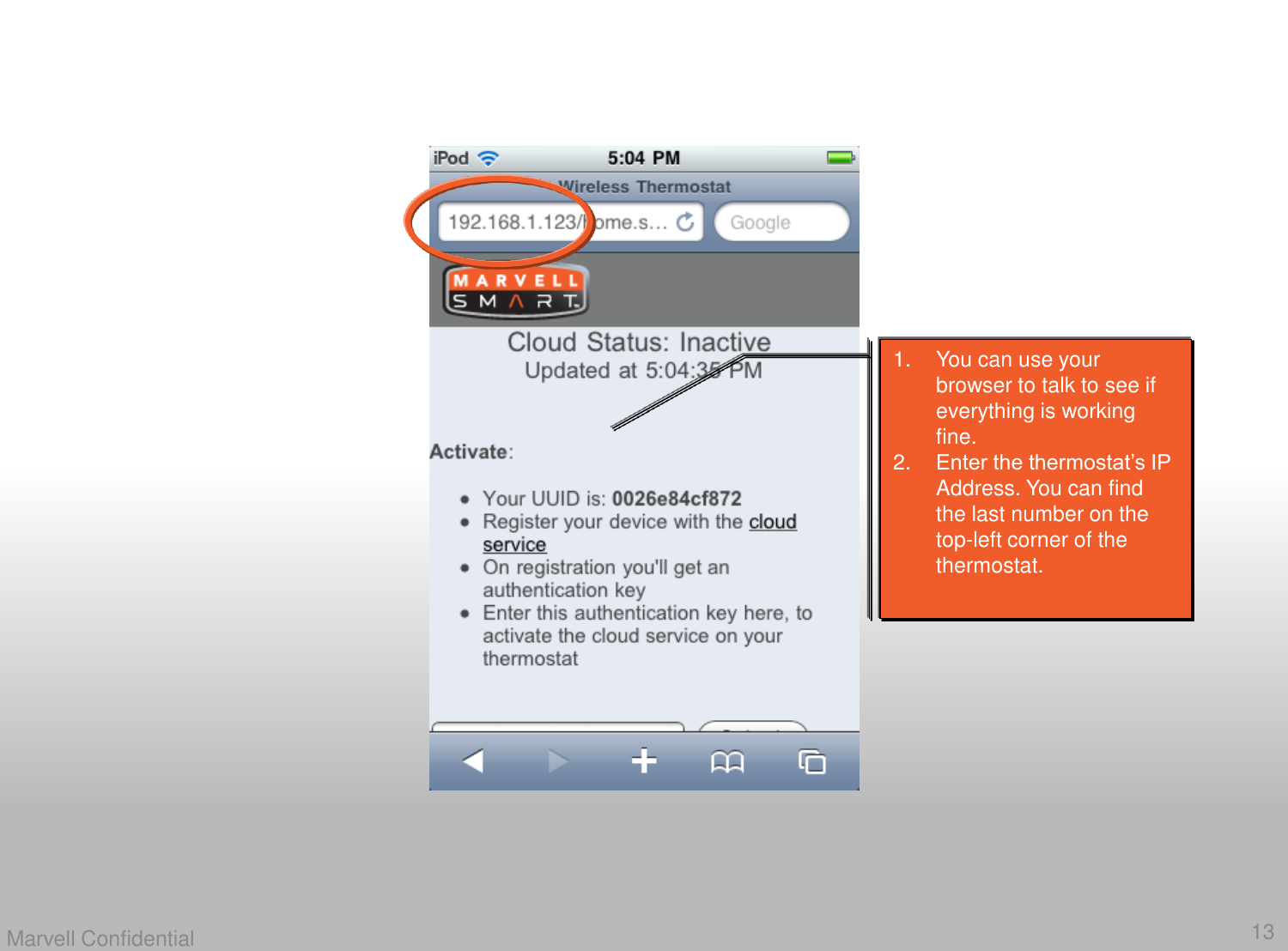
13Marvell Confidential1. You can use your browser to talk to see if everything is working fine. 2. Enter the thermostat’s IP Address. You can find the last number on the top-left corner of the thermostat.
14Marvell ConfidentialThank You!!!Caution:  Changes or modifications not expressly approved by the party responsible for compliance could void the user’s authority to operate the equipment.Caution:  To comply with FCC RF Exposure requirements, users of this device must ensure that the module be installed and/or configured to operate with a separation distance of 20cm or more from all persons.

Navigation menu