Rees Scientific RSCH Wireless Temperature/Humidity Sensor User Manual WIFI transmitters

Rees Scientific Corporation Wireless Temperature/Humidity Sensor WIFI transmitters

Manual

Manual  V2-CH Chirper Transmitters   Rees Scientific Environmental Monitoring Systems                                     www.ReesScientific.com 1007 Whitehead Road Ext. Trenton, NJ  08638 800-327-3141
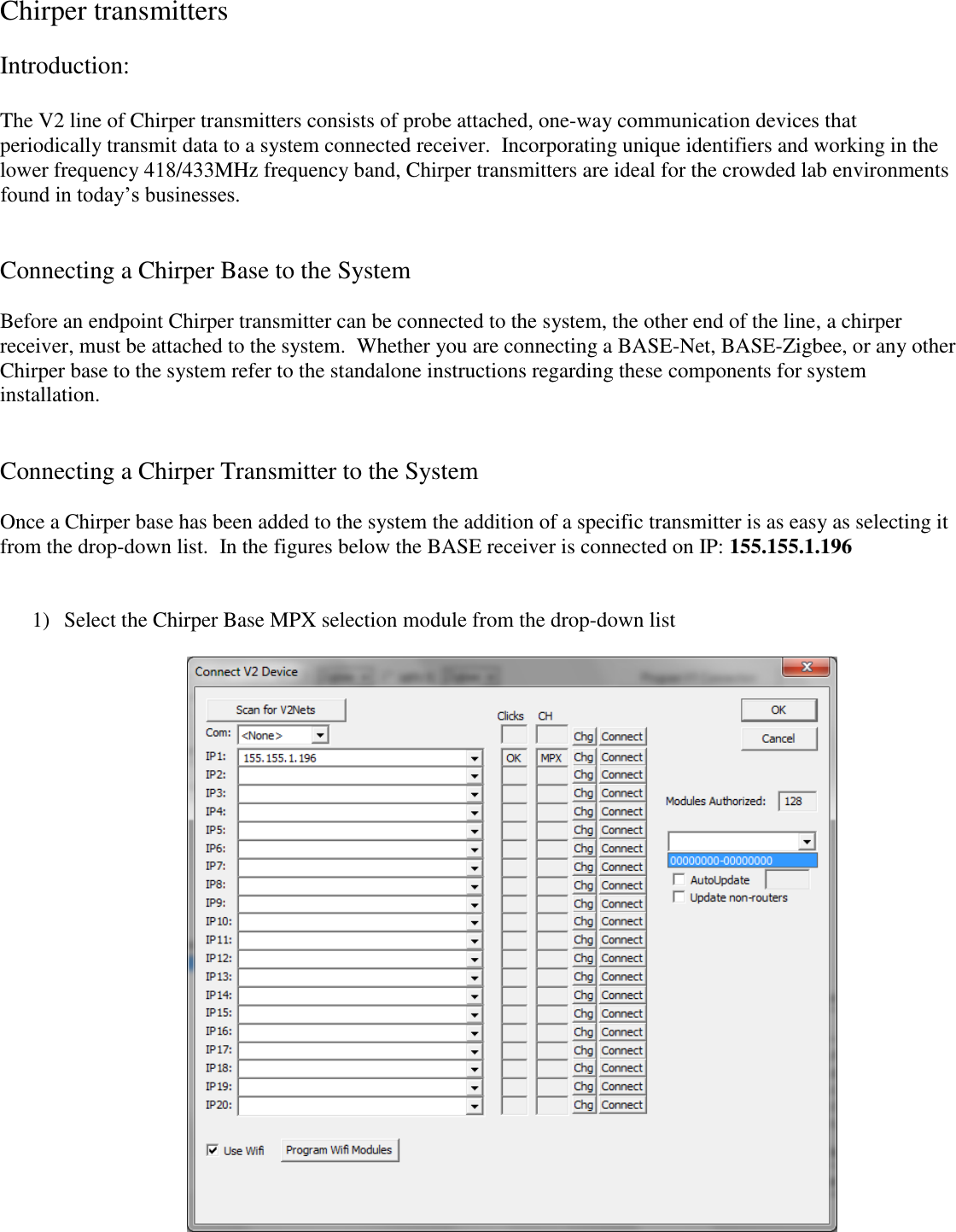
Chirper transmitters  Introduction:  The V2 line of Chirper transmitters consists of probe attached, one-way communication devices that periodically transmit data to a system connected receiver.  Incorporating unique identifiers and working in the lower frequency 418/433MHz frequency band, Chirper transmitters are ideal for the crowded lab environments found in today’s businesses.       Connecting a Chirper Base to the System  Before an endpoint Chirper transmitter can be connected to the system, the other end of the line, a chirper receiver, must be attached to the system.  Whether you are connecting a BASE-Net, BASE-Zigbee, or any other Chirper base to the system refer to the standalone instructions regarding these components for system installation.   Connecting a Chirper Transmitter to the System  Once a Chirper base has been added to the system the addition of a specific transmitter is as easy as selecting it from the drop-down list.  In the figures below the BASE receiver is connected on IP: 155.155.1.196    1) Select the Chirper Base MPX selection module from the drop-down list
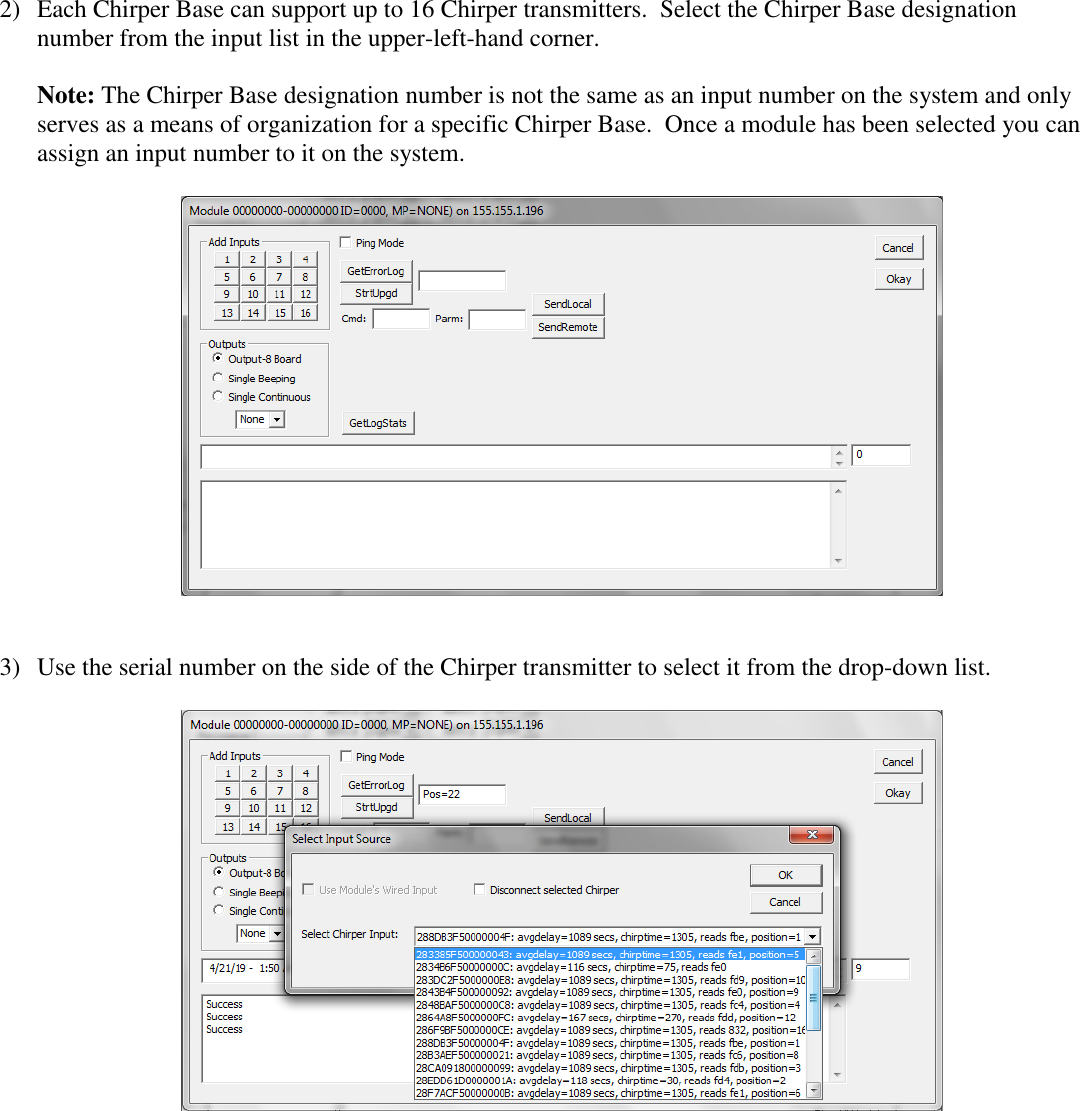
2) Each Chirper Base can support up to 16 Chirper transmitters.  Select the Chirper Base designation number from the input list in the upper-left-hand corner.  Note: The Chirper Base designation number is not the same as an input number on the system and only serves as a means of organization for a specific Chirper Base.  Once a module has been selected you can assign an input number to it on the system.       3) Use the serial number on the side of the Chirper transmitter to select it from the drop-down list.
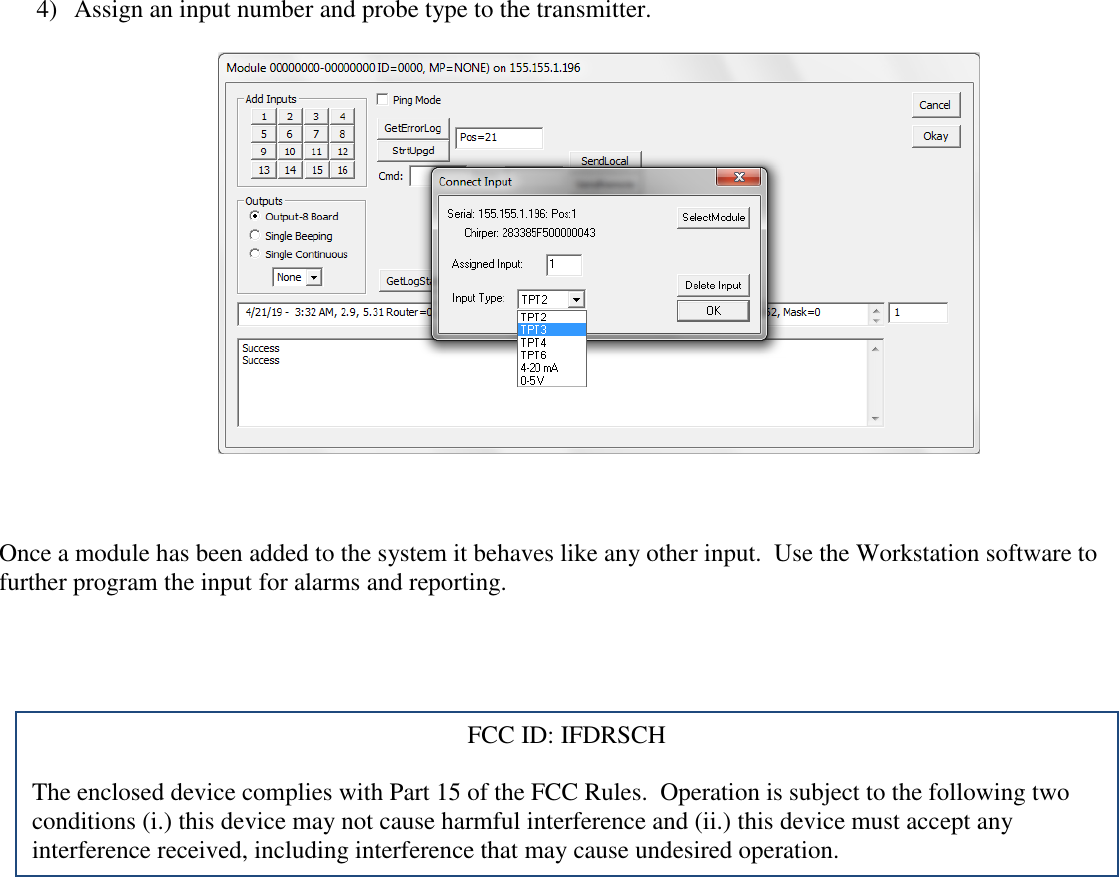
4) Assign an input number and probe type to the transmitter.      Once a module has been added to the system it behaves like any other input.  Use the Workstation software to further program the input for alarms and reporting.    FCC ID: IFDRSCH  The enclosed device complies with Part 15 of the FCC Rules.  Operation is subject to the following two conditions (i.) this device may not cause harmful interference and (ii.) this device must accept any interference received, including interference that may cause undesired operation.

Navigation menu