RoyalTek CD Bluetooth GPS Receiver User Manual RCD 1000

RoyalTek Company Ltd. Bluetooth GPS Receiver RCD 1000

User Manual

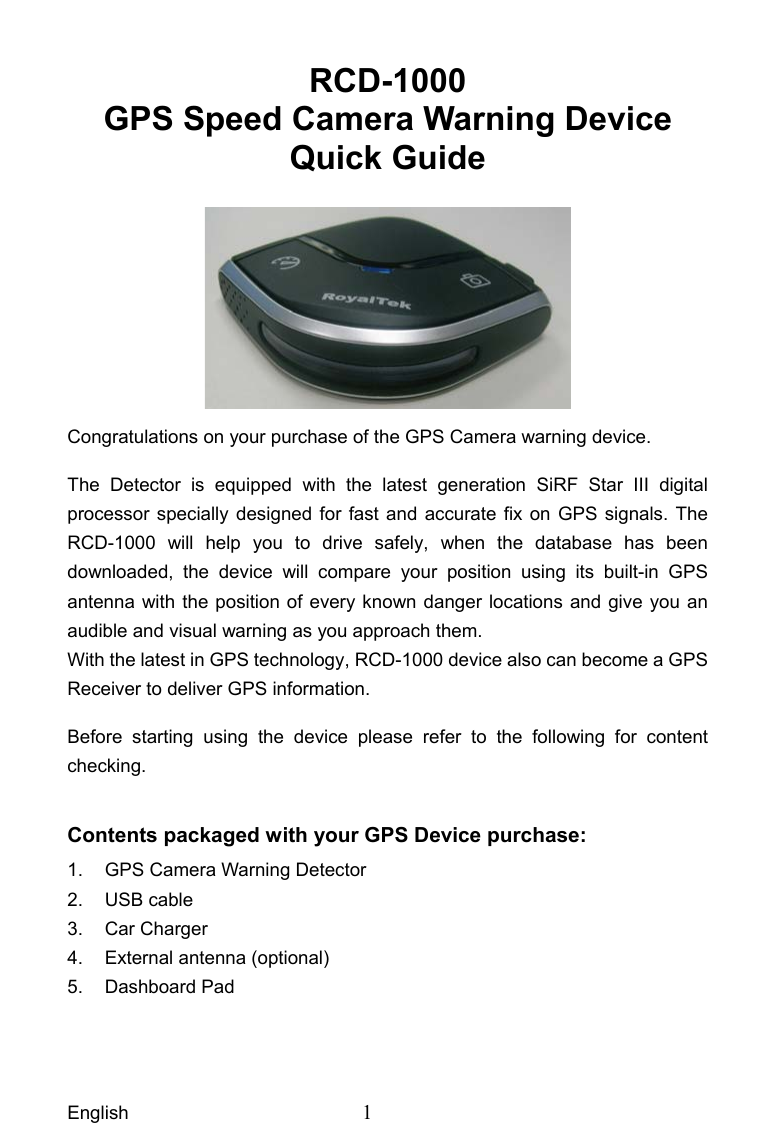
English  1 RCD-1000 GPS Speed Camera Warning Device   Quick Guide   Congratulations on your purchase of the GPS Camera warning device.   The Detector is equipped with the latest generation SiRF Star III digital processor specially designed for fast and accurate fix on GPS signals. The RCD-1000 will help you to drive safely, when the database has been downloaded, the device will compare your position using its built-in GPS antenna with the position of every known danger locations and give you an audible and visual warning as you approach them. With the latest in GPS technology, RCD-1000 device also can become a GPS Receiver to deliver GPS information.   Before starting using the device please refer to the following for content checking.  Contents packaged with your GPS Device purchase: 1.  GPS Camera Warning Detector   2. USB cable  3. Car Charger  4.  External antenna (optional) 5. Dashboard Pad
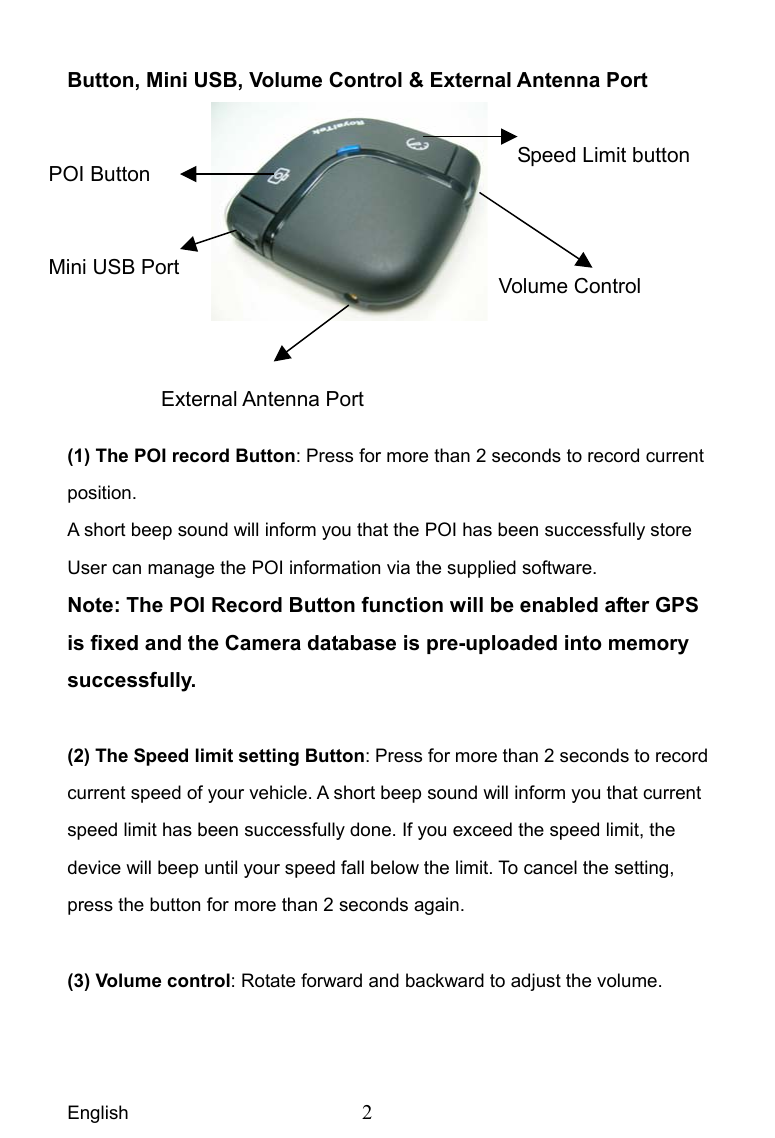
English  2 Button, Mini USB, Volume Control & External Antenna Port     (1) The POI record Button: Press for more than 2 seconds to record current position. A short beep sound will inform you that the POI has been successfully store User can manage the POI information via the supplied software. Note: The POI Record Button function will be enabled after GPS is fixed and the Camera database is pre-uploaded into memory successfully.   (2) The Speed limit setting Button: Press for more than 2 seconds to record current speed of your vehicle. A short beep sound will inform you that current speed limit has been successfully done. If you exceed the speed limit, the device will beep until your speed fall below the limit. To cancel the setting, press the button for more than 2 seconds again.  (3) Volume control: Rotate forward and backward to adjust the volume.POI Button Mini USB Port External Antenna Port Volume Control Speed Limit button
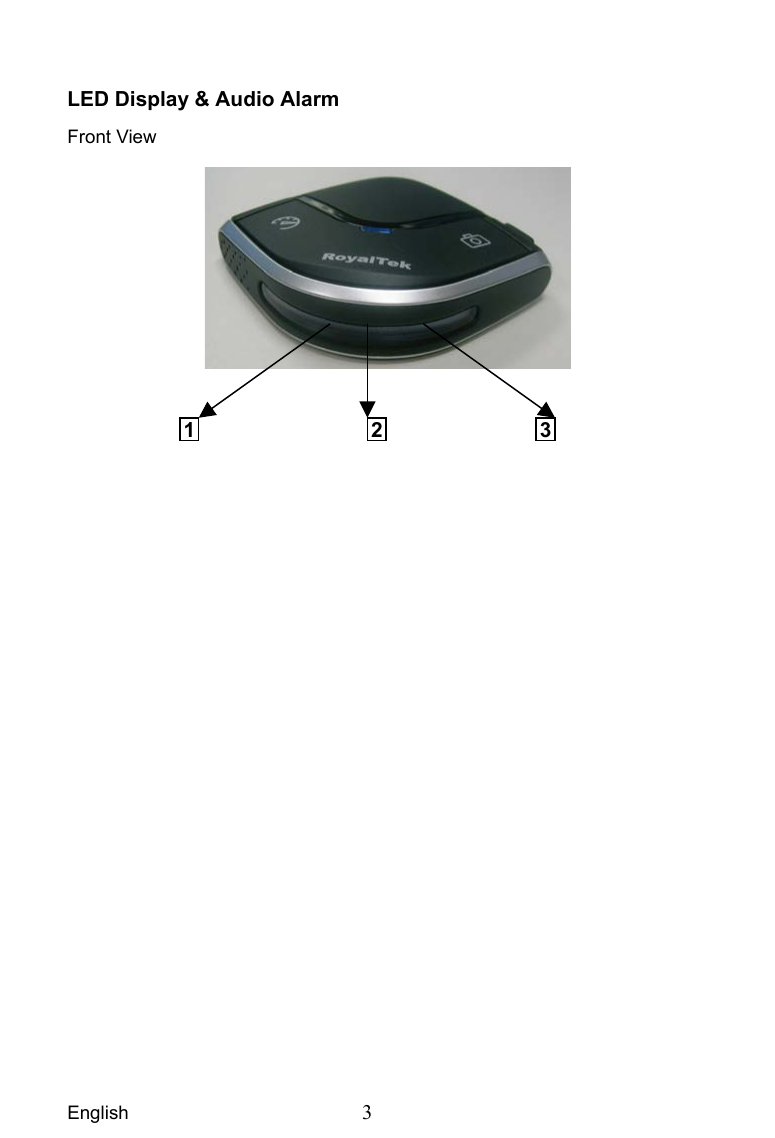
English  3 LED Display & Audio Alarm Front View    21  3
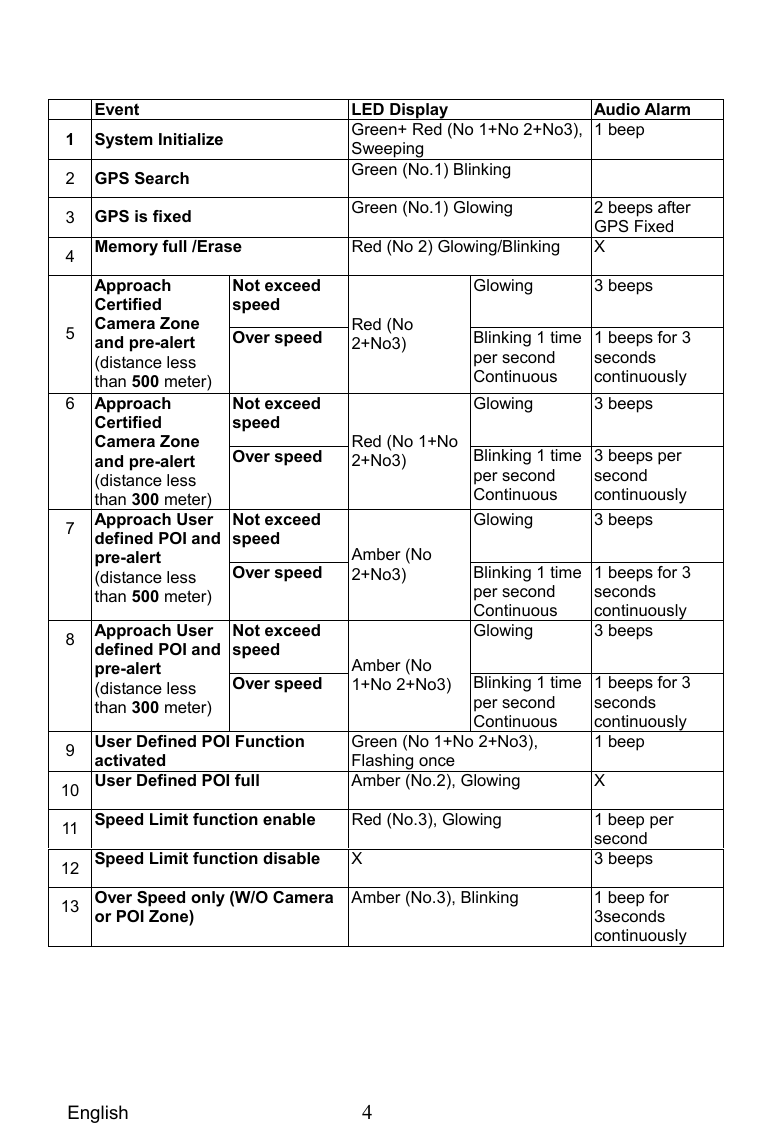
English  4                         Event LED Display Audio Alarm 1 System Initialize  Green+ Red (No 1+No 2+No3), Sweeping 1 beep 2  GPS Search  Green (No.1) Blinking   3  GPS is fixed  Green (No.1) Glowing  2 beeps after GPS Fixed 4  Memory full /Erase  Red (No 2) Glowing/Blinking  X Not exceed speed Glowing 3 beeps 5 Approach Certified Camera Zone and pre-alert (distance less than 500 meter) Over speed  Red (No 2+No3)   Blinking 1 time per second Continuous  1 beeps for 3 seconds continuously Not exceed speed Glowing  3 beeps 6  Approach Certified Camera Zone and pre-alert (distance less than 300 meter)   Over speed  Red (No 1+No 2+No3)   Blinking 1 time per second Continuous  3 beeps per second continuously Not exceed speed Glowing   3 beeps  7  Approach User defined POI and pre-alert (distance less than 500 meter)   Over speed Amber (No 2+No3)   Blinking 1 time per second Continuous 1 beeps for 3 seconds continuously Not exceed speed Glowing   3 beeps   8  Approach User defined POI and pre-alert (distance less than 300 meter) Over speed Amber (No 1+No 2+No3)  Blinking 1 time per second Continuous 1 beeps for 3 seconds continuously 9  User Defined POI Function activated Green (No 1+No 2+No3), Flashing once 1 beep   10  User Defined POI full    Amber (No.2), Glowing  X 11  Speed Limit function enable  Red (No.3), Glowing  1 beep per second 12  Speed Limit function disable  X 3 beeps  13  Over Speed only (W/O Camera or POI Zone) Amber (No.3), Blinking    1 beep for 3seconds continuously
English  5 Connect to PC or Notebook for “Speed Camera Detector Utility”     User can upload the Camera database and manage the POI using the supplied “Speed Camera Detector Utility”.   User also can download the GPS log file to PC/Notebook supplied software.   Refer to the supplied software application user manual to install the software utility. Connect to PC or Notebook for Update Camera Database   User can update the Camera Database using the supplied software.   Refer to the supplied software application user manual to install the software utility. Tips 1.  Use the supplied dashboard pad, remove the backing from the base, fix it on the dashboard as close to the windscreen as possible in clear view of the driver’s line of the sight and place your Detector onto the pad   2.  Cars that are equipped with heat dissipation films for the windshield and windows will degrade the GPS performance. 3.  For the most accurate position fix results and quickest acquisition time, please make sure that your device is not in motion but stationary and in open spaces.
FEDERAL COMMUNICATIONS COMMISSION   INTERFERENCE STATEMENT This equipment has been tested and found to comply with the limits for a Class B digital device, pursuant to Part 15 of the FCC Rules. These limits are designed to provide reasonable protection against harmful interference in a residential installation. This equipment generates, uses and can radiate radio frequency energy and, if not installed and used in accordance with the instructions, may cause harmful interference to radio communications. However, there is no guarantee that interference will not occur in a particular installation. If this equipment does cause harmful interference to radio or television reception, which can be determined by turning the equipment off and on, the user is encouraged to try to correct the interference by one or more of the following measures: –  Reorient or relocate the receiving antenna. –  Increase the separation between the equipment and receiver. –  Connect the equipment into an outlet on a circuit different from that to which the receiver is connected. –  Consult the dealer or an experienced radio/TV technician for help. CAUTION: Any changes or modifications not expressly approved by the party responsible for compliance could void the user's authority to operate the equipment.  "This device complies with Part 15 of the FCC Rules.Operation is subject to the following two conditions: (1) this device may not cause harmful interference and(2) this device must accept any interference received,  including interference that may cause undesired operation ."

Navigation menu