Rubetek RV-3410 Smart home wifi camera User Manual

Rubetek Smart home wifi camera

User Manual

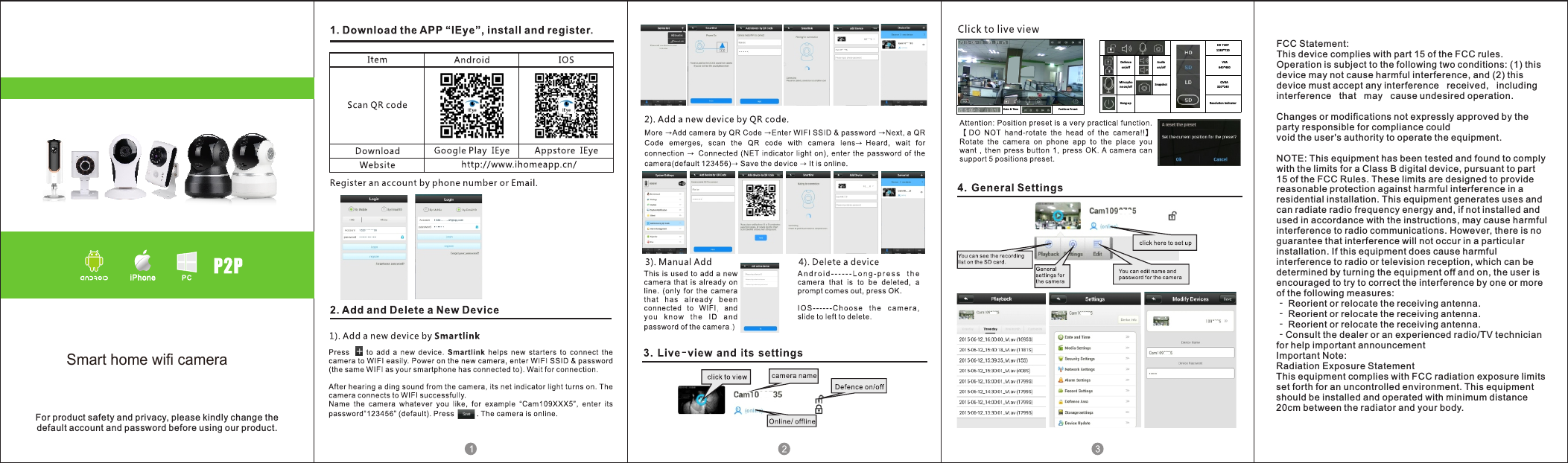
Date & Time Positio ns PresetHD 720P1280 *720Defen ceon/o ffAud ioon/o ffVGA640 *480Mirc ophone on/o ff Snapsh ot QVGA320 *240Hang-u p Reso lution in dicatorFor product safety and privacy, please kindly change thedefault account and password before using our product.FCC Statement:This device complies with part 15 of the FCC rules. Operation is subject to the following two conditions: (1) this device may not cause harmful interference, and (2) this device must accept any interference   received,   including   interference   that   may   cause undesired operation. Changes or modifications not expressly approved by the party responsible for compliance could void the user's authority to operate the equipment. NOTE: This equipment has been tested and found to comply with the limits for a Class B digital device, pursuant to part 15 of the FCC Rules. These limits are designed to provide reasonable protection against harmful interference in a residential installation. This equipment generates uses and can radiate radio frequency energy and, if not installed and used in accordance with the instructions, may cause harmful interference to radio communications. However, there is no guarantee that interference will not occur in a particular installation. If this equipment does cause harmful interference to radio or television reception, which can be determined by turning the equipment off and on, the user is encouraged to try to correct the interference by one or more of the following measures: ‐ Reorient or relocate the receiving antenna. ‐ Reorient or relocate the receiving antenna. ‐ Reorient or relocate the receiving antenna. ‐Consult the dealer or an experienced radio/TV technician for help important announcement Important Note:Radiation Exposure StatementThis equipment complies with FCC radiation exposure limits set forth for an uncontrolled environment. This equipment should be installed and operated with minimum distance 20cm between the radiator and your body.Smart home wifi camera
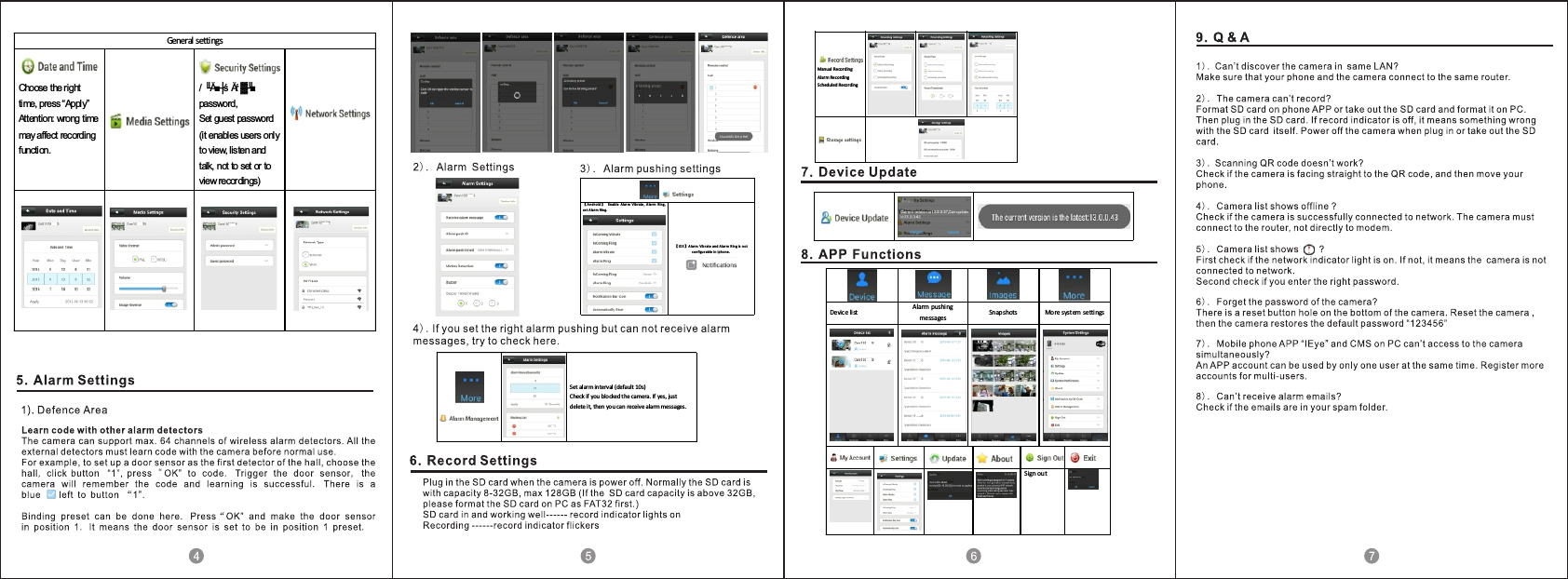
Manual RecordingAlarm RecordingScheduled Recording【An dro id 】Enab le Alar m Vib rate , Alar m Ring,set A larm Rin g.【IOS 】A larm Vib rate and A larm R ing is no tcon figu rab le in Iphon e .General settings Choose the right time, press “Apply” Attention: wrong time may affect recording function.   / ╙Ă■┼ś Ăŕ ▓╜■ password, Set guest password (it enables users only to view, listen and talk, not to set or to view recordings) Set alarm interval  (default 10s) Check if you blocked the camera. If yes, just delete it, then you can receive alarm messages. Device list  Alarm pushing messages  Snapshots  More syst em settings Sign out

Navigation menu