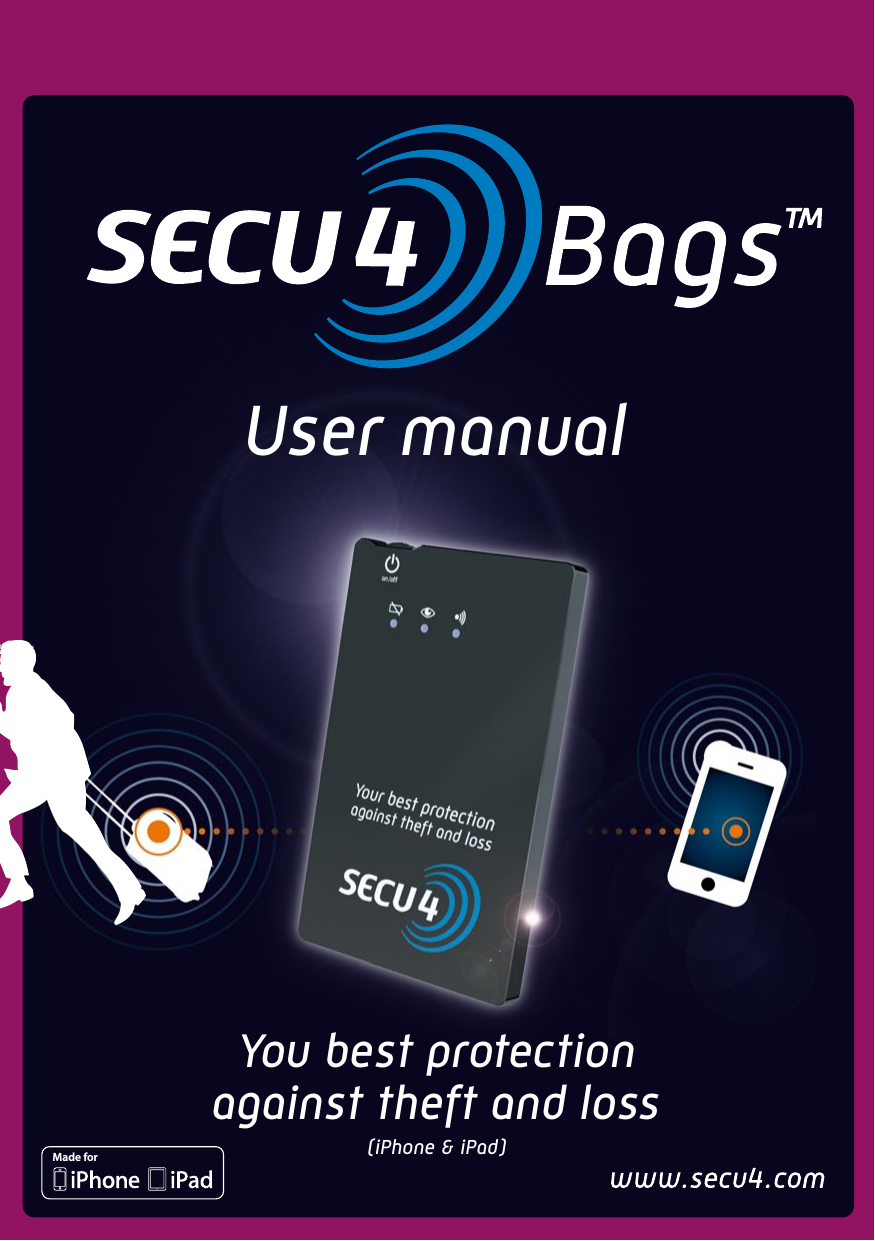
SECU4 S4B01 SECU4Bags User Manual

SECU4 SA SECU4Bags

User Manual

User manualYou best protectionagainst theft and loss(iPhone & iPad)Made for
2WarrantySCOPE OF THE WARRANTY Subject to legal provisions, the responsibility of SECU4 under this warranty is limited to the provisions set out below: SECU4 warrants that this product is safe from material and manufacturing defects under normal conditions of use for a period of TWO (2) YEARS from the date of end-user purchase. If a product defect is encountered within the warranty period and a valid claim is lodged, SECU4 will replace the product with either a new complete unit or with a new accessory if the default found is limited to an ancillary product.When a product or an accessory is replaced, it becomes the property of the buyer and the product or accessory exchanged becomes the property of SECU4. The warranty accorded to the exchanged product will not exceed the original warranty.EXCLUSIONS AND LIMITATIONS This limited warranty applies only to hardware products manufactured by or on behalf of SECU4 which can be identified by the trademark, trade name or SECU4 logo which is affixed on them. The software distributed by SECU4 without or under the trade name SECU4 (including, but not limited to, system software) is not covered by this limited warranty. Kindly refer to the accompanying software license agreement accompanying the software for details of your rights concerning its use.SECU4 does not warranty that the operation of the product will be uninterrupted or error-free. SECU4 is not liable for damage resulting from non-compliance with usage guidelines of the product.This warranty does not apply to: (a) any damage caused by the use of products other than those in the SECU4 recommended usage guidelines (b) any damage caused by accident, abuse, misuse, flooding, fire, earthquake or other external causes, (c) any damage caused by the operation of the product outside the foreseeable and permitted usage guidelines issued by SECU4 (d) any damage caused by any intervention (including upgrades and extensions) by any person who is not a representative of SECU4 or a SECU4-approved service provider (e) a product or a component which has been tampered with so that it significantly alters the functionality or capabilities without the written permission of SECU4 (f) consumable items such as batteries, unless the damage is caused by a material or workmanship defect (g) a product on which any SECU4-related serial number has been removed or defaced.INSOFAR  AS  THE  LAW  SO  AUTHORISES,  THE  WARRANTY  AND  APPEALS  SET  OUT  ABOVE  ARE  EXCLUSIVE  AND  PREVAIL  OVER  ALL  OTHER CONTRACTUAL WARRANTIES, REMEDIES AND CONDITIONS, WHETHER WRITTEN OR ORAL, LEGAL, EXPRESSED OR IMPLIED. WITHIN THE PURVIEW OF  THE  APPLICABLE  LAW,  SECU4  EXPRESSLY  DISCLAIMS  ALL  IMPLIED  WARRANTIES,  INCLUDING  THE  WARRANTIES  OF  MERCHANTABILITY, FITNESS  FOR  A  PARTICULAR  PURPOSE AND  GUARANTEES  OF  HIDDEN AND  LATENT DEFECTS. WHEN  SECU4  IS  LEGALLY  PRECLUDED  FROM REJECTING ANY EXPRESSED OR IMPLIED WARRANTIES, THEN TO THE EXTENT PERMITTED BY LAW, THE STATED WARRANTIES SHALL BE LIMITED TO THE DURATION OF THIS GUARANTEE AND THE PROVISION OF A REPAIR OR REPLACEMENT WHICH IS DETERMINED BY THE SOLE DISCRETION OF SECU4. No dealer, agent or employee of SECU4 is empowered to modify, extend or supplement this guarantee.UNLESS SO PROVIDED  IN THIS WARRANTY AND TO THE  EXTENT PERMITTED BY THE LAW, SECU4 IS  NOT  LIABLE  FOR ANY  DIRECT, SPECIAL, INCIDENTAL OR INDIRECT  DAMAGE RESULTING  FROM ANY MATERIAL LOSS, ANY LOSS OF  INCOME, ANY ACTUAL  OR FORESEEABLE LOSS OF PROFITS (INCLUDING ANY LOSS OF PROFITS RELATED TO CONTRACTS), ANY LOSS OF FINANCIAL OPPORTUNITY, ANY FORESEEABLE ECONOMIC LOSS, ANY LOSS OF BUSINESS, LOSS OF OPPORTUNITY, LOSS OF CLIENTELE, ANY LOSS OF REPUTATION, ANY LOSSES, DAMAGE, ANY INDIRECT OR  CONSEQUENTIAL  DAMAGE  WHATSOEVER,  INCLUDING  THE  REPLACEMENT  OF  EQUIPMENT  OR  GOODS,  ANY  COSTS  OF  RECOVERY.  THIS LIMITATION DOES NOT APPLY TO CLAIMS IN CASE OF INJURY OR DEATH.  HOW TO OBTAIN SERVICE UNDER WARRANTY? The buyer is kindly requested to access our online support as indicated in the documentation and on the physical product itself before seeking a warranty service.If the product is still not working properly after using the solutions provided, the buyer is kindly requested to contact the representatives of SECU4 or, where appropriate, a service provider approved by SECU4 and whose address is contained in the documentation or on the SECU4 website. A SECU4 representative or its authorised service provider will help determine if the product requires a service and, if so, the buyer will be informed how SECU4 will provide this service. SECU4 or its recognised service provider will provide a service under warranty on products that are submitted or presented for service only during the warranty period, to the extent permitted by law. The cost of shipping and transportation will be at the buyer’s expense if the product cannot be repaired in the country where the buyer is located. Pursuant to the applicable law, SECU4 may require the buyer to furnish proof of purchase and/or to comply with registration formalities before receiving a service warranty.FCC ID: XASS4B01This device complies with Part 15 of the FCC Rules. Operation is subject to the following two conditions: (1) this device may not cause harmful interference, and (2) this device must accept any interference received, including interference that may cause undesired operation.15.21 Changes or modifications not expressly approved by the party responsible for compliance could void the user’s authority to operate the equipment."This equipment complies with FCC RF radiation exposure limits set forth for an uncontrolled environment. This equipment should be installed and operated with a minimun distance of 20 centimeters between the radiator and your body“XASS4B01XASS4B01
3Table of contentsWarranty ...................................................................................................................2Introduction ..............................................................................................................3Security information..................................................................................................3Quick start ................................................................................................................4Symbols on your SECU4BagsTM .................................................................................8Application icons ......................................................................................................9Contact .....................................................................................................................9Declaration of conformity ..........................................................................................10IntroductionSECU4BagsTM is a mobile alarm system for protection of your valuables such as wallets, bags, laptops, etc.SECU4BagsTM works via an application downloaded to your mobile phone* equipped with Bluetooth® functionality.Security information  The maximum sound level of the alarm is higher than 100db. Under no circumstances should SECU4BagsTM be brought too close to your ear. It is likely to inflict irreversible damage to your hearing.  Abide by the laws and local restrictions on the use of SECU4BagsTM e.g. in planes or in hospitals.  Under no circumstances should SECU4BagsTM housing card be opened. The batteries included can cause significant damage to your health.  Do not let the children handle your SECU4BagsTM without close surveillance.* mobile phone or any other electronic device which is compatible with your SECU4BagsTM
4Quick start1  Compatibility test and software installation    Test your mobile phone’s* compatibility using its wireless Internet connection.   NOTE:  Where available, the dedicated application can be downloaded from your smartphone's application store. Search for “SECU4BagsTM”   NOTE:  If your mobile phone* does not have wireless Internet access, proceed to  step 1.4.  1.1  Compatibility test via SMS (for EU)        Send an SMS from your mobile phone* with the short text “BAGS” to +44 762 480 0482.      Open the link received to test the compatibility.      If your mobile phone IS compatible, a FREE application will download automatically via your wireless Internet connection (local cellular data transfer rates apply).  1.2  Compatibility test via INTERNET        Open your mobile phone’s* Internet browser.      In the address bar enter the following link : http://t.secu4.com.      Press Send/Enter/Get Link to access the http://t.secu4.com website.      The http://t.secu4.com mobile phone* testing site will then verify if your mobile phone* is compatible with your SECU4BagsTM.       Your SECU4BagsTM will NOT work with your mobile phone* if your screen displays “Unfortunately your mobile phone* is not compatible”.      If your mobile phone* IS compatible, a FREE application will download automatically via your wireless Internet connection (local cellular data transfer rates apply).      The SECU4BagsTM application will appear in your product Application Menu.      Proceed to step 2 (setting up the card).* mobile phone or any other electronic device which is compatible with your SECU4BagsTM
5  1.3  Compatibility test via a QR (Quick Response) CODE scan        If your mobile phone* has a bar code scanner software, you can test it by scanning this picture. The code contains the Internet link.   1.4  Compatibility test and installation via COMPUTER       Kindly access our website homepage www.secu4.com to verify the compatibility of your mobile phone* and to download the application.     Follow the instructions of the website. 2  Setting up your SECU4BagsTM  Before first use – IMPORTANT    Charge your SECU4BagsTM on your computer via the USB cable included or by using the travel USB socket charger (use the one supplied with your mobile phone or purchase separately).   The top light     flashes. The charging time is approximately 3 hours.   During the initial charge, it is advised not to disconnect your SECU4BagsTM before the flashing light     completely switches itself off.  Activation of your SECU4BagsTM    Press the on/off side button     for 1 second.   The bottom icon     illuminates.   To switch off your SECU4BagsTM, keep the on/off side button pressed for 3 to 5 seconds.* mobile phone or any other electronic device which is compatible with your SECU4BagsTM
63  Pairing (at the first time of connection)  On your SECU4BagsTM    Press your SECU4BagsTM on/off side button     for 1 second.   The icon     illuminates.  On your iPhone or iPad    Activate the Bluetooth® functionality (Settings -> General).   Search for a new Bluetooth® device (SECU4BagsTM) or equipment.   Select “SECU4BagsTM” and enter the pairing code “0000”.4  Activation of the protection    Every time you turn on your SECU4BagsTM, the application starts by itself.   Click on the welcome screen of the application.   The application looks for your SECU4BagsTM via Bluetooth® wireless technology.  Note 1:  The connection time to your SECU4BagsTM can take up to 10 seconds.  Note 2:  If you start the application manually and your SECU4BagsTM is not recognised, ensure that it is turned on and operating.    The icon     on your SECU4BagsTM blinks.   Click on the “Start protection” application icon     on your iPhone or iPad.   The icon     on your SECU4BagsTM blinks.   The protection is active, the “Protecting” icon     appears on your iPhone or iPad.   Slip your SECU4BagsTM into the object you want to protect and keep your iPhone or iPad near you.  Notes:  •  Do not put your iPhone or iPad in the protected object.  •  Avoid inserting your SECU4BagsTM inside metal objects or very close to objects that could disrupt the Bluetooth® signal emission (key, magnet, etc.).
7  The object in which you have inserted your SECU4BagsTM is now protected. The default protection parameters are:   Protection zone: distance = middle (about 10 to 15 meters, 33 to 50 feet)   Alarm time delay: 5 seconds   Alarm volume level on your SECU4BagsTM: level 3 (~80dB)   Alarm on your iPhone or iPad: ringing and vibratingIf your protected object is moved out of the protection zone, your iPhone or iPad will ring and/or vibrate and display an alarm icon    . You will then have a few seconds to react and return to the protection zone. After that delay, your SECU4BagsTM will enter the alarm mode. In this mode, your SECU4BagsTM will ring (if enabled) and you will have to return to the protection zone to stop the alarm.If the alarm goes off by mistake you can disable it by pressing the alarm icon     on your mobile phone* when you are inside the protection zone.Turn off your SECU4BagsTM via your iPhone or iPad by tapping the icon     .Press the Home button to exit the application.IMPORTANT!1.  For optimal performance keep your SECU4BagsTM more than 20cm away from your iphone or iPad.2.  Do not use your SECU4BagsTM when the battery is exhausted. Its effectiveness is reduced and the frequency of false alarms increases.3.  Do not use your SECU4BagsTM in airplanes or other places that require your iPhone or iPad to be switched off.4.  During surveillance of persons, set the alarm volume to a minimum or to silent.
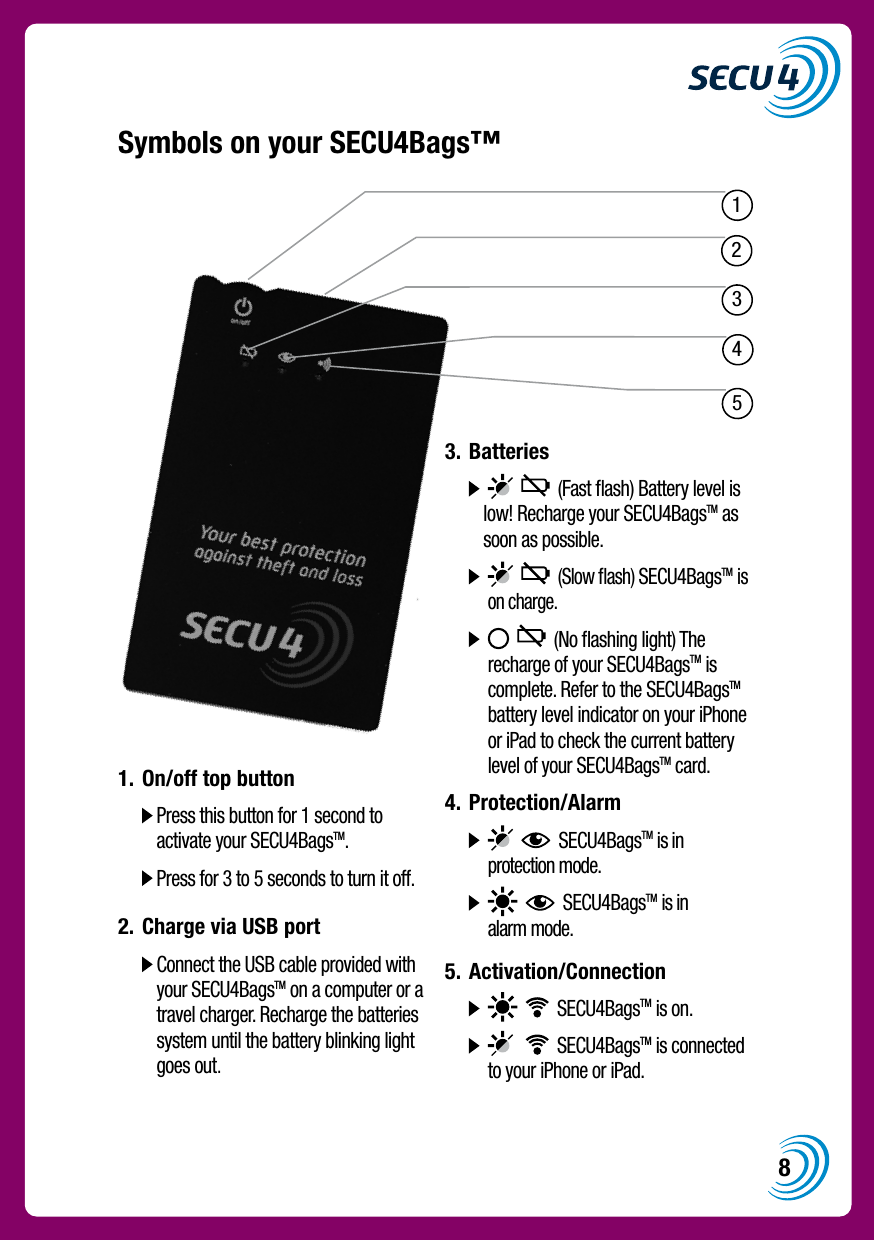
813452Symbols on your SECU4Bags™             1.  On/off top button    Press this button for 1 second to activate your SECU4BagsTM.   Press for 3 to 5 seconds to turn it off.2.  Charge via USB port    Connect the USB cable provided with your SECU4BagsTM on a computer or a travel charger. Recharge the batteries system until the battery blinking light goes out.3.  Batteries              (Fast flash) Battery level is low! Recharge your SECU4BagsTM as soon as possible.          (Slow flash) SECU4BagsTM is on charge.           (No flashing light) The recharge of your SECU4BagsTM is complete. Refer to the SECU4BagsTM battery level indicator on your iPhone or iPad to check the current battery level of your SECU4BagsTM card.4.  Protection/Alarm            SECU4BagsTM is in protection mode.          SECU4BagsTM is in alarm mode.5.  Activation/Connection            SECU4BagsTM is on.           SECU4BagsTM is connected to your iPhone or iPad.
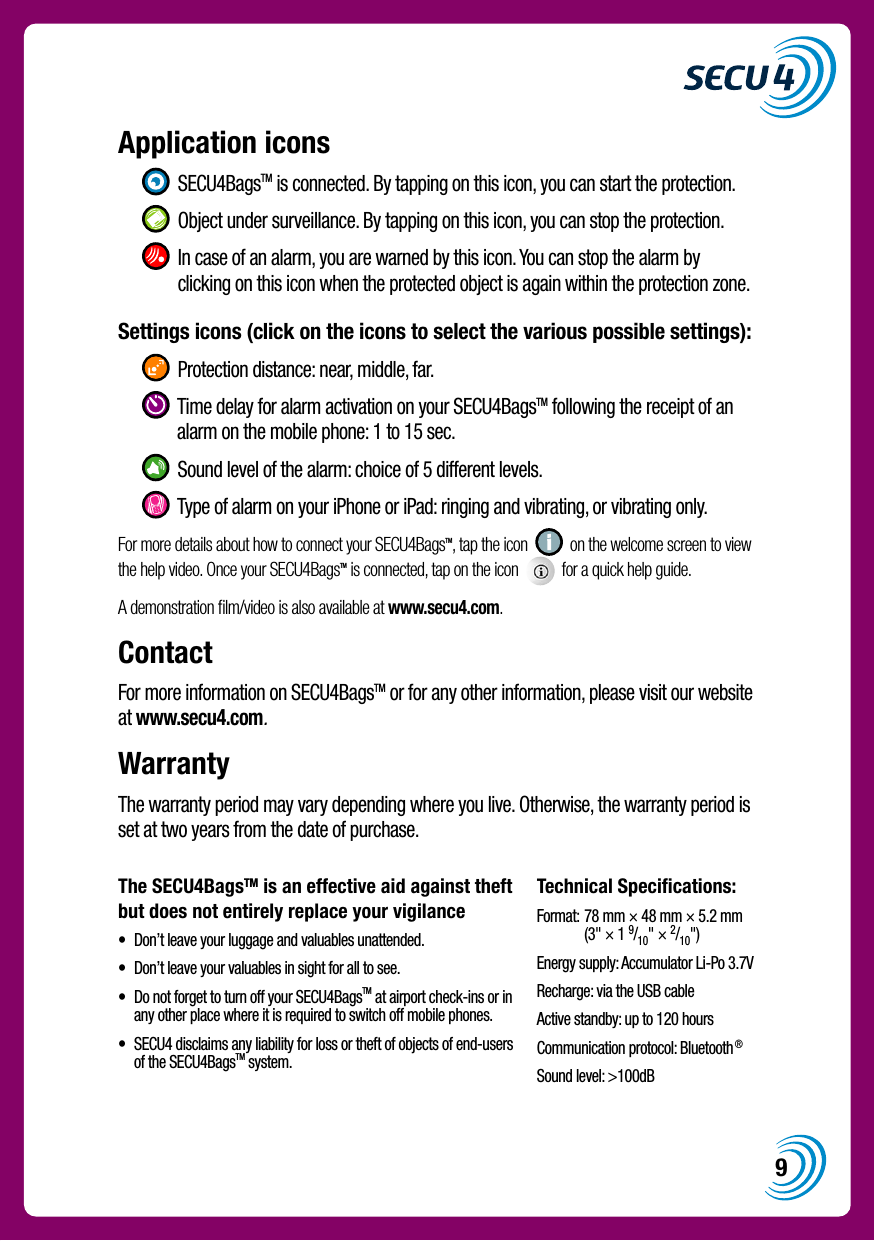
9The SECU4BagsTM is an effective aid against theft but does not entirely replace your vigilance•   Don’t leave your luggage and valuables unattended.•   Don’t leave your valuables in sight for all to see.•   Do not forget to turn off your SECU4BagsTM at airport check-ins or in any other place where it is required to switch off mobile phones.•   SECU4 disclaims any liability for loss or theft of objects of end-users of the SECU4BagsTM system.Technical Specifications:Format:  78 mm × 48 mm × 5.2 mm (3" × 1 9/10" × 2/10")Energy supply: Accumulator Li-Po 3.7VRecharge: via the USB cableActive standby: up to 120 hoursCommunication protocol: Bluetooth®Sound level: >100dBApplication icons     SECU4BagsTM is connected. By tapping on this icon, you can start the protection.    Object under surveillance. By tapping on this icon, you can stop the protection.    In case of an alarm, you are warned by this icon. You can stop the alarm by clicking on this icon when the protected object is again within the protection zone.Settings icons (click on the icons to select the various possible settings):     Protection distance: near, middle, far.    Time delay for alarm activation on your SECU4BagsTM following the receipt of an alarm on the mobile phone: 1 to 15 sec.    Sound level of the alarm: choice of 5 different levels.    Type of alarm on your iPhone or iPad: ringing and vibrating, or vibrating only.For more details about how to connect your SECU4BagsTM, tap the icon     on the welcome screen to view the help video. Once your SECU4BagsTM is connected, tap on the icon     for a quick help guide.A demonstration film/video is also available at www.secu4.com.ContactFor more information on SECU4BagsTM or for any other information, please visit our website at www.secu4.com.WarrantyThe warranty period may vary depending where you live. Otherwise, the warranty period is set at two years from the date of purchase.
10

Navigation menu