SIREN CARE GKU1001 Siren Gateway User Manual

Siren Care(Shanghai)information and technology company Siren Gateway

User Manual

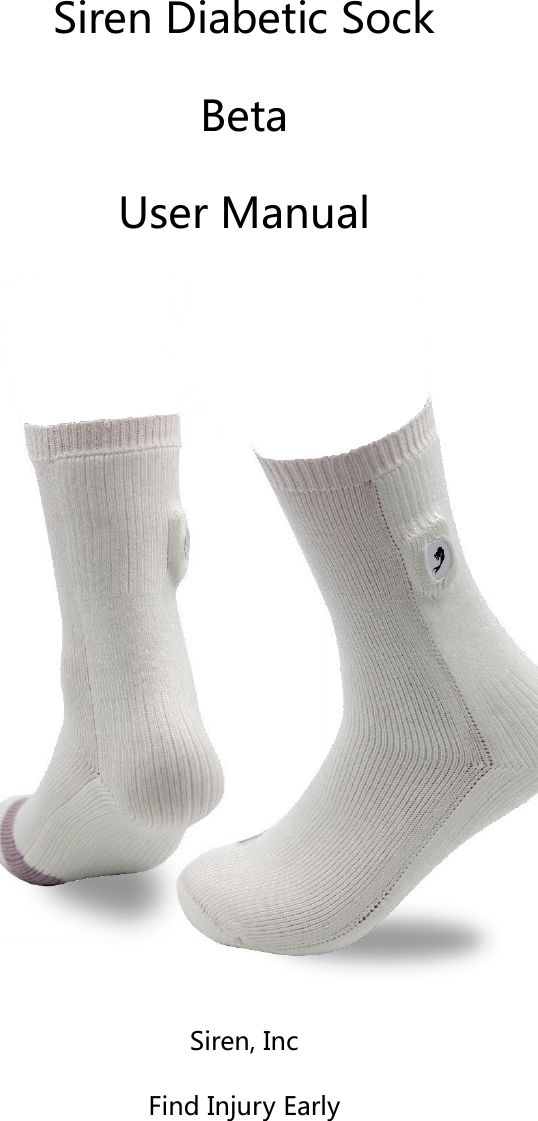
   Siren Diabetic Sock Beta User Manual  Siren, Inc Find Injury Early
   User Assistance Information   Should  you  have  any  questions,  please  contact  a  customer  service representative at Siren Inc. They may be contacted either by:   Phone: (+1) 415-855-1744 Email: info@siren.care   General Warning and Cautions   The  Siren  Diabetic  Sock  is  designed  for  a  person  that  has  been diagnosed  with  neuropathy  of  the  feet.  People  that  have  neuropathy (reduced feeling in  their  feet)  are  at a  high-risk  to  develop  foot ulcers that can potentially lead to amputation. Clinical studies have shown that before an ulcer breaks the surface of the skin, inflammation or heat may develop. The Siren Diabetic Sock is designed to detect and measure this heat/inflammation  earlier.  The  Siren  Diabetic  Sock  should  be  used every  day  by  the  patient  to  detect  the  inflammation  earlier.  Once  the inflammation  is  detected,  actions  can  be taken by  the  patient,  in consultation with their doctor, to potentially avoid the ulcer and further complications  such  as  infection,  gangrene,  and  amputation.  The  Siren Diabetic  Sock  integrated  micro  thermometer  in  the  fabric  that  is
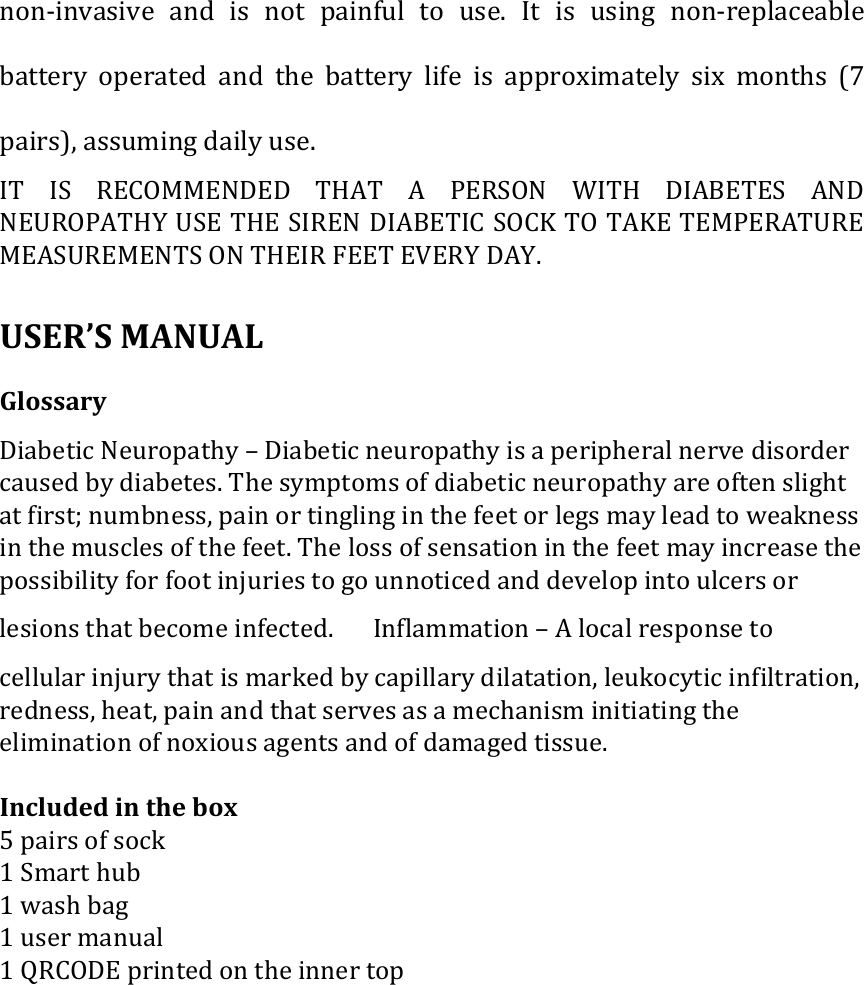
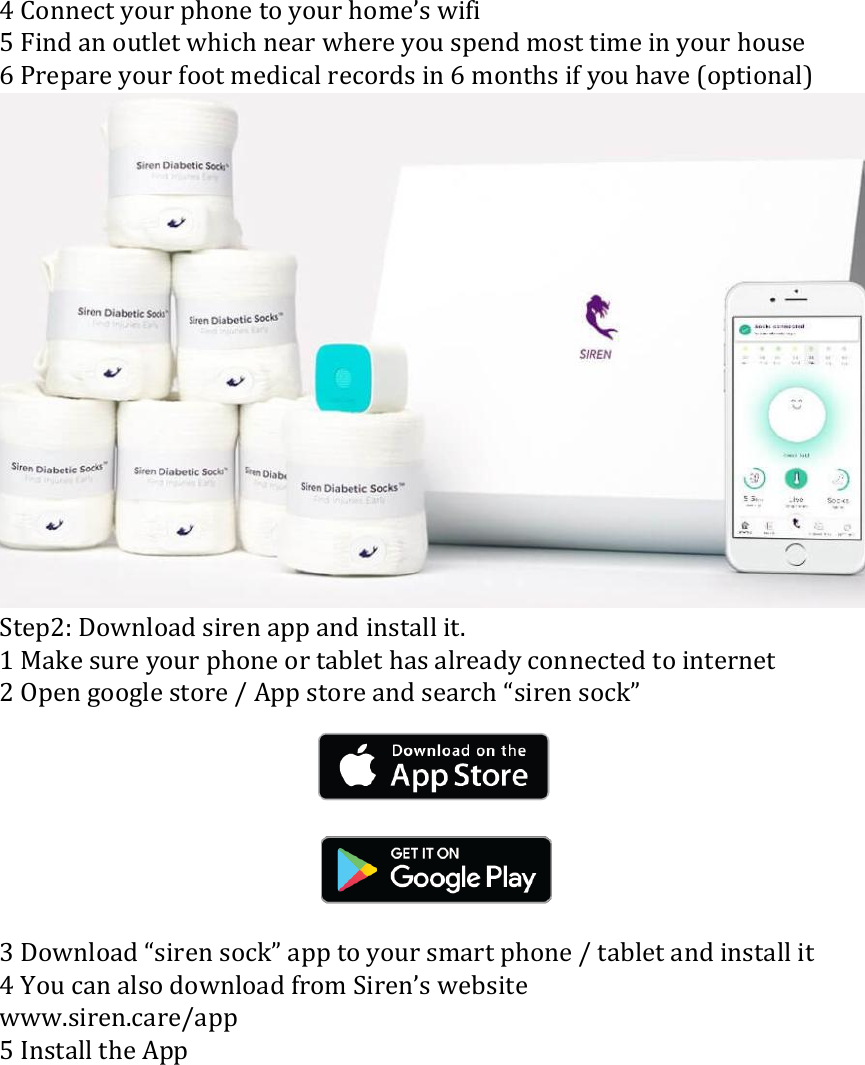
non-invasive  and  is not  painful  to  use.  It is  using  non-replaceable battery  operated  and  the  battery  life  is  approximately  six  months  (7 pairs), assuming daily use.   IT  IS  RECOMMENDED  THAT  A  PERSON  WITH  DIABETES  AND NEUROPATHY USE THE SIREN DIABETIC SOCK TO TAKE TEMPERATURE MEASUREMENTS ON THEIR FEET EVERY DAY.    USER’S MANUAL   Glossary �   Diabetic Neuropathy – Diabetic neuropathy is a peripheral nerve disorder caused by diabetes. The symptoms of diabetic neuropathy are often slight at first; numbness, pain or tingling in the feet or legs may lead to weakness in the muscles of the feet. The loss of sensation in the feet may increase the possibility for foot injuries to go unnoticed and develop into ulcers or lesions that become infected. � Inflammation – A local response to cellular injury that is marked by capillary dilatation, leukocytic infiltration, redness, heat, pain and that serves as a mechanism initiating the elimination of noxious agents and of damaged tissue.  Included in the box 5 pairs of sock 1 Smart hub 1 wash bag 1 user manual 1 QRCODE printed on the inner top
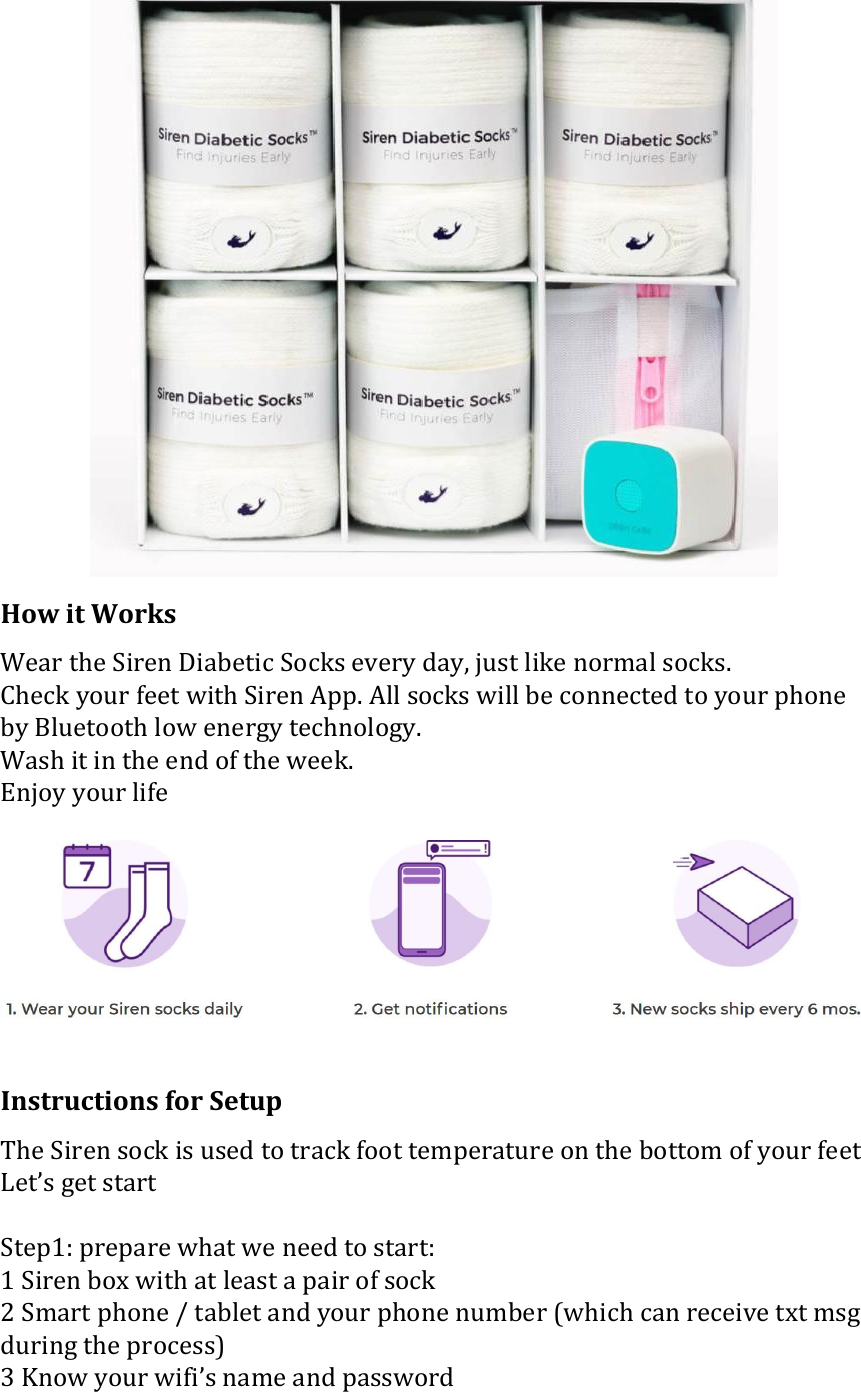
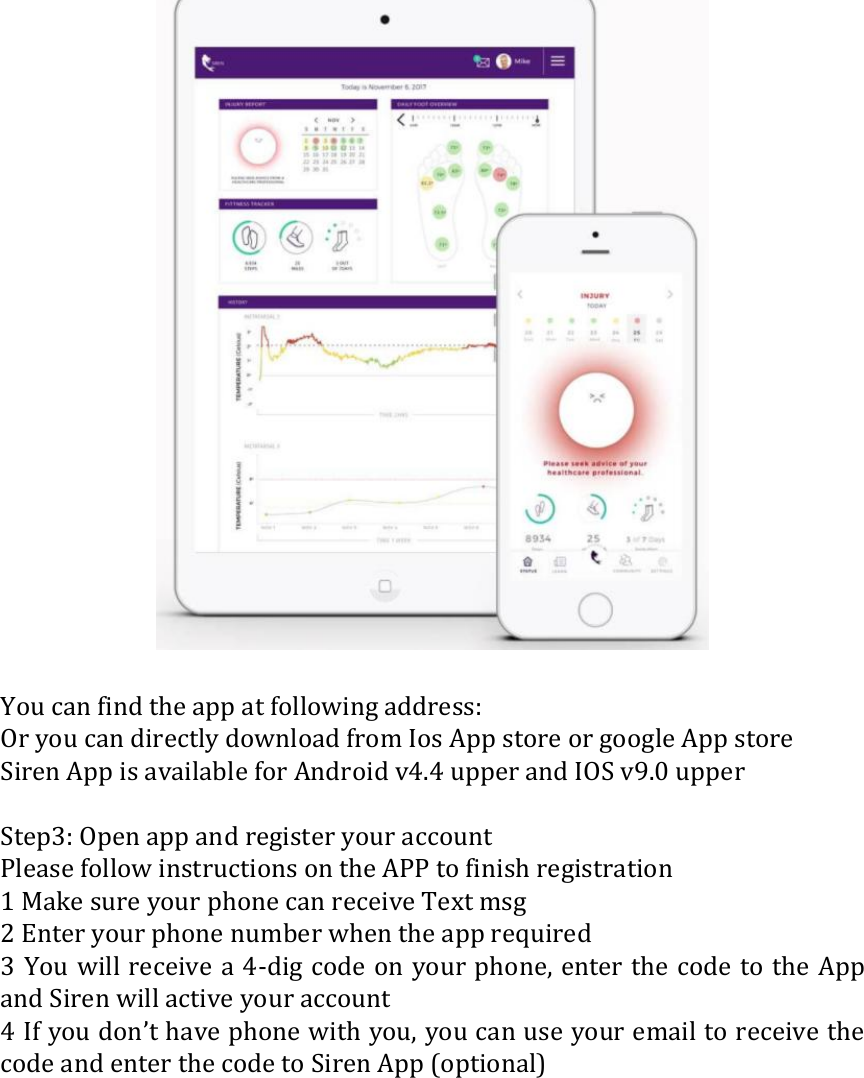
 How it Works Wear the Siren Diabetic Socks every day, just like normal socks. Check your feet with Siren App. All socks will be connected to your phone by Bluetooth low energy technology. Wash it in the end of the week. Enjoy your life   Instructions for Setup The Siren sock is used to track foot temperature on the bottom of your feet Let’s get start  Step1: prepare what we need to start: 1 Siren box with at least a pair of sock 2 Smart phone / tablet and your phone number (which can receive txt msg during the process) 3 Know your wifi’s name and password
4 Connect your phone to your home’s wifi 5 Find an outlet which near where you spend most time in your house 6 Prepare your foot medical records in 6 months if you have (optional)  Step2: Download siren app and install it. 1 Make sure your phone or tablet has already connected to internet 2 Open google store / App store and search “siren sock”        3 Download “siren sock” app to your smart phone / tablet and install it 4 You can also download from Siren’s website   www.siren.care/app 5 Install the App
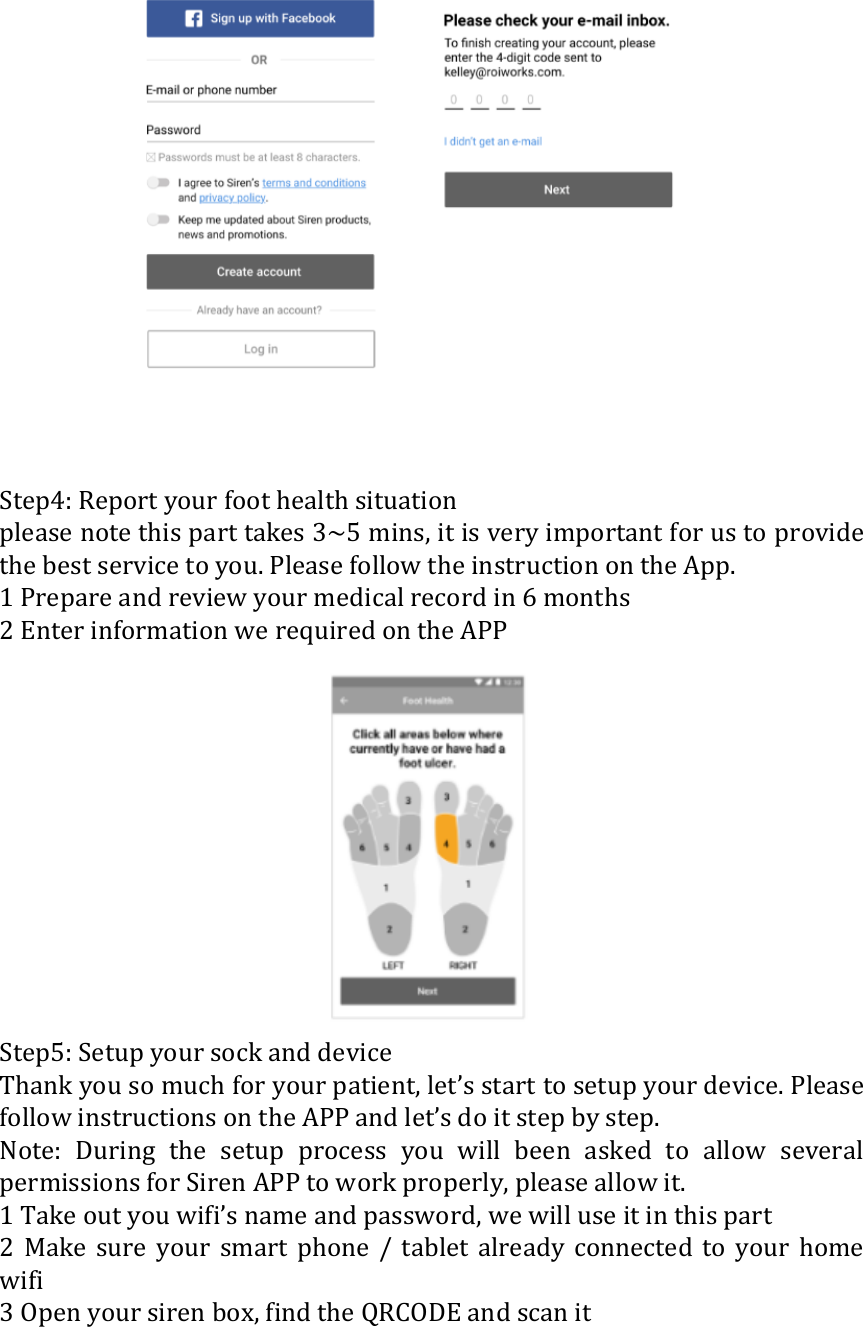
  You can find the app at following address:   Or you can directly download from Ios App store or google App store Siren App is available for Android v4.4 upper and IOS v9.0 upper  Step3: Open app and register your account Please follow instructions on the APP to finish registration 1 Make sure your phone can receive Text msg 2 Enter your phone number when the app required 3 You will receive a  4-dig code on your phone, enter the code to the App and Siren will active your account 4 If you don’t have phone with you, you can use your email to receive the code and enter the code to Siren App (optional)
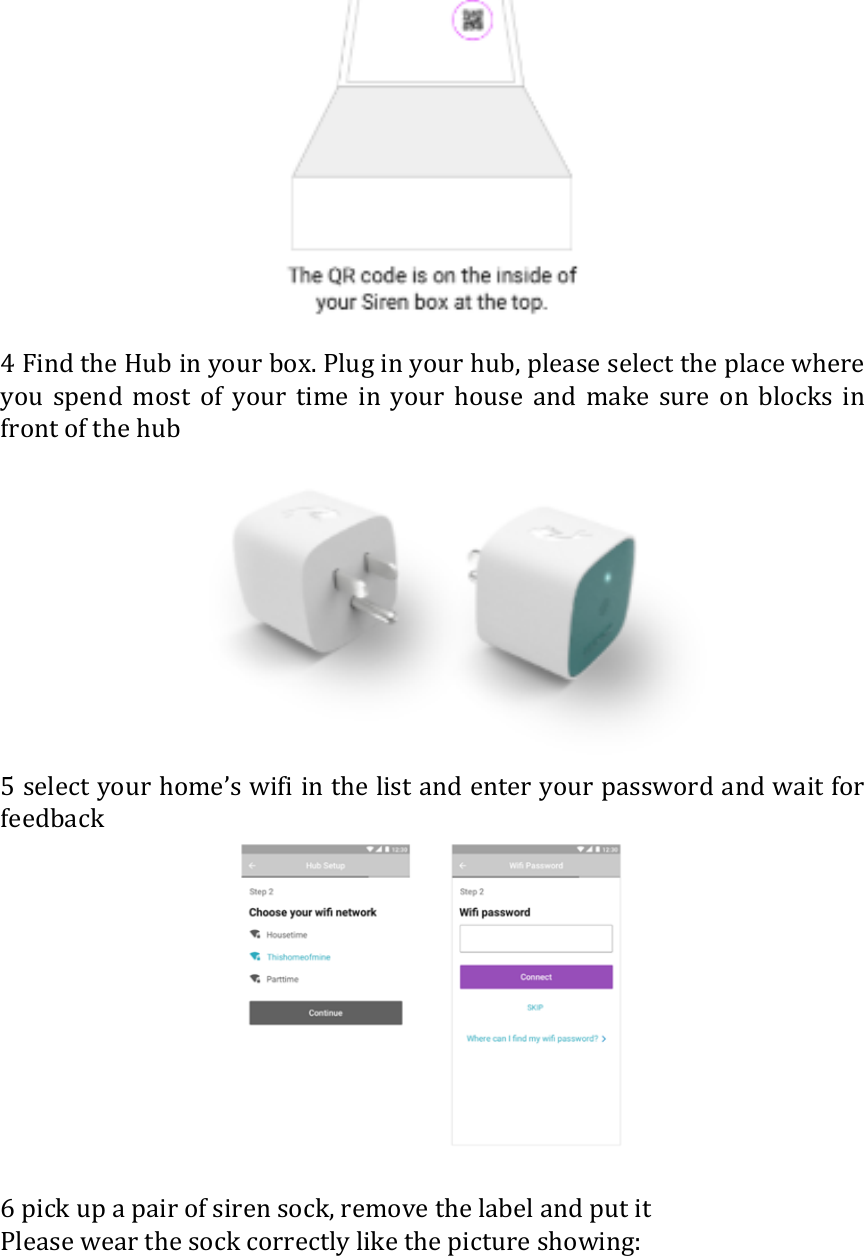
   Step4: Report your foot health situation please note this part takes 3~5 mins, it is very important for us to provide the best service to you. Please follow the instruction on the App. 1 Prepare and review your medical record in 6 months 2 Enter information we required on the APP  Step5: Setup your sock and device Thank you so much for your patient, let’s start to setup your device. Please follow instructions on the APP and let’s do it step by step. Note:  During  the  setup  process  you  will  been  asked  to  allow  several permissions for Siren APP to work properly, please allow it. 1 Take out you wifi’s name and password, we will use it in this part 2  Make  sure  your  smart  phone  /  tablet  already  connected  to  your  home wifi 3 Open your siren box, find the QRCODE and scan it
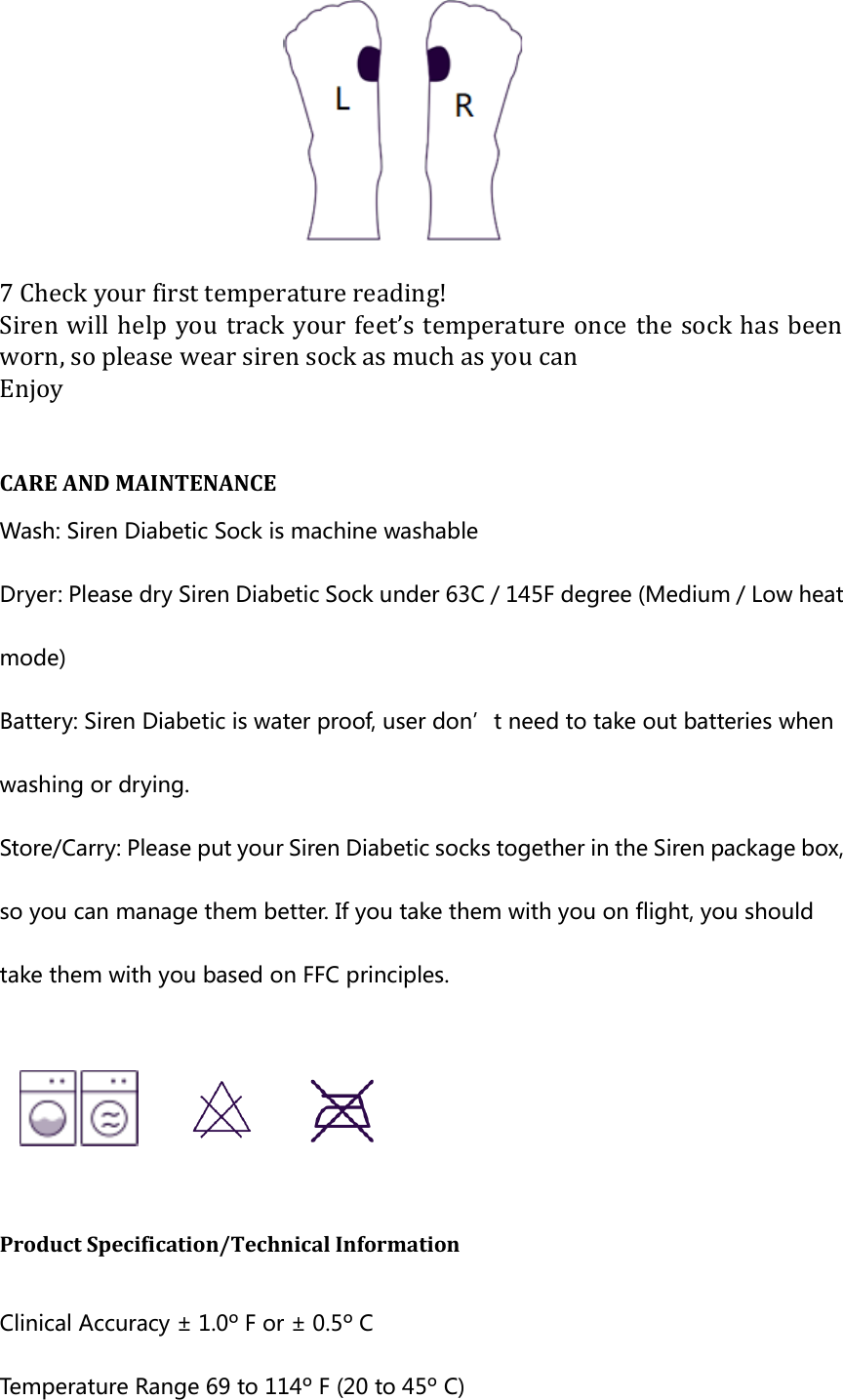
 4 Find the Hub in your box. Plug in your hub, please select the place where you  spend  most  of  your  time  in  your  house  and  make  sure  on  blocks  in front of the hub  5 select your home’s wifi in the list and enter your password and wait for feedback   6 pick up a pair of siren sock, remove the label and put it Please wear the sock correctly like the picture showing:
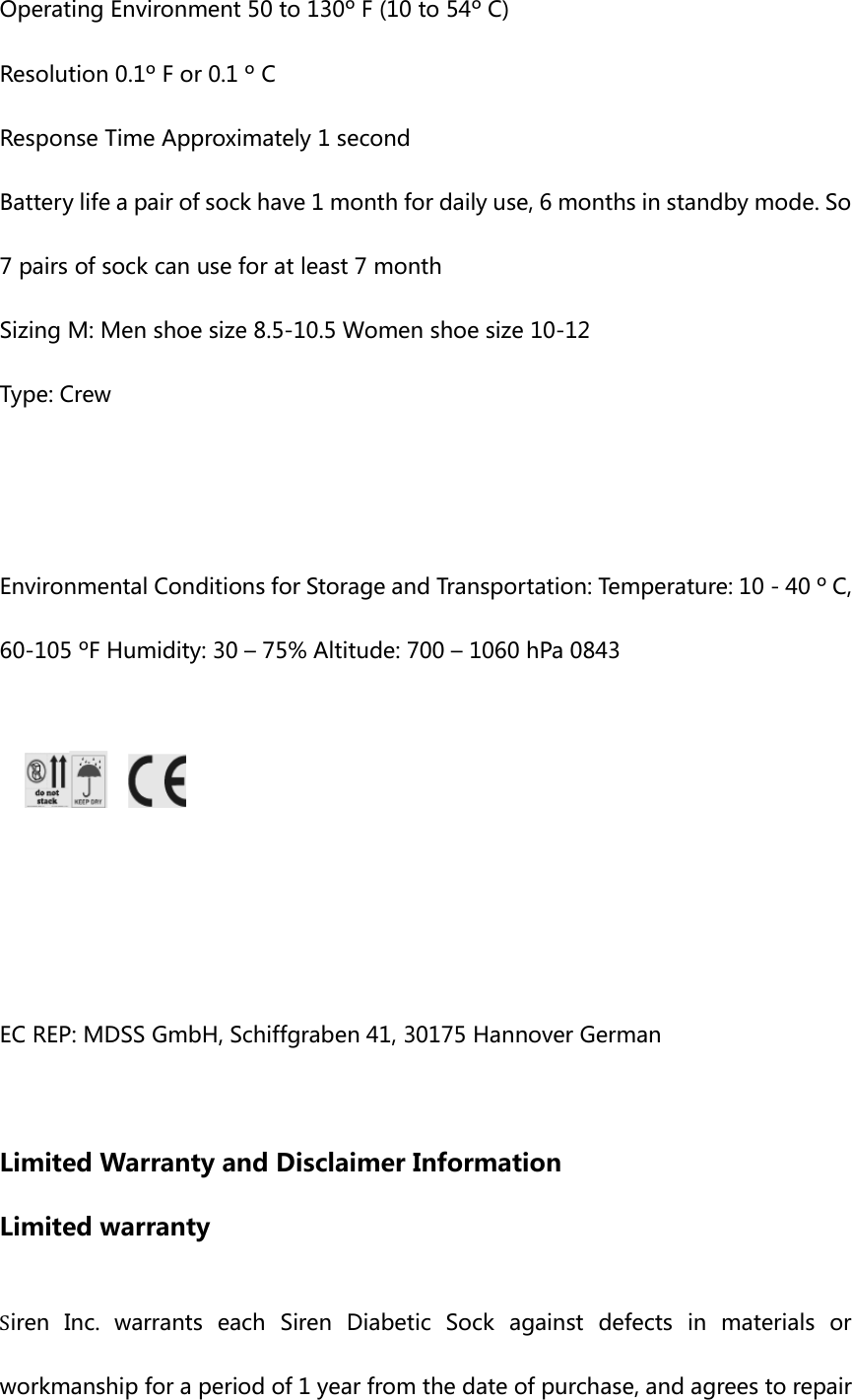
 7 Check your first temperature reading! Siren will  help  you track  your  feet’s temperature  once the sock has  been worn, so please wear siren sock as much as you can Enjoy  CARE AND MAINTENANCE   Wash: Siren Diabetic Sock is machine washable Dryer: Please dry Siren Diabetic Sock under 63C / 145F degree (Medium / Low heat mode) Battery: Siren Diabetic is water proof, user don’t need to take out batteries when washing or drying. Store/Carry: Please put your Siren Diabetic socks together in the Siren package box, so you can manage them better. If you take them with you on flight, you should take them with you based on FFC principles.     Product Specification/Technical Information    Clinical Accuracy ± 1.0º F or ± 0.5º C   Temperature Range 69 to 114º F (20 to 45º C)
Operating Environment 50 to 130º F (10 to 54º C)   Resolution 0.1º F or 0.1 º C   Response Time Approximately 1 second Battery life a pair of sock have 1 month for daily use, 6 months in standby mode. So 7 pairs of sock can use for at least 7 month Sizing M: Men shoe size 8.5-10.5 Women shoe size 10-12 Type: Crew   Environmental Conditions for Storage and Transportation: Temperature: 10 - 40 º C, 60-105 ºF Humidity: 30 – 75% Altitude: 700 – 1060 hPa 0843        EC REP: MDSS GmbH, Schiffgraben 41, 30175 Hannover German    Limited Warranty and Disclaimer Information Limited warranty  Siren  Inc.  warrants  each  Siren  Diabetic  Sock  against  defects  in  materials  or workmanship for a period of 1 year from the date of purchase, and agrees to repair
or replace any defective product without charge. IMPORTANT: This warranty does not cover damage resulting from accident, misuse or abuse, lack of reasonable care, the affixing of any attachment not provided with the product. Use of unauthorized replacement parts will void this warranty. Siren Inc. will not pay for warranty service performed by a non-authorized repair service and will not reimburse the customer for damage resulting from warranty service performed by a non-authorized repair service. No responsibility  is  assumed for  any  special, incidental or consequential damages. In order to obtain warranty service, simply call Diabetica Solutions Inc. Customer  Service,  415-855-1744,  for  a  Return  Material  Authorization  Number (RMA).  Then  send  the  product,  postage  or  shipping  prepaid,  to  Siren  Inc.  in accordance with the instructions given with the RMA number. It is suggested that for your  protection, you  ship  the  product,  insurance  prepaid.  Damage occurring during shipment is not covered by this warranty.   NOTE: Siren Inc. authorizes no other warranty, written or verbal. This warranty gives you specific legal rights and you may also have other rights which vary from state to state.  Some  states  do not allow  the  exclusion  or  limitation  of  incidental  or consequential damages, so the above exclusion and limitations may not apply to you.    Disclaimer and venue The Siren Diabetic Sock is intended to act as an aid in caring your feet, and are not intended to replace, be used without, or in lieu of, monitoring by a responsible adult. Warning: Siren Diabetic Sock is not a medical device Do not use Siren Diabetic Sock as a diagnostic tool.
It does not diagnose, cure, lessen, monitor, treat, nor prevent disease or injury; Our products and services are only intended to be a health and wellness product and are not intended for use in the diagnosis of disease or other conditions or in the cure, mitigation, treatment or prevention of disease. Siren Diabetic Socks help you to keep track of your foot health data, but should not be used as a diagnostic.  [REFERENCE TO STANDARD DIABETIC FOOT CARE GUIDELINES] [REFERENCE TO CLINICAL TRIALS BY LAVERY + ARMSTRONG]  FCC COMPLIANCE STATEMENT
FCC Caution. This device complies  with  part  15  of  the  FCC  Rules.  Operation is subject to  the  following two conditions:   (1) This device may not cause harmful interference, and   (2)  this  device  must  accept  any  interference  received,  including  interference  that  may  cause undesired operation.  Any  Changes or  modifications not  expressly approved  by  the party responsible for compliance could void the user's authority to operate the equipment.  Note: This equipment has been tested and found to comply with the limits for a Class B digital device, pursuant to part 15 of  the  FCC Rules.  These  limits are designed to provide reasonable protection  against  harmful  interference  in  a  residential  installation.  This  equipment  generates uses and can radiate radio frequency energy and, if not installed and used in accordance with the instructions,  may  cause  harmful  interference  to  radio  communications.  However,  there  is  no guarantee  that  interference  will  not  occur  in  a  particular  installation.  If  this  equipment  does cause harmful interference to radio or television reception, which can be determined by turning the equipment off and on, the user is encouraged to try to correct the interference by one or more of the following measures: -Reorient or relocate the receiving antenna. -Increase the separation between the equipment and receiver. -Connect the equipment into an outlet on a circuit different from that to which the receiver is connected. -Consult the dealer or an experienced radio/TV technician for help.  This  equipment  complies  with  FCC  radiation  exposure  limits  set  forth  for  an  uncontrolled environment.  This  equipment  should  be  installed  and  operated  with  minimum  distance  20cm between the radiator & your body.     IC Warning   This device complies with Industry Canada licence-exempt RSS standard(s). Operation is subject to the following two conditions: (1) This device may not cause interference, and   (2)  This  device  must accept  any interference,  including  interference that  may cause undesired operation of the device.    Le  présent  appareil  est  conforme  aux  CNR  d'Industrie  Canada  applicables  aux  appareils  radio exempts de licence. L'exploitation est autorisée aux deux conditions suivantes:   (1) l'appareil ne doit pas produire de brouillage, et   (2)  l'utilisateur  de  l'appareil  doit  accepter  tout  brouillage  radioélectrique  subi,  même  si  le brouillage est susceptible d'en compromettre le fonctionnement
This  equipment  complies  with  FCC  radiation  exposure  limits  set  forth  for  an  uncontrolled environment.  This  equipment  should  be  installed  and  operated  with  minimum  distance  20cm between the radiator & your body.    Ce  matériel  est  complété  par  une  exposition  de  rayonnements  FCC  pour  un  environnement naturel. Ce matériel doit être installé et se faire avec une distance minimale de 20cm entre les radiateurs et les autresYour body shop.

Navigation menu