Segway GC261515 PERSONAL TRANSPORTER TRANSCEIVER User Manual USERS MANUAL

Segway Inc PERSONAL TRANSPORTER TRANSCEIVER USERS MANUAL

USERS MANUAL

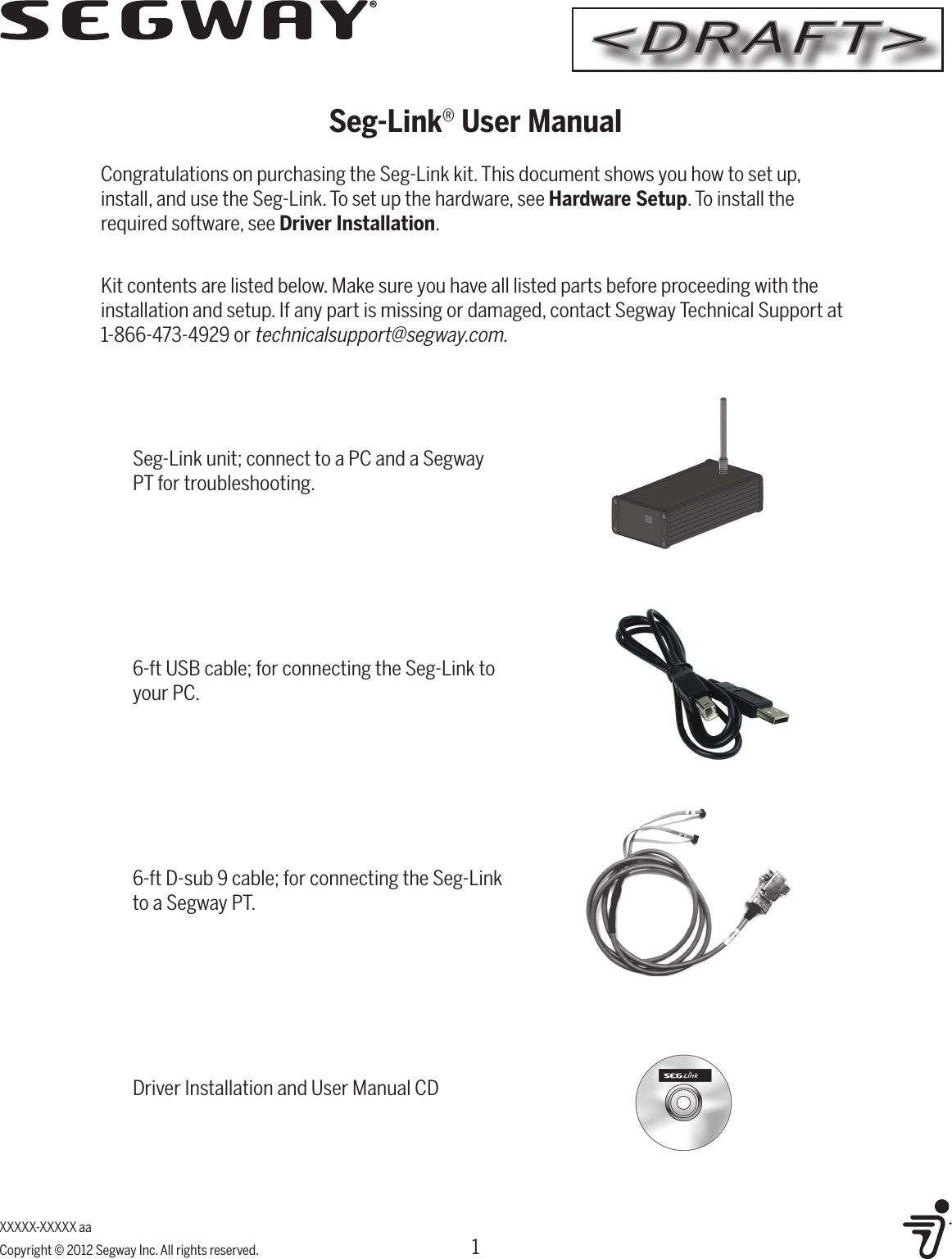
XXXXX-XXXXX aaCopyright © 2012 Segway Inc. All rights reserved.Seg-Link® User ManualCongratulations on purchasing the Seg-Link kit. This document shows you how to set up, install, and use the Seg-Link. To set up the hardware, see Hardware Setup. To install the required software, see Driver Installation. Kit contents are listed below. Make sure you have all listed parts before proceeding with the installation and setup. If any part is missing or damaged, contact Segway Technical Support at 1-866-473-4929 or technicalsupport@segway.com.6-ft USB cable; for connecting the Seg-Link to your PC.Seg-Link unit; connect to a PC and a Segway PT for troubleshooting.6-ft D-sub 9 cable; for connecting the Seg-Link to a Segway PT.Driver Installation and User Manual CD1<DRAFT>
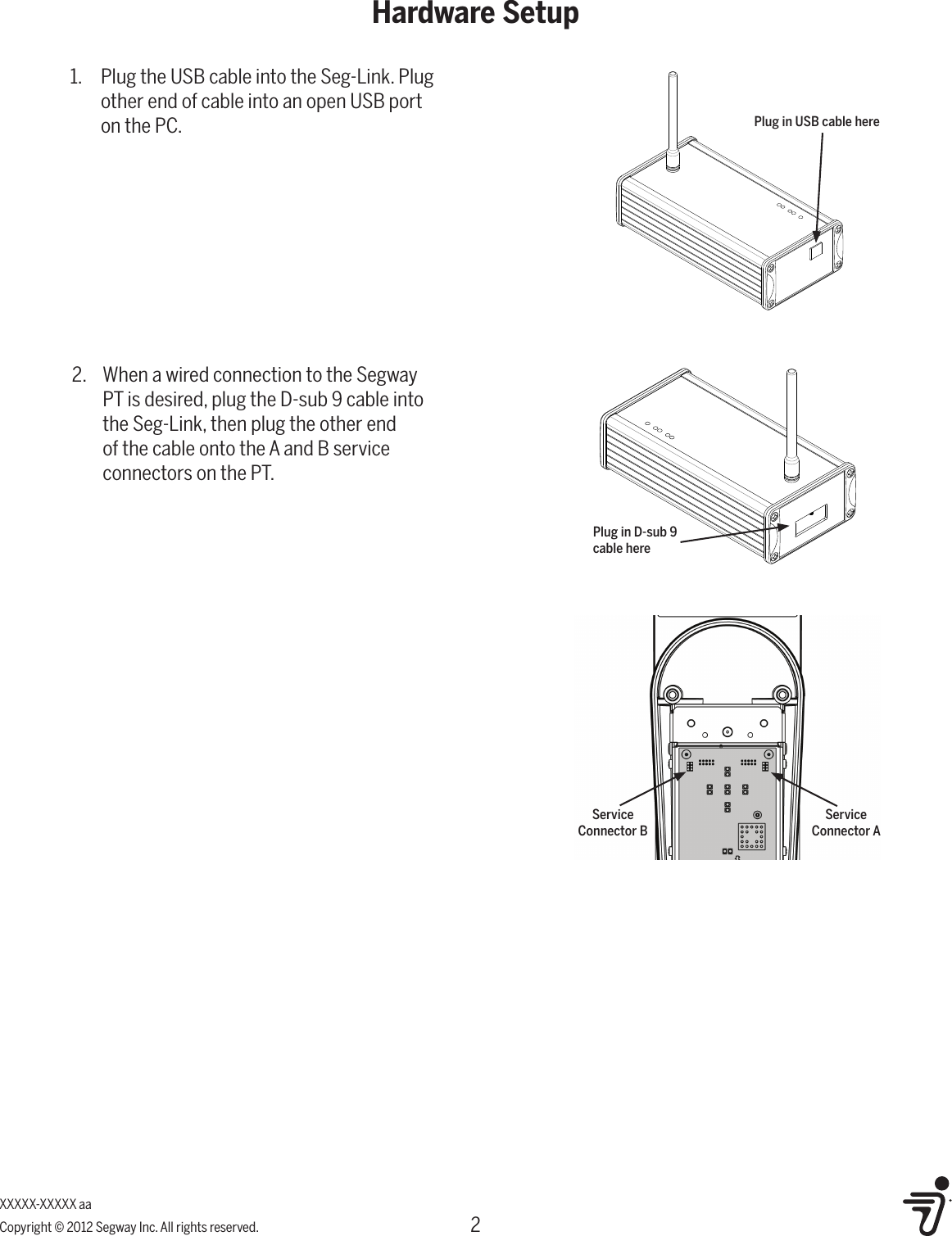
2Hardware SetupXXXXX-XXXXX aaCopyright © 2012 Segway Inc. All rights reserved.2.  When a wired connection to the Segway PT is desired, plug the D-sub 9 cable into the Seg-Link, then plug the other end of the cable onto the A and B service connectors on the PT.1.  Plug the USB cable into the Seg-Link. Plug other end of cable into an open USB port on the PC. Plug in USB cable herePlug in D-sub 9 cable hereService Connector BService Connector A
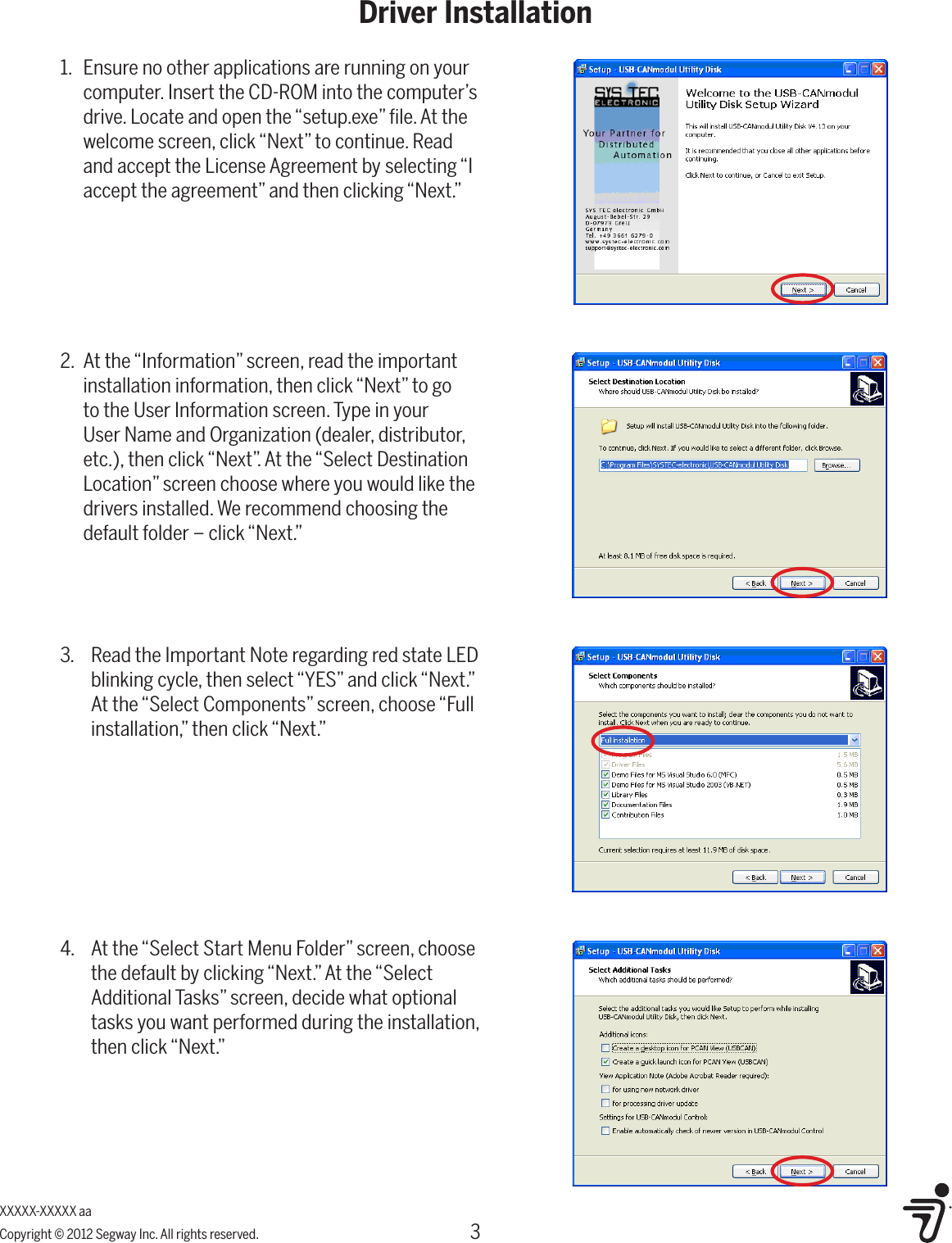
3Driver InstallationXXXXX-XXXXX aaCopyright © 2012 Segway Inc. All rights reserved.2.  At the “Information” screen, read the important installation information, then click “Next” to go to the User Information screen. Type in your User Name and Organization (dealer, distributor, etc.), then click “Next”. At the “Select Destination Location” screen choose where you would like the drivers installed. We recommend choosing the default folder – click “Next.”1.  Ensure no other applications are running on your computer. Insert the CD-ROM into the computer’s drive. Locate and open the “setup.exe” file. At the welcome screen, click “Next” to continue. Read and accept the License Agreement by selecting “I accept the agreement” and then clicking “Next.”3.  Read the Important Note regarding red state LED blinking cycle, then select “YES” and click “Next.” At the “Select Components” screen, choose “Full installation,” then click “Next.”4.  At the “Select Start Menu Folder” screen, choose the default by clicking “Next.” At the “Select Additional Tasks” screen, decide what optional tasks you want performed during the installation, then click “Next.”
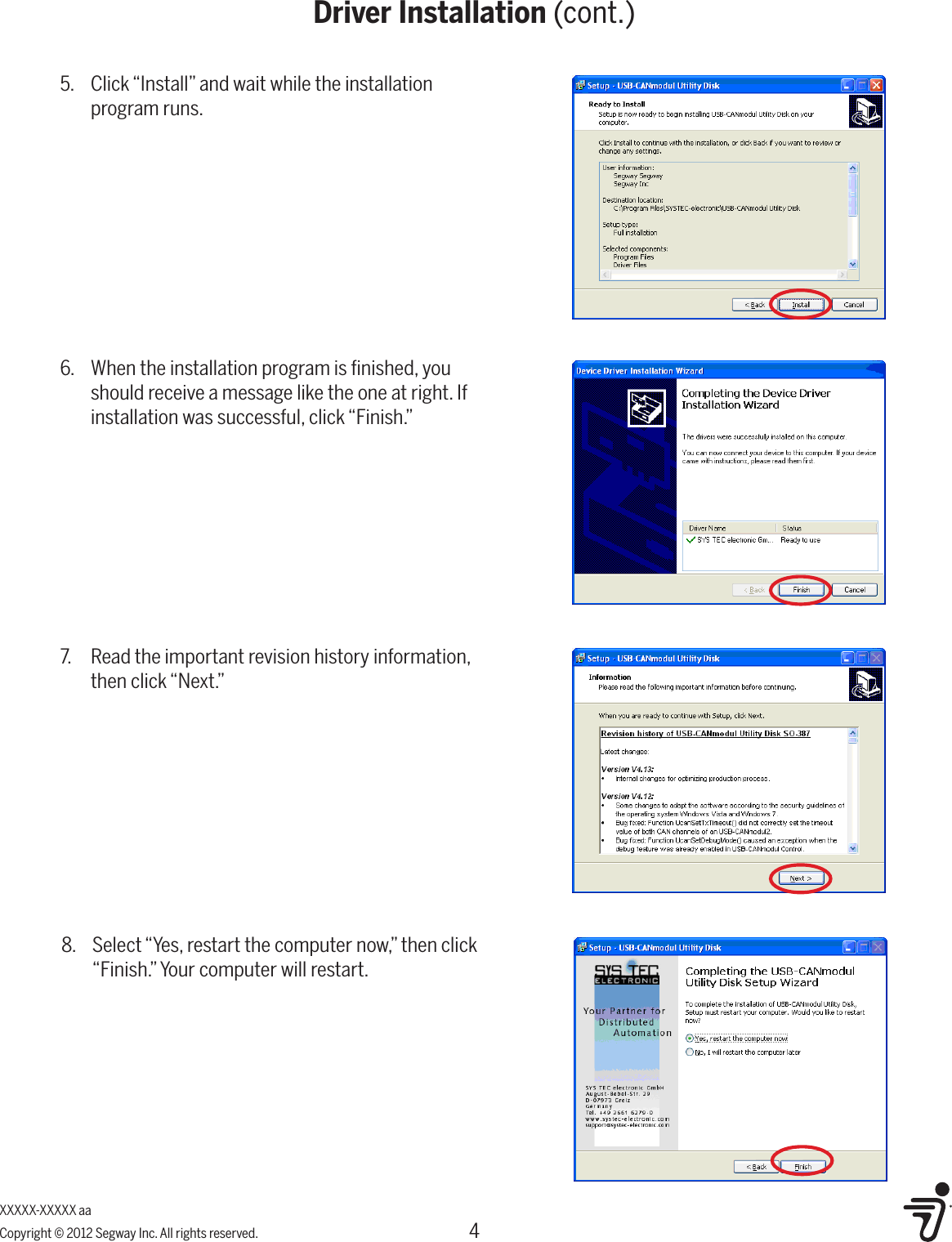
4XXXXX-XXXXX aaCopyright © 2012 Segway Inc. All rights reserved.Driver Installation (cont.)5.  Click “Install” and wait while the installation program runs.6.  When the installation program is finished, you should receive a message like the one at right. If installation was successful, click “Finish.”7.  Read the important revision history information, then click “Next.”8.  Select “Yes, restart the computer now,” then click “Finish.” Your computer will restart.
5Regulatory ComplianceXXXXX-XXXXX aaCopyright © 2012 Segway Inc. All rights reserved.United StatesRadio Frequency Interference:United States FCC Part 15 Class B Radio Frequency Interference(RFI) StatementThe Seg-Link has been tested and found to comply with the limits for Class B digital devices pursuant to Part 15 of the FCC rules. These limits are designed to provide reasonable protection against harmful interference in a residential environment. The Seg-Link generates, uses, and can radiate radio frequency energy and, if not installed and used in accordance with the User Materials, may cause harmful interference to radio communications. However, there is no guarantee that interference will not occur in a particular installation.FCC Notice (for U.S. Customers):This device complies with Part 15 of the FCC Rules:Operation is subject to the following conditions: 1. This device many not cause harmful interference, and2. This device must accept any interference received, Including interference that may cause undesired operation.Changes and Modifications not expressly approved by Segway Inc. may void your authority to operate this equipment under Federal Communications Commissions rules.FCC ID: T2Z-GC261515IC: 6395A-GC261515CanadaThis device complies with Industry Canada licence-exempt RSS standard(s). Operation is subject to the following two conditions: (1) this device may not cause interference, and (2) this device must accept any interference, including interference that may cause undesired operation of the device.The Seg-Link is a Class B digital apparatus that complies with Canadian ICES-003.EuropeThe Seg-Link complies with the requirements of the European Directives 89/336/EEC, Directive of Electromagnetic Compatibility.WEEE (Waste Electrical and Electronic Equipment)This product should be recycled at the end of its useful life.All Segway Battery Chargers can be returned to the location  where they were purchased, or to Segway Inc. at:  Segway Inc.  Attn. Product Recycling  14 Technology Dr.  Bedford, NH 03310 USATo find the nearest Segway dealer or distributor, visit www.segway.com/locator/.

Navigation menu