Sequel Technologies WTMX01 Motion Detector, PIR, Wireless User Manual CERTIFICATE OF COMPLIANCE

Sequel Technologies, LLC Motion Detector, PIR, Wireless CERTIFICATE OF COMPLIANCE

manual

Rhein Tech Laboratories, Inc.  Client:  Sequel Technologies, LLC 360 Herndon Parkway    Model:  STWS-PIR Suite 1400  Standard: FCC 15.231                                             FCC ID:  V4X-WTMX01 Herndon, VA 20170 http://www.rheintech.com Report #: 2008039    Page 20 of 29       Appendix G:  Manual  Please see the following pages.
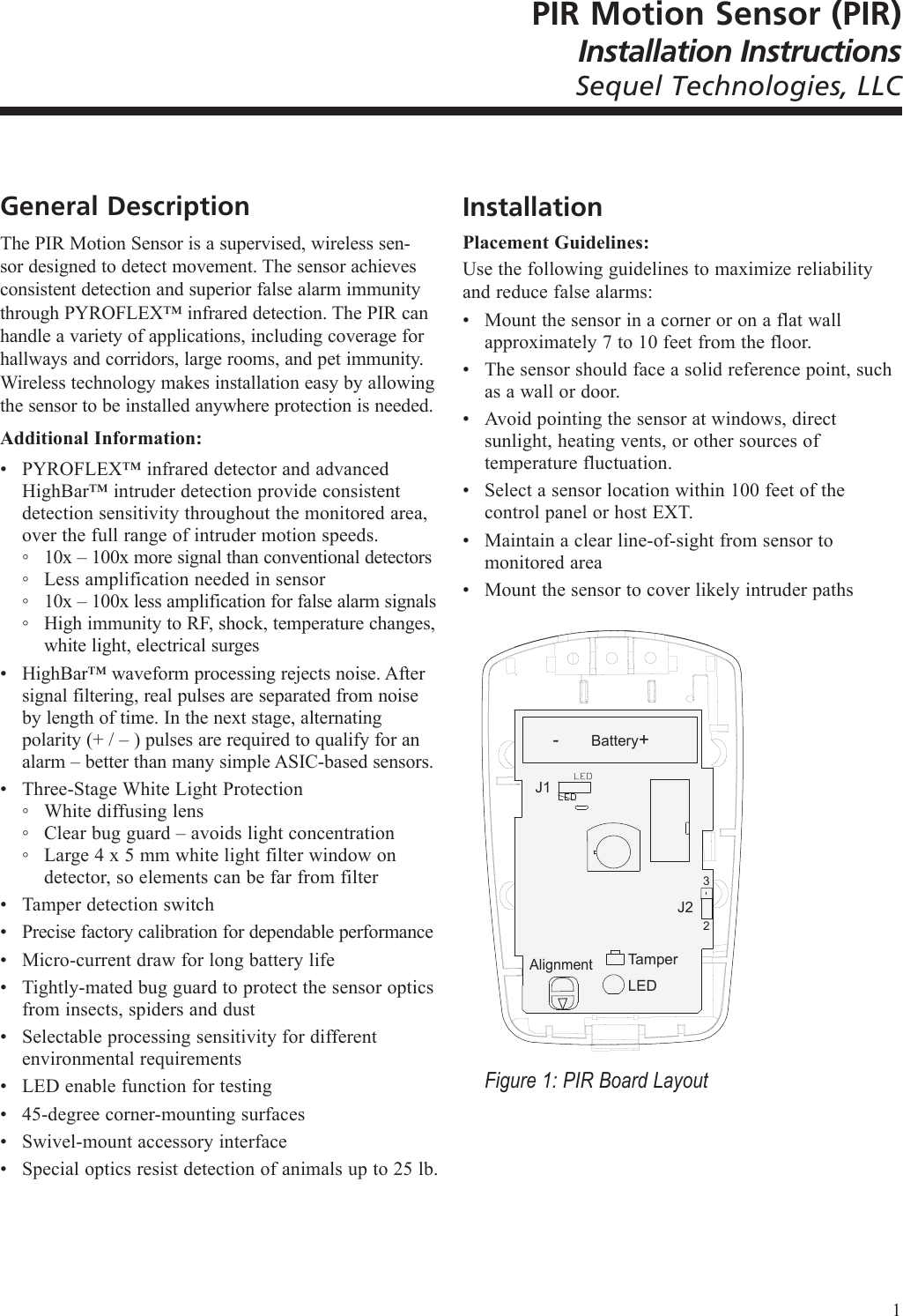
PIR Motion Sensor (PIR)Installation InstructionsSequel Technologies, LLCGeneral DescriptionThe PIR Motion Sensor is a supervised, wireless sen-sor designed to detect movement. The sensor achieves consistent detection and superior false alarm immunity through PYROFLEX™ infrared detection. The PIR can handle a variety of applications, including coverage for hallways and corridors, large rooms, and pet immunity. Wireless technology makes installation easy by allowing the sensor to be installed anywhere protection is needed.Additional Information:PYROFLEX™ infrared detector and advanced HighBar™ intruder detection provide consistent detection sensitivity throughout the monitored area, over the full range of intruder motion speeds.10x – 100x more signal than conventional detectorsLess amplification needed in sensor10x – 100x less amplification for false alarm signalsHigh immunity to RF, shock, temperature changes, white light, electrical surgesHighBar™ waveform processing rejects noise. After signal filtering, real pulses are separated from noise by length of time. In the next stage, alternating polarity (+ / – ) pulses are required to qualify for an alarm – better than many simple ASIC-based sensors.Three-Stage White Light ProtectionWhite diffusing lensClear bug guard – avoids light concentrationLarge 4 x 5 mm white light filter window on detector, so elements can be far from filterTamper detection switchPrecise factory calibration for dependable performanceMicro-current draw for long battery lifeTightly-mated bug guard to protect the sensor optics from insects, spiders and dustSelectable processing sensitivity for different environmental requirementsLED enable function for testing45-degree corner-mounting surfacesSwivel-mount accessory interfaceSpecial optics resist detection of animals up to 25 lb.•◦◦◦◦••◦◦◦•••••••••InstallationPlacement Guidelines:Use the following guidelines to maximize reliability and reduce false alarms:Mount the sensor in a corner or on a flat wall approximately 7 to 10 feet from the floor.The sensor should face a solid reference point, such as a wall or door.Avoid pointing the sensor at windows, direct sunlight, heating vents, or other sources of temperature fluctuation.Select a sensor location within 100 feet of the control panel or host EXT.Maintain a clear line-of-sight from sensor to monitored areaMount the sensor to cover likely intruder paths-  +J1TamperLEDJ232BatteryAlignmentFigure 1: PIR Board Layout••••••1
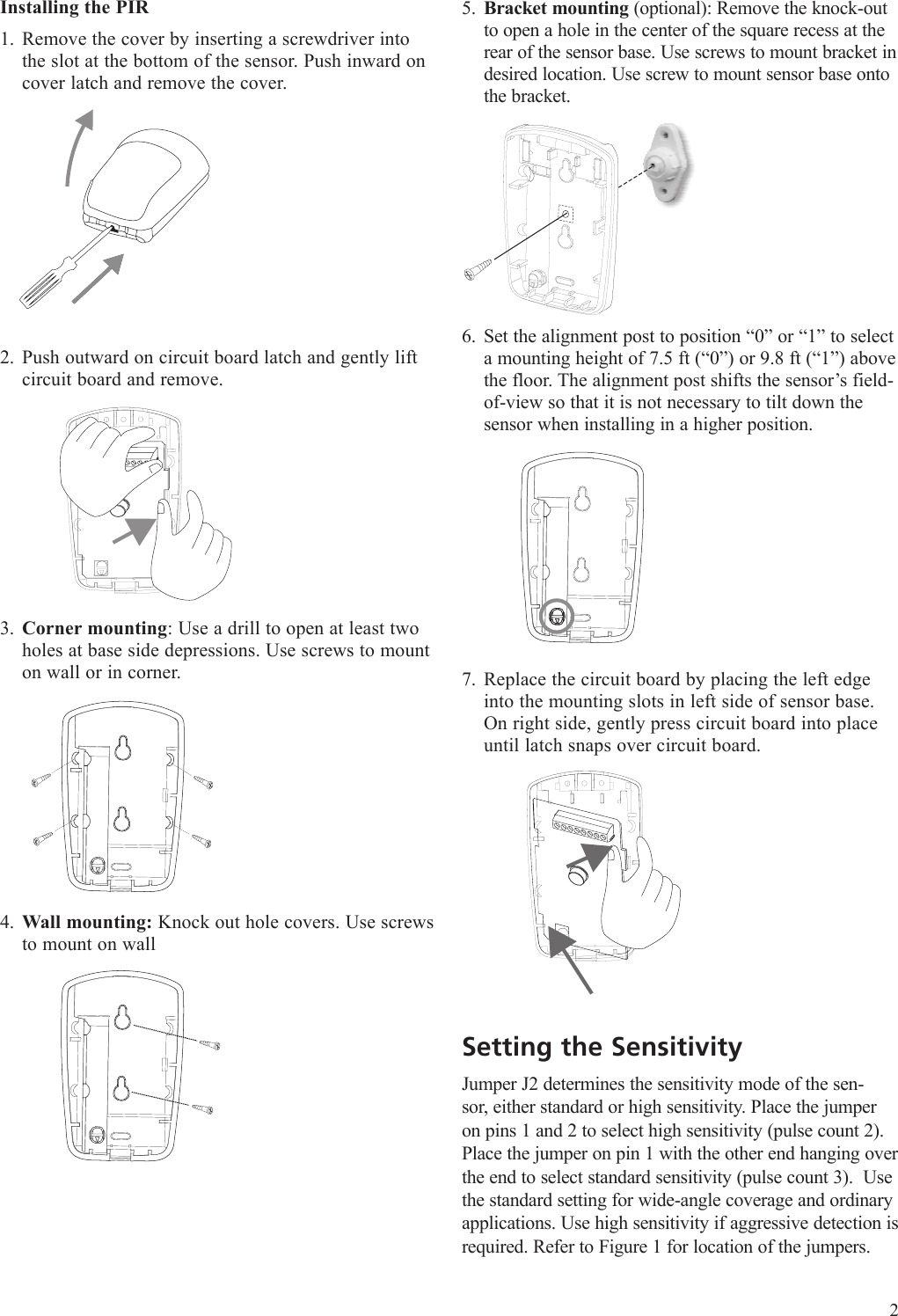
Installing the PIRRemove the cover by inserting a screwdriver into the slot at the bottom of the sensor. Push inward on cover latch and remove the cover.Push outward on circuit board latch and gently lift circuit board and remove.1Corner mounting: Use a drill to open at least two holes at base side depressions. Use screws to mount on wall or in corner.Wall mounting: Knock out hole covers. Use screws to mount on wall 1.2.3.4.Bracket mounting (optional): Remove the knock-out to open a hole in the center of the square recess at the rear of the sensor base. Use screws to mount bracket in desired location. Use screw to mount sensor base onto the bracket.Set the alignment post to position “0” or “1” to select a mounting height of 7.5 ft (“0”) or 9.8 ft (“1”) above the floor. The alignment post shifts the sensor’s field-of-view so that it is not necessary to tilt down the sensor when installing in a higher position.Replace the circuit board by placing the left edge into the mounting slots in left side of sensor base. On right side, gently press circuit board into place until latch snaps over circuit board.Setting the SensitivityJumper J2 determines the sensitivity mode of the sen-sor, either standard or high sensitivity. Place the jumper on pins 1 and 2 to select high sensitivity (pulse count 2). Place the jumper on pin 1 with the other end hanging over the end to select standard sensitivity (pulse count 3).  Use the standard setting for wide-angle coverage and ordinary applications. Use high sensitivity if aggressive detection is required. Refer to Figure 1 for location of the jumpers.5.6.7.2
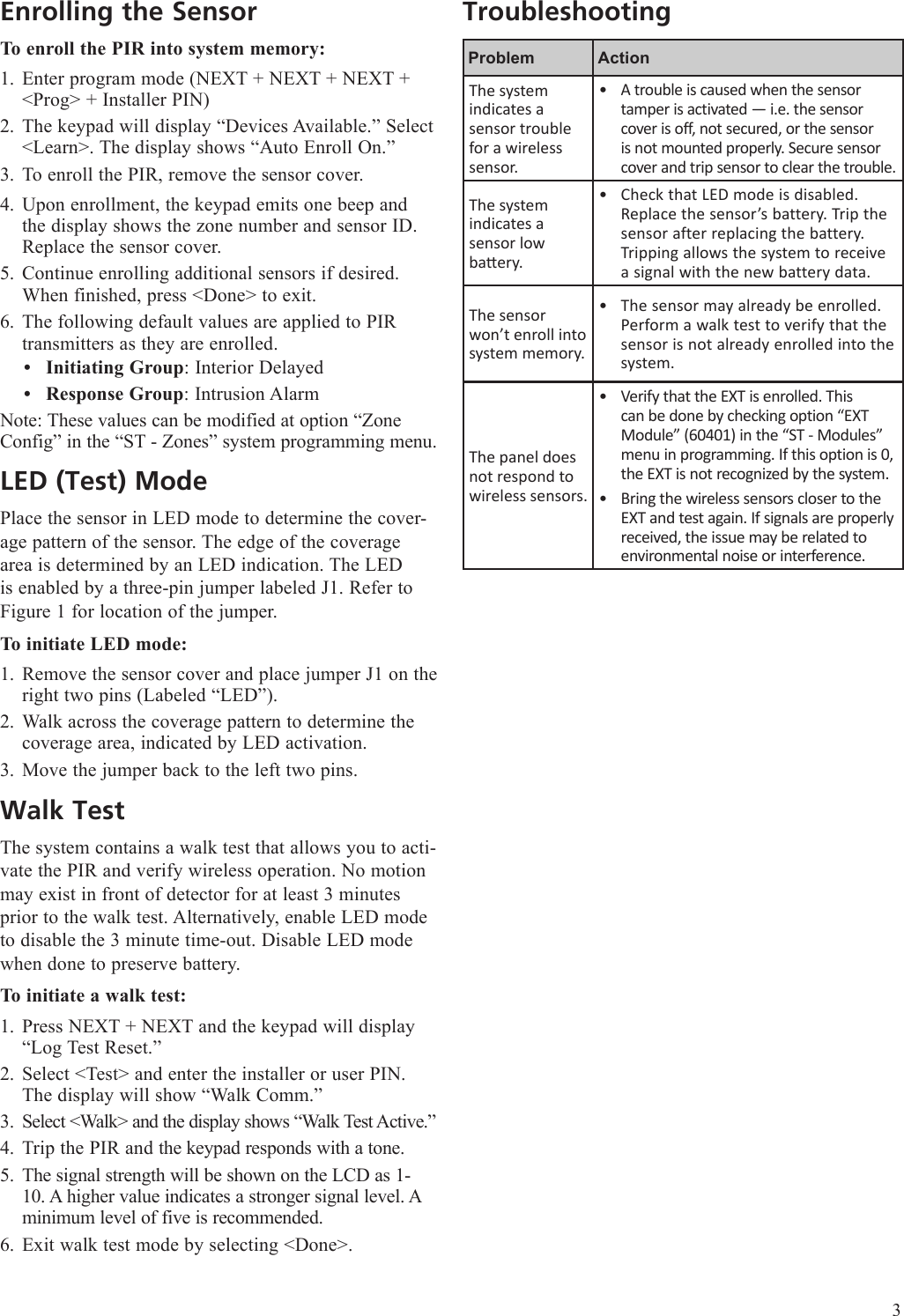
Enrolling the SensorTo enroll the PIR into system memory:Enter program mode (NEXT + NEXT + NEXT + <Prog> + Installer PIN)The keypad will display “Devices Available.” Select <Learn>. The display shows “Auto Enroll On.”To enroll the PIR, remove the sensor cover.Upon enrollment, the keypad emits one beep and the display shows the zone number and sensor ID. Replace the sensor cover.Continue enrolling additional sensors if desired. When finished, press <Done> to exit.The following default values are applied to PIR transmitters as they are enrolled. Initiating Group: Interior DelayedResponse Group: Intrusion AlarmNote: These values can be modified at option “Zone Config” in the “ST - Zones” system programming menu.LED (Test) ModePlace the sensor in LED mode to determine the cover-age pattern of the sensor. The edge of the coverage area is determined by an LED indication. The LED is enabled by a three-pin jumper labeled J1. Refer to Figure 1 for location of the jumper.To initiate LED mode:Remove the sensor cover and place jumper J1 on the right two pins (Labeled “LED”).Walk across the coverage pattern to determine the coverage area, indicated by LED activation. Move the jumper back to the left two pins. Walk TestThe system contains a walk test that allows you to acti-vate the PIR and verify wireless operation. No motion may exist in front of detector for at least 3 minutes prior to the walk test. Alternatively, enable LED mode to disable the 3 minute time-out. Disable LED mode when done to preserve battery.To initiate a walk test:Press NEXT + NEXT and the keypad will display “Log Test Reset.”Select <Test> and enter the installer or user PIN. The display will show “Walk Comm.”Select <Walk> and the display shows “Walk Test Active.”Trip the PIR and the keypad responds with a tone. The signal strength will be shown on the LCD as 1-10. A higher value indicates a stronger signal level. A minimum level of five is recommended.Exit walk test mode by selecting <Done>.1.2.3.4.5.6.••1.2.3.1.2.3.4.5.6.TroubleshootingProblem ActionThe system indicates a sensor trouble for a wireless sensor.A trouble is caused when the sensor tamper is activated — i.e. the sensor cover is off, not secured, or the sensor is not mounted properly. Secure sensor cover and trip sensor to clear the trouble.•The system indicates a  sensor low baery.Check that LED mode is disabled. Replace the sensor’s battery. Trip the sensor after replacing the battery. Tripping allows the system to receive a signal with the new battery data.•The sensor won’t enroll into system memory.The sensor may already be enrolled. Perform a walk test to verify that the sensor is not already enrolled into the system.•The panel does not respond to wireless sensors. Verify that the EXT is enrolled. This can be done by checking option “EXT Module” (60401) in the “ST - Modules” menu in programming. If this option is 0, the EXT is not recognized by the system.Bring the wireless sensors closer to the EXT and test again. If signals are properly received, the issue may be related to environmental noise or interference.••3
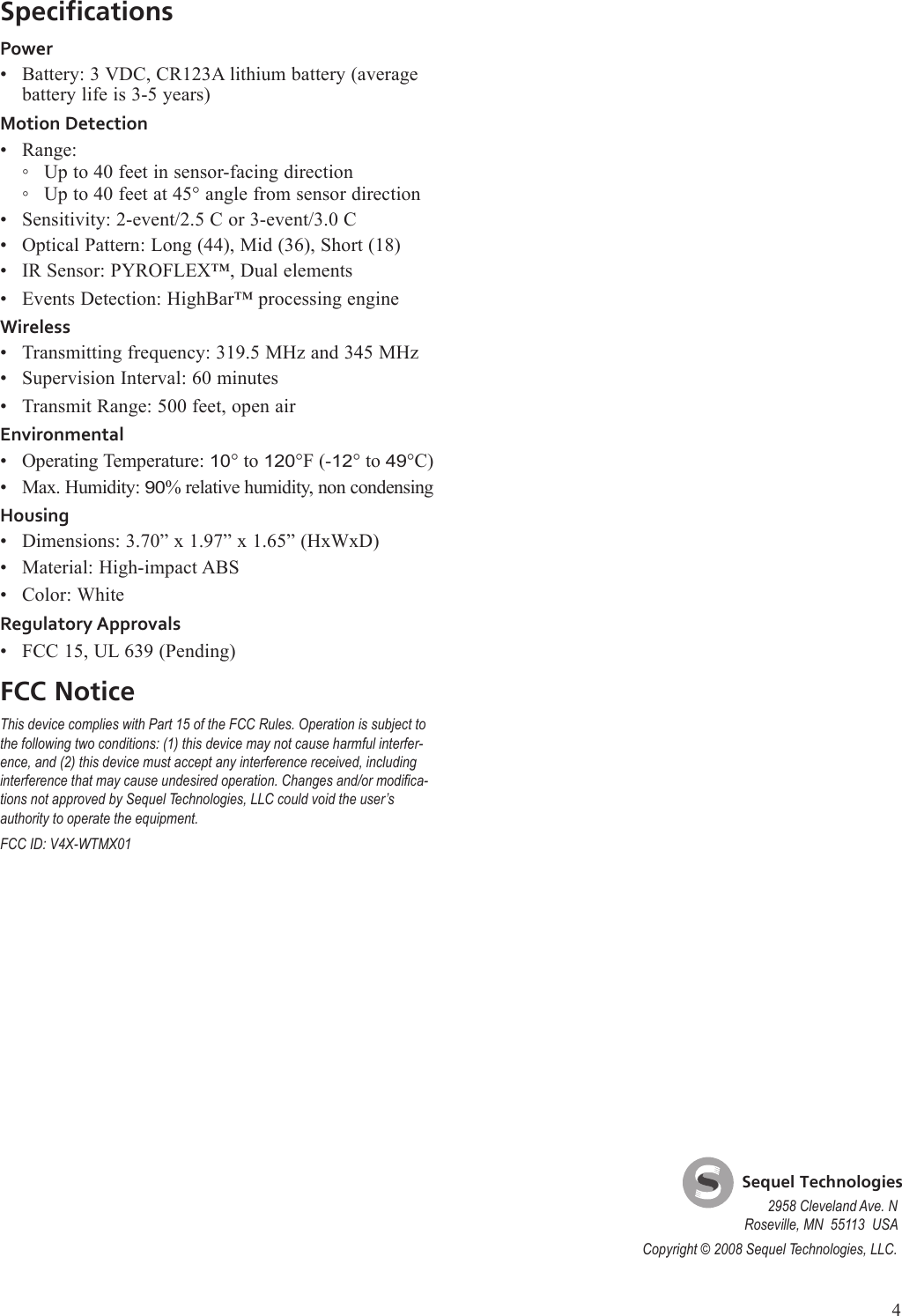
SpecificationsPowerBattery: 3 VDC, CR123A lithium battery (average battery life is 3-5 years)Motion DetectionRange:Up to 40 feet in sensor-facing directionUp to 40 feet at 45° angle from sensor directionSensitivity: 2-event/2.5 C or 3-event/3.0 COptical Pattern: Long (44), Mid (36), Short (18)IR Sensor: PYROFLEX™, Dual elementsEvents Detection: HighBar™ processing engineWirelessTransmitting frequency: 319.5 MHz and 345 MHzSupervision Interval: 60 minutesTransmit Range: 500 feet, open airEnvironmentalOperating Temperature: 10° to 120°F (-12° to 49°C)Max. Humidity: 90% relative humidity, non condensingHousingDimensions: 3.70” x 1.97” x 1.65” (HxWxD)Material: High-impact ABSColor: WhiteRegulatory ApprovalsFCC 15, UL 639 (Pending)FCC NoticeThis device complies with Part 15 of the FCC Rules. Operation is subject to the following two conditions: (1) this device may not cause harmful interfer-ence, and (2) this device must accept any interference received, including interference that may cause undesired operation. Changes and/or modica-tions not approved by Sequel Technologies, LLC could void the user’s authority to operate the equipment. FCC ID: V4X-WTMX01••◦◦•••••••••••••    Sequel Technologies2958 Cleveland Ave. NRoseville, MN  55113  USACopyright © 2008 Sequel Technologies, LLC.4

Navigation menu