Shining Bright Technology SG Shining Genius User Manual

Shenzhen Shining Bright Technology Co., Ltd Shining Genius

User Manual

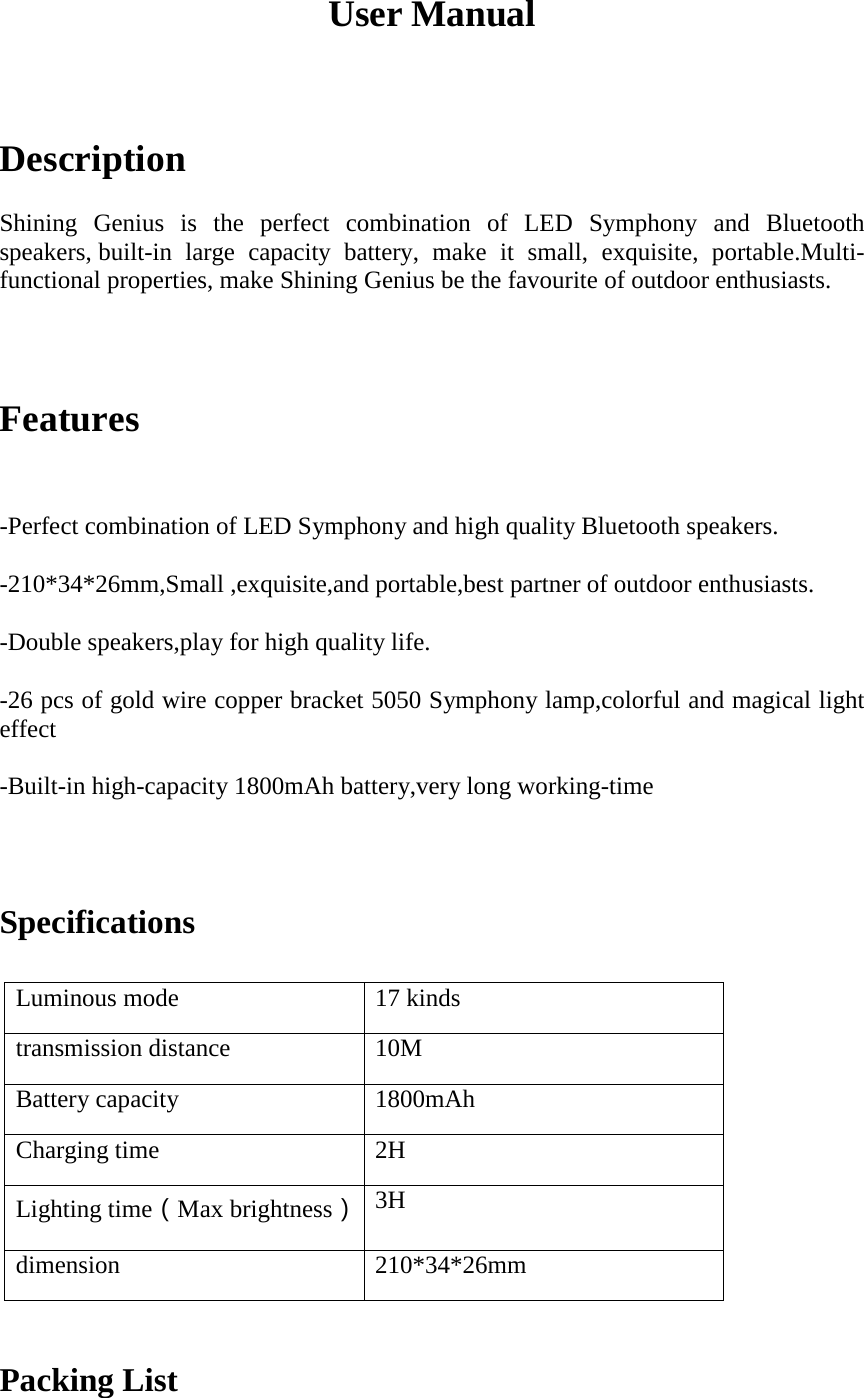
User Manual Description Shining  Genius  is  the  perfect  combination  of  LED  Symphony  and  Bluetooth speakers, built-in large capacity battery, make it small, exquisite, portable.Multi-functional properties, make Shining Genius be the favourite of outdoor enthusiasts. Features -Perfect combination of LED Symphony and high quality Bluetooth speakers.-210*34*26mm,Small ,exquisite,and portable,best partner of outdoor enthusiasts.-Double speakers,play for high quality life.-26 pcs of gold wire copper bracket 5050 Symphony lamp,colorful and magical lighteffect-Built-in high-capacity 1800mAh battery,very long working-timeSpecifications Luminous mode 17 kinds transmission distance 10M Battery capacity 1800mAh Charging time 2H Lighting time(Max brightness) 3H dimension 210*34*26mm Packing List
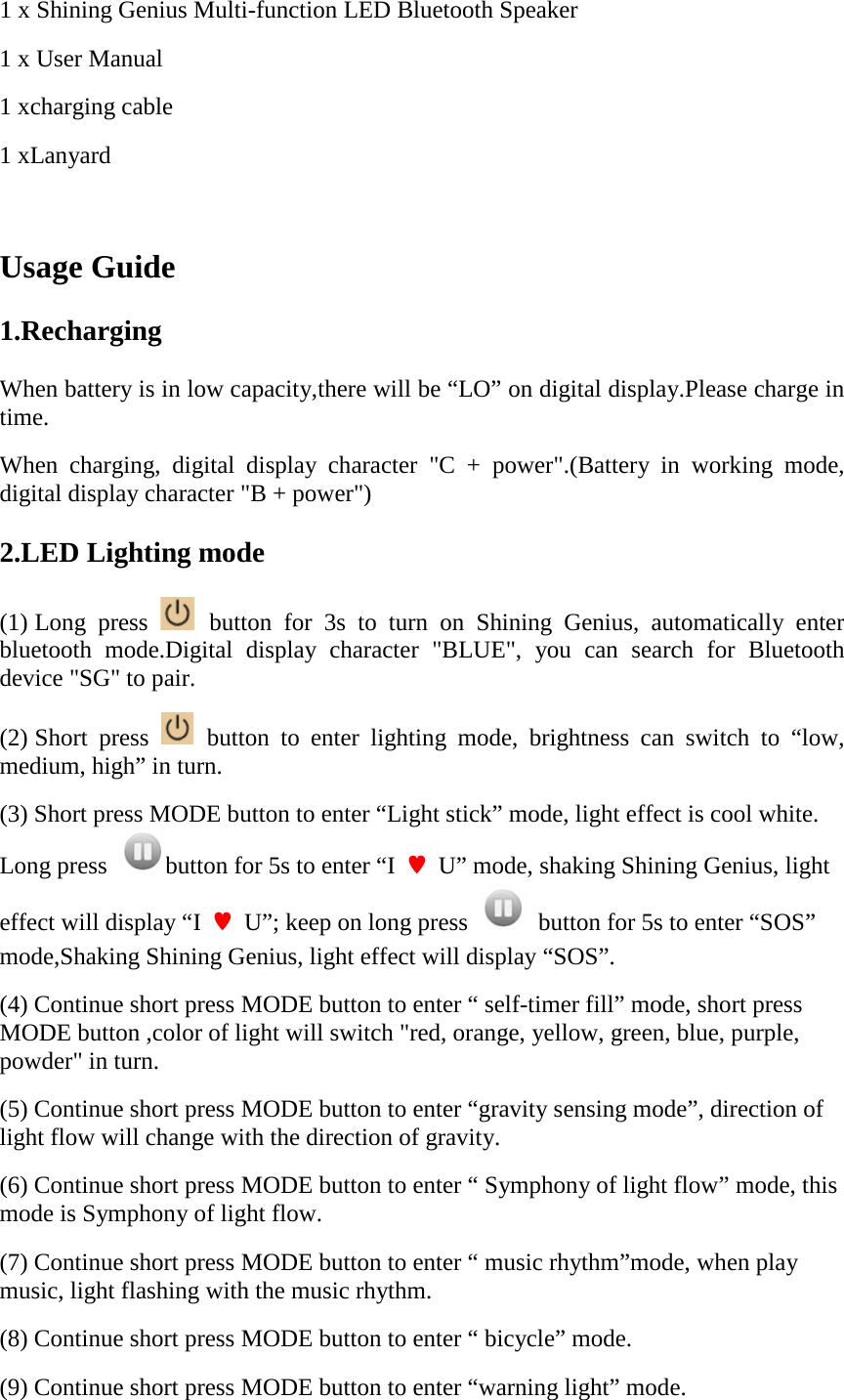
1 x Shining Genius Multi-function LED Bluetooth Speaker 1 x User Manual 1 xcharging cable 1 xLanyard  Usage Guide 1.Recharging When battery is in low capacity,there will be “LO” on digital display.Please charge in time. When charging, digital display character "C + power".(Battery in working mode, digital display character "B + power") 2.LED Lighting mode (1) Long press   button for 3s to turn on Shining Genius, automatically enter bluetooth mode.Digital display character "BLUE", you can search for Bluetooth device "SG" to pair. (2) Short press   button to enter lighting mode, brightness can switch to “low,  medium, high” in turn. (3) Short press MODE button to enter “Light stick” mode, light effect is cool white. Long press  button for 5s to enter “I  ♥  U” mode, shaking Shining Genius, light effect will display “I  ♥  U”; keep on long press    button for 5s to enter “SOS” mode,Shaking Shining Genius, light effect will display “SOS”. (4) Continue short press MODE button to enter “ self-timer fill” mode, short press MODE button ,color of light will switch "red, orange, yellow, green, blue, purple, powder" in turn. (5) Continue short press MODE button to enter “gravity sensing mode”, direction of light flow will change with the direction of gravity. (6) Continue short press MODE button to enter “ Symphony of light flow” mode, this mode is Symphony of light flow. (7) Continue short press MODE button to enter “ music rhythm”mode, when play music, light flashing with the music rhythm. (8) Continue short press MODE button to enter “ bicycle” mode. (9) Continue short press MODE button to enter “warning light” mode.
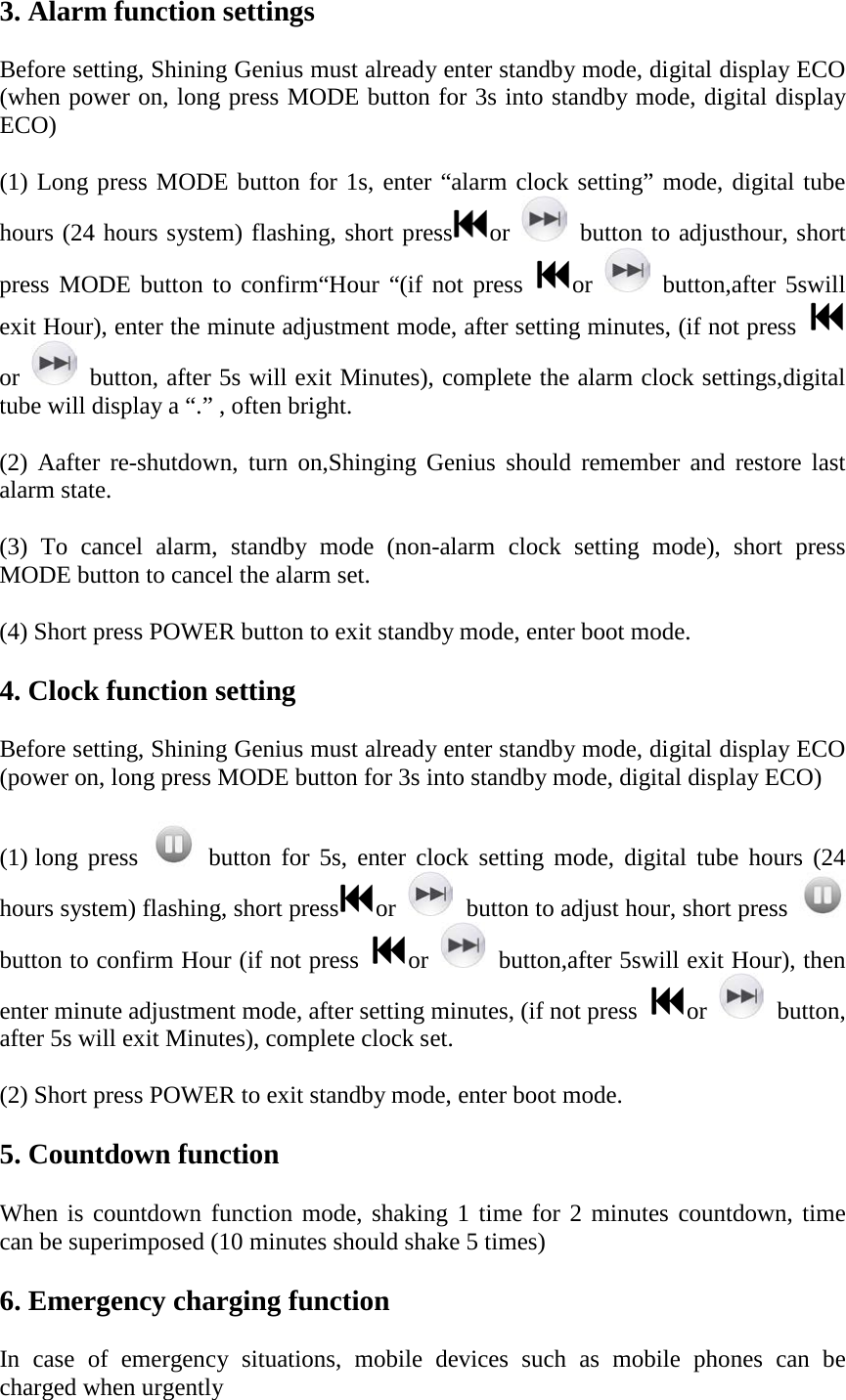
3. Alarm function settings Before setting, Shining Genius must already enter standby mode, digital display ECO (when power on, long press MODE button for 3s into standby mode, digital display ECO) (1) Long press MODE button for 1s, enter “alarm clock setting” mode, digital tube hours (24 hours system) flashing, short press or    button to adjusthour, short press MODE button to confirm“Hour “(if not press  or    button,after 5swill exit Hour), enter the minute adjustment mode, after setting minutes, (if not press or    button, after 5s will exit Minutes), complete the alarm clock settings,digital tube will display a “.” , often bright. (2)  Aafter re-shutdown, turn on,Shinging Genius should remember and restore last alarm state. (3)  To cancel alarm, standby mode (non-alarm clock setting mode), short press MODE button to cancel the alarm set. (4) Short press POWER button to exit standby mode, enter boot mode. 4. Clock function setting Before setting, Shining Genius must already enter standby mode, digital display ECO (power on, long press MODE button for 3s into standby mode, digital display ECO) (1) long press    button  for  5s,  enter clock setting mode, digital tube hours (24 hours system) flashing, short press or    button to adjust hour, short press   button to confirm Hour (if not press  or    button,after 5swill exit Hour), then enter minute adjustment mode, after setting minutes, (if not press  or    button, after 5s will exit Minutes), complete clock set. (2) Short press POWER to exit standby mode, enter boot mode. 5. Countdown function When is countdown function mode, shaking 1 time for 2 minutes countdown, time can be superimposed (10 minutes should shake 5 times) 6. Emergency charging function In case of emergency situations, mobile devices such as mobile phones can be charged when urgently
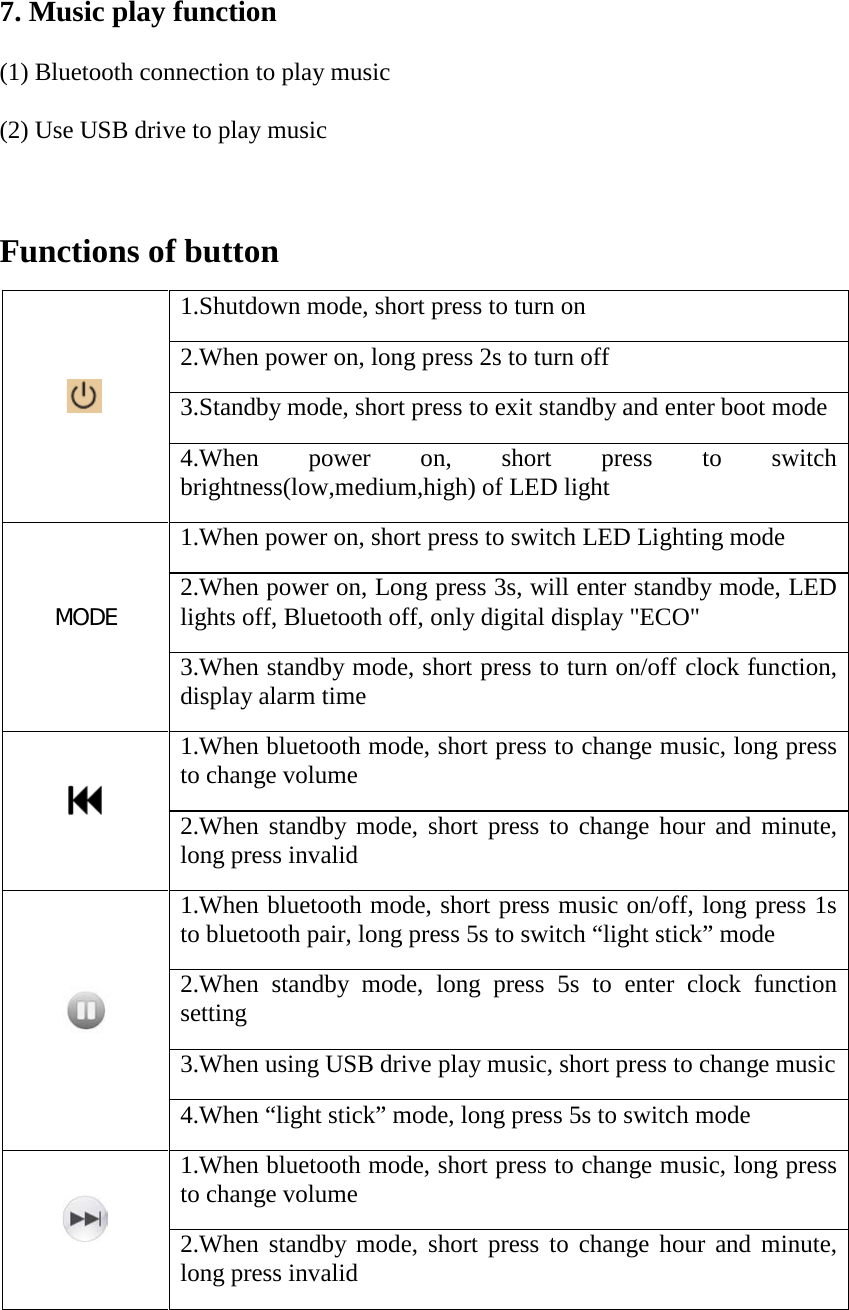
7. Music play function (1) Bluetooth connection to play music (2) Use USB drive to play music  Functions of button  1.Shutdown mode, short press to turn on 2.When power on, long press 2s to turn off 3.Standby mode, short press to exit standby and enter boot mode 4.When power on, short press to switch brightness(low,medium,high) of LED light MODE  1.When power on, short press to switch LED Lighting mode 2.When power on, Long press 3s, will enter standby mode, LED lights off, Bluetooth off, only digital display "ECO" 3.When standby mode, short press to turn on/off clock function,   display alarm time  1.When bluetooth mode, short press to change music, long press to change volume 2.When standby mode, short press to change hour and minute, long press invalid  1.When bluetooth mode, short press music on/off, long press 1s to bluetooth pair, long press 5s to switch “light stick” mode 2.When  standby mode,  long press 5s to enter clock function setting 3.When using USB drive play music, short press to change music 4.When “light stick” mode, long press 5s to switch mode  1.When bluetooth mode, short press to change music, long press to change volume 2.When standby mode, short press to change hour and minute, long press invalid
FCC Caution: This device complies with part 15 of the FCC Rules. Operation is subject to the following two conditions: (1) This device may not cause harmful interference, and (2) this device must accept any interference received, including interference that may cause undesired operation. Any Changes or modifications not expressly approved by the party responsible for compliance could void the user's authority to operate the equipment. Note: This equipment has been tested and found to comply with the limits for a Class B digital device, pursuant to part 15 of the FCC Rules. These limits are designed to provide reasonable protection against harmful interference in a residential installation. This equipment generates uses and can radiate radio frequency energy and, if not installed and used in accordance with the instructions, may cause harmful interference to radio communications. However, there is no guarantee that interference will not occur in a particular installation. If this equipment does cause harmful interference to radio or television reception, which can be determined by turning the equipment off and on, the user is encouraged to try to correct the interference by one or more of the following measures: -Reorient or relocate the receiving antenna.-Increase the separation between the equipment and receiver.-Connect the equipment into an outlet on a circuit different from that to which thereceiver is connected.-Consult the dealer or an experienced radio/TV technician for help.

Navigation menu