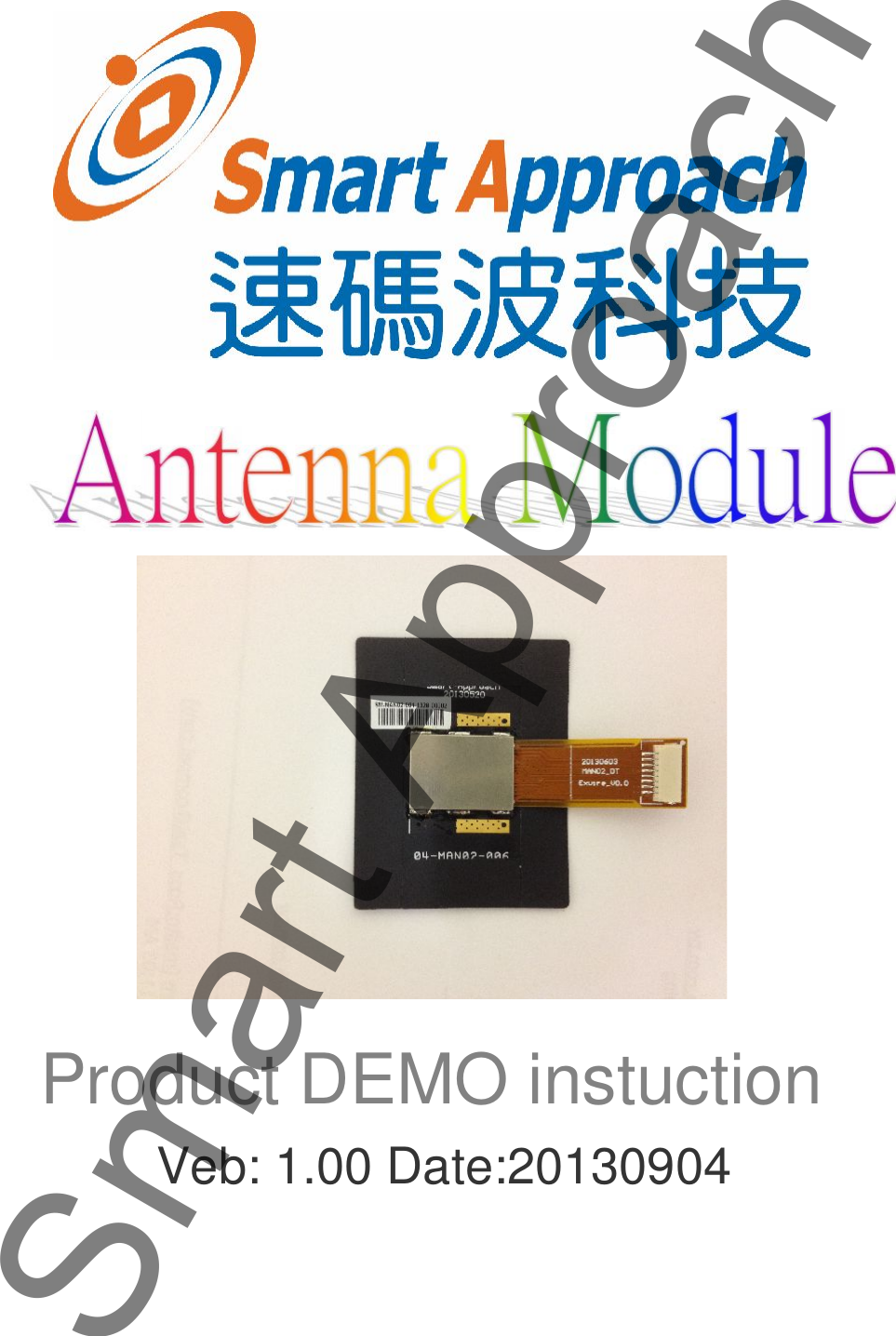
Smart Approach MAN02NFCAM NFC Antenna Module User Manual manual

Smart Approach Co., Ltd. NFC Antenna Module manual

manual

Product DEMO instuctionVeb: 1.00 Date:20130904Smart Approach
Catalogue:Safety:1. Electric Safety:To avoid the suddenly electricity cause equipment damaged, please have allconnectors linked before turn on the power.2. Operate Safety:Please read this manual carefully before install.Please confirm all wires are putting into the right place and linked well.3. About this Manual.This product manual included all the information you need in the installation4. Manual organized:This manual is organized by chapters below:(1) Chapter 1. NFC (Near Field Communication) instructions.This chapter will introduce the application of Antenna Module and NFC.(2) Chapter 2. Antenna Module instructionsThis Chapter will introduce constitute of Antenna Module.(3) Chapter 3. Antenna Module engaged and InstallationThis Chapter will introduce the steps of installation.Smart Approach
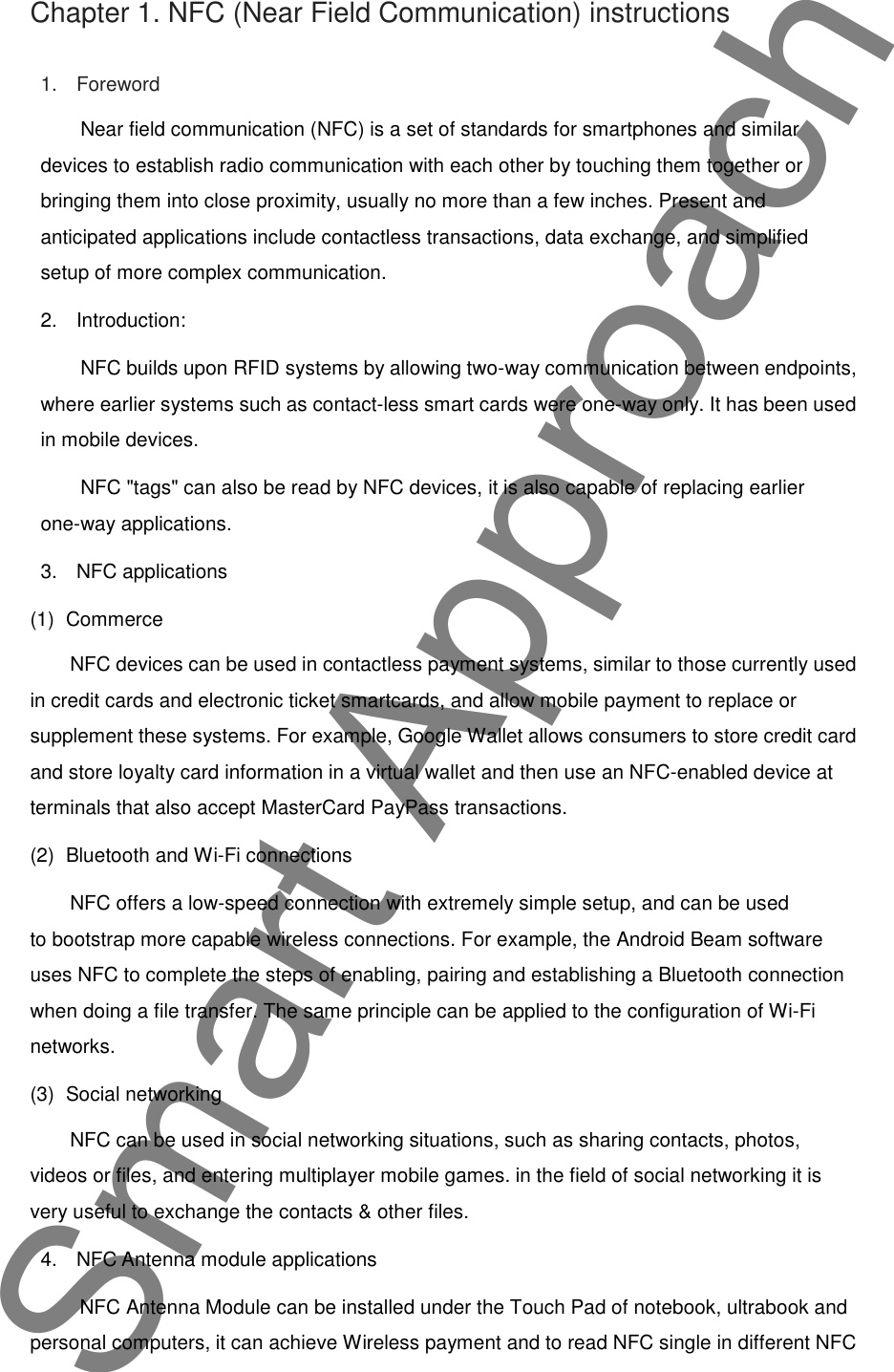
Chapter 1. NFC (Near Field Communication) instructions1. ForewordNear field communication (NFC) is a set of standards for smartphones and similardevices to establish radio communication with each other by touching them together orbringing them into close proximity, usually no more than a few inches. Present andanticipated applications include contactless transactions, data exchange, and simplifiedsetup of more complex communication.2. Introduction:NFC builds upon RFID systems by allowing two-way communication between endpoints,where earlier systems such as contact-less smart cards were one-way only. It has been usedin mobile devices.NFC "tags" can also be read by NFC devices, it is also capable of replacing earlierone-way applications.3. NFC applications(1) CommerceNFC devices can be used in contactless payment systems, similar to those currently usedin credit cards and electronic ticket smartcards, and allow mobile payment to replace orsupplement these systems. For example, Google Wallet allows consumers to store credit cardand store loyalty card information in a virtual wallet and then use an NFC-enabled device atterminals that also accept MasterCard PayPass transactions.(2) Bluetooth and Wi-Fi connectionsNFC offers a low-speed connection with extremely simple setup, and can be usedto bootstrap more capable wireless connections. For example, the Android Beam softwareuses NFC to complete the steps of enabling, pairing and establishing a Bluetooth connectionwhen doing a file transfer. The same principle can be applied to the configuration of Wi-Finetworks.(3) Social networkingNFC can be used in social networking situations, such as sharing contacts, photos,videos or files, and entering multiplayer mobile games. in the field of social networking it isvery useful to exchange the contacts & other files.4. NFC Antenna module applicationsNFC Antenna Module can be installed under the Touch Pad of notebook, ultrabook andpersonal computers, it can achieve Wireless payment and to read NFC single in different NFCSmart Approach
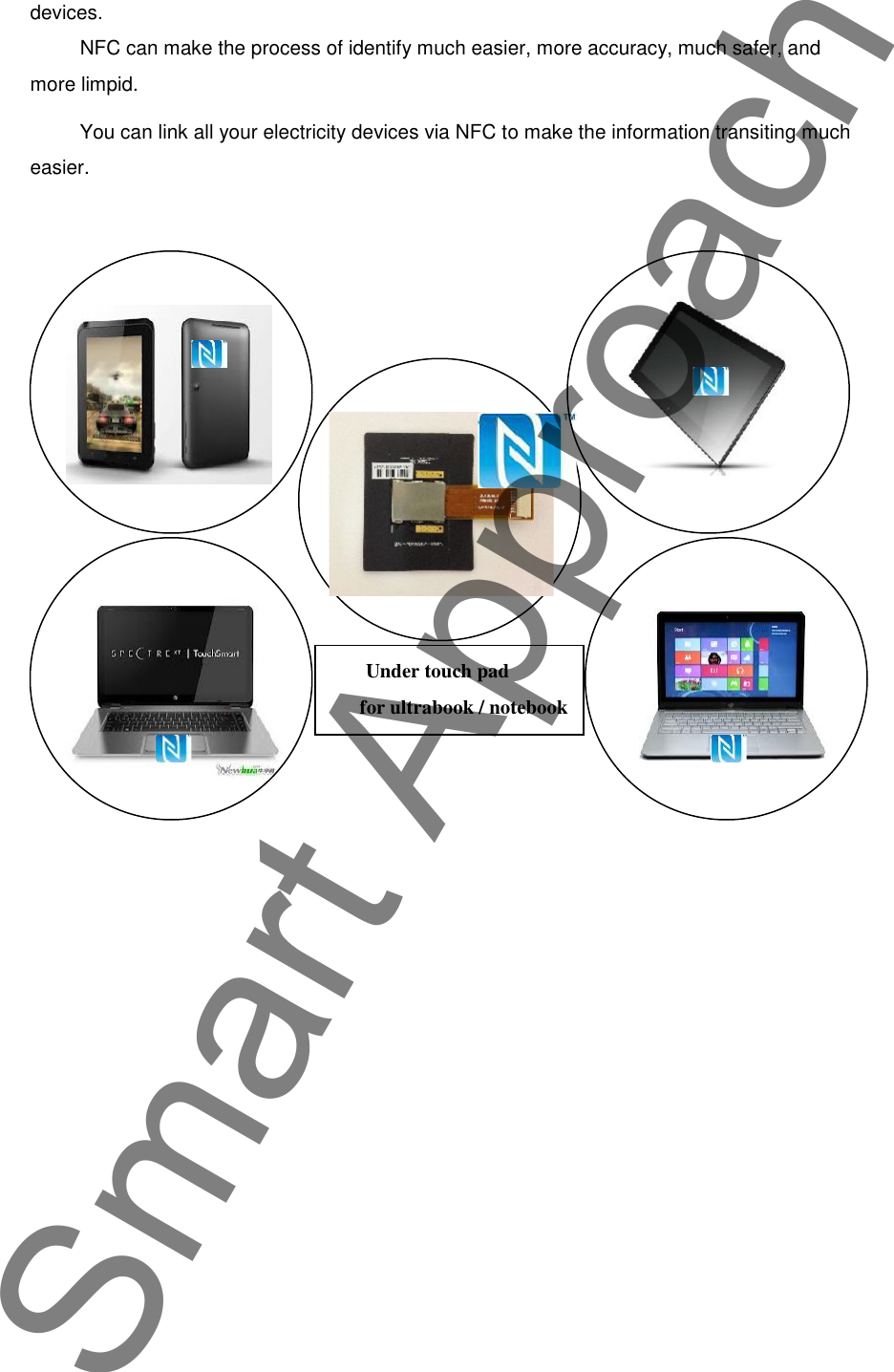
devices.NFC can make the process of identify much easier, more accuracy, much safer, andmore limpid.You can link all your electricity devices via NFC to make the information transiting mucheasier.Under touch pad  for ultrabook / notebookSmart Approach
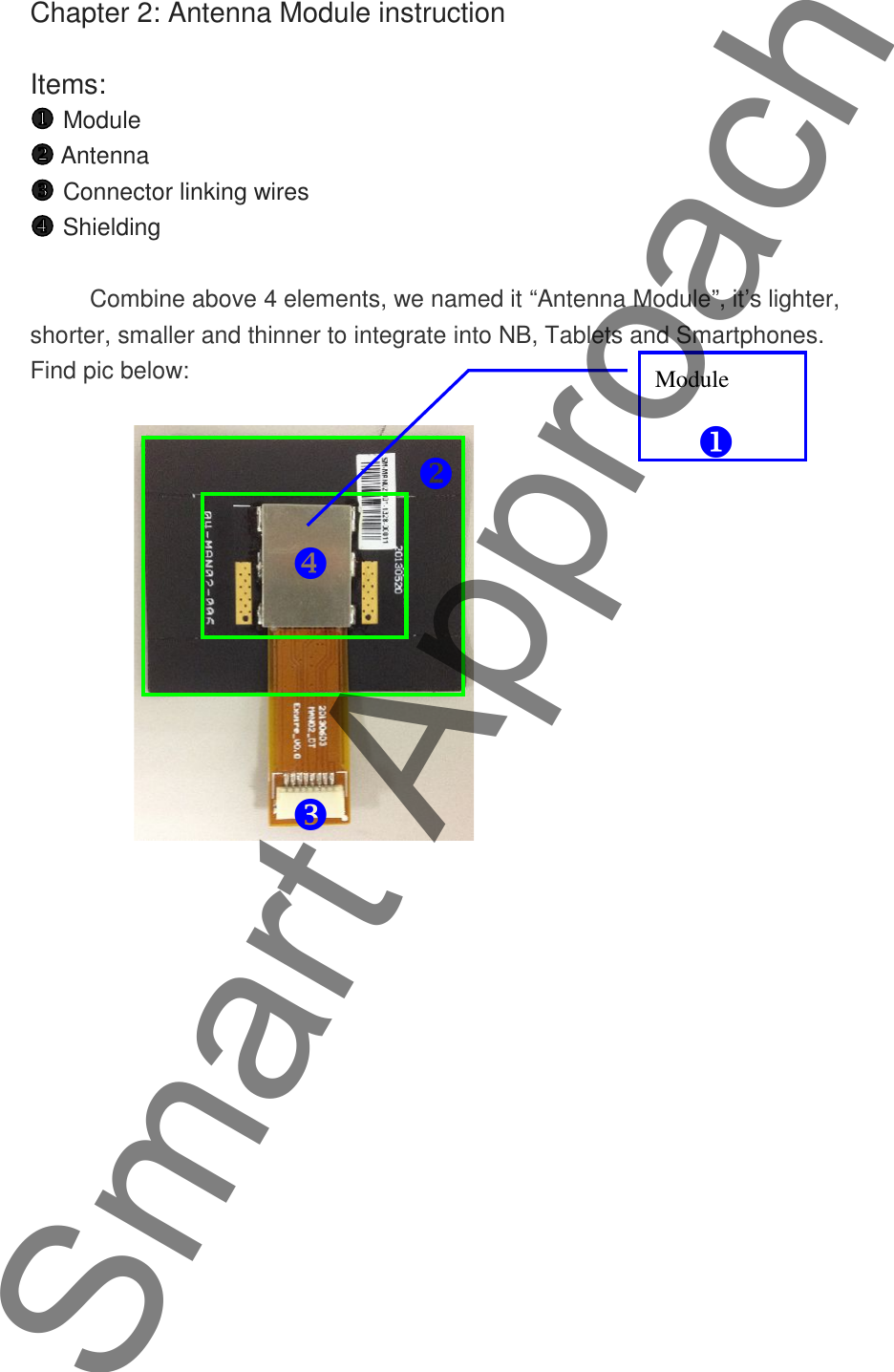
Chapter 2: Antenna Module instructionItems:ModuleAntennaConnector linking wiresShieldingCombine above 4 elements, we named it “Antenna Module”, it’s lighter,shorter, smaller and thinner to integrate into NB, Tablets and Smartphones.Find pic below:ModuleSmart Approach
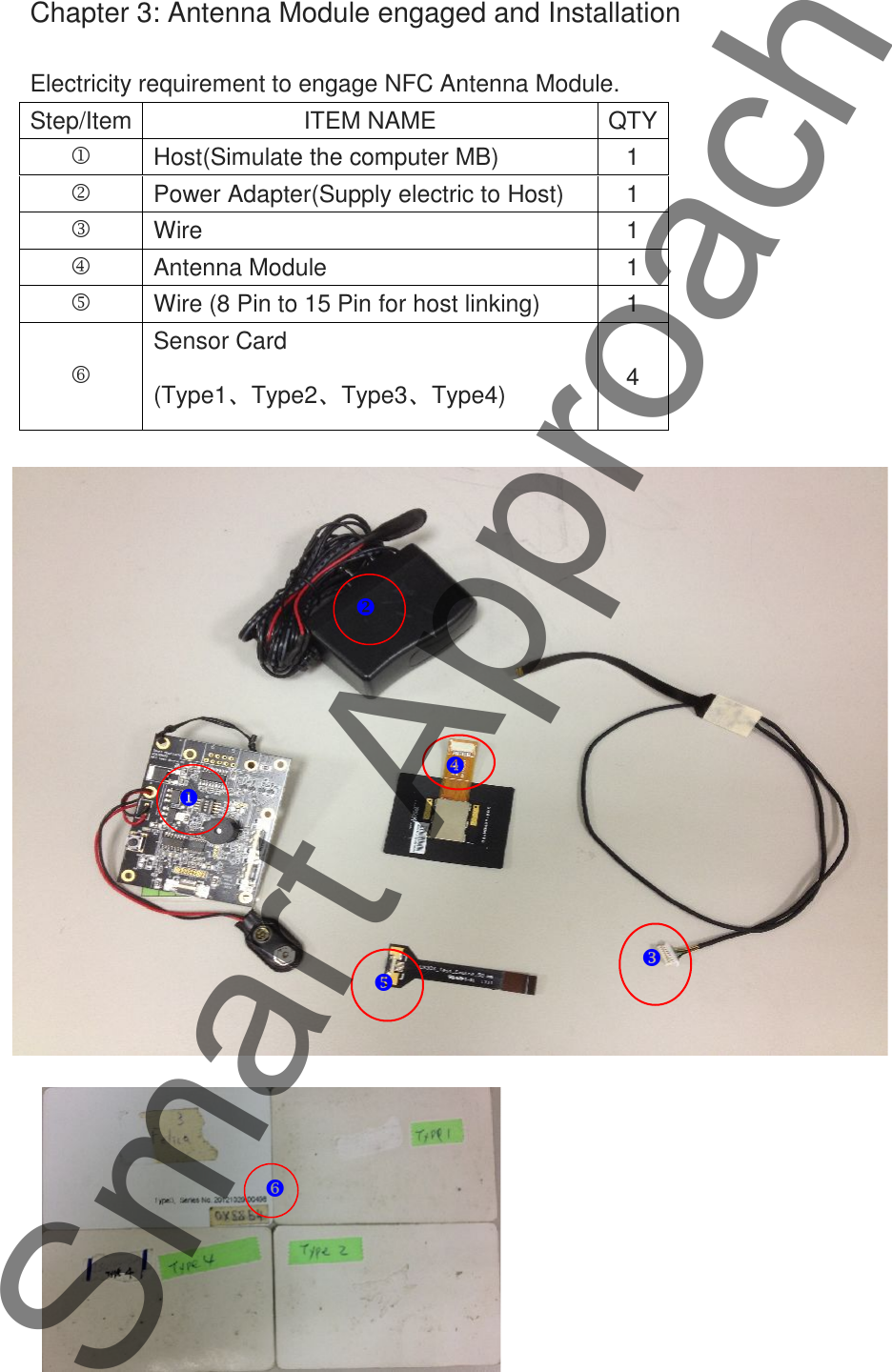
Chapter 3: Antenna Module engaged and InstallationElectricity requirement to engage NFC Antenna Module.Step/ItemITEM NAMEQTYHost(Simulate the computer MB)1Power Adapter(Supply electric to Host)1Wire1Antenna Module1Wire (8 Pin to 15 Pin for host linking)1Sensor Card(Type1、Type2、Type3、Type4)4Smart Approach
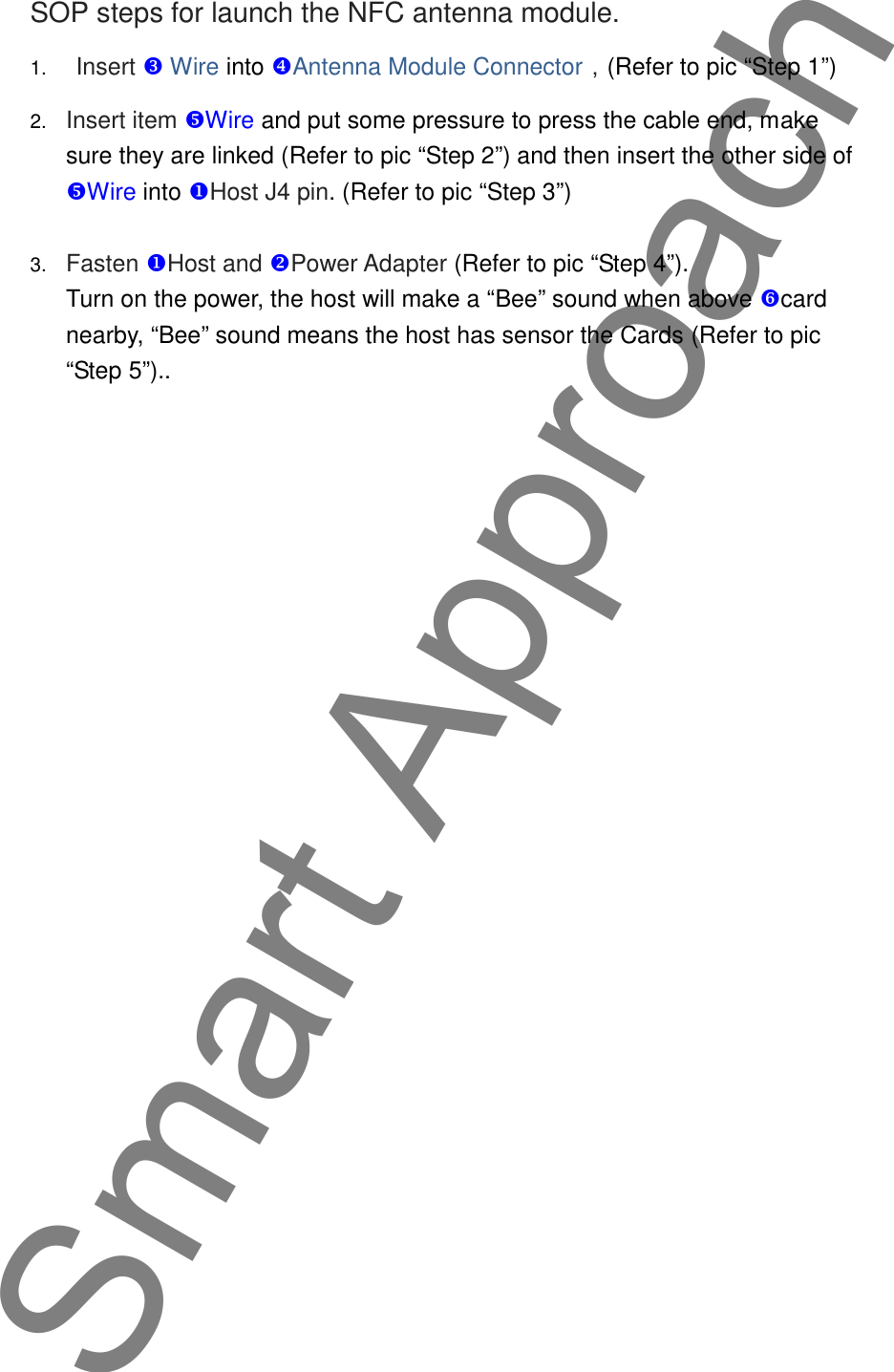
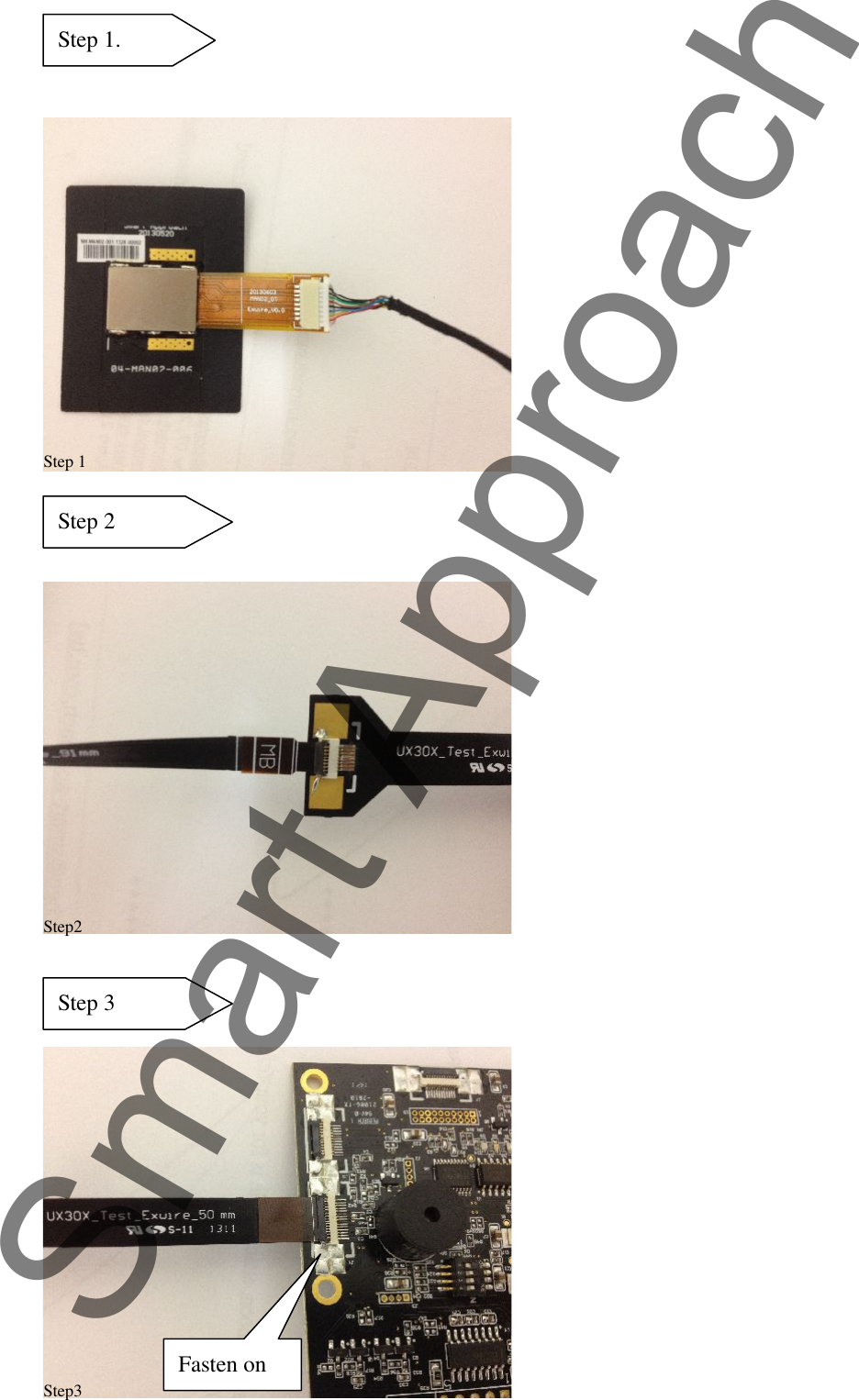
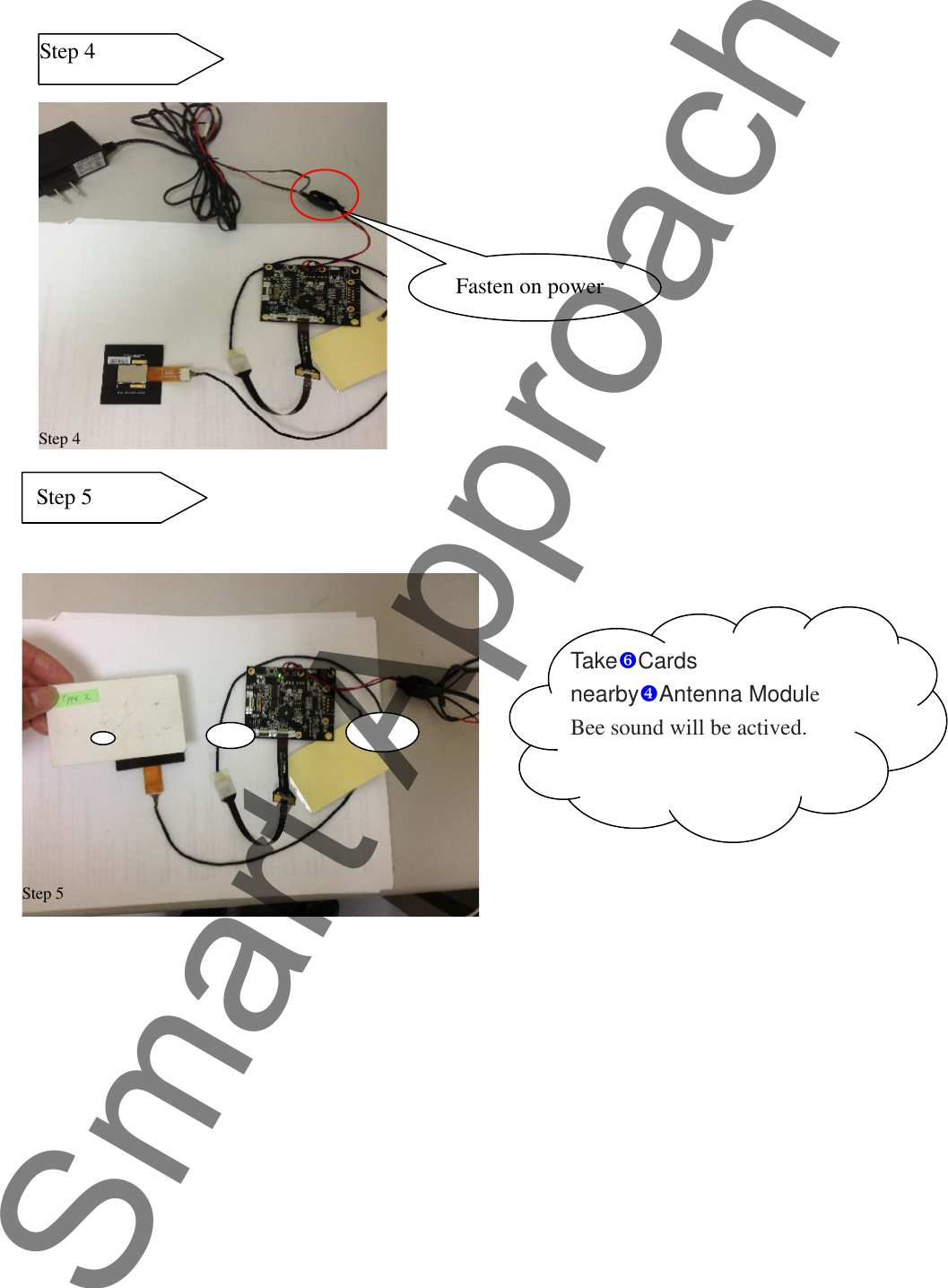
SOP steps for launch the NFC antenna module.1. Insert  Wire into Antenna Module Connector,(Refer to pic “Step 1”)2. Insert item Wire and put some pressure to press the cable end, makesure they are linked (Refer to pic “Step 2”) and then insert the other side ofWire into Host J4 pin. (Refer to pic “Step 3”)3. Fasten Host and Power Adapter (Refer to pic “Step 4”).Turn on the power, the host will make a “Bee” sound when above cardnearby, “Bee” sound means the host has sensor the Cards (Refer to pic“Step 5”)..Smart Approach
Step 1.Step 1Step2Fasten onStep 2Step 3Step3Smart Approach
Step 4Step 4Fasten on powerStep 5Step 5TakeCardsnearbyAntenna ModuleBee sound will be actived.Smart Approach
FEDERAL COMMUNICATIONS COMMISSION INTERFERENCE STATEMENTThis  equipment  has  been  tested  and  found  to  comply  with  the  limits  for  a  Class  B  digitaldevice, pursuant to part 15 of the FCC Rules. These limits are designed to provide reasonableprotection  against  harmful  interference  in  a  residential  installation.  This  equipmentgenerates,  uses  and  can  radiate  radio  frequency  energy  and,  if  not  installed  and  used  inaccordance with the instructions, may cause harmful interference to radio communications.However, there is no guarantee that interference will not occur in a particular installation. Ifthis equipment does cause harmful interference to radio or television reception, which canbe determined by turning the equipment off and on, the user is encouraged to try to correctthe interference by one or more of the following measures:-Reorient or relocate the receiving antenna.-Increase the separation between the equipment and receiver.-Connect the equipment into an outlet on a circuit different from that to which the receiveris connected.-Consult the dealer or an experienced radio/ TV technician for help.CAUTION:Any changes or modifications not expressly approved by the grantee of this device couldvoid the user's authority to operate the equipment.This device complies with Part 15 of the FCC Rules. Operation is subject to the following twoconditions: (1) this device may not cause harmful interference, and (2) this device mustaccept any interference received, including interference that may cause undesiredoperation.End Product LabelingThis transmitter module is authorized only for use in device where the antenna may beinstalled such that 20cm may be maintained between the antenna and users. The final endproduct must be labeled in a visible area with the following: "Contains FCC ID:2AAYI-MAN02NFCAM ” and "Contains IC: 11378A-MAN02NFCAM“Information for the OEMs and IntegratorsThe following statement must be included with all versions of this document supplied to anOEM or integrator, but should not be distributed to the end user.1) This device is intended for OEM integrators only.2) Please see the full Grant of Equipment document for other restrictions.Smart Approach
Canada, Industry Canada (IC) NoticesThis Class B digital apparatus complies with Canadian ICES-003 and RSS-210.Operation is subject to the following two conditions: (1) this device may not causeinterference, and (2) this device must accept any interference, including interferencethat may cause undesired operation of the device.Canada, avis d'Industry Canada (IC)Cet appareil numérique de classe B est conforme aux normes canadiennes ICES-003 etRSS-210.Son fonctionnement est soumis aux deux conditions suivantes : (1) cet appareil ne doitpas causer d'interférence et (2) cet appareil doit accepter toute interférence,notamment les interférences qui peuvent affecter son fonctionnement.Smart Approach

Navigation menu