SoundMAGIC Technology Development E11BT Bluetooth Earphone User Manual E11BT 1

Shenzhen SoundMAGIC Technology Development Co.,LTD Bluetooth Earphone E11BT 1

15_E11BT UserMan

E11BTUser manual 使用说明书蓝牙运动耳机Bluetooth Earphone
SoundMAGIC GroupMarketingHongkong SoundMAGIC Technology Development Co.,LTDShenzhen SoundMAGIC Technology Development Co.,LTDR & D and ManufactureDongguan Nianrui Electronic Technology Co.,LTDFulong Industry Road 8,Fulong Community Shipai Town,Dongguan,ChinaTel: 086-769-81270118/89633128   Fax:086-769-81270128Email: support@soundmagic.comwww.soundmagic.com                 1613# Building A,Weidonglong Business Building,Meilong Road No 2125,Qinghua Community,Longhua District,Shenzhen China
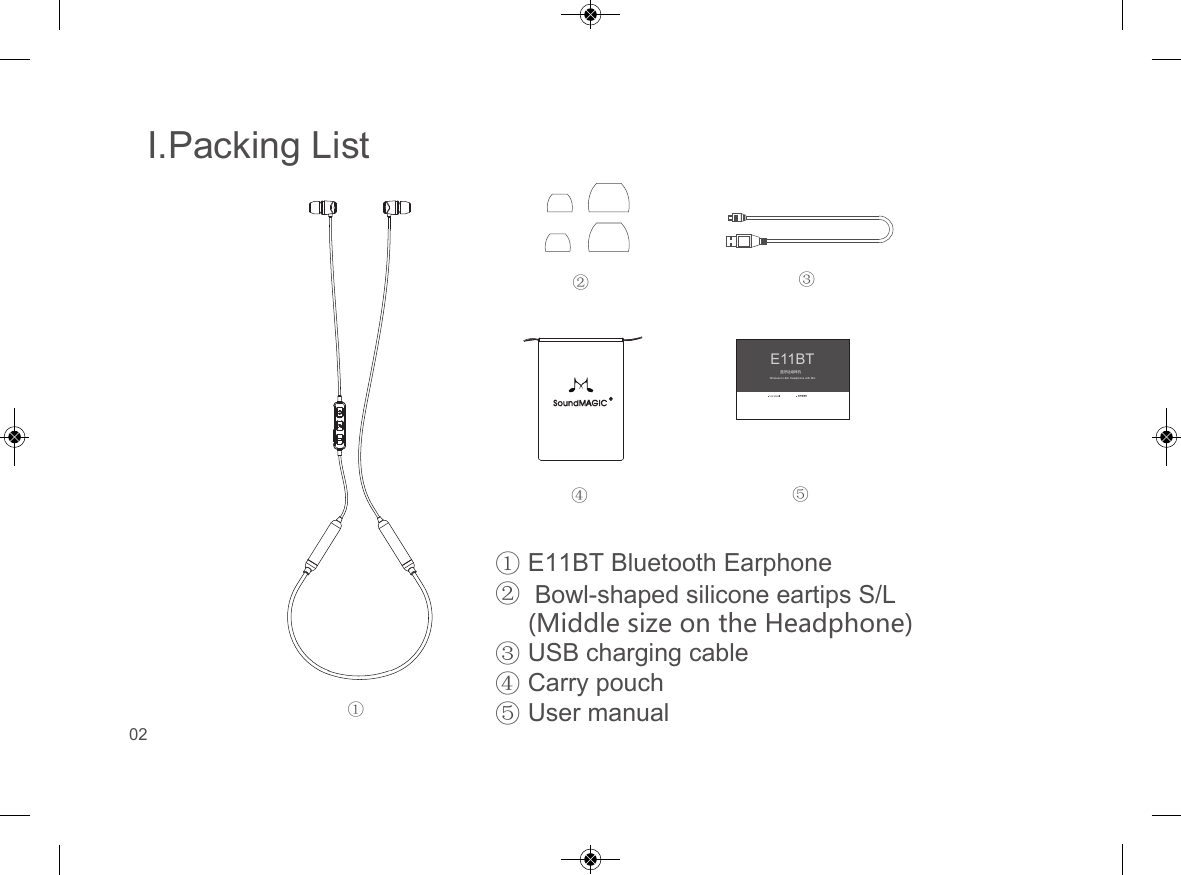
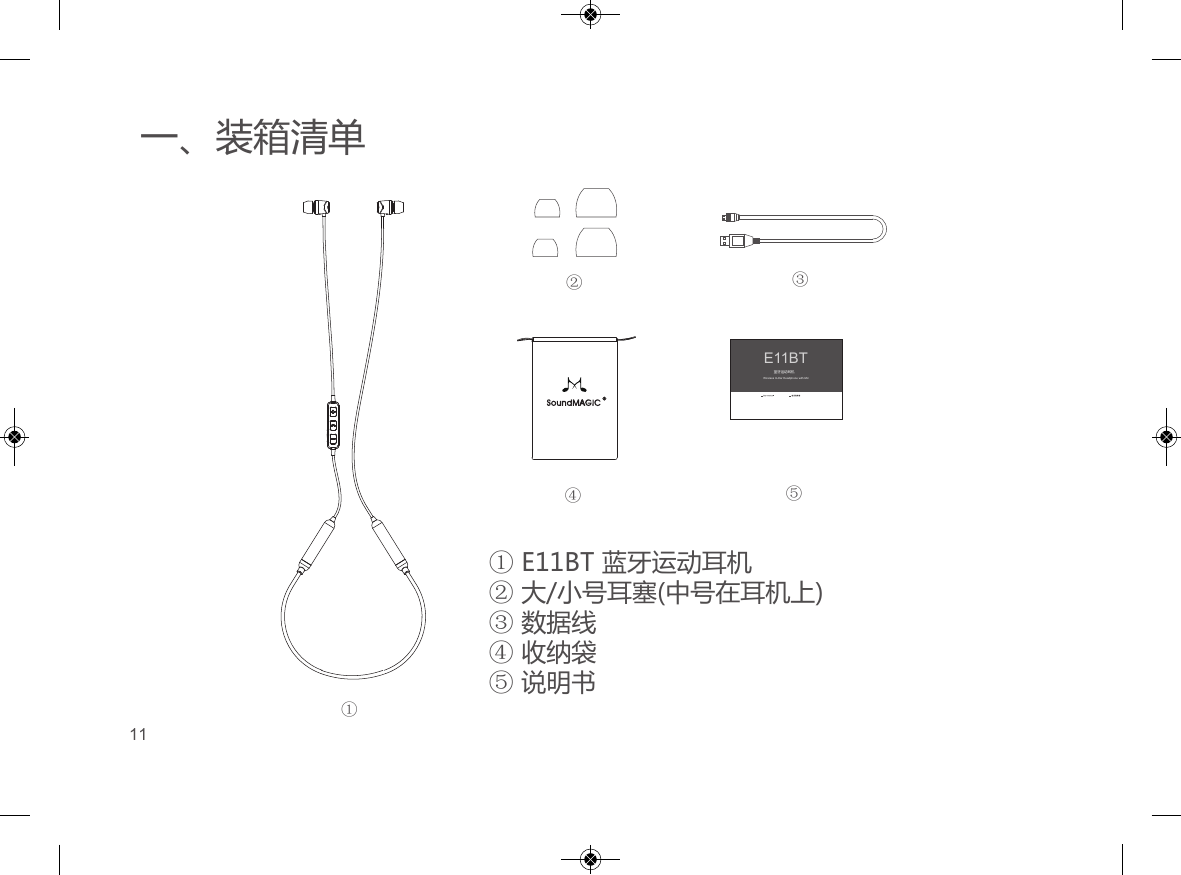
I.Packing ListE11BT Bluetooth Earphone Bowl-shaped silicone eartips S/L (Middle size on the Headphone)USB charging cableCarry pouchUser manual①②③④⑤E11BTWireless In-Ear Headphone with Mic蓝牙运动耳机①②③④⑤02
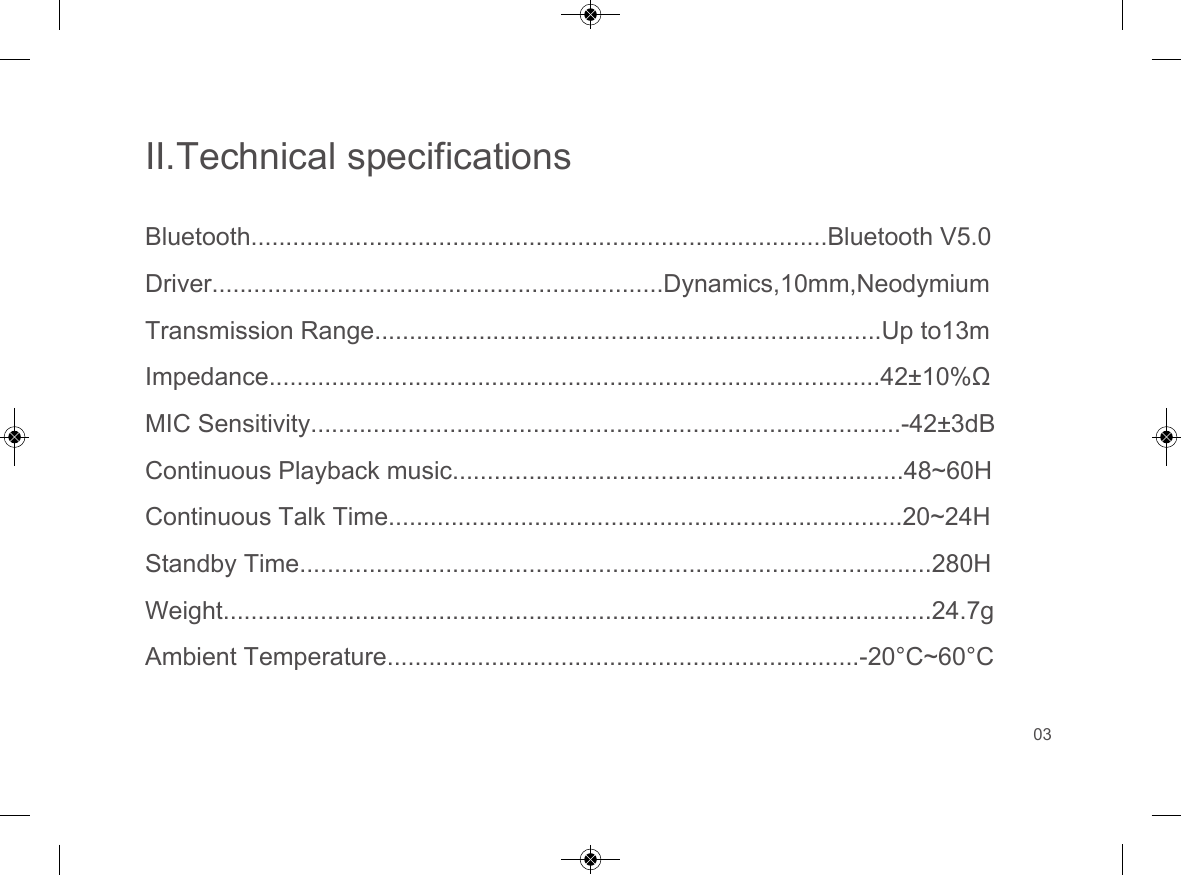
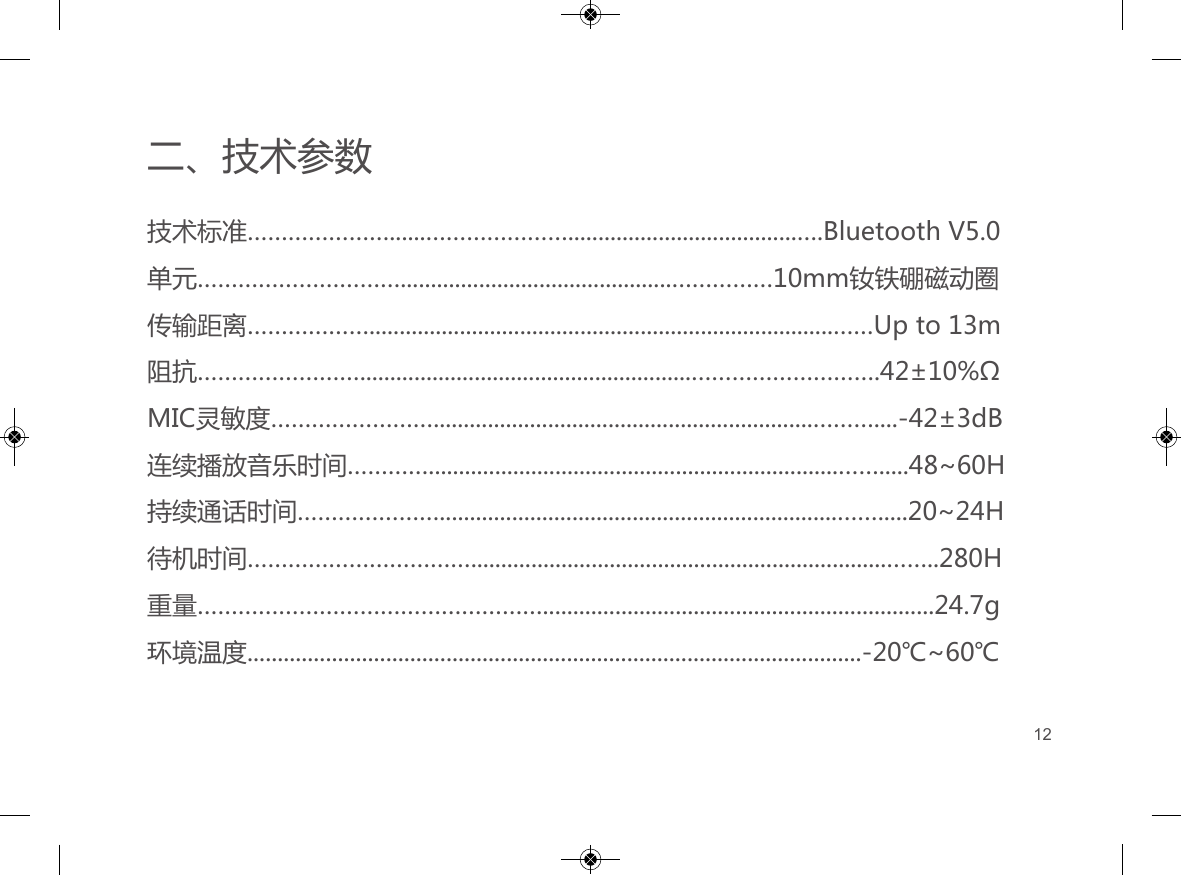
II.Technical specificationsBluetooth...................................................................................Bluetooth V5.0Driver.................................................................Dynamics,10mm,NeodymiumTransmission Range.........................................................................Up to13mImpedance........................................................................................42±10%ΩMIC Sensitivity.....................................................................................-42±3dBContinuous Playback music.................................................................48~60HContinuous Talk Time..........................................................................20~24HStandby Time...........................................................................................280HWeight......................................................................................................24.7gAmbient Temperature....................................................................-20°C~60°C03
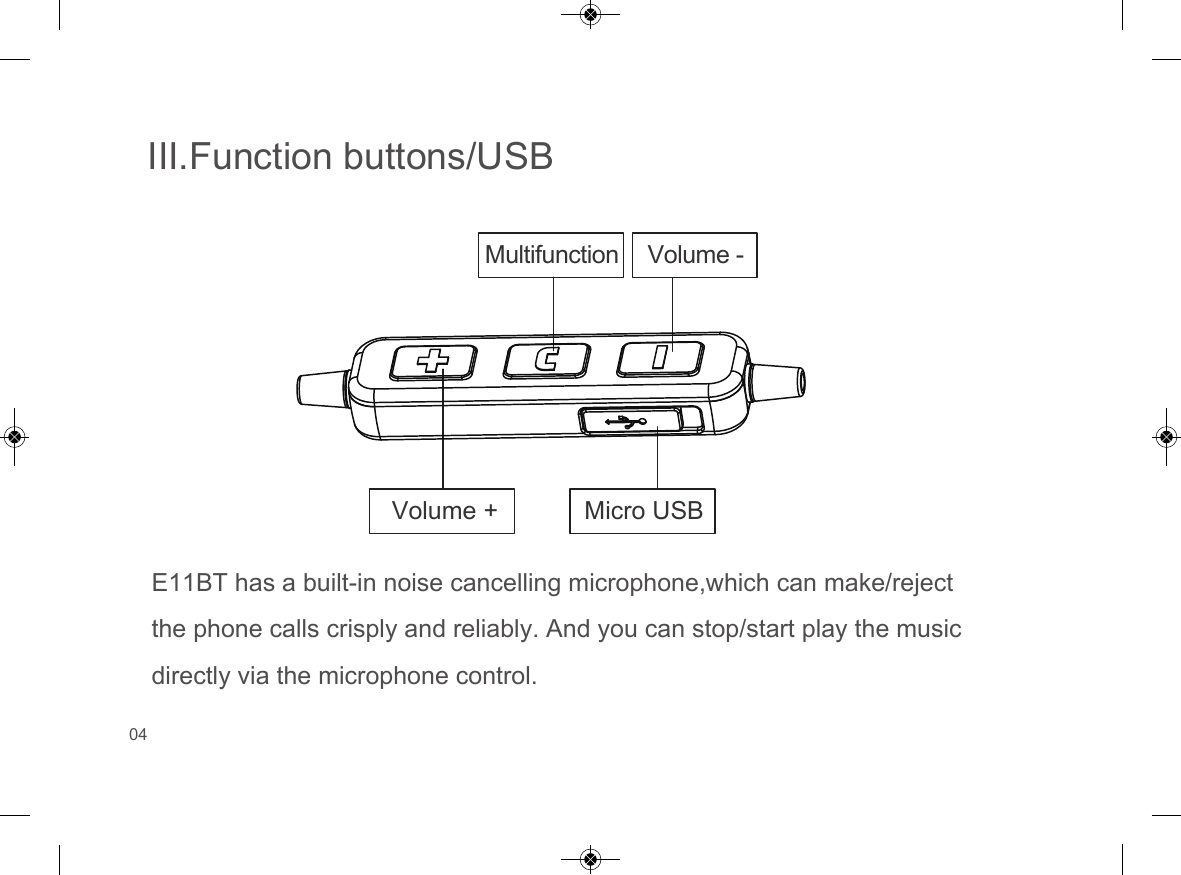
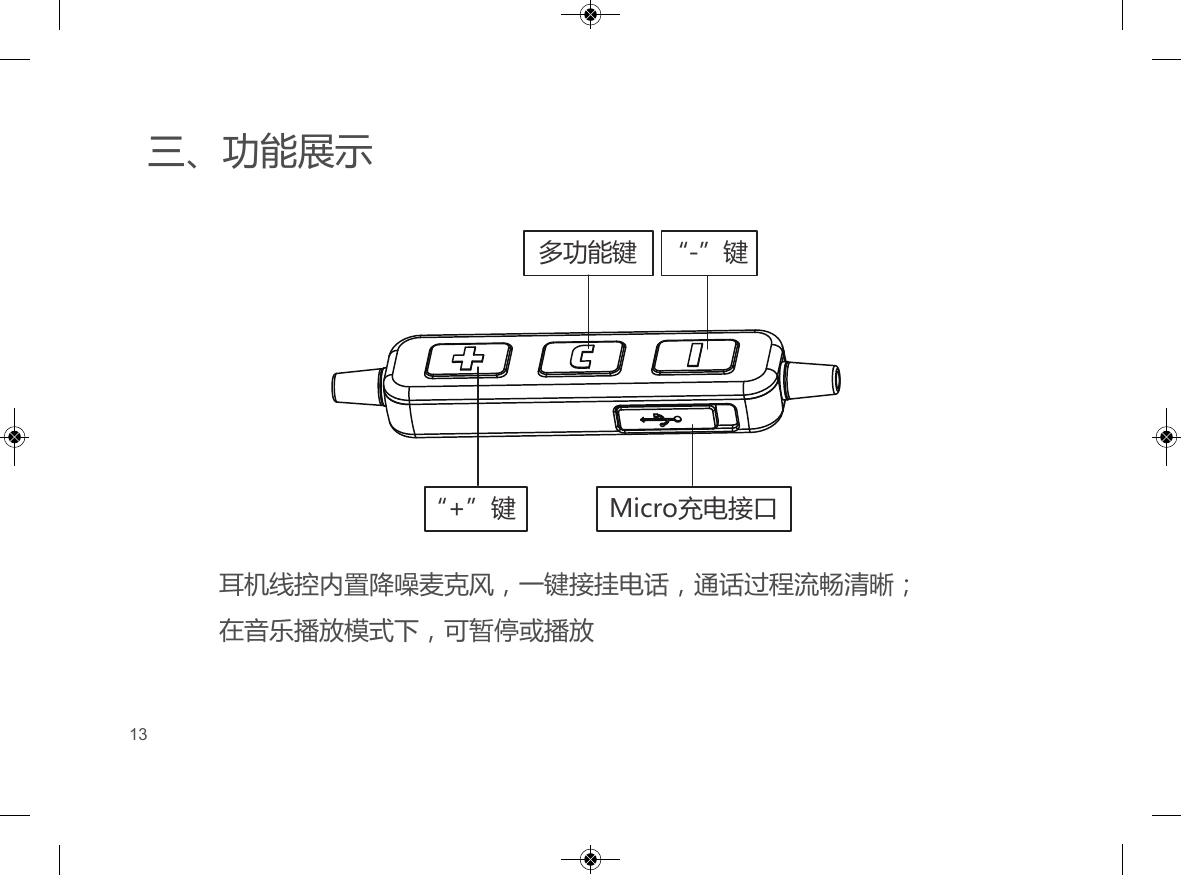
III.Function buttons/USBE11BT has a built-in noise cancelling microphone,which can make/reject the phone calls crisply and reliably. And you can stop/start play the music directly via the microphone control.Multifunction Volume -Volume + Micro USB04
IV.Basic functions and operations1.Power onPress and hold the “Multifunction” button for 3 seconds to power on: “Power on” prompt will be heard when the headset is turned on.2.Power offPress and hold the “Multifunction” button for 3 seconds to power off: “Power off” prompt will be heard when the headset is turned off.3.Pairing1)With your E11BT off, press and hold the “Multifunction” button for about 5seconds until the red-blue LED is flashing rapidly (keep the button held down for another 2 seconds past the 'power on' prompt).2)Open your smartphone’s Bluetooth connection function to enable Bluetoothmode and search for the Bluetooth device. You should find the E11BT headset. Select the E11BT to finish pairing.05
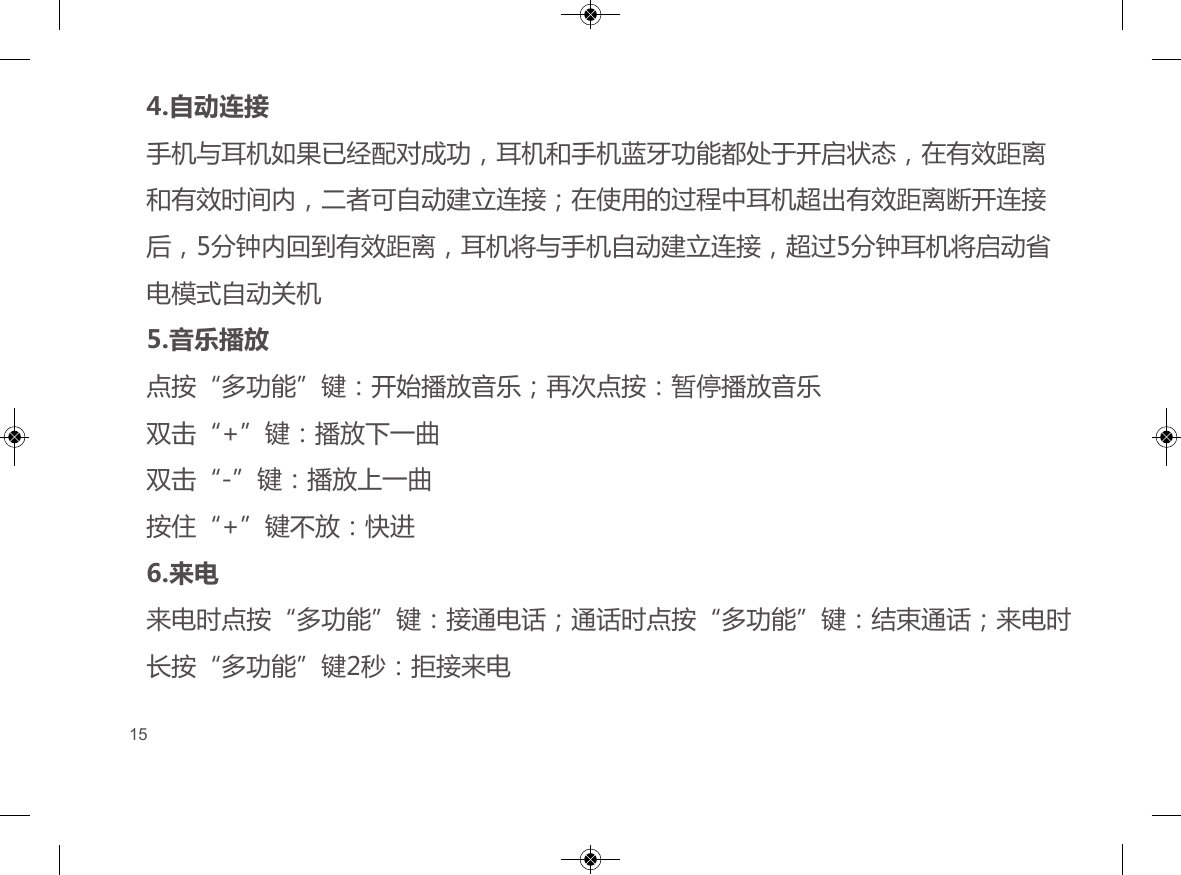
4.Automatic ConnectionIf your smartphone has been paired successfully with your E11BT, they will connect automatically if they’re within the effective distance (10m) and effective time period (5 minutes). If your E11BT is outside the effective distance, it will disconnect. But if it comes back to being within the effective distance again within 5 minutes, it will connect back to your smartphone automatically. After 5 minutes with no connection, your E11BT will automatically power off.5.Playing musicPress “Multifunction” button to start music. Press again to stop music.Press “+” twice to play next song.Press “-” twice to play last song.Press and hold “+” to fast forward.6.Incoming callWhen receiving an incoming call, press the “Multifunction” button to answer the call. Press the “Multifunction” button again to hang up. Rapidly press the “Multifunction” button for 2 seconds to reject the call.06
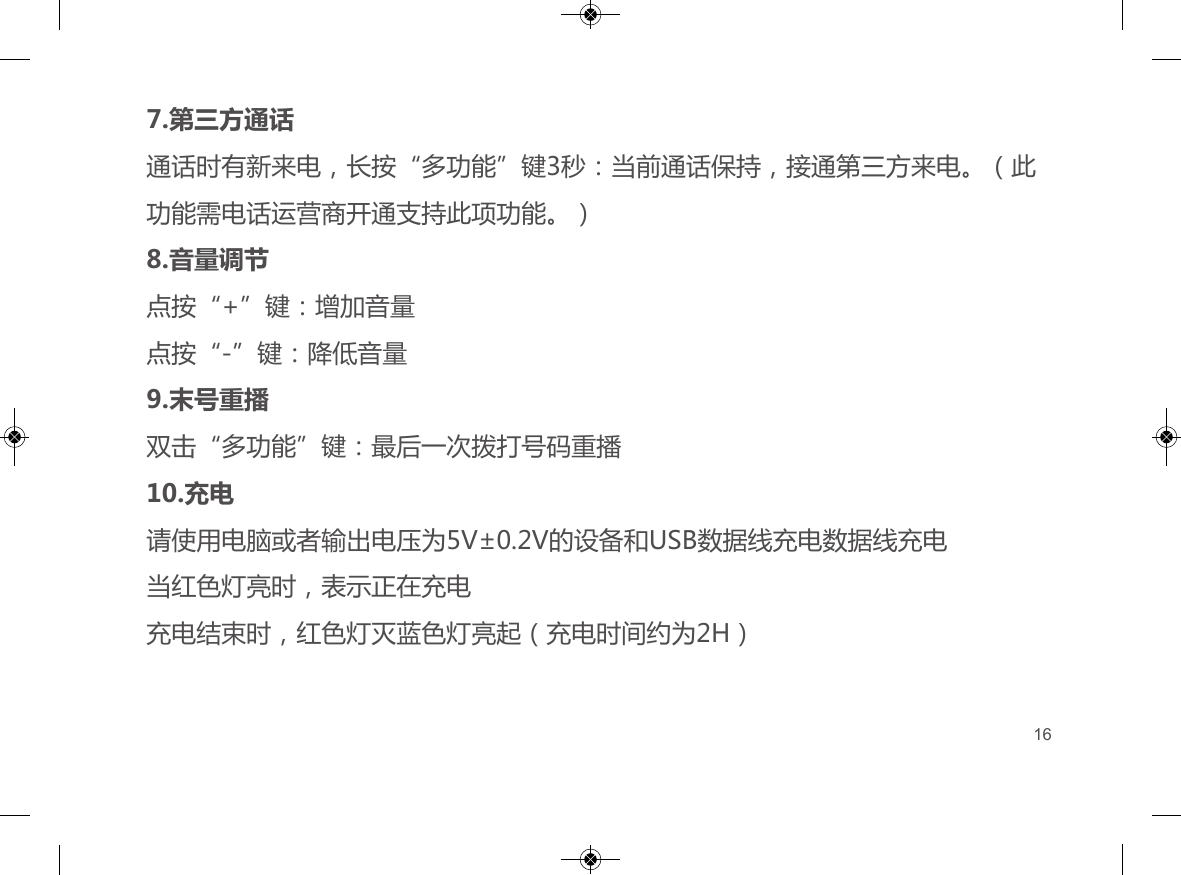
7.Call waitingDuring a call, press the “Multifunction” button for 3 seconds to put the current call on hold and answer the incoming call. (This function may depend on your network operator).8.Volume ControlPress “+” to increase the volume.Press “-” to decrease the volume.9.Last number redialPress the “Multifunction” button twice to redial the last number.10.ChargingPlease use a computer or USB outlet with 5V±0.2V output voltage to charge your E11BT, using the provided USB cable. A red light indicates that your E11BT is being charged. The red light will go out and the blue light will come on once your E11BT is fully charged (charge time is about 2 hours).07
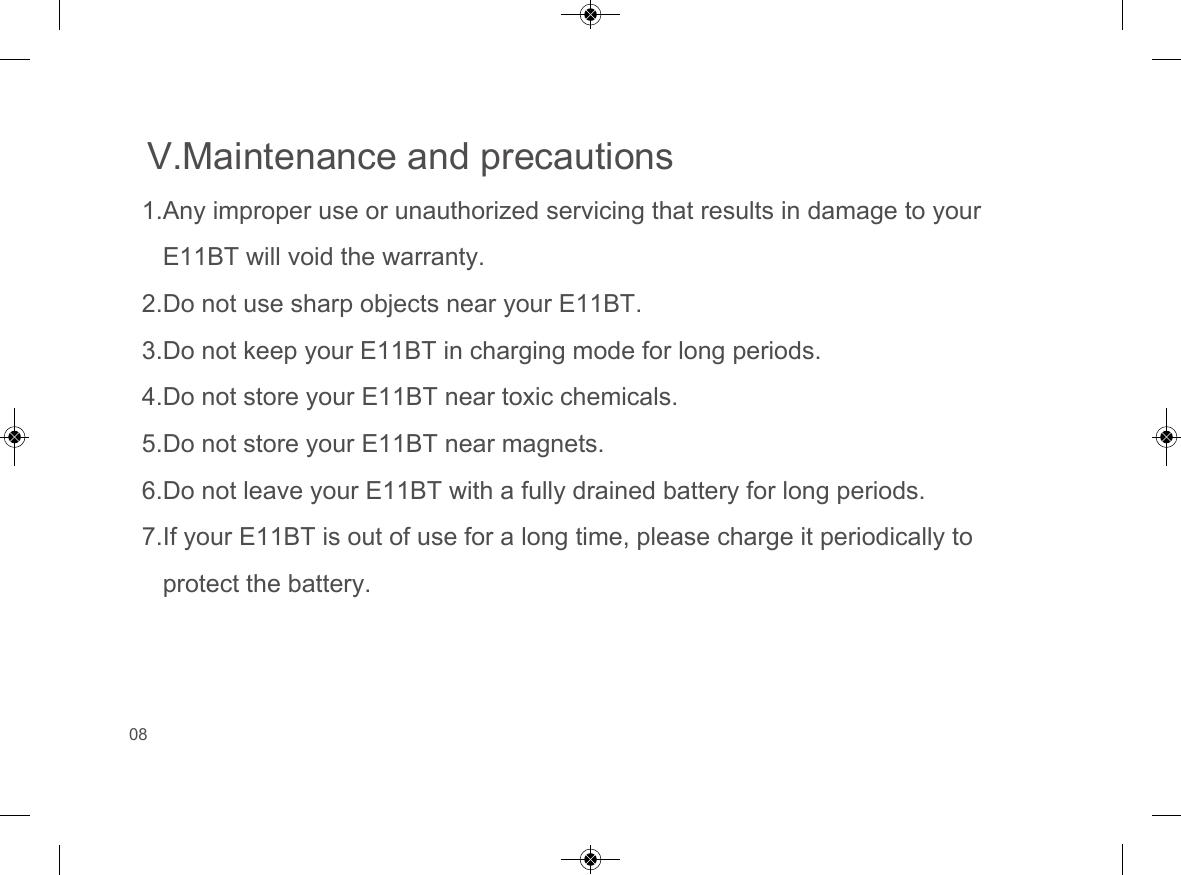
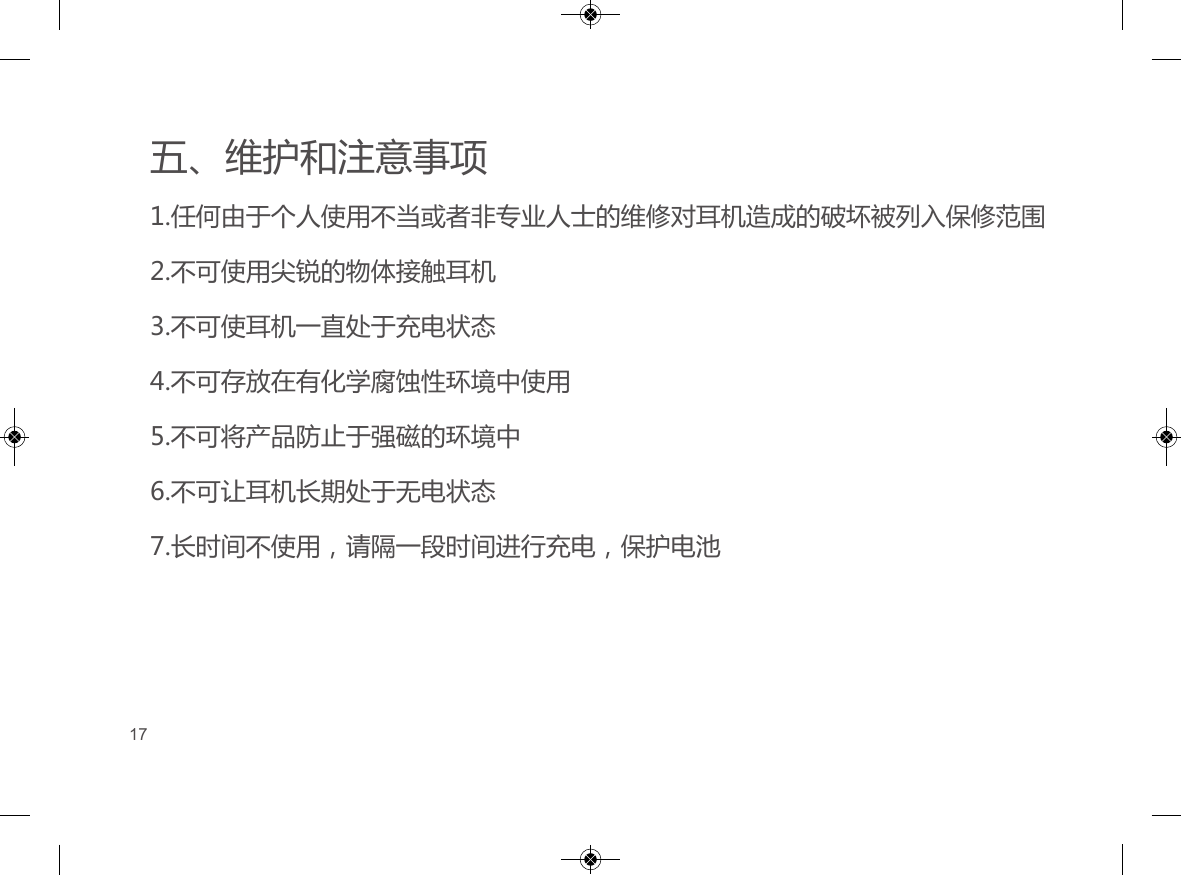
V.Maintenance and precautions1.Any improper use or unauthorized servicing that results in damage to yourE11BT will void the warranty.2.Do not use sharp objects near your E11BT.3.Do not keep your E11BT in charging mode for long periods.4.Do not store your E11BT near toxic chemicals.5.Do not store your E11BT near magnets.6.Do not leave your E11BT with a fully drained battery for long periods.7.If your E11BT is out of use for a long time, please charge it periodically toprotect the battery.08
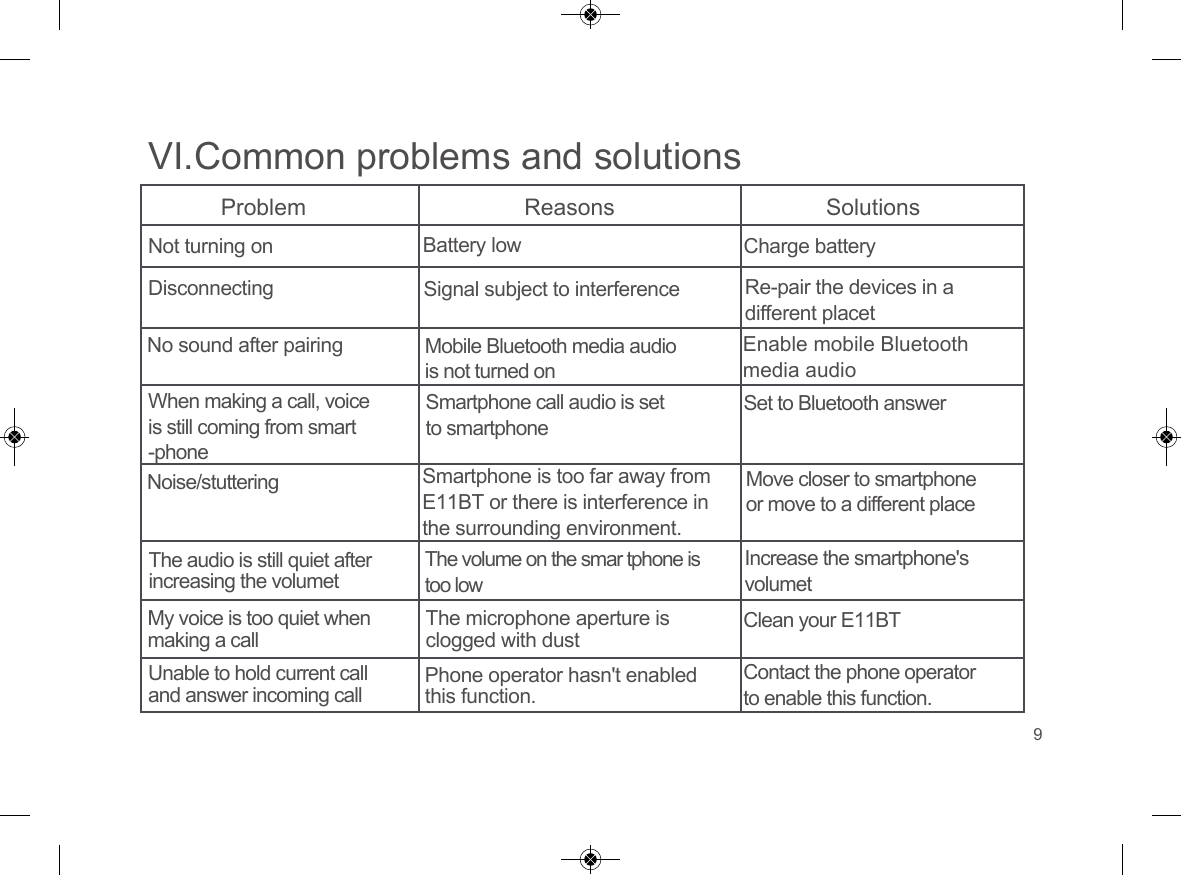
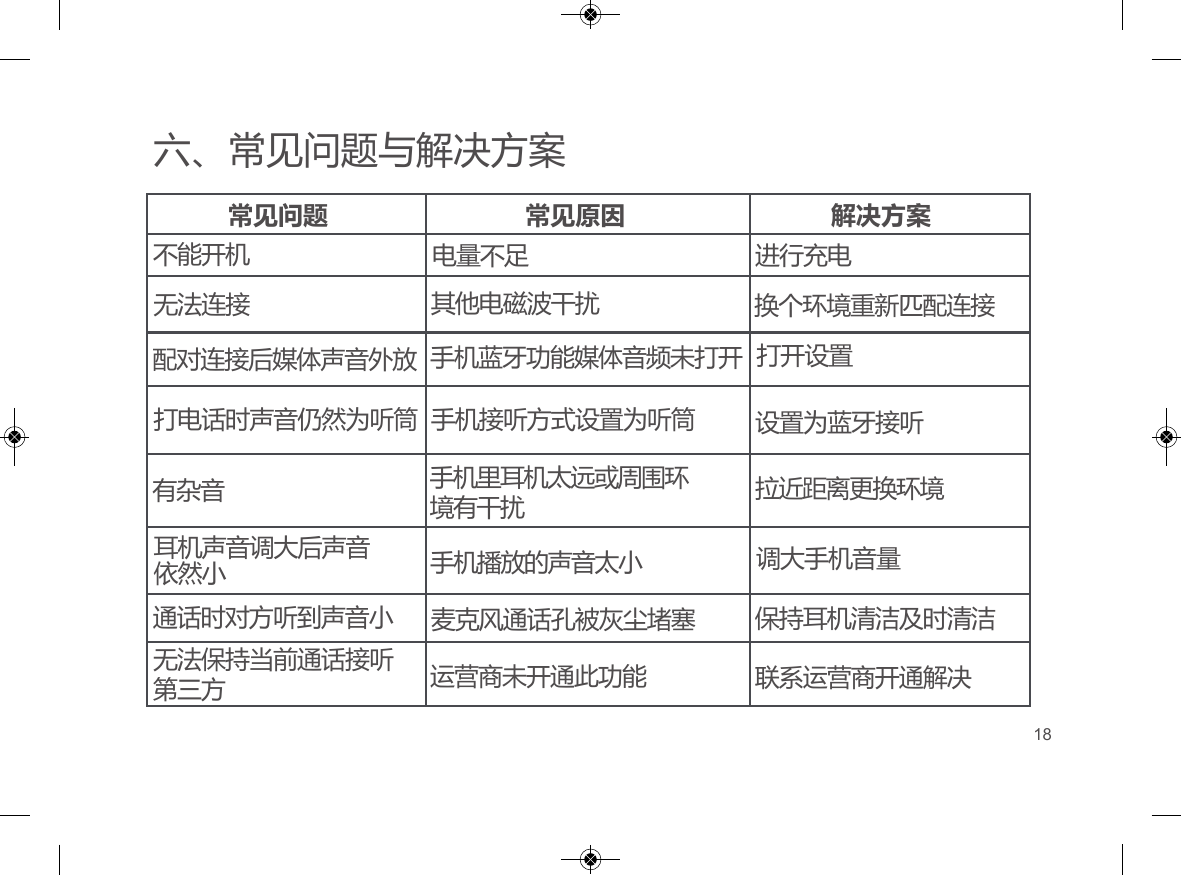
VI.Common problems and solutionsProblem Reasons SolutionsNot turning onDisconnectingNo sound after pairingWhen making a call, voice is still coming from smart-phoneNoise/stutteringThe audio is still quiet after increasing the volumetMy voice is too quiet when making a callUnable to hold current call and answer incoming callBattery low Signal subject to interferenceMobile Bluetooth media audio is not turned onSmartphone call audio is set to smartphoneSmartphone is too far away fromE11BT or there is interference inthe surrounding environment.The volume on the smar tphone is too lowThe microphone aperture is clogged with dustPhone operator hasn't enabled this function.Charge batteryRe-pair the devices in a different placetEnable mobile Bluetooth media audioSet to Bluetooth answerMove closer to smartphone or move to a different placeIncrease the smartphone's volumetClean your E11BTContact the phone operator to enable this function.9
VII.Customer service and supportPlease contact us directly for service and support. Our service team is ready to help you.E-Mail: support@soundmagic.comPhone: +86 769 81270118Fax: +86 769 81270128Factory address: Fulong Industry Road 8, Fulong Community Shipai Town, Dongguan, ChinaFor more information about SoundMAGIC please visit our website: www.soundmagic.com10
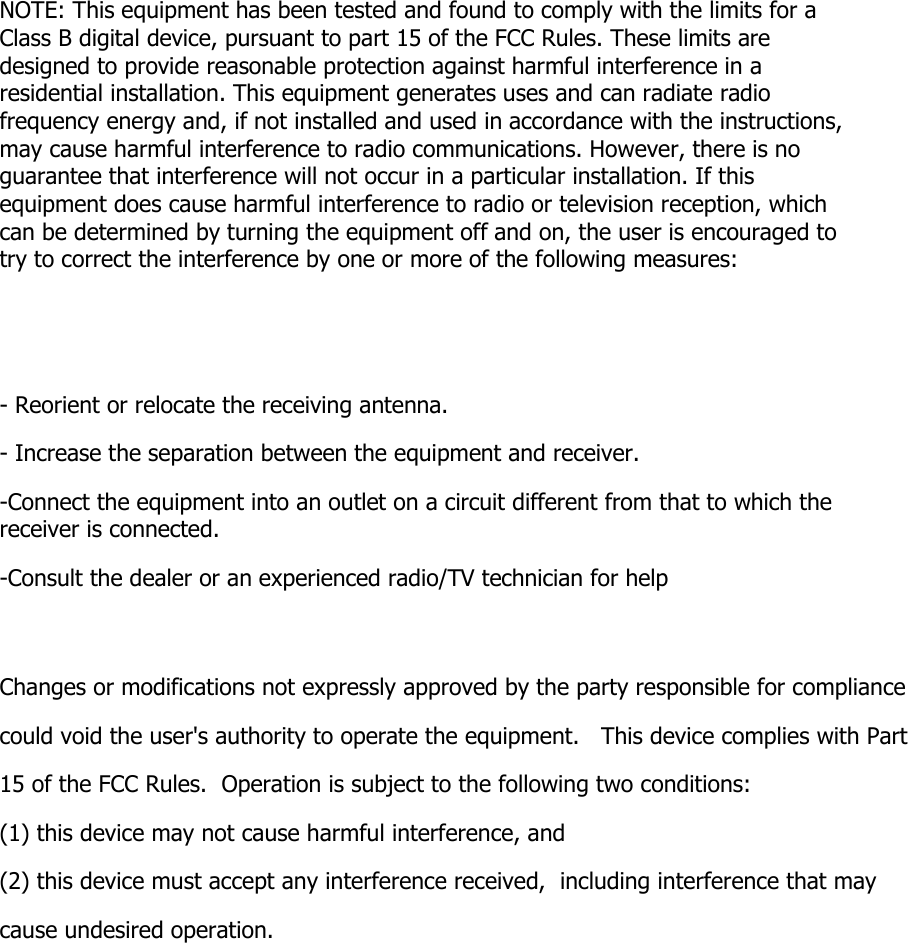
NOTE: This equipment has been tested and found to comply with the limits for a Class B digital device, pursuant to part 15 of the FCC Rules. These limits are designed to provide reasonable protection against harmful interference in a residential installation. This equipment generates uses and can radiate radio frequency energy and, if not installed and used in accordance with the instructions, may cause harmful interference to radio communications. However, there is no guarantee that interference will not occur in a particular installation. If this equipment does cause harmful interference to radio or television reception, which can be determined by turning the equipment off and on, the user is encouraged to try to correct the interference by one or more of the following measures: - Reorient or relocate the receiving antenna. - Increase the separation between the equipment and receiver. -Connect the equipment into an outlet on a circuit different from that to which the receiver is connected. -Consult the dealer or an experienced radio/TV technician for help Changes or modifications not expressly approved by the party responsible for compliance  could void the user's authority to operate the equipment.   This device complies with Part 15 of the FCC Rules.  Operation is subject to the following two conditions:  (1) this device may not cause harmful interference, and  (2) this device must accept any interference received,  including interference that may cause undesired operation.
一、装箱清单E11BT 蓝牙运动耳机大/小号耳塞(中号在耳机上)数据线收纳袋说明书①②③④⑤E11BTWireless In-Ear Headphone with Mic蓝牙运动耳机①②③④⑤11
二、技术参数技术标准…………………......…………………......................................….Bluetooth V5.0单元………………………….............................................……………10mm钕铁硼磁动圈   传输距离……………….............................................................................……Up to 13m阻抗…………………….......................................................……………………….42±10%ΩMIC灵敏度……………………...............................................................………....-42±3dB连续播放音乐时间…………....................................................................…….....48~60H持续通话时间…………………..................................................................…….....20~24H待机时间…………………………….....................................................................……..280H重量…………………………………………….................................................................24.7g环境温度......................................................................................................-20℃~60℃12
三、功能展示耳机线控内置降噪麦克风,一键接挂电话,通话过程流畅清晰;在音乐播放模式下,可暂停或播放多功能键 “-”键“+”键 Micro充电接口13
四、基本功能与操作1.开机长按“多功能”键约3秒:开机,耳机提示音“power on”2.关机长按“多功能”键约3秒:关机,耳机提示音“power off”3.配对1)关机状态下,长按“多功能”键约5秒(3秒左右会开机,此时不要放开)LED红蓝指示灯交替快速闪烁,进入自动搜索配对状态2)打开播放设备蓝牙连接功能搜索蓝牙设备,将会搜索到的蓝牙耳机型号E11BT,点击即可完成配对14
4.自动连接手机与耳机如果已经配对成功,耳机和手机蓝牙功能都处于开启状态,在有效距离和有效时间内,二者可自动建立连接;在使用的过程中耳机超出有效距离断开连接后,5分钟内回到有效距离,耳机将与手机自动建立连接,超过5分钟耳机将启动省电模式自动关机5.音乐播放点按“多功能”键:开始播放音乐;再次点按:暂停播放音乐双击“+”键:播放下一曲双击“-”键:播放上一曲按住“+”键不放:快进6.来电来电时点按“多功能”键:接通电话;通话时点按“多功能”键:结束通话;来电时长按“多功能”键2秒:拒接来电15
4.自动连接手机与耳机如果已经配对成功,耳机和手机蓝牙功能都处于开启状态,在有效距离和有效时间内,二者可自动建立连接;在使用的过程中耳机超出有效距离断开连接后,5分钟内回到有效距离,耳机将与手机自动建立连接,超过5分钟耳机将启动省电模式自动关机5.音乐播放点按“多功能”键:开始播放音乐;再次点按:暂停播放音乐双击“+”键:播放下一曲双击“-”键:播放上一曲按住“+”键不放:快进6.来电来电时点按“多功能”键:接通电话;通话时点按“多功能”键:结束通话;来电时长按“多功能”键2秒:拒接来电7.第三方通话通话时有新来电,长按“多功能”键3秒:当前通话保持,接通第三方来电。(此功能需电话运营商开通支持此项功能。)8.音量调节点按“+”键:增加音量点按“-”键:降低音量9.末号重播双击“多功能”键:最后一次拨打号码重播10.充电请使用电脑或者输出电压为5V±0.2V的设备和USB数据线充电数据线充电当红色灯亮时,表示正在充电充电结束时,红色灯灭蓝色灯亮起(充电时间约为2H)16
五、维护和注意事项1.任何由于个人使用不当或者非专业人士的维修对耳机造成的破坏被列入保修范围2.不可使用尖锐的物体接触耳机3.不可使耳机一直处于充电状态4.不可存放在有化学腐蚀性环境中使用5.不可将产品防止于强磁的环境中6.不可让耳机长期处于无电状态7.长时间不使用,请隔一段时间进行充电,保护电池17
六、常见问题与解决方案常见问题 常见原因 解决方案不能开机无法连接 配对连接后媒体声音外放打电话时声音仍然为听筒有杂音耳机声音调大后声音依然小通话时对方听到声音小无法保持当前通话接听第三方电量不足其他电磁波干扰手机蓝牙功能媒体音频未打开手机接听方式设置为听筒手机里耳机太远或周围环境有干扰手机播放的声音太小麦克风通话孔被灰尘堵塞运营商未开通此功能进行充电换个环境重新匹配连接打开设置设置为蓝牙接听拉近距离更换环境调大手机音量保持耳机清洁及时清洁联系运营商开通解决18
七、服务与支持在需要提供服务时,请直接联系我们,专业的客服人员第一时间为您服务:邮箱:support@soundmagic.com电话:0769-81270118传真:0769-81270128厂址:广东省东莞市石排镇福隆工业区8路年瑞电子科技有限公司您需要了解购买SoundMAGIC更多产品信息请登录官方网址:www.soundmagic.com         19

Navigation menu