Spectec Computer MINIWLAN11B Mini SDIO Wireless LAN Card User Manual Spectec mini user s guid indd

Spectec Computer Co., Ltd Mini SDIO Wireless LAN Card Spectec mini user s guid indd

Contents

Users Manual 1 of 2

WLAN-11bWireless/InternetMini SDIO WLAN cardMini SDIO WLAN CardUser’s Manualver. 1.23WLAN-11bFCC ID:S2Y-MINIWLAN11B0012E6000506
ContentInside Package ................................................................................................P.1System Requirement & Installation Description.............................................P.1Installation Steps ..........................................................................................P.2~5How to put a Mini SDIO WLAN card in of a PDA ..........................................P.6How to get a Mini SDIO WLAN card out of a PDA .......................................P.6How to Connect ..........................................................................................P.7~8How to Connect Ad-hoc.................................................................................P.9How to Remove Settings..................................................................................P.9Wireless/Internet Speed Dial ..................................................................P.10~11How to Connect AP Manually .....................................................................P.12Inside CD ........................................................................................................P.13Contact Us ......................................................................................................P.14How to Upgrade Software ............................................................................P.15How to Install Software ..................................................................................P.15APCompatibility List ......................................................................................P.16Frequently Ask Question ...............................................................................P.17
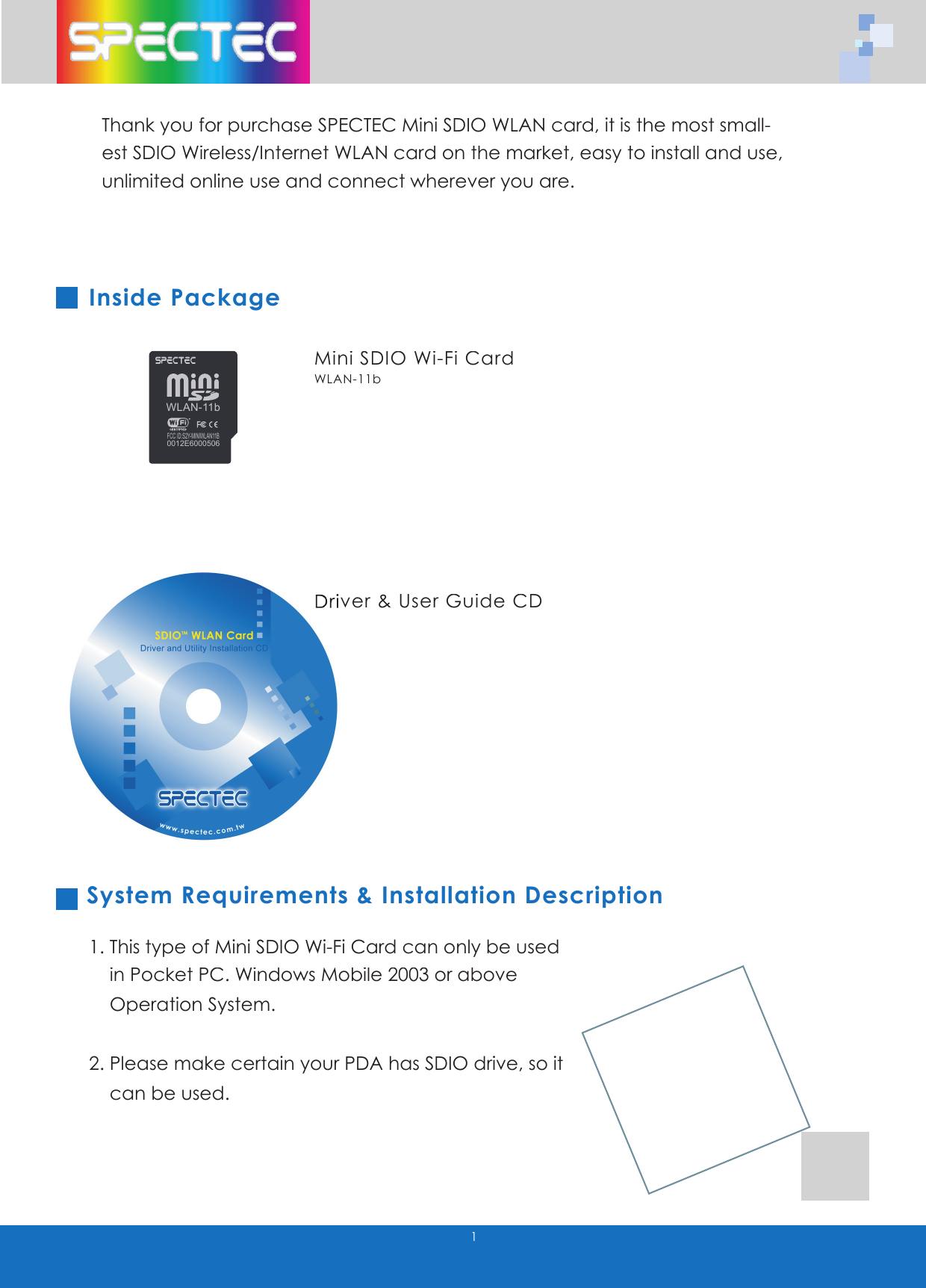
1Thank you for purchase SPECTEC Mini SDIO WLAN card, it is the most small-est SDIO Wireless/Internet WLAN card on the market, easy to install and use, unlimited online use and connect wherever you are.Inside Package System Requirements & Installation Description1. This type of Mini SDIO Wi-Fi Card can only be used        in Pocket PC. Windows Mobile 2003 or above     Operation System.2. Please make certain your PDA has SDIO drive, so it     can be used.Mini SDIO Wi-Fi CardWLAN-11bDriver & User Guide CDDriver & User Guide CDWLAN-11bFCC ID:S2Y-MINIWLAN11B0012E6000506
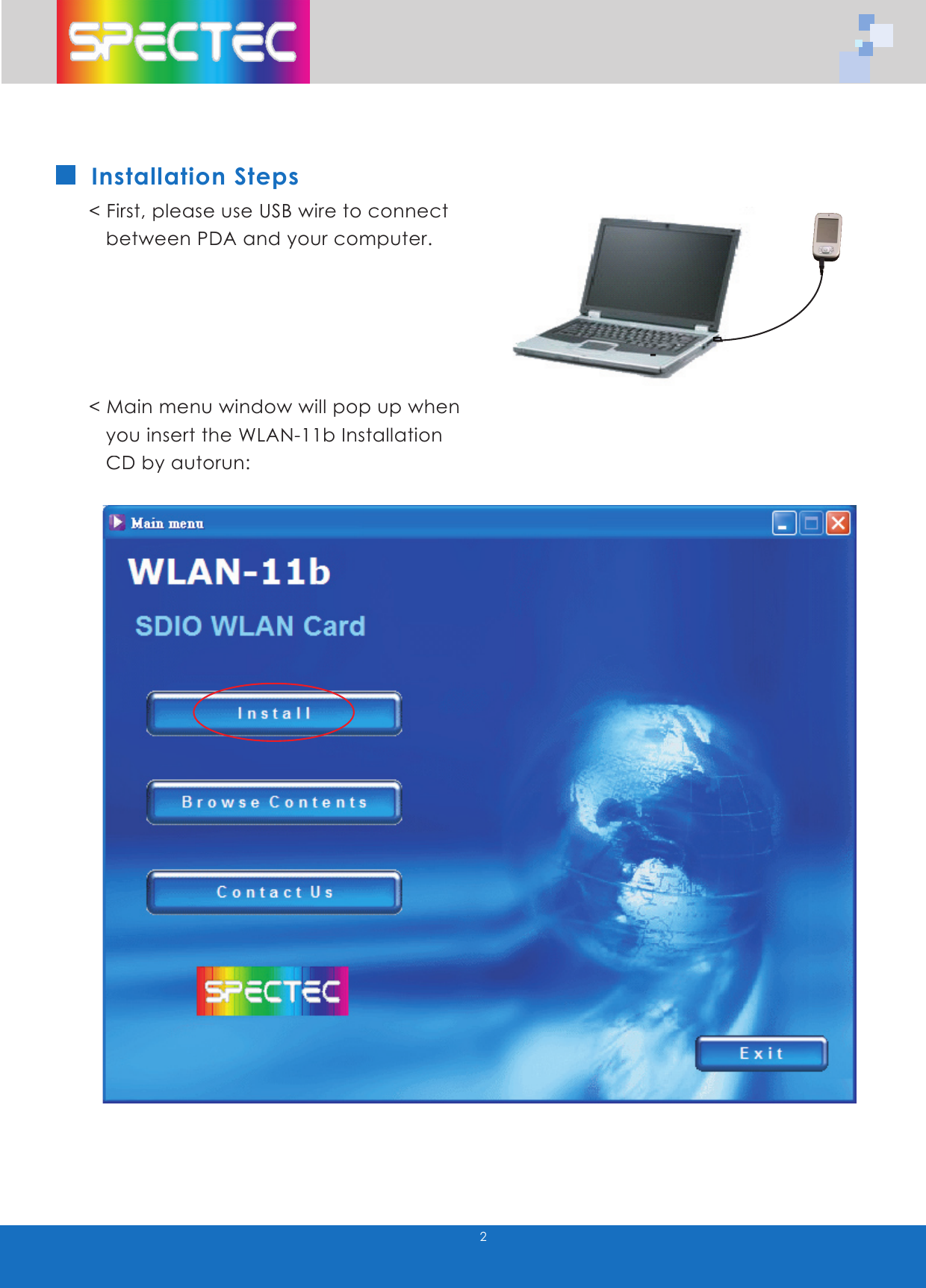
2Installation Steps< First, please use USB wire to connect     between PDA and your computer.< Main menu window will pop up when     you insert the WLAN-11b Installation     CD by autorun:
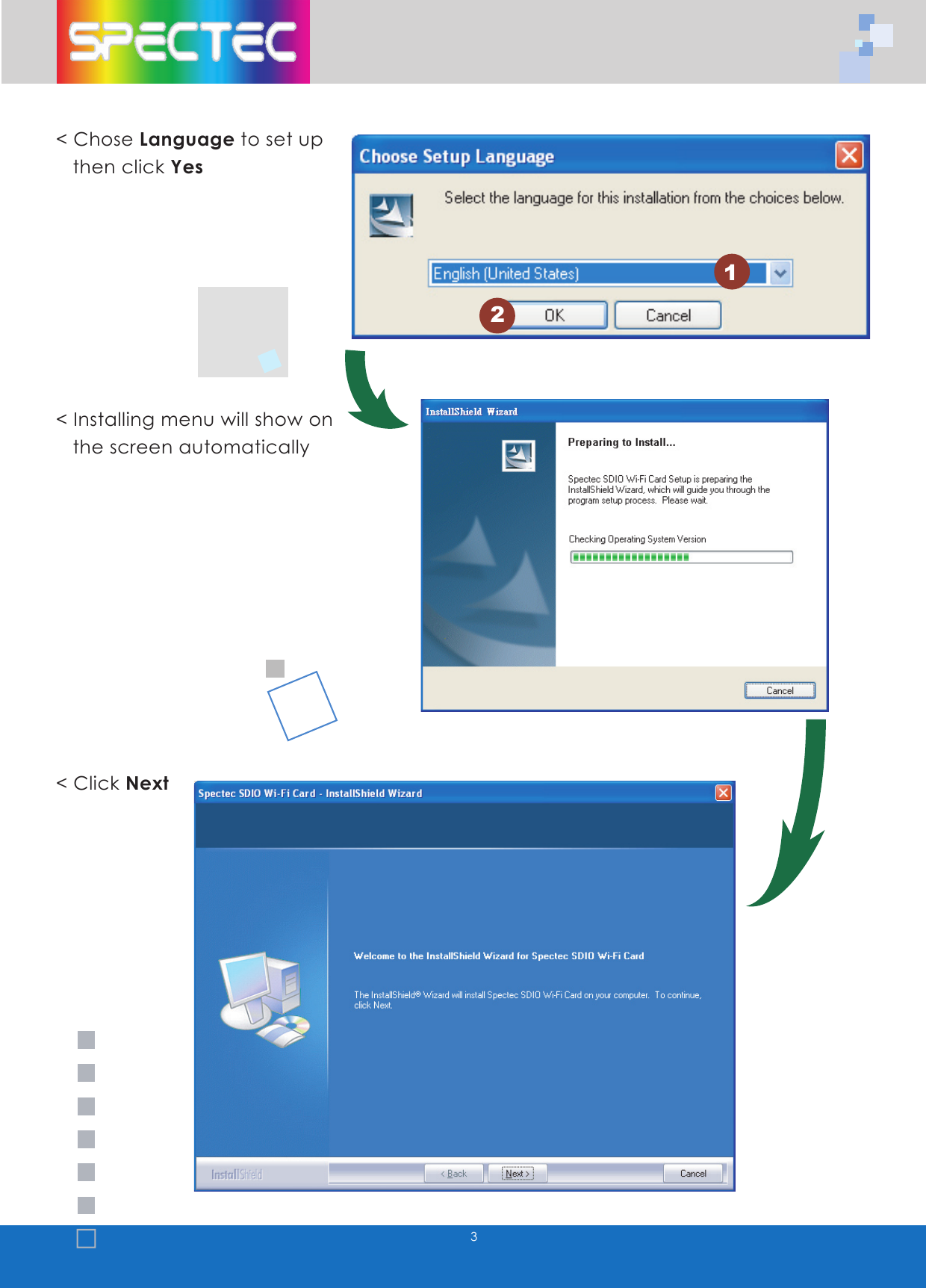
3< Chose Language to set up     then click Yes< Installing menu will show on    the screen automatically < Click Next12
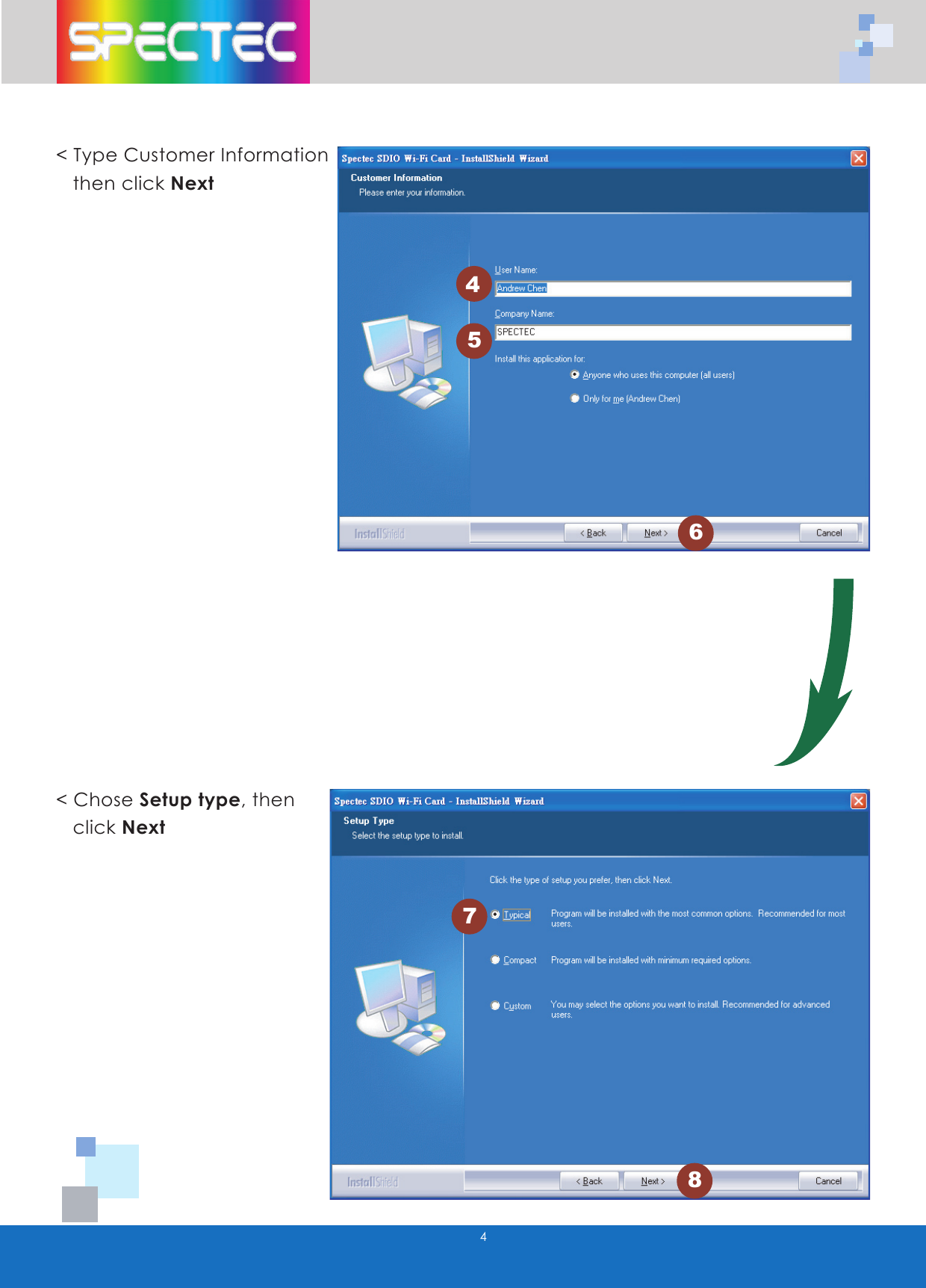
445678< Type Customer Information   then click Next< Chose Setup type, then     click Next
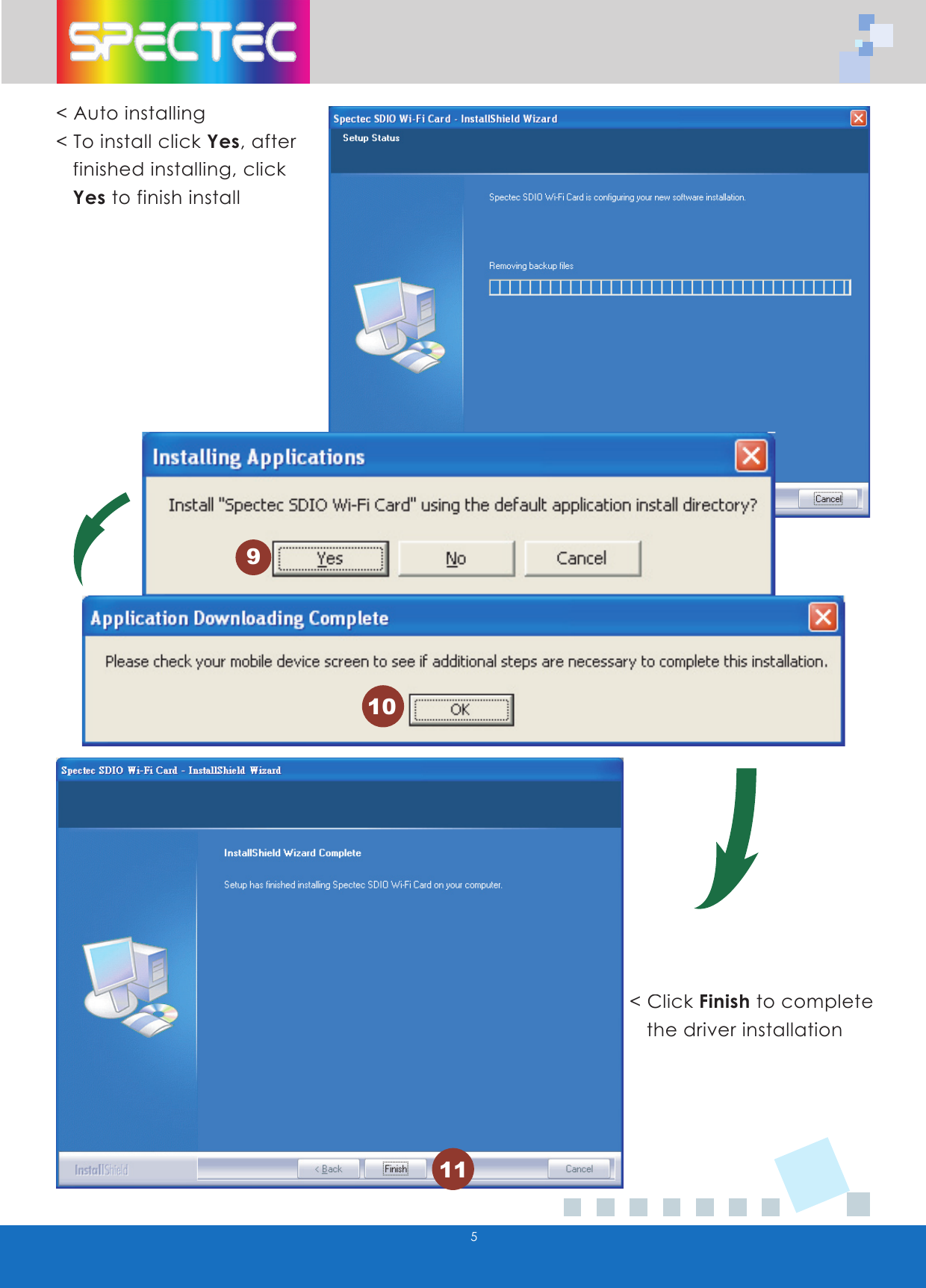
5< Auto installing< To install click Yes, after     finished installing, click     Yesto finish install< Click Finish to complete     the driver installation91011
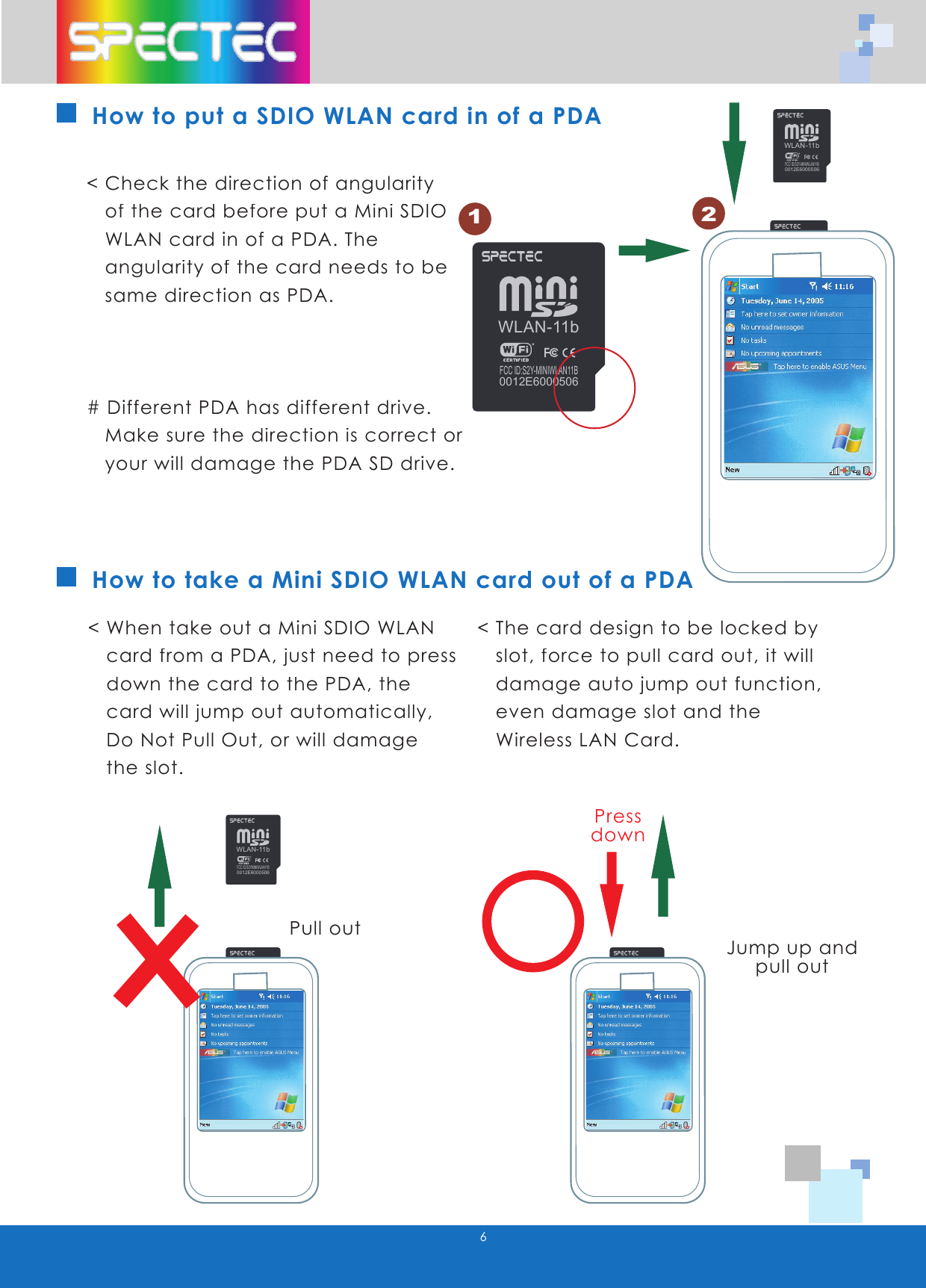
WLAN-11bFCC ID:S2Y-MINIWLAN11B0012E6000506WLAN-11bFCC ID:S2Y-MINIWLAN11B0012E6000506WLAN-11bFCC ID:S2YMINIWLAN11B0012E6000506WLAN-11bFCC ID:S2YMINIWLAN11B0012E60005066How to take a Mini SDIO WLAN card out of a PDA< Check the direction of angularity     of the card before put a Mini SDIO   WLAN card in of a PDA. The     angularity of the card needs to be     same direction as PDA.# Different PDA has different drive.     Make sure the direction is correct or     your will damage the PDA SD drive.< When take out a Mini SDIO WLAN     card from a PDA, just need to press     down the card to the PDA, the     card will jump out automatically,     Do Not Pull Out, or will damage     the slot.< The card design to be locked by     slot, force to pull card out, it will     damage auto jump out function,       even damage slot and the    Wireless LAN Card.Pull outJump up and pull outPressdownHow to put a SDIO WLAN card in of a PDA12WLAN-11bFCC ID:S2YMINIWLAN11B0012E6000506WLAN-11bFCC ID:S2Y-MINIWLAN11B0012E6000506
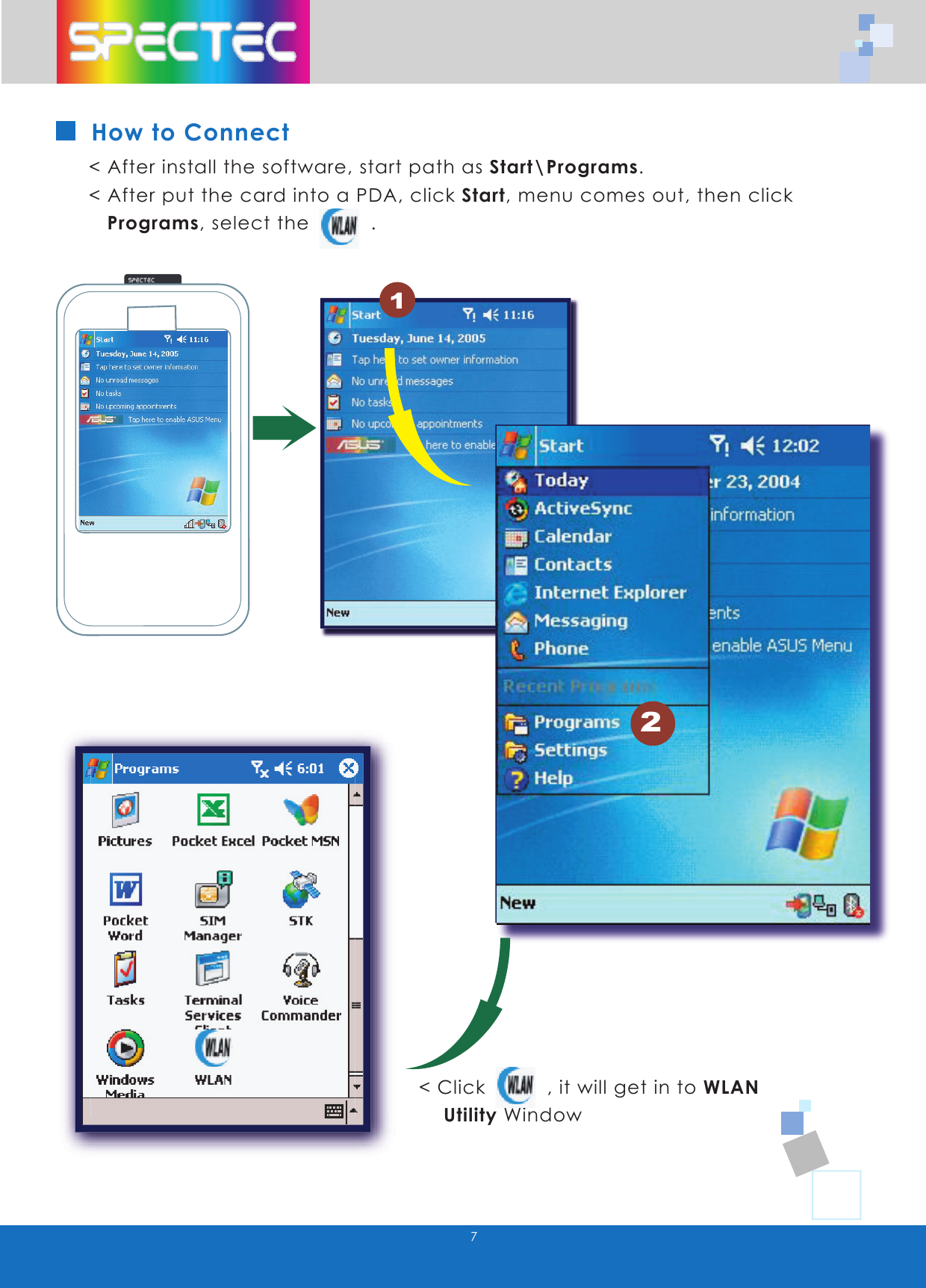
WLAN-11bFCC ID:S2Y-MINIWLAN11B0012E60005067How to Connect< After install the software, start path as Start\Programs.  < After put the card into a PDA, click Start, menu comes out, then click     Programs, select the          .< Click          , it will get in to WLAN      Utility Window2
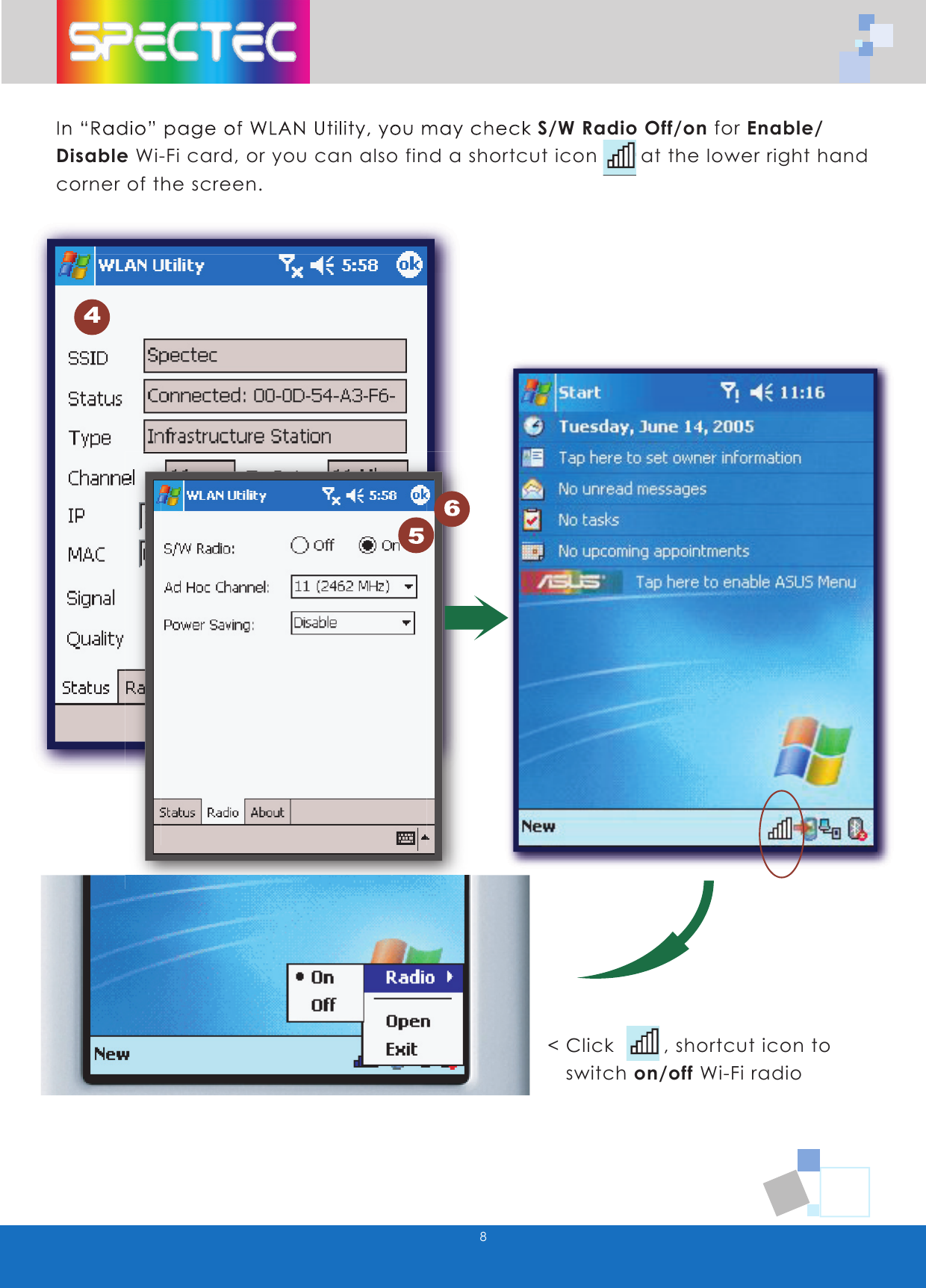
8In “Radio” page of WLAN Utility, you may check S/W Radio Off/on for Enable/ Disable Wi-Fi card, or you can also find a shortcut icon       at the lower right hand corner of the screen.< Click        , shortcut icon to     switch on/off Wi-Fi radio
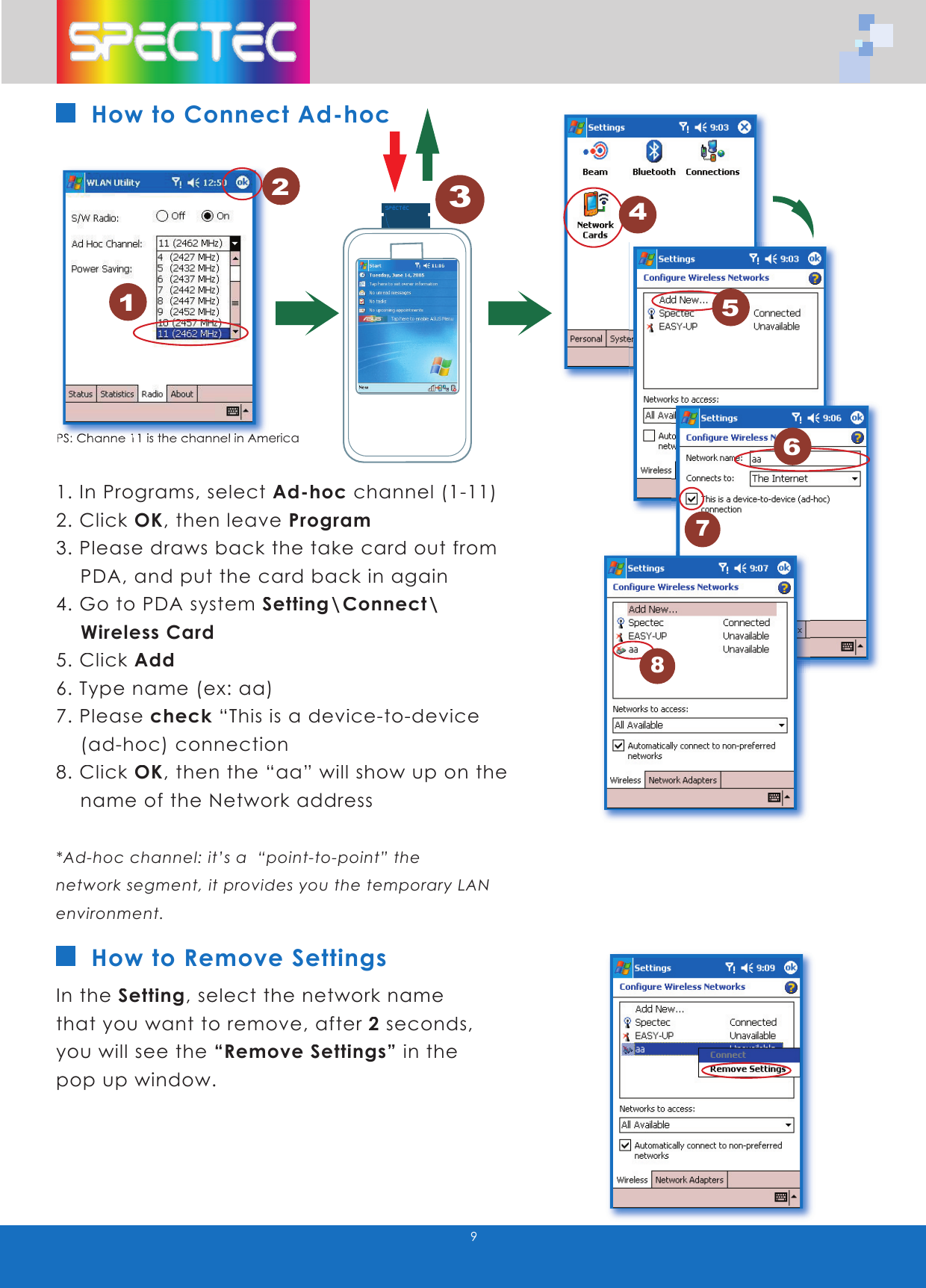
9How to Connect Ad-hoc1. In Programs, select Ad-hoc channel (1-11)2. Click OK, then leave Program3. Please draws back the take card out from      PDA, and put the card back in again4. Go to PDA system Setting\Connect\      Wireless Card5. Click Add6. Type name (ex: aa)7. Please check “This is a device-to-device      (ad-hoc) connection8. Click OK, then the “aa” will show up on the      name of the Network address*Ad-hoc channel: it’s a  “point-to-point” the network segment, it provides you the temporary LAN environment. In the Setting, select the network name that you want to remove, after 2 seconds, you will see the “Remove Settings” in the pop up window. How to Remove Settings1PS:PS: Ch Channe 1anne 111 is the channel in A is the channel in Americamerica2345678

Navigation menu