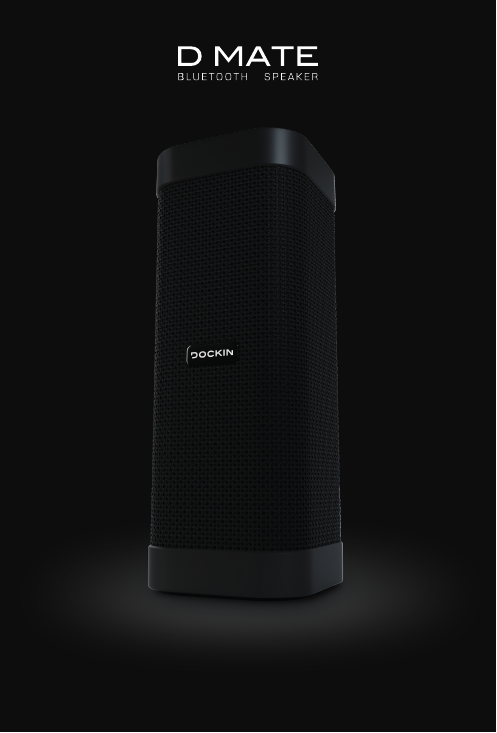
Stage10 BT519 Bluetooth Speaker User Manual

Stroer Products GmbH Bluetooth Speaker

User manual

1
22 3ENWELCOME TO THE DOCKIN FAMILY!ABOUT DOCKINHonesty and authenticity are at the core of what we believe in. Both are incorporated into our daily work and our products.This vision is an integral part of DOCKIN as a brand and guides our every move. We meet the challenge of a new, young brand in the rather conservative audio market head on. Being on the frontier of technology, delivering products for a better life and better sound for our entire community — whether it is through our products, our customer service or through reaching out to you in other ways.OUR MISSIONWe put our passion into audio concepts that allow you to experience a unique sound in your exible and mobile life – anytime and an-ywhere! First-class workmanship and a cap-tivating sound are always in the center of our focus.PASSION FOR SOUND… is more than just akey marketing speak. Our team consists of people with strong backgrounds in audio and a passion for sound and aesthetics. The love for music, sound and technology unites the team and makes our products unique in the audio landscape.When you visit www.dockin.de/about you will nd more about us! Further more we curated some Spotify Playlists for you which you can listen to here as well! See you there! Spotify:dockin_deInstagram:dockin_deFacebook:DOCKINEN
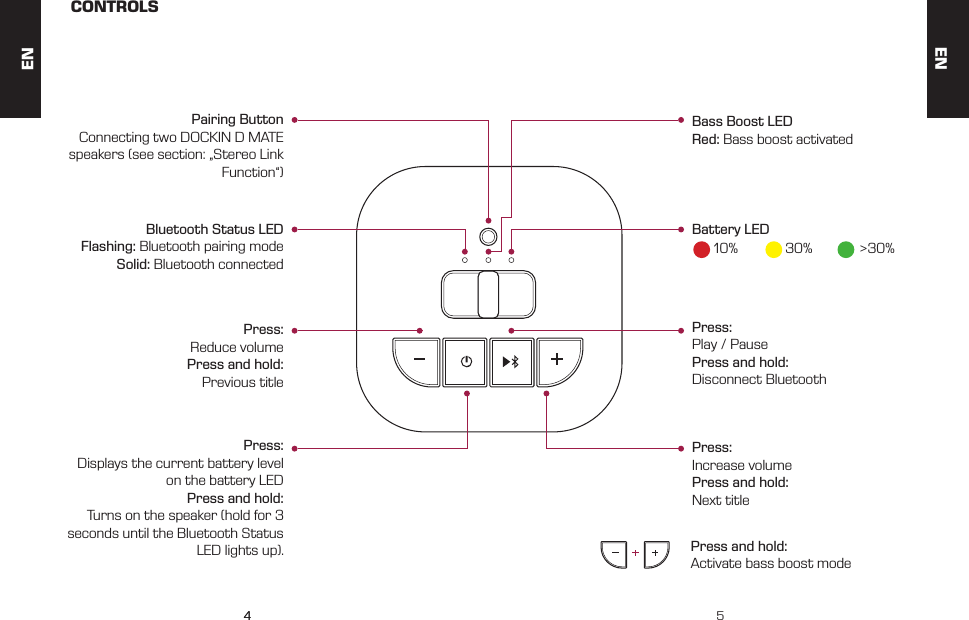
44 5CONTROLSPress: Reduce volumePress and hold: Previous titleBluetooth Status LEDFlashing: Bluetooth pairing modeSolid: Bluetooth connectedPress: Play / PausePress and hold: Disconnect BluetoothPress: Increase volumePress and hold: Next titlePress and hold: Activate bass boost modePress: Displays the current battery level on the battery LEDPress and hold: Turns on the speaker (hold for 3 seconds until the Bluetooth Status LED lights up).Bass Boost LEDRed: Bass boost activatedPairing ButtonConnecting two DOCKIN D MATE speakers (see section: „Stereo Link Function“)Battery LED10% 30% >30%ENEN
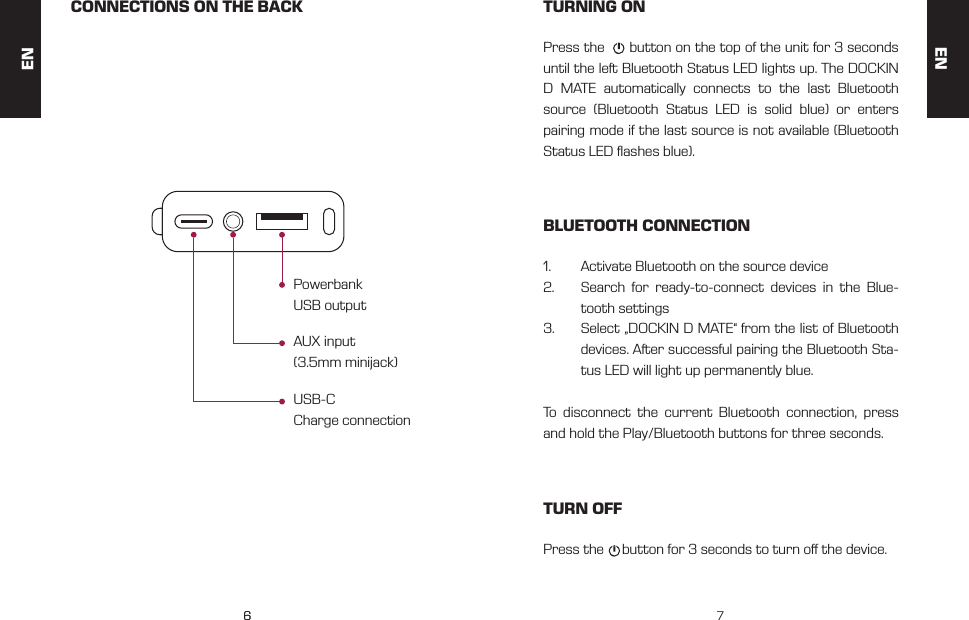
66 7CONNECTIONS ON THE BACK TURNING ONBLUETOOTH CONNECTIONTURN OFFUSB-C Charge connectionPress the      button on the top of the unit for 3 seconds until the left Bluetooth Status LED lights up. The DOCKIN D MATE automatically connects to the last Bluetooth source (Bluetooth Status LED is solid blue) or enters pairing mode if the last source is not available (Bluetooth Status LED ashes blue).1.  Activate Bluetooth on the source device 2.  Search for ready-to-connect devices in the Blue-tooth settings3.  Select „DOCKIN D MATE“ from the list of Bluetooth devices. After successful pairing the Bluetooth Sta-tus LED will light up permanently blue.To disconnect the current Bluetooth connection, press and hold the Play/Bluetooth buttons for three seconds.Press the     button for 3 seconds to turn o the device.AUX input (3.5mm minijack)Powerbank USB outputENEN
88 9AUX MODE BASS BOOST MODESTEREO LINK FUNCTIONCHARGINGConnect the DOCKIN D MATE to a source device via 3.5mm AUX cable.1.  Connect the source device to the AUX input of the DOCKIN D MATE with the included 3.5mm stereo cable2.  Begin playback on the source deviceThe power saving mode of the D MATE is deactivated while the AUX cable is connected. When the AUX cable and the charging cable are connected, this allows stationary use, for example as a computer speaker.By simultaneously pressing the „+“ and „-„ buttons for 3 se-conds, the Bass Boost mode is activated. This will increase the volume and bass response of the D MATE. APPLICATION EXAMPLES:•  Improve bass reproduction when using outdoors•  Stronger bass response when listening at low  volume•  Stronger bass response for low bass musicUsing the Bass Boost mode will slightly reduce the battery life as it increases the overall volume.PAIR TWO DOCKIN D MATE:1.  Connect the Bluetooth source to the rst D MATE2.  Press the pairing button for three seconds on the rst D MATE.3.  Press the pairing button for three seconds on the second D MATE.4.  Pairing the two speakers can take up to 1 minute. A successful connection is indicated by the perma-nent illumination of both Bluetooth Status LEDs.Charge the DOCKIN D MATE with the included USB-C ca-ble. Simply connect to a USB power source (5V, 1A). The charging port is located behind the cover on the back. When battery is completely discharged, charging takes about 5 hours. BATTERY LED COLORS:When charging, the battery LED ashes. When 100% char-ge is reached it lights up in a steady green.10% 30% >30%ENEN
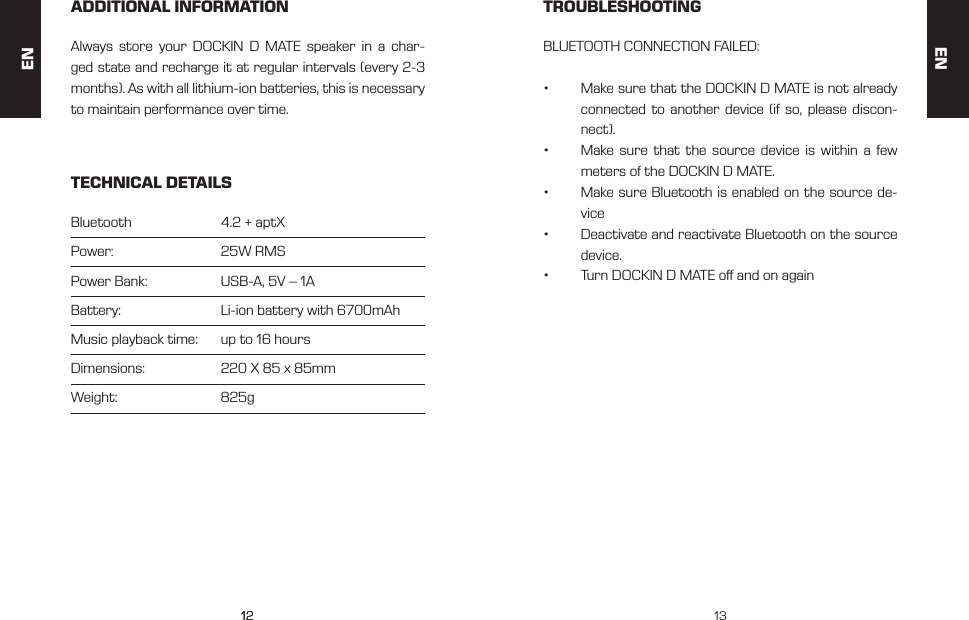
1010 11The volume and volume changes are applied to both de-vices. The pairing information is stored. This will automati-cally reconnect the speakers the next time they start up. The left / right assignment is saved as well.By pressing the pairing button again for 3 seconds, the pairing can be temporarily deactivated. It is also possible to completely erase the pairing informa-tion by pressing the Play / Bluetooth and the        button for 3 seconds. This will also erase the stored playback devices.POWERBANKUSB SPEAKERPOWER SAVING FUNCTIONThe D MATE includes a power bank feature that allows you to charge smartphones and other source devices.When the DOCKING D MATE is connected to a PC via USB-C, it is recognized as a playback source. The PC sound can then be played back via USB connection. This allows use as a PC speaker even if the PC does not sup-port Bluetooth playback.The DOCKIN D MATE will automatically turn o after 15 minutes if no Bluetooth source is connected. When the AUX connector is plugged in, this shutdown will be disabled. This is useful for stationary use (for example as PC speaker).Simply connect the device to be charged to the USB out-put. For this, the supplied USB cable or a standard char-ging cable for your device can be used. The USB output has an output voltage of 5V at a current of 1A. Even when switched o, the power bank on the DOCKIN D MATE can be used. To activate, briey press the     button.ENEN
1212 13ADDITIONAL INFORMATION TROUBLESHOOTINGTECHNICAL DETAILSAlways store your DOCKIN D MATE speaker in a char-ged state and recharge it at regular intervals (every 2-3 months). As with all lithium-ion batteries, this is necessary to maintain performance over time.BLUETOOTH CONNECTION FAILED:•  Make sure that the DOCKIN D MATE is not already connected to another device (if so, please discon-nect).•  Make sure that the source device is within a few meters of the DOCKIN D MATE.•  Make sure Bluetooth is enabled on the source de-vice•  Deactivate and reactivate Bluetooth on the source device.•  Turn DOCKIN D MATE o and on againBluetooth     4.2 + aptXPower:     25W RMSPower Bank:   USB-A, 5V – 1ABattery:     Li-ion battery with 6700mAhMusic playback time:   up to 16 hoursDimensions:   220 X 85 x 85mmWeight:     825gENEN
1212 13ENENThis device complies with Part 15 of the FCC rules. Operation is subject to the following two conditions: 1) this device may not cause harmful interference, and 2) this device must accept any interference received, including interference that may cause undesired operation.Note: This equipment has been tested and found to comply with the limits for a ClassB digital device, pursuant to part 15 of the FCC Rules. These limits are designed toprovide reasonable protection against harmful interference in a residential installation.This equipment generates uses and can radiate radio frequency energy and, if not installed and used in accordance with the instructions, may cause harmful interference to radio communications. However, there is no guarantee that interference will not occur in particular installation. If this equipment does cause harmful interference to radio or television reception, which can be determined by turning the equipment off and on, the user is encouraged to try to correct the interference by one or more of the following measures:--Reorient or relocate the receiving antenna.--Increase the separation between the equipment and receiver.--Connect the equipment into an outlet on a circuit different from that to which the receiver is connected.--Consult the dealer or an experienced radio/TV technician for help.Changes or modifications not expressly approved by the party responsible for compliance could void the user’s authority to operate the equipment.FCC Radiation Exposure StatementThis device complies with FCC RF radiation exposure limits set forth for an uncontrolled environment. This transmitter must not be co-located or operating in conjunction with any other antenna or transmitter.FCC Statement
6464Service: info@dockin.de

Navigation menu