Superior communications AX1 Bluetooth Headphones User Manual

Superior communications . Bluetooth Headphones

Contents

User Manual

NCREDIBLE AX1User ManualPlease read this User Manual before using your Ncredible AX1 headphones.
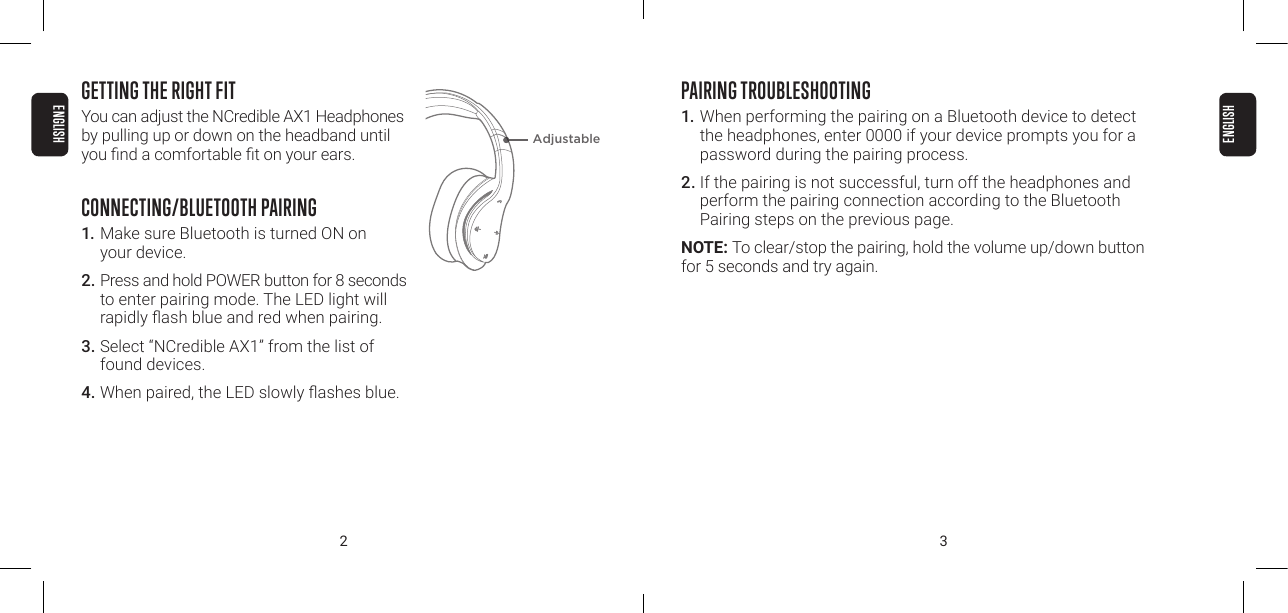
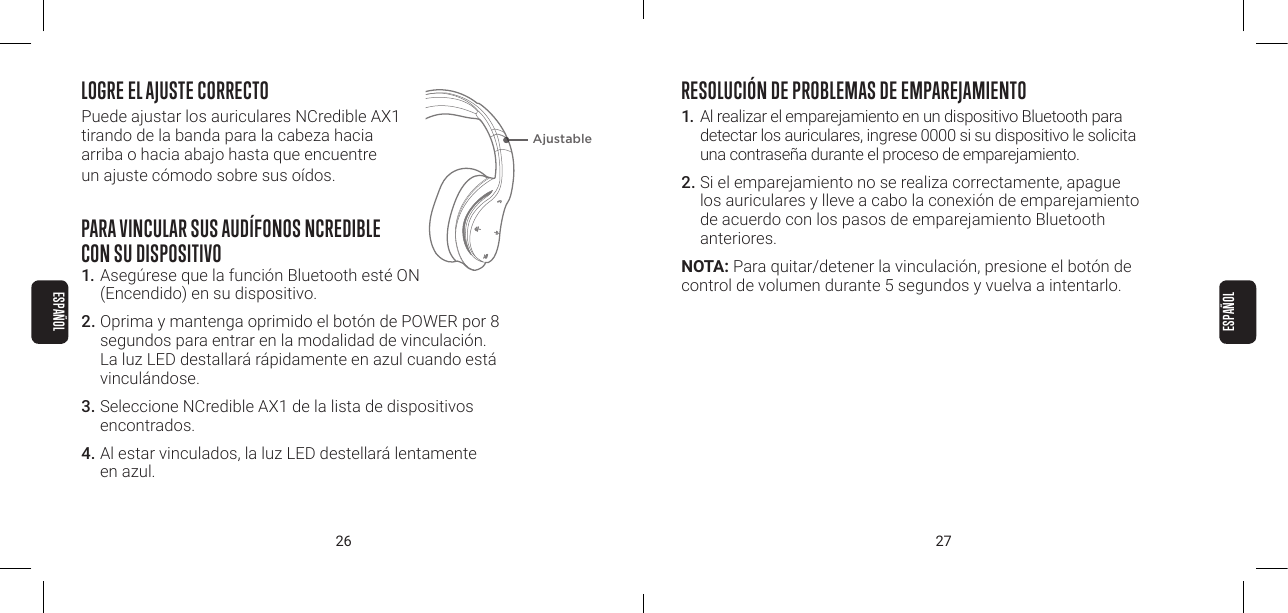
2 3GETTING THE RIGHT FITYou can adjust the NCredible AX1 Headphones by pulling up or down on the headband until you nd a comfortable t on your ears.CONNECTING/BLUETOOTH PAIRING1. Make sure Bluetooth is turned ON on  your device.2. Press and hold POWER button for 8 seconds to enter pairing mode. The LED light will rapidly ash blue and red when pairing.3. Select “NCredible AX1” from the list of found devices.4. When paired, the LED slowly ashes blue.PAIRING TROUBLESHOOTING1. When performing the pairing on a Bluetooth device to detect the headphones, enter 0000 if your device prompts you for a password during the pairing process.2. If the pairing is not successful, turn off the headphones and perform the pairing connection according to the Bluetooth Pairing steps on the previous page.NOTE: To clear/stop the pairing, hold the volume up/down button for 5 seconds and try again.AdjustableENGLISHENGLISH
4 5PAIRING WITH A SECOND DEVICELets say you’re using your phone and your laptop and don’t want to use the speaker for sound. When you pair both those devices to your NCredible AX1, you experience the following situation: If a call comes in on your phone while you’re watching a movie on your laptop, the NCredible AX1 Bluetooth connection will pause the movie and connect to the phone call automatically.1. To connect your headphones with a second device, turn off Bluetooth on the rst device.2. Press and hold down MFB button to re-activate  Bluetooth Pairing Mode.3.  Repeat the original Connecting/Bluetooth Pairing -  from above.4.  Reconnect the rst device by selecting “NCredible AX1” from the Bluetooth list of devices.TROUBLESHOOTING PAIRING A SECOND DEVICE If going back to the rst device isn’t working after pairing the  second device, you may need to adjust your Bluetooth settings for the rst device.1. Open Bluetooth and make sure it is turned ON.2. Select "NCredible AX1" Headphones.3.  FOR ANDROID USERS, make sure the Call Audio  and Media Audio buttons are ON.ENGLISHENGLISH
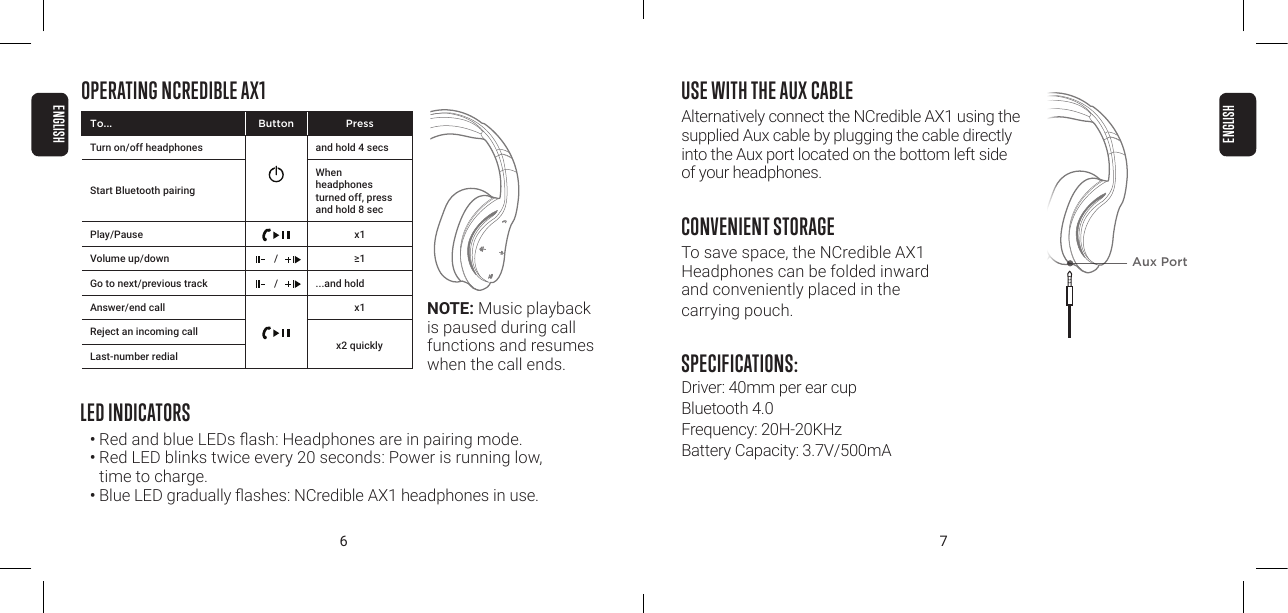
6 7USE WITH THE AUX CABLEAlternatively connect the NCredible AX1 using the supplied Aux cable by plugging the cable directly into the Aux port located on the bottom left side  of your headphones.CONVENIENT STORAGETo save space, the NCredible AX1  Headphones can be folded inward  and conveniently placed in the  carrying pouch.SPECIFICATIONS: Driver: 40mm per ear cup Bluetooth 4.0 Frequency: 20H-20KHz Battery Capacity: 3.7V/500mAOPERATING NCREDIBLE AX1LED INDICATORS•  Red and blue LEDs ash: Headphones are in pairing mode.• Red LED blinks twice every 20 seconds: Power is running low,  time to charge.•  Blue LED gradually ashes: NCredible AX1 headphones in use.Aux PortNOTE: Music playback is paused during call functions and resumes when the call ends.To... Button PressTurn on/off headphones and hold 4 secsStart Bluetooth pairingWhen  headphones turned off, press and hold 8 secPlay/Pause x1Volume up/down / ≥1Go to next/previous track / ...and hold Answer/end call x1Reject an incoming callLast-number redialx2 quicklyENGLISHENGLISH
8 9COMPATIBILITYThe ear cup controls only work in Bluetooth mode. Functions may vary depending on your device’s compatibility:• iOS and Android smartphones with Bluetooth• Laptops, tablets and MP3 players with BluetoothLISTENING SAFELYDo not wear headphones while driving a vehicle or cycling. This can create a trac hazard and could be illegal in some areas. To protect your hearing, do not listen at high volume. Extended high-volume listening can lead to permanent hearing loss.CHARGING YOUR NCREDIBLE AX1 HEADPHONES1. Plug the Micro-USB charging cable into the port on the right ear cup. Next, plug the USB-A connector into a USB wall charger.2. The LED light will be red during charging. When charging is complete, the light will turn off.NOTE: 1. When the headphones are fully charged, there will be no light.2. When the power is low, the LED light will ash red.3. When there is no Bluetooth connection, the headphones will automatically turn off after 3 minutes.ENGLISHENGLISH
10 11FCC COMPLIANCENOTE: This equipment has been tested and found to comply with  the limits for a Class B digital device, pursuant to part 15 of the FCC  Rules. These limits are designed to provide reasonable protection against harmful interference in a residential installation. This equipment generates uses and can radiate radio frequency energy  and, if not installed and used in accordance with the instructions,  may cause harmful interference to radio communications. However,  there is no guarantee that interference will not occur in a particular installation. If this equipment does cause harmful interference to radio or television reception, which can be determined by turning the equipment off and on, the user is encouraged to try to correct the interference by one or more of the following measures:• Reorient or relocate the receiving antenna.• Increase the separation between the equipment and receiver.• Connect the equipment into an outlet on a circuit different from that to which the receiver is connected.• Consult the dealer or an experienced radio/TV technician for helpChanges or modications not expressly approved by the party responsible for compliance could void the user’s authority to operate the equipment. This device complies with Part 15 of the FCC Rules. Operation is subject to the following two conditions:1. this device may not cause harmful interference, and 2. this device must accept any interference received, including  interference that may cause undesired operation.This device complies with Industry Canada licence-exempt RSS standard(s). Operation is subject to the following two conditions:1. this device may not cause interference, and2. this device must accept any interference, including interfer-ence that may cause undesired operation of the device.Applicant – Superior Communications, 07808NCENGLISHENGLISH
NCREDIBLE AX1Guide d’utilisationVeuillez lire le présent Guide d’utilisation avant vous  servir de votre casque d’écoute Ncredible AX1
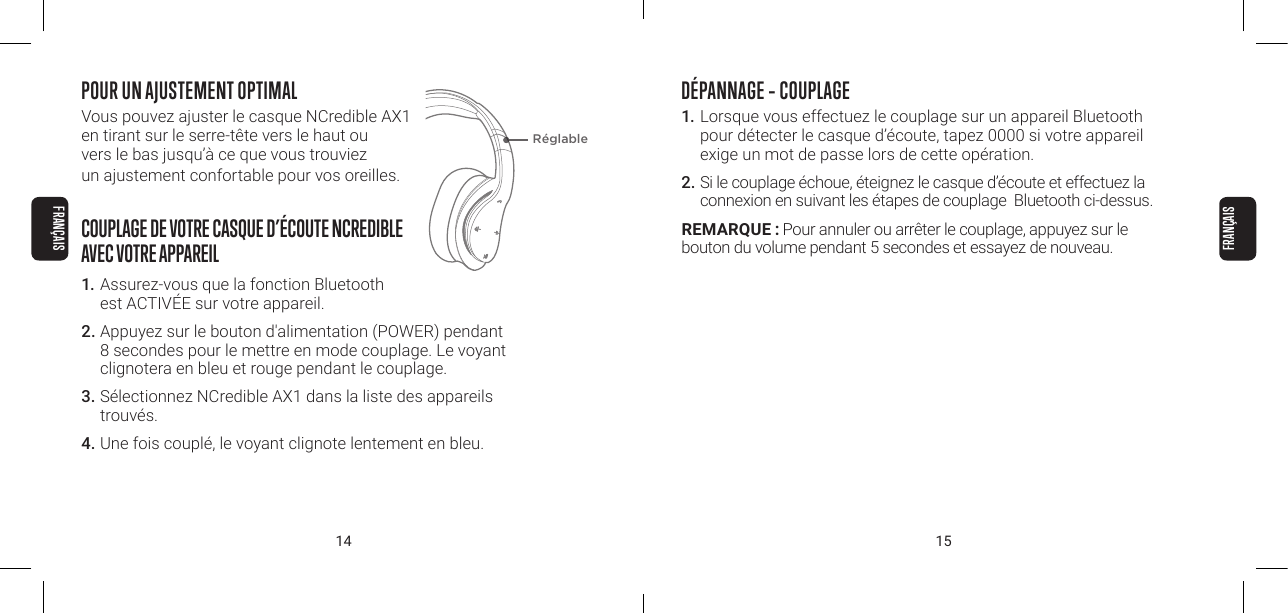
14 15POUR UN AJUSTEMENT OPTIMALVous pouvez ajuster le casque NCredible AX1  en tirant sur le serre-tête vers le haut ou  vers le bas jusqu’à ce que vous trouviez  un ajustement confortable pour vos oreilles.COUPLAGE DE VOTRE CASQUE D’ÉCOUTE NCREDIBLE  AVEC VOTRE APPAREIL1. Assurez-vous que la fonction Bluetooth  est ACTIVÉE sur votre appareil.2. Appuyez sur le bouton d'alimentation (POWER) pendant 8 secondes pour le mettre en mode couplage. Le voyant clignotera en bleu et rouge pendant le couplage.3. Sélectionnez NCredible AX1 dans la liste des appareils trouvés.4. Une fois couplé, le voyant clignote lentement en bleu.RéglableDÉPANNAGE – COUPLAGE1.  Lorsque vous effectuez le couplage sur un appareil Bluetooth pour détecter le casque d’écoute, tapez 0000 si votre appareil exige un mot de passe lors de cette opération.2. Si le couplage échoue, éteignez le casque d’écoute et effectuez la connexion en suivant les étapes de couplage  Bluetooth ci-dessus.REMARQUE : Pour annuler ou arrêter le couplage, appuyez sur le  bouton du volume pendant 5 secondes et essayez de nouveau.FRANÇAISFRANÇAIS
16 17COUPLAGE AVEC UN DEUXIÈME APPAREILSupposons que vous êtes en train d’utiliser votre téléphone et votre ordinateur portable, mais que vous ne voulez pas utiliser le haut-parleur. Au moment du couplage de ces deux appareils à votre casque NCredible AX1, la situation suivante se produit : Si vous recevez un appel pendant que vous regardez un lm sur votre ordinateur portable, la connexion Bluetooth mettra le lm en pause et acheminera automatiquement l’appel à votre téléphone.1. Pour connecter votre casque d’écoute à un deuxième appareil, désactivez la fonction Bluetooth sur le premier appareil.2.  Appuyez sur le bouton multifonction et maintenez-le enfoncé pour réactiver le mode couplage Bluetooth.3.  Refaites l’étape de connexion/couplage Bluetooth ci-dessus.4. Reconnectez le premier appareil en sélectionnant  «NCredible AX1» dans la liste des appareils Bluetooth.DÉPANNAGE – COUPLAGE D’UN DEUXIÈME APPAREILSi vous constatez que le premier appareil ne fonctionne pas après avoir couplé le deuxième, vous devrez peut-être modier les réglages Bluetooth du premier appareil.1. Sélectionnez la fonction Bluetooth et assurez-vous qu’elle est ACTIVÉE.2. Sélectionnez «NCredible AX1» 3. UTILISATEURS ANDROID : Assurez-vous d’activer les  boutons Call Audio et Media Audio.FRANÇAISFRANÇAIS
18 19UTILISATION DU NCREDIBLE AX1TÉMOINS LUMINEUX•  Voyants rouge et bleu clignotant : Le casque d’écoute est en mode couplage.• Le voyant rouge clignote deux fois toutes les 20 secondes :  La charge est faible; il est temps de recharger le casque.• Le voyant bleu clignote graduellement : Le casque d’écoute NCredible AX1 est en cours d’utilisation.REMARQUE : L’écoute musicale est mise en pause pendant l’utilisation des fonctions d’appel et reprend une fois l’appel terminé.À Bouton PresseAllumer / éteindre les casque d’écoute tenir pendant 4 secCommencer couplage Bluetoothlorsque les écouteurs sont éteints, maintenez la touche enfoncée pendant 8 secondesLecture / Pause x1Monter / Baisser / ≥1Chanson suivante / précédente / ...et maintenez Répondre ou mettre n à un appel x1Rejeter un appelRecomposer un numérox2 rapidementUTILISATION AVEC LE CÂBLE AUXILIAIREVous pouvez également connecter le casque d’écoute NCredible AX1 à l’aide  du câble auxiliaire fourni en le branchant  directement dans le port auxiliaire situé dans la partie inférieure gauche de votre casque.ENTREPOSAGE PRATIQUETo save space, the NCredible AX1 Headphones can be folded inward and conveniently placed in the carrying pouch.SPÉCIFICATIONS :Amplicateur : 40 mm par oreillette Bluetooth 4.0 Fréquence : 20H- 20KHz Capacité de la pile : 3,7 V / 500 mAPort auxiliaire FRANÇAISFRANÇAIS
20 21COMPATIBILITÉLes commandes par oreillettes fonctionnent seulement  en mode Bluetooth. Les fonctions peuvent varier selon la  compatibilité de votre appareil :• Téléphones intelligents iOS et Android avec Bluetooth• Ordinateurs portables, tablettes et lecteurs MP3 avec BluetoothCONSIGNE DE SÉCURITÉ EN MODE ÉCOUTENe portez pas le casque d’écoute pendant que vous conduisez un véhicule ou que vous faites du vélo. Vous pourriez ainsi créer un risque d’accident et être dans l’illégalité à certains endroits. An de protéger votre ouïe, ne réglez pas le volume trop fort. En effet, une écoute prolongée à haut volume pourrait endommager votre ouïe de façon permanente.CHARGEMENT DE VOTRE CASQUE D’ÉCOUTE NCREDIBLE AX11. Branchez le câble micro-USB dans le port à droite de l’oreillette. Ensuite, branchez le connecteur USB-A sur un chargeur mural USB.2. Le voyant DEL s'allumera en rouge pendant l’opération de charge. Une fois la charge terminée, le voyant s'éteint.REMARQUES :1. Lorsque le casque d’écoute est complètement chargé, aucun voyant n’est allumé.2. Lorsque la pile est faible, le voyant DEL clignote en rouge.3. Lorsqu’il n’y a pas de connexion Bluetooth, le casque d’écoute s’éteint automatiquement après 3 minutes.FRANÇAISFRANÇAIS
22 23Le présent appareil est conforme aux CNR d’Industrie Canada applicables auxappareils radio exempts de licence. L’exploitation  est autorisée aux deux conditions suivantes :1. l’appareil ne doit pas produire de brouillage, et2. l’utilisateur de l’appareil doit accepter tout brouillage  radioélectrique subi, même si le brouillage est susceptible d’en compromettre lefonctionnement.Demandeur – Superior Communications, 07808NCDÉCLARATION RELATIVE AUX LIMITES DES INTERFÉRENCES ÉTABLIES PAR LA COMMISSION FÉDÉRALE DES COMMUNICATIONS (FCC)Cet appareil a été testé et hologué comme étant conforme aux limites  dénies pour un appareil numérique de classe B, conformément à la section 15 des règlements de la FCC. Ces limites visent à fournir une protection raisonnable contre les interférences nuisibles dans une installation résidentielle. Cet appareil génère, utilise et peut émettre une énergieradiofréquence et, s’il n’est pas installé et utilisé conformément aux instructions fournies, peut engendrer des interférences nuisibles avec les communications radio. Toutefois, il n’est pas exclu que des interférences puissent survenir dans une installation en particulier. Si cet appareil est à l’origine d’interférences nuisibles à la réception radio ou télévisée (ce que l’utilisateur peut vérier en mettant en marche puis en arrêtant l’appareil), l’utilisateur est invité à résoudre ce problème enappliquant une ou plusieurs des mesures suivantes :• Réorienter ou déplacer l’antenne de réception.• Augmenter la distance séparant l’appareil du récepteur.• Brancher l’appareil sur une prise de courant se trouvant sur un circuit différent de celui sur lequel le récepteur est branché.• Demander conseil à votre revendeur ou à un technicien radio/TV expérimenté.FRANÇAISFRANÇAIS
24 25NCREDIBLE AX1Guía de UsuarioFavor de leer esta Guía de Usuario antes de usar sus audífonos NCredible AX1
26 27LOGRE EL AJUSTE CORRECTOPuede ajustar los auriculares NCredible AX1  tirando de la banda para la cabeza hacia  arriba o hacia abajo hasta que encuentre  un ajuste cómodo sobre sus oídos.PARA VINCULAR SUS AUDÍFONOS NCREDIBLE  CON SU DISPOSITIVO1. Asegúrese que la función Bluetooth esté ON  (Encendido) en su dispositivo. 2. Oprima y mantenga oprimido el botón de POWER por 8 segundos para entrar en la modalidad de vinculación. La luz LED destallará rápidamente en azul cuando está vinculándose. 3. Seleccione NCredible AX1 de la lista de dispositivos encontrados. 4. Al estar vinculados, la luz LED destellará lentamente  en azul. RESOLUCIÓN DE PROBLEMAS DE EMPAREJAMIENTO1.  Al realizar el emparejamiento en un dispositivo Bluetooth para detectar los auriculares, ingrese 0000 si su dispositivo le solicita una contraseña durante el proceso de emparejamiento.2. Si el emparejamiento no se realiza correctamente, apague los auriculares y lleve a cabo la conexión de emparejamiento de acuerdo con los pasos de emparejamiento Bluetooth anteriores.NOTA: Para quitar/detener la vinculación, presione el botón de control de volumen durante 5 segundos y vuelva a intentarlo.AjustableESPAÑOLESPAÑOL
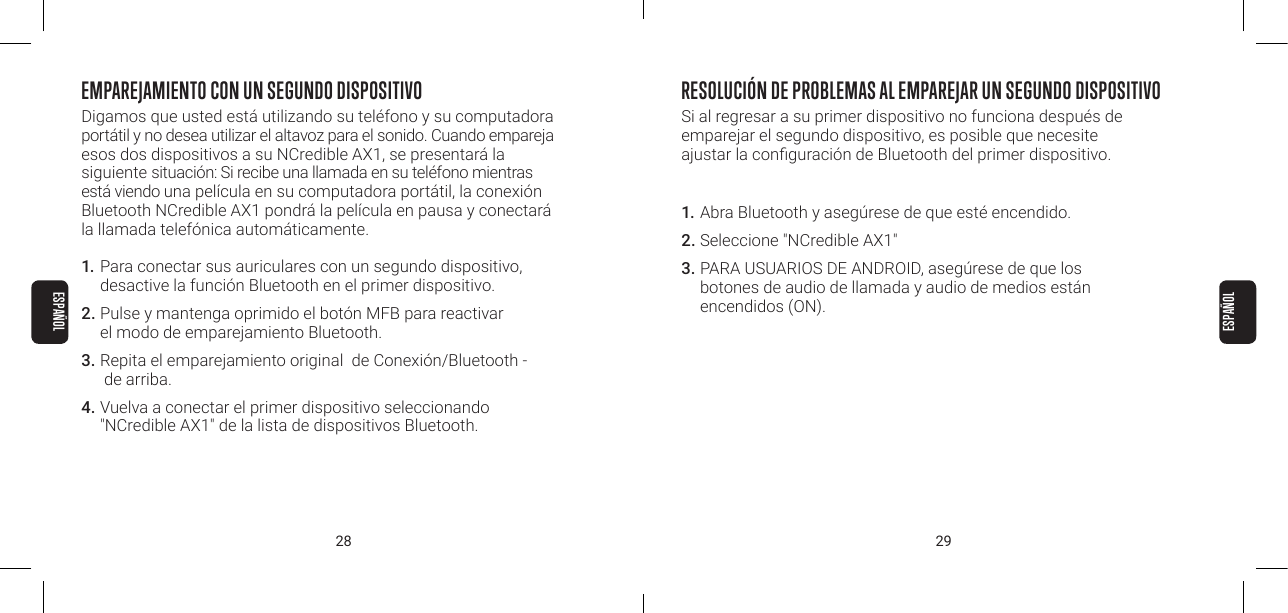
28 29EMPAREJAMIENTO CON UN SEGUNDO DISPOSITIVODigamos que usted está utilizando su teléfono y su computadora portátil y no desea utilizar el altavoz para el sonido. Cuando empareja esos dos dispositivos a su NCredible AX1, se presentará la siguiente situación: Si recibe una llamada en su teléfono mientras está viendo una película en su computadora portátil, la conexión Bluetooth NCredible AX1 pondrá la película en pausa y conectará  la llamada telefónica automáticamente.1.  Para conectar sus auriculares con un segundo dispositivo,  desactive la función Bluetooth en el primer dispositivo.2. Pulse y mantenga oprimido el botón MFB para reactivar  el modo de emparejamiento Bluetooth.3.  Repita el emparejamiento original  de Conexión/Bluetooth -  de arriba.4. Vuelva a conectar el primer dispositivo seleccionando  "NCredible AX1" de la lista de dispositivos Bluetooth.RESOLUCIÓN DE PROBLEMAS AL EMPAREJAR UN SEGUNDO DISPOSITIVO Si al regresar a su primer dispositivo no funciona después de  emparejar el segundo dispositivo, es posible que necesite  ajustar la conguración de Bluetooth del primer dispositivo.1. Abra Bluetooth y asegúrese de que esté encendido.2. Seleccione "NCredible AX1"3. PARA USUARIOS DE ANDROID, asegúrese de que los  botones de audio de llamada y audio de medios están  encendidos (ON).ESPAÑOLESPAÑOL
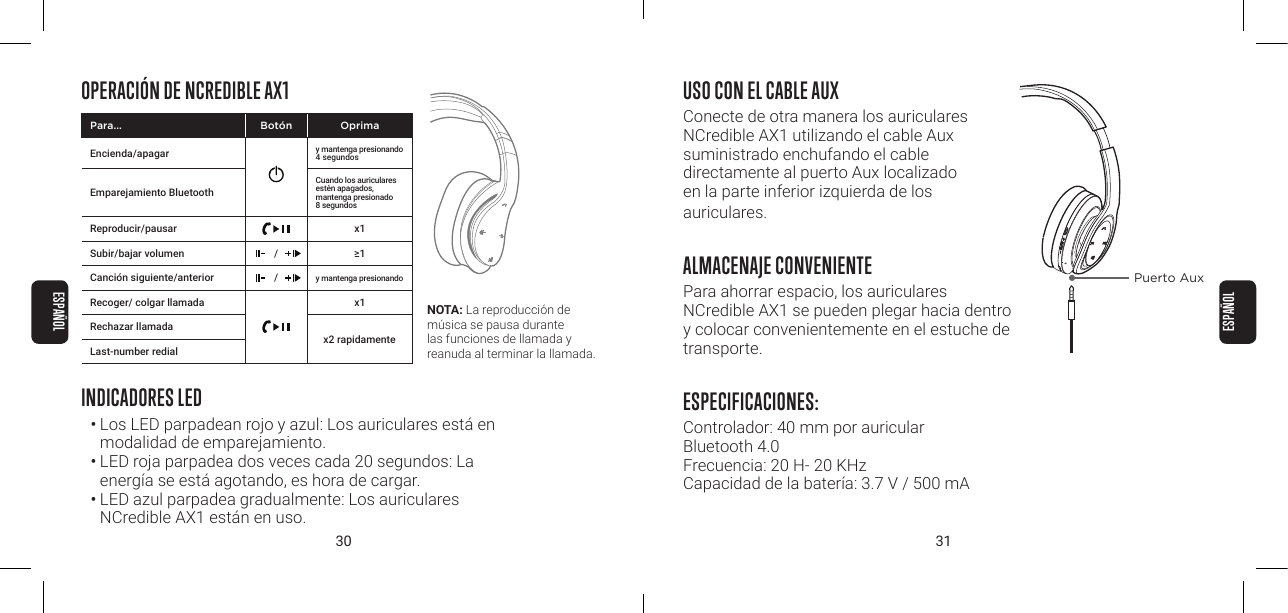
30 31OPERACIÓN DE NCREDIBLE AX1 USO CON EL CABLE AUXConecte de otra manera los auriculares  NCredible AX1 utilizando el cable Aux  suministrado enchufando el cable  directamente al puerto Aux localizado  en la parte inferior izquierda de los  auriculares.ALMACENAJE CONVENIENTEPara ahorrar espacio, los auriculares  NCredible AX1 se pueden plegar hacia dentro y colocar convenientemente en el estuche de transporte.ESPECIFICACIONES:Controlador: 40 mm por auricular Bluetooth 4.0 Frecuencia: 20 H- 20 KHz Capacidad de la batería: 3.7 V / 500 mAPuerto AuxINDICADORES LED• Los LED parpadean rojo y azul: Los auriculares está en modalidad de emparejamiento.• LED roja parpadea dos veces cada 20 segundos: La  energía se está agotando, es hora de cargar.• LED azul parpadea gradualmente: Los auriculares  NCredible AX1 están en uso.NOTA: La reproducción de música se pausa durante  las funciones de llamada y  reanuda al terminar la llamada. Para... Botón OprimaEncienda/apagar  y mantenga presionando 4 segundosEmparejamiento BluetoothCuando los auriculares estén apagados,  mantenga presionado  8 segundosReproducir/pausar x1Subir/bajar volumen / ≥1Canción siguiente/anterior / y mantenga presionando Recoger/ colgar llamada x1Rechazar llamadaLast-number redialx2 rapidamenteESPAÑOLESPAÑOL
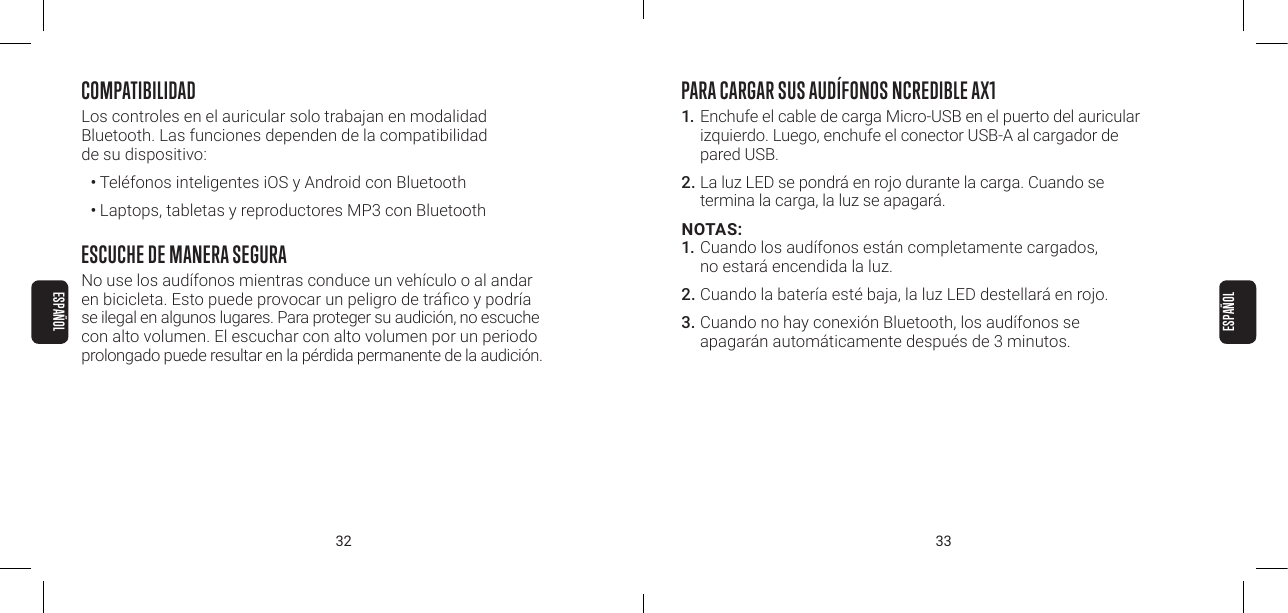
32 33COMPATIBILIDADLos controles en el auricular solo trabajan en modalidad  Bluetooth. Las funciones dependen de la compatibilidad  de su dispositivo:• Teléfonos inteligentes iOS y Android con Bluetooth• Laptops, tabletas y reproductores MP3 con BluetoothESCUCHE DE MANERA SEGURANo use los audífonos mientras conduce un vehículo o al andar en bicicleta. Esto puede provocar un peligro de tráco y podría se ilegal en algunos lugares. Para proteger su audición, no escuche con alto volumen. El escuchar con alto volumen por un periodo prolongado puede resultar en la pérdida permanente de la audición. PARA CARGAR SUS AUDÍFONOS NCREDIBLE AX11. Enchufe el cable de carga Micro-USB en el puerto del auricular izquierdo. Luego, enchufe el conector USB-A al cargador de pared USB. 2. La luz LED se pondrá en rojo durante la carga. Cuando se termina la carga, la luz se apagará. NOTAS: 1. Cuando los audífonos están completamente cargados, no estará encendida la luz.2. Cuando la batería esté baja, la luz LED destellará en rojo. 3. Cuando no hay conexión Bluetooth, los audífonos se apagarán automáticamente después de 3 minutos. ESPAÑOLESPAÑOL
34 35CUMPLE CON LAS DISPOSICIONES DE LA FCCNOTA: Este equipo ha sido probado y se determinó su cumplimiento con los límites establecidos para un dispositivo digital Clase B, de conformidad con la sección 15 de las reglas de la FCC. Estos límites están diseñados para ofrecer una protección razonable contra interferencias perjudiciales cuando el equipo se opera en una residencia. Este equipo genera, usa y puede emitir energía de radio frecuencia, y si no se instala y usa de conformidad con las instrucciones podría provocar interferencia perjudicial en las comunicaciones de radio. Sin embargo, no se garantiza que dicha interferencia no ocurrirá en una instalación en especíca. Si este equipo ocasiona interferencia perjudicial a la recepción de radio o televisión, lo cual se puede determinar apagando y encendiendo el equipo, se sugiere que el usuario trate de corregir la interferencia mediante una o más de las siguientes medidas:• Mover o reorientar la antena receptora.• Aumentar la separación entre el equipo y el receptor.• Conectar el equipo a una salida o circuito distinto al que está conectado el receptor.• Consulte a su proveedor o al técnico de radio o televisión con experiencia para que le ayuden.Los cambios o modicaciones que no hayan sido aprobados especícamente por la parte responsable del cumplimiento podrían rescindir la autoridad del usuario para operar el equipo. Este dispositivo cumple con la Parte 15 de las reglas de la FCC. Su operación está sujeta a las siguientes dos condiciones:1. este dispositivo no debe provocar interferencia dañina, y 2.  este dispositivo debe aceptar la interferencia recibida, incluyendo la interferencia que pudiera provocar una operación indeseable.Este dispositivo cumple con las normas de exención de licencia de la(s) norma(s) RSS -210 de Industry Canada. Su operación está sujeta a las siguientes dos condiciones:1. este dispositivo no debe causar interferencia, y 2.  este dispositivo debe aceptar la interferencia recibida, incluyendo la interferencia que pudiera provocar una operación indeseable de este dispositivo.Solicitante – Superior Communications. 07808PGESPAÑOLESPAÑOL
©2018    F00002NC

Navigation menu