Sure Wave CQL1450-C Bluetooth Speaker User Manual

Sure Wave (HongKong) Limited Bluetooth Speaker

User Manual

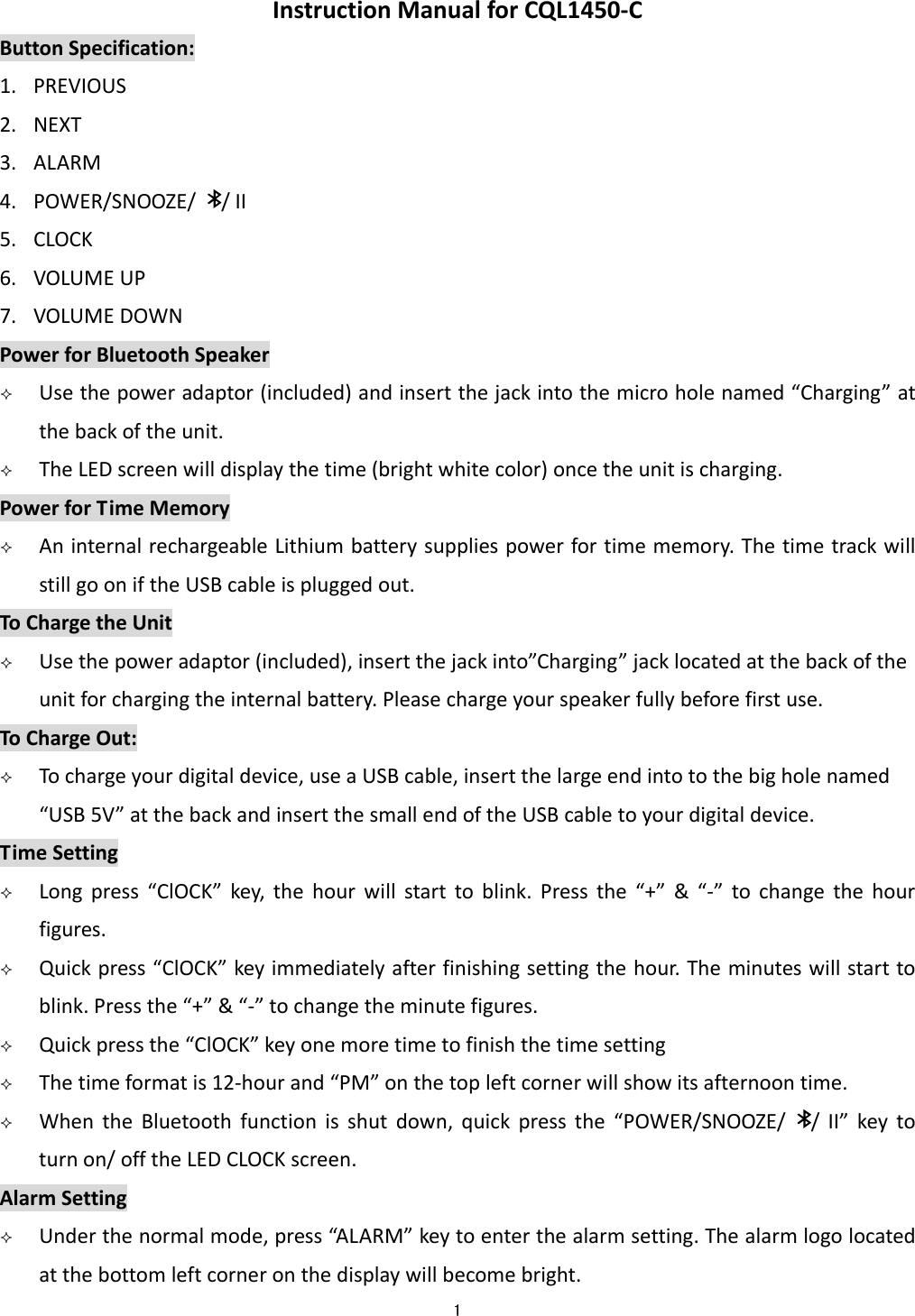
 1  InstructionManualforCQL1450‐CButtonSpecification:1. PREVIOUS2. NEXT3. ALARM4. POWER/SNOOZE//II5. CLOCK6. VOLUMEUP7. VOLUMEDOWNPowerforBluetoothSpeaker Usethepoweradaptor(included)andinsertthejackintothemicroholenamed“Charging”atthebackoftheunit. TheLEDscreenwilldisplaythetime(brightwhitecolor)oncetheunitischarging.PowerforTimeMemory AninternalrechargeableLithiumbatterysuppliespowerfortimememory.ThetimetrackwillstillgooniftheUSBcableispluggedout.ToChargetheUnit Usethepoweradaptor(included),insertthejackinto”Charging”jacklocatedatthebackoftheunitforchargingtheinternalbattery.Pleasechargeyourspeakerfullybeforefirstuse.ToChargeOut: Tochargeyourdigitaldevice,useaUSBcable,insertthelargeendintotothebigholenamed“USB5V”atthebackandinsertthesmallendoftheUSBcabletoyourdigitaldevice.TimeSetting Longpress“ClOCK”key,thehourwillstarttoblink.Pressthe“+”&“‐”tochangethehourfigures. Quickpress“ClOCK”keyimmediatelyafterfinishingsettingthehour.Theminuteswillstarttoblink.Pressthe“+”&“‐”tochangetheminutefigures. Quickpressthe“ClOCK”keyonemoretimetofinishthetimesetting Thetimeformatis12‐hourand“PM”onthetopleftcornerwillshowitsafternoontime. WhentheBluetoothfunctionisshutdown,quickpressthe“POWER/SNOOZE//II”keytoturnon/offtheLEDCLOCKscreen.AlarmSetting Underthenormalmode,press“AL ARM”keytoenterthealarmsetting.Thealarmlogolocatedatthebottomleftcorneronthedisplaywillbecomebright.
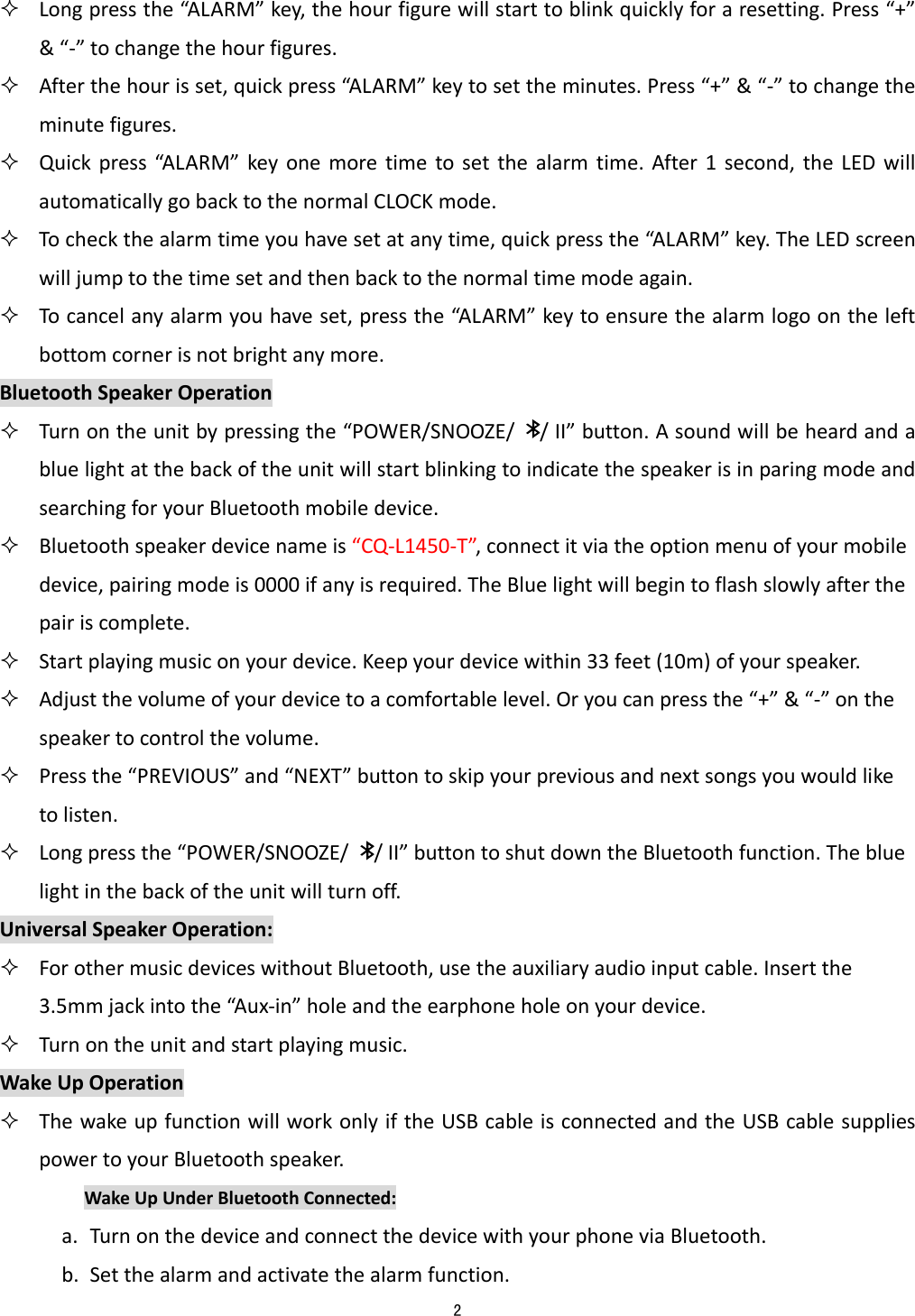
 2   Longpressthe“AL ARM”key,thehourfigurewillstarttoblinkquicklyforaresetting.Press“+”&“‐”tochangethehourfigures. Afterthehourisset,quickpress“A L ARM”keytosettheminutes.Press“+”&“‐”tochangetheminutefigures. Quickpress“A L AR M”keyonemoretimetosetthealarmtime.After1second,theLEDwillautomaticallygobacktothenormalCLOCKmode. Tocheckthealarmtimeyouhavesetatanytime,quickpressthe“AL ARM” key.TheLEDscreenwilljumptothetimesetandthenbacktothenormaltimemodeagain. Tocancelanyalarmyouhaveset,pressthe“AL ARM” keytoensurethealarmlogoontheleftbottomcornerisnotbrightanymore.BluetoothSpeakerOperation Turnontheunitbypressingthe“POWER/SNOOZE//II”button.AsoundwillbeheardandabluelightatthebackoftheunitwillstartblinkingtoindicatethespeakerisinparingmodeandsearchingforyourBluetoothmobiledevice. Bluetoothspeakerdevicenameis“CQ‐L1450‐T”,connectitviatheoptionmenuofyourmobiledevice,pairingmodeis0000ifanyisrequired.TheBluelightwillbegintoflashslowlyafterthepairiscomplete. Startplayingmusiconyourdevice.Keepyourdevicewithin33feet(10m)ofyourspeaker. Adjustthevolumeofyourdevicetoacomfortablelevel.Oryoucanpressthe“+”&“‐”onthespeakertocontrolthevolume. Pressthe“PREVIOUS”and“NEXT”buttontoskipyourpreviousandnextsongsyouwouldliketolisten. Longpressthe“POWER/SNOOZE//II”buttontoshutdowntheBluetoothfunction.Thebluelightinthebackoftheunitwillturnoff.UniversalSpeakerOperation: ForothermusicdeviceswithoutBluetooth,usetheauxiliaryaudioinputcable.Insertthe3.5mmjackintothe“Aux‐in”holeandtheearphoneholeonyourdevice. Turnontheunitandstartplayingmusic.WakeUpOperation ThewakeupfunctionwillworkonlyiftheUSBcableisconnectedandtheUSBcablesuppliespowertoyourBluetoothspeaker.WakeUpUnderBluetoothConnected:a. TurnonthedeviceandconnectthedevicewithyourphoneviaBluetooth.b. Setthealarmandactivatethealarmfunction.
 3  c. IfyourBluetoothisconnectedwithyourspeaker,stopthemusic,whenthealarmtimeisup,thealarmwillplayyourmusicagainwiththesamesongandsamevolume.Atthesametime,thealarmlogoatthebottomleftcornerwillstartblinking.d. Pressthe“AL ARM ”keytostoptheblinking(Tocancelthealarmyouhaveset,youhavetopressthe“A L AR M”keyonemoretimetoensurethealarmlogoisnotbrightanymore).Pressthe“POWER/SNOOZE//II”keytostopthealarmingmusic.WakeUpUnderBluetoothNotConnected:a. Turnonthespeaker.b. Setthealarmandactivatethealarmfunction.c. Whenthealarmtimeisup,thespeakerwillstarttoplay“BiBi”soundfromlowertohighervolume.Atthesametime,thealarmlogoatthebottomleftcornerwillstartblinking.d. Pressthe“AL A RM” keytostoptheblinking(Tocancelthealarmyouhaveset,youhavetopressthe“A L AR M” keyonemoretimetoensurethealarmlogoisnotbrightanymore).Pressthe“POWER/SNOOZE//II”keytostopthealarmingsound.Snooze: Whenthealarmstartstoplaymusicor“BiBi”,pressthe“POWER/SNOOZE//II”buttontostopthealarmandhave10minutes’sleep.After10minutes,thealarmwillbesoundedagain.Theprocesswillrepeat. Pressthe“AL ARM” keytocancelthealarm.Caution: Thisisnotatoy.Pleasekeepawayfromchildren. Pleasekeepawayfromwater/heat. LowpowermaycausepoorconnectionevennoworkingofBluetooth. Donotoverchargethebattery.NOTE: Theinternallithiumbatteryonlysuppliespowerfortimememory.ThetimegoesoniftheUSDcableisnotconnectedwiththeunit. TheUSBadaptorsuppliespowerforspeaker.Duringthemusicisplaying,ifpluggingouttheUSBcable,theunitwillbepower‐offandmusicwillstop. WhentheAlarmtimeisup,thespeakerwillfirsttrytofindtheconnectedmobilephone.IfthephoneisnotfoundorBluetoothisnotconnected,thealarmwillstarttosound“BiBi”28secondsafterthetimeisup. Toensurewakinguptothealarmingmusic,pleasedonotmutethemusiconyourphone.
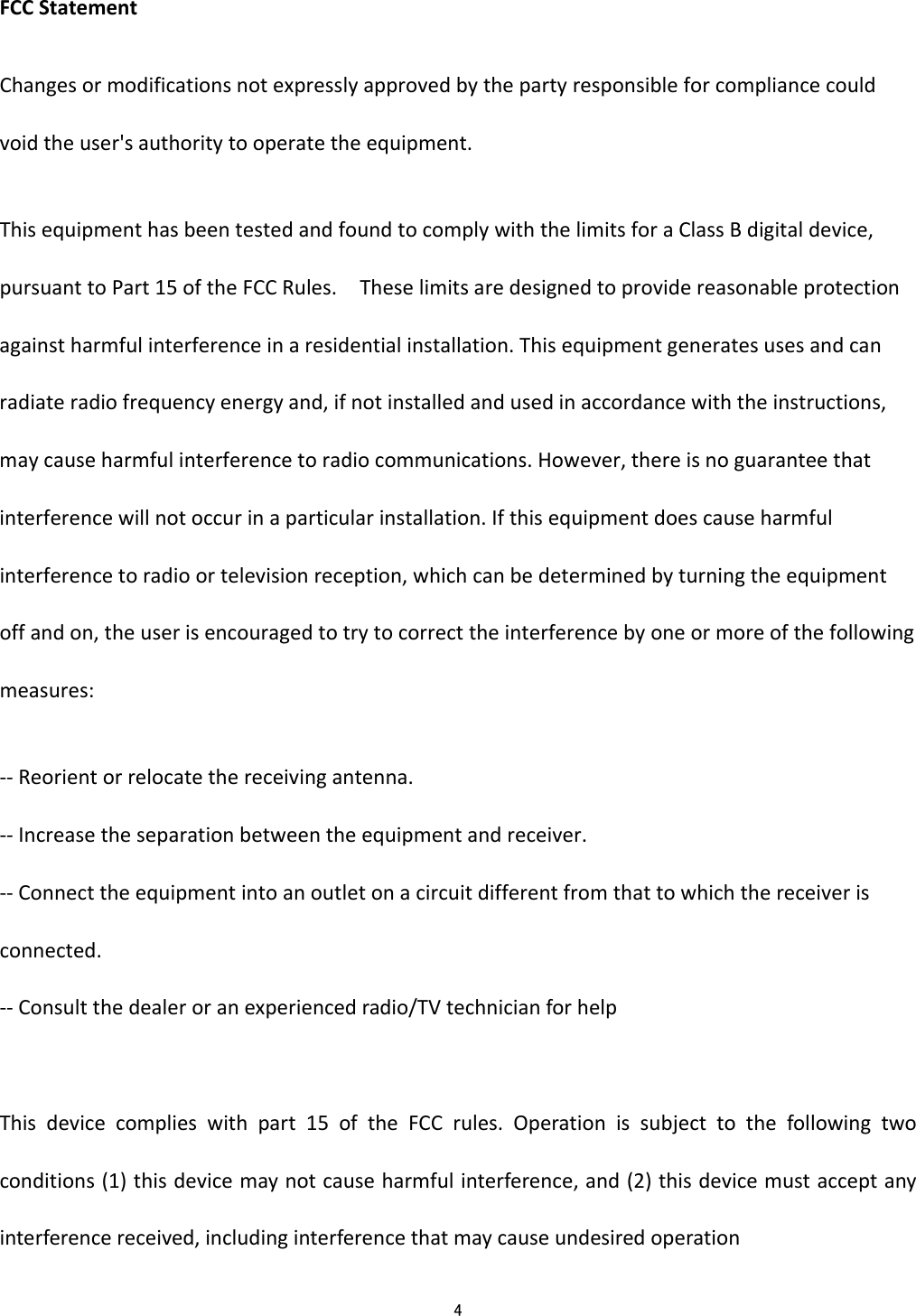
 4  FCCStatementChangesormodificationsnotexpresslyapprovedbythepartyresponsibleforcompliancecouldvoidtheuser'sauthoritytooperatetheequipment.ThisequipmenthasbeentestedandfoundtocomplywiththelimitsforaClassBdigitaldevice,pursuanttoPart15oftheFCCRules.Theselimitsaredesignedtoprovidereasonableprotectionagainstharmfulinterferenceinaresidentialinstallation.Thisequipmentgeneratesusesandcanradiateradiofrequencyenergyand,ifnotinstalledandusedinaccordancewiththeinstructions,maycauseharmfulinterferencetoradiocommunications.However,thereisnoguaranteethatinterferencewillnotoccurinaparticularinstallation.Ifthisequipmentdoescauseharmfulinterferencetoradioortelevisionreception,whichcanbedeterminedbyturningtheequipmentoffandon,theuserisencouragedtotrytocorrecttheinterferencebyoneormoreofthefollowingmeasures:‐‐Reorientorrelocatethereceivingantenna.‐‐Increasetheseparationbetweentheequipmentandreceiver.‐‐Connecttheequipmentintoanoutletonacircuitdifferentfromthattowhichthereceiverisconnected.‐‐Consultthedealeroranexperiencedradio/TVtechnicianforhelpThisdevicecomplieswithpart15oftheFCCrules.Operationissubjecttothefollowingtwoconditions(1)thisdevicemaynotcauseharmfulinterference,and(2)thisdevicemustacceptanyinterferencereceived,includinginterferencethatmaycauseundesiredoperation

Navigation menu