TECHSCAN KOREA TSK-4500PLUS Wireless Barcode Scanner User Manual TSK 4500Plus rev 1

Techscan Korea Co.,Ltd. Wireless Barcode Scanner TSK 4500Plus rev 1

User manual_TSK-4500Plus rev.1

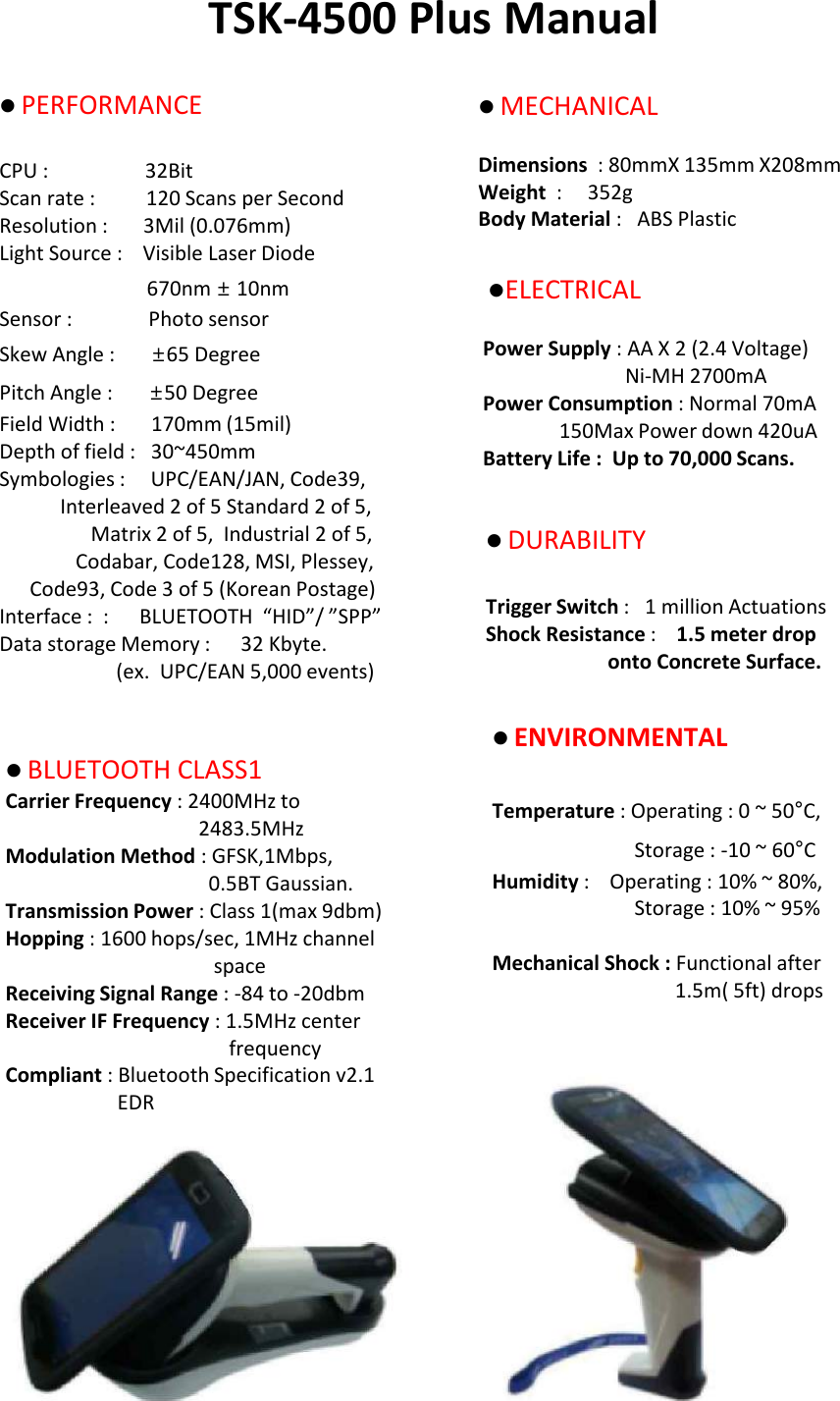
TSK-4500 Plus ManuallPERFORMANCECPU :                   32BitScan rate :          120 Scans per SecondResolution :       3Mil (0.076mm)Light Source :    Visible Laser Diode 670nm ±10nmSensor :               Photo sensorSkew Angle :       ±65 Degree Pitch Angle :       ±50 DegreeField Width :       170mm (15mil)Depth of field :   30~450mmSymbologies :     UPC/EAN/JAN, Code39,Interleaved 2 of 5 Standard 2 of 5,Matrix 2 of 5,  Industrial 2 of 5,Codabar, Code128, MSI, Plessey,Code93, Code 3 of 5 (Korean Postage)Interface :  :      BLUETOOTH  “HID”/ ”SPP” Data storage Memory :   32 Kbyte.(ex.  UPC/EAN 5,000 events)lMECHANICAL Dimensions  : 80mmX 135mm X208mmWeight  :     352g Body Material :   ABS Plastic lELECTRICALPower Supply : AA X 2 (2.4 Voltage) Ni-MH 2700mA Power Consumption : Normal 70mA150Max Power down 420uA Battery Life :  Up to 70,000 Scans. lDURABILITY Trigger Switch :   1 million Actuations Shock Resistance :    1.5 meter drop  onto Concrete Surface.lENVIRONMENTAL Temperature : Operating : 0 ~ 50°C, Storage : -10 ~ 60°C Humidity :    Operating : 10% ~ 80%, Storage : 10% ~ 95% Mechanical Shock : Functional after 1.5m( 5ft) drops lBLUETOOTH CLASS1 Carrier Frequency : 2400MHz to 2483.5MHz Modulation Method : GFSK,1Mbps, 0.5BT Gaussian.Transmission Power : Class 1(max 9dbm) Hopping : 1600 hops/sec, 1MHz channel space Receiving Signal Range : -84 to -20dbm Receiver IF Frequency : 1.5MHz center frequency Compliant : Bluetooth Specification v2.1 EDR
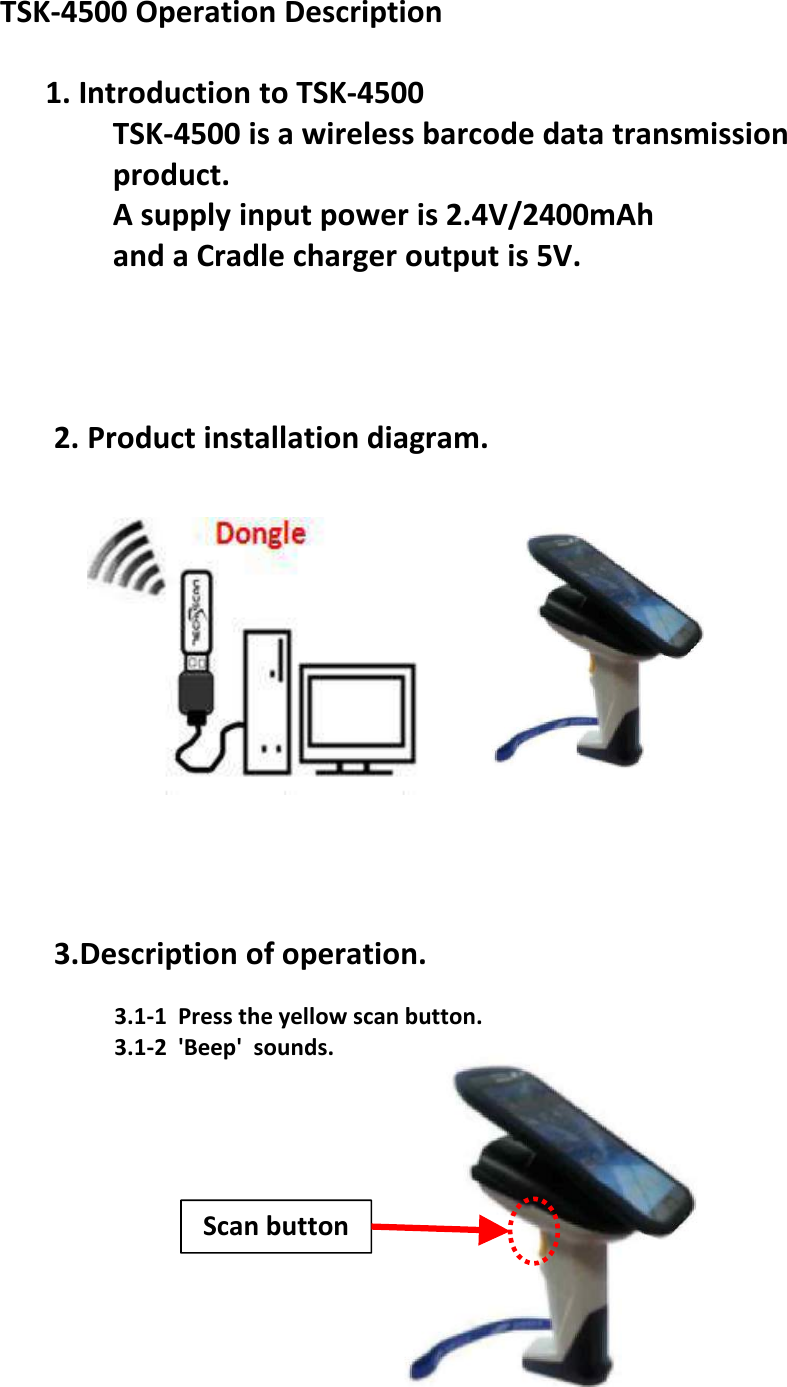
2. Product installation diagram.3.Description of operation.3.1-1  Press the yellow scan button.3.1-2  'Beep'  sounds.TSK-4500 Operation Description1. Introduction to TSK-4500TSK-4500 is a wireless barcode data transmissionproduct.A supply input power is 2.4V/2400mAh and a Cradle charger output is 5V.Scan button
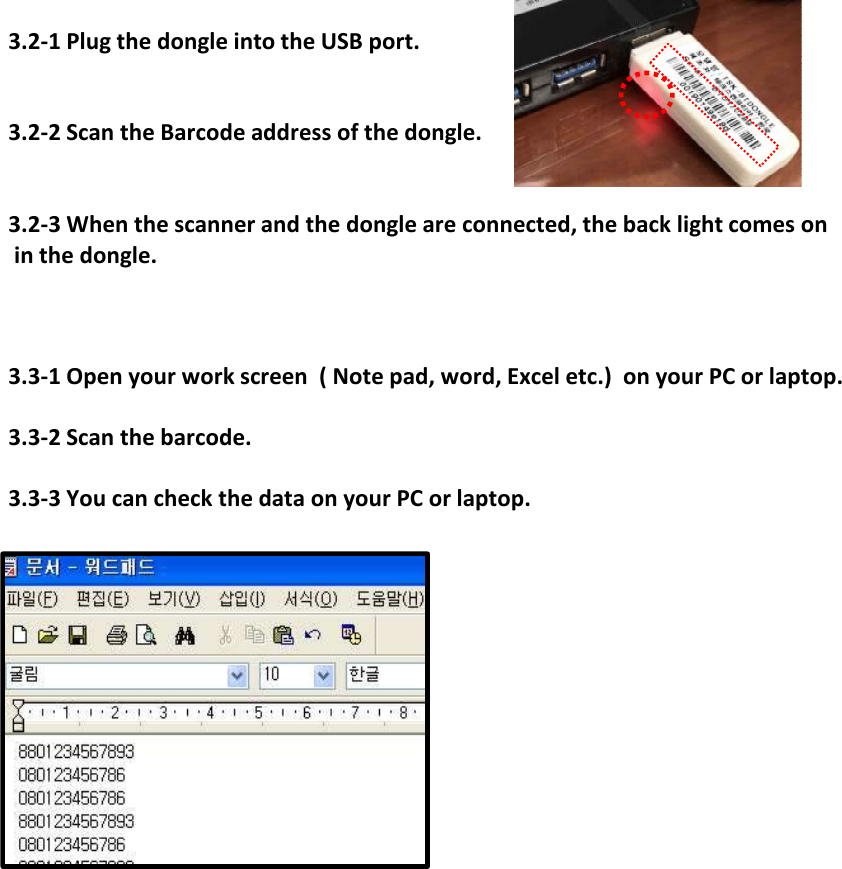
3.2-1 Plug the dongle into the USB port.3.2-2 Scan the Barcode address of the dongle.3.2-3 When the scanner and the dongle are connected, the back light comes on in the dongle.3.3-1 Open your work screen  ( Note pad, word, Excel etc.)  on your PC or laptop.3.3-2 Scan the barcode.3.3-3 You can check the data on your PC or laptop.
FCC Compliance Statement This  device  complies  with  part  15  of  the  FCC  rules.  Operation  is  subject  to  the  following  two conditions: (1) This device may not cause harmful interference, and (2) this device must accept any interference received, including interference that may cause undesired operation.   FCC Interference Statement   This equipment has been tested and found to comply with the limits for a Class B digital device, pursuant to part 15 of the FCC Rules. These limits are designed to provide reasonable protection against harmful interference in a residential installation. This equipment generates, uses and can radiate radio frequency energy and, if not installed and used in accordance with the instructions, may  cause  harmful  interference  to  radio  communications.  However,  there  is  no  guarantee  that interference  will  not  occur  in  a  particular  installation.  If  this  equipment  does  cause  harmful interference to radio or television reception, which can be determined by turning the equipment off and on, the user is encouraged to correct the interference by one of the following measures: • Reorient or relocate the receiving antenna. • Increase the separation between the equipment and receiver.   • Connect the equipment into an outlet on a circuit different from which the receiver is connected. • Consult the dealer or an experienced radio/TV technician for help.   FCC Caution   Any changes or modifications not expressly approved by the party responsible for compliance could void  the user's  authority to operate  this  equipment.  This  transmitter must  not  be co-located  or operating in conjunction with any other antenna or transmitter.

Navigation menu