TIC Audio BA2 Bluetooth Speaker User Manual AS350 manual

TIC Audio Inc Bluetooth Speaker AS350 manual

15_BA2 UserMan

Bilbao
Bilbao Please follow the instruction in this guide to enjoy the best sound.
Bilbao
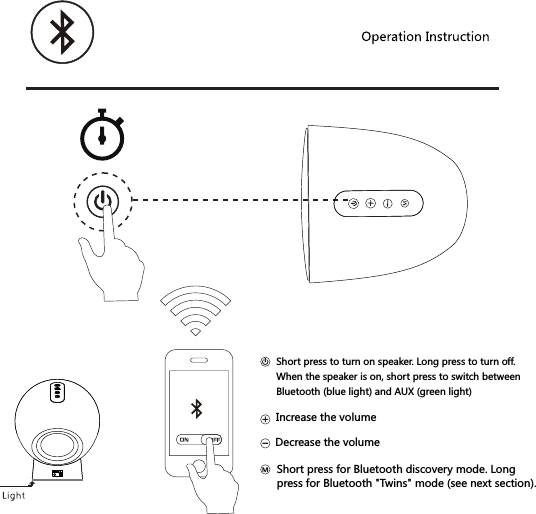
Increase the volumeDecrease the volumeShort press to turn on speaker. Long press to turn off.When the speaker is on, short press to switch betweenBluetooth (blue light) and AUX (green light)Short press for Bluetooth discovery mode. Long press for Bluetooth "Twins" mode (see next section).
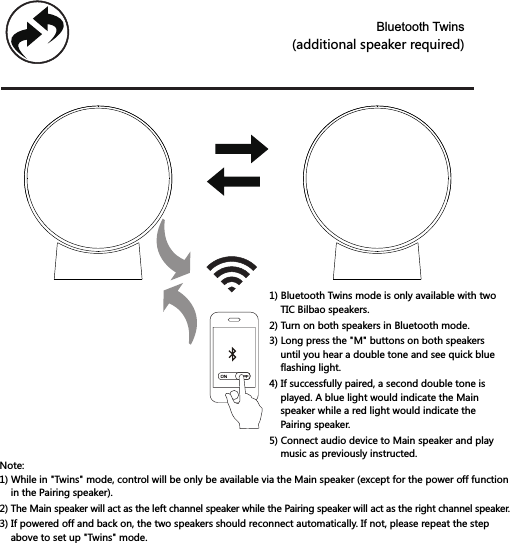
1) Bluetooth Twins mode is only available with two     TIC Bilbao speakers.2) Turn on both speakers in Bluetooth mode.3) Long press the "M" buttons on both speakers     until you hear a double tone and see quick blue     flashing light.4) If successfully paired, a second double tone is     played. A blue light would indicate the Main     speaker while a red light would indicate the     Pairing speaker.5) Connect audio device to Main speaker and play     music as previously instructed.Note:1) While in "Twins" mode, control will be only be available via the Main speaker (except for the power off function     in the Pairing speaker). 3) If powered off and back on, the two speakers should reconnect automatically. If not, please repeat the step     above to set up "Twins" mode.2) The Main speaker will act as the left channel speaker while the Pairing speaker will act as the right channel speaker.Bluetooth Twins(additional speaker required)
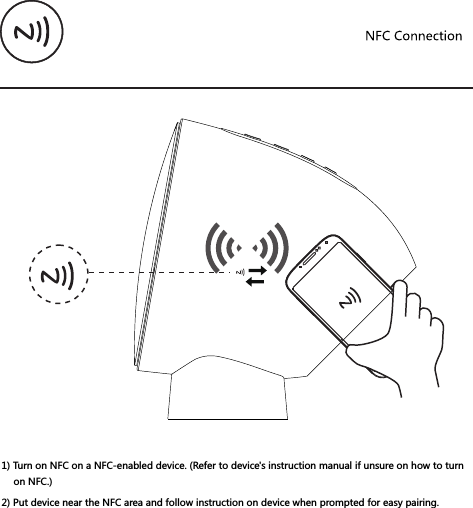
1) Turn on NFC on a NFC-enabled device. (Refer to device's instruction manual if unsure on how to turn on NFC.)2) Put device near the NFC area and follow instruction on device when prompted for easy pairing.
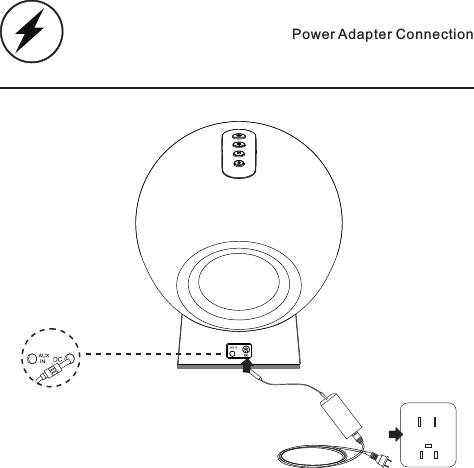
Power Adapter Connection
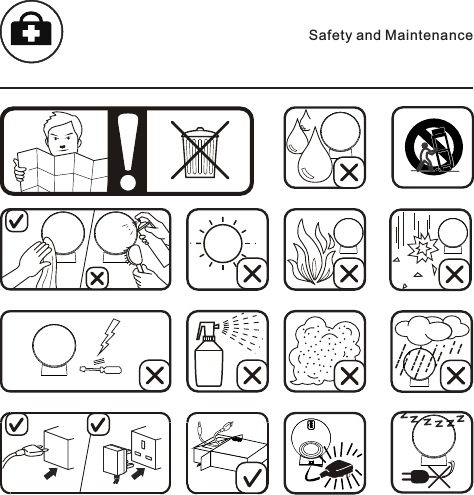
Safety and Maintenance
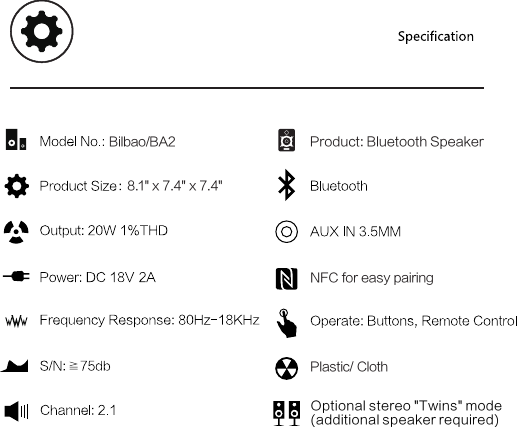
Bilbao/BA28.1" x 7.4" x 7.4"NFC for easy pairingOptional stereo "Twins" mode(additional speaker required)Plastic/ ClothProduct: Bluetooth Speaker
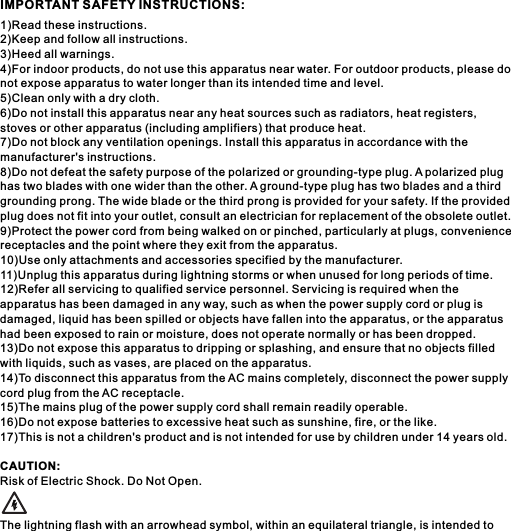
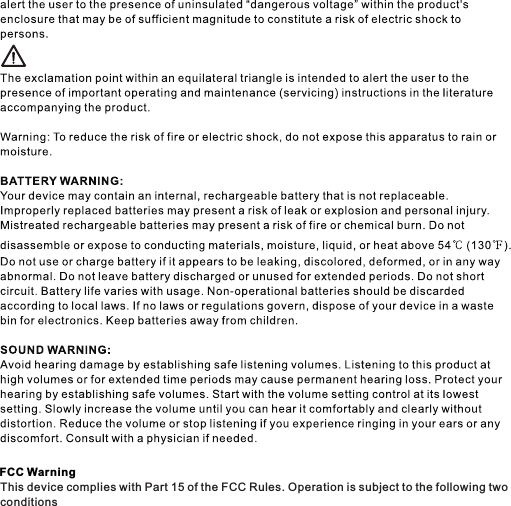
1)Read these instructions.2)Keep and follow all instructions.3)Heed all warnings.4)For indoor products, do not use this apparatus near water. For outdoor products, please do not expose apparatus to water longer than its intended time and level.5)Clean only with a dry cloth.6)Do not install this apparatus near any heat sources such as radiators, heat registers, stoves or other apparatus (including amplifiers) that produce heat.7)Do not block any ventilation openings. Install this apparatus in accordance with the manufacturer's instructions.8)Do not defeat the safety purpose of the polarized or grounding-type plug. A polarized plug has two blades with one wider than the other. A ground-type plug has two blades and a third grounding prong. The wide blade or the third prong is provided for your safety. If the provided plug does not fit into your outlet, consult an electrician for replacement of the obsolete outlet.9)Protect the power cord from being walked on or pinched, particularly at plugs, convenience receptacles and the point where they exit from the apparatus.10)Use only attachments and accessories specified by the manufacturer.11)Unplug this apparatus during lightning storms or when unused for long periods of time.12)Refer all servicing to qualified service personnel. Servicing is required when the apparatus has been damaged in any way, such as when the power supply cord or plug is damaged, liquid has been spilled or objects have fallen into the apparatus, or the apparatus had been exposed to rain or moisture, does not operate normally or has been dropped.13)Do not expose this apparatus to dripping or splashing, and ensure that no objects filled with liquids, such as vases, are placed on the apparatus.14)To disconnect this apparatus from the AC mains completely, disconnect the power supply cord plug from the AC receptacle.15)The mains plug of the power supply cord shall remain readily operable.16)Do not expose batteries to excessive heat such as sunshine, fire, or the like.17)This is not a children's product and is not intended for use by children under 14 years old.CAUTION:Risk of Electric Shock. Do Not Open.The lightning flash with an arrowhead symbol, within an equilateral triangle, is intended to IMPORTANT SAFETY INSTRUCTIONS:
FCC WarningThis device complies with Part 15 of the FCC Rules. Operation is subject to the following twoconditions
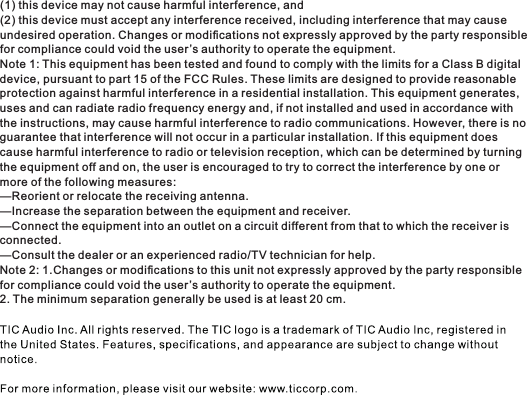
(1) this device may not cause harmful interference, and(2) this device must accept any interference received, including interference that may causeundesired operation. Changes or modifications not expressly approved by the party responsiblefor compliance could void the user’s authority to operate the equipment.Note 1: This equipment has been tested and found to comply with the limits for a Class B digitaldevice, pursuant to part 15 of the FCC Rules. These limits are designed to provide reasonableprotection against harmful interference in a residential installation. This equipment generates,uses and can radiate radio frequency energy and, if not installed and used in accordance with the instructions, may cause harmful interference to radio communications. However, there is noguarantee that interference will not occur in a particular installation. If this equipment doescause harmful interference to radio or television reception, which can be determined by turningthe equipment off and on, the user is encouraged to try to correct the interference by one ormore of the following measures:—Reorient or relocate the receiving antenna.—Increase the separation between the equipment and receiver.—Connect the equipment into an outlet on a circuit different from that to which the receiver isconnected.—Consult the dealer or an experienced radio/TV technician for help.Note 2: 1.Changes or modifications to this unit not expressly approved by the party responsiblefor compliance could void the user’s authority to operate the equipment.2. The minimum separation generally be used is at least 20 cm.

Navigation menu