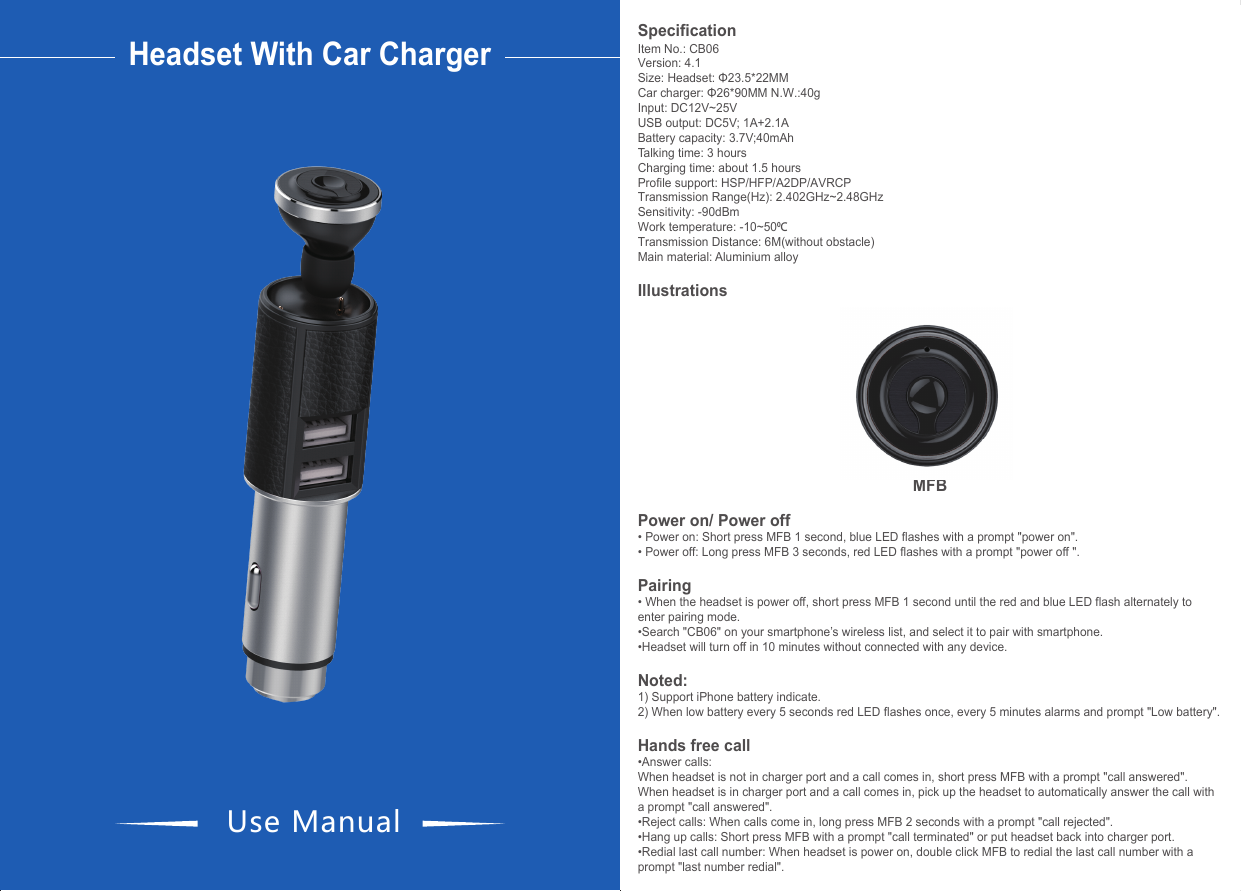
Techcool Industry Development CB06BETC Car Charger Bluetooth Earphone User Manual

Techcool Industry Development Co., Ltd. Car Charger Bluetooth Earphone Users Manual

User manual

•Disconnected and reconnect: when headset disconnects with your smartphone with a prompt "your headset is disconnected", short press MFB to reconnect with your smartphone again with a prompt "your headset is connected ".Play music•Music play: After paired, short press MFB or play music from your smartphone.•Music pause: Short press MFB or put headset back into charger port.Connect with two smartphones•When headset has connected with first smartphone, disconnected from it. •At the same time, red and blue LED light flash alternately which means the headset enters paring mode again. •Search the wireless name "CB06" on the second smartphone and connected with the headset. •Lastly the first smartphone connects with headset again, so both of smartphones are connected with headset.Call waiting•The second smartphone calls coming when you answer call by the first smartphone, long press MFB 2 seconds to reject the calls of second smartphone and continue to talk with the first smartphone.•Double press MFB to answer the call with the second smartphone, retain the call with the first smartphone.•Double press MFB again to switch to answer call with the first smartphone, retain the call with the second smartphone. This function could switch the call between two smartphones. •Short press MFB once to hang up the current call, automatically answer the other smartphone.Features:1)Used as safety hammer to break window when in emergency.2)Safety hammer movable nod ensures more stable charging. Headset With Car ChargerUse ManualSpecificationItem No.: CB06Version: 4.1Size: Headset: Φ23.5*22MM   Car charger: Φ26*90MM N.W.:40gInput: DC12V~25VUSB output: DC5V; 1A+2.1ABattery capacity: 3.7V;40mAhTalking time: 3 hoursCharging time: about 1.5 hoursProfile support: HSP/HFP/A2DP/AVRCP Transmission Range(Hz): 2.402GHz~2.48GHz Sensitivity: -90dBmWork temperature: -10~500CTransmission Distance: 6M(without obstacle)Main material: Aluminium alloyIllustrationsMFBPower on/ Power off• Power on: Short press MFB 1 second, blue LED flashes with a prompt "power on".• Power off: Long press MFB 3 seconds, red LED flashes with a prompt "power off ".Pairing• When the headset is power off, short press MFB 1 second until the red and blue LED flash alternately to enter pairing mode. •Search "CB06" on your smartphone’s wireless list, and select it to pair with smartphone.•Headset will turn off in 10 minutes without connected with any device.Noted:  1) Support iPhone battery indicate.2) When low battery every 5 seconds red LED flashes once, every 5 minutes alarms and prompt "Low battery".Hands free call•Answer calls:When headset is not in charger port and a call comes in, short press MFB with a prompt "call answered".When headset is in charger port and a call comes in, pick up the headset to automatically answer the call with a prompt "call answered".•Reject calls: When calls come in, long press MFB 2 seconds with a prompt "call rejected".•Hang up calls: Short press MFB with a prompt "call terminated" or put headset back into charger port.•Redial last call number: When headset is power on, double click MFB to redial the last call number with a prompt "last number redial".LED indicator(headset not in charger port)Power on                                  Blue LED lightPower off                                  Red LED lightPairing                                           Red and blue LED flash alternatelyStandby (paired)                                        Blue LED flashes twice every 5 secondsIncoming call                                  Blue LED flashes quicklyDialing                                           Blue LED flashes quicklyTalking                                           Blue LED flashes twice every 3 secondsPlaying musi                                              Blue LED flashes twice every 3 secondsLow battery                                  Red LED flashes once every 5 secondsLED indicator(headset in charger port)Power on(paired)                                 Blue LED light flashes, red LED staysPower off                                 Red LED light will stayPairing                                                      Red and blue LED flash alternatelyStandby (unpaired)                                 Blue LED flashes once every 5 seconds, red LED staysStandby (paired)                                 Blue LED flashes twice every 5 seconds, red LED staysIncoming call                                 Blue and red LED flash quicklyDialing                                                       Blue and red LED flash quicklyTalking                                                      Blue LED flashes twice every 3 seconds, red LED staysPlaying music                                  Blue LED flashes twice every 3 seconds, red LED stays                                Red LED light will stay(power off); blue LED flashes,    red LED stays(power on)                               Blue LED light will stay(power off), blue LED flashes  (power on)FCC Warning StatementChanges or modifications not expressly approved by the party responsible forcompliance could void the user’s authority to operate the equipment.This equipment has been tested and found to comply with the limits for a Class B digital device, pursuant to Part 15 of the FCC Rules. These limits are designed to provide reasonable protection against harmful interference in a residential installation. This equipment generates uses and can radiate radio frequency energy and, if not installed and used in accordance with the instructions, may cause harmful interference to radio communications. However, there is no guarantee that interference will not occur in a particular installation. If this equipment does cause harmful interference to radio or television reception, which can be determined by turning the equipment off and on, the user is encouraged to try to correct the interference by one or more of the following measures: ‐‐Reorient or relocate the receiving antenna.‐‐Increase the separation between the equipment and receiver. ‐‐Connect the equipment into an outlet on a circuit different from that to which the receiver is connected.‐‐Consult the dealer or an experienced radio/TV technician for help.
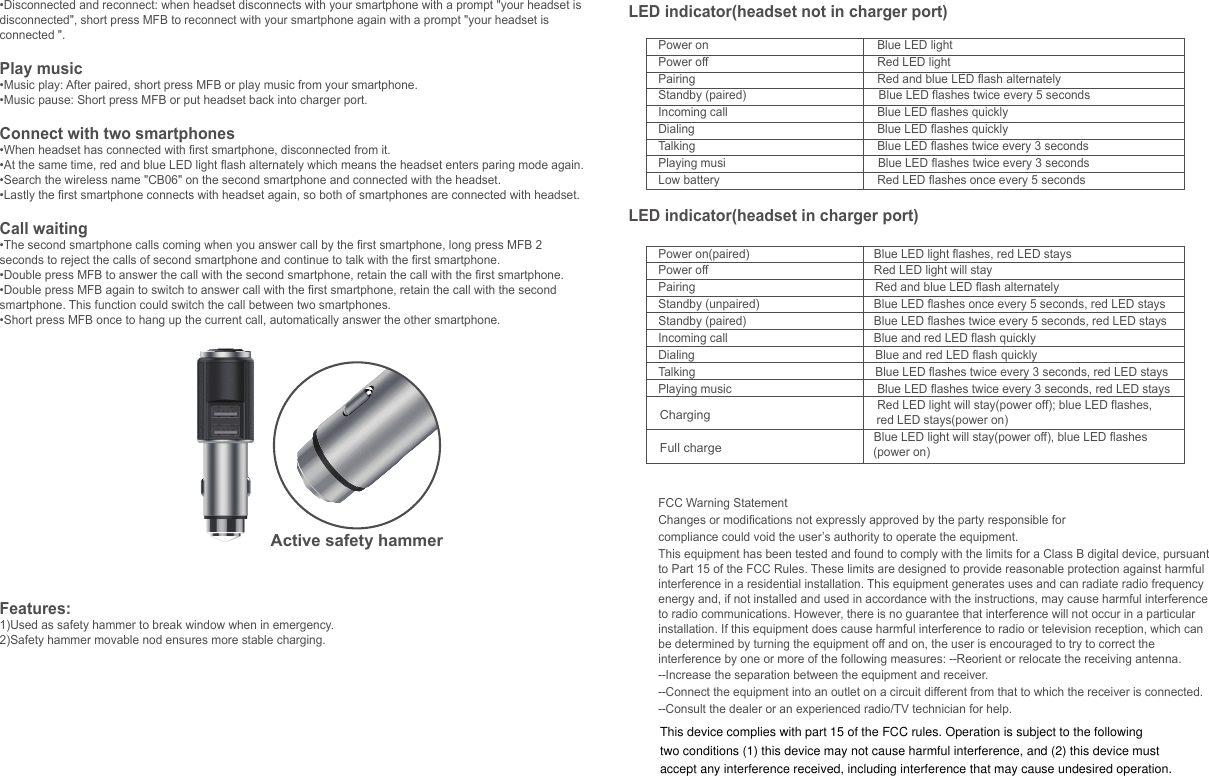
Active safety hammer•Disconnected and reconnect: when headset disconnects with your smartphone with a prompt "your headset is disconnected", short press MFB to reconnect with your smartphone again with a prompt "your headset is connected ".Play music•Music play: After paired, short press MFB or play music from your smartphone.•Music pause: Short press MFB or put headset back into charger port.Connect with two smartphones•When headset has connected with first smartphone, disconnected from it. •At the same time, red and blue LED light flash alternately which means the headset enters paring mode again. •Search the wireless name "CB06" on the second smartphone and connected with the headset. •Lastly the first smartphone connects with headset again, so both of smartphones are connected with headset.Call waiting•The second smartphone calls coming when you answer call by the first smartphone, long press MFB 2 seconds to reject the calls of second smartphone and continue to talk with the first smartphone.•Double press MFB to answer the call with the second smartphone, retain the call with the first smartphone.•Double press MFB again to switch to answer call with the first smartphone, retain the call with the second smartphone. This function could switch the call between two smartphones. •Short press MFB once to hang up the current call, automatically answer the other smartphone. Features:1)Used as safety hammer to break window when in emergency.2)Safety hammer movable nod ensures more stable charging. SpecificationItem No.: CB06Version: 4.1Size: Headset: Φ23.5*22MM   Car charger: Φ26*90MMN.W.:40gInput: DC12V~25VUSB output: DC5V; 1A+2.1ABattery capacity: 3.7V;40mAhTalking time: 3 hoursCharging time: about 1.5 hoursProfile support: HSP/HFP/A2DP/AVRCPTransmission Range(Hz): 2.40GHz~2.48GHzSensitivity: -90dBmWork temperature: -10~500CTransmission Distance: 6M(without obstacle)Main material: Aluminium alloyIllustrations MFBPower on/ Power off• Power on: Short press MFB 1 second, blue LED flashes with a prompt "power on".• Power off: Long press MFB 3 seconds, red LED flashes with a prompt "power off ".Pairing• When the headset is power off, short press MFB 1 second until the red and blue LED flash alternately to enter pairing mode. •Search "CB06" on your smartphone’s wireless list, and select it to pair with smartphone.•Headset will turn off in 10 minutes without connected with any device.Noted:  1) Support iPhone battery indicate.2) When low battery every 5 seconds red LED flashes once, every 5 minutes alarms and prompt "Low battery".Hands free call•Answer calls:When headset is not in charger port and a call comes in, short press MFB with a prompt "call answered".When headset is in charger port and a call comes in, pick up the headset to automatically answer the call with a prompt "call answered".•Reject calls: When calls come in, long press MFB 2 seconds with a prompt "call rejected".•Hang up calls: Short press MFB with a prompt "call terminated" or put headset back into charger port.•Redial last call number: When headset is power on, double click MFB to redial the last call number with a prompt "last number redial".LED indicator(headset not in charger port)Power on                                  Blue LED lightPower off                                  Red LED lightPairing                                           Red and blue LED flash alternatelyStandby (paired)                                        Blue LED flashes twice every 5 secondsIncoming call                                  Blue LED flashes quicklyDialing                                           Blue LED flashes quicklyTalking                                           Blue LED flashes twice every 3 secondsPlaying musi                                              Blue LED flashes twice every 3 secondsLow battery                                  Red LED flashes once every 5 secondsLED indicator(headset in charger port)Power on(paired)                                 Blue LED light flashes, red LED staysPower off                                 Red LED light will stayPairing                                                      Red and blue LED flash alternatelyStandby (unpaired)                                 Blue LED flashes once every 5 seconds, red LED staysStandby (paired)                                 Blue LED flashes twice every 5 seconds, red LED staysIncoming call                                 Blue and red LED flash quicklyDialing                                                       Blue and red LED flash quicklyTalking                                                      Blue LED flashes twice every 3 seconds, red LED staysPlaying music                                  Blue LED flashes twice every 3 seconds, red LED stays                                                     Red LED light will stay(power off); blue LED flashes,                                                                   red LED stays(power on)                                              Blue LED light will stay(power off), blue LED flashes                                                                 (power on)FCC Warning StatementChanges or modifications not expressly approved by the party responsible forcompliance could void the user’s authority to operate the equipment.This equipment has been tested and found to comply with the limits for a Class B digital device, pursuant to Part 15 of the FCC Rules. These limits are designed to provide reasonable protection against harmful interference in a residential installation. This equipment generates uses and can radiate radio frequency energy and, if not installed and used in accordance with the instructions, may cause harmful interference to radio communications. However, there is no guarantee that interference will not occur in a particular installation. If this equipment does cause harmful interference to radio or television reception, which can be determined by turning the equipment off and on, the user is encouraged to try to correct the interference by one or more of the following measures: ‐‐Reorient or relocate the receiving antenna.‐‐Increase the separation between the equipment and receiver. ‐‐Connect the equipment into an outlet on a circuit different from that to which the receiver is connected.‐‐Consult the dealer or an experienced radio/TV technician for help.ChargingFull chargeThis device complies with part 15 of the FCC rules. Operation is subject to the following two conditions (1) this device may not cause harmful interference, and (2) this device must accept any interference received, including interference that may cause undesired operation.

Navigation menu