Thomson Broadcast and Multimedia LBD-25200 Affinity L-Band Transmitter for Mobile Media Svs. User Manual Affinity LBD 200C N1 DRAFT1
Thomson Broadcast & Multimedia, Inc. Affinity L-Band Transmitter for Mobile Media Svs. Affinity LBD 200C N1 DRAFT1
Contents
- 1. Software Users Guide
- 2. 200W User Manual part 1
- 3. 200W User Manual part 2
- 4. 200W User Manual part 3
200W User Manual part 2
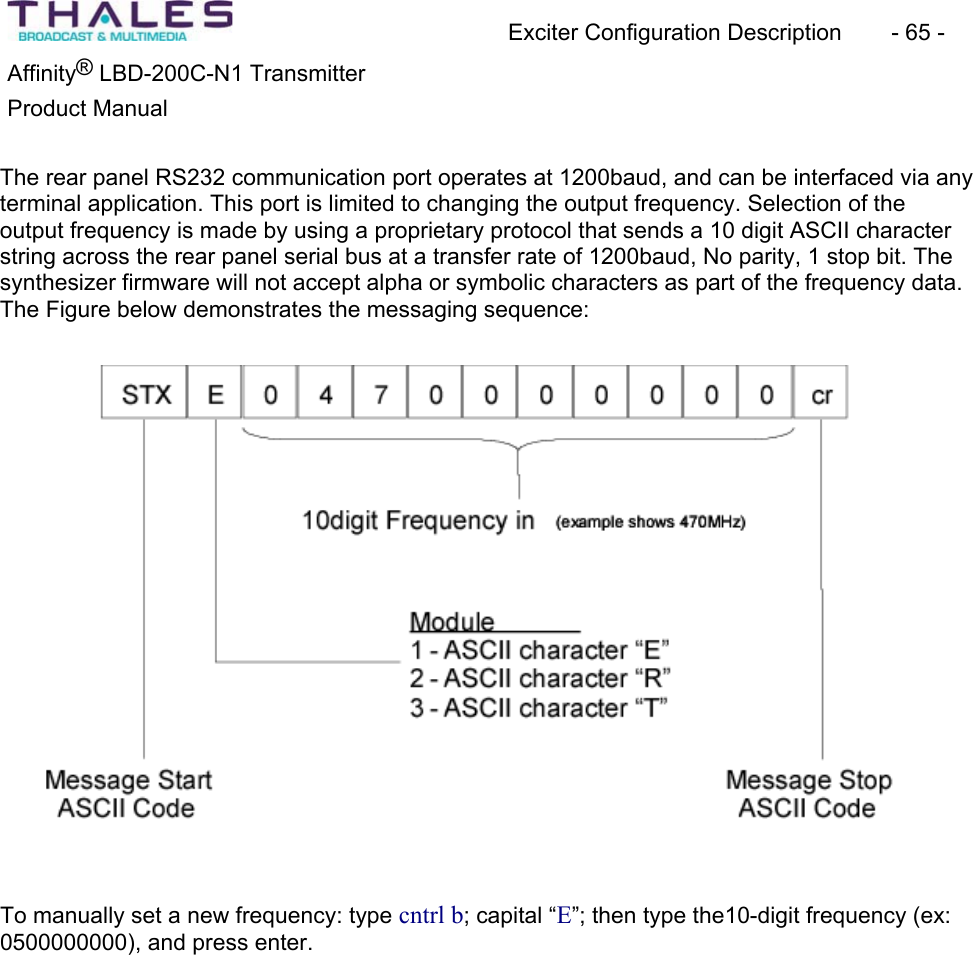
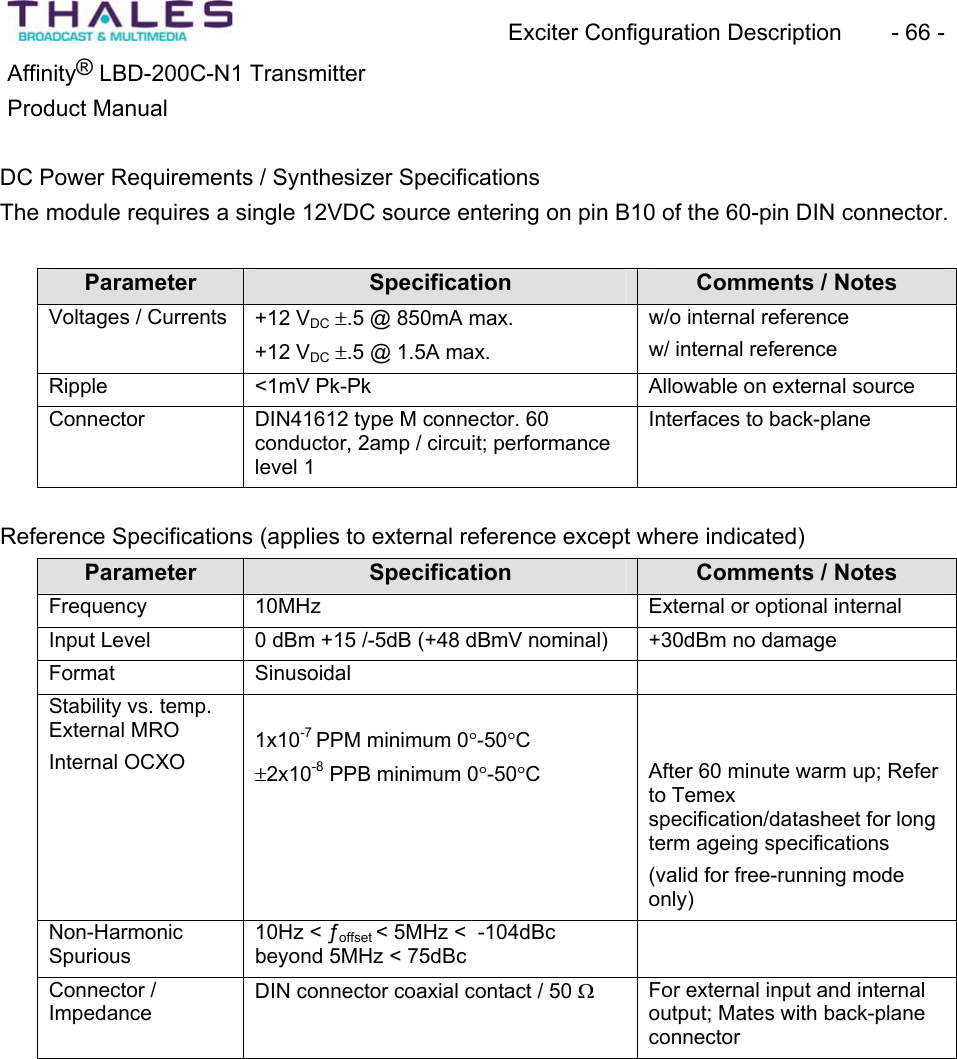
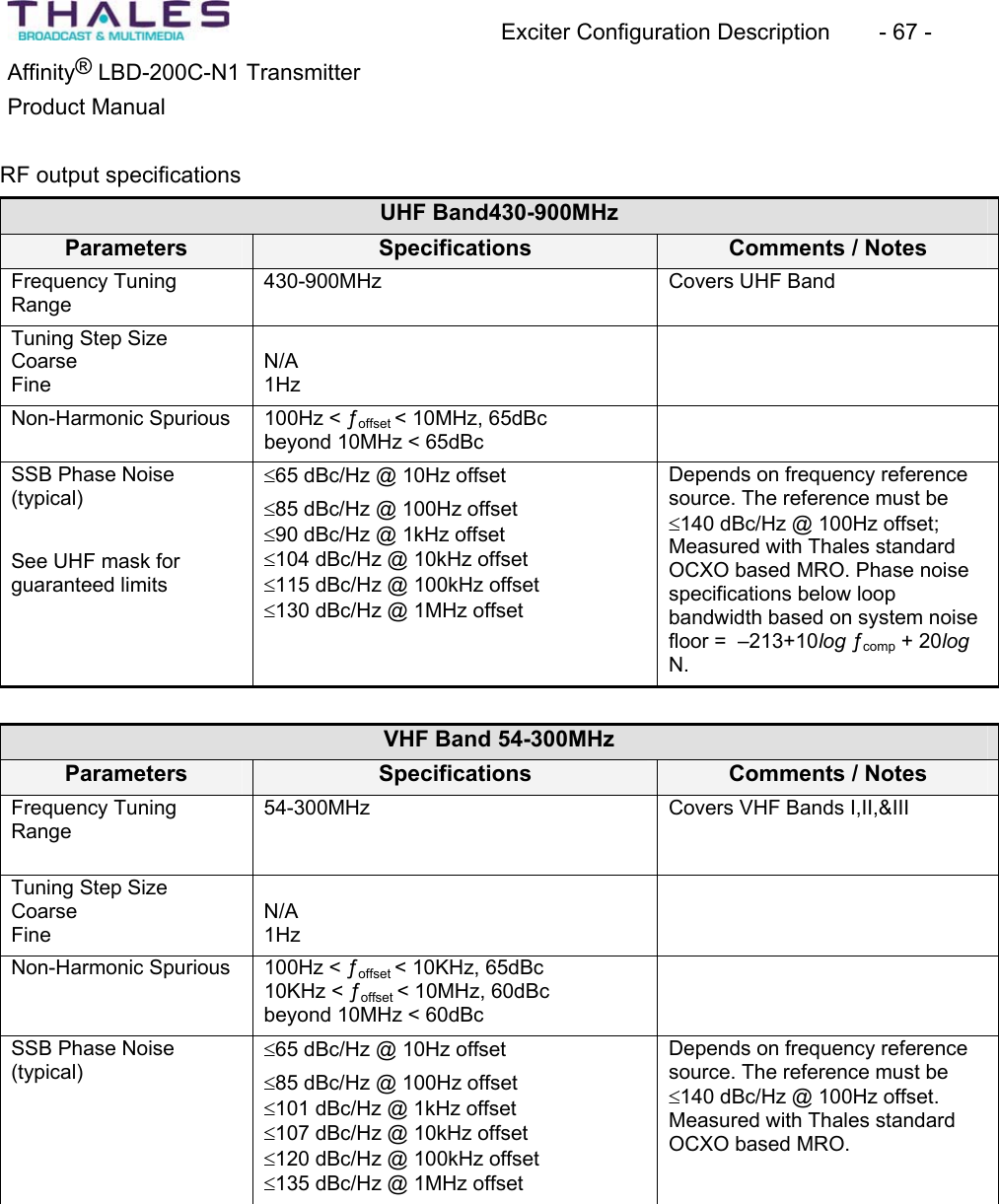
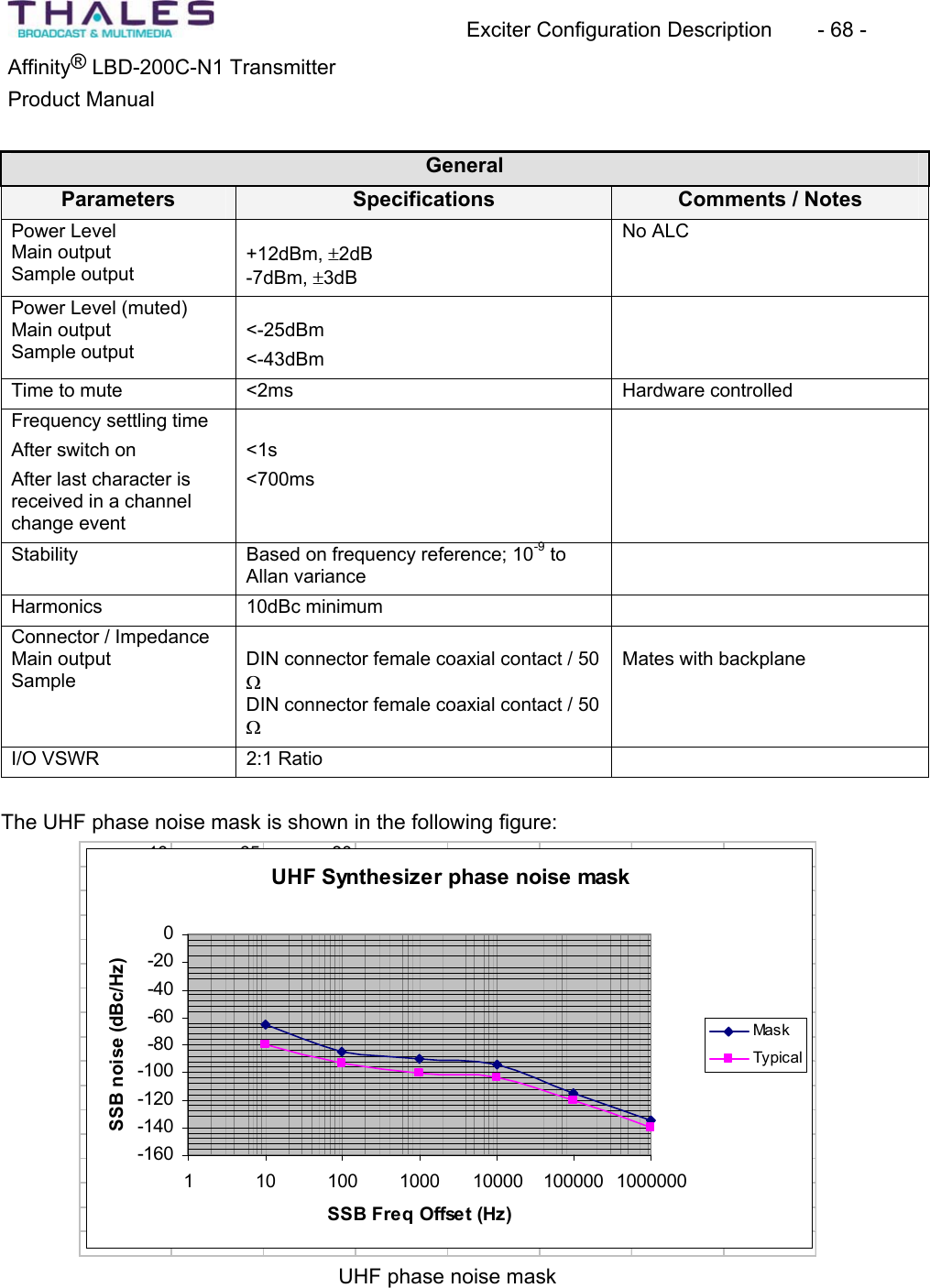
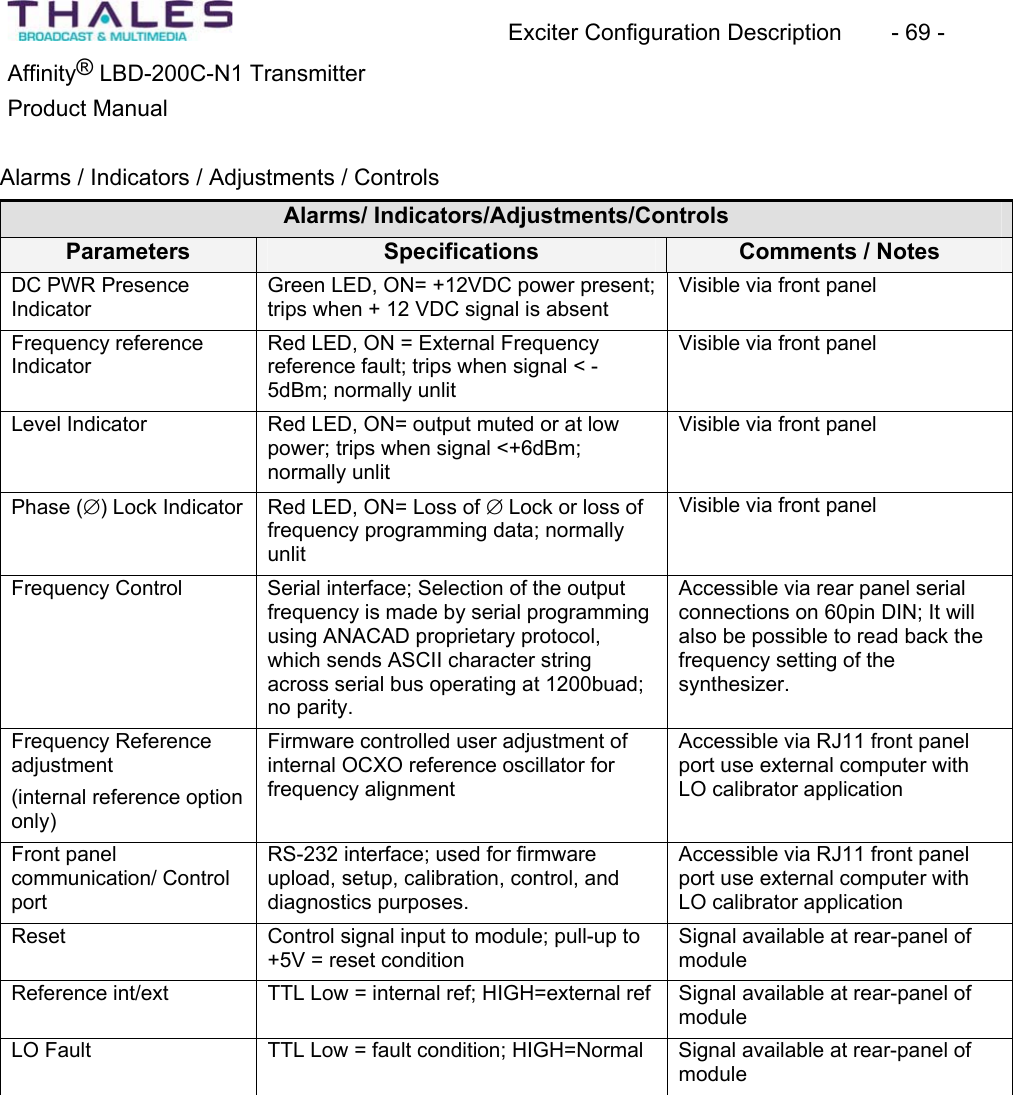
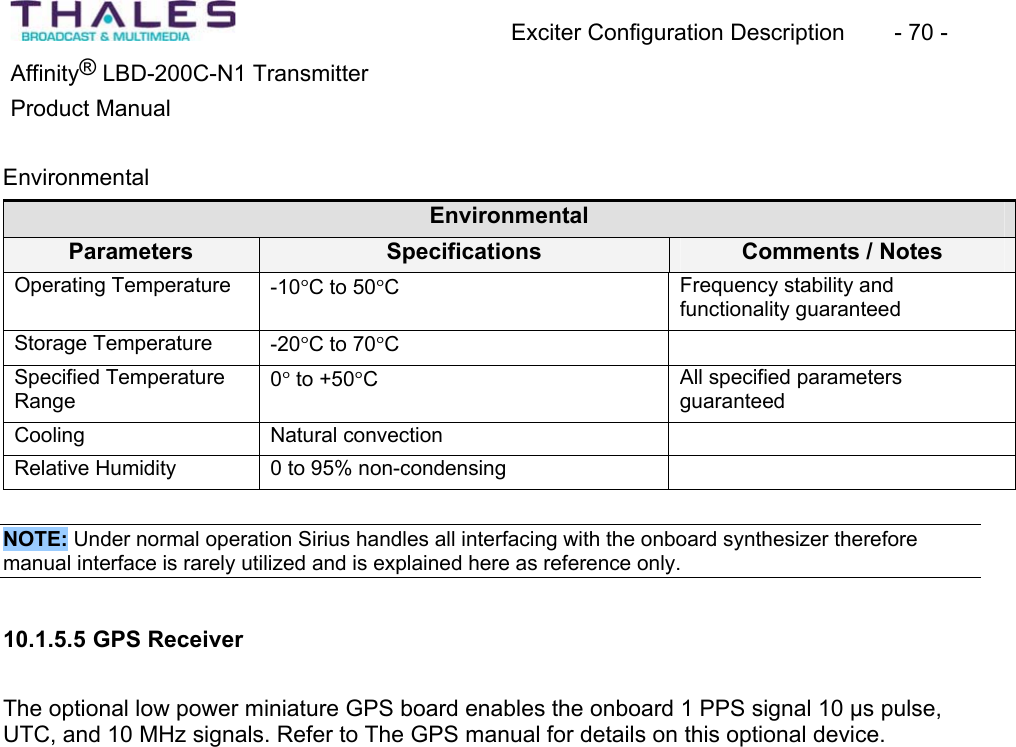
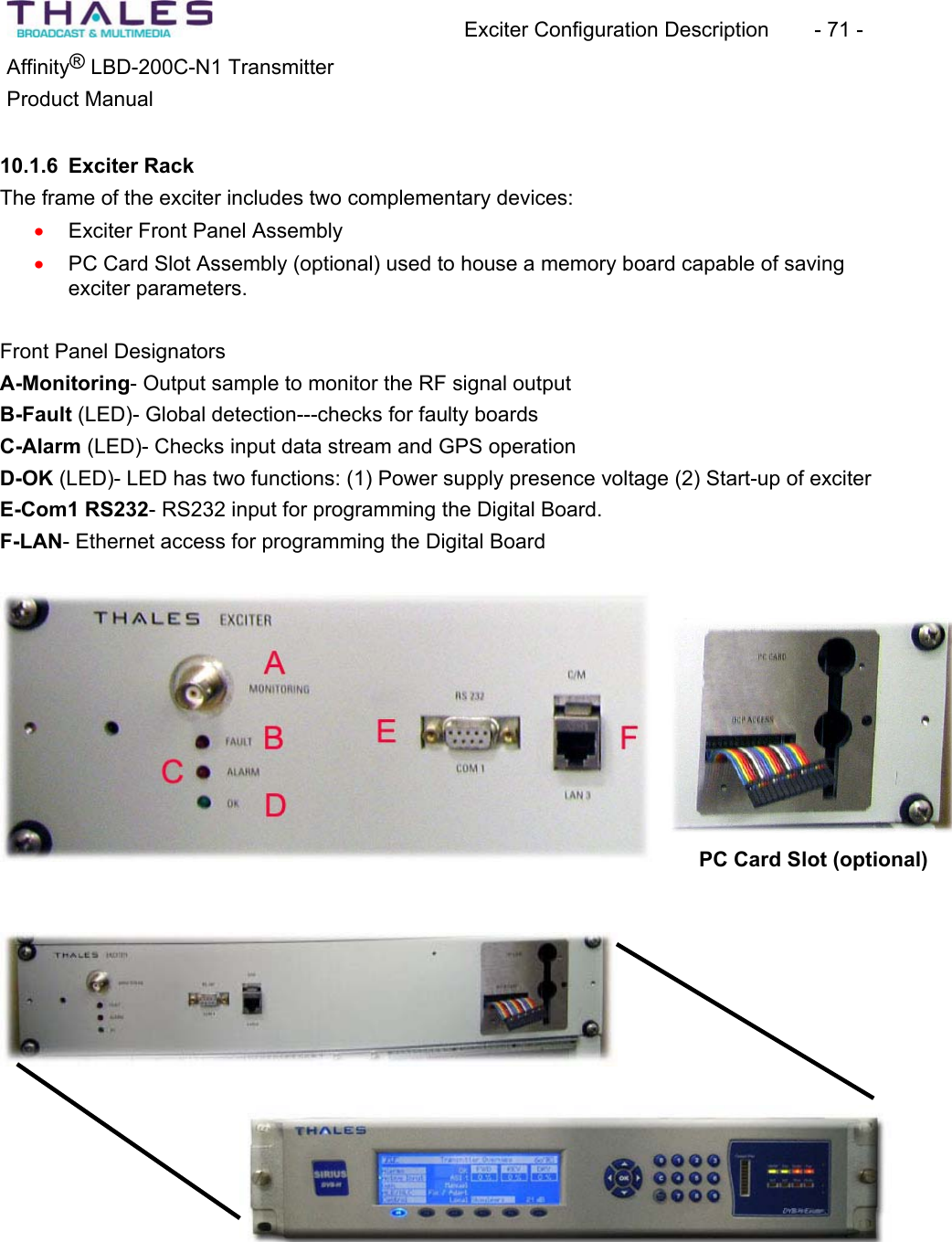
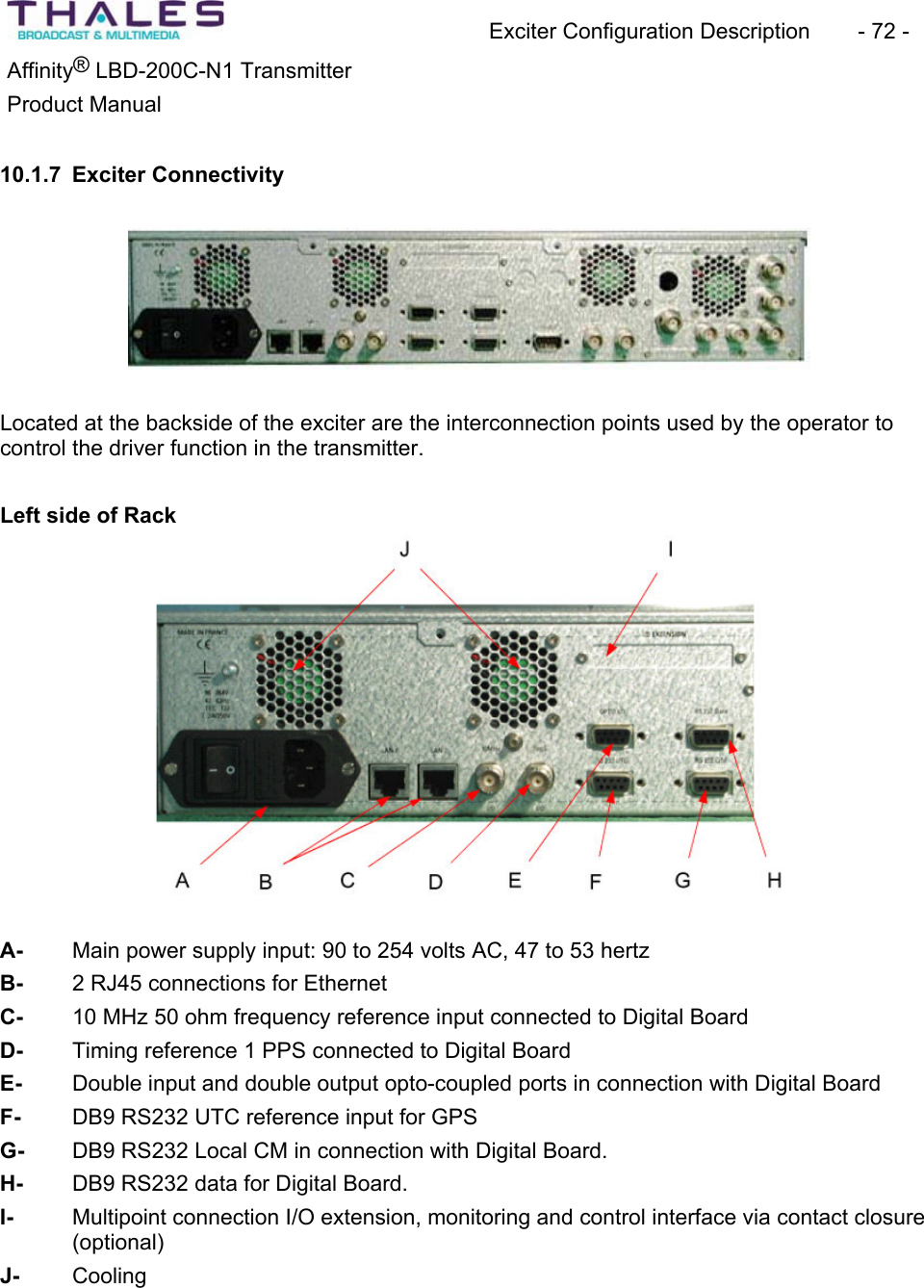
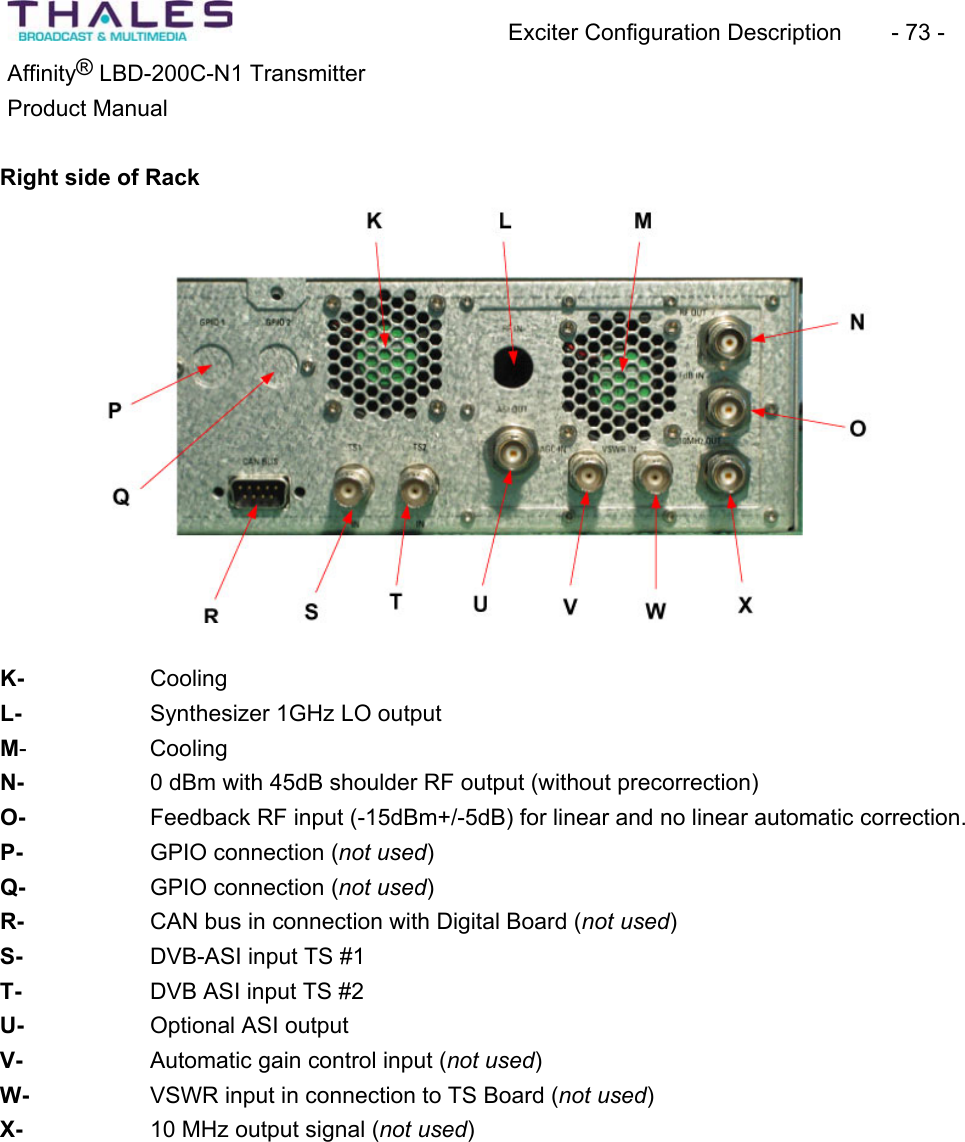
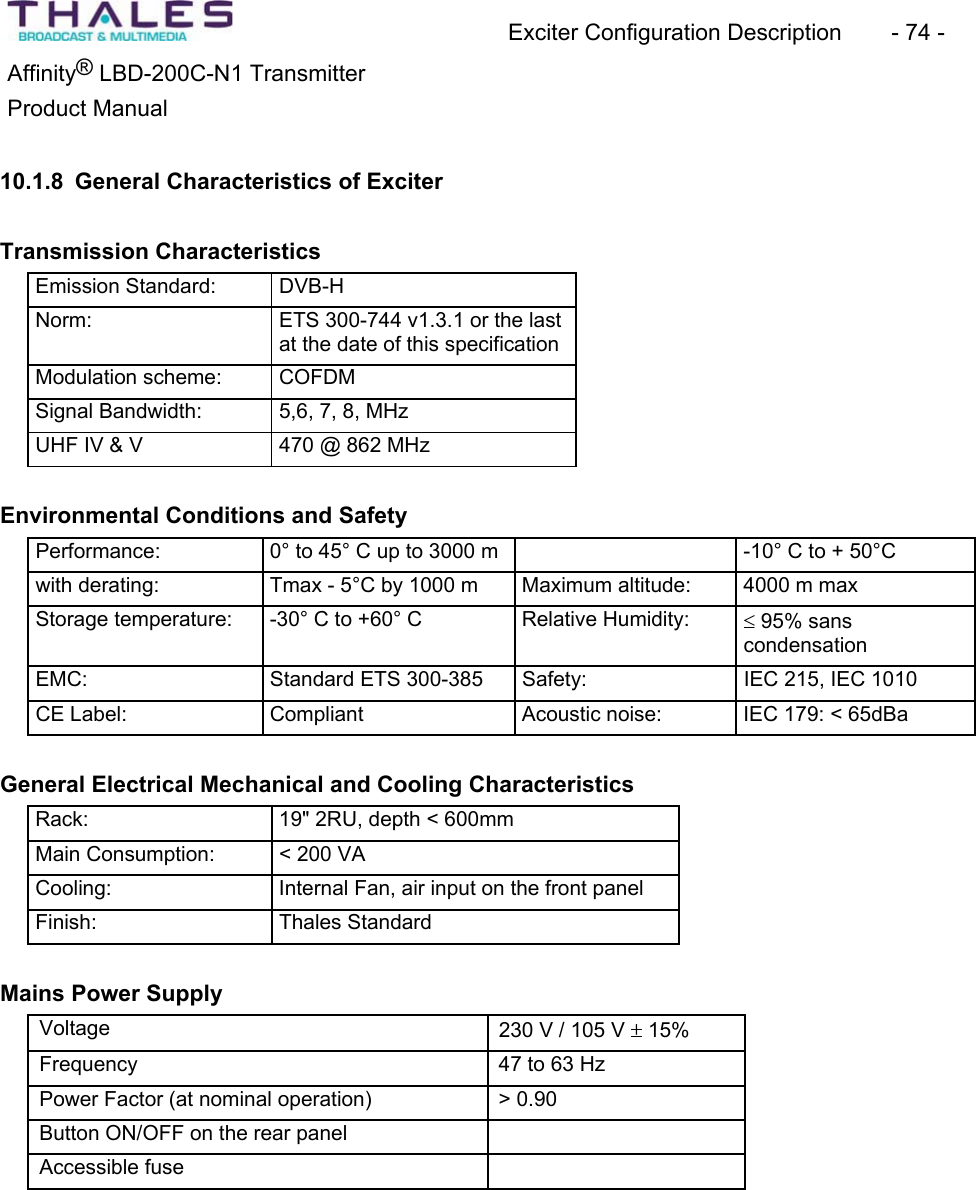
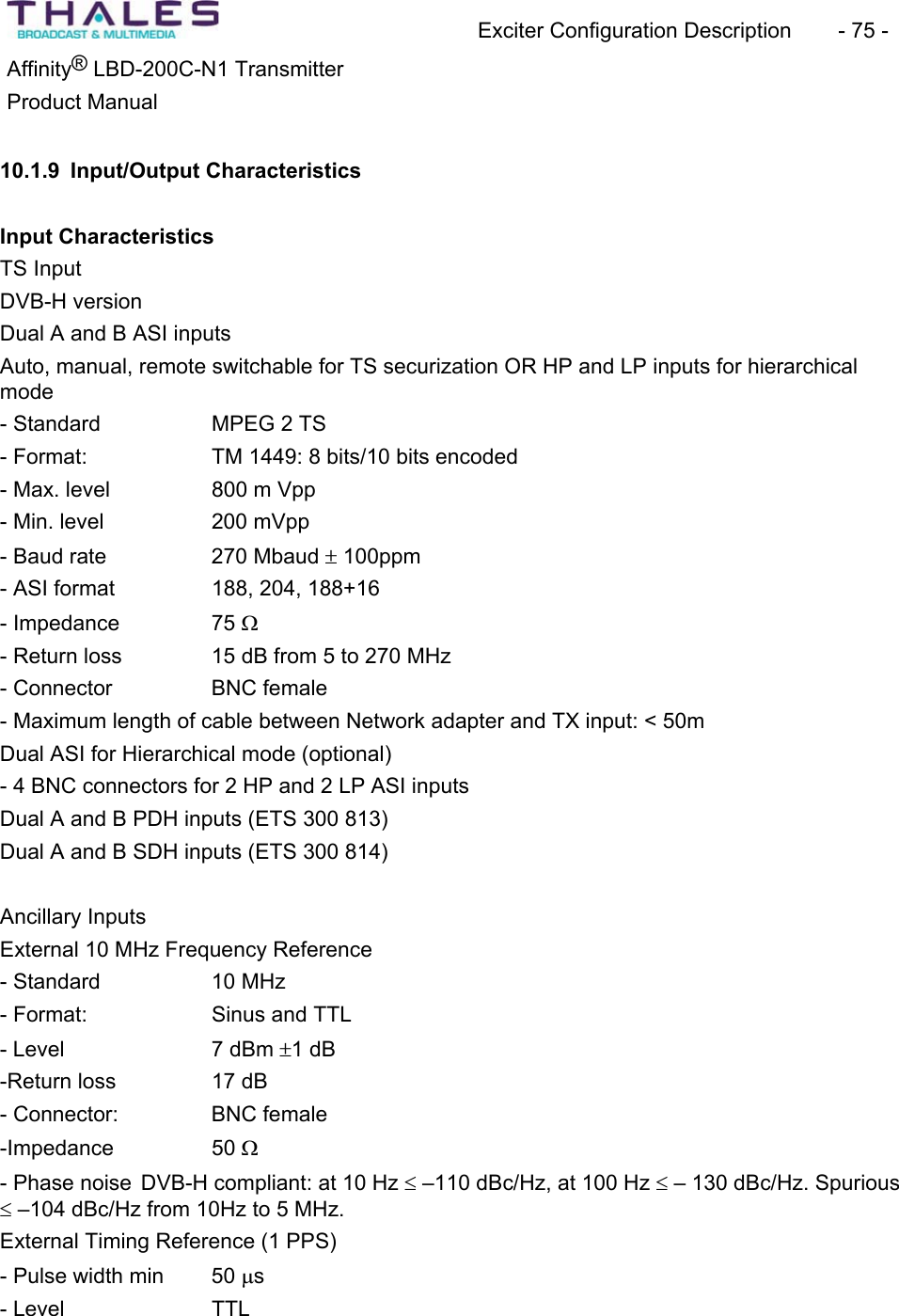
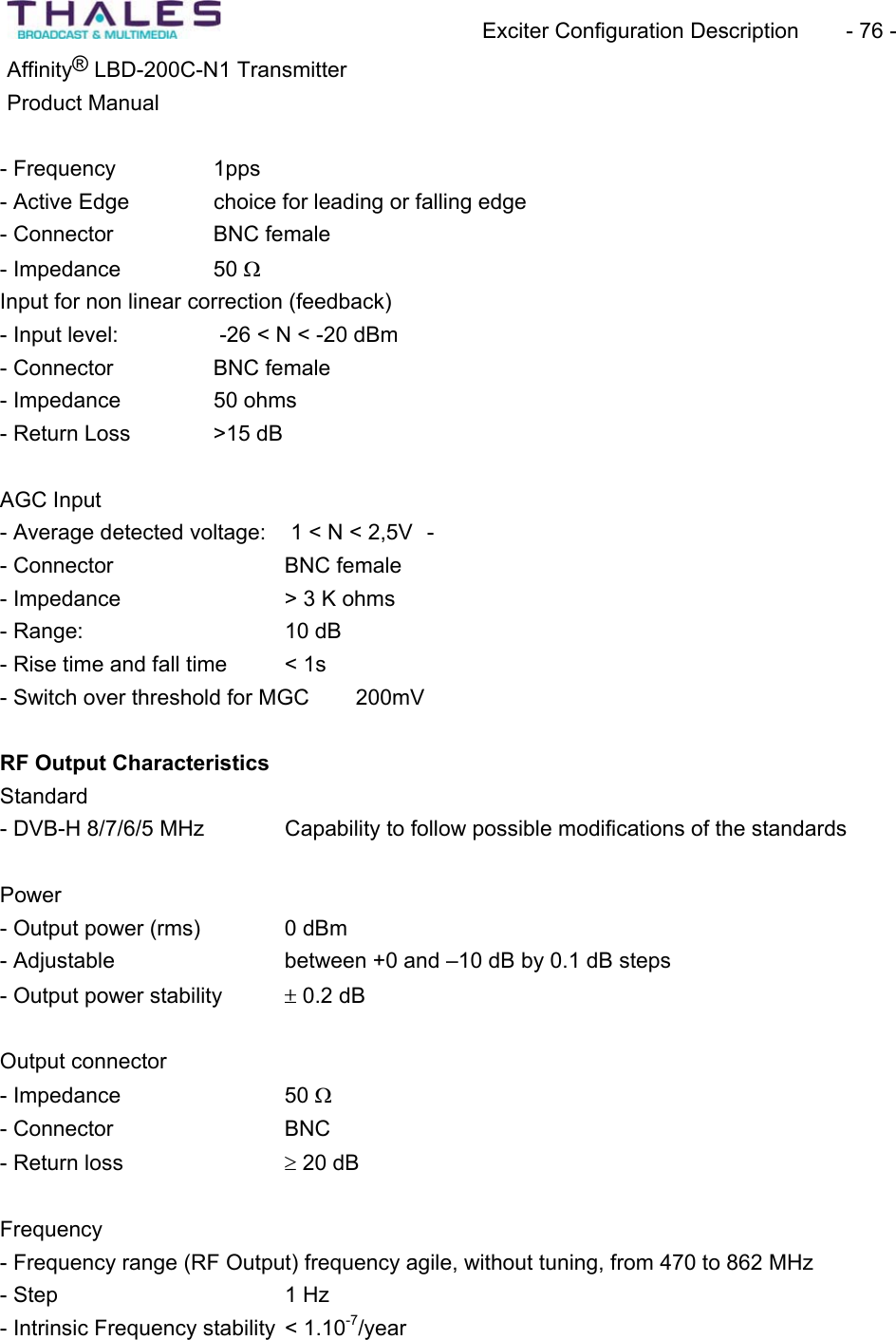
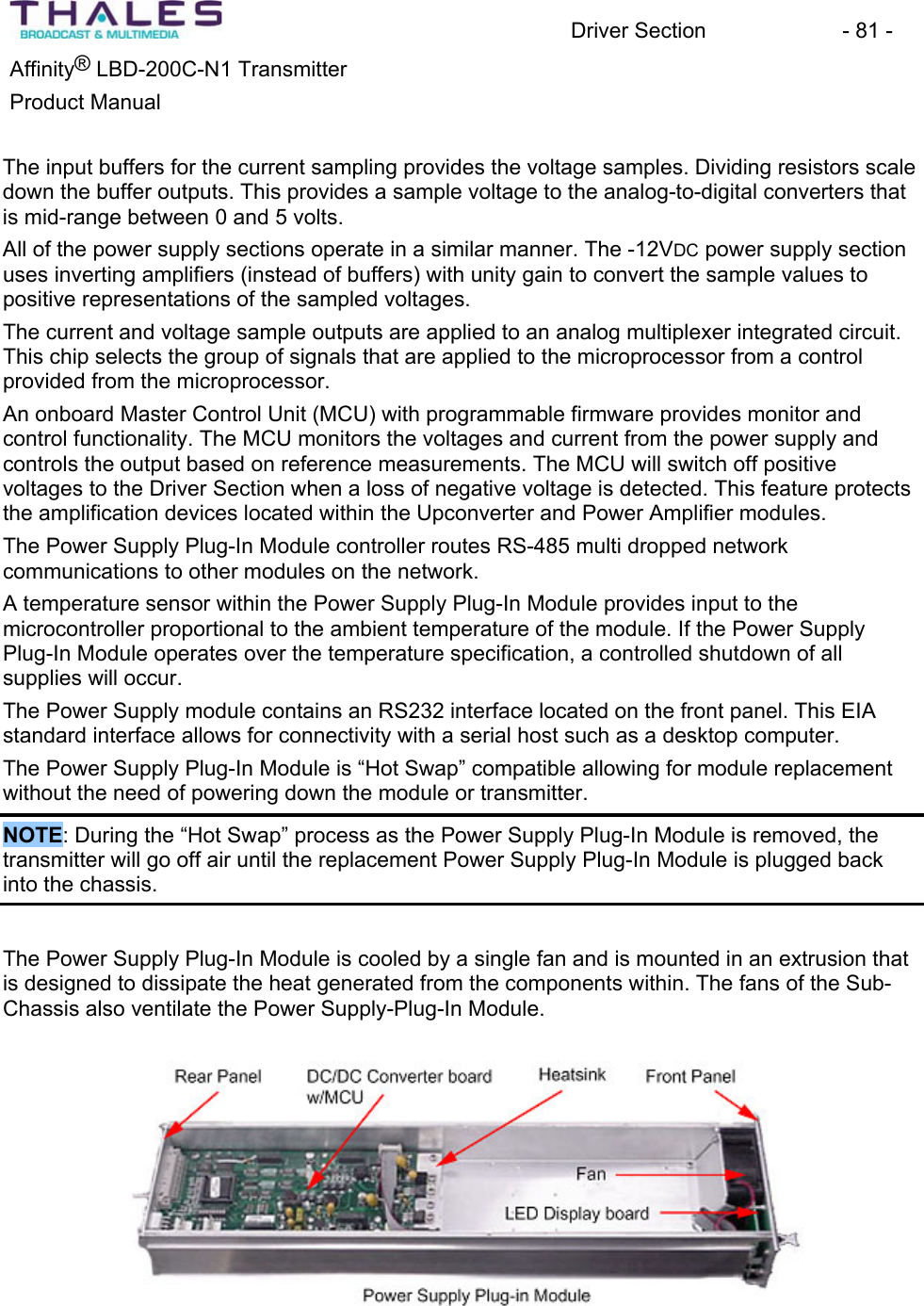
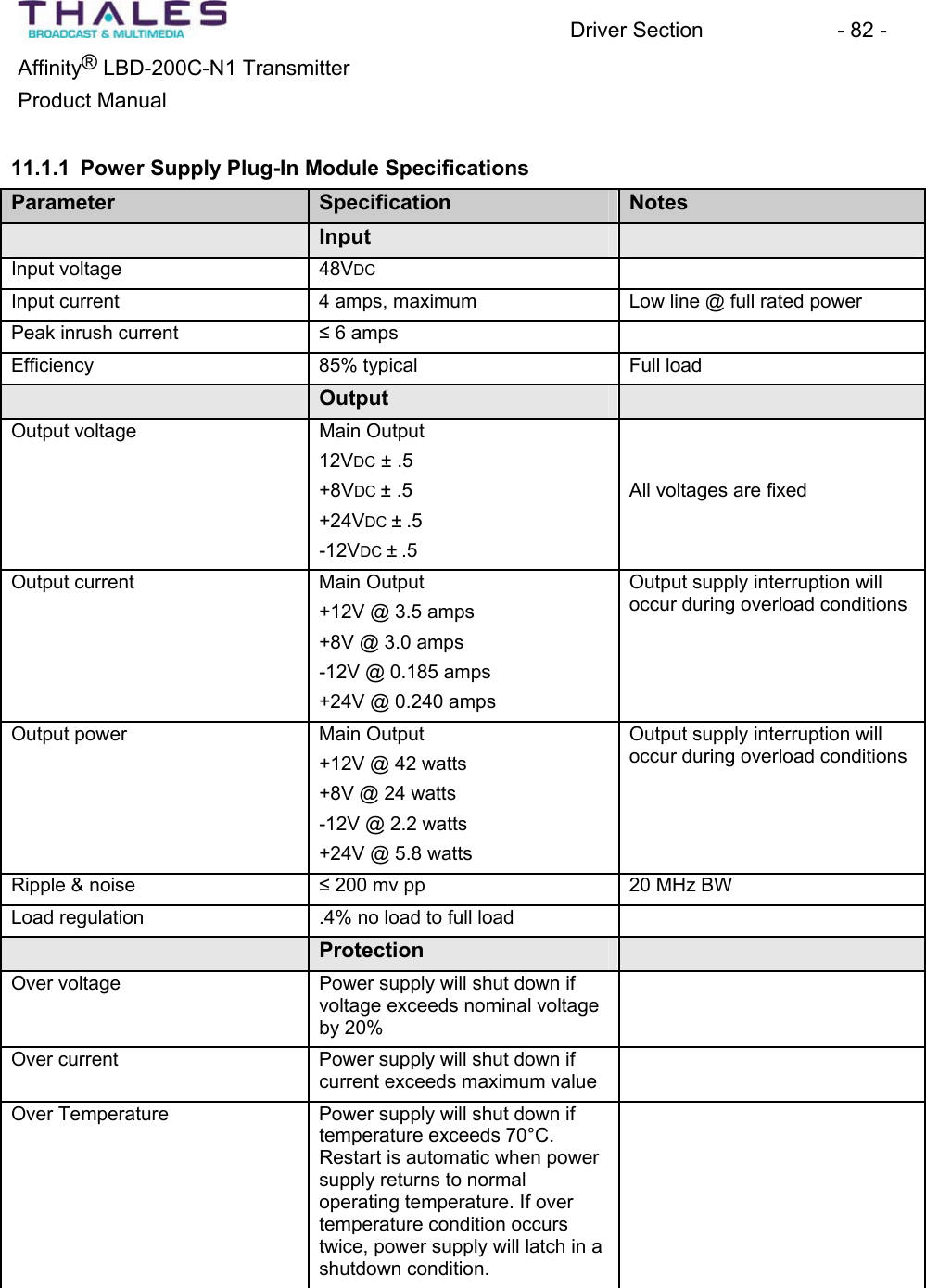
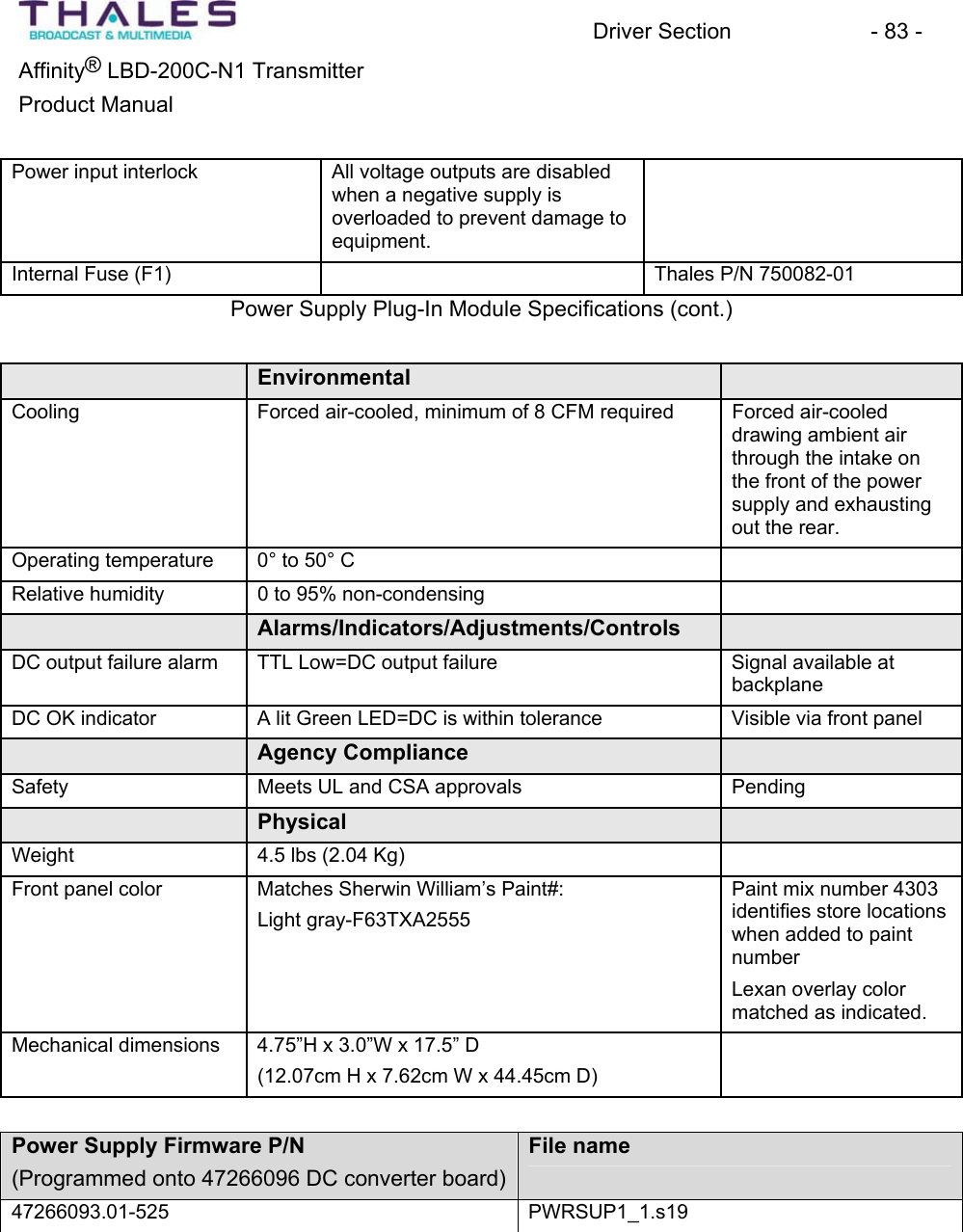
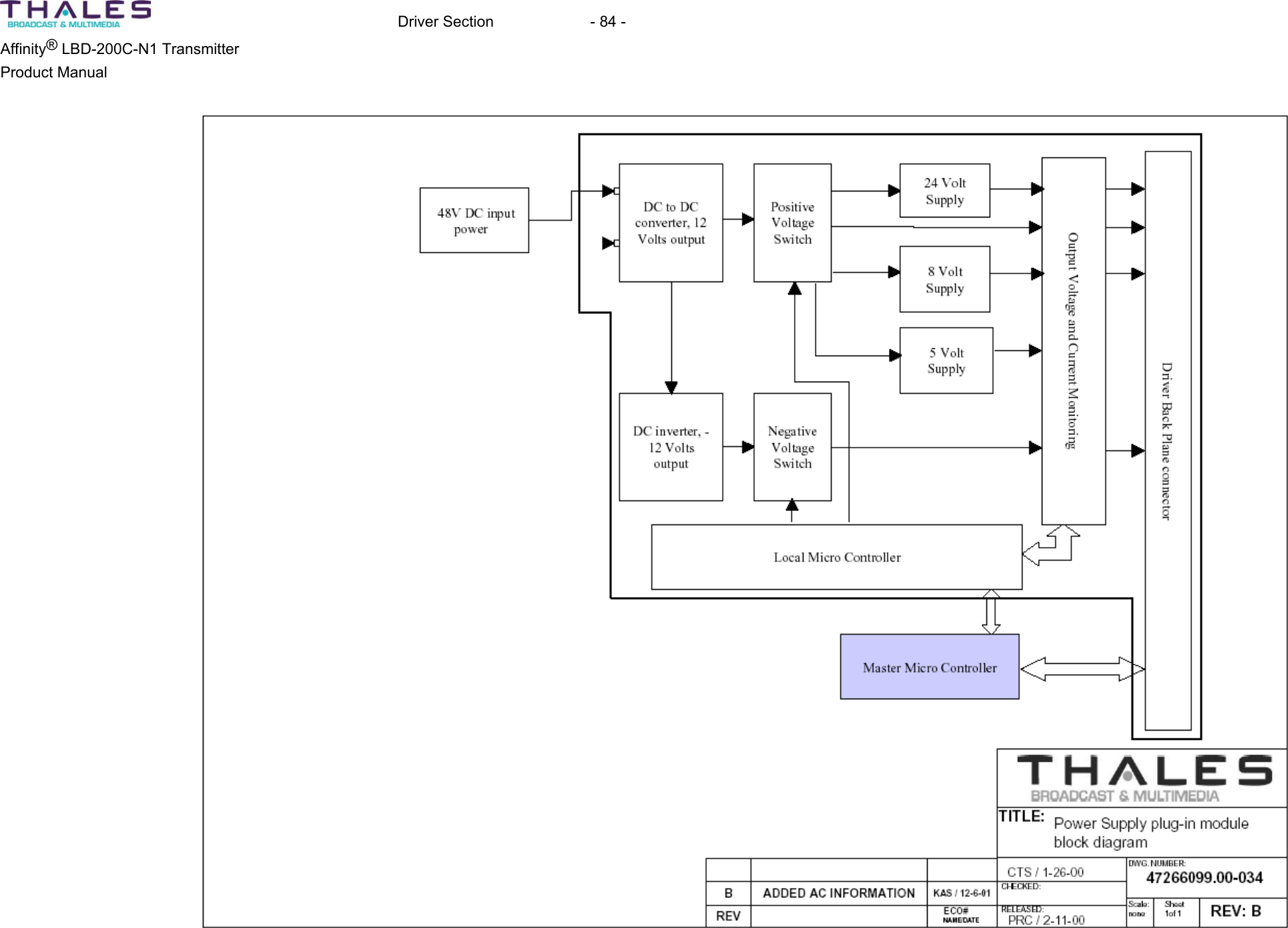
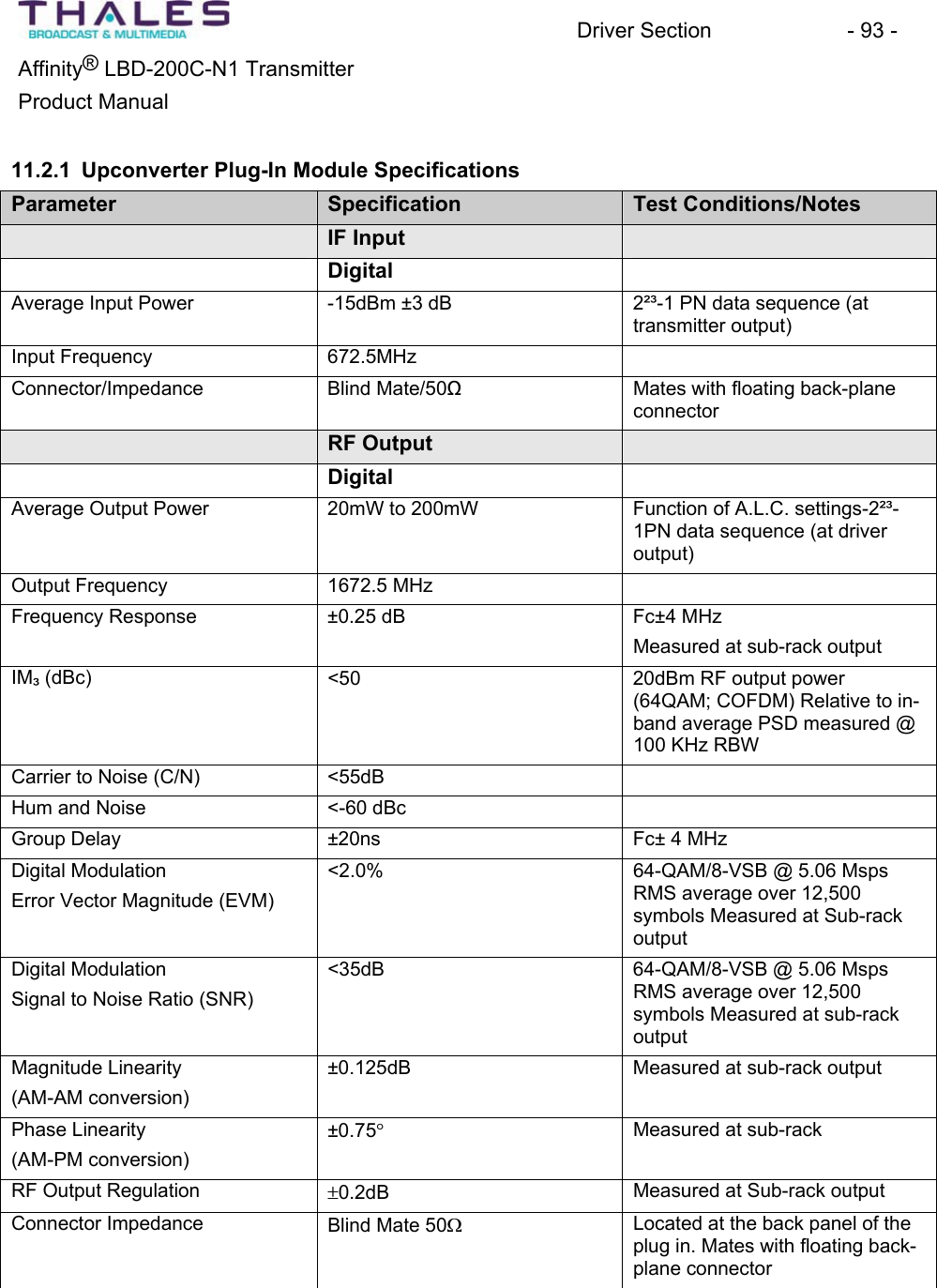
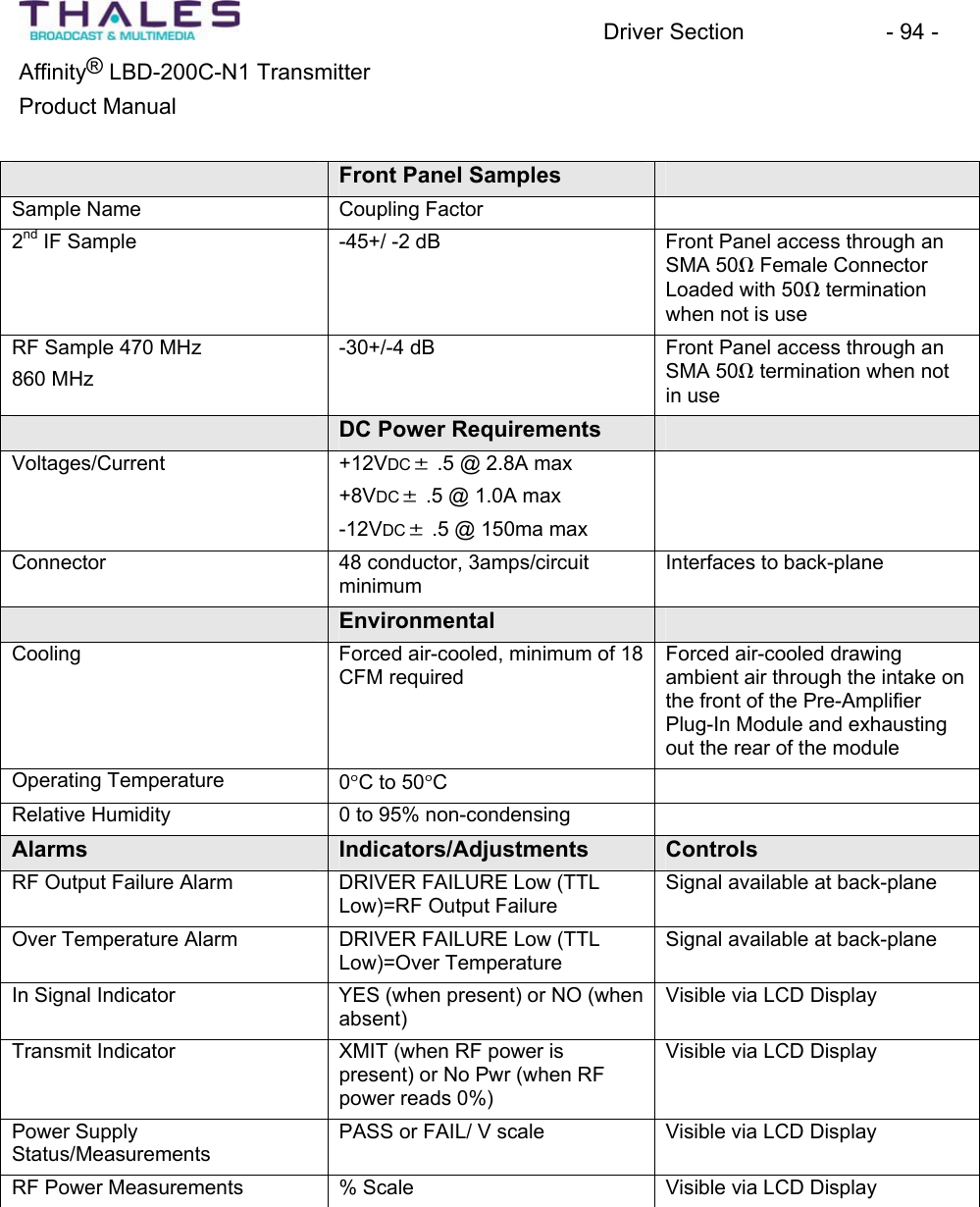
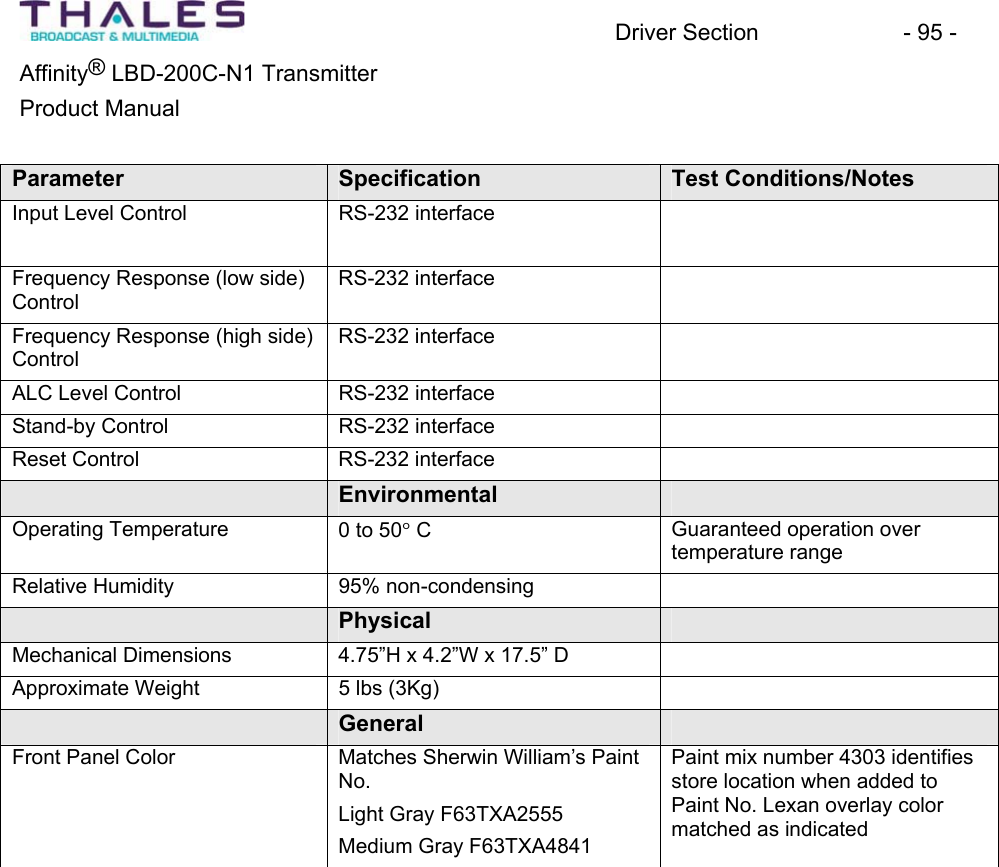


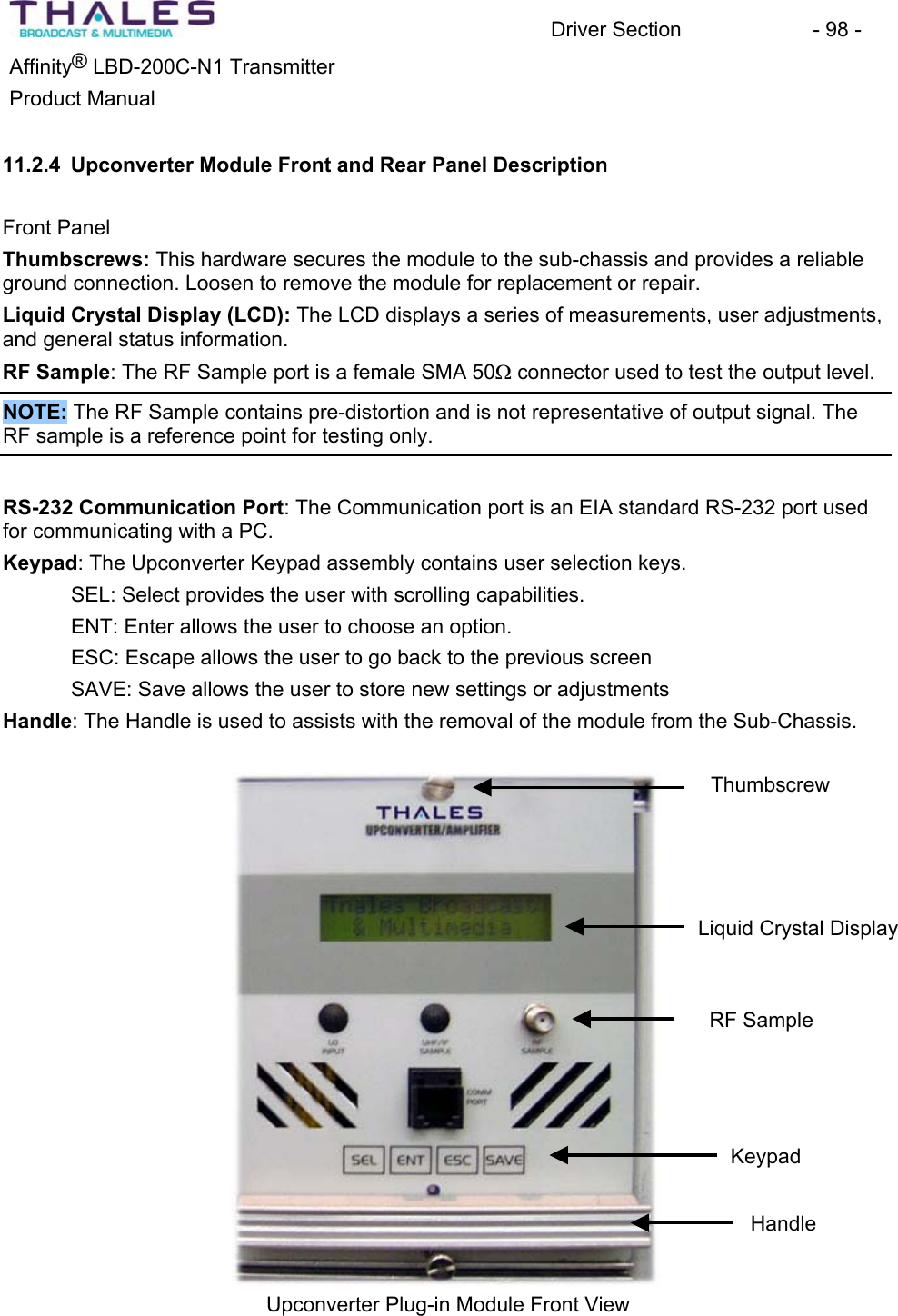
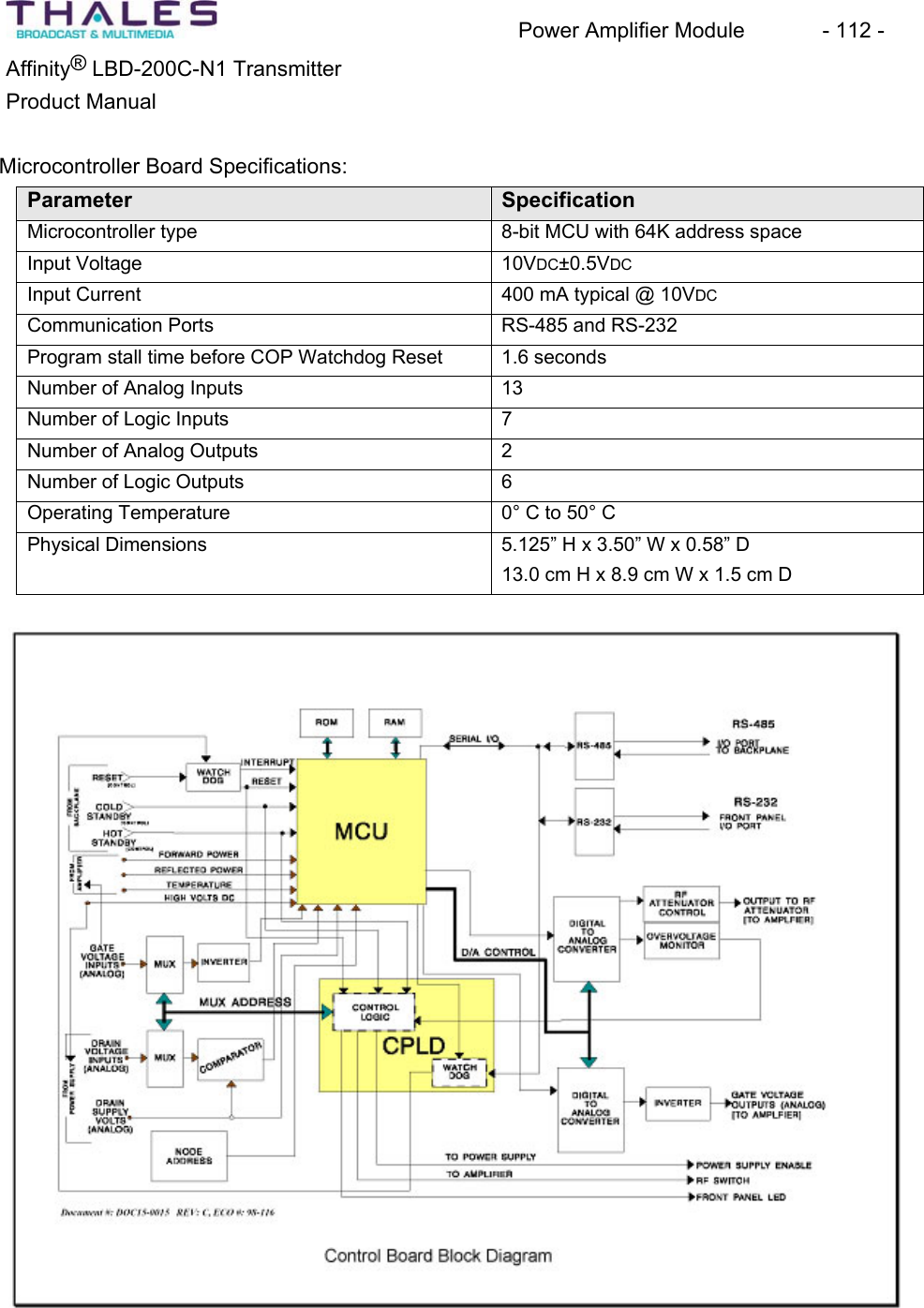
![Driver Section - 100 - ®Affinity LBD-200C-N1 TransmitterProduct Manual 11.2.5 Upconverter Module Power-On Sequence When power is applied to the Upconverter Module, a display test is performed. The front panel of the LCD is illuminated for approximately one second then extinguished. This sequenceprovides verification that the front panel LCD and MCU logic is functioning. Upon completion of the display test, the LCD will display the Upconverter Module status as determined by the firmware tests. Navigating the front panel assembly:THALES BROADCAST & MULTIMEDIA is the default displayTo view the status of the system and each plug-in module, press the SEL button as many times as necessary.Press SEL once=Local/Remote ModePress SEL once = Status menu Status=Xmit, Fail or NoPwrPress ENT once to enter the TX Control state Press ENT or SEL to choose Xmit or Stdby or ESC to Quit toStatus Menu Press Save to store chosen state of operation; TX enters state then exits to Status menu. From Status menu; Press SEL once=Power SupplyStatus=Pass or Fail From Status menu; Press SEL twice =Local Oscillator Status=Pass or Fail From Status menu; Press SEL three times = Upconverter Status=Pass or Fail Press ENT to examine lower level parameters, ESC to return to Upconverter menu Press SEL four times=Back to Power supply. From this point, pressing SEL will scroll through the list again.When at the desired Upconverter status, press ENT followed by SEL as many times as necessary to view additional information about the plug-in module parameters. The first ENT=[In Signal]Yes or NoPress SEL once= [System Fwd Power]Power=100Press SEL twice=[System Ref Power]Power = 0 Press SEL three times=[Upconv Fwd Power] Power=100Press SEL four times=[Back to In Signal]](https://usermanual.wiki/Thomson-Broadcast-and-Multimedia/LBD-25200.200W-User-Manual-part-2/User-Guide-589668-Page-46.png)