UMI Intelligent Technology X1 SMART BRACELET User Manual 1

Shenzhen UMI Intelligent Technology Co., Ltd. SMART BRACELET 1

User manual

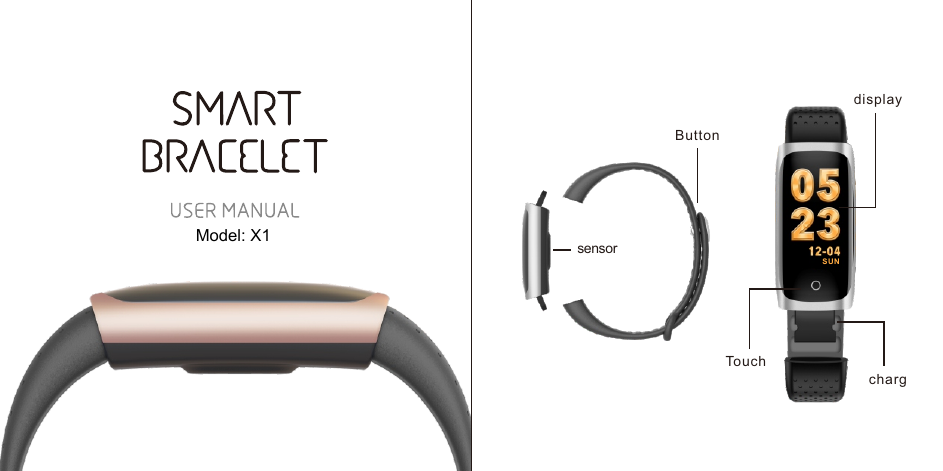
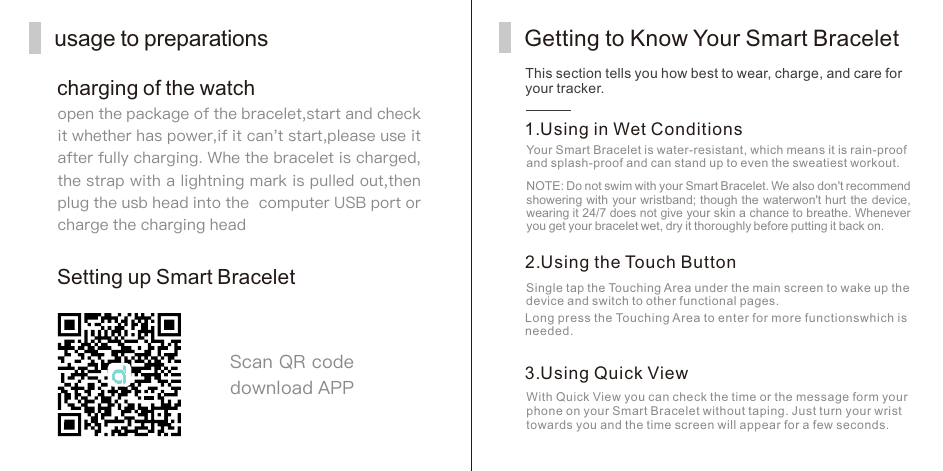
TouchdisplaychargsensorButtonSU NModel: X1
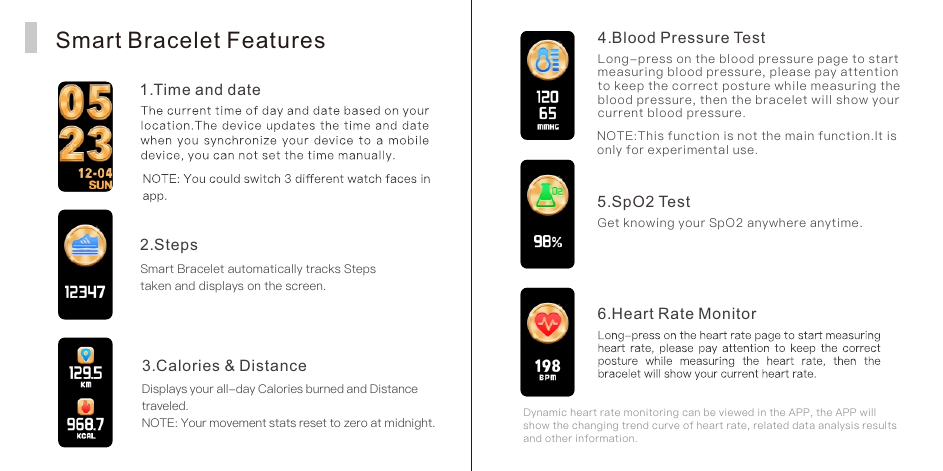
usage to preparationscharging of the watchopen the package of the bracelet,start and check it whether has power,if it can't start,please use it after fully charging. Whe the bracelet is charged,the strap with a lightning mark is pulled out,then plug the usb head into the  computer USB port orcharge the charging headSetting up Smart BraceletScan QR code download APPThis section tells you how best to wear, charge, and care for your tracker.Getting to Know Your Smart Bracelet1. Using in Wet ConditionsYour Smart Bracelet is water-resistant, which means it is rain-proof and splash-proof and can stand up to even the sweatiest workout.NOTE: Do not swim with your Smart Bracelet. We also don't recommend showering with your wristband; though the waterwon't hurt the device, wearing it 24/7 does not give your skin a chance to breathe. Whenever you get your bracelet wet, dry it thoroughly before putting it back on.2. Using the Touch ButtonSingle tap the Touching Area under the main screen to wake up the device and switch to other functional pages.Long press the Touching Area to enter for more functionswhich is needed.3. Using Quick ViewWith Quick View you can check the time or the message form your phone on your Smart Bracelet without taping. Just turn your wrist towards you and the time screen will appear for a few seconds.
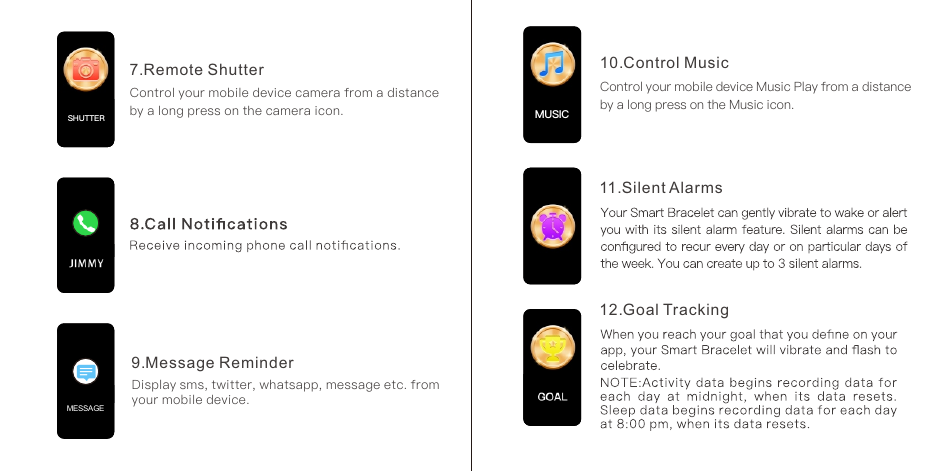
Smart Bracelet Features1. Time and date2. StepsSmart Bracelet automatically tracks Steps taken and displays on the screen.3. Calories & DistanceDisplays your all-day Calories burned and Distance traveled.NOTE: Your movement stats reset to zero at midnight.4. Blood Pressure TestLong-press on the blood pressure page to start measuring blood pressure, please pay attention to keep the correct posture while measuring the blood pressure, then the bracelet will show your current blood pressure.NOTE:This function is not the main function.It is only for experimental use.5. SpO2 TestGet knowing your SpO2 anywhere anytime. Dynamic heart rate monitoring can be viewed in the APP, the APP will show the changing trend curve of heart rate, related data analysis results and other information.6. Heart Rate Monitor
7.  Remote ShutterControl your mobile device camera from a distance by a long press on the camera icon.9. Message ReminderDisplay sms, twitter, whatsapp, message etc. from your mobile device.MESSAGESHUTTER10.  Control MusicControl your mobile device Music Play from a distance by a long press on the Music icon.11. Silent Alarms12. Goal TrackingMUSICMUSIC
1. Environmental ConditionsOperating temperature: 14℉ to 122℉ (-10℃ to 50℃)Non-operating temperature: -4℉ to 140℉ (-20℃ to 60℃)2.SizeFits a wrist between 5.5 and 7.7 inches in circumference.3. Disposal and RecyclingGeneral lnfo & Specifications Important Safety WarningsSmart Bracelet is not a toy or medical deviceDo not attempt to tamper with/modify/disassemble Smart BraceletDo not expose Smart Bracelet to abrasive materialsDo not place Smart Bracelet near open flamesReview Smart Bracelet Specifications and other Information > Environmental Conditions and do no expose Smart Bracelet beyond operating temperaturesRead, follow and keep this user manual and all safety instructions. Improper installation, use or disposal of Smart Bracelet could be hazardous to your health and put others at risk.
FCC StatementChanges or modifications not expressly approved by the party responsible for compliance could void the user's authority to operate the equipment.This equipment has been tested and found to comply with the limits for a Class B digital device, pursuant to Part 15 of the FCC Rules. These limits are designed to provide reasonable protection against harmful interference in a residential installation. This equipment generates uses and can radiate radio frequency energy and, if not installed and used in accordance with the instructions, may cause harmful interference to radio communications. However, there is no guarantee that interference will not occur in a particular installation. If this equipment does cause harmful interference to radio or television reception, which can be determined by turning the equipment off and on, the user is encouraged to try to correct the interference by one or more of the following measures:– Reorient or relocate the receiving antenna.-- Increase the separation between the equipment      and receiver.-- Connect the equipment into an outlet on a circuit      different from that to which the receiver is connected.-- Consult the dealer or an experienced radio/TV      technician for helpThis device complies with part 15 of the FCC rules. Operation is subject  to the following two conditions  (1)this device  may not cause harmful interference, and (2) this device must accept any interference received, including interference that may cause undesired operation。The device has been evaluated to meet general RF exposure requirement. The device can be usedin portable exposure condition without restriction.

Navigation menu