Vertex Standard LMR VZ-30-G6-4 Two Way Radio User Manual VZ 30 G6 4

Vertex Standard LMR, Inc. Two Way Radio VZ 30 G6 4

user manual

<@燨燥-燫燩User Guide Frequency:400-470MHzFCC ID:2ADPVVZ-30-G6-4Two Way Raido
    THANK YOU!  We are grateful that you chose ŗŦųŵŦŹġŔŵŢůťŢųť for your land mobile radio applications. We believe this easy-to-use transceiver will provide dependable and reliable communication to personal operating at peak efficiency. ŗŦųŵŦŹġ ŔŵŢůťŢųť transceivers incorporate the latest in advanced technology. As a result, we feel strongly that you will be pleased with the quality and features of this product!
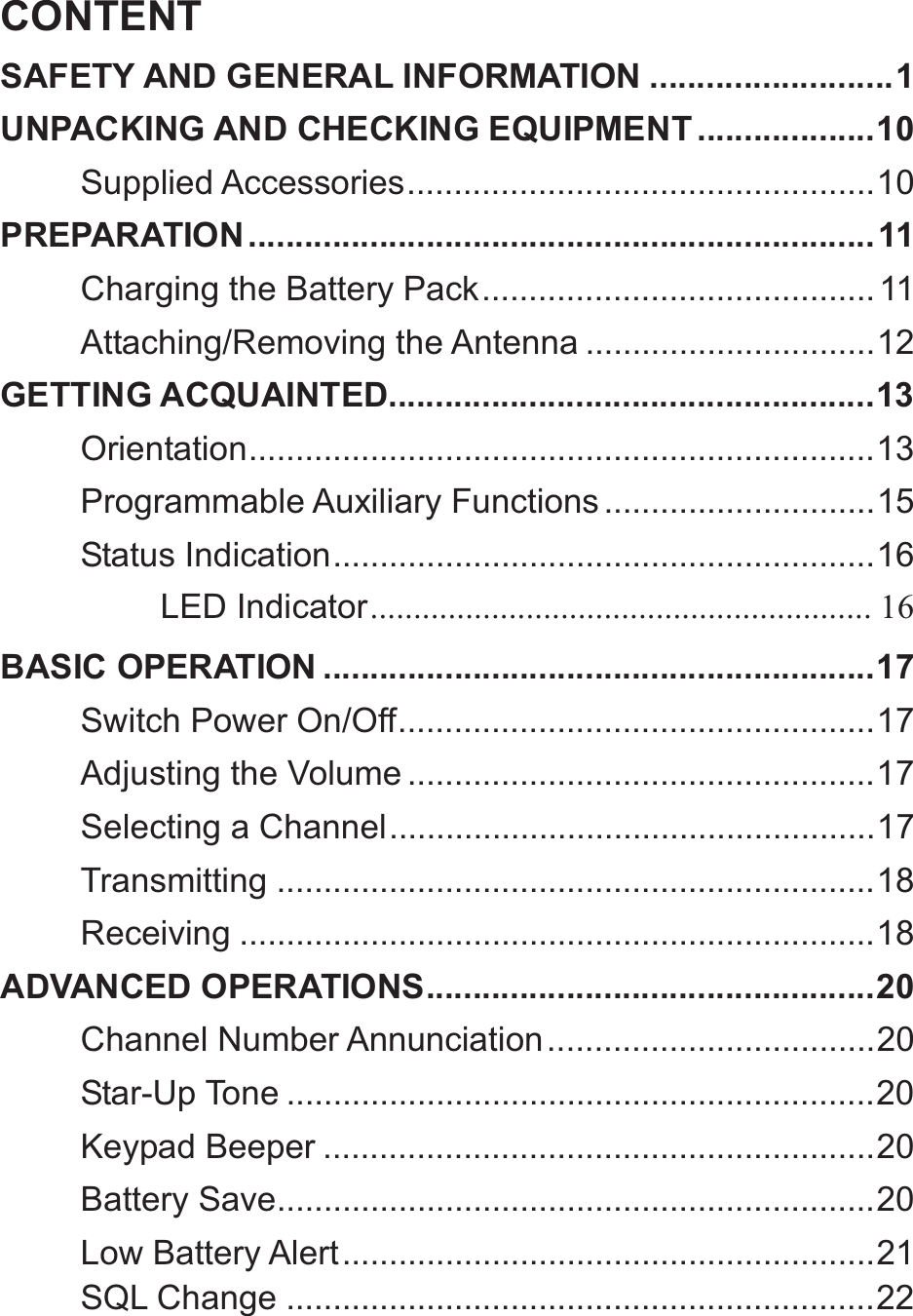
CONTENTSAFETY AND GENERAL INFORMATION .......................... 1UNPACKING AND CHECKING EQUIPMENT ................... 10Supplied Accessories .................................................. 10PREPARATION ................................................................... 11Charging the Battery Pack .......................................... 11Attaching/Removing the Antenna ............................... 12GETTING ACQUAINTED.................................................... 13Orientation ...................................................................  13Programmable Auxiliary Functions ............................. 15Status  Indication .......................................................... 16LED Indicator ..........................................................  16BASIC OPERATION ........................................................... 17Switch Power On/Off ................................................... 17Adjusting the Volume .................................................. 17Selecting a Channel .................................................... 17Transmitting ................................................................ 18Receiving .................................................................... 18ADVANCED OPERATIONS ................................................ 20Channel Number Annunciation ................................... 20Star-Up Tone ............................................................... 20Keypad Beeper ........................................................... 20Battery Save ................................................................ 20Low Battery Alert ......................................................... 21SQL Change ............................................................... 22
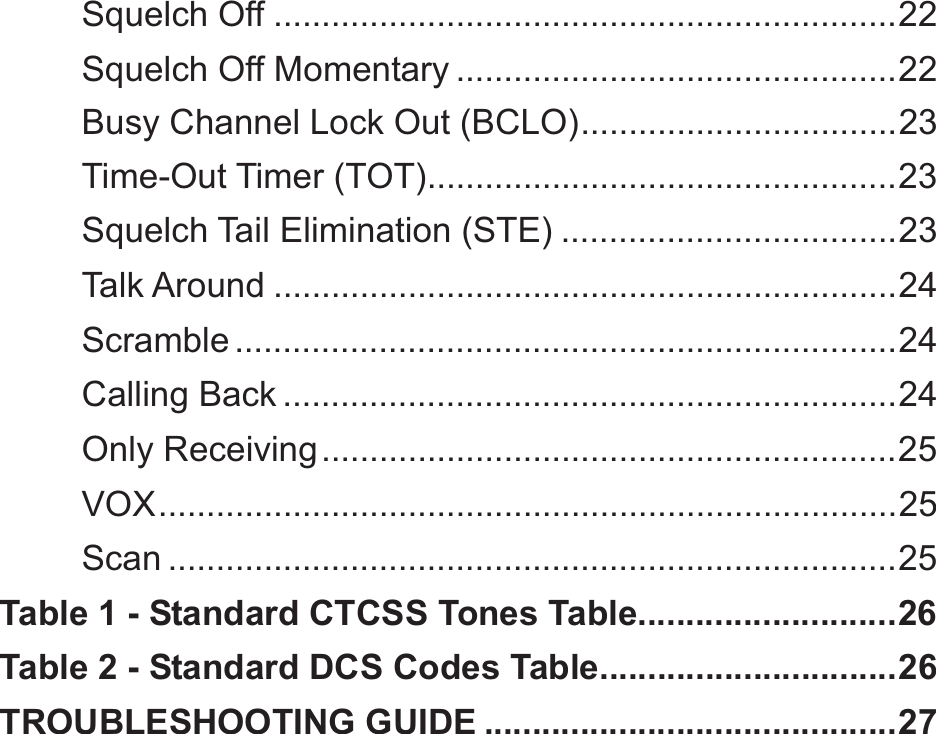
Squelch Off ................................................................. 22Squelch Off Momentary .............................................. 22Busy Channel Lock Out (BCLO) ................................. 23Time-Out Timer (TOT)................................................. 23Squelch Tail Elimination (STE) ................................... 23Talk Around ................................................................. 24Scramble ..................................................................... 24Calling Back ................................................................ 24Only Receiving ............................................................ 25VOX ............................................................................. 25Scan ............................................................................ 25Table 1 - Standard CTCSS Tones Table ........................... 26Table 2 - Standard DCS Codes Table............................... 26TROUBLESHOOTING GUIDE ........................................... 27
1SAFETY AND GENERAL INFORMATIONImportant Information on Safe and Efficient Operation Read This Information Before Using Your Radio. The information provided in this document supersedes the general safety information contained in user guides published before.  Transmit and Receive Procedure Your two-way radio contains a transmitter and a receiver .To control your exposure and ensures compliance with the occupational/controlled environment exposure limits, always adhere to the following procedure: ƹTransmit no more than 50% of the time, ƹTo transmit, press the Push to Talk (PTT) button. ƹTo receive calls, release the PTT button. Transmitting 50% of the time, or less, is important because the radio generates measurable RF energy exposure only when transmitting (in terms of measuring standards compliance) .
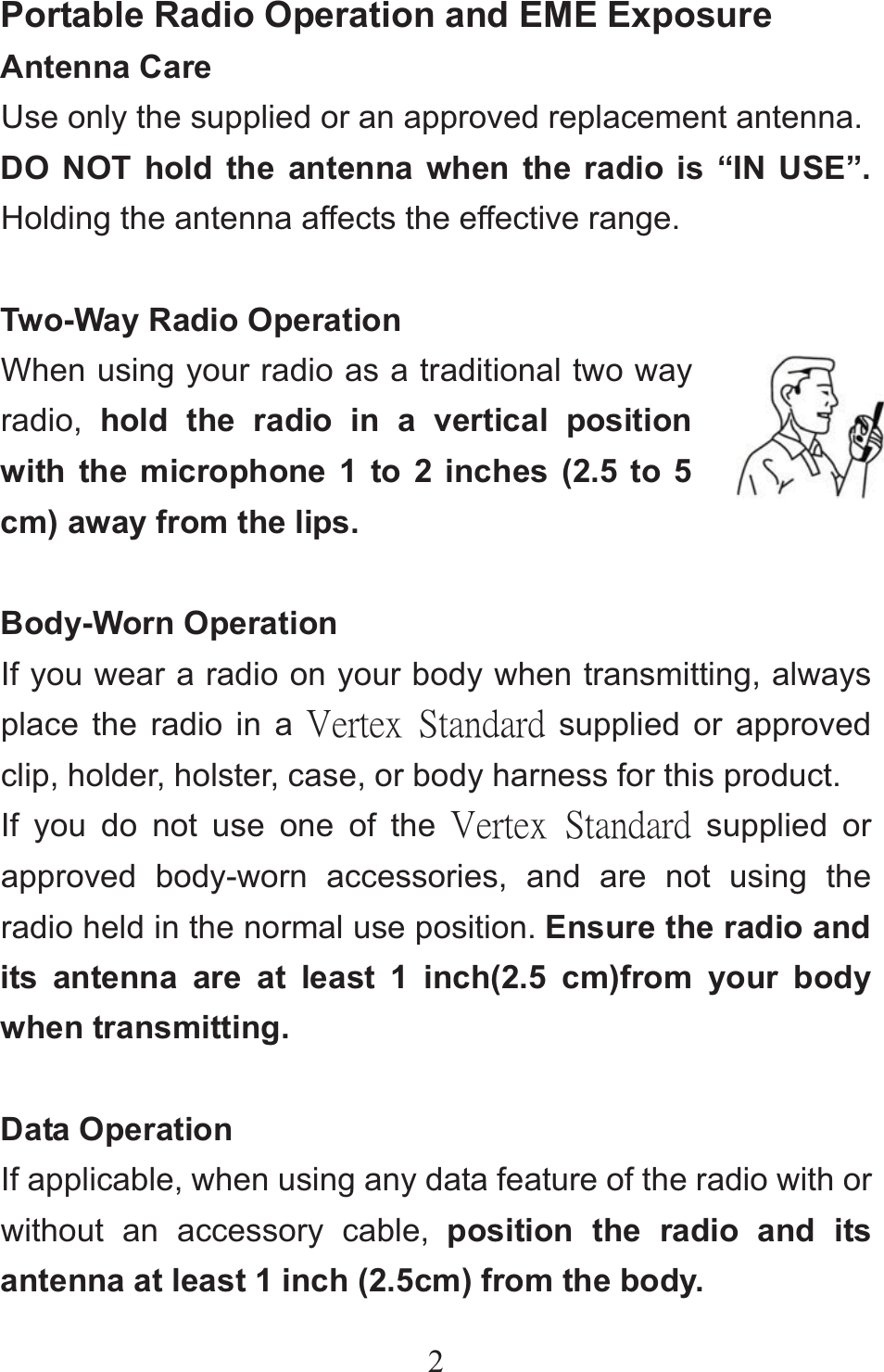
2Portable Radio Operation and EME Exposure Antenna Care Use only the supplied or an approved replacement antenna. DO NOT hold the antenna when the radio is “IN USE”. Holding the antenna affects the effective range.  Two-Way Radio Operation When using your radio as a traditional two way radio,  hold the radio in a vertical position with the microphone 1 to 2 inches (2.5 to 5 cm) away from the lips.  Body-Worn Operation If you wear a radio on your body when transmitting, always place the radio in a ŗŦųŵŦŹġ ŔŵŢůťŢųť supplied or approved clip, holder, holster, case, or body harness for this product. If you do not use one of the ŗŦųŵŦŹġ ŔŵŢůťŢųť supplied or approved body-worn accessories, and are not using the radio held in the normal use position. Ensure the radio and its antenna are at least 1 inch(2.5 cm)from your body when transmitting.  Data Operation If applicable, when using any data feature of the radio with or without an accessory cable, position the radio and its antenna at least 1 inch (2.5cm) from the body.
3Electromagnetic interference/Compatibility NOTE: Nearly every electronic device is susceptible to electromagnetic interference (EM) if inadequately shielded, designed, or otherwise configured for electromagnetic compatibility.   Facilities To avoid electromagnetic interference and /or compatibility conflicts, turn off your radio in any facility where posted notices instruct you to do so. Hospitals or health care facilities may be using equipment that is sensitive to external RF energy.  Aircraft When instructed to do so, turn off your radio when on board an aircraft .Any use of a radio must be in accordance with applicable regulations per airline crew instructions.  Medical Devices Pacemakers The Advanced Medical Technology Association recommends that a minimum separation of 6 inches (15 cm) be maintained between a handheld wireless radio and
4pacemaker .These recommendations are consistent with the independent research by and recommendations of the U.S. Food and Drug Administration. Persons with pacemakers should: ƹALWAYS keep the radio more than six inches (15cm)from their pacemaker when the radio is turned ON. ƹNot carry the radio in the breast pocket. ƹUse the ear opposite the pacemaker to minimize the potential for interference. ƹTurn the radio OFF immediately if you have any reason to suspect that interference is taking place.  Hearing Aids Some digital wireless radios may interfere with some hearing aids. In the event of such interference, you may want to consult your hearing aid manufacturer to discuss alternatives.  Other Medical Devices If you use any other personal medical device, consult the manufacturer of your device to determine if it is adequately shielded from RF energy. You physician may be able to assist you in obtaining this information.
5Safety and General Use While Driving Check the laws and regulations on the use of radios in the area where you drive .Always obey them. When using your radio while driving, please: ƹGive full attention to driving and to the road, ƹUse hands-free operation, if available. ƹPull off the road and park before making or answering a call if driving conditions so require.
6Operational Warnings                     ƹFor Vehicles with an Air BagDo not place a portable radio in the area over an air bag or in the air bag deployment area. Air bags inflate with great forces. If a portable radio is placed in the air bag deployment area and the air bag inflates, the radio may be propelled with great force and cause serious injury to occupants of the vehicle. ƹPotentially Explosive AtmospheresTurn off your radio prior to entering any area with a potentially explosive atmosphere, unless it is a radio type especially qualified for use in such areas as “Intrinsically Safe”. Do not remove, install, or charge batteries in such areas. Sparks in a potentially explosive atmosphere can cause an explosion or fire resulting in bodily injury or even death. Note: The areas with potentially explosive atmosphere referred above include fueling areas such as below decks on boats, fuel or chemical transfer or storage facilities, areas where the air contains chemicals or particles, such as grain, dust or metal powders, and any other area where you would normally be advised to turn off your vehicle engine .Areas with potentially explosive atmosphere are often but not always posted. ƹBlasting caps and AreasTo avoid possible interference with blasting operations, turn off your radio when you are near electrical blasting caps, in a blasting area, or in area posted;”Turn off two-way radio. Obey all signs and instructions.Warnings
7Operational Cautions Antenna Do not use any portable radio that has a damaged antenna. If a damaged antenna comes into contact with your skin, a minor burn can result.  Batteries All batteries can cause property damage and /or bodily injury such as burns if a conductive material such as jewelry, keys, or beaded chains touches exposed terminals. The conductive material may complete an electrical circle (short circuit) and become quite hot. Exercise care in handling any charge battery, particularly when placing it inside a pocket, purse, or other container with meal objects.
8Battery Charger Safety Instructions Save these instructions   1.Do not expose the charger to rain or snow. 2.Do not operate or disassemble the charger if it has received a sharp blow, or has been dropped or damage in any way. 3.Never after the AC cord or plug provide with the unit .If the plug will not fit the outlet, have the proper outlet installed by a qualified electrician. An improper condition can result in a risk of electric shock. 4.To reduce the risk of damage to the cord or plug, pull the plug rather than the cord when disconnecting the charger from the AC receptacle. 5.To reduce the risk of electric shock, unplug the charger from the outlet before attempting any maintenance or cleaning. 6.Use of an attachment not recommended or sold by ŗŦųŵŦŹġŔŵŢůťŢųť may result in a risk of fire, electric shock ,or personal injury. 7.Make sure the cord is located so it will not be stepped on, tripped over ,or subjected to damage or stress. 8.An extension cord should not be used unless absolutely necessary. Use of an improper extension cord could result
9in 9 a risk of fire and /or electric shock. If an extension cord must be used, make sure that: ƹThe pins on the plug of the extension cord are the same number, size, and shape as those on the plug of the charger. ƹThe extension cord is properly wired and in good electrical condition. ƹThe cord size is 18AWG for lengths up to 100feet, and 16AWG for lengths up to 150 feet. 9.The supply cord of this charger can not be replaced.
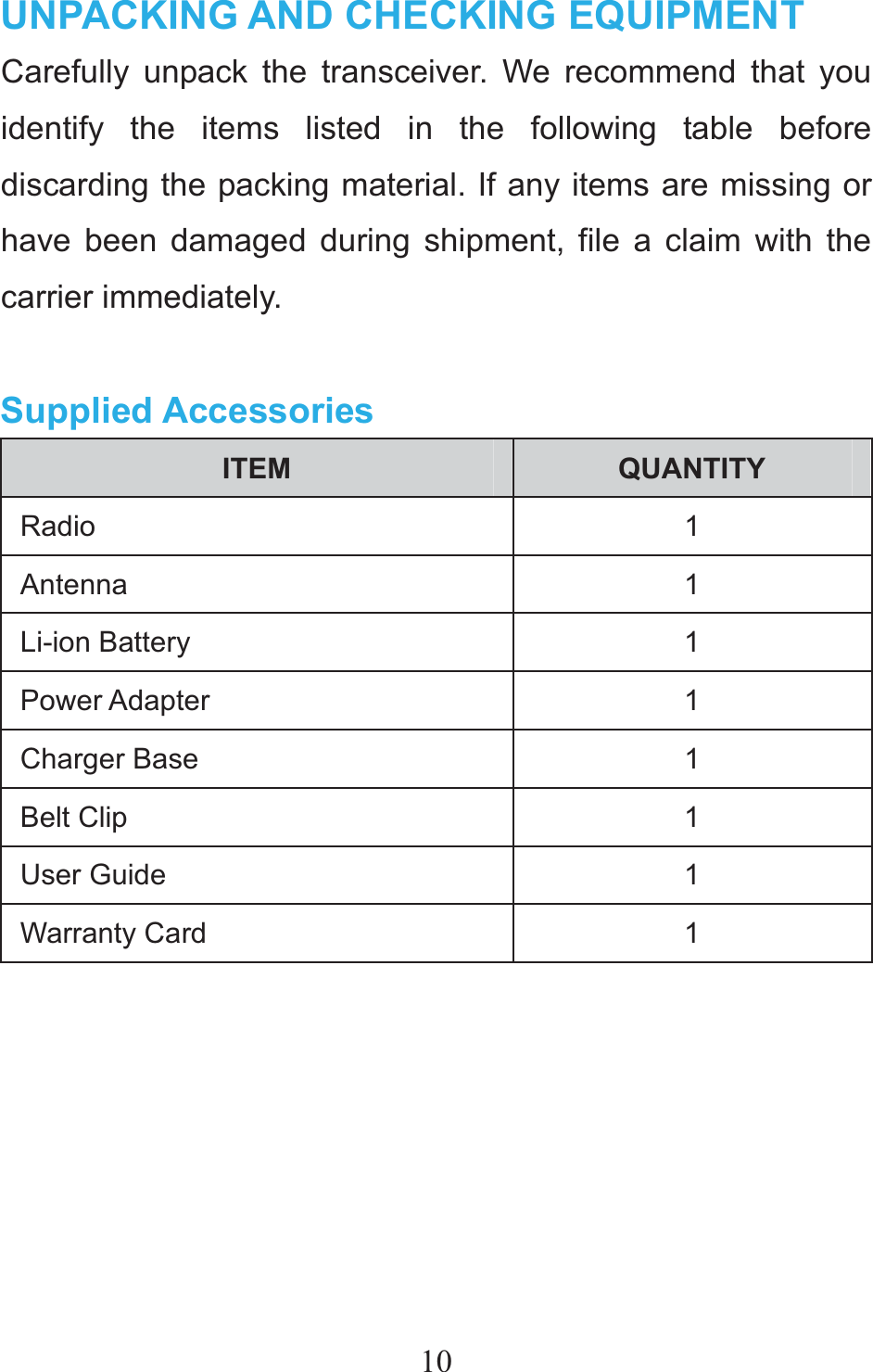
10UNPACKING AND CHECKING EQUIPMENT Carefully unpack the transceiver. We recommend that you identify the items listed in the following table before discarding the packing material. If any items are missing or have been damaged during shipment, file a claim with the carrier immediately.  Supplied Accessories ITEM  QUANTITY Radio 1 Antenna 1 Li-ion Battery    1 Power Adapter  1 Charger Base  1 Belt Clip  1 User Guide  1 Warranty Card  1
11 PREPARATION Charging the Battery Pack 1. Using the Battery Pack. The battery pack is not charged at the factory, please charge it before use. To extend the battery pack lifetime, please power off the transceiver and remove the battery pack when not in use and leave the battery in hot or cold place.  2. Battery Pack Characteristics. The battery will slowly wear out even not in use. After charging and recharging, it's normal that the talk and standby times are noticeably shorter than normal times. If leaving the battery in very hot place or conditions, it will reduce the capacity and lifetime of the battery. Overcharging may also shorten its lifetime.  3. Charging the Battery Pack. Please charge your battery only with approved ŗŦųŵŦŹġŔŵŢůťŢųť charger. Initially charging the battery pack after purchase or extended storage (greater than 2 months) will not bring the battery pack to its normal operating capacity. After repeating the charge/discharge cycle two or three times, the operating capacity will increase to normal level.
12Please charge the battery pack as follows: 1. Make sure the battery pack contacts are in contact with the charging terminals. 2. Slide the battery pack or transceiver with a battery pack into the desktop charger. 3. The charging LED lights red and charging begins. 4. After charging about 4 hours, when the light turns to green, it means the battery pack is fully charged. 5. Then you can take off the battery pack or transceiver with the battery pack and use it.    Attaching/Removing the Antenna 1. Screw the antenna into the connector on the top of the transceiver by holding the antenna at its base and turning it clockwise until secure .   2. Turn the antenna counter clockwise until you can remove it .
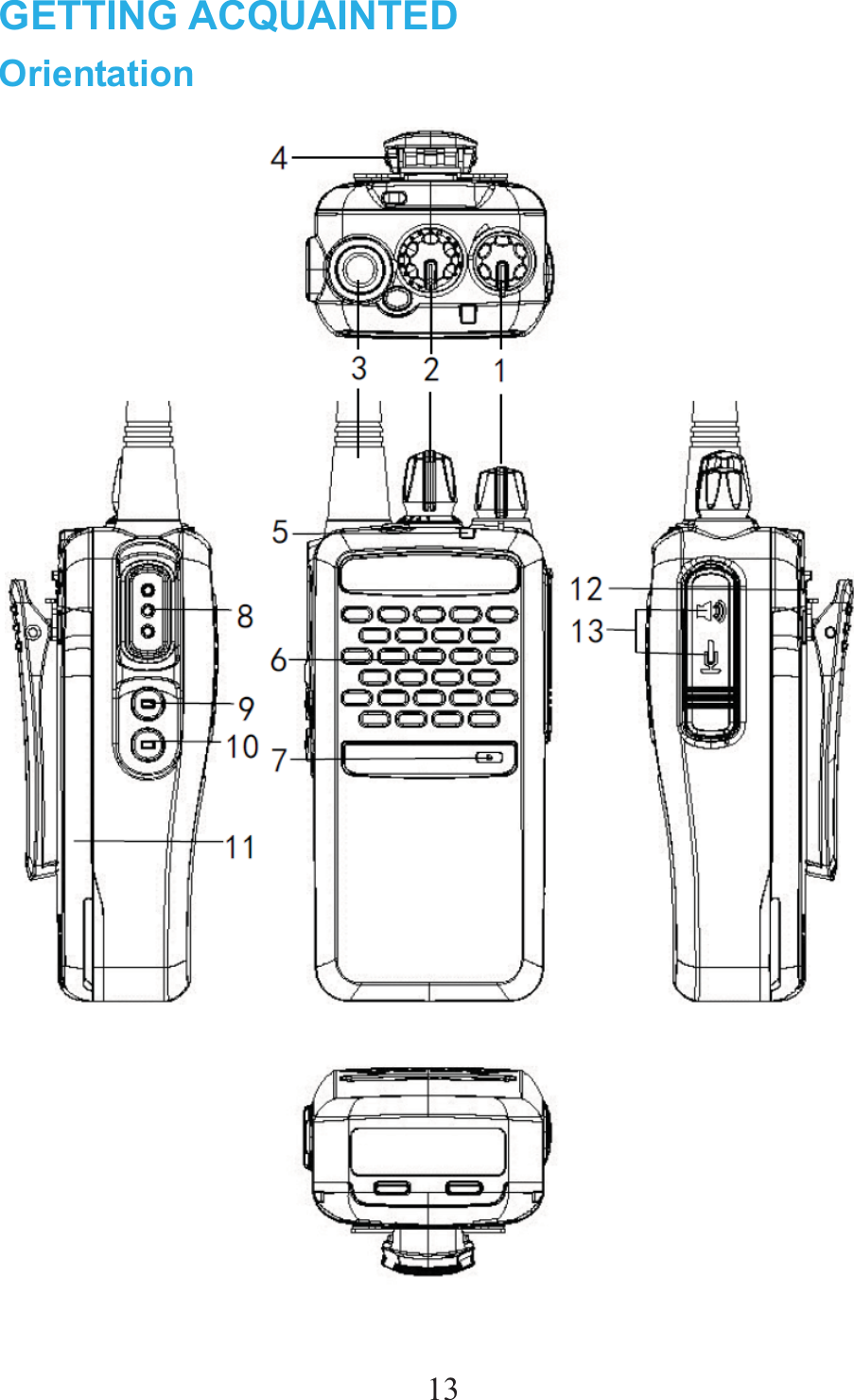
13GETTING ACQUAINTED Orientation
141. Power/Volume Switch Rotate clockwise to switch power On or to increase the audio output; Rotate counter-clockwise to switch power Off or to reduce the audio output level. 2. Tuning Control To select an operating frequency, channel or others. 3. Antenna Rubber antenna using for receiving or transmitting a signal. 4. Hand Strap Hook The loop on the top of transceiver, it is facilitated to carrying the transceiver. 5. TX/RX Indicator Light green while receiving a signal or when the squelch is open; Lights red while transmitting. 6. Speaker Output the audio. 7. Internal Microphone Input the audio signal while you talk. 8. PTT Switch Push and hold to transmit; Release to receive. 9. Programming Key(P1) The default setting of short key is TX Power Change. Short press this key to change output power between high and low level.10.Programming Key(P2) The default setting of short key is Scan. Short press this key to scan current channels or frequency.
1511. Battery Pack Supply the power to the transceiver. 12. Battery Lock Button Use to lock/unlock the battery pack. 13. Earphone/Data Cable Jack Connects an earphone or connects a data cable for PC software programming. Programmable Auxiliary Functions Your dealer may program the [P1], [P2] (long press or short press) with one of the following auxiliary functions respectively.  No. Function 1 Scan 2 Squelch Off 3  Squelch Off Momentary 4 SQL Change 5 TX Power Change 6 Talk Around 7 VOX Note:You can set the time of pressing long key from 1.5-5 seconds(default: 2.0 seconds) with programming software, when
16you press anyone of [P1],[P2]] keys, the time of pressing is over your setting time, then it’s a long time key, otherwise, it’s a short key Squelch Off and Squelch Off Momentary feature only to be enabled for analog channels.     Status Indication LED Indicator LED Indicator  Radio Status The LED glows red.  Transmitting The LED flashes red.  Low Battery The LED glows green.  Receiving The LED flashed green. Scanning The LED glows orange.After voice communication ends, you can hold the [PTT] switch to talk while the LED glows orange.
17BASIC OPERATION Switch Power On/Off Turn the Power switch/Volume control clockwise to switch the transceiver ON. Turn the Power switch/Volume control counter clockwise to switch the transceiver OFF.  Adjusting the Volume Rotate the Volume control to adjust the volume. Clockwise increases the volume and counter clockwise decreases it. You may need to adjust the volume more precisely while communicating with other parties.  Selecting a Channel Rotate the Tuning Control to choose your desired channel. Clockwise increases the number and counter clockwise decreases it. If none channel has been programmed, it cannot be used. When a non-programmed channel is selected, an alert tone sounds will be heart.
18Transmitting You can transmit on an analog channel or digital channelˈbut should be in the same format when communicate, an analog channel can’t communicate with a digital channel. 1.On analog channel, press the [PTT]switch and speak into the microphone in your normal speaking voice. On digital channel, hold the [PTT] key to transmit a call to the private call contact preset for the current channel.  ƹFor best sound quality at the receiving station, hold the microphone approximately 1.5 inches (3~6 cm) from your mouth.  2.Release the [PTT] switch to receive.  Receiving On analog channels, your dealer may have programmed CTCSS/DCS, Scrambler signaling in your transceiver. If your selected channel is programmed with one of these features, you will hear calls only when another party in your system transmits.
19All other calls will not be heard. If your selected channel is not set up with a signaling type, you will hear calls made by any party (not just those in your system).  On digital channels, only the same tone or directly call the radio ID to be received.
20ADVANCED OPERATIONS  (The following features should be programmed by your dealers).  Channel Number Annunciation There are 3 kinds of the channel number annunciation: “Chinese Male Voice,  English Male Voice(Default Setting), None”. When you turn the [Tuning Control], the transceiver sounds the current corresponding channel number.    Star-Up Tone When you switch the transceiver ON, There will be a start-up tone. The default setting is ON.  Keypad Beeper The transceiver beeps each time if you press a key on the keypad. The default setting is ON.  Battery Save The battery save function decreases the amount of power used when signal is not being received and no operations are being performed (no keys are being
21pressed and no switches are being turned)˗While the channel is not busy and no operation is performed for 5 seconds (5~60 seconds available), battery save function activates. When a signal is received or an operation is performed, battery save is disabled. The default setting is ON.   Low Battery Alert For extra convenience, if the battery level run low, when press PTT to transmit, the transceiver will sounds “Please charge the battery” at setting time(every 1~255 seconds, default: OFF), to alert the user to recharge the battery.
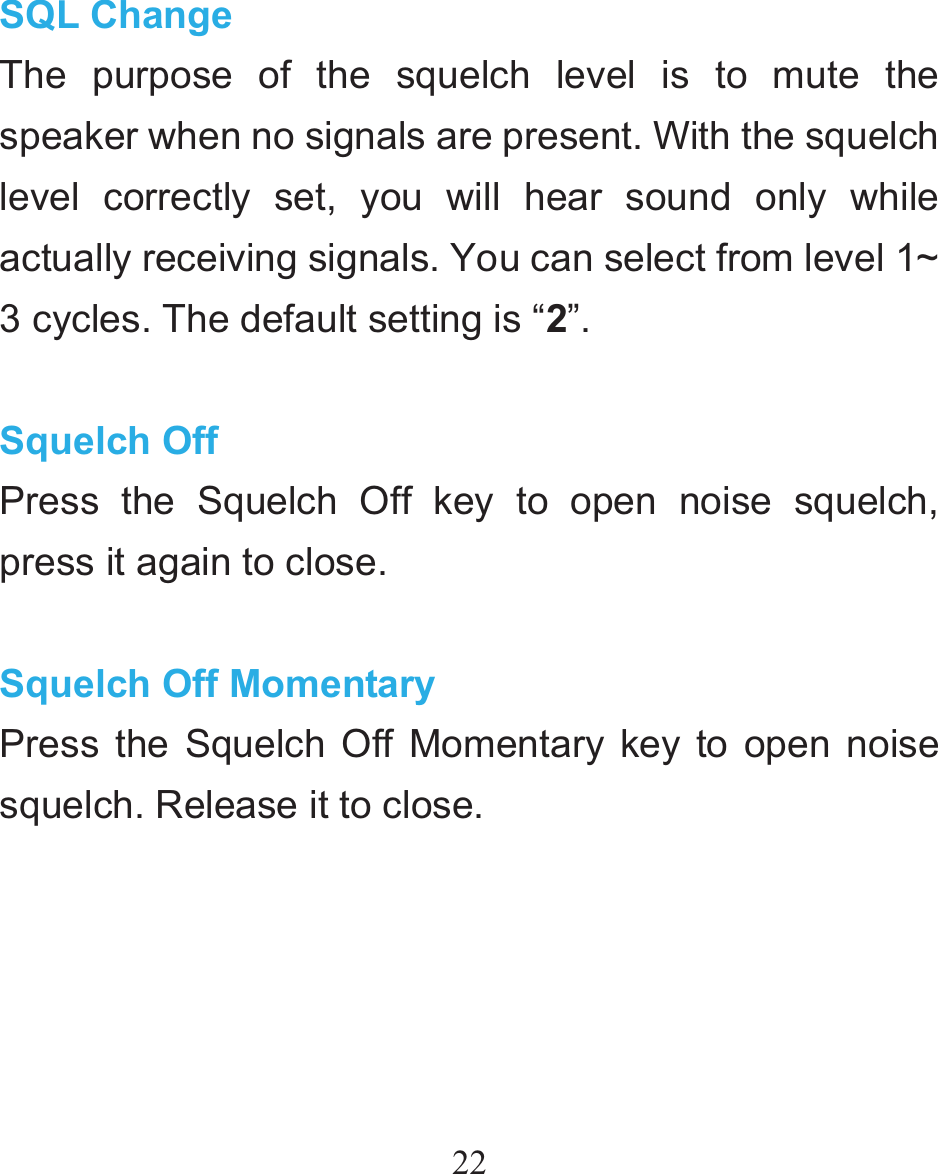
22 SQL Change The purpose of the squelch level is to mute the speaker when no signals are present. With the squelch level correctly set, you will hear sound only while actually receiving signals. You can select from level 1~ 3 cycles. The default setting is “2”.  Squelch Off Press the Squelch Off key to open noise squelch, press it again to close.  Squelch Off Momentary Press the Squelch Off Momentary key to open noise squelch. Release it to close.
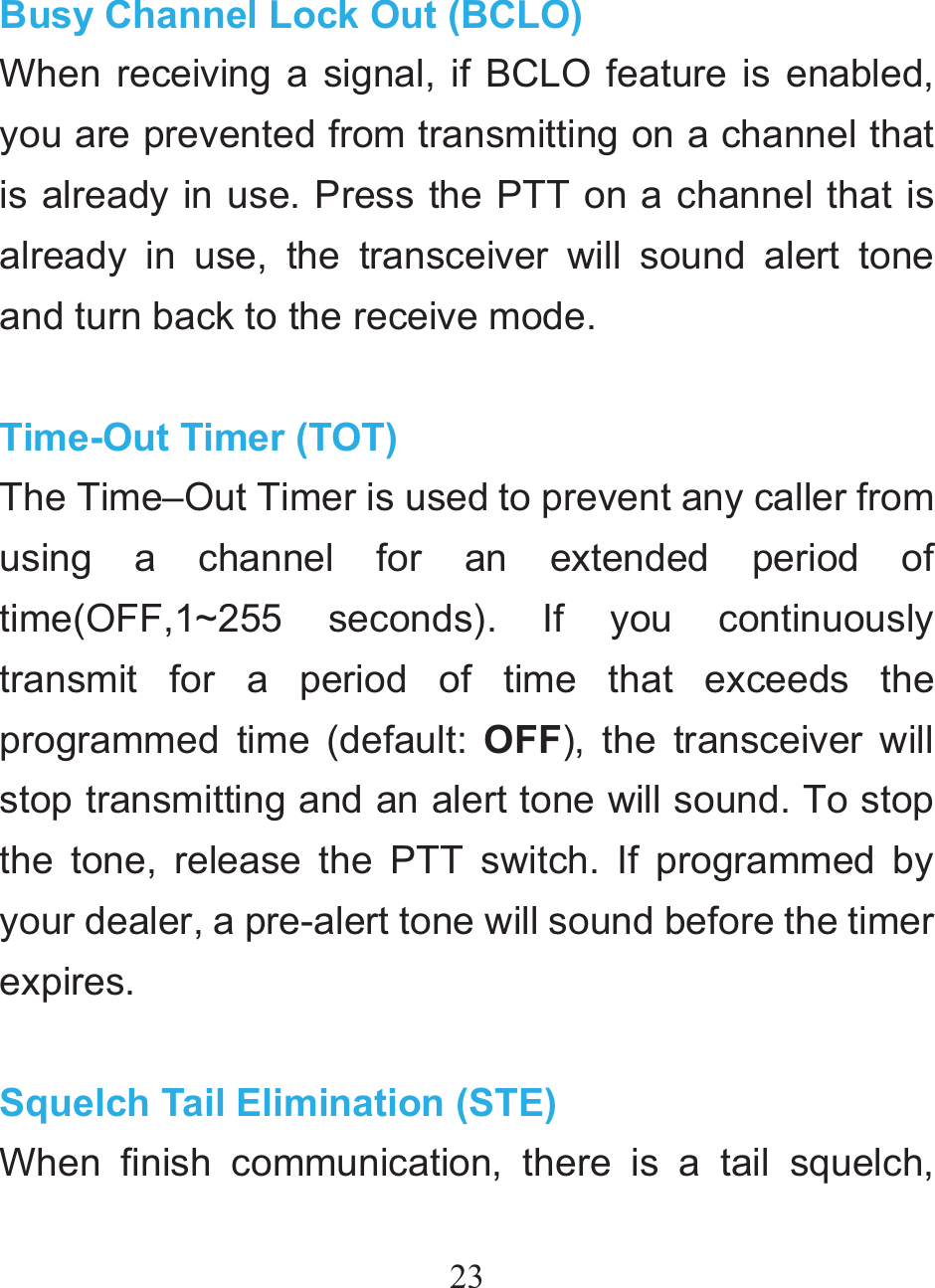
23 Busy Channel Lock Out (BCLO) When receiving a signal, if BCLO feature is enabled, you are prevented from transmitting on a channel that is already in use. Press the PTT on a channel that is already in use, the transceiver will sound alert tone and turn back to the receive mode.  Time-Out Timer (TOT) The Time–Out Timer is used to prevent any caller from using a channel for an extended period of time(OFF,1~255 seconds). If you continuously transmit for a period of time that exceeds the programmed time (default: OFF), the transceiver will stop transmitting and an alert tone will sound. To stop the tone, release the PTT switch. If programmed by your dealer, a pre-alert tone will sound before the timer expires.  Squelch Tail Elimination (STE) When finish communication, there is a tail squelch,
24you can use this feature to eliminate. The default setting is OFF. This feature is only for analog channel.  Talk Around This feature is only enabled when there are different frequency between TX and RX. Press the programmed function key to activate the Talk Around feature. When activated, the RX frequency is used in place of the TX frequency when transmitting. The default setting is OFF.  Scramble When scramble feature is activated, any other party listening on your channel is prevented from eavesdropping your conversation. The default setting is OFF.  Calling Back This feature is only enabled for digital channels. When communication ends, but within the preset time period(The LED glows orange). Press and hold [PTT] switch to call back and continue to communicate. If over the preset time period(The LED light is off), press
25and hold [PTT] switch to call contact preset for the current digital channels.  Only Receiving When this feature to be active, the transmission is prohibited, but can still receive the signals. The default setting is OFF.  VOXPress the programmed VOX key to transmit hands-free with the transceiver or thru a headset. Re-press the programmed key to exit this feature. The default setting is OFF.  ScanPress the programmed Scan key to initiate transceiver scanning from the current channel, and ascends through the channel numbers in scan list. The green LED solidly glows when a signal is re-received with signaling match on a channel. Press the Scan key again to exit transceiver scanning. There must be two memory channels at least.
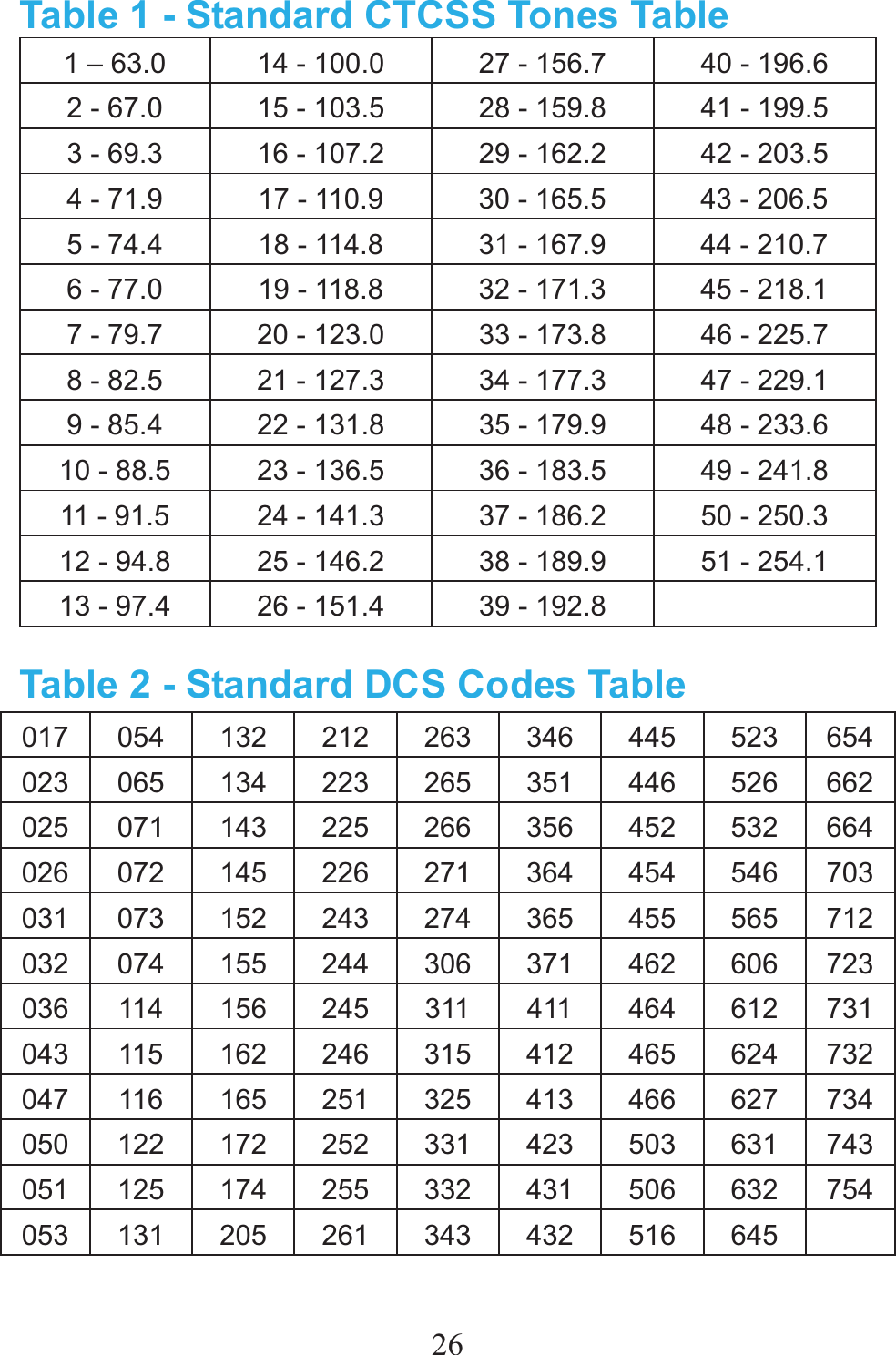
26Table 1 - Standard CTCSS Tones Table 1 – 63.0  14 - 100.0  27 - 156.7  40 - 196.6 2 - 67.0  15 - 103.5  28 - 159.8  41 - 199.5 3 - 69.3  16 - 107.2  29 - 162.2  42 - 203.5 4 - 71.9  17 - 110.9  30 - 165.5  43 - 206.5 5 - 74.4  18 - 114.8  31 - 167.9  44 - 210.7 6 - 77.0  19 - 118.8  32 - 171.3  45 - 218.1 7 - 79.7  20 - 123.0  33 - 173.8  46 - 225.7 8 - 82.5  21 - 127.3  34 - 177.3  47 - 229.1 9 - 85.4  22 - 131.8  35 - 179.9  48 - 233.6 10 - 88.5  23 - 136.5  36 - 183.5  49 - 241.8 11 - 91.5  24 - 141.3  37 - 186.2  50 - 250.3 12 - 94.8  25 - 146.2  38 - 189.9  51 - 254.1 13 - 97.4  26 - 151.4  39 - 192.8   Table 2 - Standard DCS Codes Table 017 054 132 212 263 346 445 523 654023 065 134 223 265 351 446 526 662025 071 143 225 266 356 452 532 664026 072 145 226 271 364 454 546 703031 073 152 243 274 365 455 565 712032 074 155 244 306 371 462 606 723036 114 156 245 311 411 464 612 731043 115 162 246 315 412 465 624 732047 116 165 251 325 413 466 627 734050 122 172 252 331 423 503 631 743051 125 174 255 332 431 506 632 754053 131 205 261 343 432 516 645
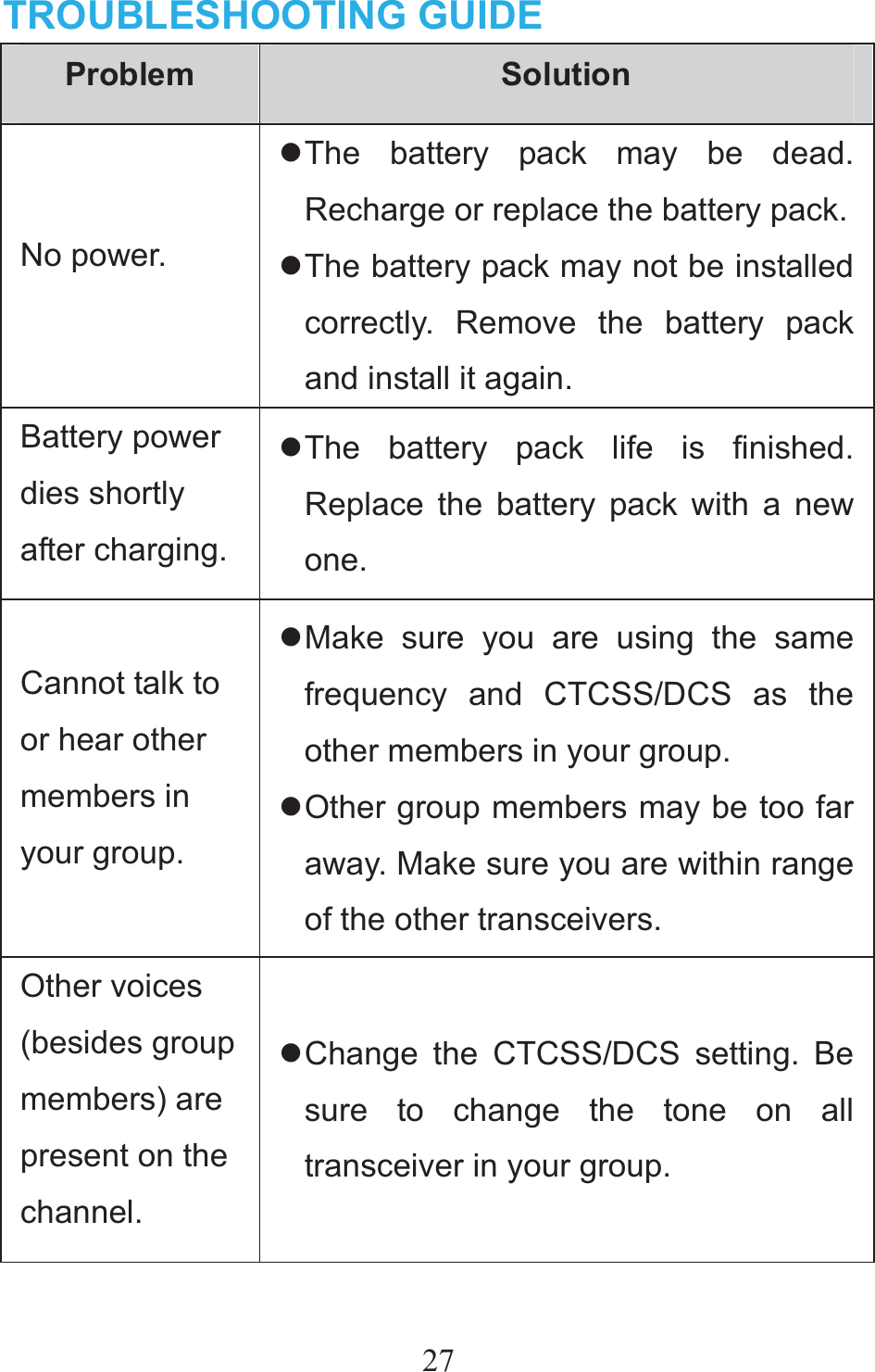
27TROUBLESHOOTING GUIDE Problem  Solution No power. z The battery pack may be dead. Recharge or replace the battery pack.z The battery pack may not be installed correctly. Remove the battery pack and install it again. Battery power dies shortly after charging.z The battery pack life is finished. Replace the battery pack with a new one. Cannot talk to or hear other members in your group. z Make sure you are using the same frequency and CTCSS/DCS as the other members in your group. z Other group members may be too far away. Make sure you are within range of the other transceivers. Other voices (besides group members) are present on the channel. z Change the CTCSS/DCS setting. Be sure to change the tone on all transceiver in your group.
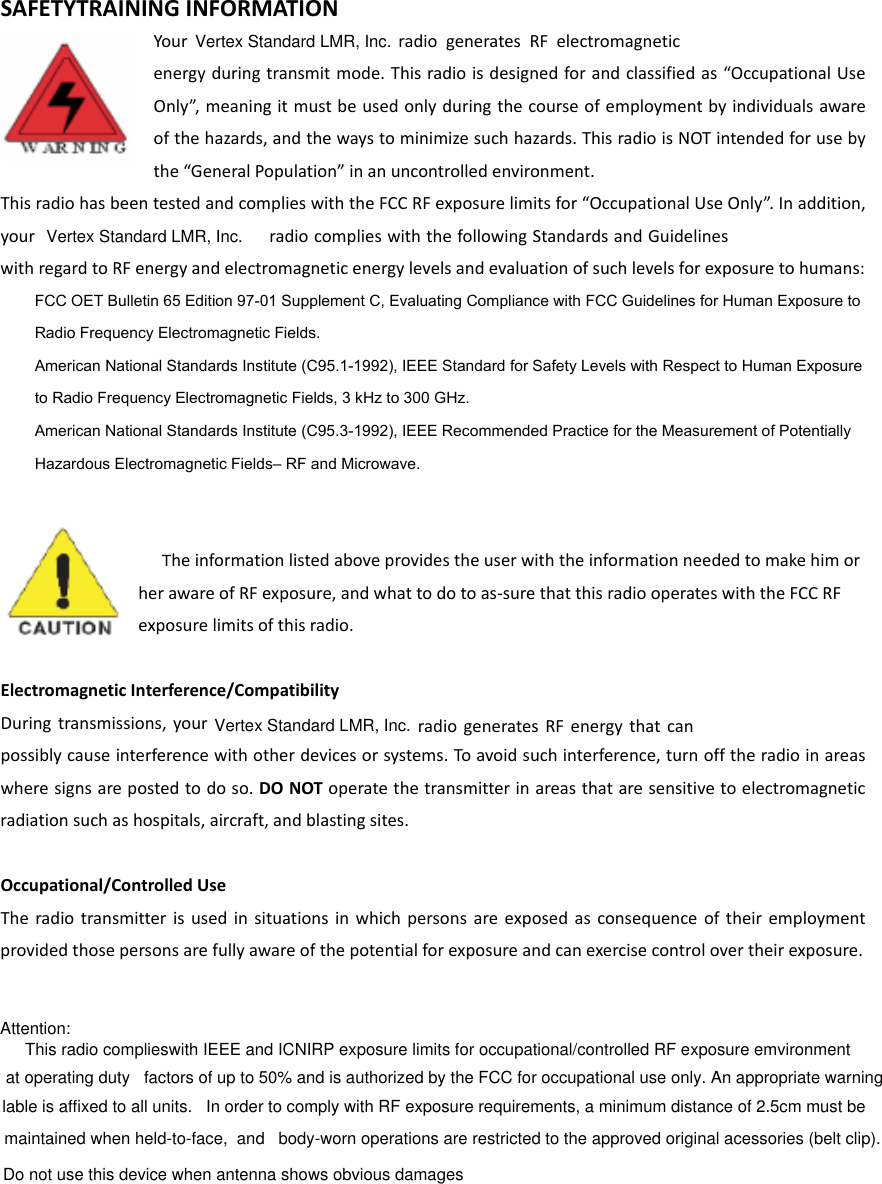
Vertex Standard LMR, Inc.SAFETYTRAININGINFORMATIONYour  radiogeneratesRFelectromagneticenergyduringtransmitmode.Thisradioisdesignedforandclassifiedas“OccupationalUseOnly”,meaningitmustbeusedonlyduringthecourseofemploymentbyindividualsawareofthehazards,andthewaystominimizesuchhazards.ThisradioisNOTintendedforusebythe“GeneralPopulation”inanuncontrolledenvironment.ThisradiohasbeentestedandcomplieswiththeFCCRFexposurelimitsfor“OccupationalUseOnly”.Inaddition,your  radiocomplieswiththefollowingStandardsandGuidelineswithregardtoRFenergyandelectromagneticenergylevelsandevaluationofsuchlevelsforexposuretohumans:    FCC OET Bulletin 65 Edition 97-01 Supplement C, Evaluating Compliance with FCC Guidelines for Human Exposure to     Radio Frequency Electromagnetic Fields.       American National Standards Institute (C95.1-1992), IEEE Standard for Safety Levels with Respect to Human Exposure     to Radio Frequency Electromagnetic Fields, 3 kHz to 300 GHz.      American National Standards Institute (C95.3-1992), IEEE Recommended Practice for the Measurement of Potentially     Hazardous Electromagnetic Fields– RF and Microwave.     TheinformationlistedaboveprovidestheuserwiththeinformationneededtomakehimorherawareofRFexposure,andwhattodotoas‐surethatthisradiooperateswiththeFCCRFexposurelimitsofthisradio.ElectromagneticInterference/CompatibilityDuringtransmissions,your      radiogeneratesRFenergythatcanpossiblycauseinterferencewithotherdevicesorsystems.Toavoidsuchinterference,turnofftheradioinareaswheresignsarepostedtodoso.DONOToperatethetransmitterinareasthataresensitivetoelectromagneticradiationsuchashospitals,aircraft,andblastingsites.Occupational/ControlledUseTheradiotransmitterisusedinsituationsinwhichpersonsareexposedasconsequenceoftheiremploymentprovidedthosepersonsarefullyawareofthepotentialforexposureandcanexercisecontrolovertheirexposure.Attention: This radio complieswith IEEE and ICNIRP exposure limits for occupational/controlled RF exposure emvironment at operating duty   factors of up to 50% and is authorized by the FCC for occupational use only. An appropriate warning lable is affixed to all units.   In order to comply with RF exposure requirements, a minimum distance of 2.5cm must be maintained when held-to-face,  and   body-worn operations are restricted to the approved original acessories (belt clip).     Do not use this device when antenna shows obvious damagesVertex Standard LMR, Inc.Vertex Standard LMR, Inc.

Navigation menu