Vigil Health Solutions WNCA01 Low Power Transmitter User Manual

Vigil Health Solutions Inc Low Power Transmitter Users Manual

Users Manual

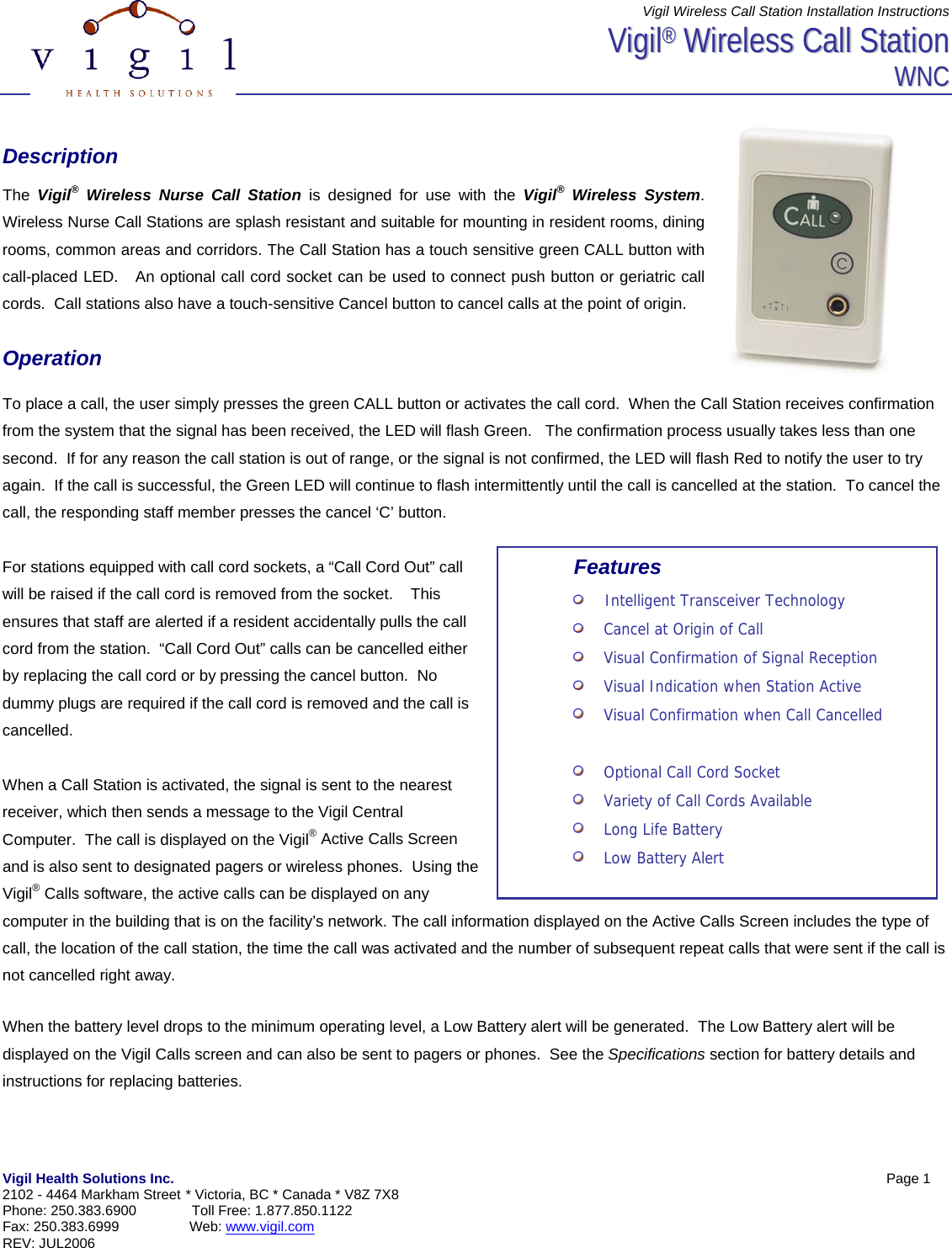
Vigil Wireless Call Station Installation Instructions Vigil Health Solutions Inc.            Page 1  2102 - 4464 Markham Street * Victoria, BC * Canada * V8Z 7X8 Phone: 250.383.6900  Toll Free: 1.877.850.1122 Fax: 250.383.6999                  Web: www.vigil.com  REV: JUL2006   VViiggiill®®  WWiirreelleessss  CCaallll  SSttaattiioonn  WWNNCC    Description  The  Vigil® Wireless Nurse Call Station is designed for use with the Vigil® Wireless System. Wireless Nurse Call Stations are splash resistant and suitable for mounting in resident rooms, dining rooms, common areas and corridors. The Call Station has a touch sensitive green CALL button with call-placed LED.   An optional call cord socket can be used to connect push button or geriatric call cords.  Call stations also have a touch-sensitive Cancel button to cancel calls at the point of origin.    Operation  To place a call, the user simply presses the green CALL button or activates the call cord.  When the Call Station receives confirmation from the system that the signal has been received, the LED will flash Green.   The confirmation process usually takes less than one second.  If for any reason the call station is out of range, or the signal is not confirmed, the LED will flash Red to notify the user to try again.  If the call is successful, the Green LED will continue to flash intermittently until the call is cancelled at the station.  To cancel the call, the responding staff member presses the cancel ‘C’ button.    For stations equipped with call cord sockets, a “Call Cord Out” call will be raised if the call cord is removed from the socket.    This ensures that staff are alerted if a resident accidentally pulls the call cord from the station.  “Call Cord Out” calls can be cancelled either by replacing the call cord or by pressing the cancel button.  No dummy plugs are required if the call cord is removed and the call is cancelled.  When a Call Station is activated, the signal is sent to the nearest receiver, which then sends a message to the Vigil Central Computer.  The call is displayed on the Vigil® Active Calls Screen and is also sent to designated pagers or wireless phones.  Using the Vigil® Calls software, the active calls can be displayed on any computer in the building that is on the facility’s network. The call information displayed on the Active Calls Screen includes the type of call, the location of the call station, the time the call was activated and the number of subsequent repeat calls that were sent if the call is not cancelled right away.    When the battery level drops to the minimum operating level, a Low Battery alert will be generated.  The Low Battery alert will be displayed on the Vigil Calls screen and can also be sent to pagers or phones.  See the Specifications section for battery details and instructions for replacing batteries. Features     Intelligent Transceiver Technology     Cancel at Origin of Call     Visual Confirmation of Signal Reception     Visual Indication when Station Active     Visual Confirmation when Call Cancelled        Optional Call Cord Socket     Variety of Call Cords Available     Long Life Battery     Low Battery Alert
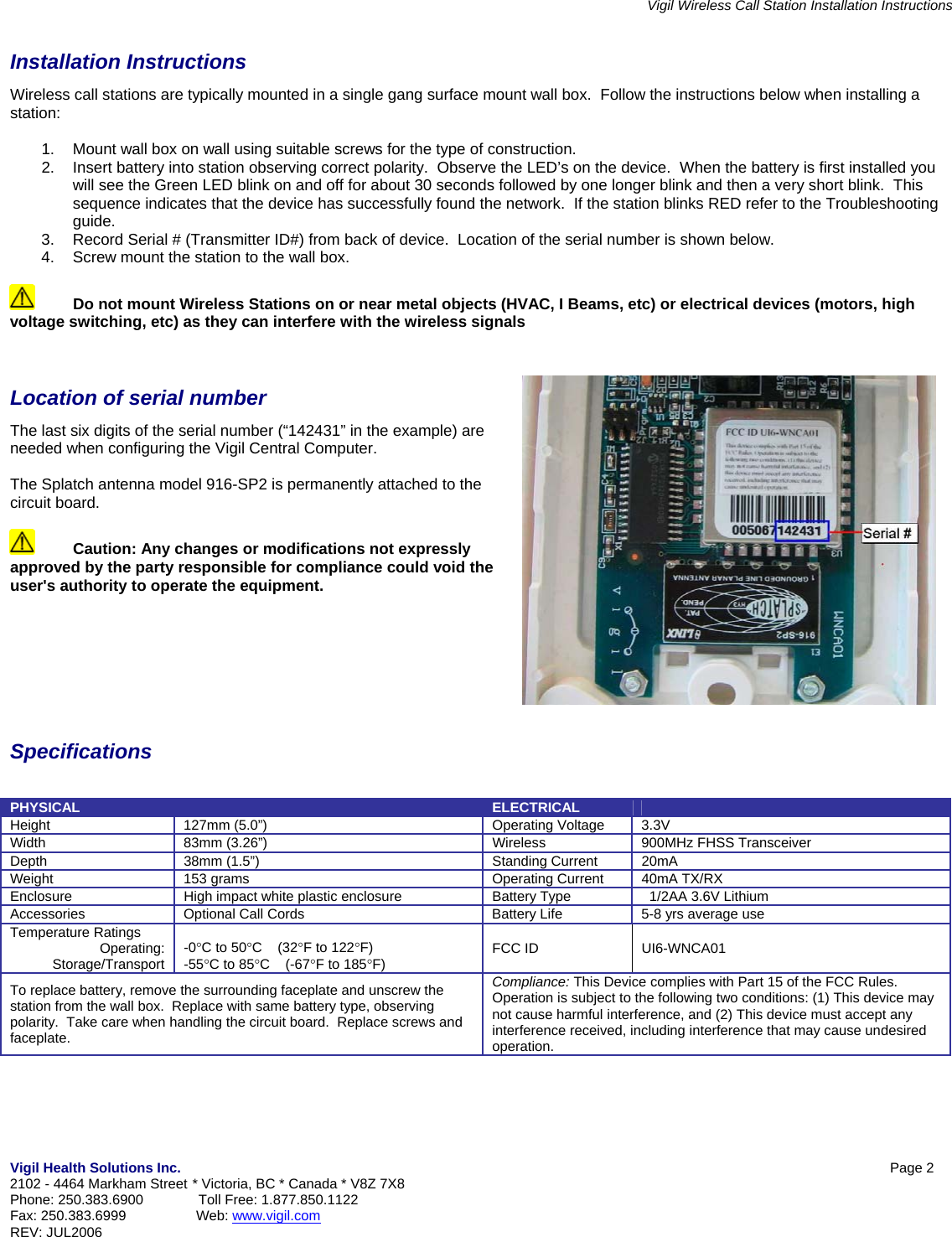
Vigil Wireless Call Station Installation Instructions Vigil Health Solutions Inc.            Page 2  2102 - 4464 Markham Street * Victoria, BC * Canada * V8Z 7X8 Phone: 250.383.6900  Toll Free: 1.877.850.1122 Fax: 250.383.6999                  Web: www.vigil.com  REV: JUL2006    Installation Instructions Wireless call stations are typically mounted in a single gang surface mount wall box.  Follow the instructions below when installing a station:  1.  Mount wall box on wall using suitable screws for the type of construction. 2.  Insert battery into station observing correct polarity.  Observe the LED’s on the device.  When the battery is first installed you will see the Green LED blink on and off for about 30 seconds followed by one longer blink and then a very short blink.  This sequence indicates that the device has successfully found the network.  If the station blinks RED refer to the Troubleshooting guide. 3.  Record Serial # (Transmitter ID#) from back of device.  Location of the serial number is shown below. 4.  Screw mount the station to the wall box.    Do not mount Wireless Stations on or near metal objects (HVAC, I Beams, etc) or electrical devices (motors, high voltage switching, etc) as they can interfere with the wireless signals   Location of serial number The last six digits of the serial number (“142431” in the example) are needed when configuring the Vigil Central Computer.  The Splatch antenna model 916-SP2 is permanently attached to the circuit board.    Caution: Any changes or modifications not expressly approved by the party responsible for compliance could void the user's authority to operate the equipment.         Specifications    PHYSICAL   ELECTRICAL   Height  127mm (5.0”)  Operating Voltage  3.3V Width  83mm (3.26”)  Wireless  900MHz FHSS Transceiver Depth  38mm (1.5”)  Standing Current  20mA Weight  153 grams  Operating Current  40mA TX/RX Enclosure  High impact white plastic enclosure  Battery Type    1/2AA 3.6V Lithium Accessories  Optional Call Cords  Battery Life  5-8 yrs average use Temperature Ratings Operating: Storage/Transport -0°C to 50°C    (32°F to 122°F) -55°C to 85°C    (-67°F to 185°F)  FCC ID   UI6-WNCA01 To replace battery, remove the surrounding faceplate and unscrew the station from the wall box.  Replace with same battery type, observing polarity.  Take care when handling the circuit board.  Replace screws and faceplate. Compliance: This Device complies with Part 15 of the FCC Rules.  Operation is subject to the following two conditions: (1) This device may not cause harmful interference, and (2) This device must accept any interference received, including interference that may cause undesired operation.

Navigation menu