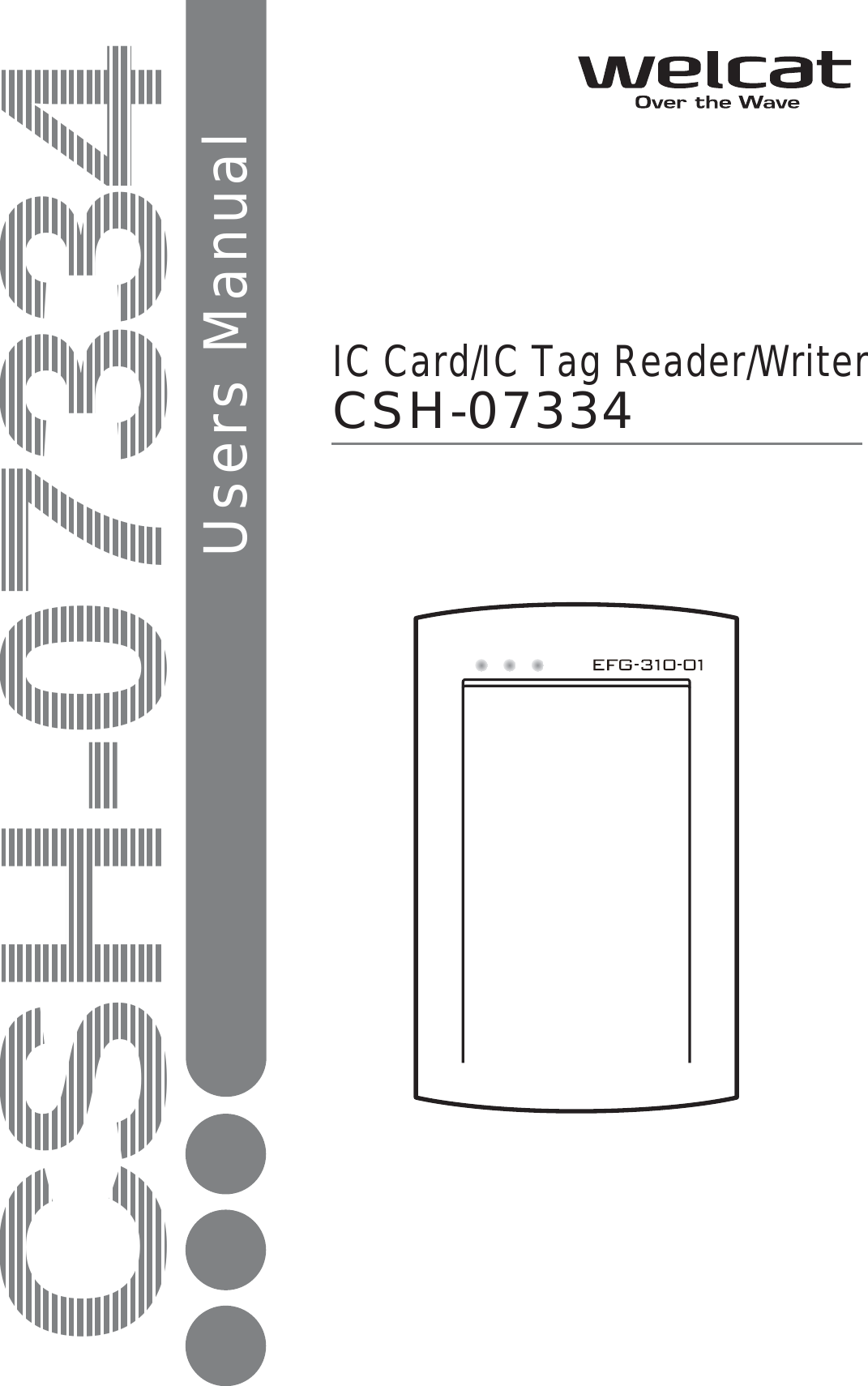
Welcat CSH07334 RFID IC Card/IC Tag Reader/Writer User Manual 2nd M01CSH06349

Welcat, Inc. RFID IC Card/IC Tag Reader/Writer 2nd M01CSH06349

User Manual

CSH-07334Users ManualCSH-07334IC Card/IC Tag Reader/Writer
US RegulationsThis device complies with Part 15 of the FCC Rules. Operation issubject to the following two conditions: (1) this device may not cause harmful interference, and (2) this device must accept any interference received, including     interference that may cause undesired operation.Note:This equipment has been tested and found to comply with the limits fora Class B digital device, pursuant to Part 15 of the FCC Rules. Theselimits are designed to provide reasonable protection against harmfulinterference in a residential installation. This equipment generates, usesand can radiate radio frequency energy and, if not installed and used inaccordance with theinstructions, may cause harmful interference to radio communications.However, there is no guarantee that interference will not occur in aparticular installation.If this equipment does cause harmful interference to radio or televisionreception, which can be determined by turning the equipment off and on,the user is encouraged to try to correct the interference by one or moreof the following measures:-- Reorient or relocate the receiving antenna.-- Increase the separation between the equipment and receiver.-- Connect the equipment into an outlet on a circuit different from that    to which the receiver is connected.-- Consult the dealer or an experienced radio/TV technician for help.Warning:You are cautioned that changes or modifications not expressly approvedby the party responsible for compliance could void your authority tooperate the equipment.
i Trademarks  Microsoft、MS are the U.S. Microsoft Corporation's registered trade-marks or the trademarks in the U.S. or other countries. Windows XP 、Windows 2000 are the U.S. Microsoft Corporation's registered trade-marks or the trademarks in the U.S. or other countries. my-d is the Infineon Technologies Inc.'s registered trade-marks or the trademarks. I・CODE is the NXP Semiconductors Inc.'s registered trade-marks or the trademarks. Tag-it is the Texas Instruments Inc.'s registered trade-marks or the trademarks. FerVIDfamily is the Fujitsu Inc.'s registered trade-marks or the trademarks. The products and corporate names which are described in addition are the registered marks or brand of each enterprise.
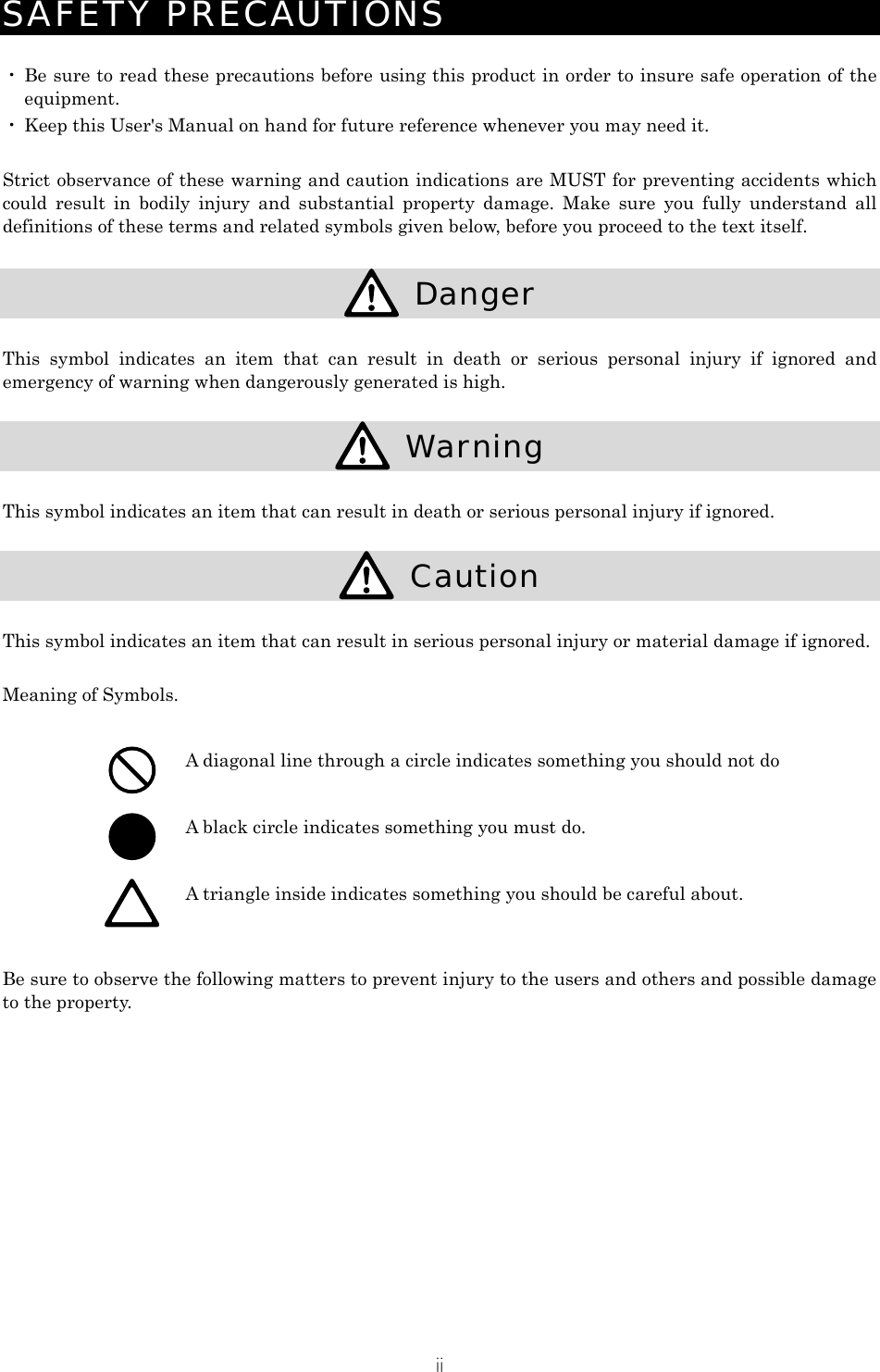
ii SAFETY PRECAUTIONS  ・ Be sure to read these precautions before using this product in order to insure safe operation of the equipment. ・ Keep this User's Manual on hand for future reference whenever you may need it.  Strict observance of these warning and caution indications are MUST for preventing accidents which could result in bodily injury and substantial property damage. Make sure you fully understand all definitions of these terms and related symbols given below, before you proceed to the text itself.   Danger  This symbol indicates an item that can result in death or serious personal injury if ignored and emergency of warning when dangerously generated is high.   Warning  This symbol indicates an item that can result in death or serious personal injury if ignored.   Caution  This symbol indicates an item that can result in serious personal injury or material damage if ignored.  Meaning of Symbols.   A diagonal line through a circle indicates something you should not do  A black circle indicates something you must do.  A triangle inside indicates something you should be careful about.  Be sure to observe the following matters to prevent injury to the users and others and possible damage to the property.
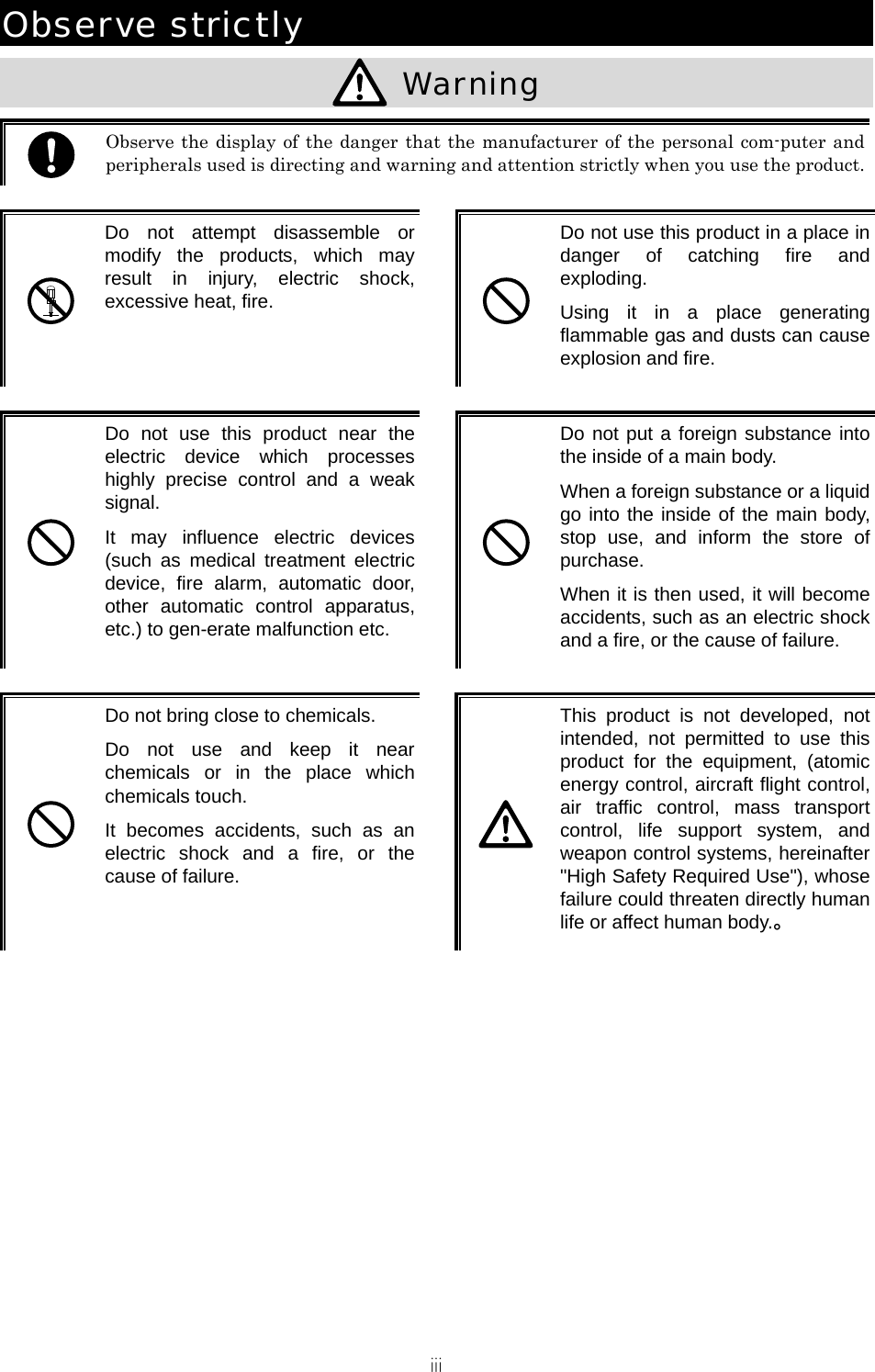
iii Observe strictly   Warning   Observe the display of the danger that the manufacturer of the personal com-puter and peripherals used is directing and warning and attention strictly when you use the product.  Do not attempt disassemble or modify the products, which may result in injury, electric shock, excessive heat, fire.   Do not use this product in a place in danger of catching fire and exploding. Using it in a place generating flammable gas and dusts can cause explosion and fire.   Do not use this product near the electric device which processes highly precise control and a weak signal. It may influence electric devices (such as medical treatment electric device, fire alarm, automatic door, other automatic control apparatus, etc.) to gen-erate malfunction etc.   Do not put a foreign substance into the inside of a main body. When a foreign substance or a liquid go into the inside of the main body, stop use, and inform the store of purchase. When it is then used, it will become accidents, such as an electric shock and a fire, or the cause of failure.   Do not bring close to chemicals. Do not use and keep it near chemicals or in the place which chemicals touch. It becomes accidents, such as an electric shock and a fire, or the cause of failure.   This product is not developed, not intended, not permitted to use this product for the equipment, (atomic energy control, aircraft flight control, air traffic control, mass transport control, life support system, and weapon control systems, hereinafter "High Safety Required Use"), whose failure could threaten directly human life or affect human body.。
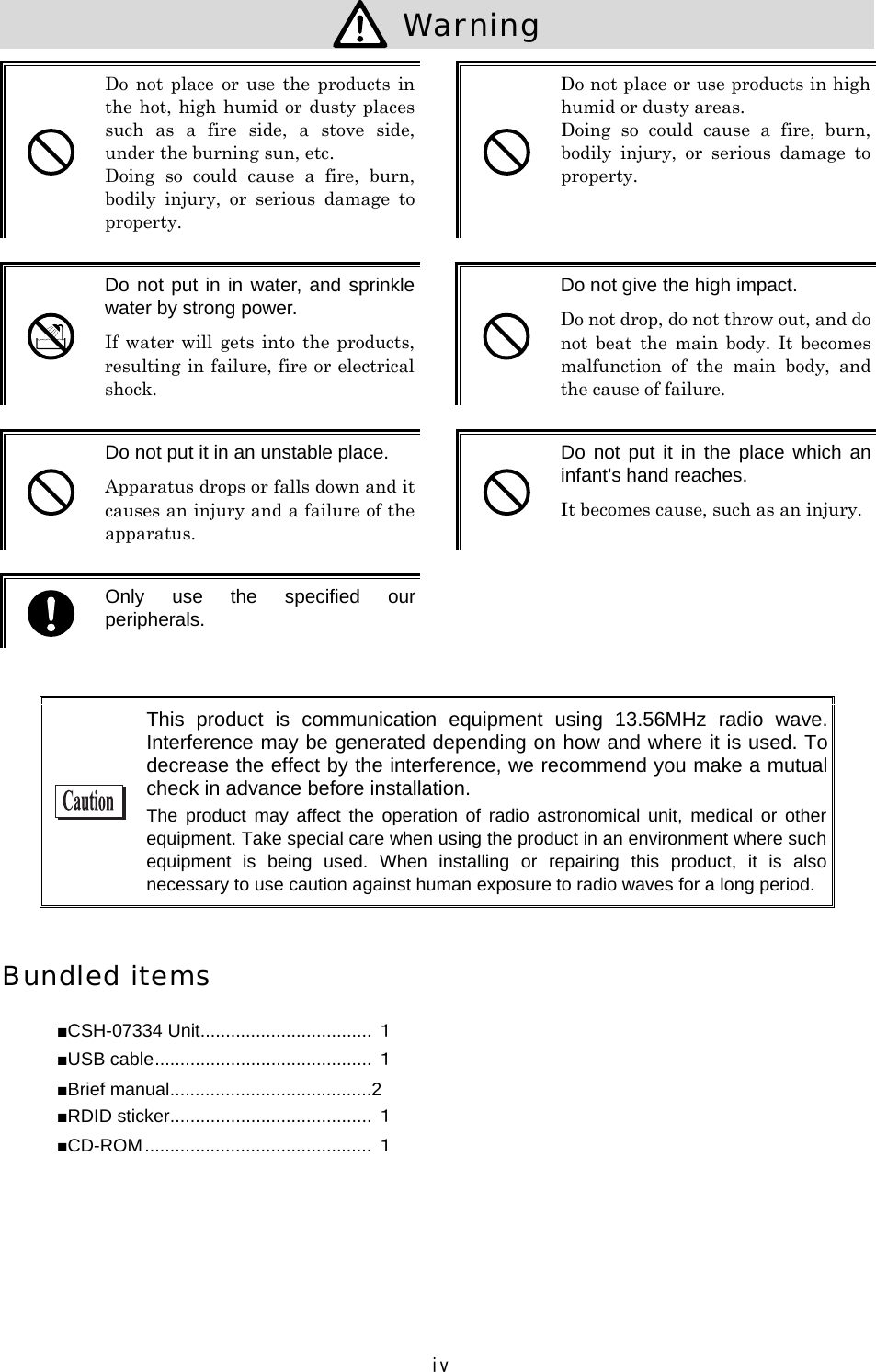
iv  Warning   Do  not  place  or  use the  products  in the hot, high humid or dusty places such  as  a  fire  side,  a  stove  side, under the burning sun, etc. Doing  so  could  cause  a  fire,  burn, bodily  injury,  or  serious  damage  to property.   Do not place or use products in high humid or dusty areas. Doing  so  could  cause  a  fire,  burn, bodily  injury,  or  serious  damage  to property.   Do not put in in water, and sprinkle water by strong power. If water  will  gets  into  the  products, resulting in failure, fire or electrical shock.   Do not give the high impact. Do not drop, do not throw out, and do not  beat  the  main  body.  It  becomes malfunction  of  the  main  body,  and the cause of failure.   Do not put it in an unstable place. Apparatus drops or falls down and it causes an injury and a failure of the apparatus.   Do not  put it  in the  place which an infant's hand reaches. It becomes cause, such as an injury.  Only  use  the  specified  our peripherals.    This  product  is  communication  equipment  using  13.56MHz  radio  wave. Interference may be generated depending on how and where it is used. To decrease the effect by the interference, we recommend you make a mutual check in advance before installation. The  product  may  affect the  operation  of  radio astronomical  unit,  medical  or  other equipment. Take special care when using the product in an environment where such equipment  is  being  used.  When  installing  or  repairing  this  product,  it  is  also necessary to use caution against human exposure to radio waves for a long period.  Bundled items ■CSH-07334 Unit.................................. 1 ■USB cable........................................... 1 ■Brief manual........................................2 ■RDID sticker........................................ 1 ■CD-ROM............................................. 1
v ContentsBundled items .................................................. Contents ....................................................... Introduction................................................... Notational Information......................................... 1 HARDWARE.......................................................1-1  1-1  PART NAMES AND FUNCTIONS............................................................... 1-2  SPECIFICATION OF CSH-07334...................................................... 1-2-1  Environmental condition .................................. 1-2-2  Hardware specification .................................. 1-2-3 Appearance specification ................................. 1-2-4  Operating environment.................................... 1-2-5  Communication interface specification ....................1-3  HOW TO HOLD THE IC CARD/IC TAG............................................................... 2 SOFTWARE........................................................ 2-1 2-1  HOW TO INSTALL THE DRIVER SOFTWARE............................................................... 2-1-1 Installing the driver software ........................... 2-1-2 Connecting to Windows XP................................. 2-2  CHECKING AFTER CONNECTION.............................................................. 2-3  UNINSTALLING THE DRIVER SOFTWARE.............................................................3 FAQ (FREQUENTLY ASKED QUESTIONS) ............................................... 3-1 3-1  FAQ  (FREQUENTLY ASKED QUESTIONS).............................................................. Q:I connected CSH-07334 before installing the driver......................................3-2 Q:CSH-07334 does not operate properly after installing the driver............3-2 Q:A  “!” mark is put on the beginning of “CSH-07334 ” on the [Device manager] screen....................................................... ivvvivi1-21-31-31-31-41-41-41-52-22-22-32-52-63-23-2
vi Introduction Thank you for purchasing our IC tag/IC card reader writer “CSH-07334”.  CSH-07334 is a reader writer compatible with IC/cards/IC tags of the following makers.  ・  Infineon Technologies “my-d” ・  Texas Instruments “Tag-it HF-I” ・  NXP Semiconductors  “I・CODE1” “I・CODE SLI” ・  Fujitsu “FerVIDfamily”  It is a guidance type read/write communication equipment (model designation acquired) that can read multiple tags collectively (anti-collision function).  This  user  manual  describes  how  to  use  the  hardware  of  the  CSH-07334  unit  and  the  driver software. We are happy if CSH-07334 is useful for improving efficiency of your business.  This product conforms to the RoHS Directive. RoHS: Abbreviation of Restriction of the use of the certain Hazardous Substances in electrical and electronic equipment RoHS  is  a  regulation  of  harmful  substance  enforced  by  the  European  Union  for electronic and electric equipment, which prohibits the use of six substances consisting of  lead,  hexavalent  chromium,  mercury,  cadmium  and  two  different  types  of bromine-based  fire  retardants,  namely  PBB  (polybrominated  biphenyl)  and  PBDE (polybrominated diphenyl ether) .  Notational Information  Indicates a note you can refer to.  Indicates a caution. CSH-07334  IC Card / IC Tag Reader/Writer CSH-07334.
   Chapter 1 1  Hardware
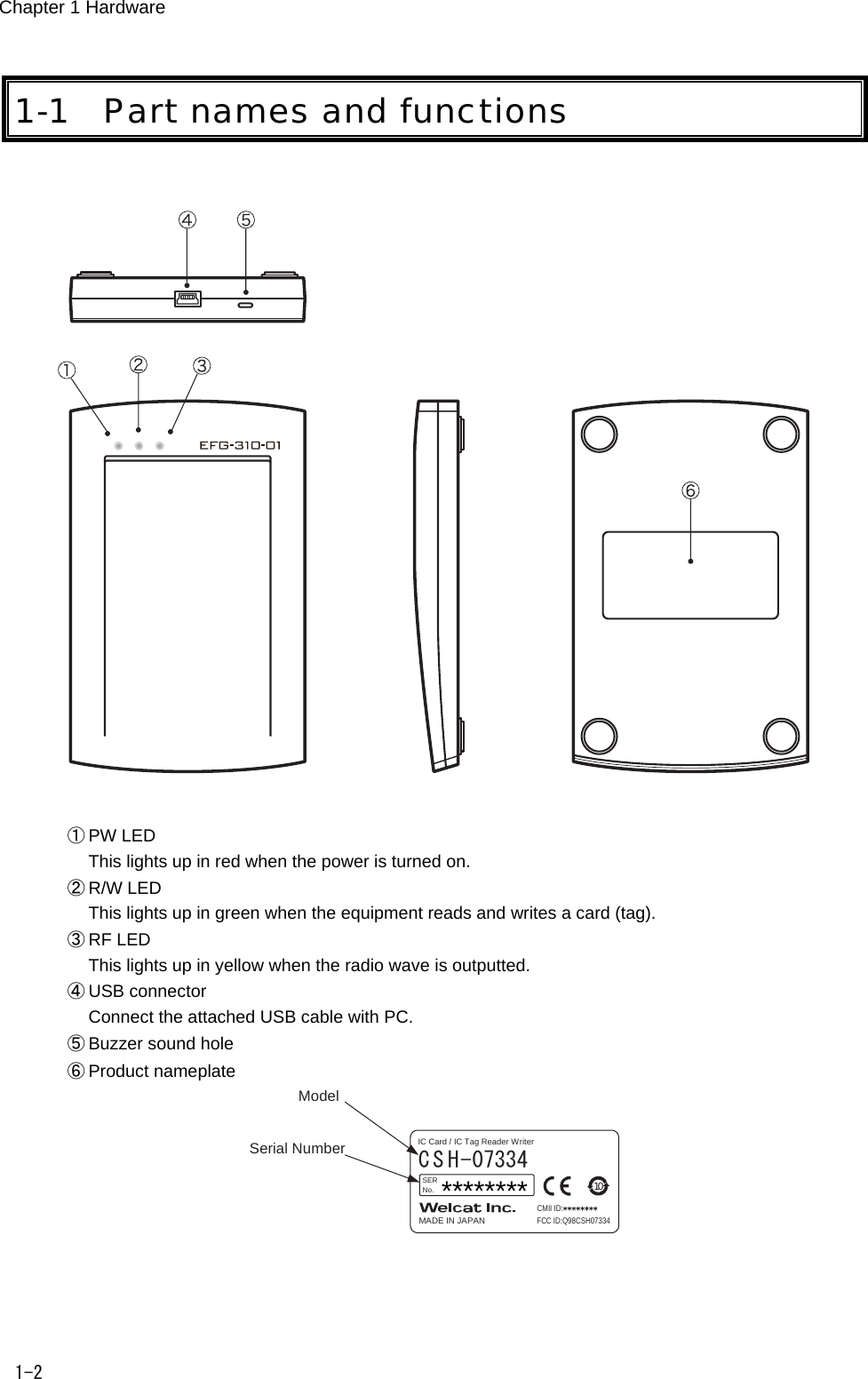
Chapter 1 Hardware 1-2 1-1 Part names and functions    ① PW LED This lights up in red when the power is turned on. ② R/W LED This lights up in green when the equipment reads and writes a card (tag). ③ RF LED This lights up in yellow when the radio wave is outputted. ④ USB connector Connect the attached USB cable with PC. ⑤ Buzzer sound hole ⑥ Product nameplate Serial NumberModelC S H-07334MADE IN JAPANSERNo.CMII ID:FCC ID:Q98CSH0733410IC Card / IC Tag Reader Writer  ********
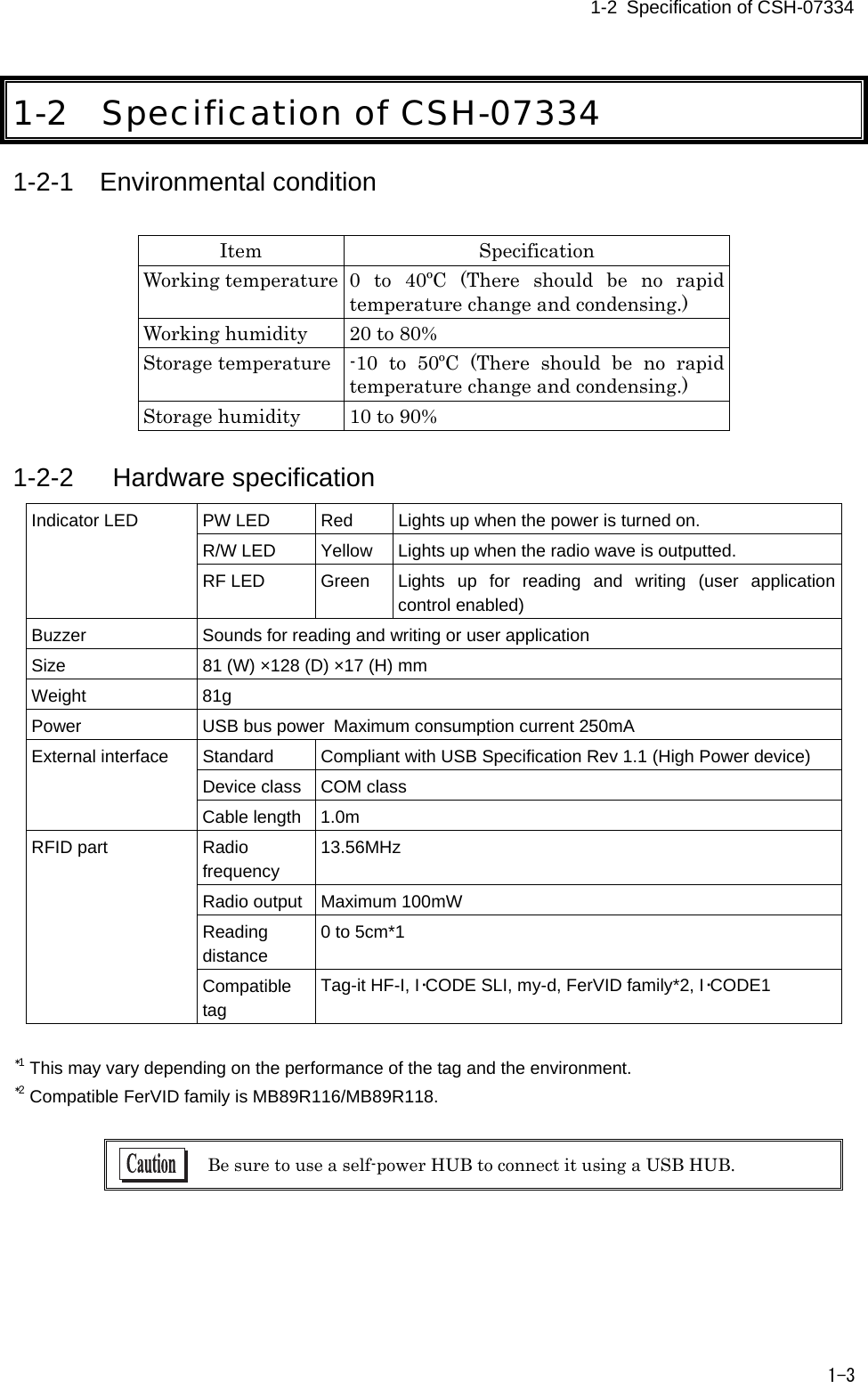
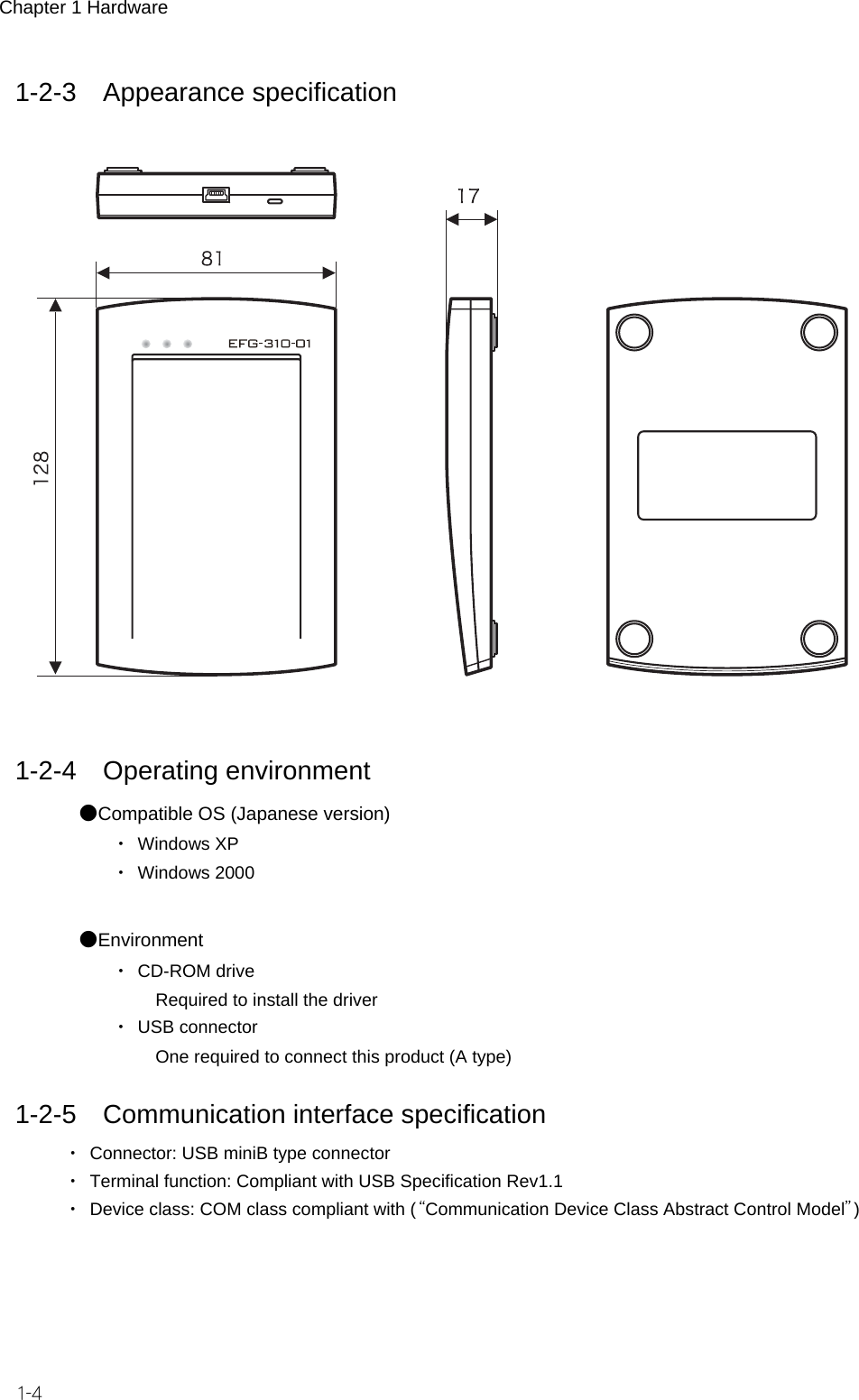
2-1   Specification of CSH-07334   1-3 1-2 Specification of CSH-07334 1-2-1 Environmental condition   noitacificepS metIWorking temperature 0  to  40ºC  (There  should  be  no  rapid temperature change and condensing.) Working humidity  20 to 80% Storage temperature  -10  to  50ºC  (There  should  be  no  rapid temperature change and condensing.) Storage humidity  10 to 90%  1-2-2   Hardware specification PW LED  Red  Lights up when the power is turned on. R/W LED  Yellow  Lights up when the radio wave is outputted. Indicator LED RF LED  Green  Lights  up  for  reading  and  writing  (user  application control enabled) Buzzer  Sounds for reading and writing or user application Size  81 (W) ×128 (D) ×17 (H) mm Weight  81g Power  USB bus power Maximum consumption current 250mA Standard  Compliant with USB Specification Rev 1.1 (High Power device) Device class  COM class External interface Cable length  1.0m Radio frequency 13.56MHz Radio output  Maximum 100mW Reading distance 0 to 5cm*1 RFID part Compatible tag Tag-it HF-I, I・CODE SLI, my-d, FerVID family*2, I・CODE1  *1 This may vary depending on the performance of the tag and the environment. *2 Compatible FerVID family is MB89R116/MB89R118.   Be sure to use a self-power HUB to connect it using a USB HUB.
Chapter 1 Hardware 1-4 1-2-3 Appearance specification     1-2-4 Operating environment ●Compatible OS (Japanese version) ・ Windows XP ・ Windows 2000  ●Environment ・ CD-ROM drive    Required to install the driver ・ USB connector    One required to connect this product (A type)  1-2-5 Communication interface specification ・  Connector: USB miniB type connector ・  Terminal function: Compliant with USB Specification Rev1.1 ・  Device class: COM class compliant with (“Communication Device Class Abstract Control Model”)
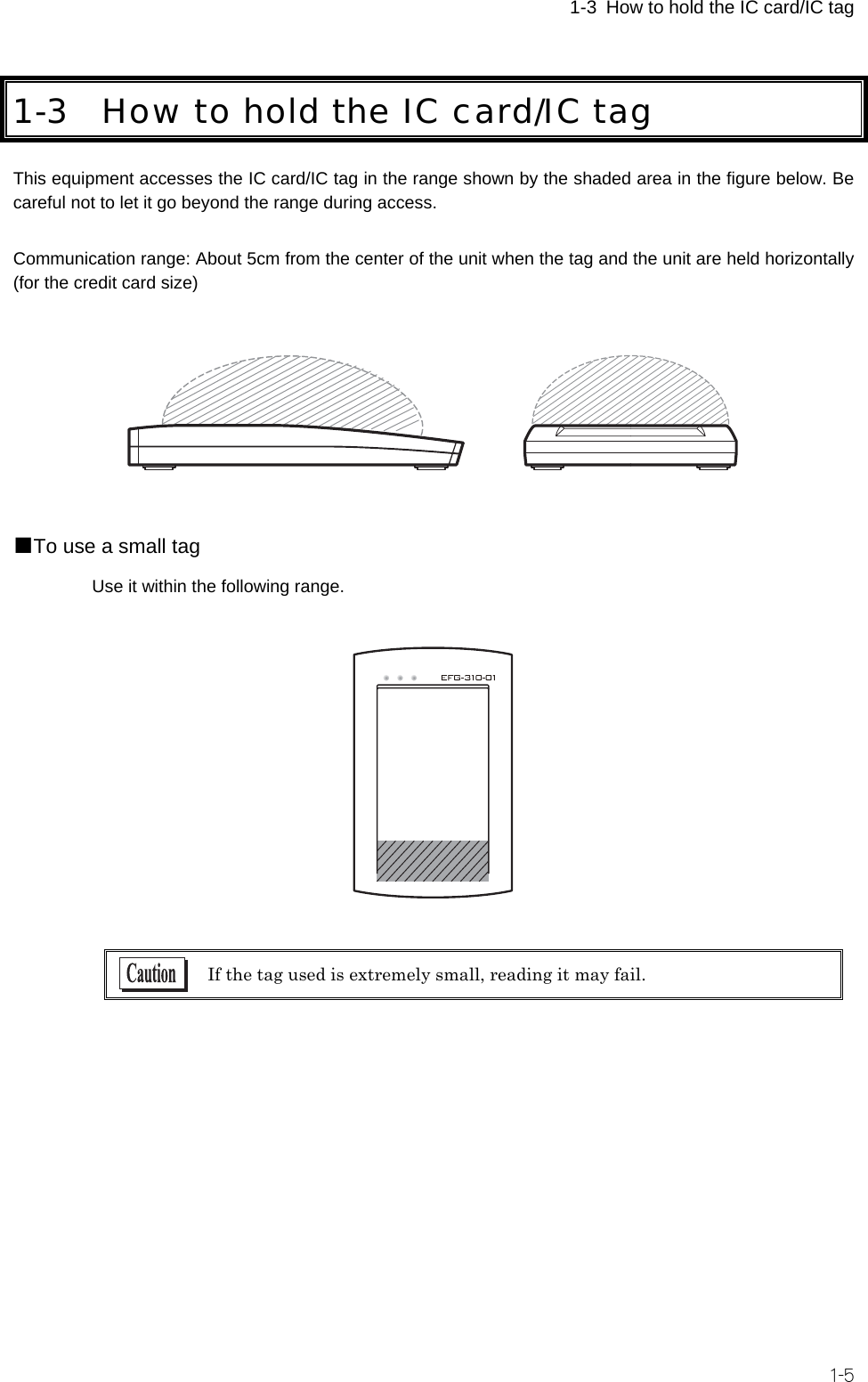
 1-3 How to hold the IC card/IC tag  1-5 1-3 How to hold the IC card/IC tag This equipment accesses the IC card/IC tag in the range shown by the shaded area in the figure below. Be careful not to let it go beyond the range during access.  Communication range: About 5cm from the center of the unit when the tag and the unit are held horizontally (for the credit card size)    ■To use a small tag Use it within the following range.     If the tag used is extremely small, reading it may fail.
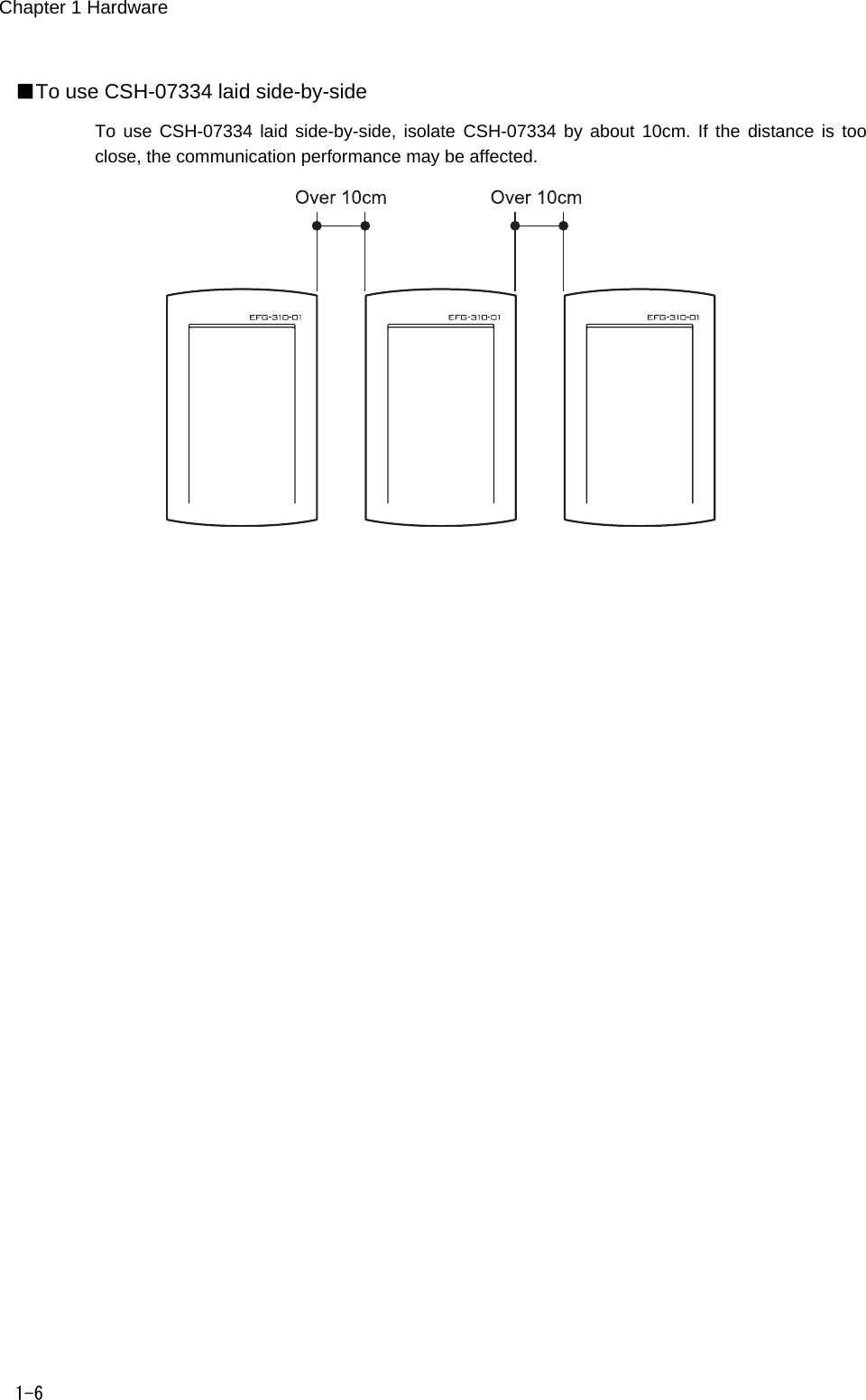
Chapter 1 Hardware 1-6 ■To use CSH-07334 laid side-by-side To use CSH-07334  laid  side-by-side, isolate  CSH-07334 by about 10cm.  If  the  distance is too close, the communication performance may be affected.
   Chapter 2 2  Software
Chapter 2 Software 2-2 2-1 How to install the driver software 2-1-1 Installing the driver software Install the driver software of CSH-07334 according to the following procedure.   Install the driver software before connecting CSH-07334.  ① Turn on the power of your PC and start Windows.  Log in with a system administrator authorization. ② Insert the CD-ROM bundled with the product into the CD-ROM drive. ③ Click [My computer]→[CD-ROM drive]→[CSH-07334]→[drivers]→[PreInstaller.exe]. ④ Select a folder to install the driver and press the [Install] button.  The Welcat folder is created in the Program Files folder before installation by default.  ⑤ The following screen appears during installation.     Microsoft  performs  a  qualification  procedure  for  PC  units  and  peripheral  devices  in  an organization called WHQL. CSH-07334 has not been qualified as of February, 2006. Click [Continue] here to continue installation of the driver of CSH-07334.
1-2   How to install the driver software   2-3 ⑥ When the following screen appears, click [OK] and take out the CD-ROM.  ⑦ Use the attached cable to connect CSH-07334 to your PC.  If you use Windows2000, the installation operation is complete. If you use WindowsXP, proceed to “2-1-2 Connecting to Windows XP” 2-1-2 Connecting to Windows XP If you use Windodws XP, carry out the following setting after installing the driver software (P.2-2).  ① When you connect CSH-07334 to your PC, the following screen appears.    Select [No, I don’t connect this time] and proceed to the next. ② Select [Install software automatically] and proceed to the next.  (P.2-3).
Chapter 2 Software 2-4 ③  The following screen appears during installation.     Microsoft  performs  a  qualification  procedure  for  PC  units  and  peripheral  devices  in  an organization called WHQL. CSH-07334 has not been qualified as of February, 2006.   Click [Continue] here to continue installation of the driver of CSH-07334. ④  When the following screen appears, the driver of CSH-07334 has been installed. Click [Complete].    After this, installation of the driver starts again. Repeat the same procedure as that described in ①  through  ④.
 2-2 Checking after connection   2-5 2-2 Checking after connection After installing the driver software, check if CSH-07334 is correctly connected.  ① Right-click [My Computer] and select [Property] or [Control]. ② Double-click [Port (COM and LPT)] on the device manager screen (“Device manager” tab) and check that CSH-07334 is displayed.   The COM number varies depending on the environment of your PC. ③ When you have finished checking, close the screen.  Every time the USB port to which this product is connected changes, you need to install the driver software. In that case, install it in the same procedure.
Chapter 2 Software 2-6 2-3 Uninstalling the driver software Uninstall the driver according to the following procedure.  ① Select [Adding and deleting programs] from [Control panel]. ② Select  [e-front CSH-07334  Controller]  from the list  and  press [Change and  delete] button  to delete it.  ・ Keep CSH-07334 connected to your PC to uninstall the driver. ・ Remove CSH-07334 from your PC after you have uninstalled the driver.
   Chapter 3 3 FAQ (Frequently asked questions)
Chapter 3 FAQ 3-2 3-1 FAQ (Frequently asked questions) This  section  describes  frequently  asked  questions,  troubles,  items  requiring  checking  to  resolve  those troubles and reference pages on this manual. Make an inquiry to our Website for those troubles you can not resolve here. Q:I connected CSH-07334 before installing the driver. A:Install the driver manually. The driver software is included in the [Drivers] folder of the bundled CD-ROM. See the folder to install the driver. Q:CSH-07334 does not operate properly after installing the driver. A:The USB cable may not be connected properly. Check that the USB connecter is fully inserted into the USB port of your PC.  A:The driver may not be properly installed. Install the driver in the following procedure again. ①  See “2-3 Uninstalling the driver software” (P.2-6) to uninstall the driver. ②  Turn off the power of your PC, remove CSH-07334 and turn on the power of your PC. ③  See “2-1-1 Installing the driver software” (P.2-2) to install the driver again.  A: CSH-07334 may be misidentified. Install the driver in the following procedure again. ①  When [Other devices] is displayed by [Device manager]   Right-click [Unknown device] or [USB Device] displayed below and click [Delete]. ②  When [Other devices] is not displayed   Select [Device (by connection)] from [Display] and check if there is [Unknown device] or [USB Device] under the USB host controller. If you find one, select the device and click [Delete] button.   If you can’t find any by searching, restart your PC and install the driver from the beginning again. ③  Turn off the power of your PC, remove CSH-07334 and turn on the power of your PC. ④  See “2-1-1 Installing the driver software” (P.2-2) to install the driver again. Q:A “!”  mark is put on the beginning of “CSH-07334”  on the [Device manager] screen. A:The driver may not be properly installed. Install the driver in the following procedure again. ①  See “2-3 Uninstalling the driver software” (P.2-6) to uninstall the driver. ②  Turn off the power of your PC, remove CSH-07334 and turn on the power of your PC. ③  See “2-1-1 Installing the driver software” (P. 2-2) to install the driver again.
                       IC Card / IC Tag Reader / Writer CSH-07334 Users Manual September, 2007    Manual Rev.1.0 Copyright ©2007  Welcat Inc.   http://www.welcat.co.jp/ info@welcat.co.jp                   M01CSH-07334

Navigation menu