Winner Wave ELANBOX EZCast LAN User Manual

Winner Wave Limited EZCast LAN Users Manual

Users Manual

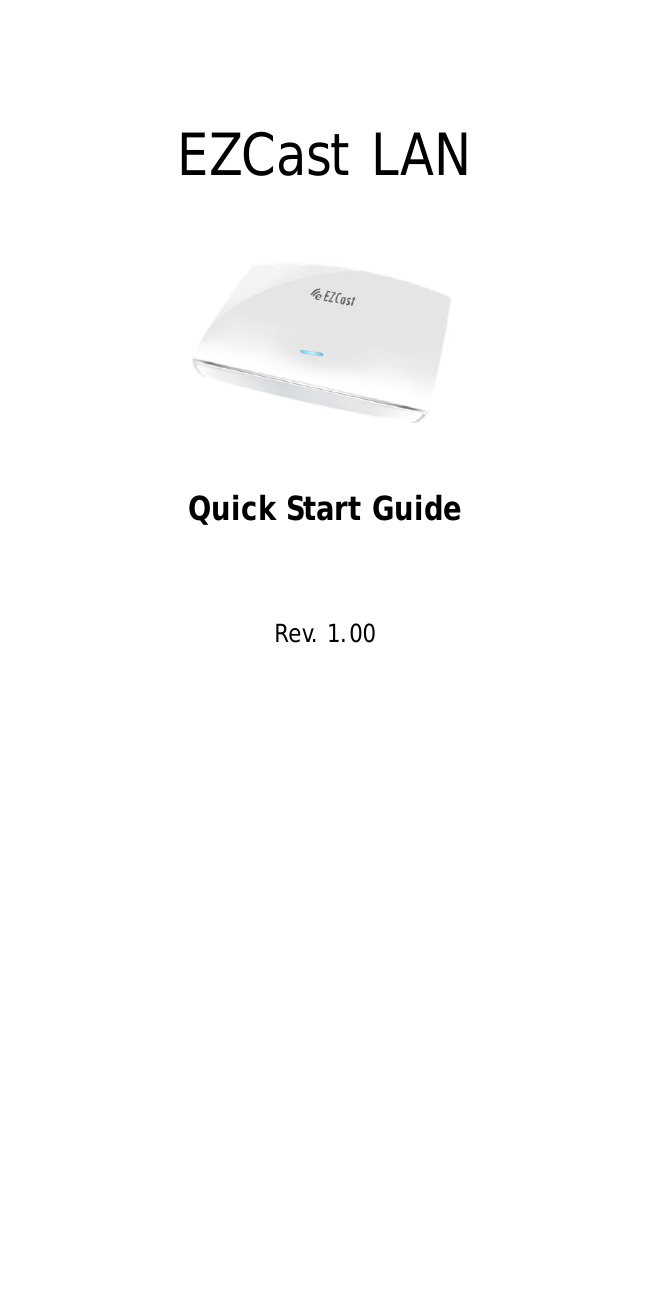
EZCast LANQuick Start GuideRev. 1.00
IntroductionThanks for choosing EZCast products, it is basedon popular EZCast app. It provides Multimedia filesstreaming, PDF/Office Viewer, Web browser andmany WiFi display standards like Miracast, DLNAand AirPlay. It also embedded 10M/100M Ethernet,which will provide stable connection and easiersetup steps. The new EZChannel feature allowsyou to store/edit your favorite cloud channels,start to enjoy all the new features now!Learn moreVisit http://www.iezcast.com for more informationabout our product, find answers for frequentlyasked questions and more finger tips for yourEZCast product.
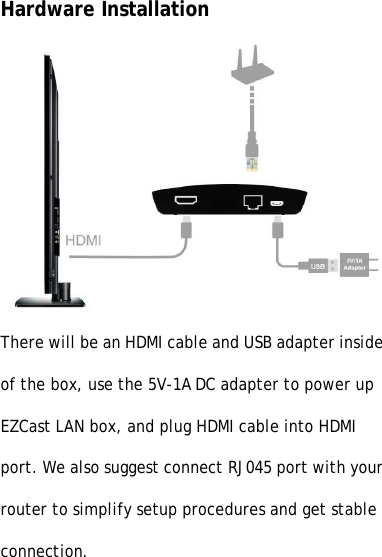
Hardware InstallationThere will be an HDMI cable and USB adapter insideof the box, use the 5V-1A DC adapter to power upEZCast LAN box, and plug HDMI cable into HDMIport. We also suggest connect RJ045 port with yourrouter to simplify setup procedures and get stableconnection.
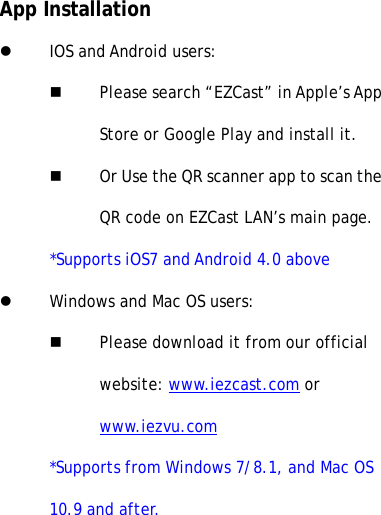
App InstallationlIOS and Android users:nPlease search “EZCast” in Apple’s AppStore or Google Play and install it.nOr Use the QR scanner app to scan theQR code on EZCast LAN’s main page.*Supports iOS7 and Android 4.0 abovelWindows and Mac OS users:nPlease download it from our officialwebsite: www.iezcast.com orwww.iezvu.com*Supports from Windows 7/8.1, and Mac OS10.9 and after.
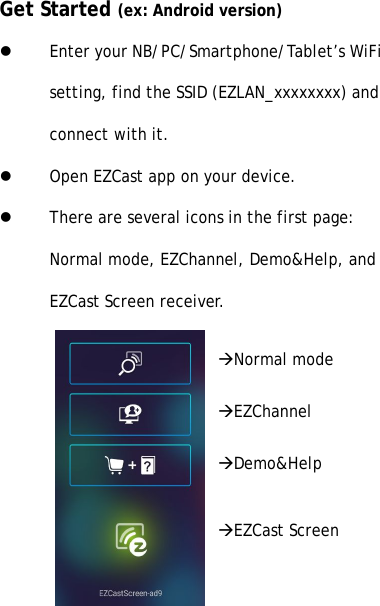
Get Started (ex: Android version)lEnter your NB/PC/Smartphone/Tablet’s WiFisetting, find the SSID (EZLAN_xxxxxxxx) andconnect with it.lOpen EZCast app on your device.lThere are several icons in the first page:Normal mode, EZChannel, Demo&Help, andEZCast Screen receiver.àNormal modeàEZChannelàDemo&HelpàEZCast Screen
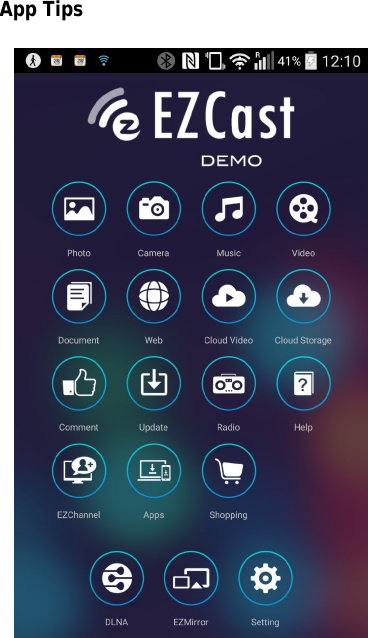
App Tips
lYou can cast your multimedia data wirelesslynow, however, please be noted somefeatures like cloud video or web will requireinternet connection.lYou can enter Setting to setup the internetconnection with your home router orconnect RJ-45* LAN cable directly (*onlyavailable on EZCast LAN product)lYou will need to bind your device withEZChannel to get more contents shared byyour friends.lPlease be noted EZMirror(Miracast) modewill disconnect current WiFi and you willneed to connect to internet by your phone(WiFi) if you want to keep internet
surfing.©2014 Actions Microelectronics Co., Ltd. All right reserved. EZCast,and EZCast Pro are trademarks of Actions Microelectronic Co., Ltd.,registered in China and other countries. Other product and companynames mentioned herein may be trademarks other respectivecompanies.FCC STATEMENT1. This device complies with Part 15 of the FCC Rules.Operation is subject to the following two conditions:(1) This device may not cause harmful interference.(2) This device must accept any interference received,including interference that may cause undesiredoperation.2. Changes or modifications not expressly approved bythe party responsible for compliance could void theuser's authority to operate the equipment.NOTE: This equipment has been tested and found tocomply with the limits for a Class B digital device,pursuant to Part 15 of the FCC Rules. These limits aredesigned to provide reasonable protection againstharmful interference in a residential installation.
This equipment generates uses andcanradiate radiofrequency energy and, if not installed and used inaccordance with the instructions, may cause harmfulinterference to radio communications. However, there isno guarantee that interference will not occur in aparticular installation. If this equipment does causeharmful interference to radio or television reception,which can be determined by turning the equipment offand on, the user is encouraged to try to correct theinterference by one or more of the following measures:Reorient or relocate the receiving antenna.Increase the separation between the equipment andreceiver.Connect the equipment into an outlet on a circuitdifferent from that to which the receiver isconnected.Consult the dealer or an experienced radio/TVtechnician for help.FCC Radiation Exposure StatementThis equipment complies with FCC radiation exposurelimits set forth for an uncontrolled environment. Thisequipment should be installed and operated withminimum distance 20cm between the radiator & yourbody

Navigation menu