Wireless Dynamics SDID121X RFID reader User Manual SDiD 1212 User Instructions v0 4

Wireless Dynamics Inc. RFID reader SDiD 1212 User Instructions v0 4

Manual

Wireless Dynamics  Wireless Dynamics Inc. 220, 3636 – 23rd Street NE, Calgary, Alberta, Canada T2E 8Z5      Phone: (403) 250-1818   Fax: (403) 250-1777                   SDiD 121X User Instructions Preliminary Version V 0.1     PDF created with pdfFactory trial version www.pdffactory.com
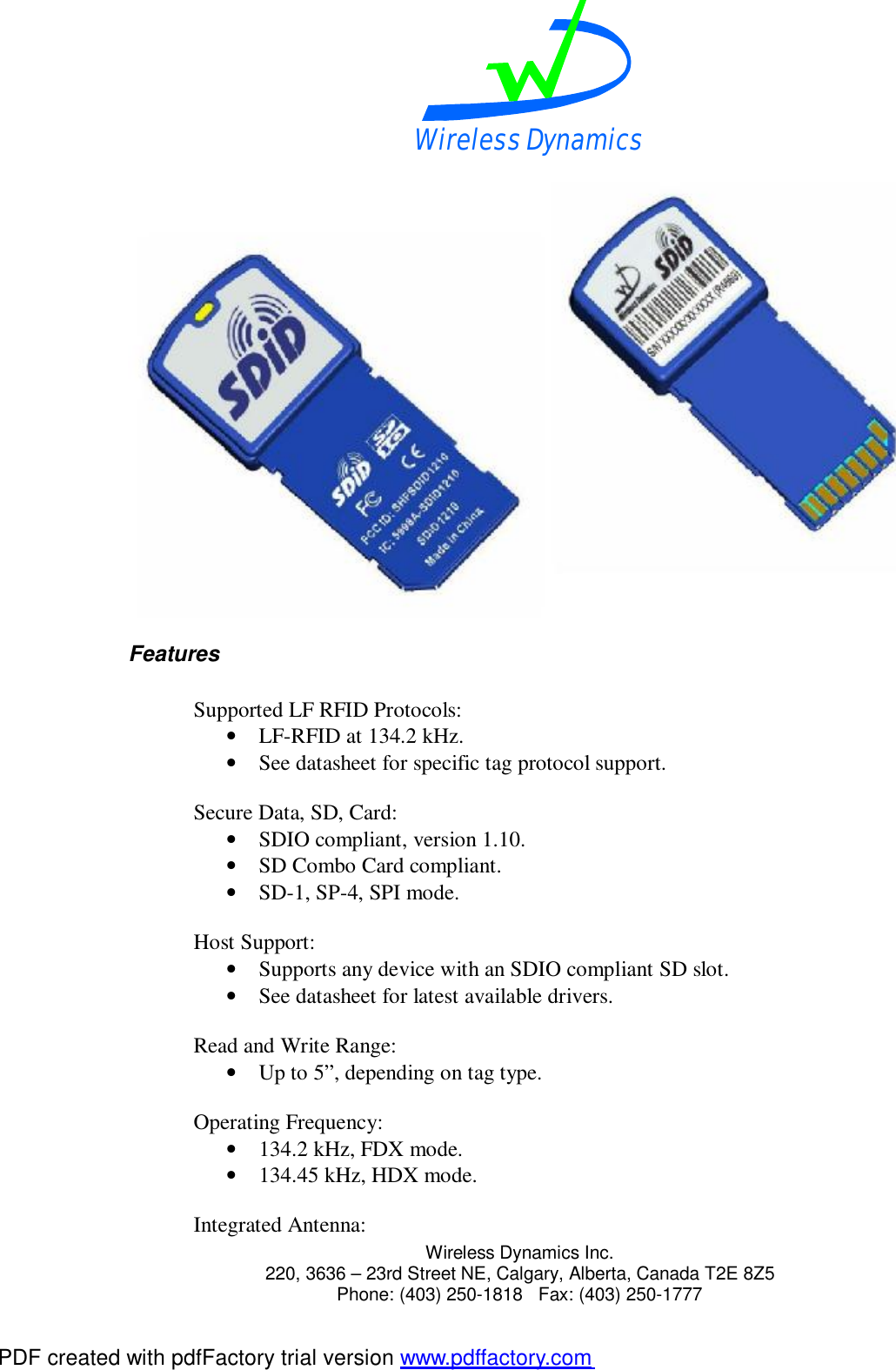
Wireless Dynamics  Wireless Dynamics Inc. 220, 3636 – 23rd Street NE, Calgary, Alberta, Canada T2E 8Z5      Phone: (403) 250-1818   Fax: (403) 250-1777  FCC Notice:  This device complies with Part 15 of the FCC Rules. Operation is subject to the following three conditions: 1) This device may not cause harmful interference. 2) This device must accept any interference received, including interference that may cause undesired operation. 3) This device may not be used with an extender board and must be fully inserted into the host’s SD slot during operation.  Any change or modification not expressly approved by the manufacturer could void the user’s authority to operate the equipment.   Overview  The SDiD 121X family of Low Frequency (LF) RFID reader/writers, with optional SD memory, are in the format of a Secure Digital Input/Output, SDIO card. The model numbers and configurations of the SDiD121X family include: 1. SDiD1210: SDIO format RFID reader. 2. SDiD1212 (i512MB): SDIO format RFID reader with 512MB of industrial SD memory for data storage. 3. SDiD1212 (s512MB): SDIO format RFID reader with 512MB of commercial SD memory for data storage. The SDiD 121X family of LF RFID reader/writers enable PDAs, cellular phones and other handheld devices to operate as LF Radio Frequency Identification Readers and Writers. The SDiD 121X family of readers incorporate the antenna, RFID transceivers, SD memory (based on model number), and the SDIO interface and all necessary software drivers. PDF created with pdfFactory trial version www.pdffactory.com
Wireless Dynamics  Wireless Dynamics Inc. 220, 3636 – 23rd Street NE, Calgary, Alberta, Canada T2E 8Z5      Phone: (403) 250-1818   Fax: (403) 250-1777   Features  Supported LF RFID Protocols: • LF-RFID at 134.2 kHz. • See datasheet for specific tag protocol support.  Secure Data, SD, Card: • SDIO compliant, version 1.10. • SD Combo Card compliant. • SD-1, SP-4, SPI mode.  Host Support: • Supports any device with an SDIO compliant SD slot. • See datasheet for latest available drivers.  Read and Write Range: • Up to 5”, depending on tag type.  Operating Frequency: • 134.2 kHz, FDX mode. • 134.45 kHz, HDX mode.  Integrated Antenna: PDF created with pdfFactory trial version www.pdffactory.com
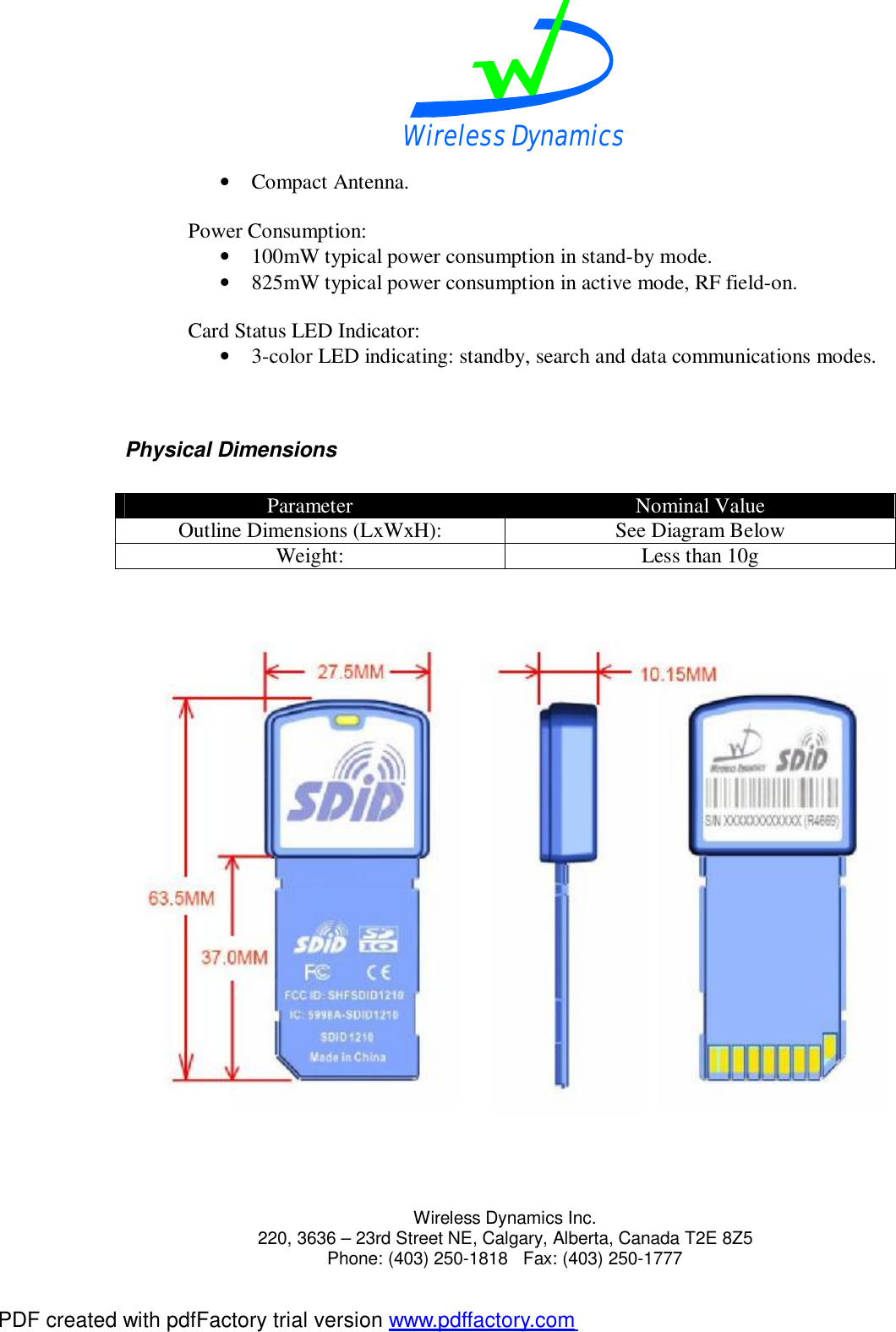
Wireless Dynamics  Wireless Dynamics Inc. 220, 3636 – 23rd Street NE, Calgary, Alberta, Canada T2E 8Z5      Phone: (403) 250-1818   Fax: (403) 250-1777  • Compact Antenna.  Power Consumption: • 100mW typical power consumption in stand-by mode. • 825mW typical power consumption in active mode, RF field-on.  Card Status LED Indicator: • 3-color LED indicating: standby, search and data communications modes.   Physical Dimensions  Parameter  Nominal Value Outline Dimensions (LxWxH):  See Diagram Below Weight:  Less than 10g       PDF created with pdfFactory trial version www.pdffactory.com
Wireless Dynamics  Wireless Dynamics Inc. 220, 3636 – 23rd Street NE, Calgary, Alberta, Canada T2E 8Z5      Phone: (403) 250-1818   Fax: (403) 250-1777  LED Specification  The SDiD 121X has an integrated 3-color LED that is used to indicate the card status. The following table shows the different LED states and the corresponding card status:  LED Status Indicator Card Status  LED State Start-Up  ON for 2 seconds then OFF Operating Modes: Active and Stand-by  Under control of the Host Software Application  Operating Instructions  1) Insert the SDiD 121X card into the SD card slot of the host device. The integrated 3-color LED on the SDiD 121X will initially be ON for two seconds before turning OFF. 2) Start the Host Software Application in the host device. 3) Configure the SDiD121X for the desired mode of operation using the Host Software Application. 4) When the SDiD121X is actively searching for a tag, place the reader into proximity with the appropriate tag.  The tag will be activated by the RF field and data will be transacted between the reader and the tag according to the tag type. 5) When the SDiD 121X card is in the standby mode, the LED will be OFF and the SDiD 121X card will not be able to activate tags until the appropriate mode is selected in the Host Software Application.   PDF created with pdfFactory trial version www.pdffactory.com

Navigation menu