Worldsensing S L FPGFLL Magnetic Sensor User Manual 1

Worldsensing, S.L. Magnetic Sensor 1

User Manual1

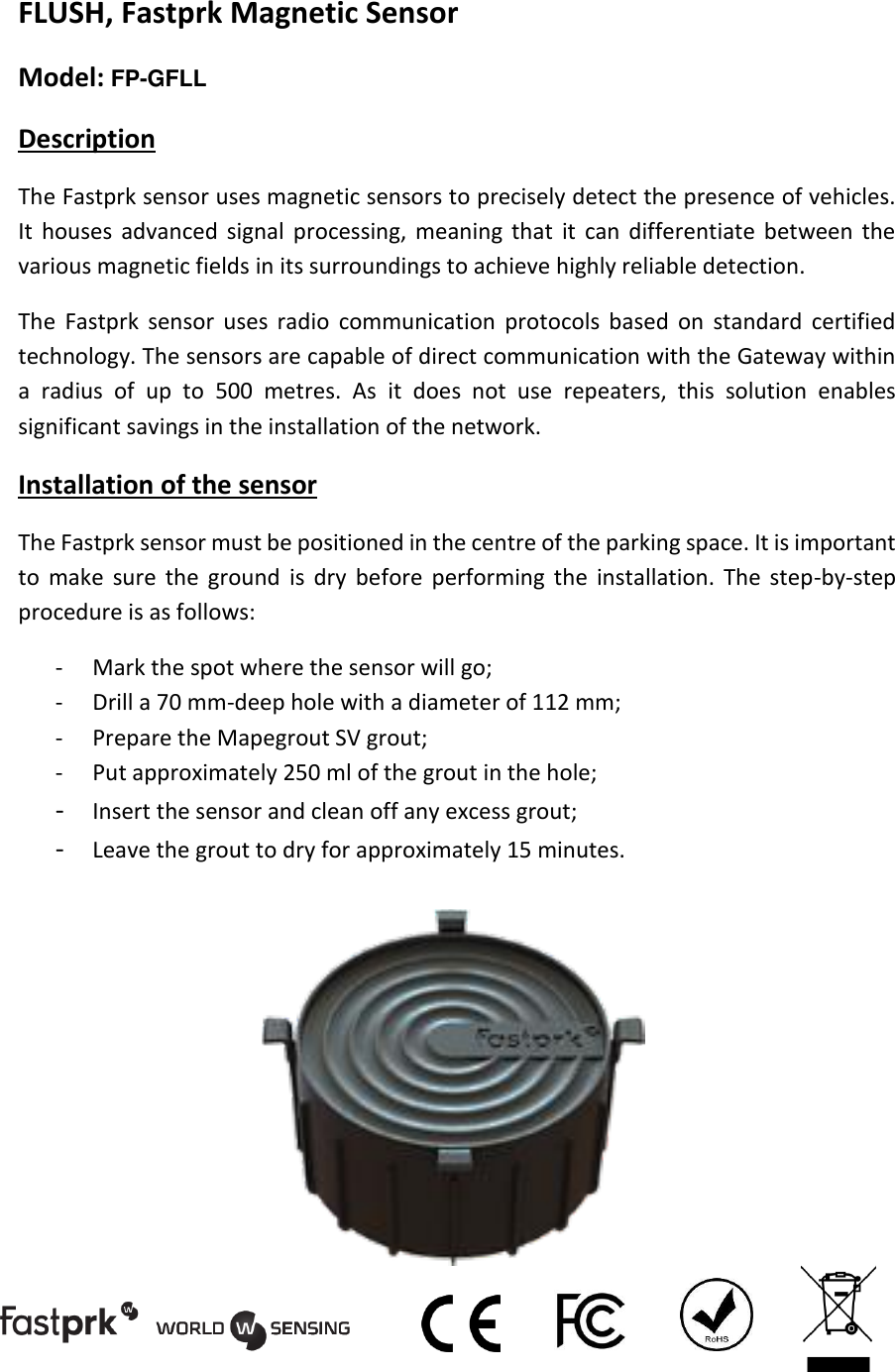
FLUSH, Fastprk Magnetic Sensor  Model: FP-GFLL Description The Fastprk sensor uses magnetic sensors to precisely detect the presence of vehicles. It  houses  advanced  signal  processing,  meaning  that  it  can  differentiate between  the various magnetic fields in its surroundings to achieve highly reliable detection. The  Fastprk  sensor  uses  radio  communication  protocols  based  on  standard  certified technology. The sensors are capable of direct communication with the Gateway within a  radius  of  up  to  500  metres.  As  it  does  not  use  repeaters,  this  solution  enables significant savings in the installation of the network. Installation of the sensor The Fastprk sensor must be positioned in the centre of the parking space. It is important to  make  sure  the  ground  is  dry  before  performing  the  installation.  The  step-by-step procedure is as follows: - Mark the spot where the sensor will go; - Drill a 70 mm-deep hole with a diameter of 112 mm; - Prepare the Mapegrout SV grout; - Put approximately 250 ml of the grout in the hole; - Insert the sensor and clean off any excess grout; - Leave the grout to dry for approximately 15 minutes.
Calibration of the sensor Once the sensor is in its final position, it must be calibrated. To do so, you need the following tools: - A smartphone with the Worldsensing calibration app installed; - A Worldsensing RFID reader; - The username and password provided by Worldsensing.  Calibration process 1. Turn on Bluetooth on the smartphone. 2. Log into the app on the smartphone. 3. Press the power button on the RFID reader. 4. Go to “Scan for device” in order to find nearby devices. 5. Make  sure  there  are  no  metallic  objects  within  3  metres  of  the  sensor,  for example cars, tools or fences. 6. In the app, press “Discovery” while holding the RFID reader close to the sensor. 7. The ID of the sensor will appear on the screen together with information about the calibration. 8. In the app, press “Calibration”. The sensor’s calibration process begins. 9. A minute later, press “Report” while holding the reader close to the sensor. Specifications Dimensions Ø 104 x 64 mm Weight 435 g Working temperature range -30°C to +70°C Protection IP67 Power supply 3.6 VDC Communications frequency  902 – 928 MHz Distance to Gateway  200 metres Battery type Li-SOCl2     FCC/IC Regulatory notices
Modification statement Worldsensing, S.L. has not approved any changes or modifications to this device by the user. Any changes or modifications could void the user’s authority to operate the equipment. Interference statement This device complies with Part 15 of the FCC Rules and Industry Canada’s licence-exempt RSS standards. Operation is subject to the following two conditions: (1) this device may not cause interference, and (2) this device must accept any interference, including interference that may cause undesired operation of the device. Wireless notice This  equipment  complies  with  FCC  and  IC  radiation  exposure  limits  set  forth  for  an uncontrolled  environment.  The  antenna  should  be  installed  and  operated  with minimum distance of 20 cm between the radiator and your body.  This  transmitter  must  not  be  co-located  or  operating  in  conjunction  with  any  other antenna or transmitter. FCC Class B digital device notice This equipment has been tested and found to comply with the limits for a Class B digital device,  pursuant  to  part  15  of  the  FCC  Rules.  These  limits  are  designed  to  provide reasonable  protection  against  harmful  interference  in  a  residential  installation.  This equipment generates, uses and can radiate radio frequency energy and, if not installed and used in accordance with the instructions, may cause harmful interference to radio communications. However, there is no guarantee that interference will not occur in a particular  installation.  If  this  equipment  does  cause  harmful  interference  to  radio  or television reception, which can be determined by turning the equipment off and on, the user is encouraged to try to correct the interference by one or  more of the following measures: - Reorient or relocate the receiving antenna. - Increase the separation between the equipment and receiver.  - Connect  the  equipment  into  an  outlet  on  a  circuit  different  from  that  to  which  the receiver is connected.  - Consult the dealer or an experienced radio/TV technician for help.
CAN ICES-3 (B) / NMB-3 (B) This Class B digital apparatus complies with Canadian ICES-003.

Navigation menu