Zida Technologies MB-A815EP-11 Mainboard User Manual Manual A815E1 indd

Zida Technologies Ltd. Mainboard Manual A815E1 indd

users manual 5

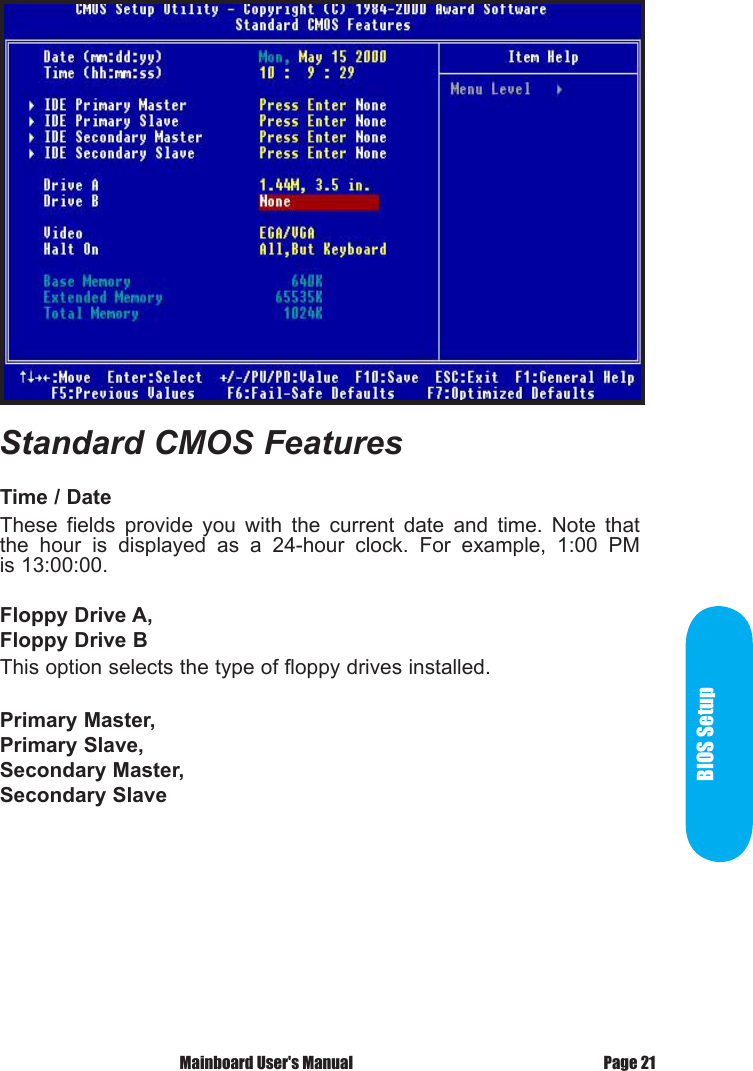
BIOS SetupPage 21 Mainboard User's ManualTime / DateThese  fields  provide  you  with  the  current  date  and  time.  Note  that the  hour  is  displayed  as  a  24-hour  clock.  For  example,  1:00  PM is 13:00:00.Floppy Drive A,Floppy Drive BThis option selects the type of floppy drives installed. Primary Master,Primary Slave,Secondary Master,Secondary SlaveStandard CMOS Features
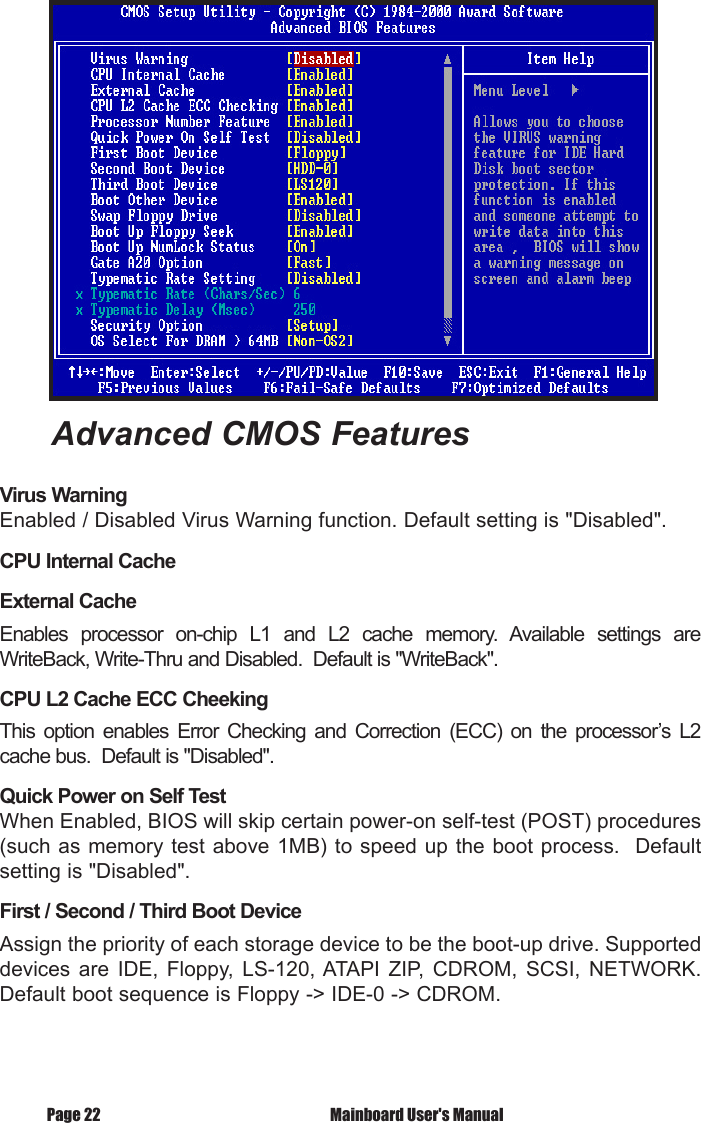
Advanced CMOS FeaturesVirus WarningEnabled / Disabled Virus Warning function. Default setting is "Disabled". CPU Internal CacheExternal CacheEnables  processor  on-chip  L1  and  L2  cache  memory.  Available  settings  are WriteBack, Write-Thru and Disabled.  Default is "WriteBack".CPU L2 Cache ECC CheekingThis  option  enables  Error  Checking  and  Correction  (ECC)  on  the  processor’s  L2 cache bus.  Default is "Disabled".Quick Power on Self TestWhen Enabled, BIOS will skip certain power-on self-test (POST) procedures (such as memory test above 1MB) to speed up the boot process.  Default setting is "Disabled".First / Second / Third Boot DeviceAssign the priority of each storage device to be the boot-up drive. Supported devices  are  IDE,  Floppy, LS-120, ATAPI  ZIP,  CDROM,  SCSI,  NETWORK. Default boot sequence is Floppy -> IDE-0 -> CDROM. Mainboard User's ManualPage 22
 Mainboard User's Manual Page 23BIOS SetupBoot Other DevicesSpecifies  whether  BIOS to  boot  from  other  device  not  listed  in  the 1st/2nd/3rd Boot Device options when BIOS fail to boot from those devices.  Default setting is "YES". Swap Floppy Drive Set  this  option  to  "Enabled"  to  permit  drives  A:  and  B:  to  be  swapped. Default is "Disabled".Boot Up Floppy SeekSpecify whether floppy drive A: will perform a Seek operation at system boot. Default setting is "Disabled".Boot Up NumLock StatusSet this option to "OFF" to turn the Num Lock key off when the computer is booted so you can use the arrow keys on both the numeric keypad and the keyboard.  Default is "ON".Gate A20 OptionSets "Fast", lets chipset control Gate A20; Sets "Normal", lets a pin in the keyboard controller control Gate A20.  Default setting is "Fast".Typematic Rate settingEnabled / Disabled Typematic Rate setting, when enabled,the typematic rate and typematic delay can be selected.  Default setting is "Disabled".Security OptionEnables password checking every time the computer is powered on or every time BIOS Setup is executed. If System is chosen, a user password prompt appears  every  time  the  computer  is  turned  on.  If  "Setup"  is  chosen,  the password prompt appears if BIOS Setup is executed.  Default is "Setup".OS Select For Dram > 64MBSet  to  "Enabled"  if  running  OS/2  operating  system  and  using  more  than 64MB system memory.  Default is "Disabled".
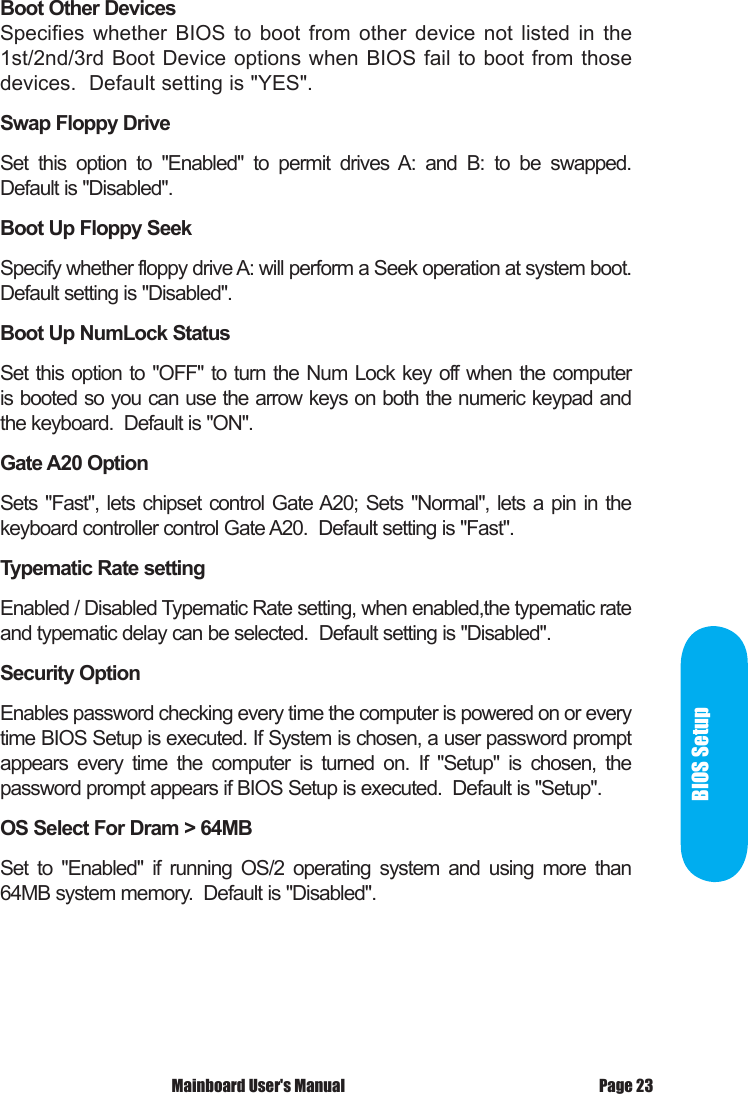
Page 24  Mainboard User's ManualSDRAM CAS Latency TimeSpecifies the  number  of SCLKs between  the time when the  Read command is  sampled  by  SDRAM  and  the  Whitney  Sample  reads  data  from  SDRAM. Available settings are 3(SCLKs) or 2. Default is "3".DRAM Cycle Time Tras/TrcSpecifies  the  length  of  the  SDRAM  cycle  time  in  SCLKs.  Available  options are 7/9, and 5/7. Default is "7/9".SDRAM RAS-to-CAS Delay Specifies the length of the delay inserted between the RAS and CAS signals of the SDRAM system memory access cycle. The settings are Auto, 2 SCLKs or 3 SCLKs. Default setting is "3".SDRAM RAS Precharge TimeSpecifies  the  length  of  the  RAS  precharge  part  of  the  SDRAM  system memory  access.  Available  settings:  Auto,  2  SCLKs,  or  3  SCLKs.  Default setting is "3".System BIOS CacheableEnabled / Disabled System BIOS cache.  Default setting is "Enabled".Video BIOS CacheableEnabled / Disabled Video BIOS cache.  Default setting is "Enabled".Memory Hole At 15M-16MEnabled / Disabled Memory Hole at 15M-16M.  Default is "Disabled".Advanced Chipset Features
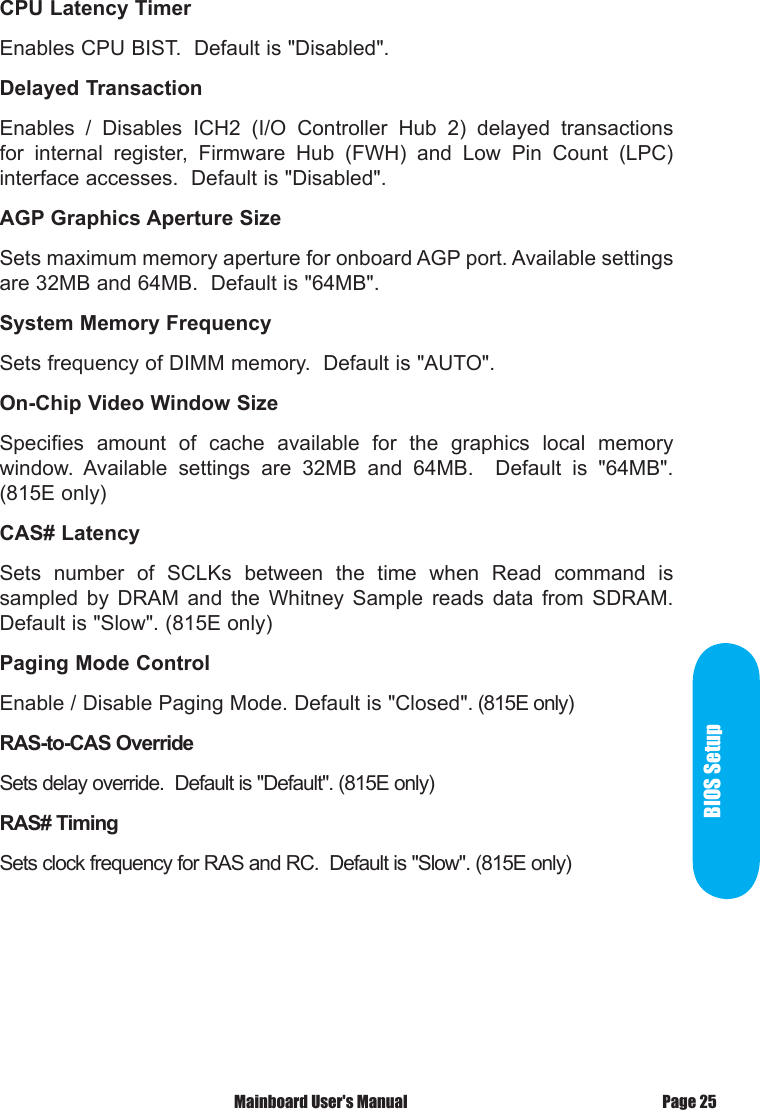
 Mainboard User's Manual Page 25BIOS SetupCPU Latency TimerEnables CPU BIST.  Default is "Disabled".Delayed TransactionEnables  /  Disables  ICH2  (I/O  Controller  Hub  2)  delayed  transactions for  internal  register,  Firmware  Hub  (FWH)  and  Low  Pin  Count  (LPC) interface accesses.  Default is "Disabled".AGP Graphics Aperture SizeSets maximum memory aperture for onboard AGP port. Available settings are 32MB and 64MB.  Default is "64MB".System Memory FrequencySets frequency of DIMM memory.  Default is "AUTO".On-Chip Video Window SizeSpecifies  amount  of  cache  available  for  the  graphics  local  memory window.  Available  settings  are  32MB  and  64MB.    Default  is  "64MB". (815E only)CAS# LatencySets  number  of  SCLKs  between  the  time  when  Read  command  is sampled  by  DRAM  and  the  Whitney  Sample  reads  data  from  SDRAM. Default is "Slow". (815E only)Paging Mode ControlEnable / Disable Paging Mode. Default is "Closed". (815E only)RAS-to-CAS OverrideSets delay override.  Default is "Default". (815E only)RAS# TimingSets clock frequency for RAS and RC.  Default is "Slow". (815E only)
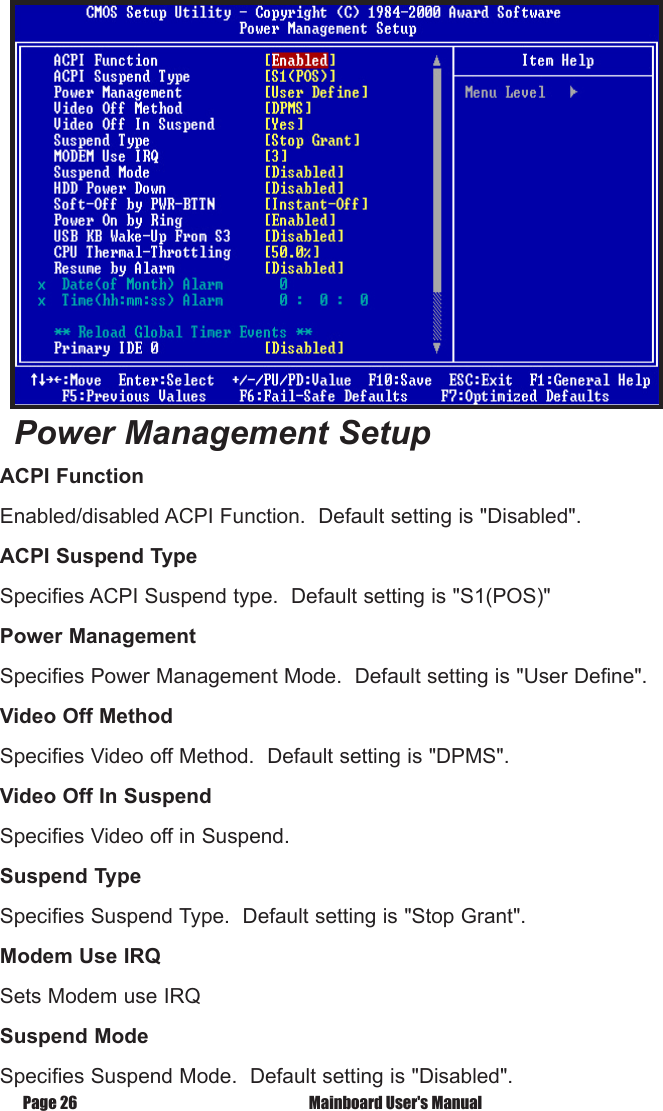
Page 26  Mainboard User's ManualPower Management SetupACPI FunctionEnabled/disabled ACPI Function.  Default setting is "Disabled".ACPI Suspend TypeSpecifies ACPI Suspend type.  Default setting is "S1(POS)"Power ManagementSpecifies Power Management Mode.  Default setting is "User Define".Video Off MethodSpecifies Video off Method.  Default setting is "DPMS".Video Off In SuspendSpecifies Video off in Suspend.Suspend TypeSpecifies Suspend Type.  Default setting is "Stop Grant".Modem Use IRQSets Modem use IRQSuspend ModeSpecifies Suspend Mode.  Default setting is "Disabled".
 Mainboard User's Manual Page 27BIOS SetupHDD Power DownSpecifies HDD Power Down Mode.  Default setting is "Disabled".Soft Off by PWR_BTTNSets Power Down Mode by PWR_BTTN.  Default setting is "Instant-off".Wake-Up by PCI cardEnabled / Disabled Wake-up by PCI card.  Default setting is "Disabled".Power On by RingEnabled / Disabled Power on by Ring.  Default setting is "Enabled".USB KB Wake-up From S3Enabled / Disabled USB KB Wake-up from S3.  Default setting is "Disabled".CPU Thermal-ThrottlingMonitor CPU Temperature, slow down CPU Speed.Resume by AlarmEnabled / Disabled Resume by alarm.  Default setting is "Disabled".Primary IDE0Enabled  /  Disabled  monitor  Primary  IDE0  for  Green  event.  Default  setting is "Disabled".Primary IDE1Enabled  /  Disabled  monitor  Primary  IDE1  for  Green  event.  Default  setting is "Disabled".Secondary IDE0Enabled / Disabled monitor Secondary IDE0  for  Green  event. Default setting is "Disabled".Secondary IDE1Enabled / Disabled monitor Secondary IDE1 for Green event.  Default setting is "Disabled".FDD.COM.LPT PortEnabled/Disabled  monitor  FDD.COM.LPT  for  Green  event.    Default  setting is "Disabled".PCI PIRQ [A-D]#Enabled  PCI  PIRQIA-DJ#,Monitor  PCI  PIRQIA-DJ#IRQ  Active,Disabled  PCI PIRQIA-DJ# Ignore PCI PIRQIA-DJ# IRQ Active. Default setting is "Disabled".
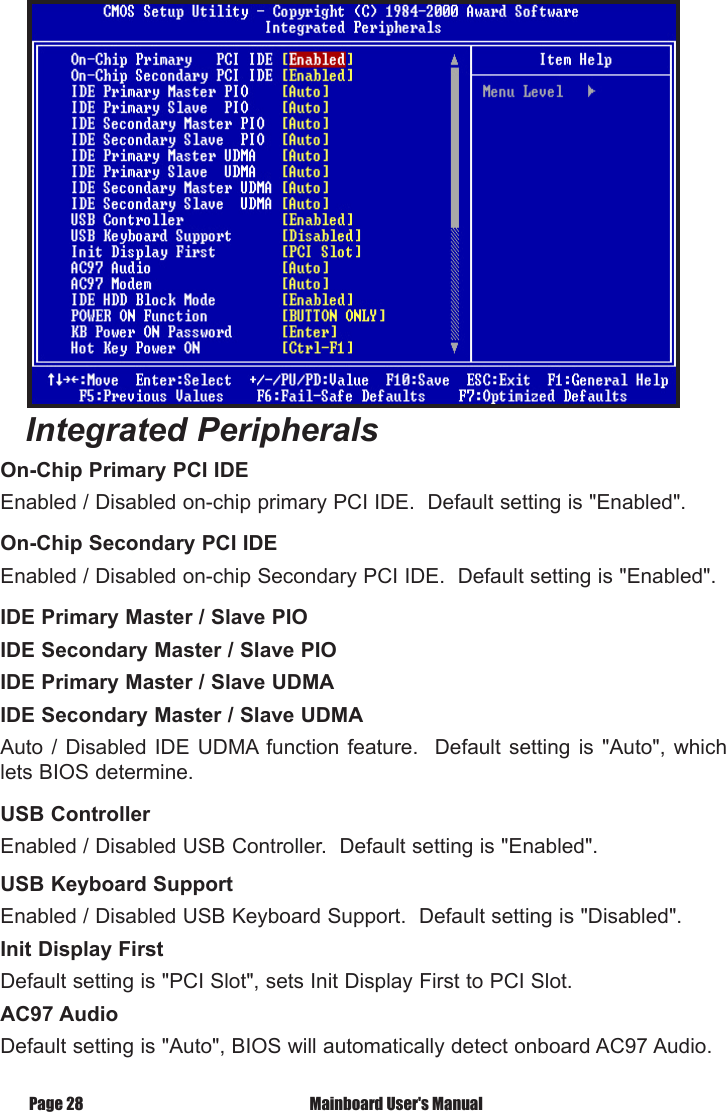
 Mainboard User's ManualPage 28On-Chip Primary PCI IDEEnabled / Disabled on-chip primary PCI IDE.  Default setting is "Enabled".On-Chip Secondary PCI IDEEnabled / Disabled on-chip Secondary PCI IDE.  Default setting is "Enabled".IDE Primary Master / Slave PIOIDE Secondary Master / Slave PIOIDE Primary Master / Slave UDMAIDE Secondary Master / Slave UDMAAuto  /  Disabled  IDE  UDMA function  feature.   Default setting  is "Auto",  which lets BIOS determine.USB ControllerEnabled / Disabled USB Controller.  Default setting is "Enabled".USB Keyboard SupportEnabled / Disabled USB Keyboard Support.  Default setting is "Disabled".Init Display FirstDefault setting is "PCI Slot", sets Init Display First to PCI Slot.AC97 AudioDefault setting is "Auto", BIOS will automatically detect onboard AC97 Audio.Integrated Peripherals
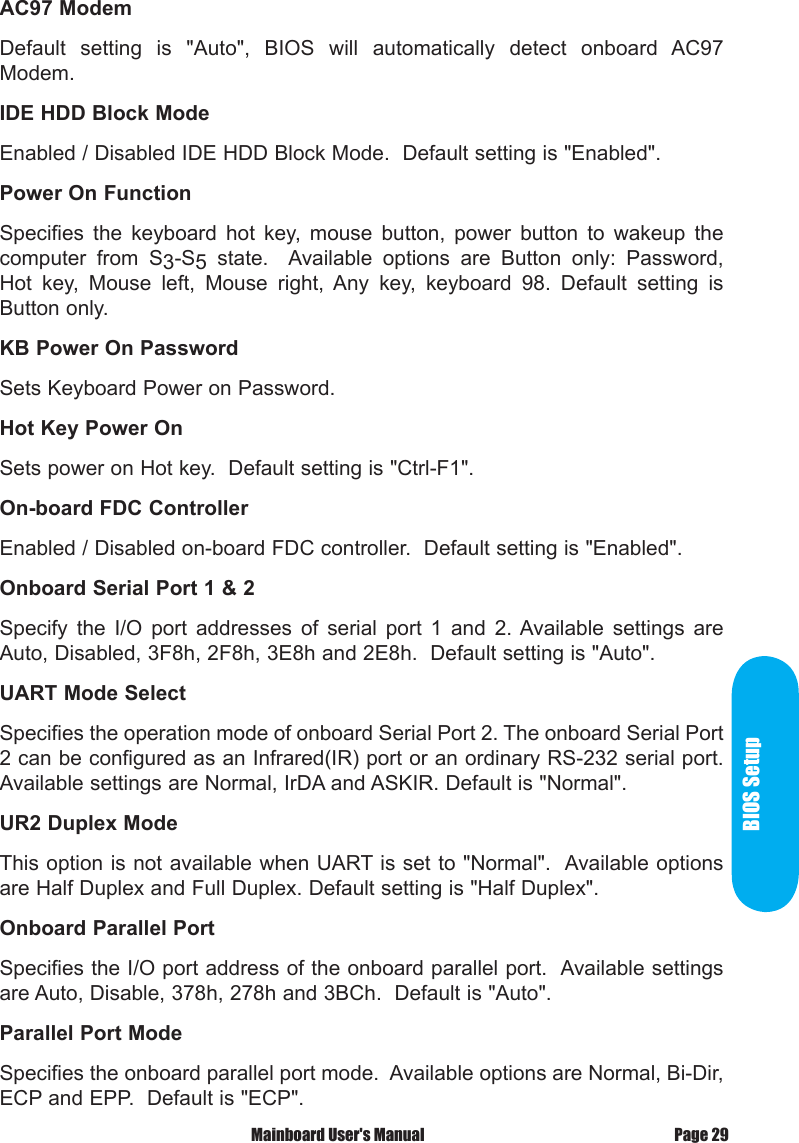
BIOS SetupPage 29 Mainboard User's ManualAC97 ModemDefault  setting  is  "Auto",  BIOS  will  automatically  detect  onboard  AC97 Modem.IDE HDD Block ModeEnabled / Disabled IDE HDD Block Mode.  Default setting is "Enabled".Power On FunctionSpecifies  the  keyboard  hot  key,  mouse  button,  power  button  to  wakeup  the computer  from  S3-S5  state.    Available  options  are  Button  only:  Password, Hot  key,  Mouse  left,  Mouse  right,  Any  key,  keyboard  98.  Default  setting  is Button only.KB Power On PasswordSets Keyboard Power on Password.Hot Key Power OnSets power on Hot key.  Default setting is "Ctrl-F1".On-board FDC ControllerEnabled / Disabled on-board FDC controller.  Default setting is "Enabled".Onboard Serial Port 1 & 2Specify  the  I/O  port  addresses  of  serial  port  1  and  2. Available  settings  are Auto, Disabled, 3F8h, 2F8h, 3E8h and 2E8h.  Default setting is "Auto".UART Mode SelectSpecifies the operation mode of onboard Serial Port 2. The onboard Serial Port 2 can be configured as an Infrared(IR) port or an ordinary RS-232 serial port. Available settings are Normal, IrDA and ASKIR. Default is "Normal".UR2 Duplex ModeThis option is not available when UART is set to "Normal".  Available options are Half Duplex and Full Duplex. Default setting is "Half Duplex".Onboard Parallel PortSpecifies the I/O port address of the onboard parallel port.  Available settings are Auto, Disable, 378h, 278h and 3BCh.  Default is "Auto".Parallel Port ModeSpecifies the onboard parallel port mode.  Available options are Normal, Bi-Dir, ECP and EPP.  Default is "ECP".
 Mainboard User's ManualPage 30EPP Mode SelectSpecifies  the  Enhanced  Parallel  Port  specification  version  number. This option only appears if the Parallel Port Mode is set to "EPP".  The settings are 1.7 or 1.9.  Default is N/A because the default setting for the Parallel Port Mode option is not EPP.ECP Mode USE DMAThis  option  only  appears  if  the  Parallel  Port  Mode  option  is  set  to ECP.  It assigns a DMA channel to the onboard parallel port.  Available settings are 1, 3.  Default is "3".Midi Port AddressSpecifies  the  I/O  address  of  the  MIDI  interface  on  the  Onboard Game  Port.    Available  options  are  300h,  330h  290h  and  Disabled. Default is "330".Midi Port IRQAssigns the IRQ line to the MIDI interface. Available options are 5 and 10.  Default setting is "10".  This option is not available if the Onboard Midi Port is disabled S-232 serial port.Game Port AddressSpecifies the Onboard Game Port I/O address.  Available settings are 201, 209, and Disabled.  Default is "201".

Navigation menu