Zida Technologies MB-P845GL Motherboard User Manual 845 SERIES MANUAL V2 0 ENGLISH

Zida Technologies Ltd. Motherboard 845 SERIES MANUAL V2 0 ENGLISH

manual 4 of 9

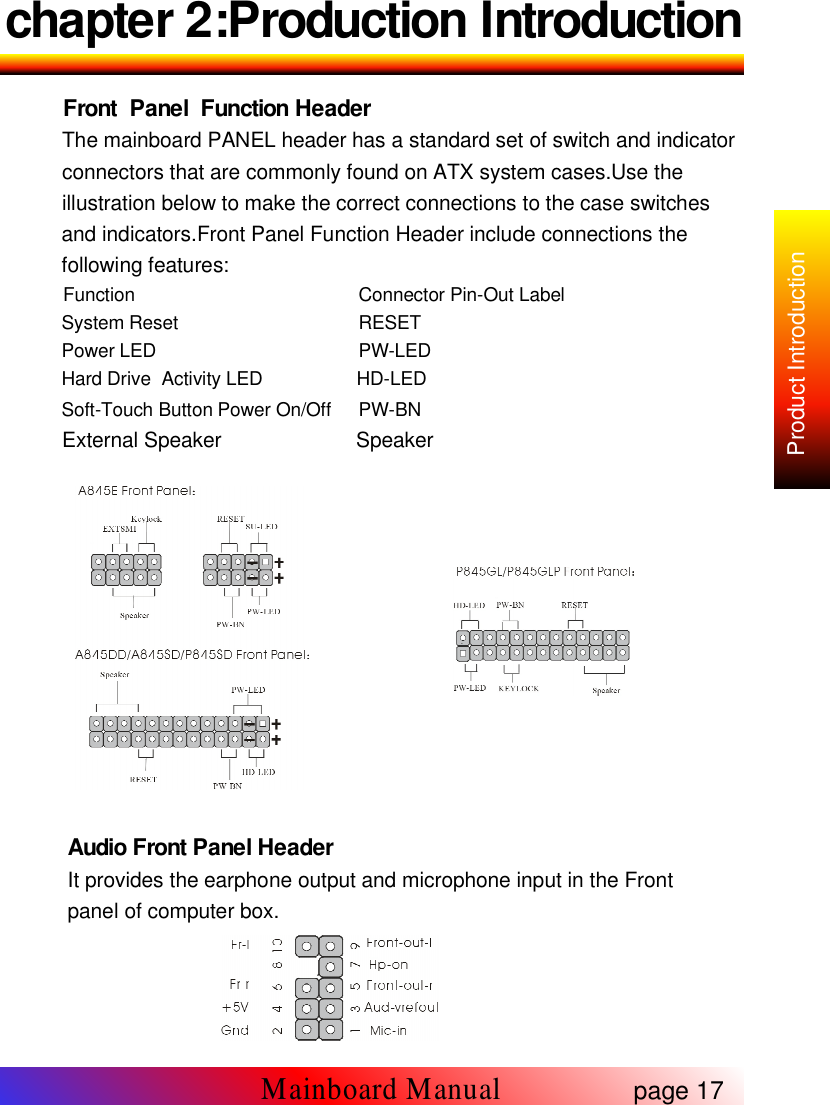
chapter 2:Production IntroductionFront Panel Function HeaderThe mainboard PANEL header has a standard set of switch and indicatorconnectors that are commonly found on ATX system cases.Use theillustration below to make the correct connections to the case switchesand indicators.Front Panel Function Header include connections thefollowing features:Function Connector Pin-Out LabelSystem Reset RESETPower LED PW-LEDHard Drive Activity LED HD-LEDSoft-Touch Button Power On/Off PW-BNExternal Speaker SpeakerAudio Front Panel HeaderIt provides the earphone output and microphone input in the Frontpanel of computer box.page 17Mainboard ManualProduct Introduction
chapter 2:Product IntroductionThe header pin-out is as followsPin Signal Name1 mic-in2 Gnd3 Audio Vref-out4 +5V5 right channel output6 right channel return7 Hp-on9 left channel output10 left channel returnPlease add two jumper in 5-6 & 9-10 according to the picture when youdon't need install Front Audio panel.CPU&System FANMainboard supply three FAN header with measure FAN speed function,which can be watched in BIOS.Caution Assure CPU FAN run in work state,or CPU will damage foroverheat.CNR(Communication Audio Modem Riser)Support the CNR card with Audio/Modem/Lan function.Only for A845E / A845DD / A845SD / P845SDCD Audio connectorIt's connected to CD-ROM by a CD cable.AUX-IN Audio headerIt receive audio output from CD-ROM,TV or MPEG card.page 18Mainboard Manual
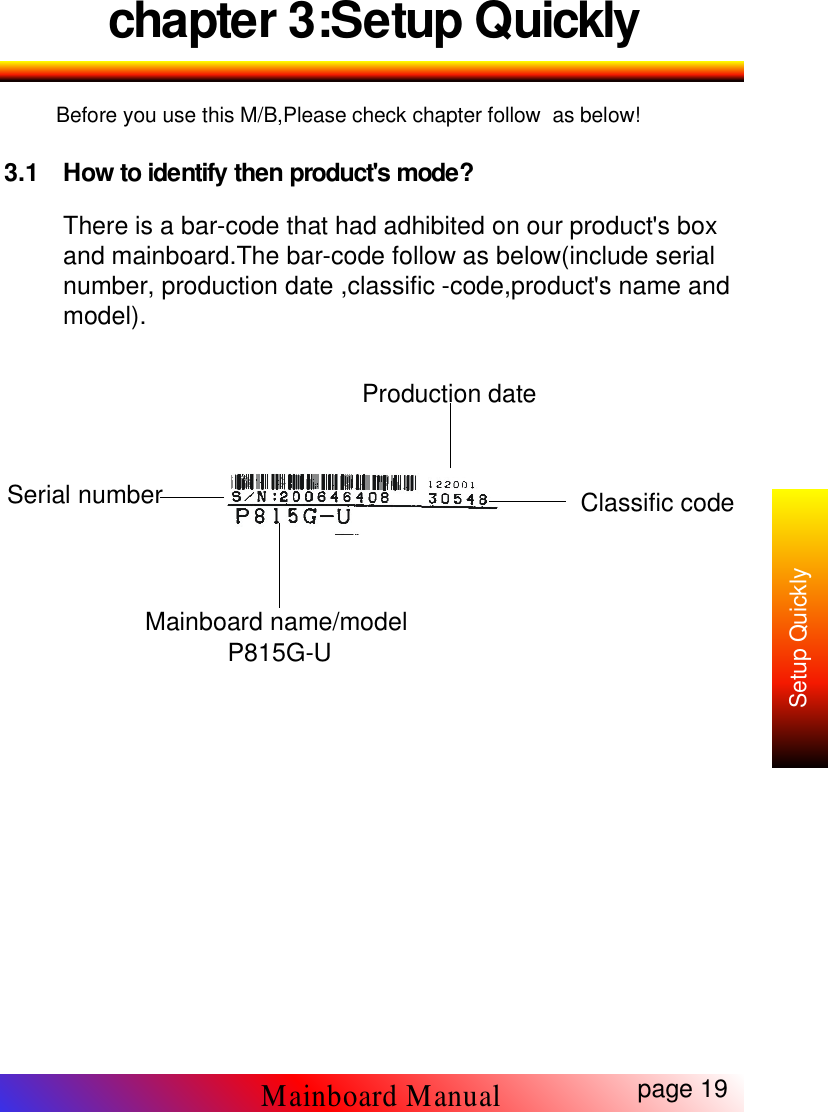
chapter 3:Setup QuicklyBefore you use this M/B,Please check chapter follow as below!3.1 How to identify then product's mode?There is a bar-code that had adhibited on our product's boxand mainboard.The bar-code follow as below(include serialnumber, production date ,classific -code,product's name andmodel).page 19Mainboard ManualSetup QuicklyProduction dateClassific codeSerial numberMainboard name/modelP815G-U
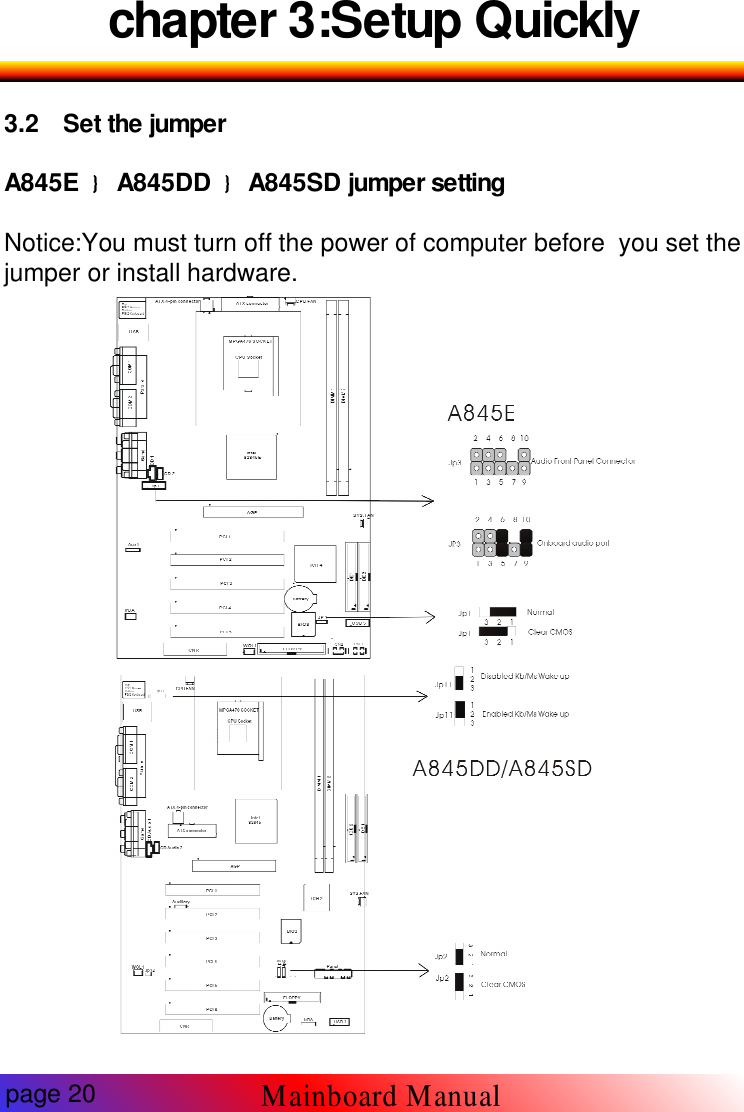
chapter 3:Setup Quickly3.2 Set the jumperA845E A845DD A845SD jumper settingNotice:You must turn off the power of computer before you set thejumper or install hardware.page 20Mainboard Manual
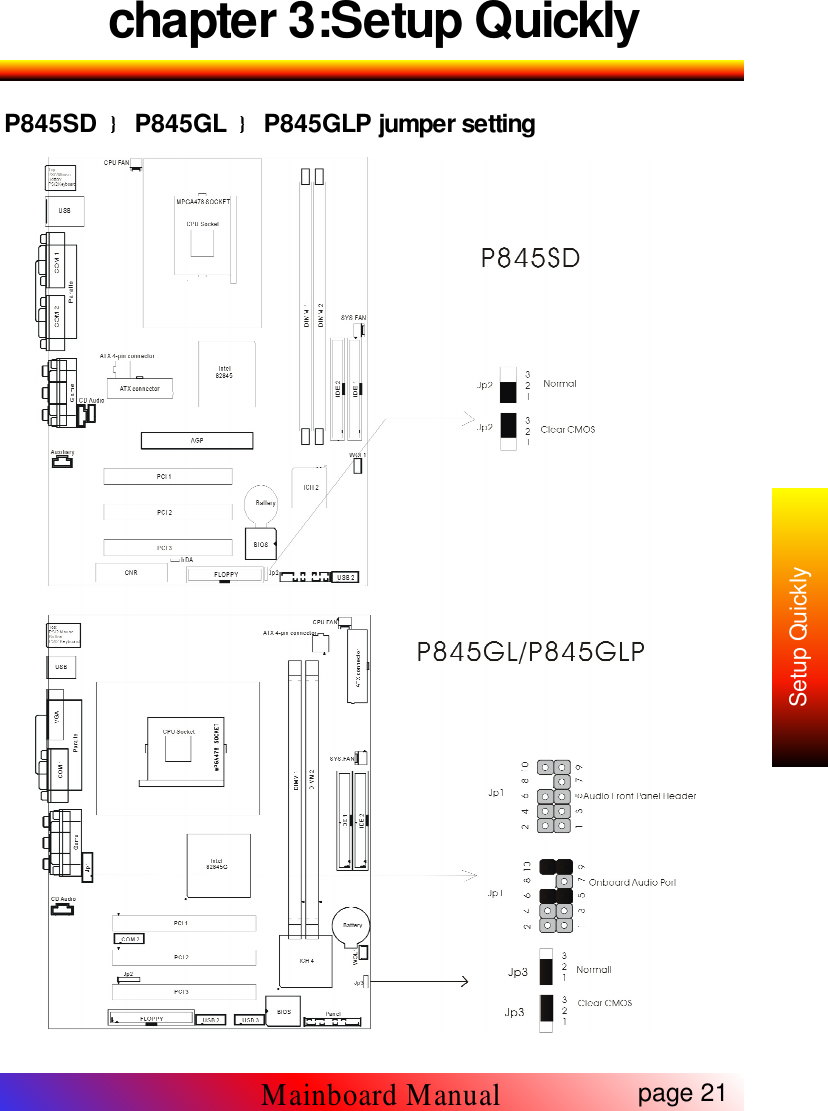
chapter 3:Setup QuicklyP845SD P845GL P845GLP jumper settingpage 21Mainboard ManualSetup Quickly
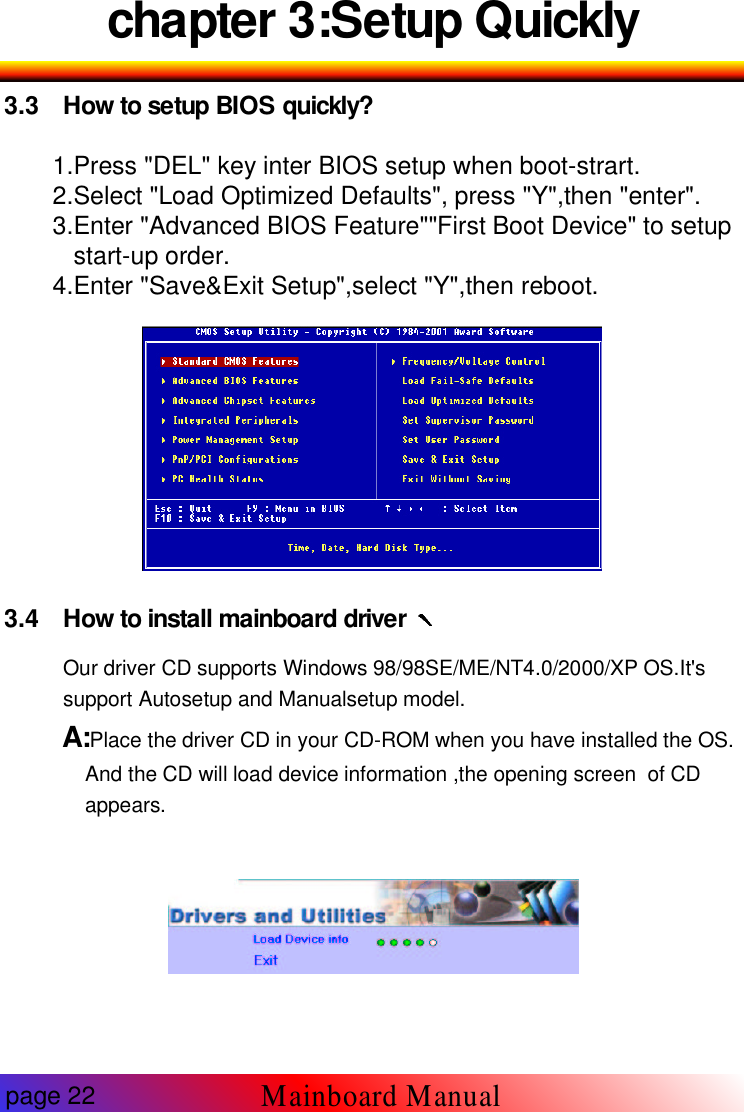
chapter 3:Setup Quickly3.3 How to setup BIOS quickly?1.Press "DEL" key inter BIOS setup when boot-strart.2.Select "Load Optimized Defaults", press "Y",then "enter".3.Enter "Advanced BIOS Feature""First Boot Device" to setupstart-up order.4.Enter "Save&Exit Setup",select "Y",then reboot.3.4 How to install mainboard driverOur driver CD supports Windows 98/98SE/ME/NT4.0/2000/XP OS.It'ssupport Autosetup and Manualsetup model.A:Place the driver CD in your CD-ROM when you have installed the OS.And the CD will load device information ,the opening screen of CDappears.page 22Mainboard Manual
chapter 3:Setup QuicklyAfter a while,appear following menu.(Accord different mainboard themenu is different) etc:M/B:P845GL, with onboard sound(CMI9738,Fourchannel Audio).Click highlight item and complete the driver install with the promptNotice:If window appear introduction"You need not install this drive inWinxx" that means the OS has included the device driver and you don'tneed to install it.B: When your need to Manualsetup, please follow the list:First :You need to select the type of M/B which your purchased .Weprovide 3 types in our CD : ATX ,MICRO-ATX ,BABY-ATpage 23Mainboard ManualSetup Quickly

Navigation menu